
Server Browser Mod (1.21.5, 1.20.1) – Hop Into Community Worlds

 0


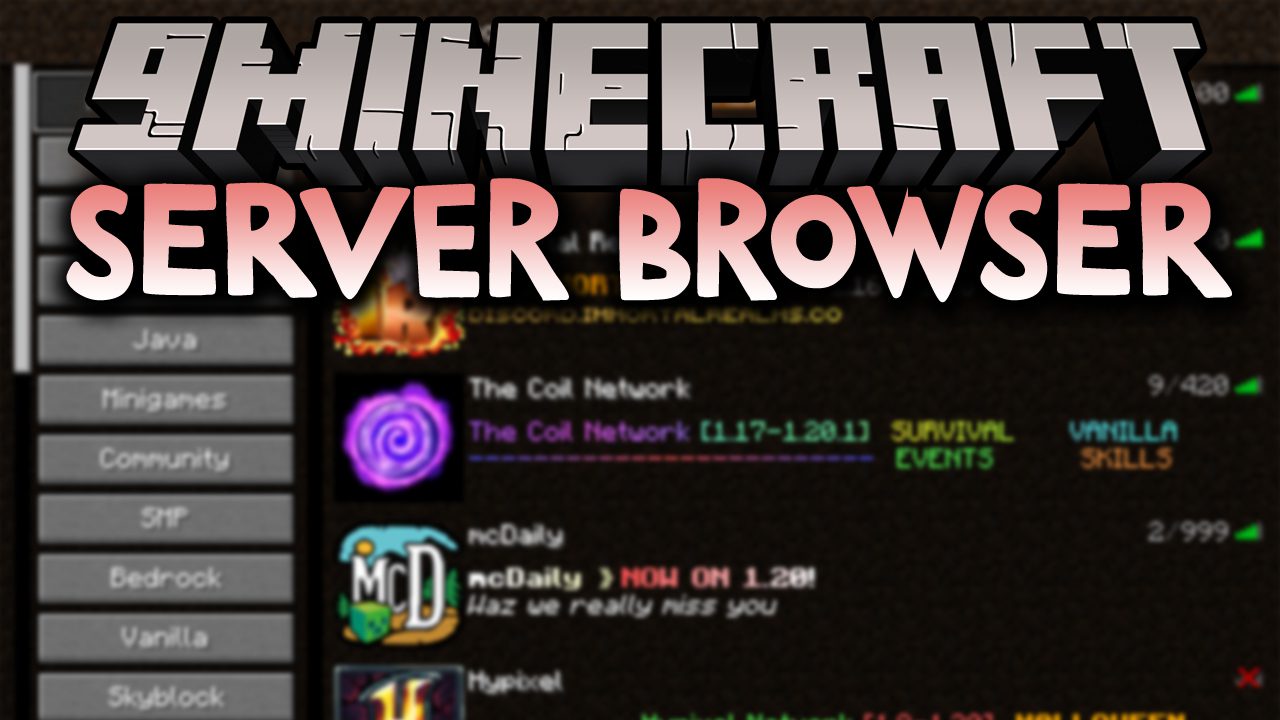
Server Browser Mod lets you find modded servers right inside Minecraft. It adds a button to the multiplayer screen so you can check online servers and sort them with filters. This makes it easy to pick a server that matches your modpack. The mod also includes config options for modpacks to blacklist specific servers, limit tags to one pack, and pin official servers at the top of the favorites list.
Features:
- In-Game Server List: Adds a button to the top-left corner of the multiplayer screen that opens a menu showing online modded servers and their connection info.
- Server Filtering: Lets you sort listed servers by different types and category checkboxes so you can quickly find one for your modpack.
- Includes a server blacklist array in the config to hide chosen servers from the browser list without removing anything from your regular multiplayer favorites.
- Supports a preset modpack filter in the config that removes all other modpacks from the tag list.
- Lets official modpack servers appear at the top of your regular multiplayer favorites list.
- Allows modded servers to be registered for the in-game list and supports tag requests for modpacks that have community servers.
How to Use:
- Open Multiplayer from the Minecraft main menu to view your server screen.
- Click the Server Browser button in the top-left corner to open the list of online modded servers and their connection info.
- Open the filter options and check the categories or types you want so the list narrows down to matching servers.
- Pick a server from the list to connect and start playing.
Screenshots:
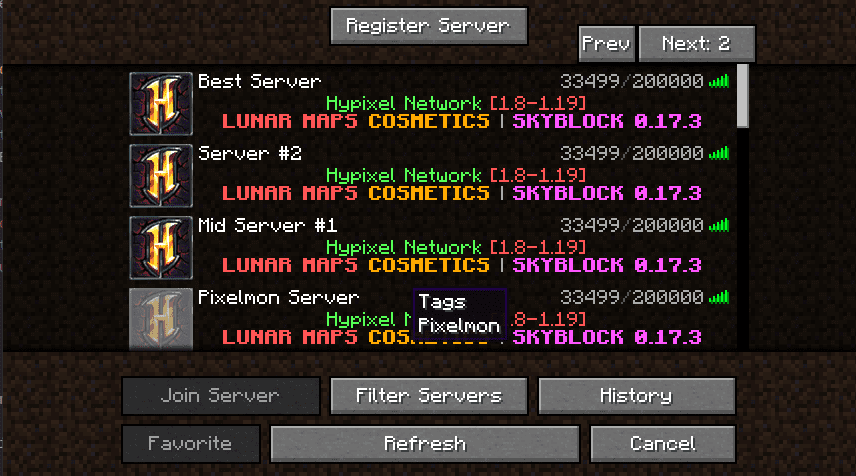
Main Menu
- This menu can be gotten to by going to the multiplayer screen, and in the top left clicking ‘Server Browser’
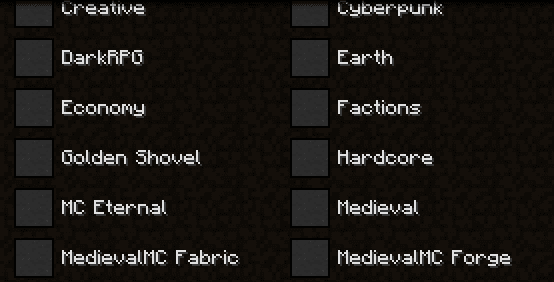
Server Filtering
- If you wanted to filter a server by various types, you can do that.
How to Install:
New to Minecraft? Follow our step-by-step guide to install Mods on your PC.View Guide
Requirements:

Server Browser Mod Download Links
For Minecraft 1.21.5
Forge version: Download from Server 1 – Download from Server 2
Fabric version: Download from Server 1 – Download from Server 2
NeoForge version: Download from Server 1 – Download from Server 2
For Minecraft 1.21.3, 1.21.2
Fabric version: Download from Server 1
NeoForge version: Download from Server 1
For Minecraft 1.21.1, 1.21
Forge version: Download from Server 1 – Download from Server 2
Fabric version: Download from Server 1 – Download from Server 2
NeoForge version: Download from Server 1 – Download from Server 2
For Minecraft 1.20.1, 1.20
Forge version: Download from Server 1 – Download from Server 2
Fabric version: Download from Server 1 – Download from Server 2
For Minecraft 1.19.4
Forge version: Download from Server 1
Fabric version: Download from Server 1
For Minecraft 1.19.3
Forge version: Download from Server 1
Fabric version: Download from Server 1
For Minecraft 1.19.2
Forge version: Download from Server 1 – Download from Server 2
Fabric version: Download from Server 1 – Download from Server 2
For Minecraft 1.18.2
Forge version: Download from Server 1 – Download from Server 2
Fabric version: Download from Server 1 – Download from Server 2
For Minecraft 1.16.5
Forge version: Download from Server 1
Fabric version: Download from Server 1
You May Also Like
Picked for this page
 Essentials Mod (1.21.11, 1.20.1) – Automate Various Areas of The Game
 Right-Click Harvest Mod (26.3, 1.20.1) – Harvest Crops Quickly and Easily
 Crystals Overhauled Mod (26.3, 1.20.1) – A Minecraft Mod Revolution
 WorldEdit CUI Mod (26.3, 1.20.1) – A Graphical User Interface for WorldEdit
 Measurements Mod (26.3, 1.20.1) – Measuring The Dimensions of Blocks
 Break Free Mod (26.3, 1.20.1) – Keep Breaking Blocks When Switch Items
 Syncmatica Mod (26.3, 1.20.1) – Server-Wide Shared Litematics
 Crafting Tweaks Mod (26.3, 1.20.1) – Extra Functions of Crafting Tables
 Extract Poison Mod (26.3, 1.20.1) – Harvest Poison from Certain Mobs
 Quest Giver Mod (1.21.1, 1.20.1) – Quest Giver Villagers for DawnCraft
 Chowder Express Mod (26.2, 1.20.1) – Soup Powered Minecart Mayhem
 Island Menu Mod (26.2, 1.20.1) – Dynamic Main Menu
Most viewed in Mods over the last 7 days
 Ala Industrial Mod (26.3) – Run Electric Power Grids and Automated Factories
 PleasureCraft Mod (26.3, 1.21.1) – Jenny Mod Remake for Fabric
 Jennycraft Mod (26.3, 1.20.1) – Virtual Girlfriend in Minecraft
 Fapcraft Mod (26.3, 1.12.2) – Comprehensive and Detailed Content
 Jenny Mod (Fapcraft) Official Complete Guide – How to use, Tutorial
 BangCraft Mod (1.20.1) – Jenny, Ellie and Elliot
 Fabric Loader (26.3, 1.20.1) – Fabric Installer for All Minecraft Versions
 Meteor Client Mod (26.3, 1.20.1) – Xray, HUD, Fly
 The Shooting Star Demo Mod (26.3, 1.20.1) – Vaporize Terrain From Orbit
 OptiFine HD (26.3, 1.20.1) – Run Faster, FPS Boost, Shaders Support
 Aristois Client Mod (1.21.4, 1.20.1) – World Class Minecraft Utility
 SchnurriTV Mod (1.12.2) – Characters and Features
More from Mods
 Load My Tags 9minecraft Mod (26.3) – Mix Mods Without Breaking Recipes
 Kambrik 9minecraft Mod (26.3) – Run Kotlin Mods Without Game Lag
 Fast Paintings 9minecraft Mod (26.3, 26.2) – Place Wall Art Exactly Where You Want It
 Bonsai Trees 9minecraft Mod (26.3, 26.2) – Automate Wood Farming in Tiny Pots
 Enhanced Block Entities 9minecraft Mod (26.3) – Build Lag-Free Storage Rooms
 Better Nether 9minecraft Mod (26.3, 26.2) – Survive Forever in the Nether
 BCLib 9minecraft Mod (26.3, 26.2) – Power Custom Nether and End Overhauls
 ForgedLoaderAPI Mod (1.19.2, 1.18.2) – Bring Ported Fabric Creations
 Shield System Mod (1.21.1) – Tank Heavy Monster Hits Without Losing Hearts
 Shin’s Tensura Race Models Mod (1.19.2) – Play As Unique 3D Anime Race
 Offgrid Mod (26.3, 1.20.1) – Furnish Compact Interiors Without Strict Grid
 Tempest Almanac Iron’s Spells ‘n Spellbooks Mod (1.21.1, 1.20.1)

This post has no comments yet. Be the first — your comment will appear here.