
Cobblemon Show Held Items Mod (1.21.1, 1.20.1) – Spot Pokémon Holding Gear

 0


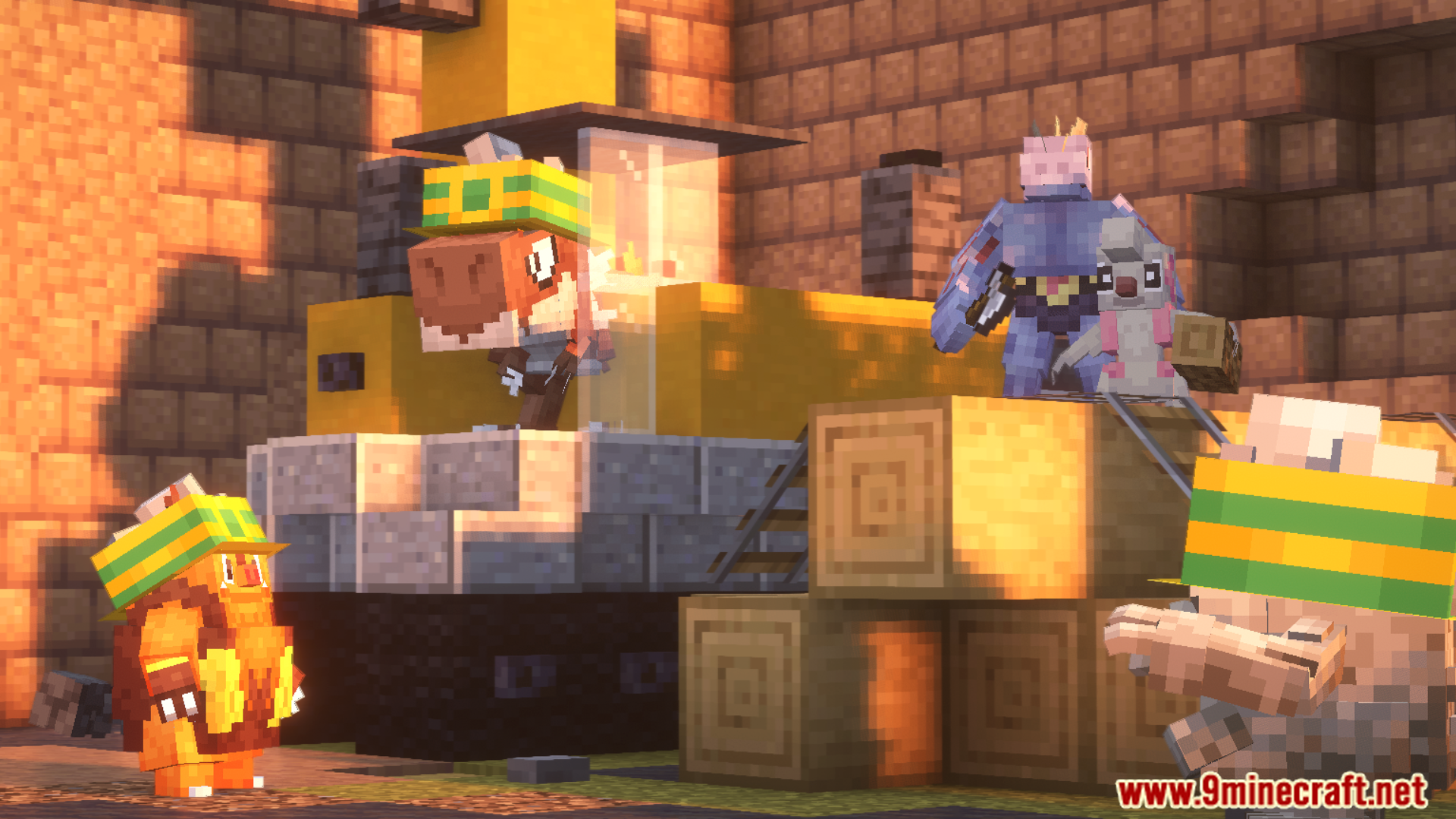
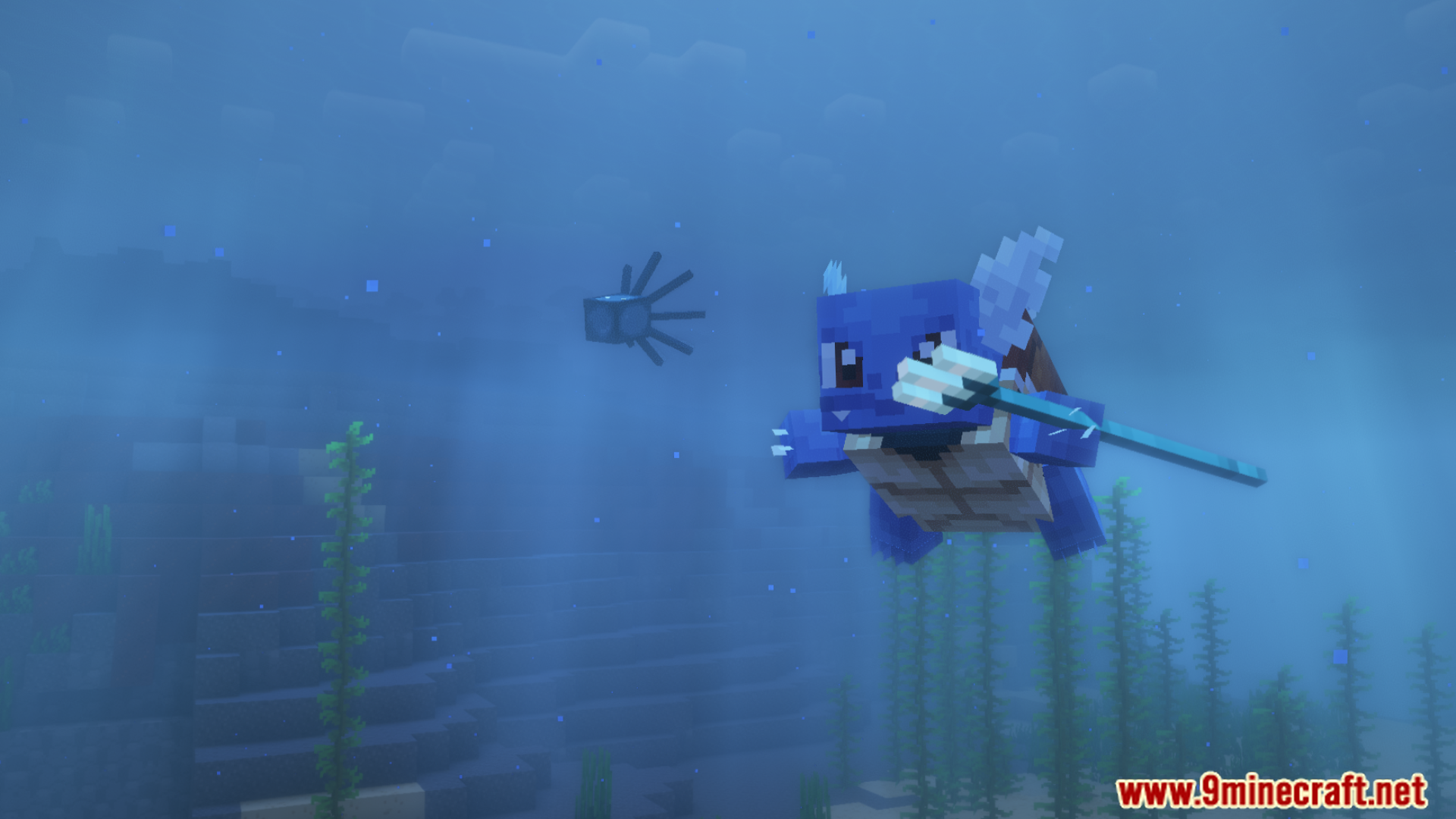
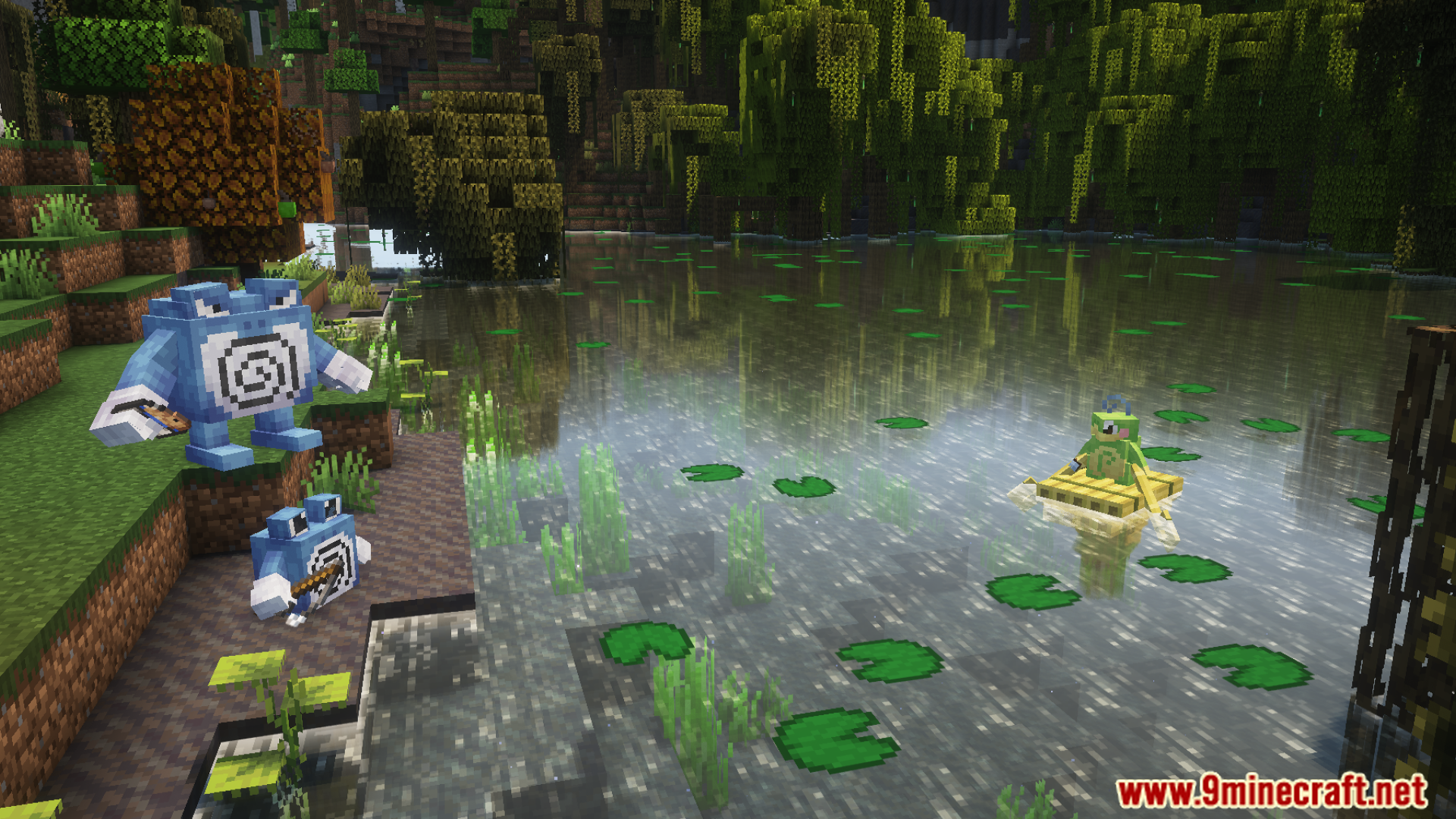
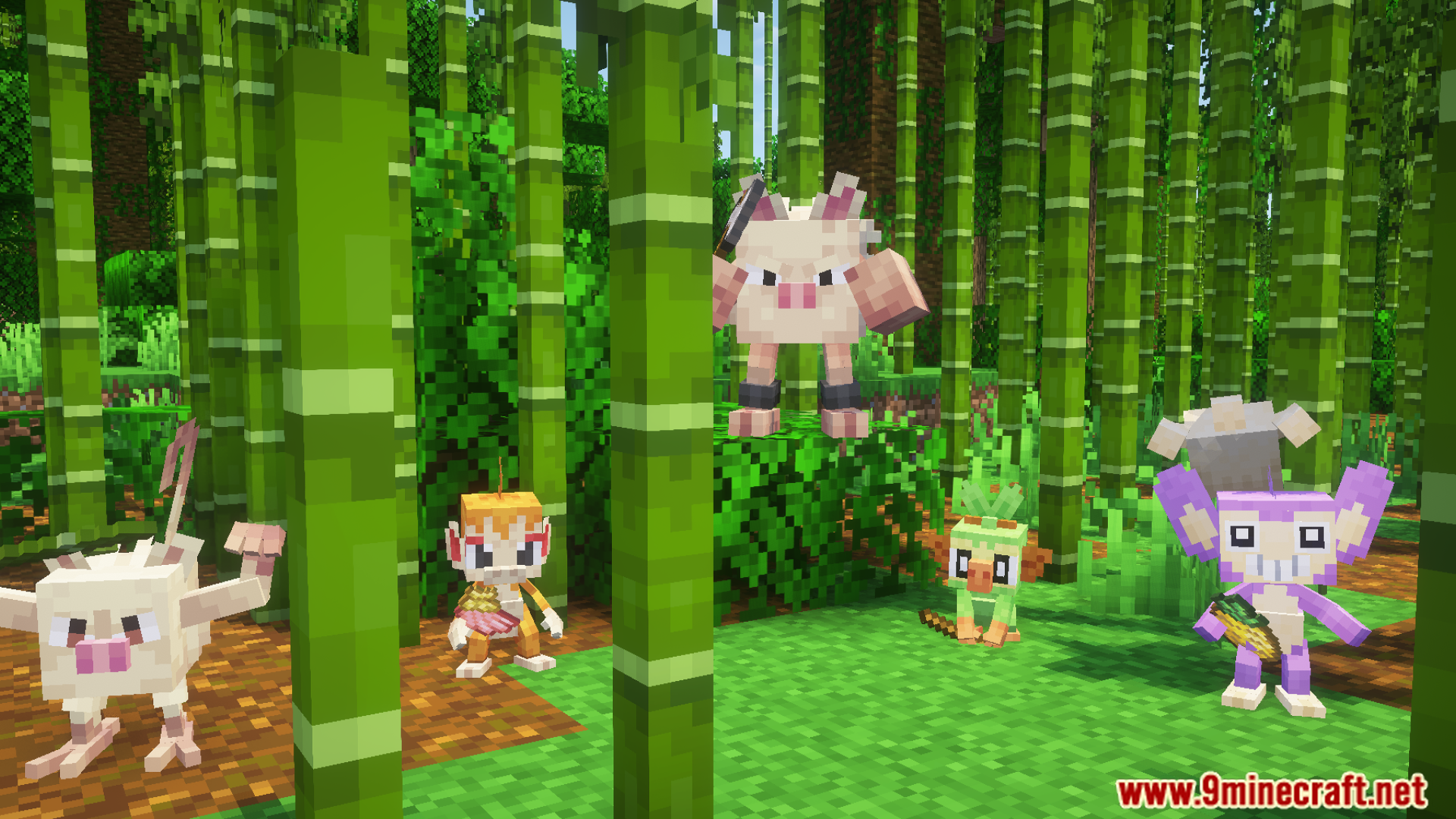
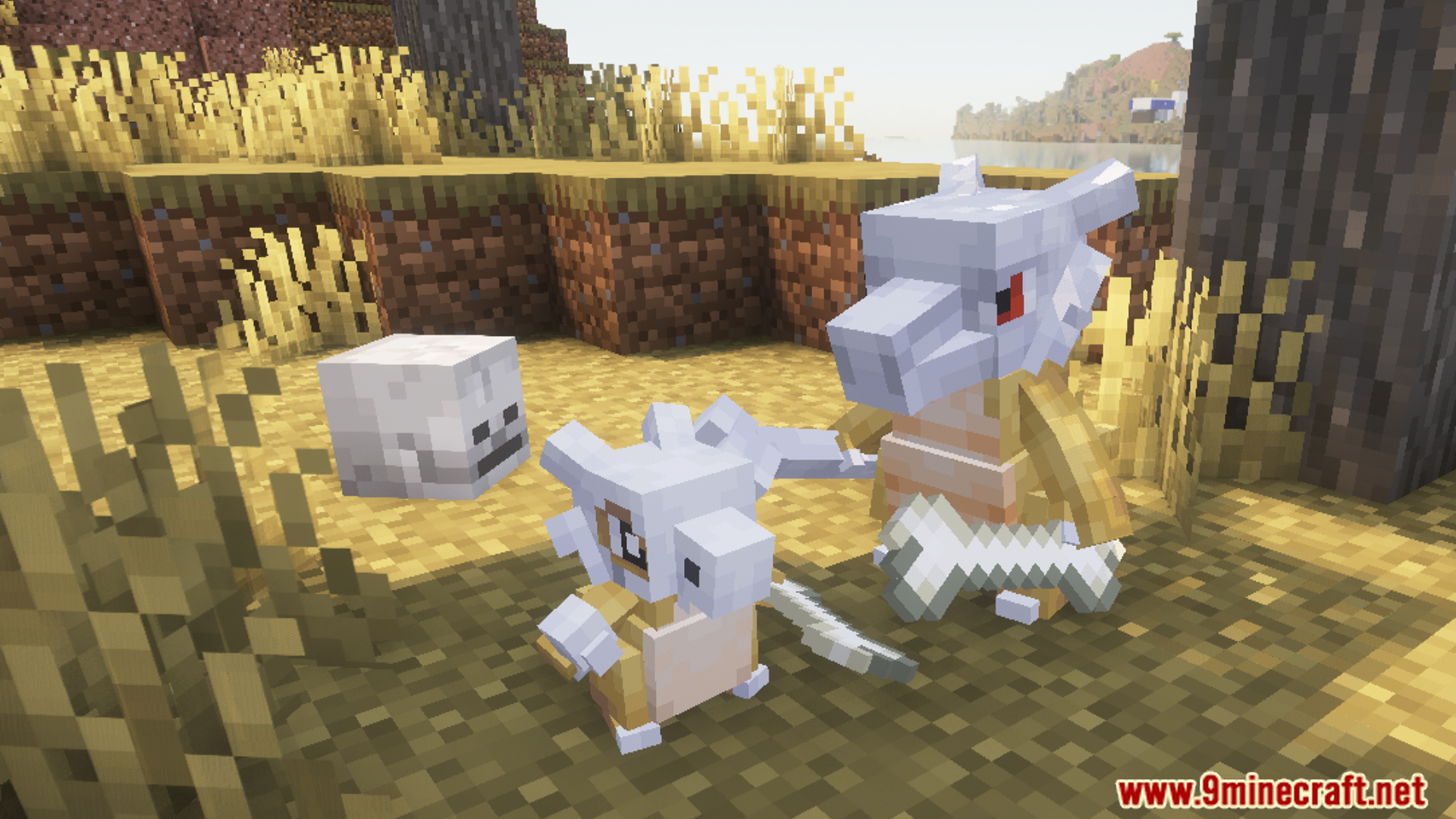
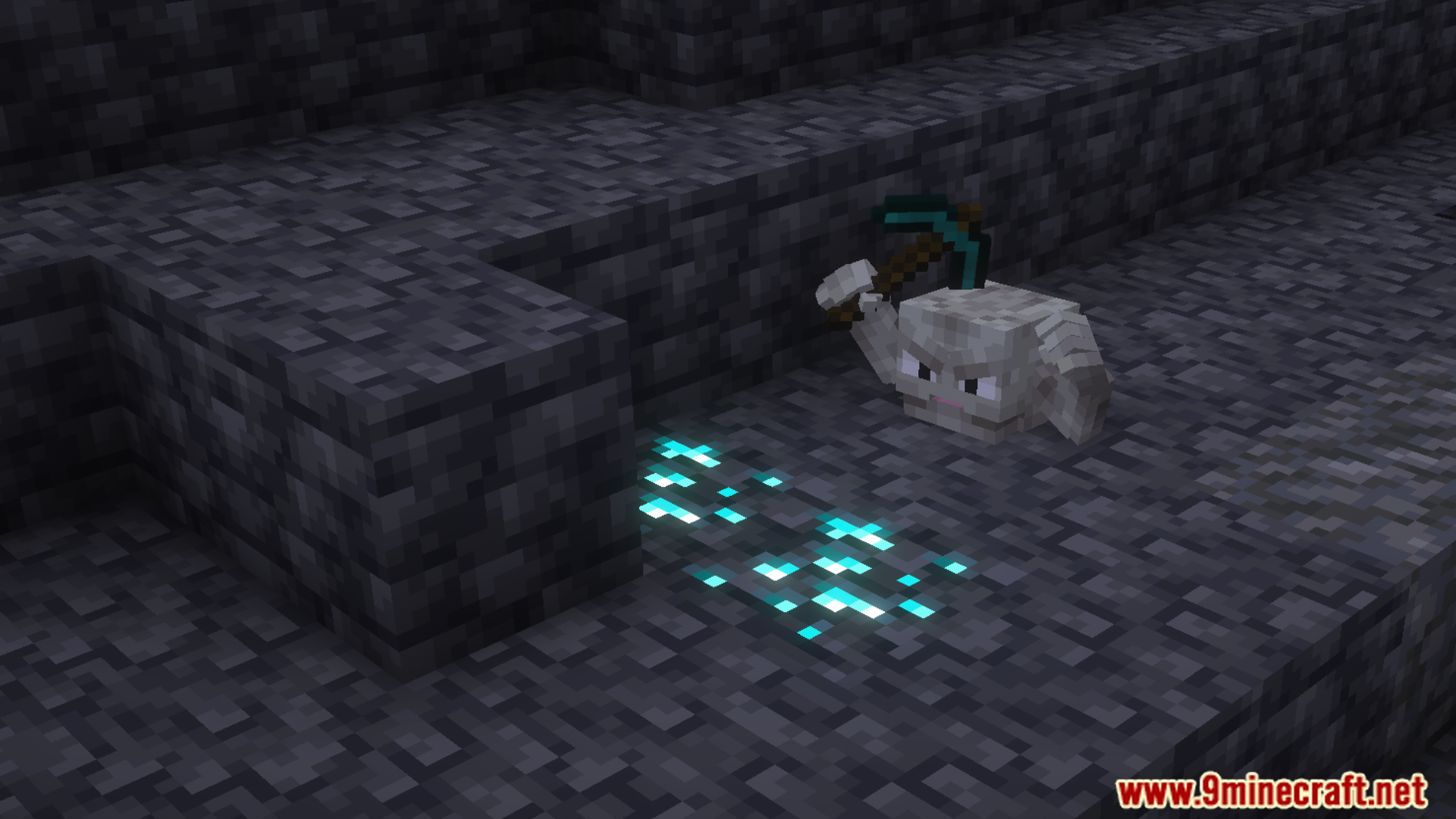
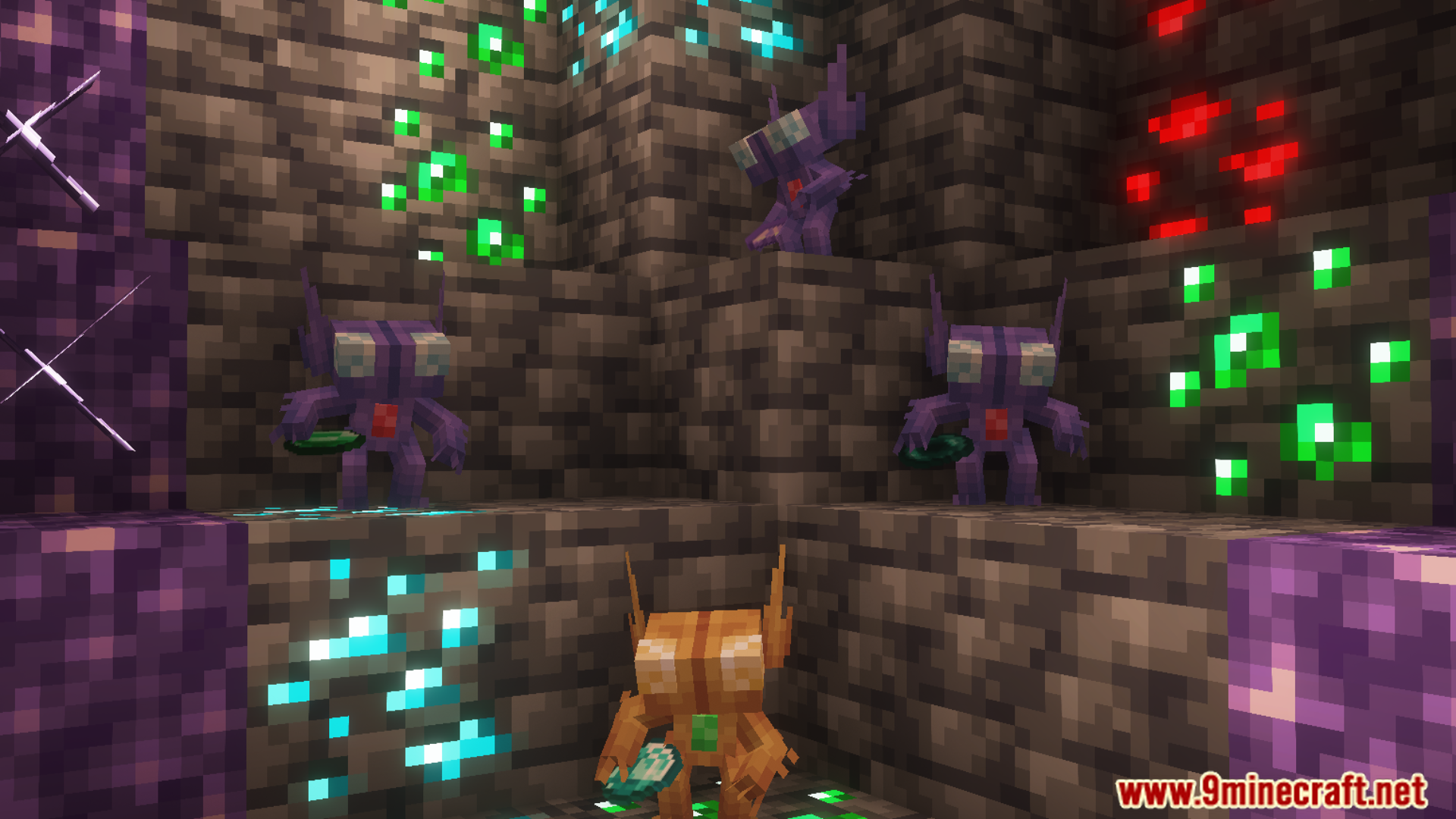
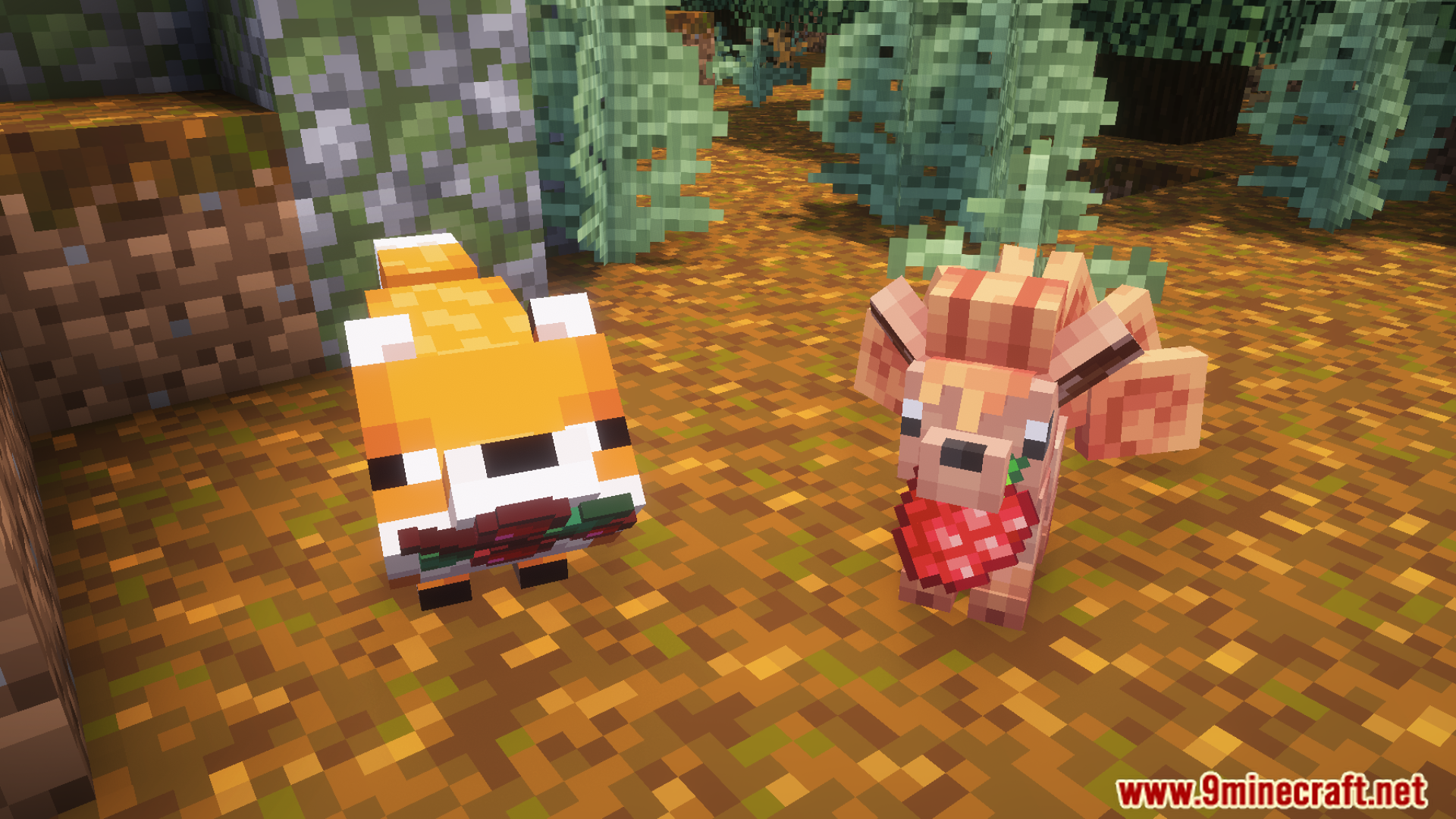
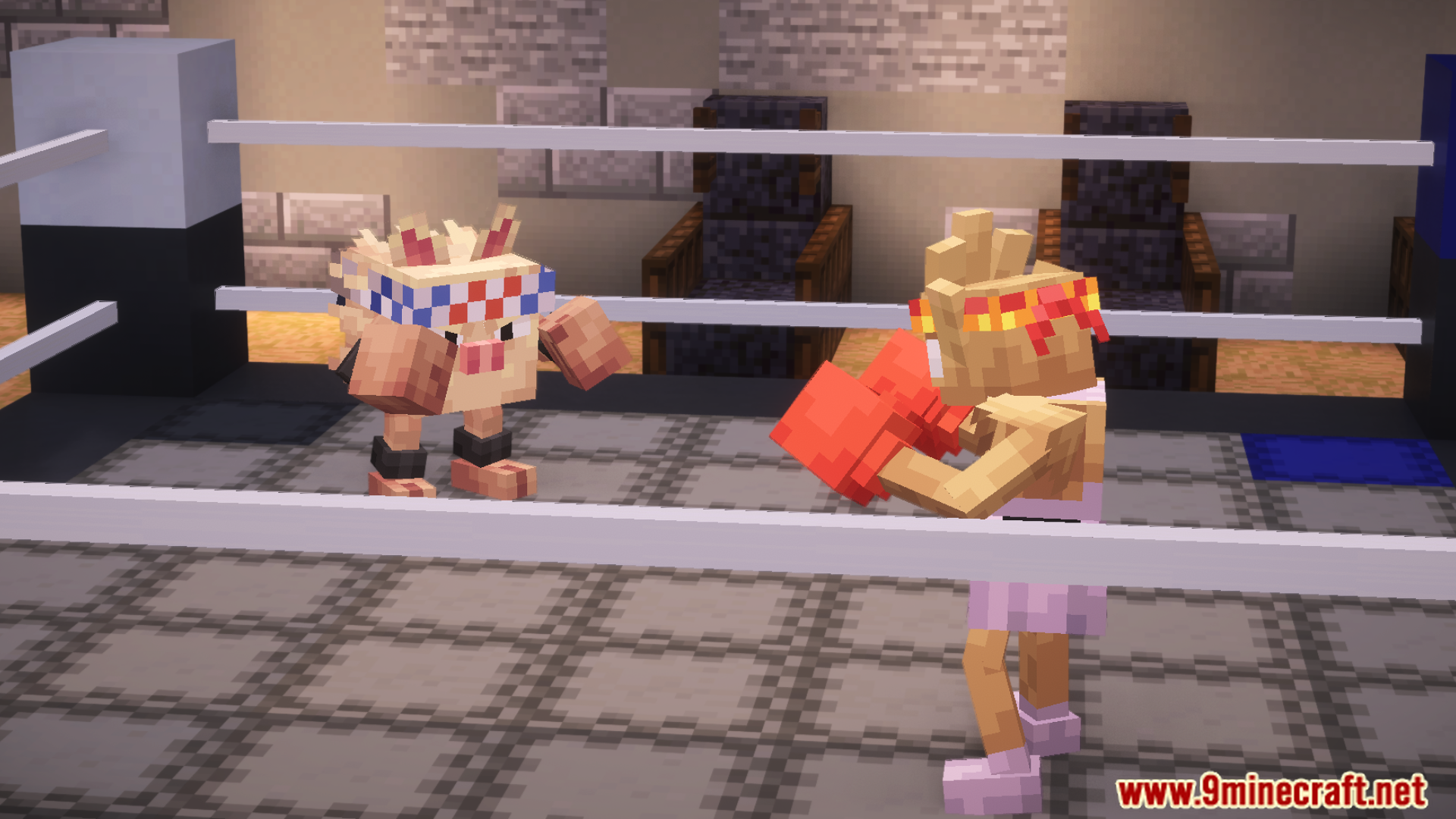
Cobblemon Show Held Items Mod adds a visual feature for Cobblemon that lets you see held items right on Pokémon in the game world. This side mod requires Cobblemon to work and does nothing without it. When you join a server that does not have this mod installed, you still see the items held by your own Pokémon. Servers can use data packs to hide specific items or display certain items as hats and glasses. Custom models and Fakemon can also use special locators to place, rotate, and resize held items.
Features:
- Displays held items directly on Pokémon as they move around in the game world.
- Shows your own Pokémon’s held items even when you join a server that does not have this mod installed.
- Lets servers hide chosen items from other players through data pack item tags, while keeping hidden items visible to the Pokémon’s owner.
- Supports any vanilla or modded items in server tag lists, including hat and glasses mods like Villager Hats and Simple Hats.
- Works with custom Pokémon models and Fakemon by reading model locators for tools, flat items, hats, and eye gear.
- Allows item rotation through locator angles and custom item scaling using Null Objects.
Supported Model Locators:
held_item: renders items the same way players hold them, which works best for tools like tridents and spyglasses.held_item_fixed: renders the flat default item model, which fits bird-like or dog-like Pokémon better.held_item_head: places wearable hat items on top of a Pokémon’s head.held_item_eyes: places wearable eye items, such as glasses, near a Pokémon’s eyes.
How to Use:
Setting Up Server Item Tags:
- Add a data pack to your server and open the path
datapacks[YOUR_SERVER'S_DATAPACK]datashow-held-itemstagsitem. - Replace
hidden_items.jsonwith any vanilla or modded items you want to hide; other players will not see those items, while the Pokémon’s owner still can. - Replace
wearable_eye_items.jsonorwearable_hat_items.jsonto make Pokémon wear listed items on their eyes or heads.
Setting Up Custom Models and Fakemon:
- Open your Pokémon or Fakemon model in Blockbench if it does not show held items yet.
- Add a
held_itemlocator to display items the same way players hold them, which works well for spyglasses, tridents, and other tools. - Use a
held_item_fixedlocator instead to render the flat default item model if player-style holding looks off on bird-like or dog-like Pokémon. - Change the locator’s rotation to adjust the angle of the held item.
- Add a
held_item_headlocator on top of the head and aheld_item_eyeslocator near the eyes to support wearable hats and eye items. - Create a Null Object named after the locator followed by square brackets and a scale value, such as
held_item_head[scale=2.25], to resize an item that looks too big or too small.
Configuration:
datapacks[YOUR_SERVER'S_DATAPACK]datashow-held-itemstagsitemhidden_items.json: hides listed vanilla or modded items from other players, while still showing them to the Pokémon’s owner.datapacks[YOUR_SERVER'S_DATAPACK]datashow-held-itemstagsitemwearable_eye_items.json: sets which items appear on a Pokémon’s eyes as glasses or eye gear.datapacks[YOUR_SERVER'S_DATAPACK]datashow-held-itemstagsitemwearable_hat_items.json: sets which items appear on top of a Pokémon’s head as hats.
Default hidden_items.json settings:
{
  "replace": true,
  "values": [
    "#cobblemon:held/is_held_item",
    "#cobblemon:berries"
  ]
}
Example wearable_eye_items.json using Simple Hats:
{
  "replace": false,
  "values": [
    "simplehats:clockface",
    "simplehats:sunglasses"
  ]
}
Example wearable_hat_items.json using Villager Hats:
{
  "replace": false,
  "values": [
    "#villagerhats:hats"
  ]
}
Screenshots:
How to Install:
New to Minecraft? Follow our step-by-step guide to install Mods on your PC.View Guide
Requirements:
Cobblemon Show Held Items Mod Download Links
For Minecraft 1.21.1, 1.21
Fabric Version: Download from Server 1 – Download from Server 2
For Minecraft 1.20.1, 1.20
Fabric Version: Download from Server 1 – Download from Server 2
What do you prefer for world generation in a modded playthrough?
11 responses · See the full results →
You May Also Like
Picked for this page
 ViaVersion Mod (1.21.11, 1.20.1) – Let Any Version Join Your Minecraft Server
 IBE Editor Mod (1.20.4, 1.20.1) – Simple GUI to Edit Item, Block or Entity
 Cobblemon Pokenav Mod (1.21.1, 1.20.1) – Efficient Pokémon Tracking
 Profundis Mod (1.21.4, 1.20.1) – 9 New Quality Cave Biomes
 Arcane Lanterns Mod (26.3, 1.20.1) – The Power of Light
 Brick Hopper Mod (26.3, 1.20.1) – Perfect for Rustic or Medieval Builds
 Boat Break Fix Mod (26.2, 1.20.1) – Hotfix to Prevent Accidental Deaths
 Trailier Tales Mod (26.3, 1.21.1) – New Features & Improvements
 PBOSB Mod (1.21.1, 1.20.1) – Projectiles Bounce Off Slime Blocks
 Create Storage Mod (1.20.1, 1.20) – Carry More Loot and Fly with a Jetpack
 ZoomX Smooth Mod (26.3, 1.21.1) – Scout Distant Biomes with Custom Zoom
 Reset Keys Confirmation Screen Mod (26.3, 1.20.1) – Reconsider Your Choice
Most viewed in Mods over the last 7 days
 Ala Industrial Mod (26.3) – Run Electric Power Grids and Automated Factories
 PleasureCraft Mod (26.3, 1.21.1) – Jenny Mod Remake for Fabric
 Jennycraft Mod (26.3, 1.20.1) – Virtual Girlfriend in Minecraft
 Fapcraft Mod (26.3, 1.12.2) – Comprehensive and Detailed Content
 Jenny Mod (Fapcraft) Official Complete Guide – How to use, Tutorial
 BangCraft Mod (1.20.1) – Jenny, Ellie and Elliot
 Fabric Loader (26.3, 1.20.1) – Fabric Installer for All Minecraft Versions
 Meteor Client Mod (26.3, 1.20.1) – Xray, HUD, Fly
 OptiFine HD (26.3, 1.20.1) – Run Faster, FPS Boost, Shaders Support
 The Shooting Star Demo Mod (26.3, 1.20.1) – Vaporize Terrain From Orbit
 Aristois Client Mod (1.21.4, 1.20.1) – World Class Minecraft Utility
 SchnurriTV Mod (1.12.2) – Characters and Features
More from Mods
 Lumina Flux Loader Mod (26.3, 26.1.2) – Transform World Visuals with Shaders
 Base Metals Mod (26.3, 1.20.1) – Forge Stronger Metal Gear
 Lucnoxity Tier List Tier Tagger Mod (26.3, 1.20.1) – Check Opponent PvP Tiers
 Particle Animation Lib Mod (26.3, 1.20.1) – Library Mod To Create Cool Particle Effects With Ease
 Mint Bedwars Resource Tracker Mod (26.3, 26.1.2) – Track Every Team Diamond
 Water Vision Mod (26.3, 1.20.1) – No More Murky Minecraft Waters
 Sophisticated Backpacks Create Integration Mod (26.3, 1.20.1) – Smart Storage
 Hammers 3×3 Mod (26.3, 1.20.1) – Carve Caves with One Swing
 RevampedWolf Mod (26.3, 1.20.1) – Smarter, Pack-Driven Wolves
 Ping Mod (26.3, 1.20.1) – Notifying Other Players
 Masonry Mod (26.3, 1.20.1) – New Building Blocks from Existing Materials
 Cooldown Coordinator Mod (26.3, 1.20.1) – Coordinate Setting Cooldown Timers

This post has no comments yet. Be the first — your comment will appear here.