
Show Me What You Got Mod (1.21.3, 1.20.1) – Share Your Gear in Multiplayer Chat

 0


Show Me What You Got Mod lets you display your items to other players right in chat. You hover over an item in your inventory and use a quick key shortcut to link it inside your chat box. You can also type words before or after the linked item so your message makes sense. Other players hover over the link to inspect detailed tooltips for gear, stacks, and bundles. This mod works properly when both the client and the server have it, while players without it can still view shared links in chat.
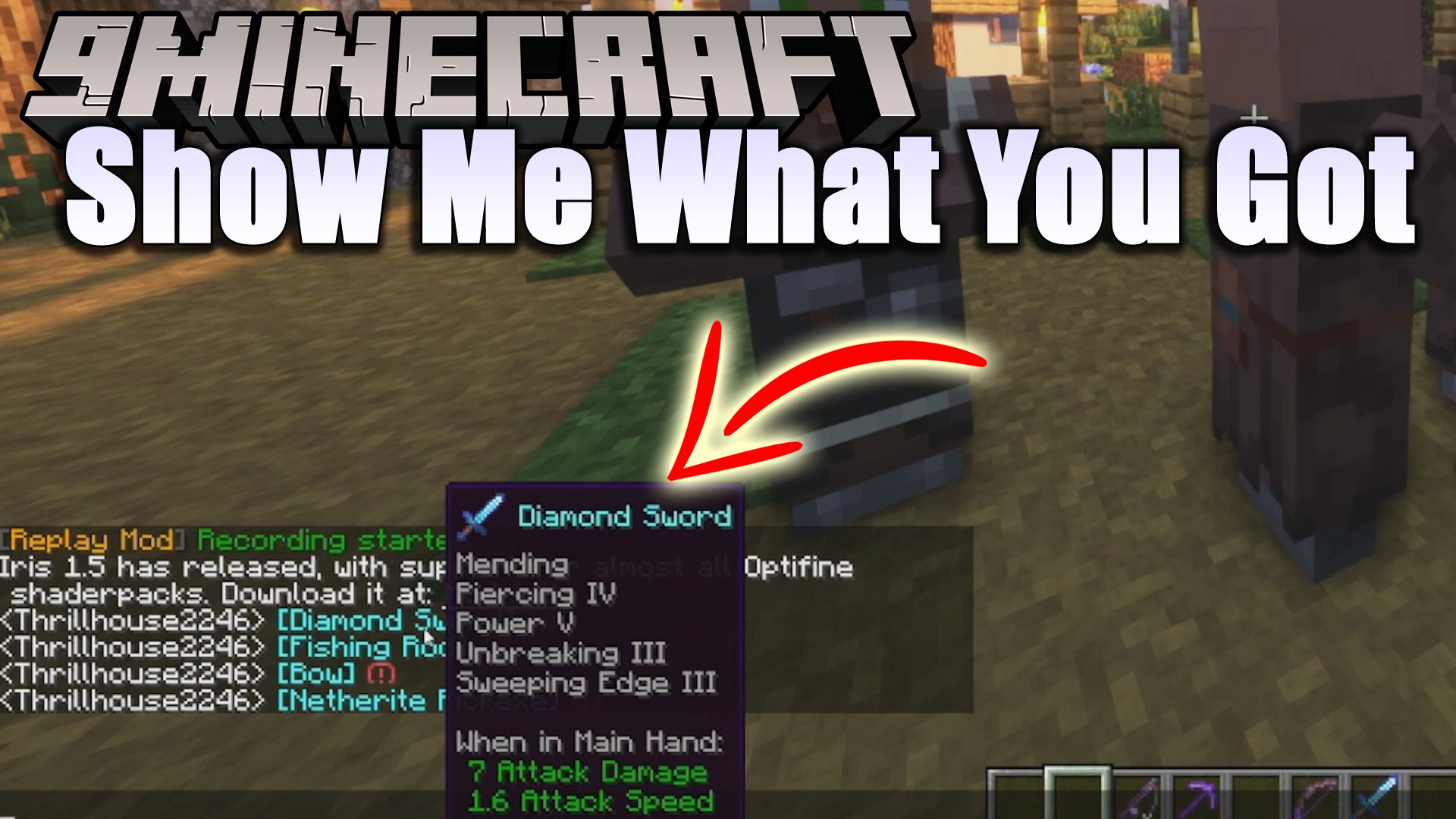
Features:
- Item Sharing in Chat: Lets you link any item from your inventory directly into chat so other players can see what you carry.
- Full Item Tooltips: Shows detailed tooltips when players hover over a shared link, including the item texture and durability bar.
- Allows you to type text before, after, or on both sides of the linked item to give your message context.
- Supports complex item tooltips like bundles so others can inspect what is inside.
- Shows exact stack sizes when players hover over a shared stack of items.
- Works out of the box with most tooltip changes from other mods, such as Inspecio.
- Lets players without this mod still view shared items in chat, though they cannot share items themselves and do not see the item texture in the tooltip.
- Sends plain text with the item name if you try to share an item on a server that does not have this mod.
How to Use:
- Open your inventory while playing on a server.
- Hover your mouse over the item you want to show other players.
- Hold Ctrl and press your chat key (Ctrl+T by default); your chat box opens with the item link already inside.
- Type any message you want before, after, or on both sides of the linked item to add context.
- Press Enter to send the message so other players can hover over the link and view your item.
Screenshots:
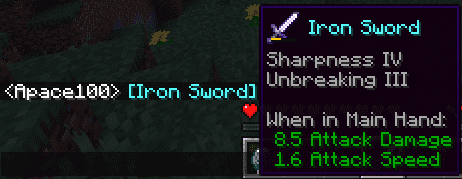
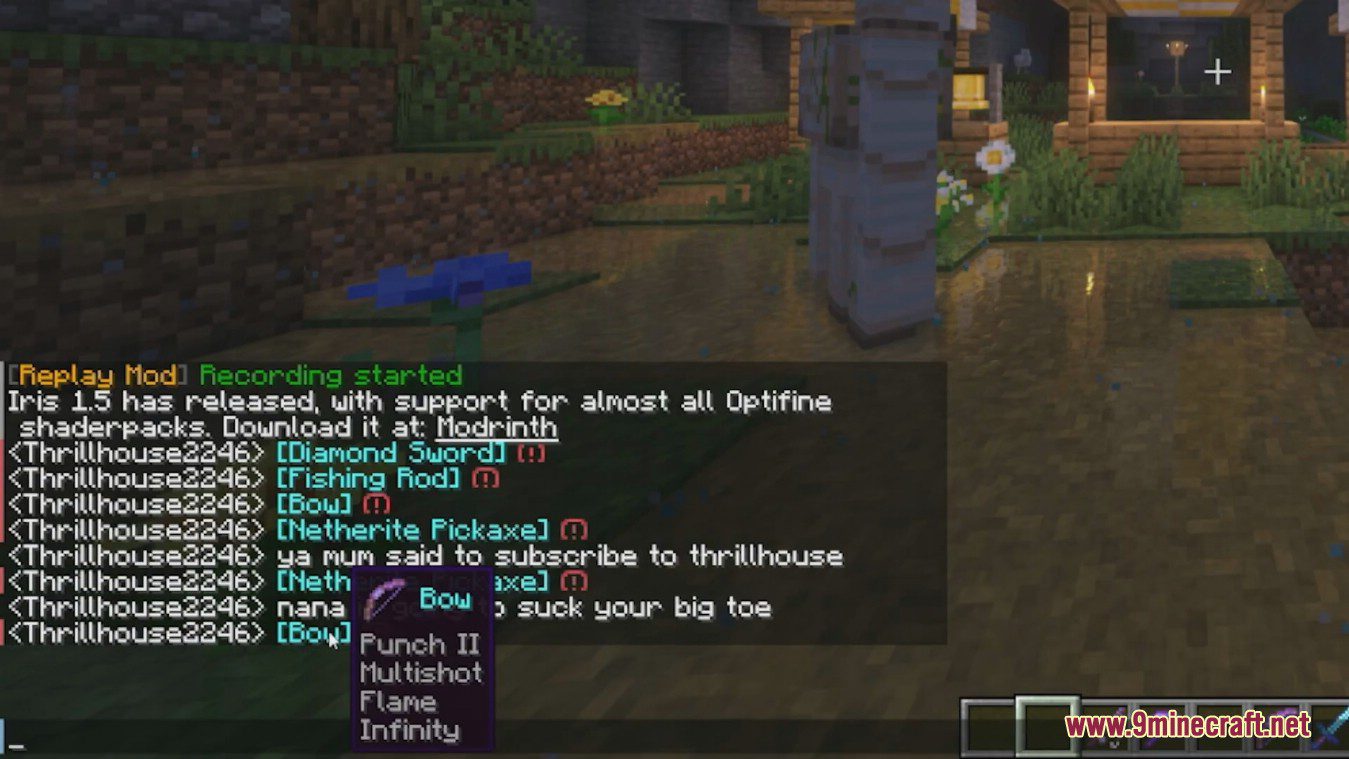
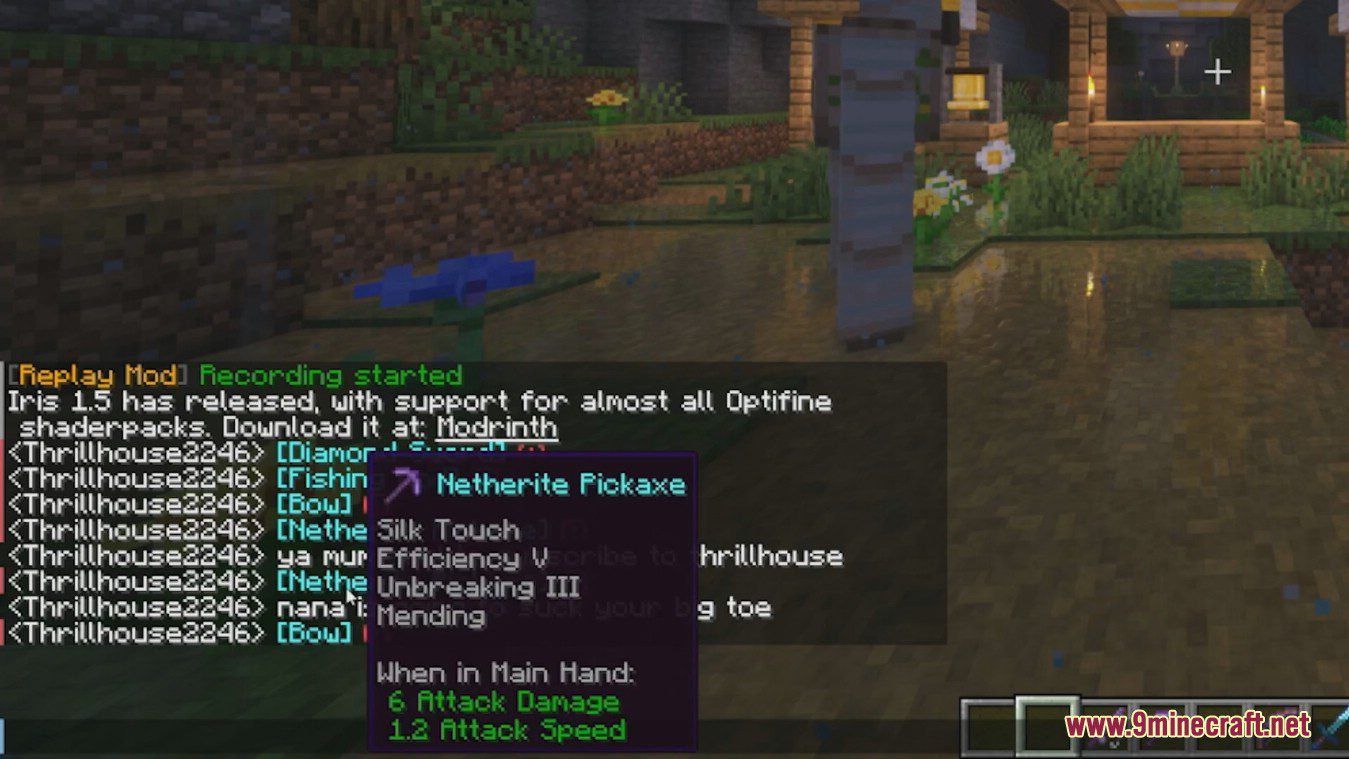
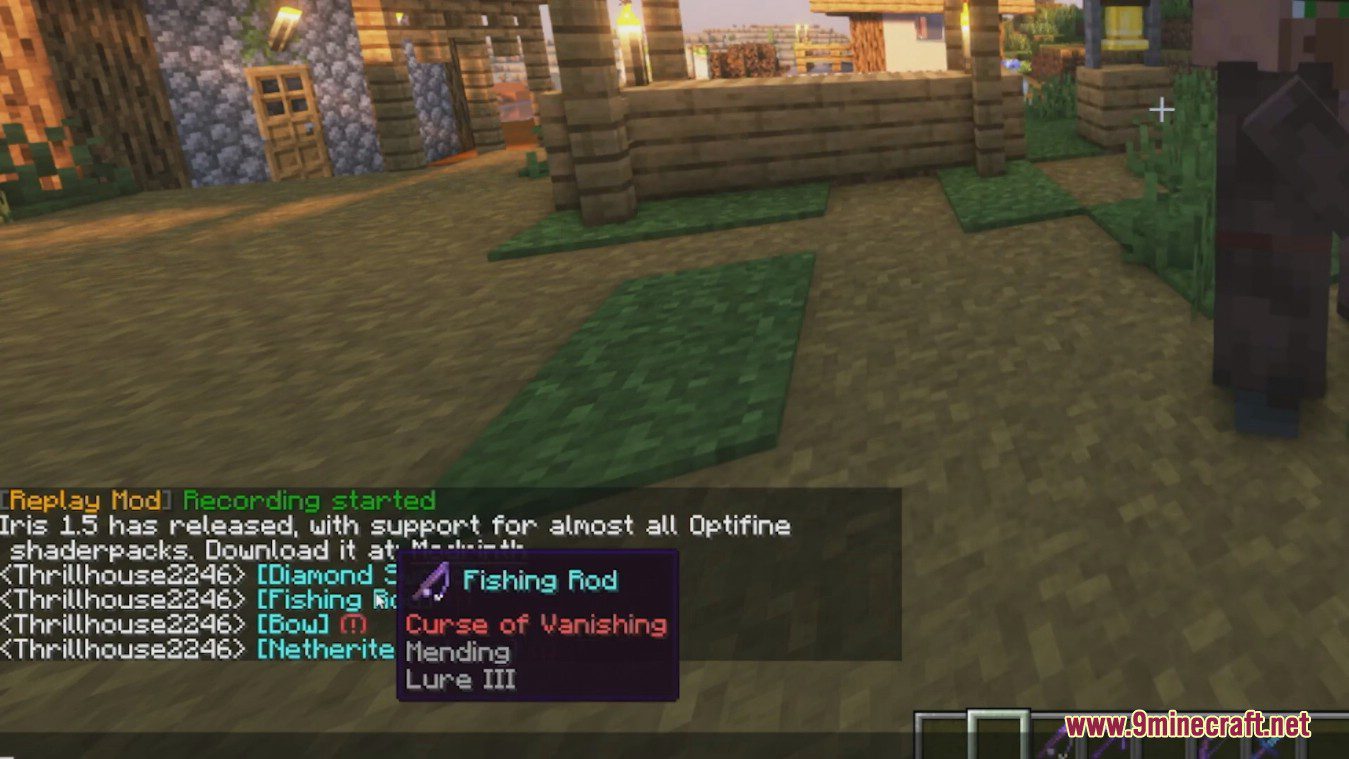
View shared items with fully-featured tooltips: Tooltips of shared items include the item texture as well as durability bar.
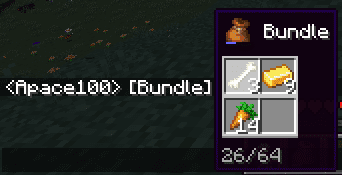
Sharing a bundle with others: More complex item tooltips, such as bundles, are similarly supported.

Stack sizes: When sharing a stack of items, other users will see how many of those items are in the stack when hovering over it.
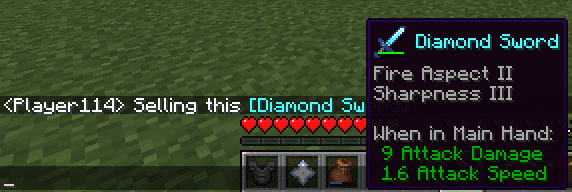
Write full messages: When sharing an item, you can write a message instead of just posting the item without context!
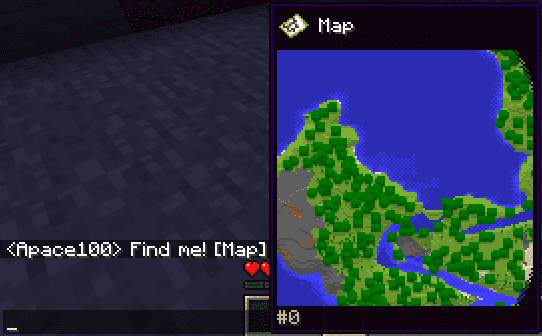
Mod compatibility: Most tooltip changes of other mods (such as Inspecio, as pictured here) will work out-of-the-box!
How to Install:
New to Minecraft? Follow our step-by-step guide to install Mods on your PC.View Guide
Requirements:
Show Me What You Got Mod Download Links
For Minecraft 1.21.3, 1.21.2
Fabric/Quilt version: Download from Server 1 – Download from Server 2
For Minecraft 1.20.2
Fabric/Quilt version: Download from Server 1 – Download from Server 2
For Minecraft 1.20.1
Fabric/Quilt version: Download from Server 1 – Download from Server 2
For Minecraft 1.19.4
Fabric/Quilt version: Download from Server 1 – Download from Server 2
For Minecraft 1.19.3
Fabric/Quilt version: Download from Server 1 – Download from Server 2
For Minecraft 1.19.2, 1.19.1, 1.19
Fabric/Quilt version: Download from Server 1 – Download from Server 2
For Minecraft 1.18.2, 1.18.1
Fabric version: Download from Server 1 – Download from Server 2
For Minecraft 1.17.1
Fabric version: Download from Server 1
You May Also Like
Picked for this page
 Elytra Chestplate Swapper Mod (26.3, 1.20.1) – Functionality to Keystroke
 Easier Sleeping Mod (26.3, 1.20.1) – Server-Sided Sleeping
 More Crafting Tables Mod (1.21.11, 1.20.1) – Made from All Types of Wood
 IBE Editor Mod (1.20.4, 1.20.1) – Simple GUI to Edit Item, Block or Entity
 Compact Storage Mod (26.2, 1.20.1) – Carry Everything You Find
 Cooldown Coordinator Mod (26.2, 1.20.1) – Coordinate Setting Cooldown Timers
 Auto Feeder Mod (1.21.11, 1.20.1) – Feed Nearby Entities
 Mob Filter Mod (26.3, 1.20.1) – Managing Mob Populations
 Boat Break Fix Mod (26.2, 1.20.1) – Hotfix to Prevent Accidental Deaths
 QuickCraft Mod (26.1.2, 1.20.1) – Simplify Your Crafting Experience
 Cardboard Mod (26.1.2, 1.20.1) – Implements Plugins API as a Fabric Mod
 No More Phantoms Mod (1.21.5, 1.20.1) – Disables Phantoms From Spawning
Most viewed in Mods over the last 7 days
 Ala Industrial Mod (26.3) – Run Electric Power Grids and Automated Factories
 PleasureCraft Mod (26.3, 1.21.1) – Jenny Mod Remake for Fabric
 Jennycraft Mod (26.3, 1.20.1) – Virtual Girlfriend in Minecraft
 Fapcraft Mod (26.3, 1.12.2) – Comprehensive and Detailed Content
 Jenny Mod (Fapcraft) Official Complete Guide – How to use, Tutorial
 BangCraft Mod (1.20.1) – Jenny, Ellie and Elliot
 Fabric Loader (26.3, 1.20.1) – Fabric Installer for All Minecraft Versions
 The Shooting Star Demo Mod (26.3, 1.20.1) – Vaporize Terrain From Orbit
 Meteor Client Mod (26.3, 1.20.1) – Xray, HUD, Fly
 OptiFine HD (26.3, 1.20.1) – Run Faster, FPS Boost, Shaders Support
 Aristois Client Mod (1.21.4, 1.20.1) – World Class Minecraft Utility
 Prestige Client Mod (1.21.11, 1.21.4) – Powerful Ghost Features for Crystal & Sword PvP
More from Mods
 The Man from the Shadow Horror Mod (1.20.1) – Fight Hallucinations to Survive
 Shade & Saturation Slider Mod (26.2, 1.21.11) – Make Every Biome Vibrant
 Cataclysm X Yung’s Better Nether Fortresses Compat Mod (1.21.1, 1.20.1)
 Patchouli 9minecraft Mod (26.3) – Read Mod Guides Without Leaving Minecraft
 Paintings ++ 9minecraft Mod (26.3) – Pick the Exact Painting You Want
 owo-lib 9minecraft Mod (26.3) – Run Your Favorite Mods Without Errors
 Moonlight 9minecraft Lib (26.3, 26.2) – Run Complex Mods Without Errors
 Load My Tags 9minecraft Mod (26.3) – Mix Mods Without Breaking Recipes
 Kambrik 9minecraft Mod (26.3) – Run Kotlin Mods Without Game Lag
 Fast Paintings 9minecraft Mod (26.3, 26.2) – Place Wall Art Exactly Where You Want It
 Bonsai Trees 9minecraft Mod (26.3, 26.2) – Automate Wood Farming in Tiny Pots
 Enhanced Block Entities 9minecraft Mod (26.3) – Build Lag-Free Storage Rooms

This post has no comments yet. Be the first — your comment will appear here.