
Skyblock Overhaul Mod (26.3, 1.21.11) – Master Every Diana Mythological Event

 0


Skyblock Overhaul Mod adds burrow finders, smart warps, loot trackers, rare mob alerts, and a custom party finder to Hypixel SkyBlock. This mod focuses on the Diana Mythological Ritual event and helps you locate burrows fast with spade and arrow guesses. It tracks mob kills, loot drops, Magic Find, and past events, and it announces rare drops on screen or in chat. You also get custom waypoints, 15 custom sound slots, a Sphinx riddle solver, and helpful overlays for bobbers, Legion buffs, and item pickups. Built-in party tools let you auto-invite players, requeue groups, and use chat commands to share stats or manage members. This mod runs on Fabric for Hypixel SkyBlock and requires Fabric API and Fabric Language Kotlin, plus Mod Menu if you want to open settings from the mod list.
Features:
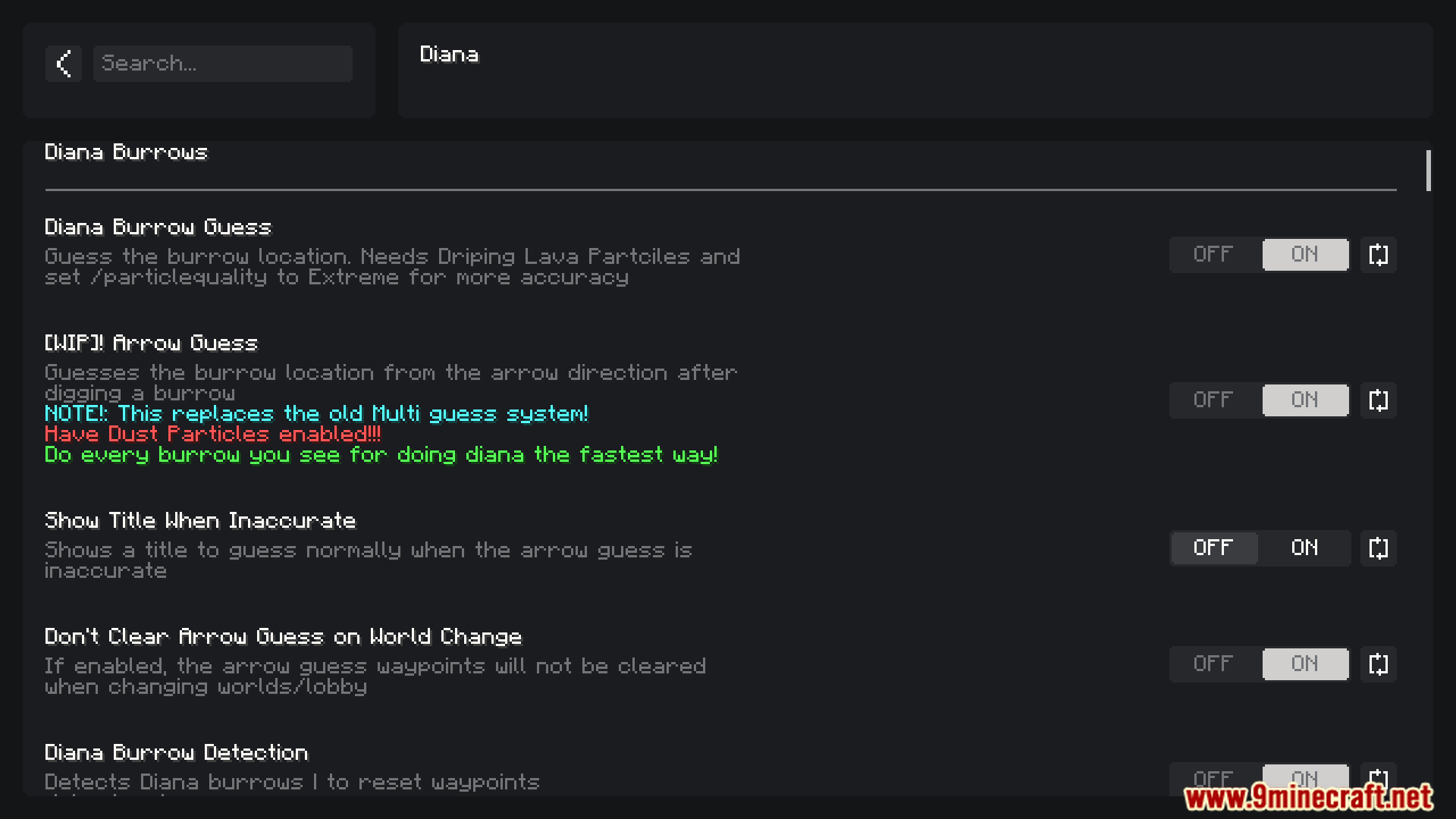
- Spade and Arrow Burrow Guesses: Predicts burrow spots from spade particles (works best with Dripping Lava Particles and
/particlequalityon Extreme) and from arrow direction after digging (requires Dust Particles enabled, replacing the old Multi-guess system). - Close Burrow Detection: Automatically finds nearby burrows and updates their type (Treasure, Mob, or Start) when you hold a spade close to particles.
- Diana Waypoint Beams and Titles: Shows sky-high beacon beams on waypoints and displays on-screen titles when an arrow guess fails or a burrow chain ends.
- Smart Diana Warps: Lets you pick Wizard, Dark Auction (DA), Castle, or Stonks warps, skips warping within 60 blocks of a burrow (adjustable), adds a block buffer, ignores Y-level for Castle and Wizard distance math, prefers easy-to-reach warps over inconvenient ones, and shows a title when a warp is ready.
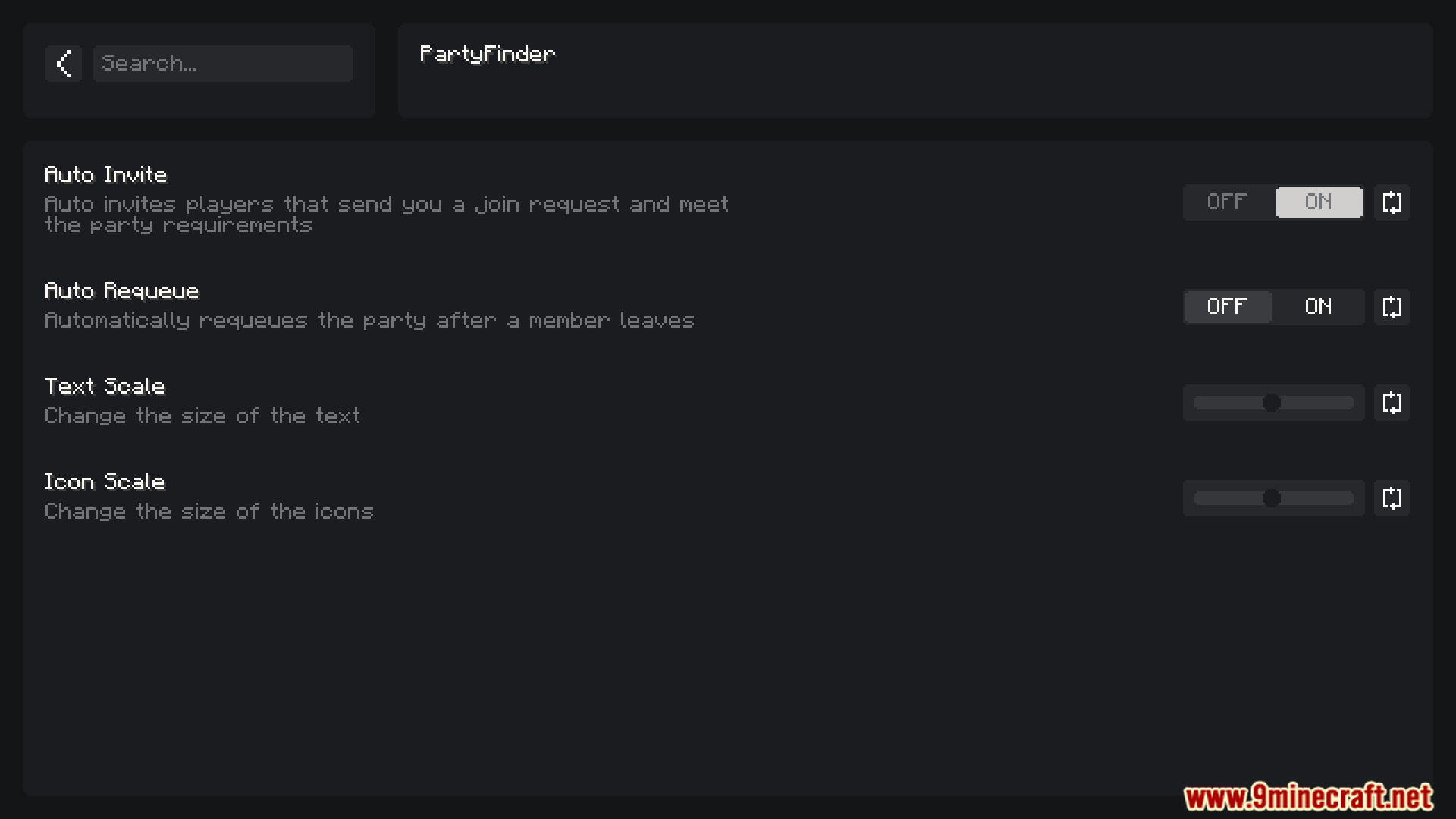
- Party Finder Automation: Automatically invites players who meet your requirements, requeues your group after someone leaves, and lets you scale menu text and icons.
- Supports custom party chat commands and four configurable keybinds under Minecraft Controls (Guess Warp, Inquisitor Warp, General Warp for whichever is closer, and Send Coords, all set to
Unknownby default).
Diana Trackers:
- Tracks Diana mob kills and loot drops in separate overlays that you can move with
/sboguis. - Logs detailed stats such as Mobs since Inquisitor and Inquisitors since Chimera.
- Records your highest Magic Find for Daedalus Sticks and Chimeras.
- Saves trackers from previous Diana events so you can check past results later.
- Pauses trackers automatically when you go AFK, with a timer you can set from 15 to 900 seconds.
- Includes an option to assume loot share on all Kings, Inquisitors, and Manticores.
Loot Announcers:
- Announces rare drops like Relics, Shelmets, Plushies, and Remedies in chat.
- Displays a large on-screen alert for Chimera, Daedalus Stick, and Relic drops, with an option to show the item price as a subtitle.
- Shares your rare drops directly in party chat.
- Lets you write custom drop messages with
{mf},{amount}, and{percentage}placeholders for Chimera (!chim), Manti-Core (!core), Fateful Stinger (!stinger), Brain Food (!bf), and Shimmering Wool (!wool).
Rare Mob Tools:
- Sends rare mob coordinates to your party and automatically makes waypoints when teammates share theirs.
- Adds a glowing highlight to King, Manticore, Sphinx, and Inquisitor mobs.
- Shows a No Shuriken overlay when a rare mob does not have a shuriken.
- Triggers a title alert when a rare mob drops below your set HP limit.
- Solves Sphinx riddles automatically.
- Sends configurable spawn messages for Inquisitor, Manticore, Sphinx, and King mobs, plus Cocoon alerts.
Waypoint and Sound Customization:
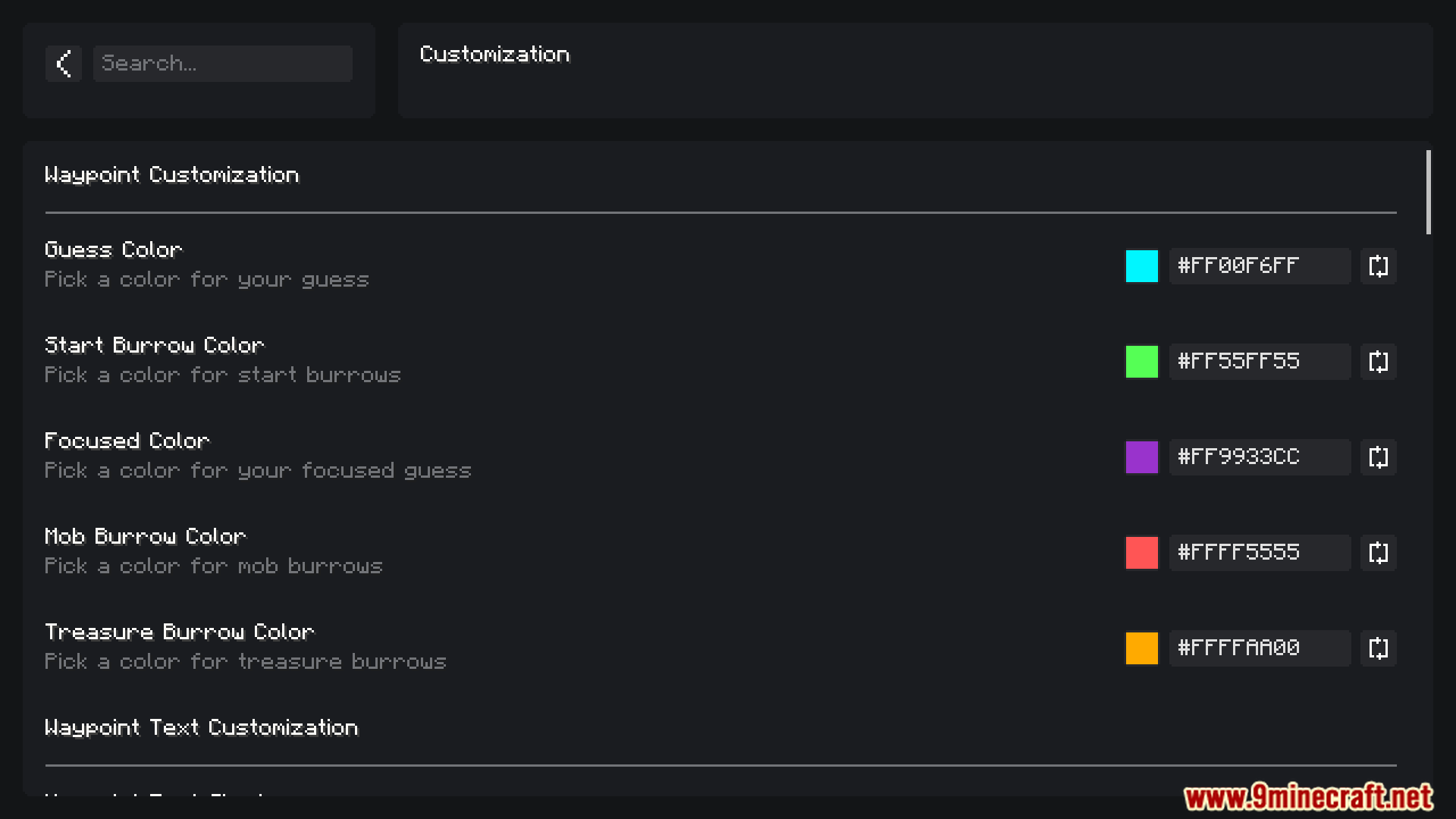
- Lets you pick custom colors for Closest Guess, Other Guess, Start, Mob, Treasure, Rare Mob, and Other Waypoint markers.
- Gives you sliders and toggles for dynamic or fixed opacity, text scale, text shadows, and distance cutoff.
- Plays custom
.oggsound files fromconfig/sbo/sounds/for 15 events: Rare Spawn, Inquisitor Spawn, Sphinx Spawn, King Minos Spawn, Manticore Spawn, Cocoon, Burrow Found, Chimera Drop, Brain Food Drop, Manti-Core Drop, Fateful Stinger Drop, Shimmering Wool Drop, Relic Drop, Daedalus Stick Drop, and Misc Drop (Crown, Souvenir, and similar drops).
General Quality-of-Life Features:
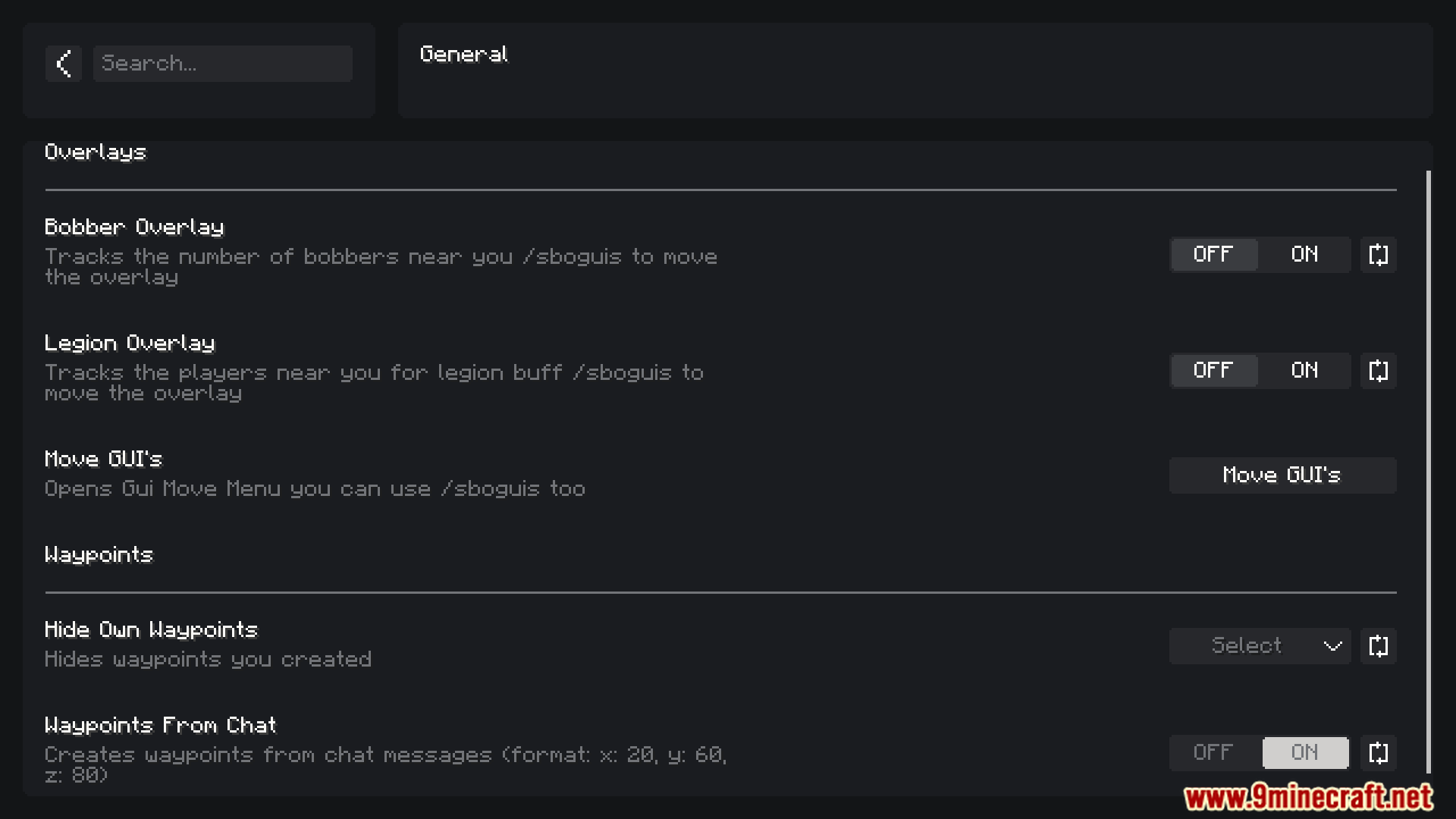
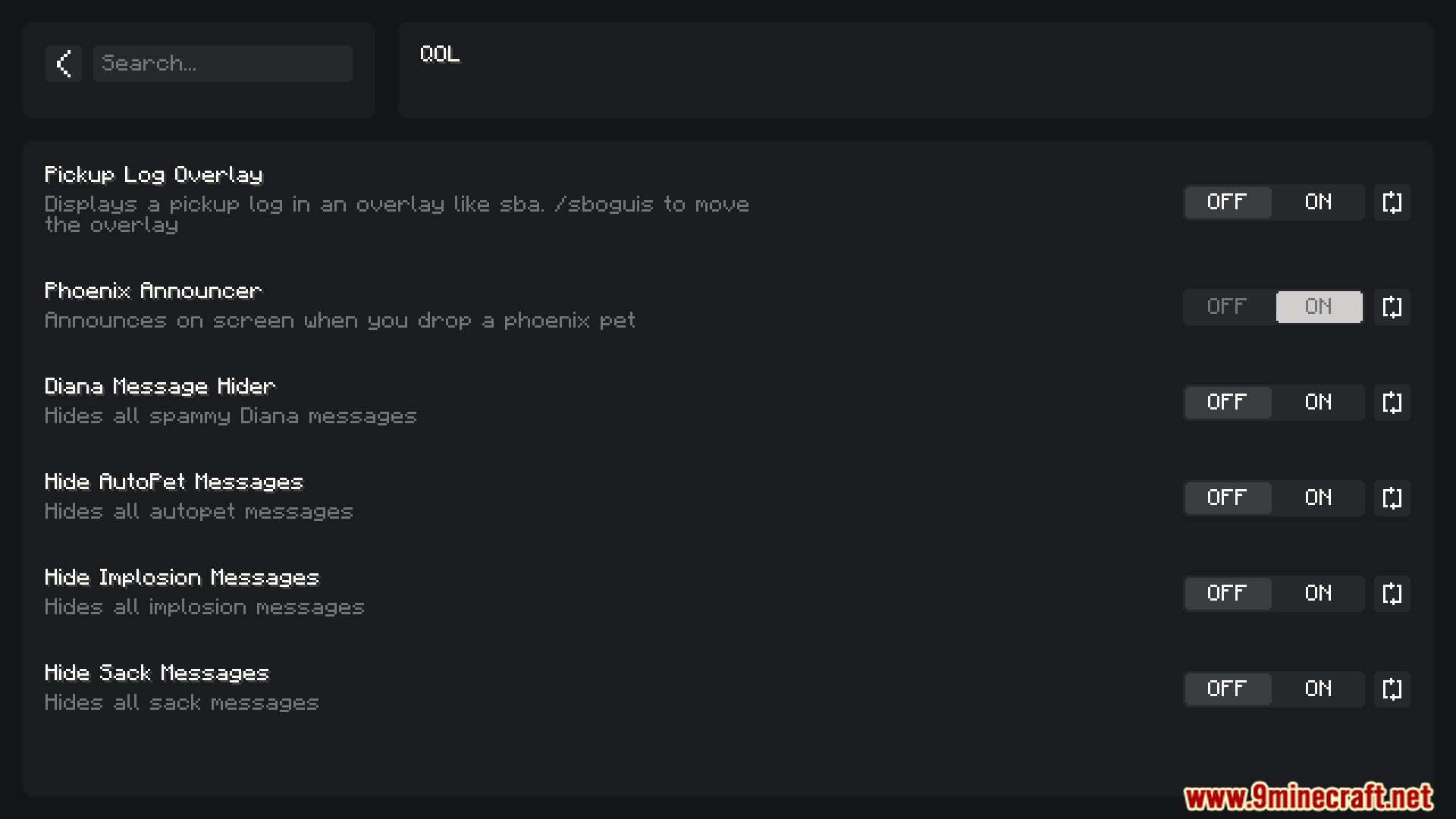
- Adds overlays to track nearby bobbers, nearby players for the Legion buff, and picked-up items in a pickup log.
- Creates waypoints automatically from coordinates sent in chat and lets you hide waypoints you made yourself.
- Shows an on-screen alert whenever you drop a Phoenix pet.
- Lets you hide Diana, AutoPet, Implosion, or Sack chat messages to keep chat clean.
Commands:
Note: Alongside standard / commands, this mod uses ! as the prefix for party chat commands. Type party commands in party chat starting with ! (party leader status or permissions are needed).
/sbo: Open the main settings menu./sbohelp: Show the help menu./sboguis: Move overlay GUIs on your screen (aliases:/sbomoveguis,/sbomove)./sbopf: Open the Party Finder menu./sboachievements: View your achievements./sbopastevents: View trackers from past Diana events (aliases:/sbopevents,/sbopde)./sboclearburrows: Clear all saved burrows (alias:/sbocb)./sboresetsession: Reset your current Diana session tracker./sboresetmayortracker: Reset the mayor tracker./sboresetstatstracker: Reset the stats tracker./sborequeue: Requeue in Party Finder./sbodequeue: Leave the Party Finder queue./sbocheckparty: Check your current party members (aliases:/sbocheckp,/sbocp)./sbocheck [player]: Check a player’s Diana stats (alias:/sboc)./sboreloadstats: Reload stats from the saved data file./sbots: Test a custom sound (aliases:/sbotsound,sbotestsound)./sbodc: Show drop chances (alias:/sbodropchances)./sboKey [key]: Set your Party Finder key./sboClearKey: Clear your Party Finder key.
Party Commands:
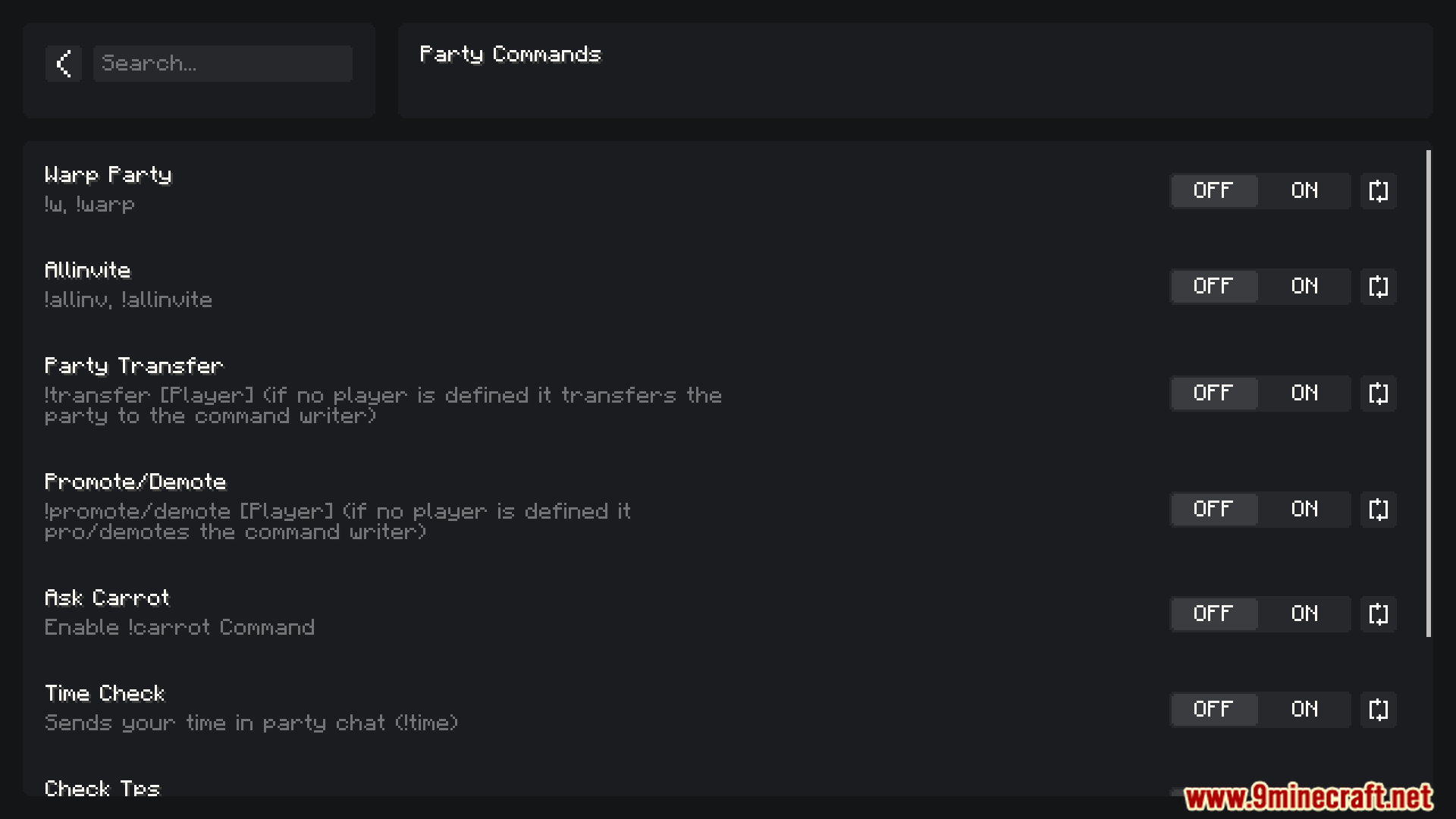
!w: Warp the party (alias:!warp).!allinv: Enable invite all for the party (alias:!allinvite).!transfer: Transfer party leadership to yourself or a named player.!promote: Promote a party member.!demote: Demote a party member.!carrot: Ask the party for a carrot.!time: Send the current time in party chat.!tps: Send the server TPS in party chat.!chim: Share your Chimera stats for the current event.!inq: Share your Inquisitor stats.!relic: Share your Relic stats.!stick: Share your Daedalus Stick stats.!since: Share your “since” stats.!burrow: Share your burrow count.!mob: Share your mob kill count.
How to Use:
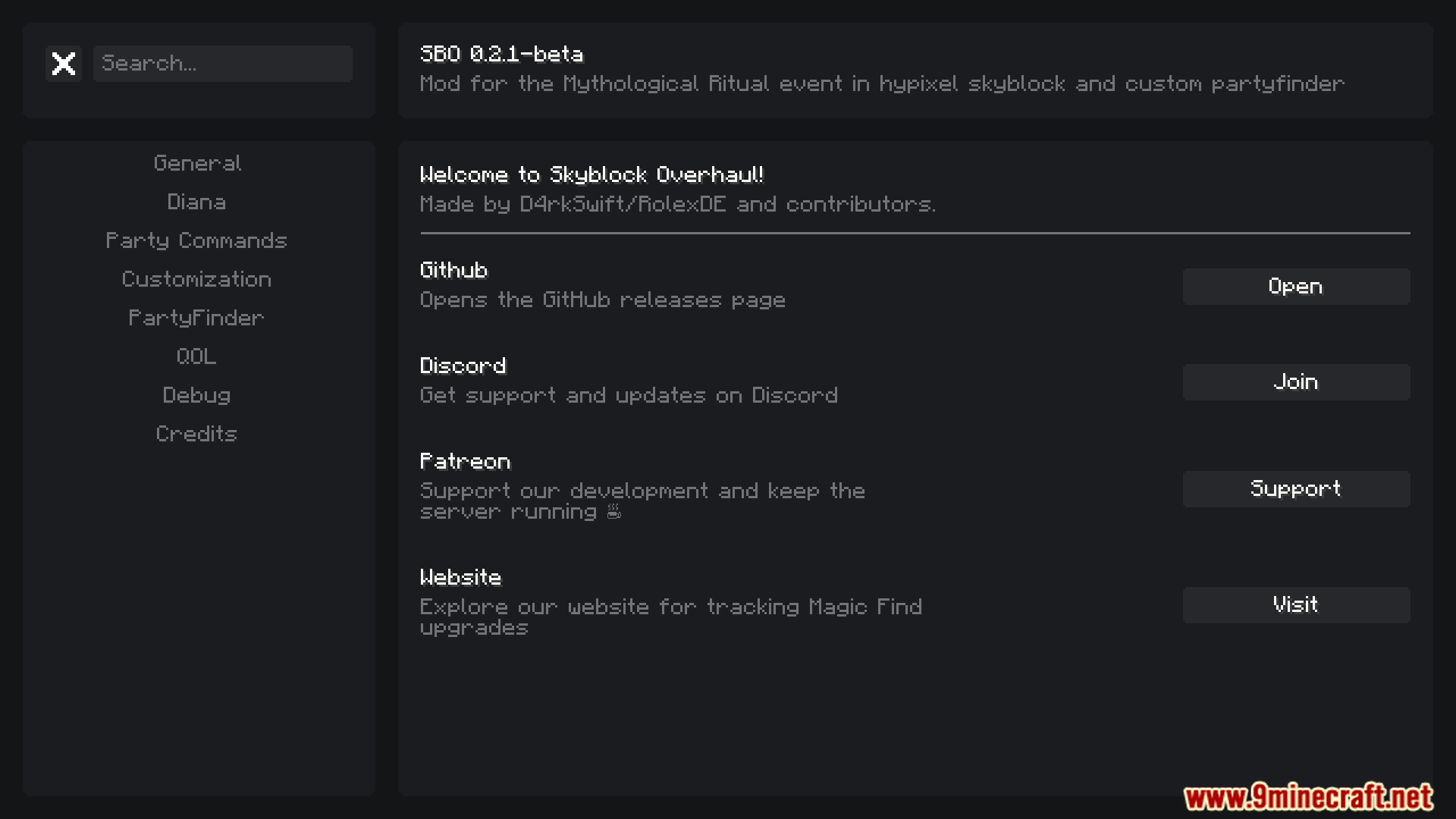
- Type
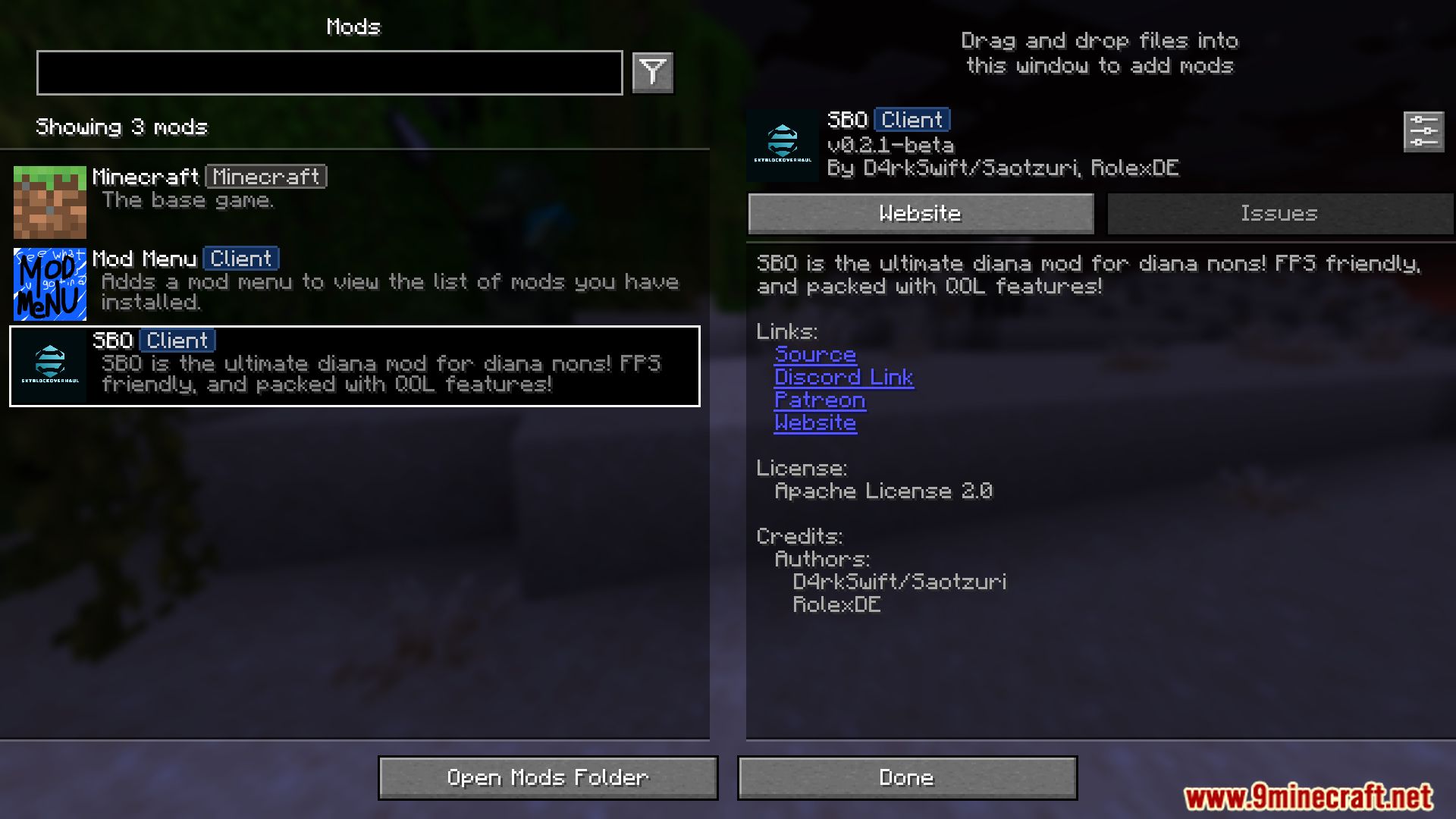
/sboin chat or open Mod Menu → SBO → Configure to open the main menu and turn on the features you want. - Go to Minecraft Options → Controls → Key Binds → SBO to assign keys for Guess Warp, Inquisitor Warp, General Warp, and Send Coords, since they all start unbound as
Unknown. - Turn on Dripping Lava Particles and set
/particlequalityto Extreme so Spade Guess finds burrows with the best accuracy, and turn on Dust Particles so Arrow Guess works after digging. - Hold a spade near burrow particles to trigger Close Burrow Detection, which marks nearby burrows and updates them as Treasure, Mob, or Start spots.
- Press your bound Guess Warp, Inquisitor Warp, or General Warp key during the Diana event to warp straight to your current guess, the nearest Inquisitor, or whichever target is closer.
- Run
/sboguisor click the “Move GUI’s” button in settings to drag and place your overlay windows where you want them on the screen. - Use
/sbopfto open Party Finder and match with players; set a key with/sboKey [key]or clear it with/sboClearKeywhenever needed. - Press your bound Send Coords key to share your location in chat, or type
!commands in party chat (such as!wto warp or!chimto share Chimera stats) when you lead the party or have permission. - Place your own
.oggsound files intoconfig/sbo/sounds/, restart Minecraft so the game loads them, and run/sbotsto test how they sound. - Find saved configuration files in
config/sbo/, check old runs with/sbopastevents, and clear active trackers anytime with/sboresetsession,/sboresetmayortracker, or/sboresetstatstracker.
Screenshots:
How to Install:
New to Minecraft? Follow our step-by-step guide to install Mods on your PC.View Guide
Requirements:



Skyblock Overhaul Mod Download Links
For Minecraft 26.3
For Minecraft 26.2
For Minecraft 26.1.2, 26.1.1, 26.1
For Minecraft 1.21.11
For Minecraft 1.21.10, 1.21.9
For Minecraft 1.21.8, 1.21.7, 1.21.6
For Minecraft 1.21.5
You May Also Like
Picked for this page
 Reacharound Mod (26.3, 1.20.1) – The Ultimate Block Placement Mod
 Random Item Mod (26.3, 1.20.1) – Giving Players A Random Item with A Cooldown
 Get Off My Lawn ReServed Mod (26.3, 1.20.1) – Claim Land
 ItemZoom Mod (26.3, 1.20.1) – See Block Textures Before You Build
 Blossom Homes Mod (26.3, 1.20.1) – Easy Home Teleports
 Yet Another World Protector Mod (26.2, 1.20.1) – Region-Based Protection
 Aaron’s Mod (26.2, 1.20.1) – Useful Features for Skyblock and Vanilla
 Siege Stopper Mod (26.3, 1.20.1) – Stop Zombie Sieges from Spawning
 Spanish Delight Refabricated Mod (26.3, 1.20.1) – New Foods And Ingredients
 Alternative Twilight Mod (1.20.1, 1.20) – Twilight Bosses Fight Back
 Reliable Recipes Mod (26.3, 1.20.1) – Customize Crafting Rules Without
 Nexus Tactical Grid Mod (26.2, 1.20.1) – Ping Enemy Targets and Track Teammates
Most viewed in Mods over the last 7 days
 Ala Industrial Mod (26.3) – Run Electric Power Grids and Automated Factories
 PleasureCraft Mod (26.3, 1.21.1) – Jenny Mod Remake for Fabric
 Jennycraft Mod (26.3, 1.20.1) – Virtual Girlfriend in Minecraft
 Fapcraft Mod (26.3, 1.12.2) – Comprehensive and Detailed Content
 Jenny Mod (Fapcraft) Official Complete Guide – How to use, Tutorial
 BangCraft Mod (1.20.1) – Jenny, Ellie and Elliot
 Fabric Loader (26.3, 1.20.1) – Fabric Installer for All Minecraft Versions
 The Shooting Star Demo Mod (26.3, 1.20.1) – Vaporize Terrain From Orbit
 Meteor Client Mod (26.3, 1.20.1) – Xray, HUD, Fly
 OptiFine HD (26.3, 1.20.1) – Run Faster, FPS Boost, Shaders Support
 Aristois Client Mod (1.21.4, 1.20.1) – World Class Minecraft Utility
 Prestige Client Mod (1.21.11, 1.21.4) – Powerful Ghost Features for Crystal & Sword PvP
More from Mods
 Paintings ++ 9minecraft Mod (26.3) – Pick the Exact Painting You Want
 owo-lib 9minecraft Mod (26.3) – Run Your Favorite Mods Without Errors
 Moonlight 9minecraft Lib (26.3, 26.2) – Run Complex Mods Without Errors
 Load My Tags 9minecraft Mod (26.3) – Mix Mods Without Breaking Recipes
 Kambrik 9minecraft Mod (26.3) – Run Kotlin Mods Without Game Lag
 Fast Paintings 9minecraft Mod (26.3, 26.2) – Place Wall Art Exactly Where You Want It
 Bonsai Trees 9minecraft Mod (26.3, 26.2) – Automate Wood Farming in Tiny Pots
 Enhanced Block Entities 9minecraft Mod (26.3) – Build Lag-Free Storage Rooms
 Better Nether 9minecraft Mod (26.3, 26.2) – Survive Forever in the Nether
 BCLib 9minecraft Mod (26.3, 26.2) – Power Custom Nether and End Overhauls
 ForgedLoaderAPI Mod (1.19.2, 1.18.2) – Bring Ported Fabric Creations
 Shield System Mod (1.21.1) – Tank Heavy Monster Hits Without Losing Hearts

This post has no comments yet. Be the first — your comment will appear here.