Sodium Chinese Localization Mod (1.21.11, 1.20.1) – Sodium Translation

 0
0  January 13, 2026
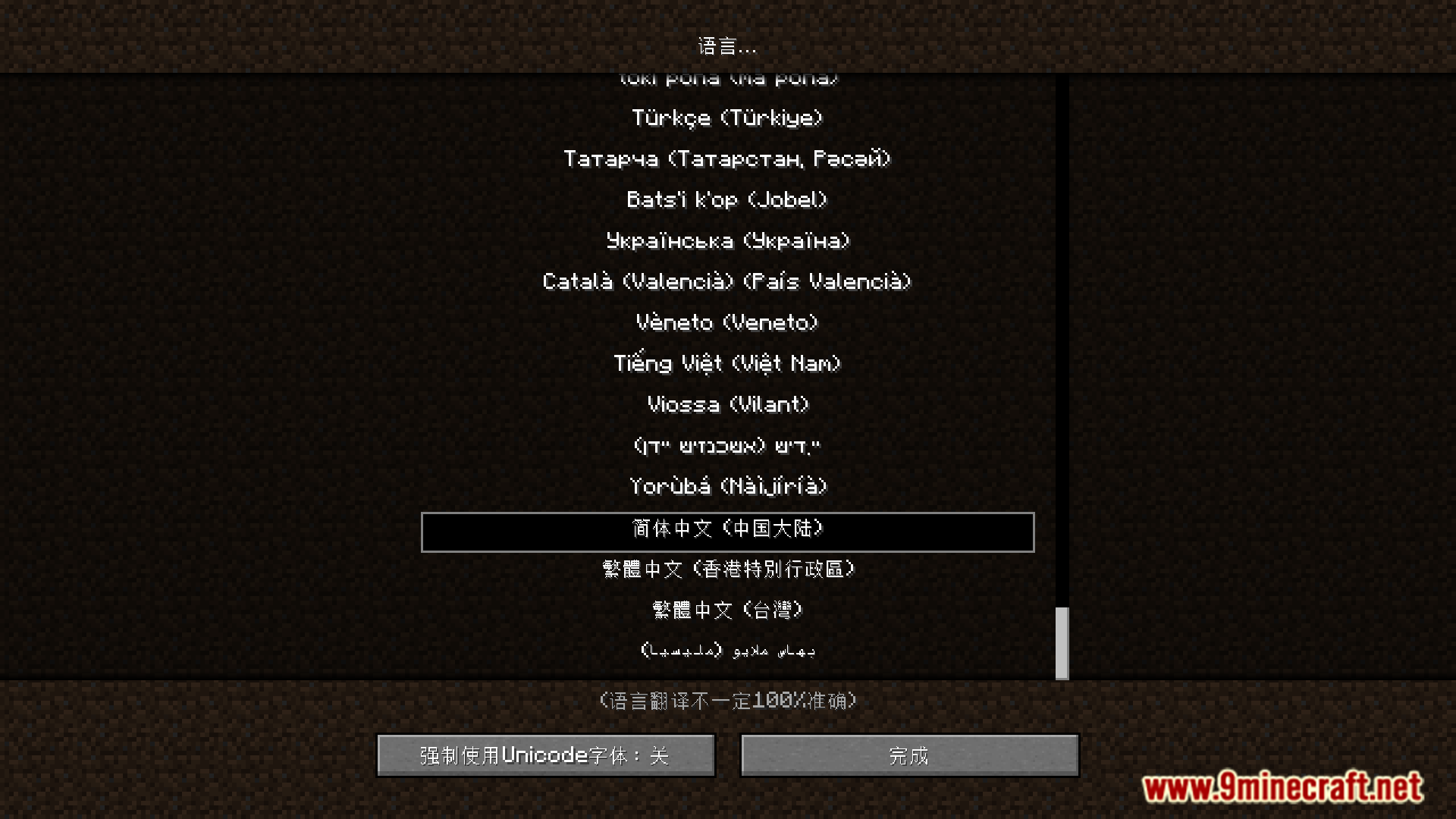
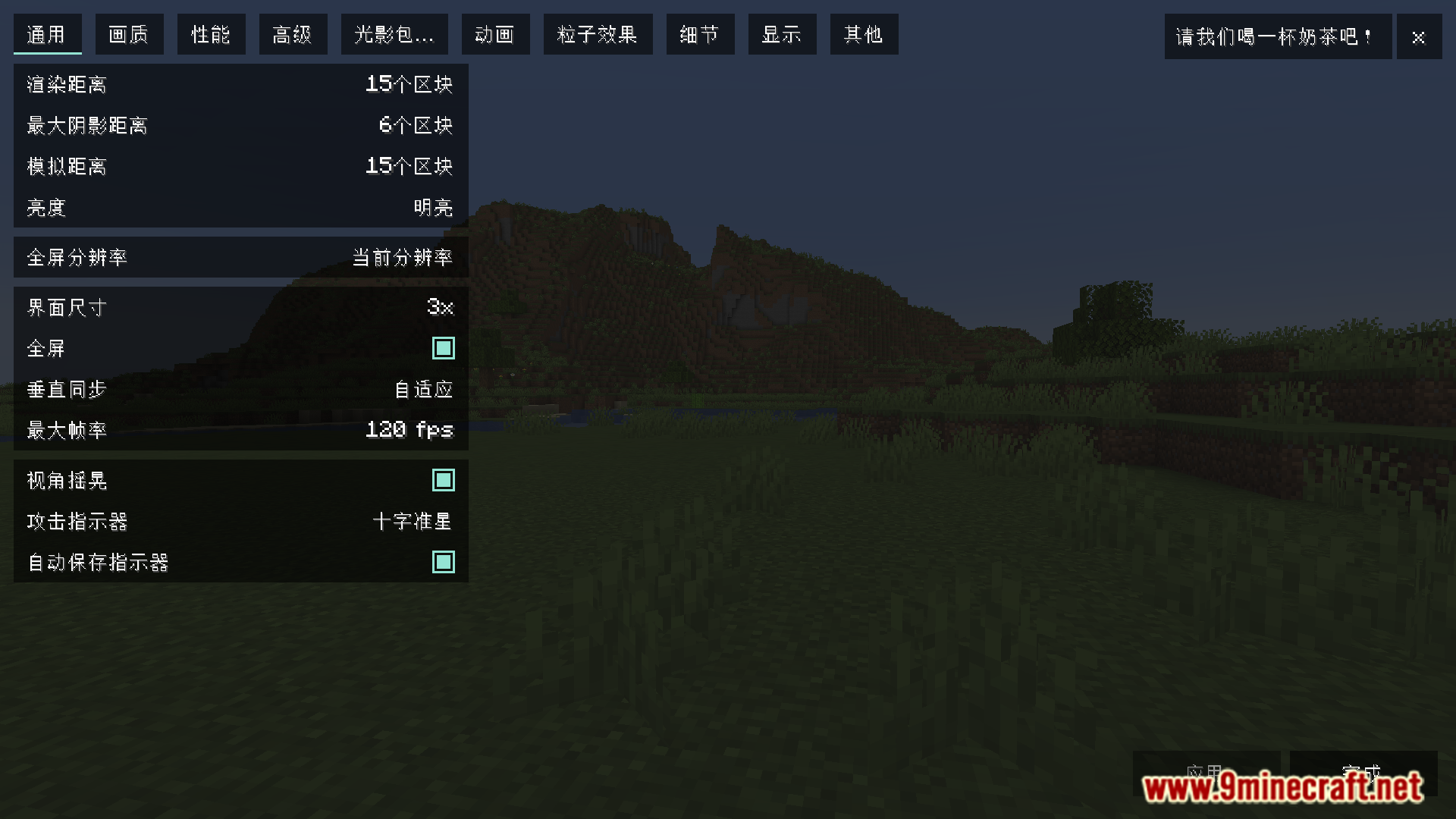
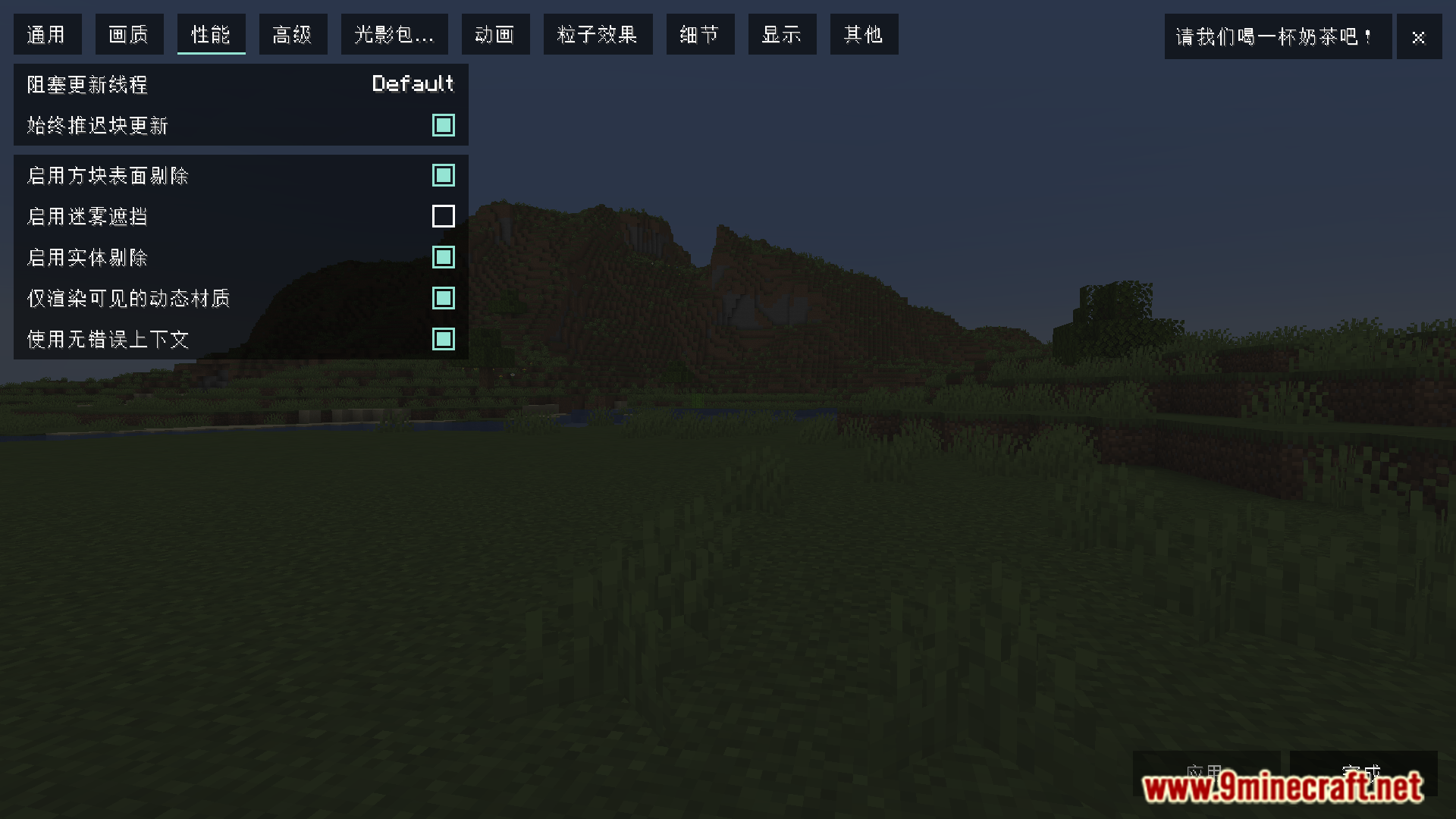
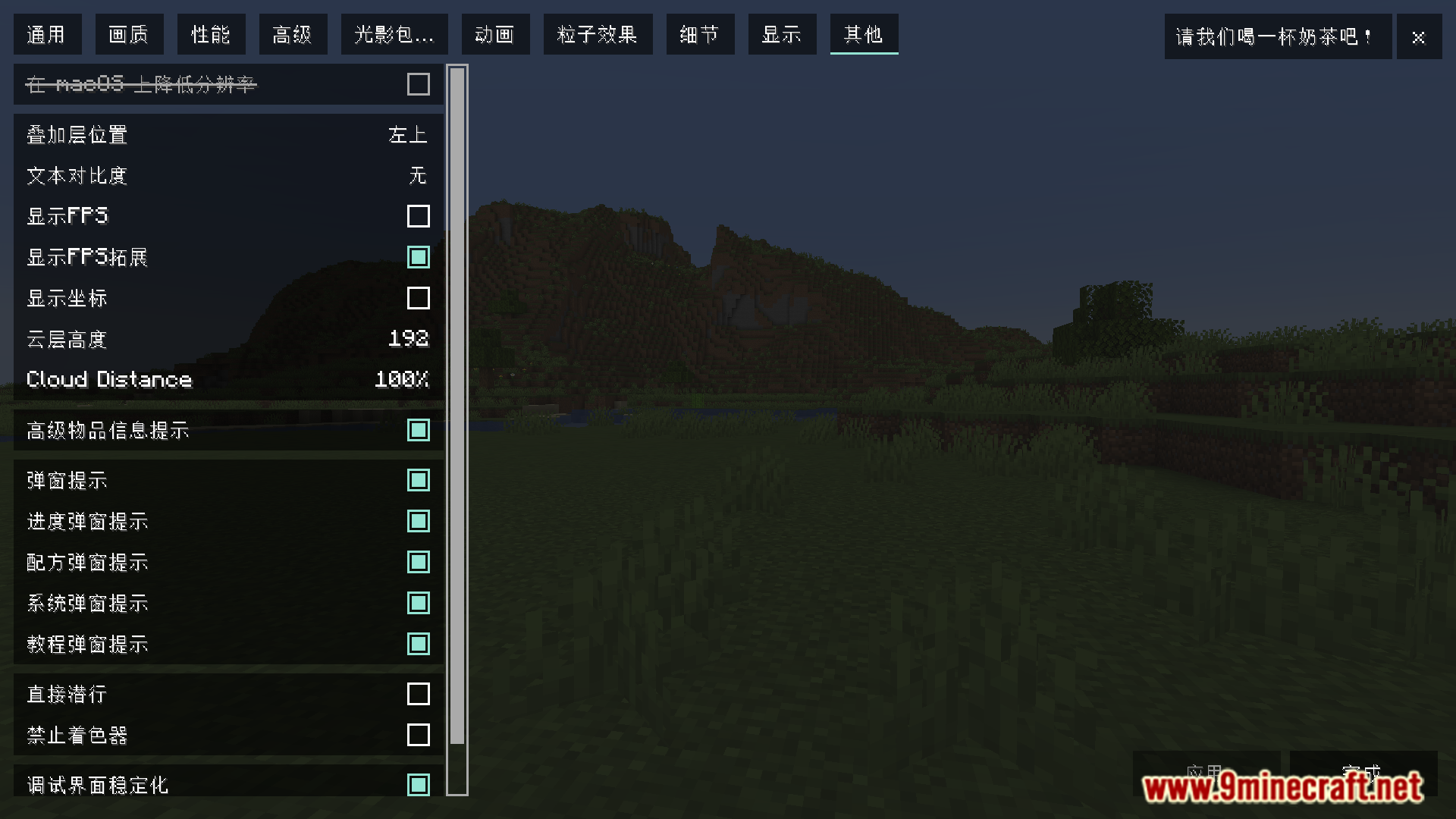
Minecraft has plenty of in-built language options. But it is very common that most mods only offer versions in the English language and if you try changing Minecraft’s language, the contents of these mods will still use English. Sodium is a very popular mod which only has an English version. Since this mod is very popular and has many different options, it would be helpful for a lot of people if it is available in different languages. Sodium Chinese Localization Mod (1.21.11, 1.20.1) does just that. With this mod installed, switching your in-game language to Simplified Chinese orTraditional Chinese will affect the text contents of the Sodium mod too.
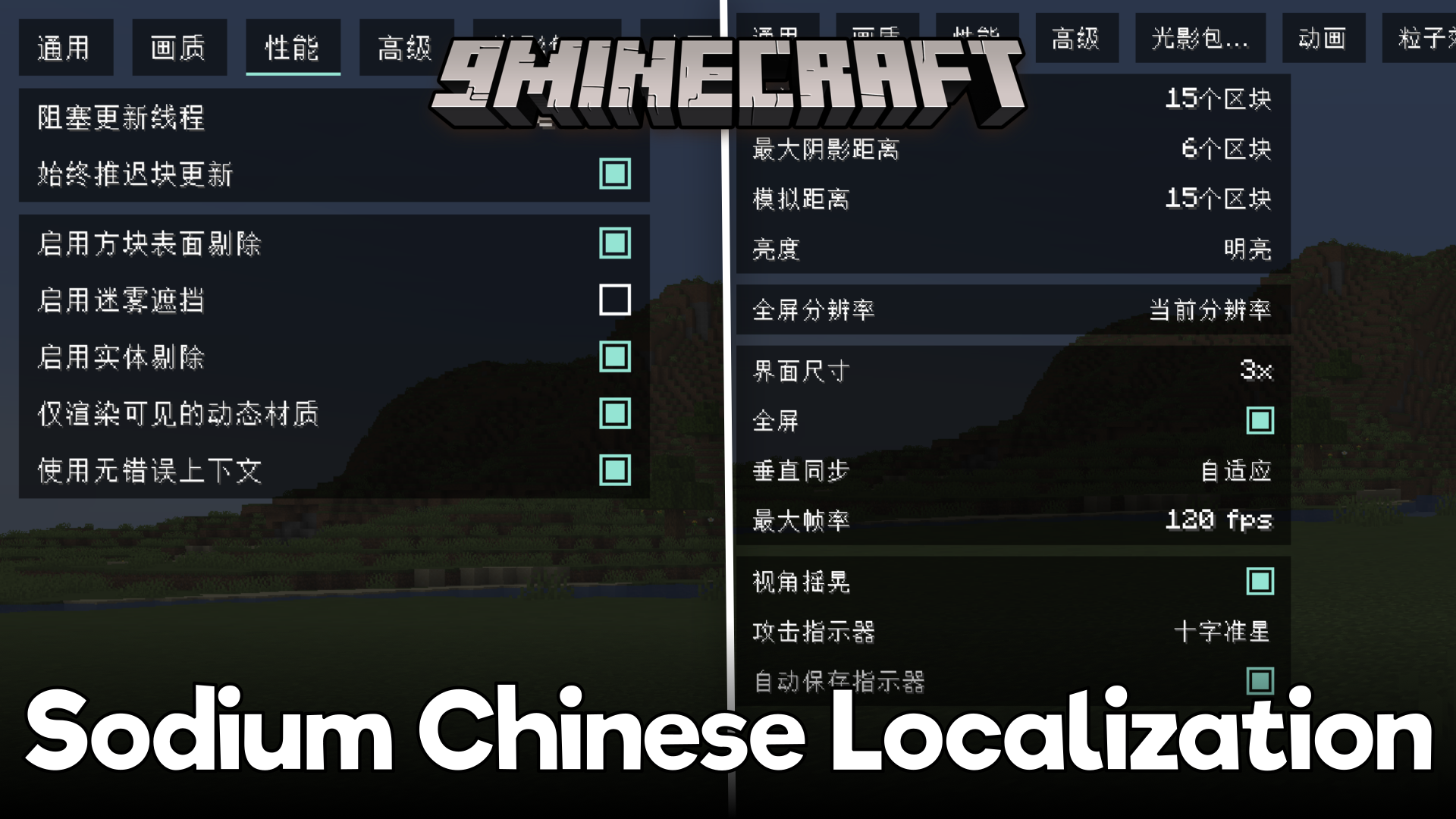
Features:
- Sodium lacks built-in localization.
- Adds Chinese localization for Sodium.
- Supports Simplified Chinese and Traditional Chinese.
- Sodium UI updates with game language.
Screenshots:



Requires:
Minecraft Forge or Fabric API or Quilt Loader or NeoForge Installer
How to install:
Click the following link to view details: How to Install Mods for Minecraft Java Edition on PC: A Beginner Guide
Sodium Chinese Localization Mod (1.21.11, 1.20.1) Download Links
For Minecraft 1.16.5
Fabric version: Download from Server 1 – Download from Server 2
For All Versions from Minecraft 1.17.1 to Minecraft 1.19.4
Fabric/Quilt version: Download from Server 1 – Download from Server 2
For Minecraft 1.20.1, 1.20
Forge/NeoForge version: Download from Server 1 – Download from Server 2
Fabric/Quilt version: Download from Server 1 – Download from Server 2
For Minecraft 1.20.6
NeoForge version: Download from Server 1 – Download from Server 2
Fabric/Quilt version: Download from Server 1 – Download from Server 2
For All Versions from Minecraft 1.21 to Minecraft 1.21.10
NeoForge version: Download from Server 1 – Download from Server 2
Fabric/Quilt version: Download from Server 1 – Download from Server 2
For Minecraft 1.21.11, 1.21
NeoForge version: Download from Server 1 – Download from Server 2
Fabric/Quilt version: Download from Server 1 – Download from Server 2
You May Also Like