


Star’s Debug Screen Addon (26.x, 1.21) – MCPE/Bedrock Mod

 May 24, 2025
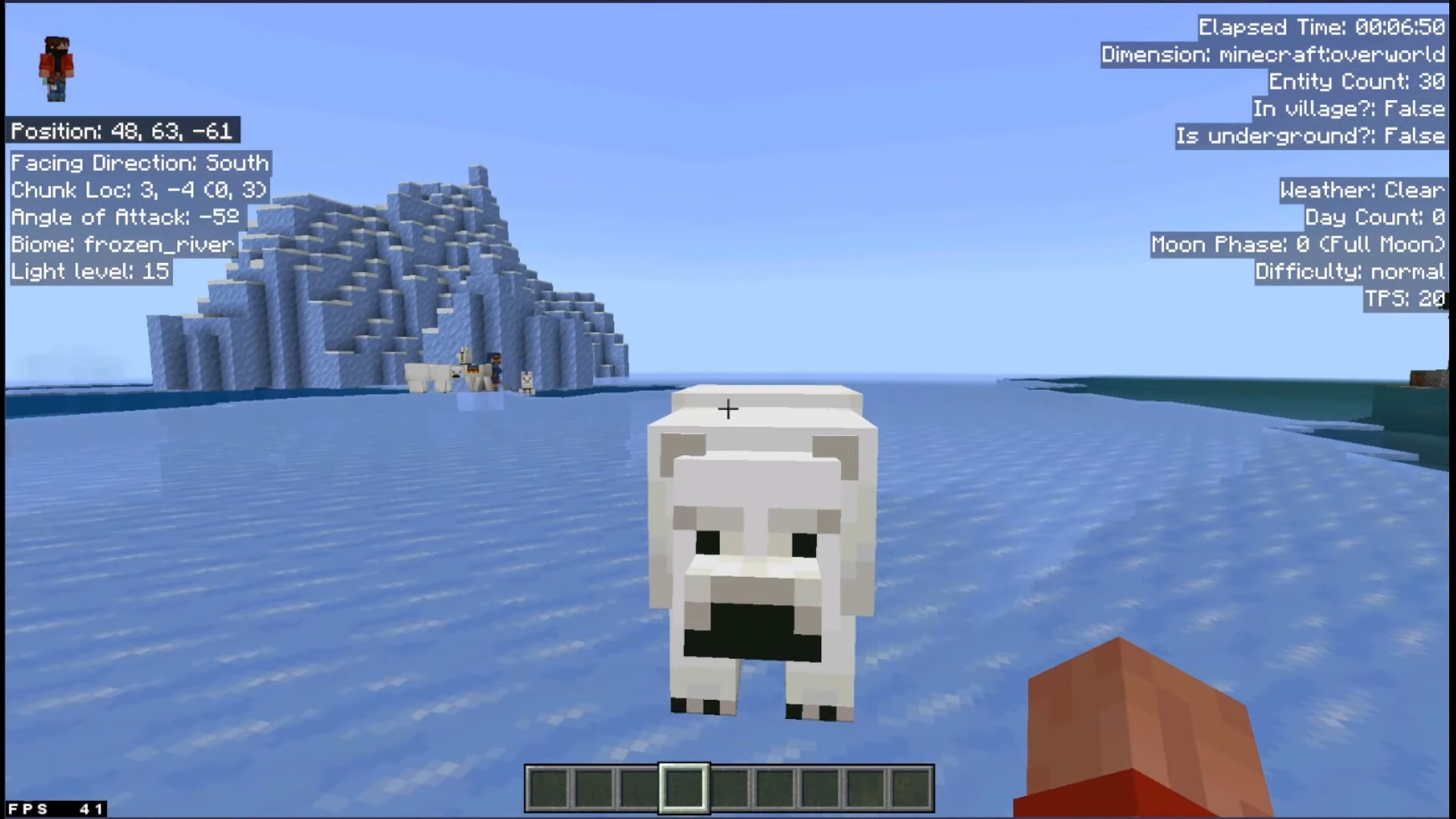
Star’s Debug Screen Addon introduces a Debug Screen to the game, similar to the Java F3 Debug Screen but without the clutter. Installing this addon is straightforward-just follow the instructions on the page carefully, and you’ll have it up and running in no time.
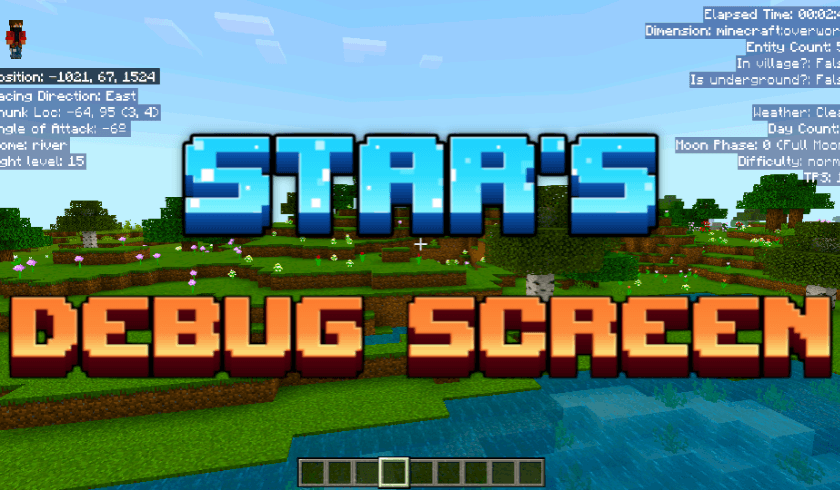
Features:
Left Panel:
- 1. Cardinal Direction: The direction you are facing.
- 2. Chunk Location: The chunk’s coords and your coords in the chunk.
- 3. Angle of Attack: 0 = looking straigt, 90 = looking up, -90 = looking down.
- 4. Biome: The biome you’re standing in.
- 5. Light Level: The light level of the block you’re standing in.
Upper Right Panel:
- 1. Elapsed Time: Time passed since you joined the game.
- 2. Dimension: The dimension you’re in.
- 3. Entity Count: No. of entities within 96 blocks of the player(including the player).
- 4. In Village?: whether you’re inside a village.
- 5. Is Underground?: whether you’re underground.
Middle Right Panel:
- 1. Weather: The state of the weather.
- 2. Day Count: The no. of in-game days passed since the start of the world.
- 3. Moon Phase: The current moon phase of the world.
- 4. Difficulty: The world’s difficulty level.
- 5. TPS: Ticks per second passing in the world (normal: 20).
Other Features:
- 1. Multiplayer compatible.
- 2. No cheats required.
- 3. Toggleable.
- 4. Supports Multiple languages.
- 5. Doesn’t leave any permanent effect on the world when you remove it.
How To Toggle?
- Touch: use the button on top.
- Keyboard and Mouse: press F8.
- All Platforms: settings > video > Hide Paperdoll.
Languages:
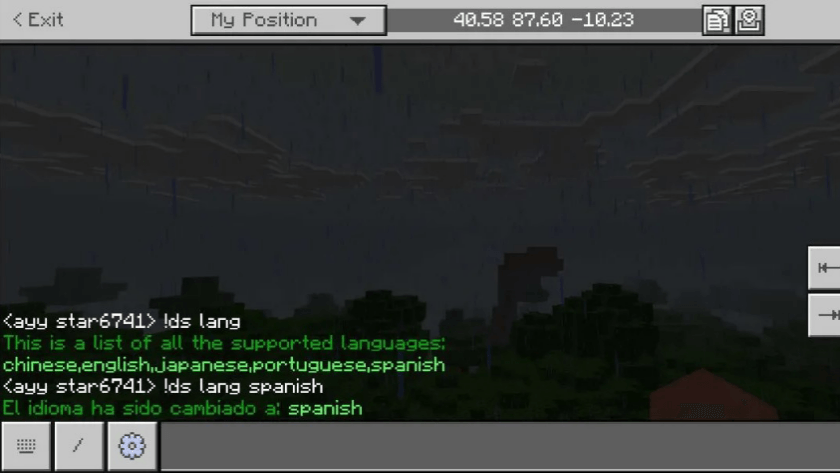
- Debug screens offer different languages for debug screens.
- Different players can have different languages even while playing in the same world.
- Languages can be set using the custom commands as shown below:
Screenshots:
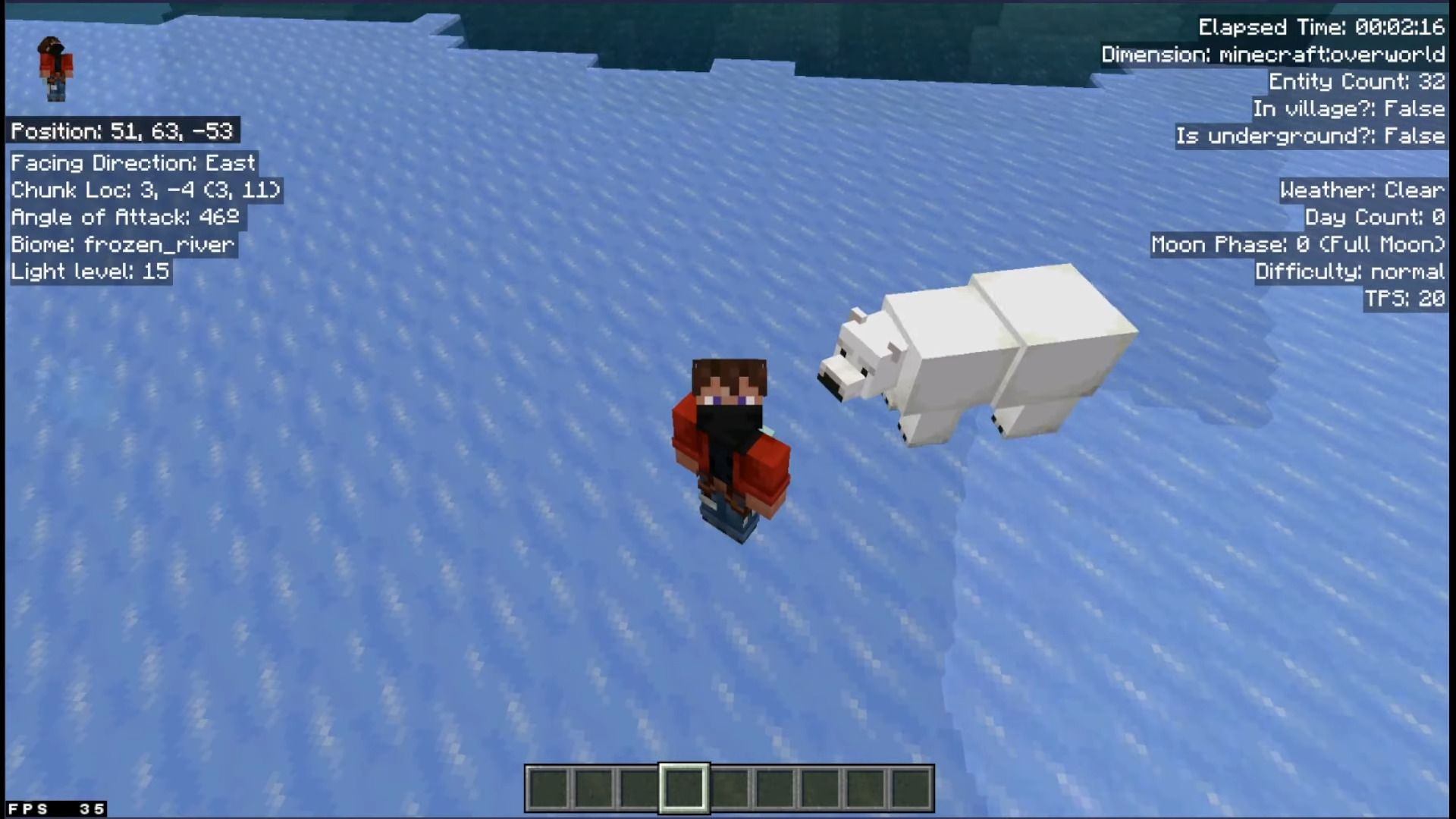
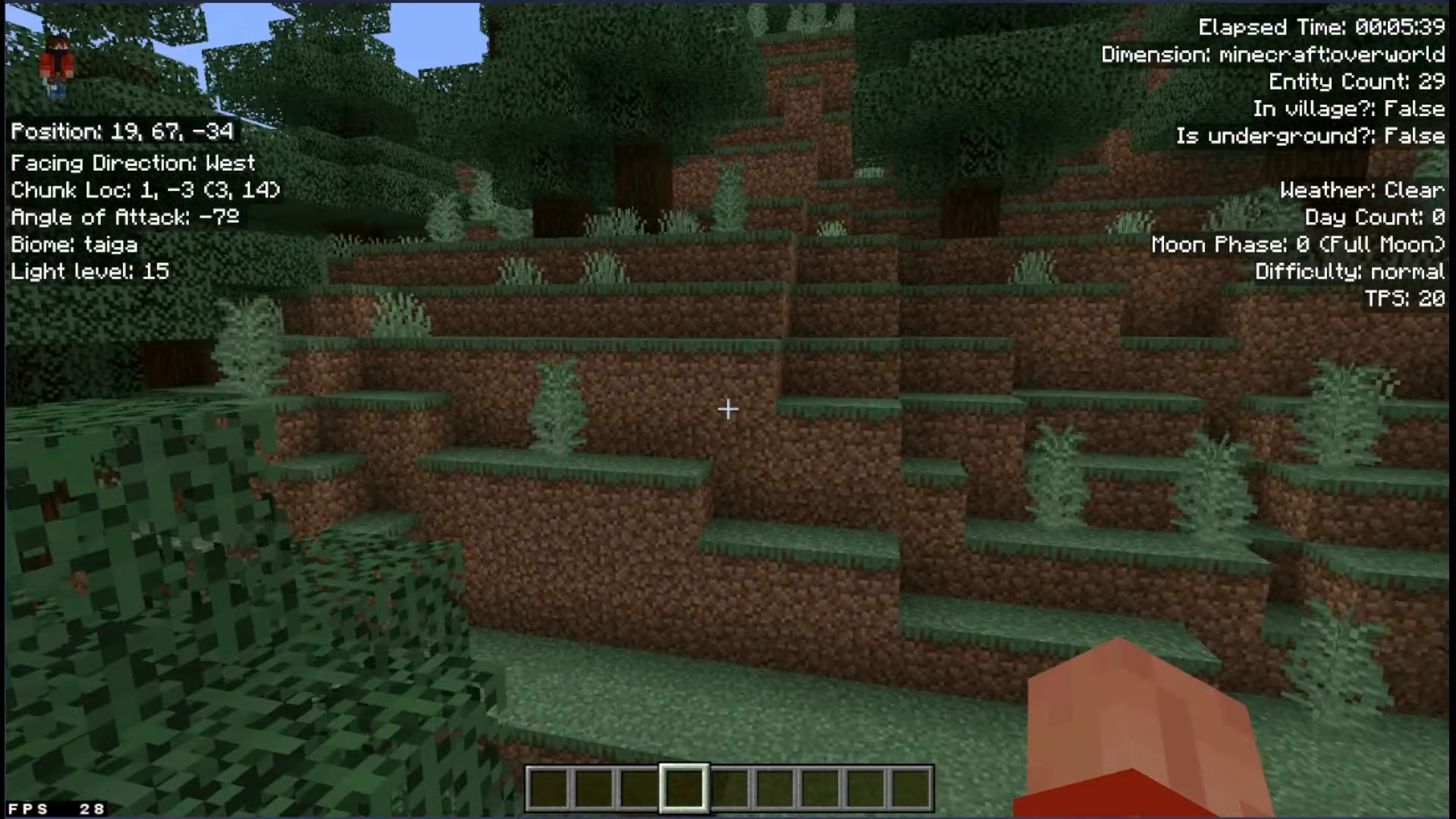
Installation Note:
- Turn on the “Beta APIs” experimental toggle.
How to install:
How To Install Mod / Addon on Minecraft PE
How To Install Texture Packs on Minecraft PE
How To Install Map on Minecraft PE
Star’s Debug Screen Addon Download Links
For Minecraft PE/Bedrock 1.21
mcaddon: Download from server 1 – Download from server 2
Click to rate this post!
[Total: 6 Average: 3.5]

2 Comments
What do you think? Your opinion means a lot — we'd love to hear from you.
You May Also Like















Hi jivan yeah I know that this website kinda sucks but if you scroll all the way down just here by your comment then you will be able to download from server 1 or 2
IT WON’T LET ME DOWNLOAD WHAT THE FFFUUUUUCCCCKKKK!!!!!!!!!!!!
IT JUST SEND ME TO A COMPLETELY UNRELATED TAB!!!!!