
Toggleable Enchantments Mod (26.3, 1.21.1) – Control Gear Powers on the Fly

 0


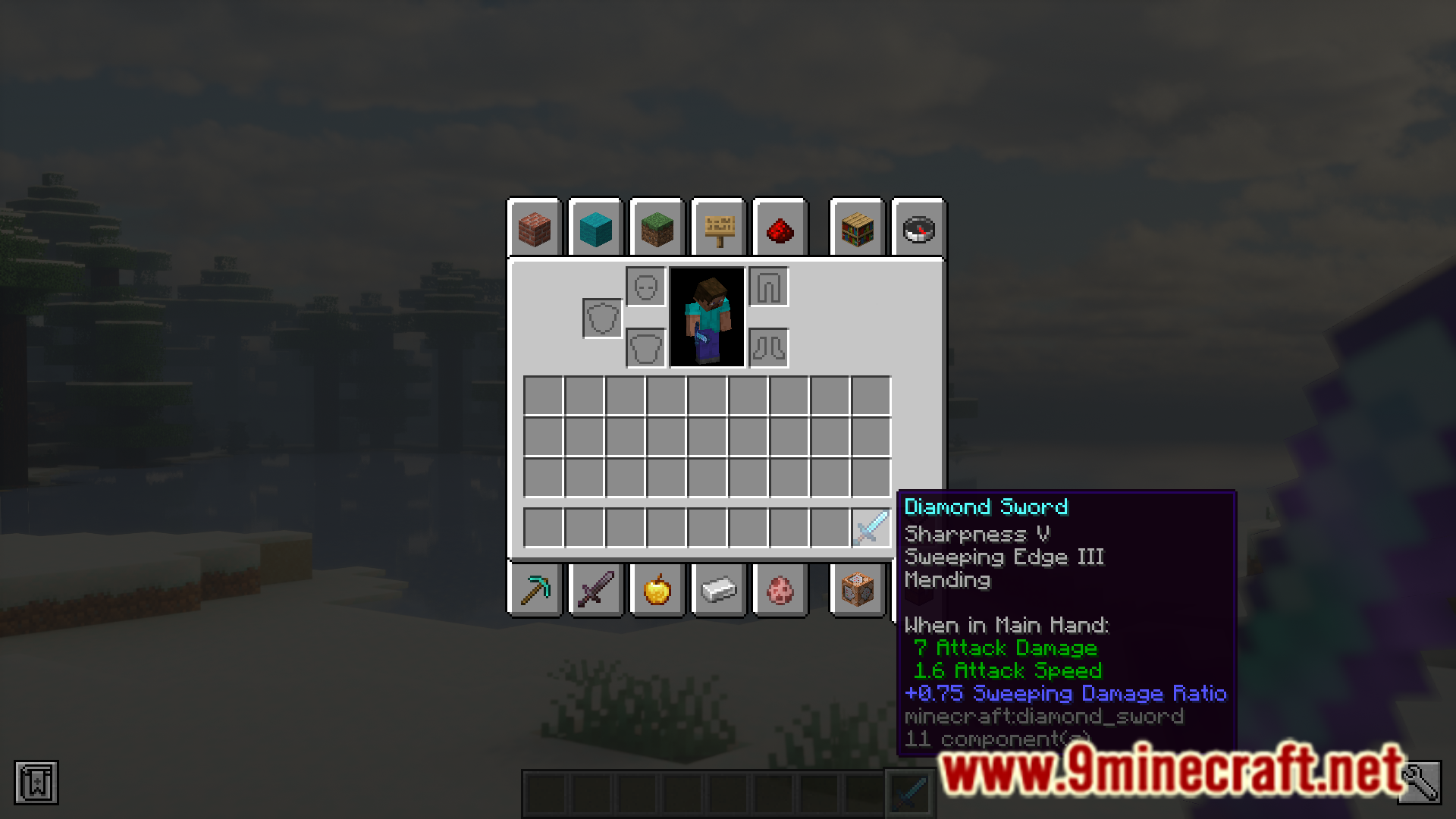
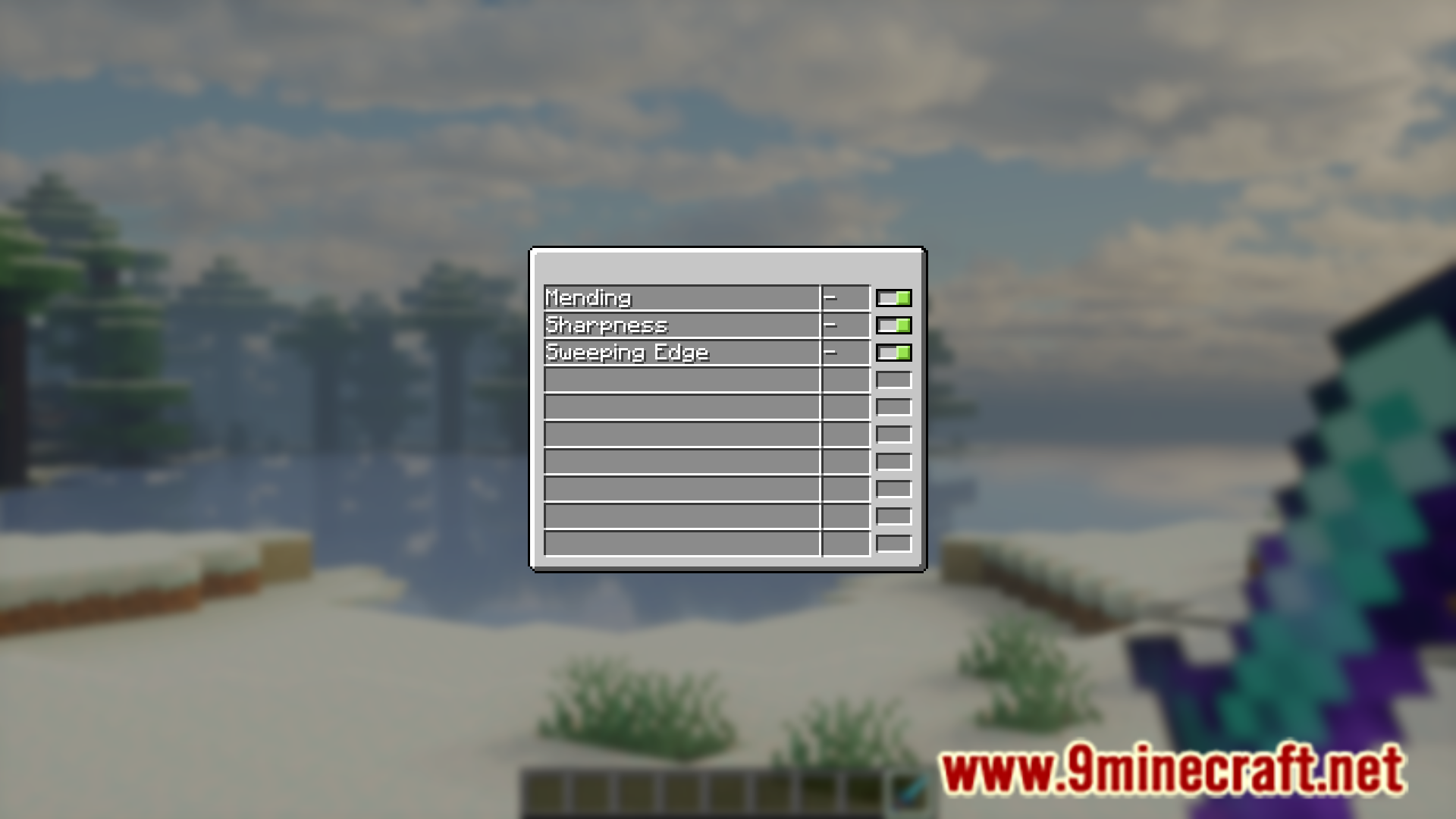
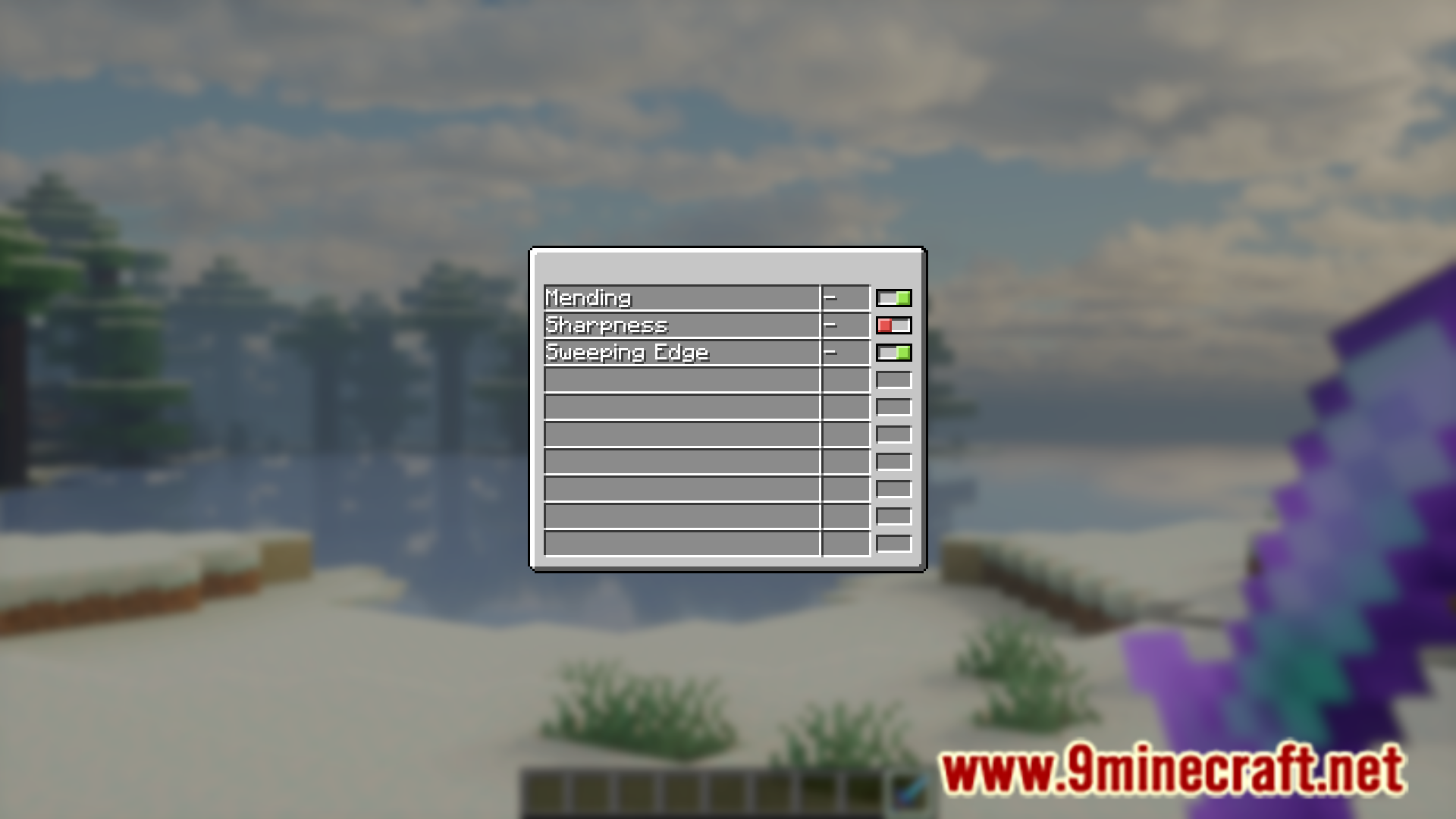
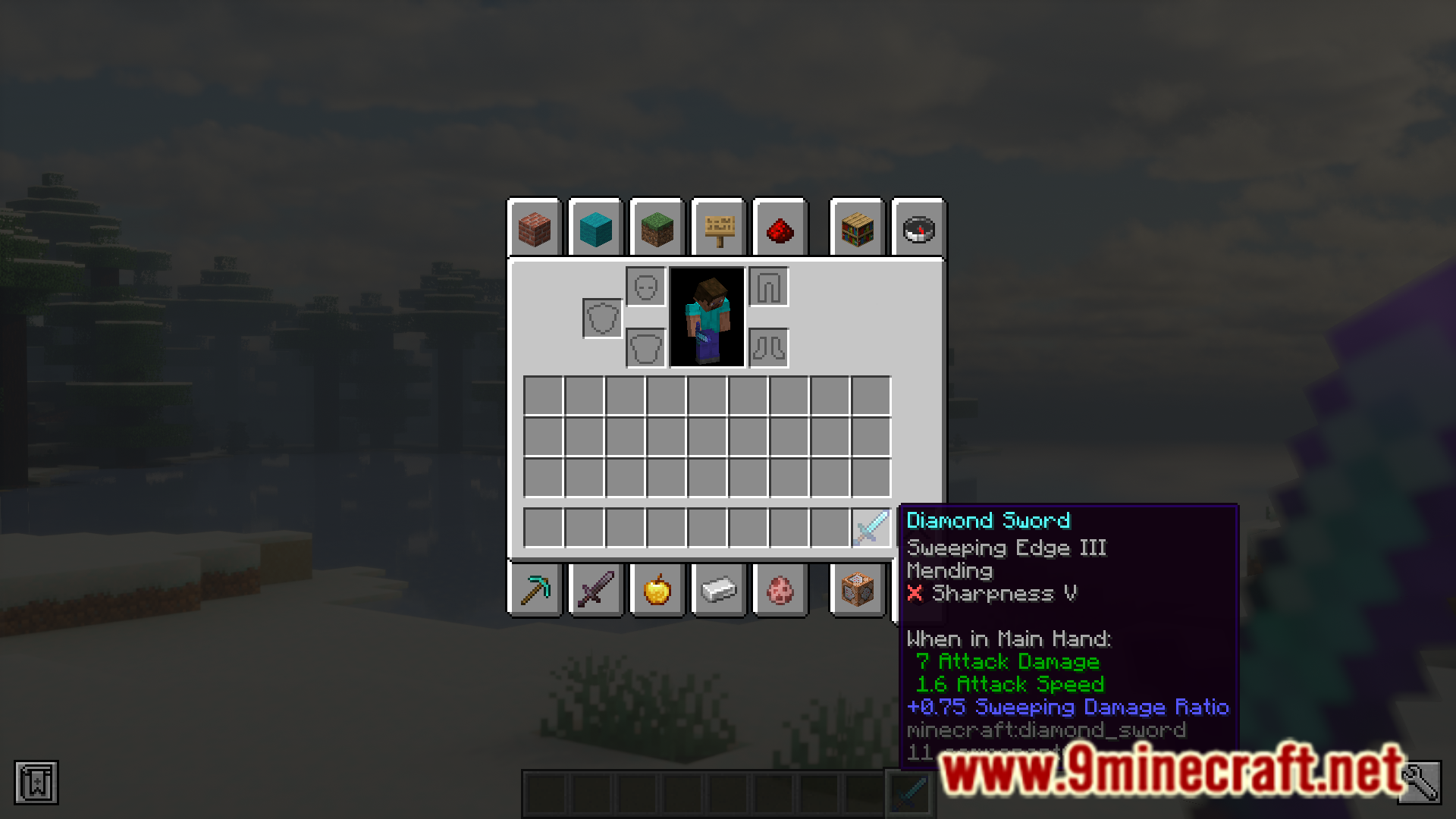
Toggleable Enchantments Mod lets you turn individual enchantments on or off on any item. Hold an enchanted item in your hand and press a key to open a menu showing all of its enchantments. You can also assign enchantments to hotkey groups so you can switch them on or off without opening the menu. Any enchantment you turn off shows as disabled in the item tooltip.
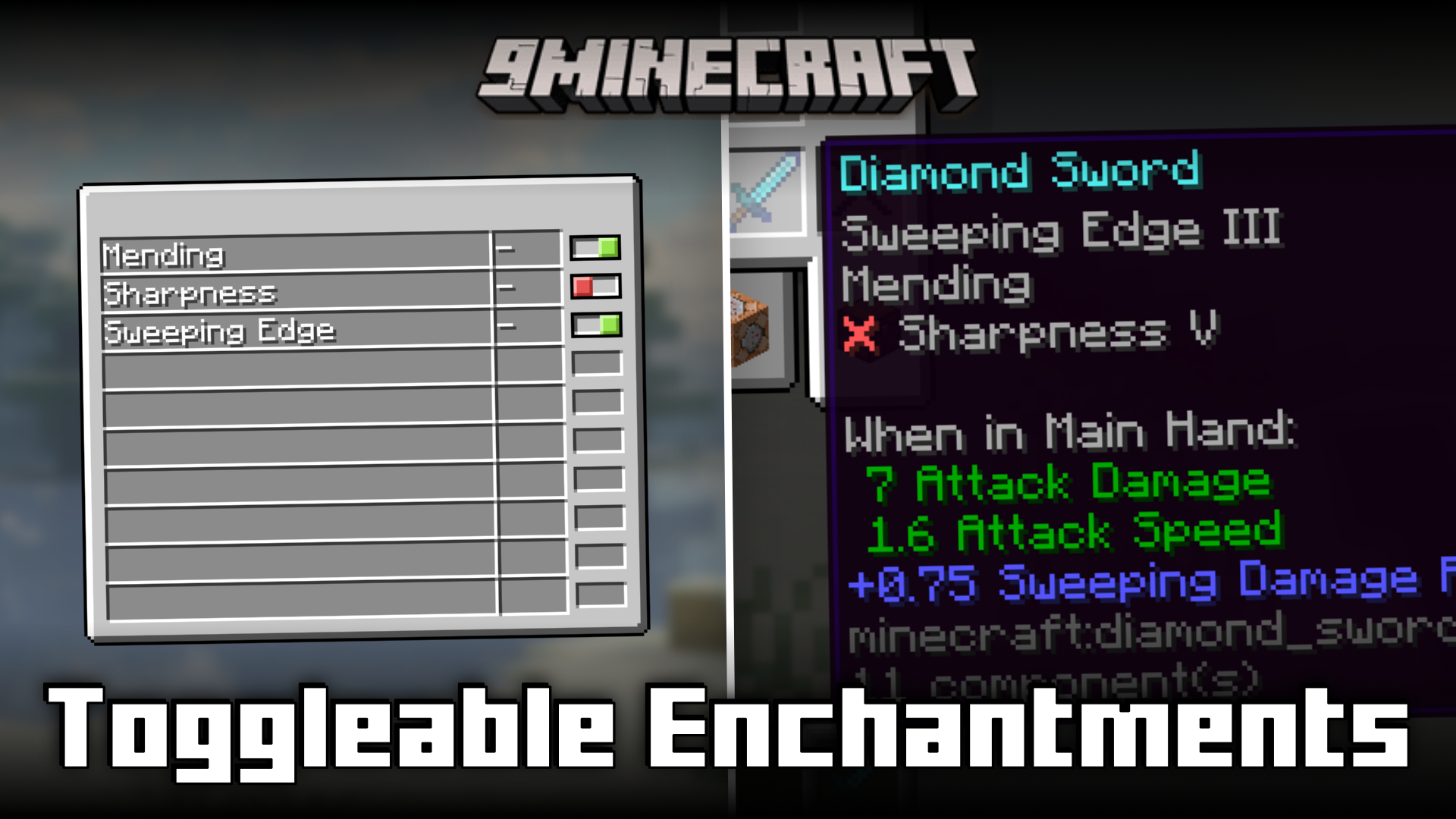
Features:
- Lets you turn individual enchantments on or off on the item you hold through a simple toggle menu.
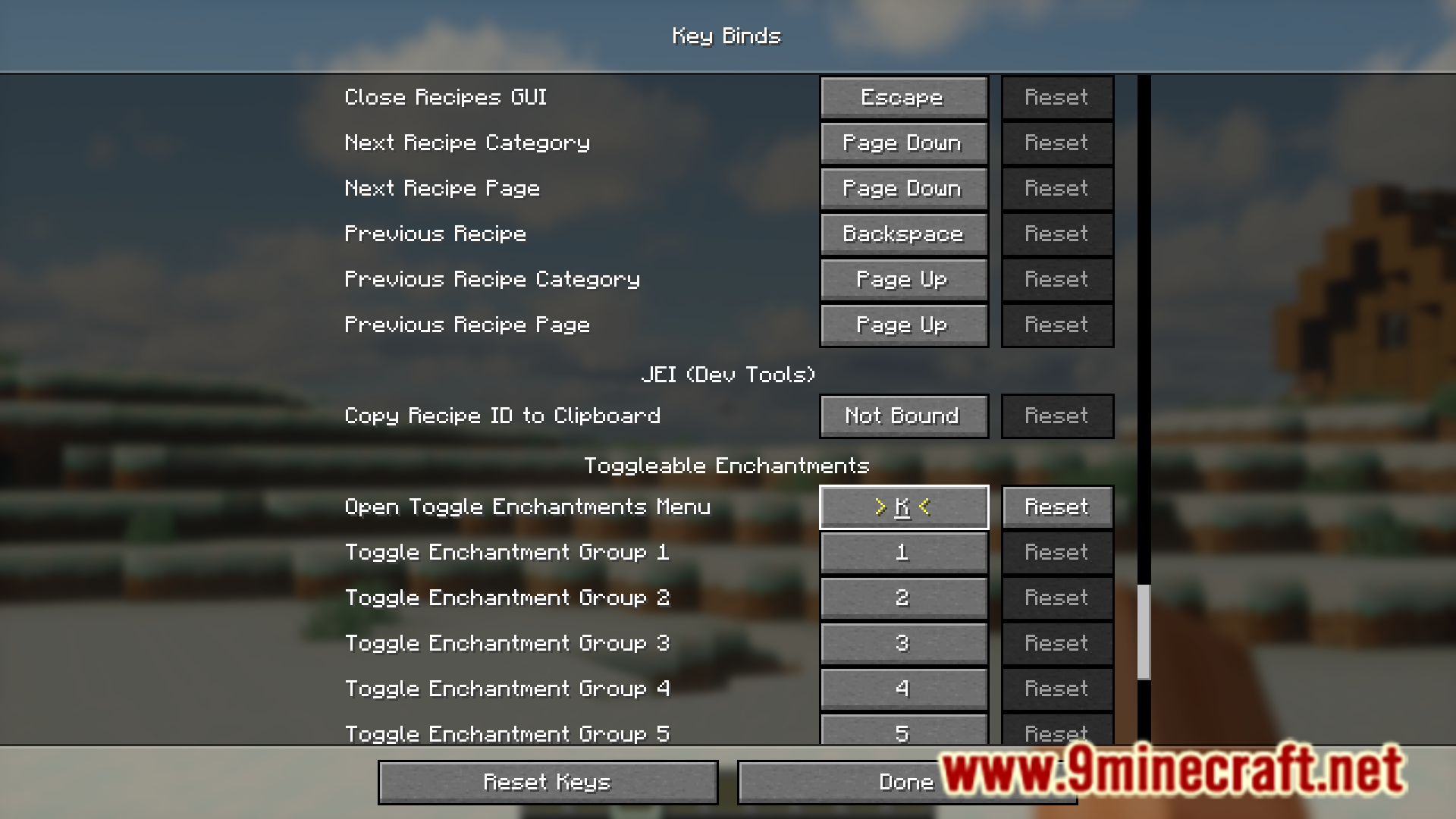
- Opens the toggle menu with the J key by default, and lets you change it in the keybind settings.
- Allows you to assign each enchantment to a hotkey group from 1 to 9.
- Toggles every enchantment in a hotkey group at once when you press its matching numpad number (which you can also rebind in keybind settings), without opening the menu.
- Lets you set an enchantment’s hotkey group to
-to turn off hotkey control for that enchantment. - Marks disabled enchantments in the item tooltip so you can tell which ones are turned off.
How to Use:
- Hold the enchanted item you want to adjust in your hand.
- Press J to open the enchantment toggle menu, where all enchantments on that item appear in a list. You can change this key in Minecraft’s keybind settings.
- Switch individual enchantments on or off in the menu; any enchantment you turn off is marked as disabled in the item tooltip.
- Pick a hotkey group from 1 to 9 for an enchantment if you want quick toggling, or set it to – to disable hotkey control for that enchantment.
- Press the matching number on your Numpad (or the custom key you set in keybind settings) to toggle all enchantments in that group at once without opening the menu.
Screenshots:
How to Install:
New to Minecraft? Follow our step-by-step guide to install Mods on your PC.View Guide


Toggleable Enchantments Mod Download Links
For Minecraft 26.3
For Minecraft 26.2
For Minecraft 26.1.2, 26.1.1, 26.1
For Minecraft 1.21.11
For Minecraft 1.21.10, 1.21.9
For Minecraft 1.21.8, 1.21.7, 1.21.6
For Minecraft 1.21.5
For Minecraft 1.21.1, 1.21
Click to rate this post!
[Total: 0 Average: 0]
QUICK MINECRAFT SURVEY · ONE TAP
Mods & Modpacks
Which Minecraft version do you spend the most time playing with mods?
14 responses · See the full results →
You May Also Like
Picked for this page
 Xaero’s Map Server Utils Mod (26.3, 1.20.1) – Fair-Play Mode Controls
 DarkSpawn Mod (26.3, 1.20.1) – RPG Teleport to Spawn or Lobby
 Global XP Mod (26.3, 1.20.1) – Never Lose Your Levels Again When You Die
 Bee Fix Mod (26.1, 1.20.1) – Fixes The Bugs
 Coords Mod (26.3, 1.20.1) – Shows Player Coordinates In Overlay
 Visual Snowy Leaves Mod (1.21.11, 1.20.1) – Snow Effects For Leaves
 Katters Structures Ambient Mod (26.3, 1.21.1) – New Ambient Structures
 Death Coordinates BC Mod (26.3, 1.20.1) – Death Location On Screen
 Chiseled Bookshelves Add Enchantment Power Mod (26.3, 1.20.1)
 Flat Lighting Mod (26.3, 1.20.1) – Removes Shading On All Models
 Simple Registry Aliases Mod (26.3, 1.21.11) – Define Registry Entry Aliases
 Here N There Mod (26.3, 1.21.1) – Quickly Enter Coordinates
Most viewed in Mods over the last 7 days
 Ala Industrial Mod (26.3) – Run Electric Power Grids and Automated Factories
 PleasureCraft Mod (26.3, 1.21.1) – Jenny Mod Remake for Fabric
 Jennycraft Mod (26.3, 1.20.1) – Virtual Girlfriend in Minecraft
 Fapcraft Mod (26.3, 1.12.2) – Comprehensive and Detailed Content
 Jenny Mod (Fapcraft) Official Complete Guide – How to use, Tutorial
 BangCraft Mod (1.20.1) – Jenny, Ellie and Elliot
 Fabric Loader (26.3, 1.20.1) – Fabric Installer for All Minecraft Versions
 Meteor Client Mod (26.3, 1.20.1) – Xray, HUD, Fly
 The Shooting Star Demo Mod (26.3, 1.20.1) – Vaporize Terrain From Orbit
 OptiFine HD (26.3, 1.20.1) – Run Faster, FPS Boost, Shaders Support
 Aristois Client Mod (1.21.4, 1.20.1) – World Class Minecraft Utility
 Prestige Client Mod (1.21.11, 1.21.4) – Powerful Ghost Features for Crystal & Sword PvP
More from Mods
 Multi Item Lib Mod (1.20.1) – Wield Custom Gear with Flawless Hand Animations
 Universe3090 Mod (1.20.1) – Survive Corrupted Dimensions Filled
 Wireless Automate Mod (1.21.1) – Automate Base Logistics Without Messy Pipes
 Vaskars Opus Faction War Quests & Bosses Mod (1.21.11, 1.20.1)
 Multitools and More Mod (26.3, 1.20.1) – Clear Your Hotbar and Travel
 Luxium Let There Be Light Mod (1.20.1) – Stunning Lighting on Low-End Computers
 Soulscraft Tarnished Legacy Mod (1.21.1) – Hunt Relics to Forge Dark Fantasy
 Fetzi’s Displays Mod (26.1.2, 1.20.1) – Turn Rare Gear and Weapons
 Primal Plushies Paleo Pals Mod (1.21.1, 1.20.1) – Decorate Your Base
 Ipla Mod (26.3, 1.20.1) – Showcase Your Favorite Items
 MesdagPortLib Mod (1.20.1) – Run Modern Minecraft Mechanics on Older Versions
 Hellion’s API Mod (1.21.11, 1.21.1) – Play Hellion Series Addons Without Crashes

This post has no comments yet. Be the first — your comment will appear here.