


Neko UI Mod (1.21.11, 1.20.1) – Tạm biệt giao diện menu nhàm chán

 0
0 

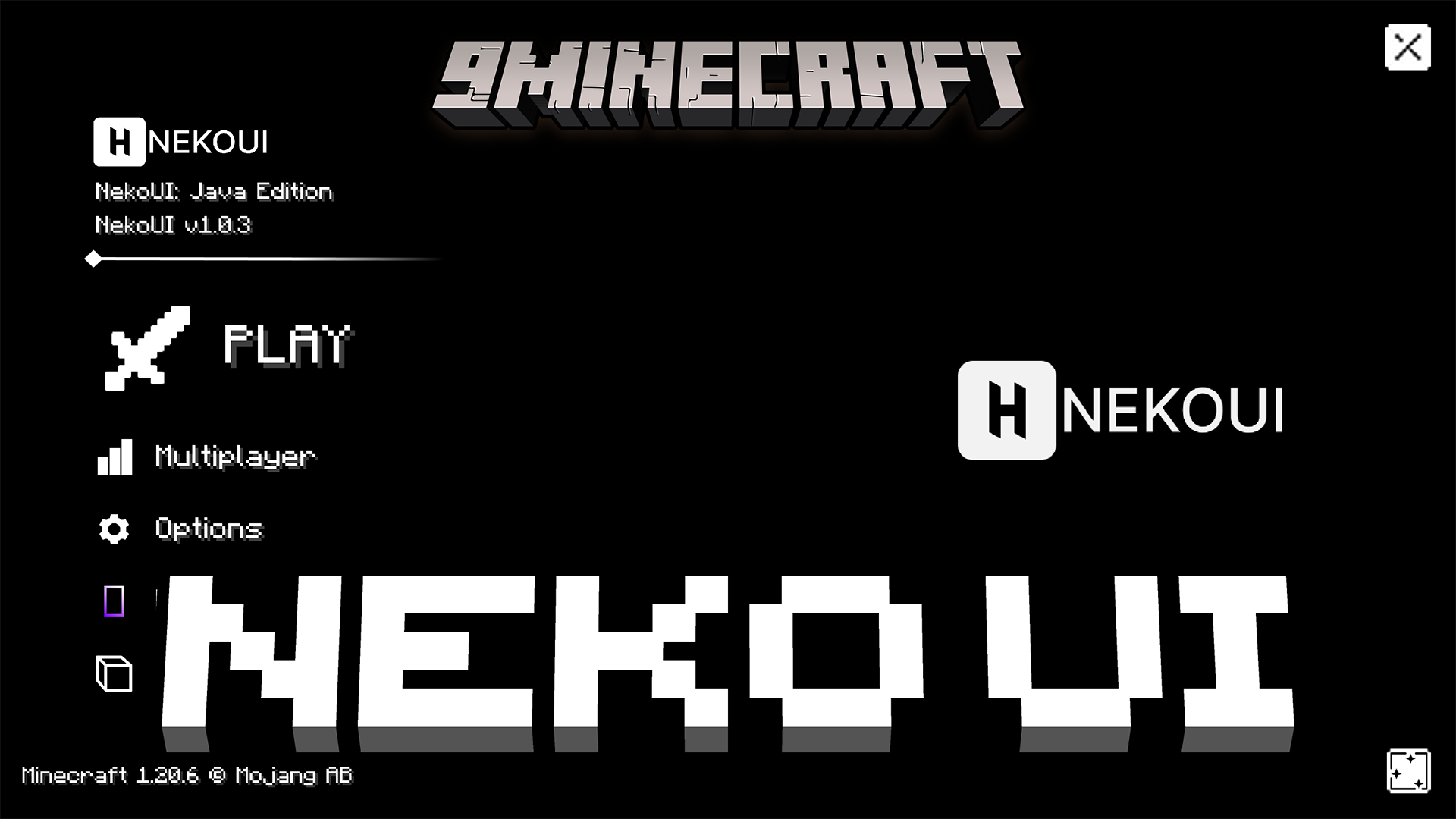
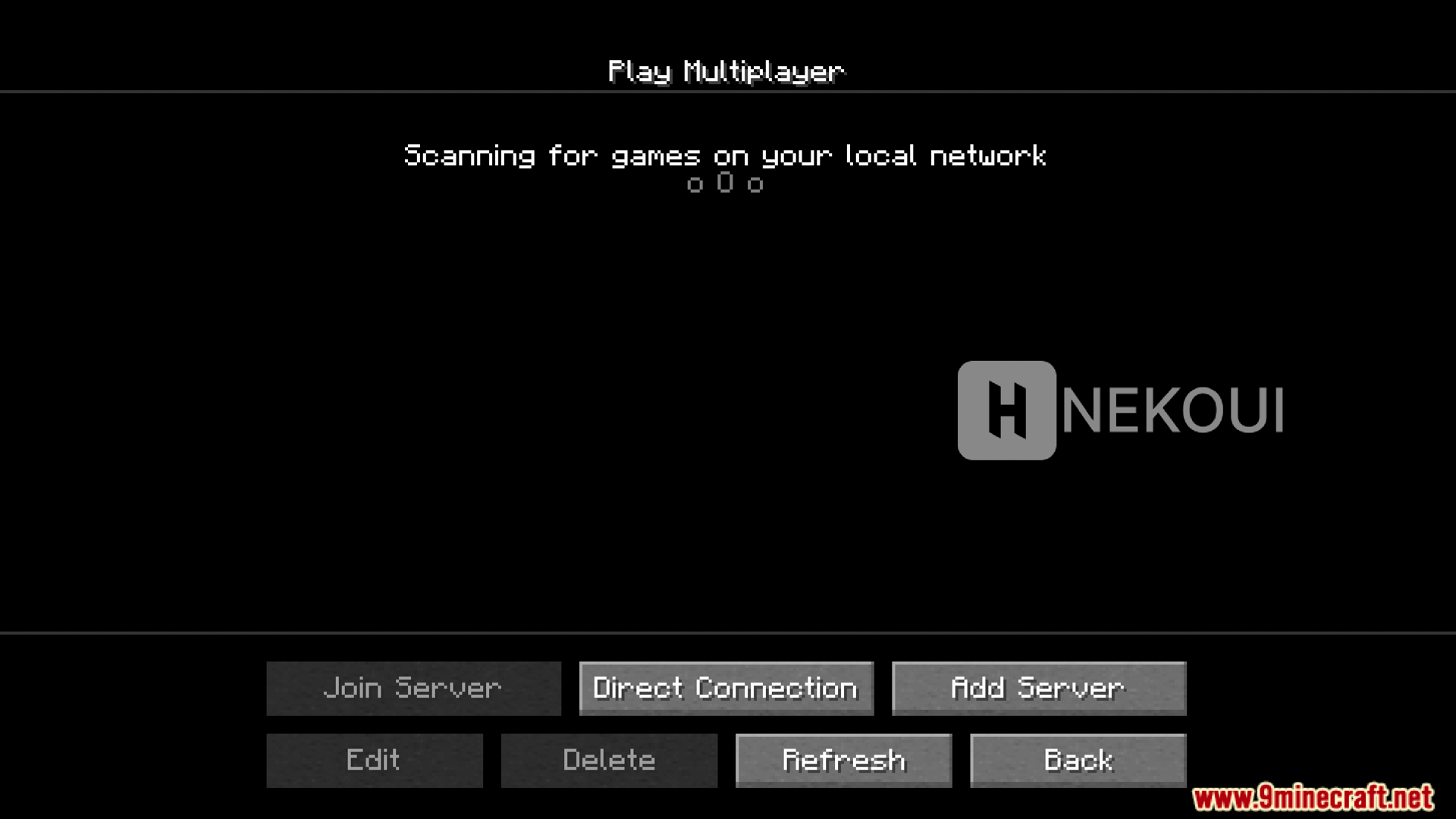
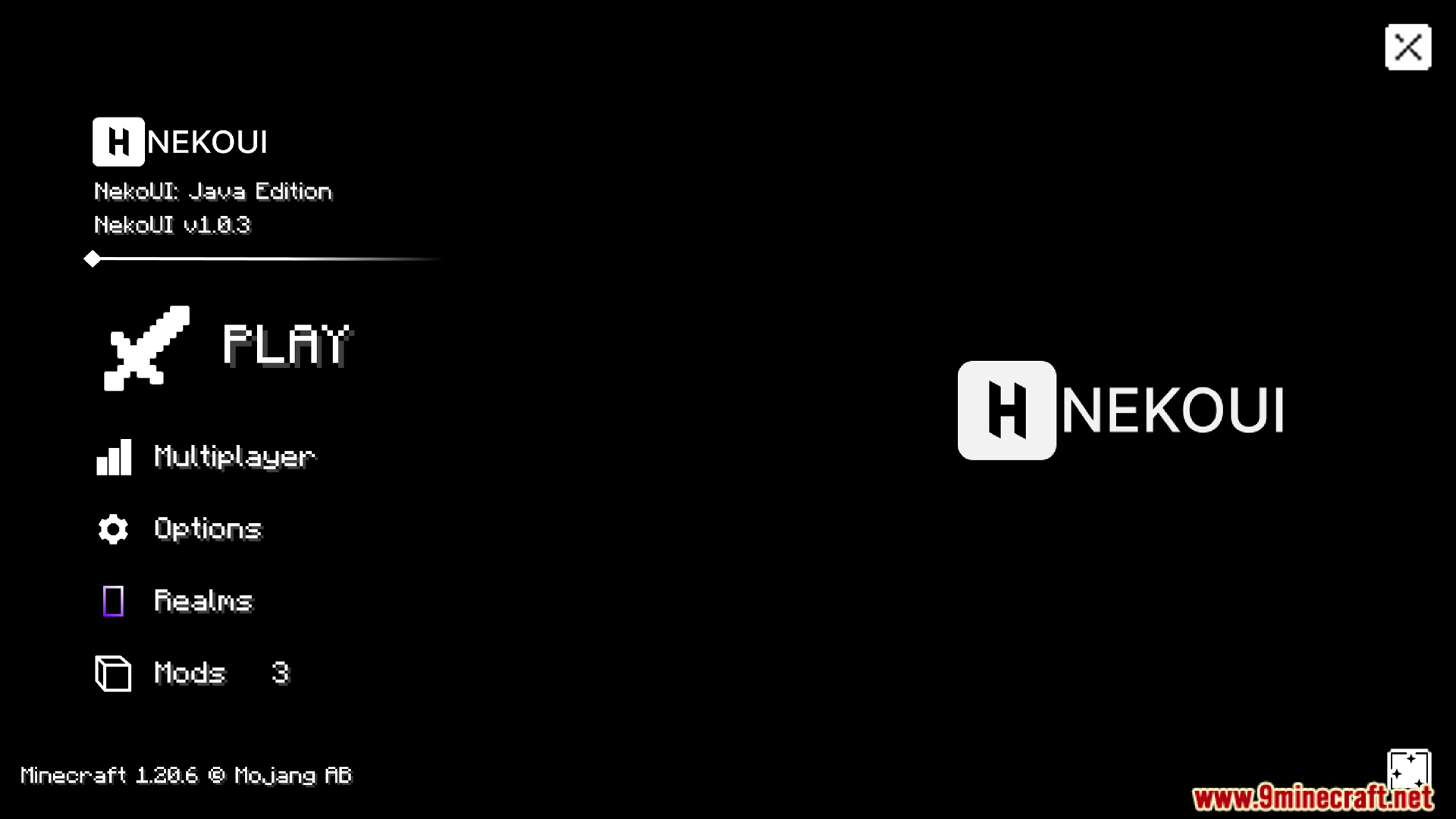
Neko UI Mod thiết kế lại các menu và màn hình trong Minecraft để mang đến cho trò chơi một diện mạo hoàn toàn mới. Nó thay đổi mọi thứ từ menu chính, màn hình tải cho đến túi đồ (inventory) trong chế độ sinh tồn và sáng tạo. Bạn có thể thiết lập hình nền tùy chỉnh để phù hợp với phong cách cá nhân. Mod này cũng hoạt động cực tốt với các gói font chữ tùy chỉnh để giúp việc đọc văn bản trở nên dễ dàng hơn nhiều.
Tính năng:
- Thay đổi toàn diện giao diện: Neko UI Mod mang đến cho toàn bộ màn hình game một diện mạo mới mẻ.
- Hình nền tùy chỉnh: Bạn có thể thay đổi hình ảnh phía sau menu để trò chơi phù hợp với phong cách của mình.
- Hỗ trợ hình nền động nếu bạn bật đúng resource pack trong phần cài đặt.
- Hoạt động tốt nhất khi kết hợp với các mod font chữ tùy chỉnh để chữ dễ đọc hơn.
Menu được thiết kế lại:
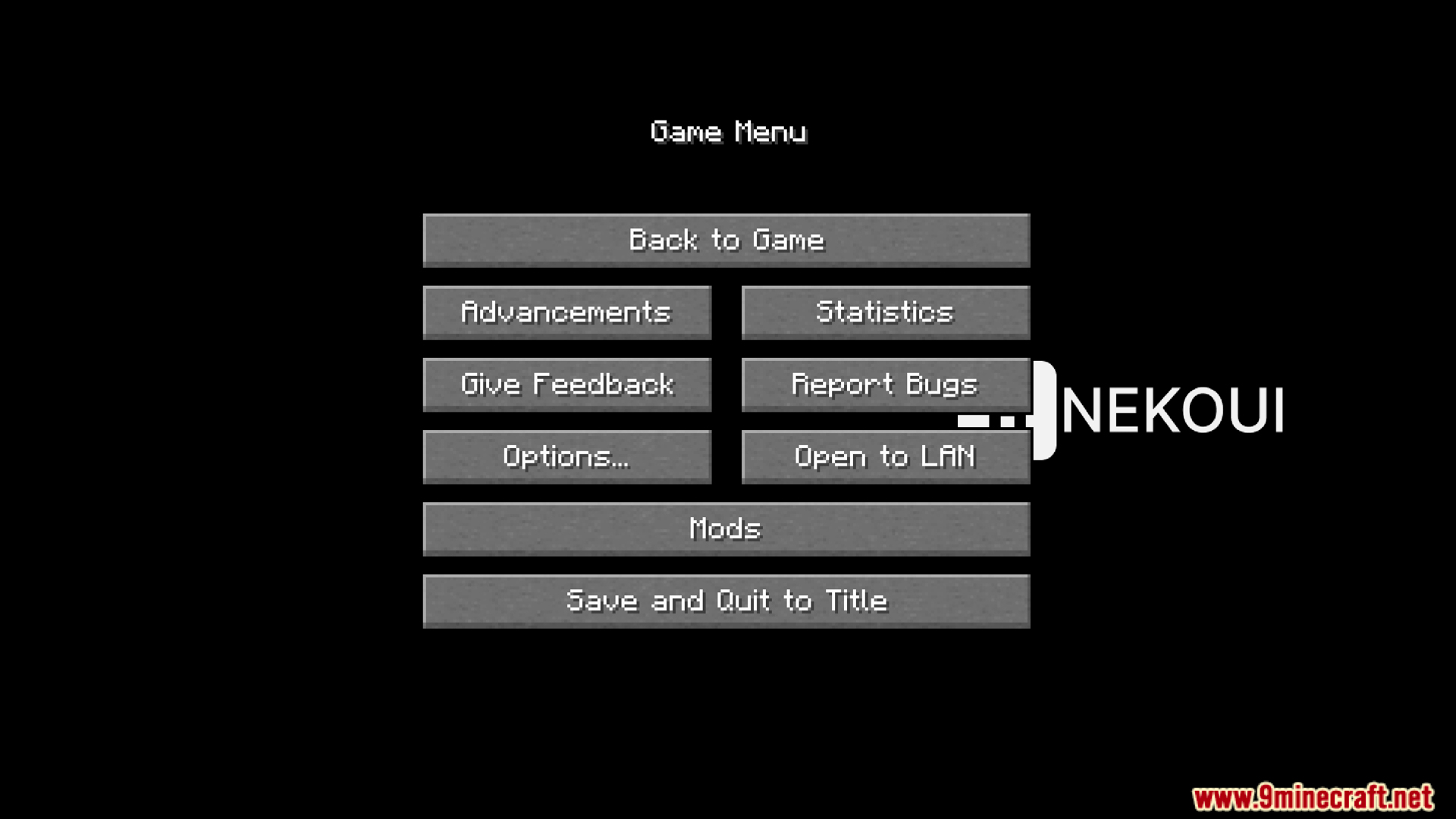
- Thay đổi menu chính và màn hình tạm dừng (pause) với bố cục mới và các nút bấm được cập nhật.
- Cập nhật màn hình chơi mạng (multiplayer) để trông khác biệt khi bạn tìm kiếm các trò chơi trong mạng nội bộ.
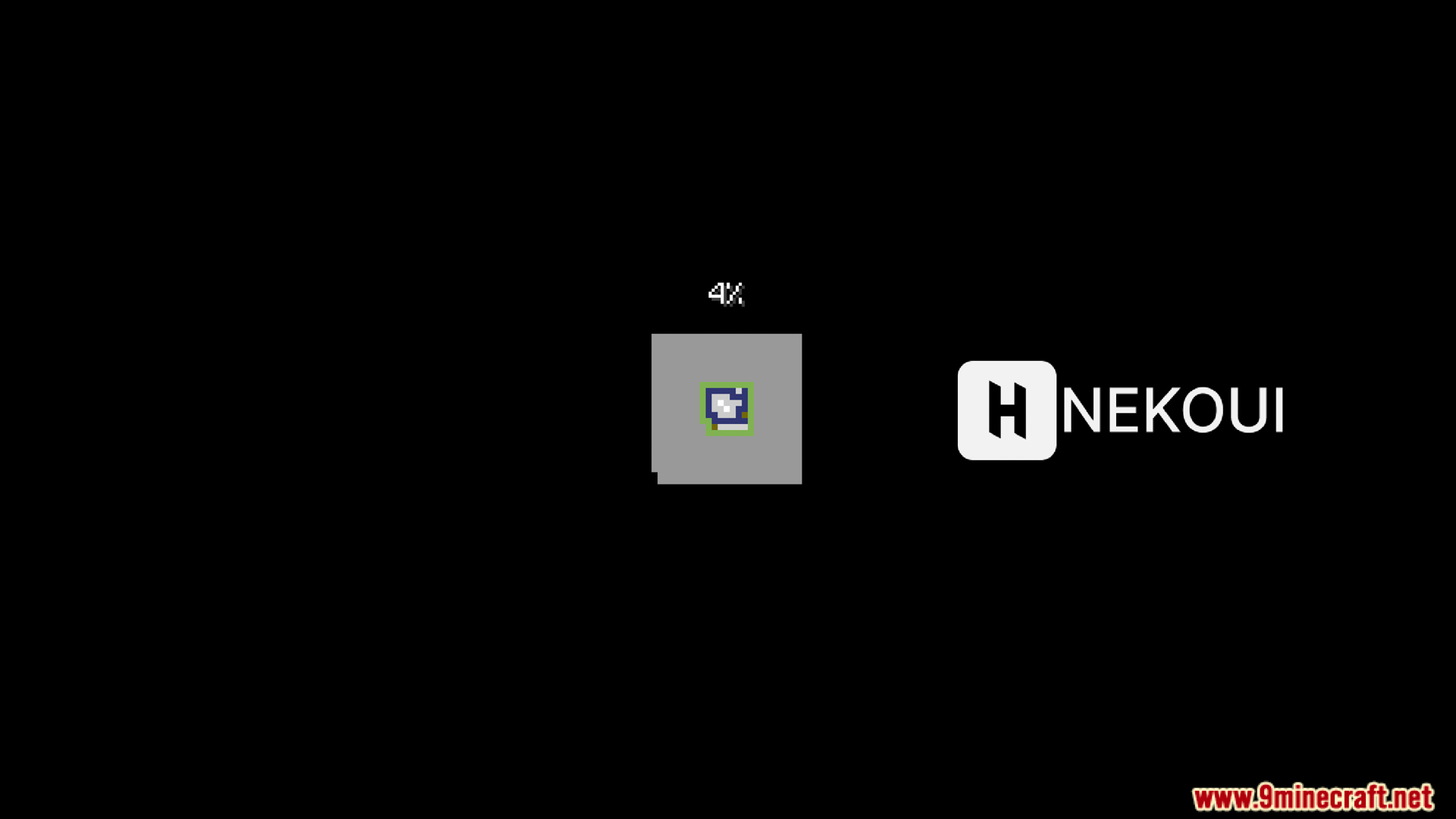
- Mang đến màn hình tải (loading screen) tùy chỉnh khi bạn khởi động game.
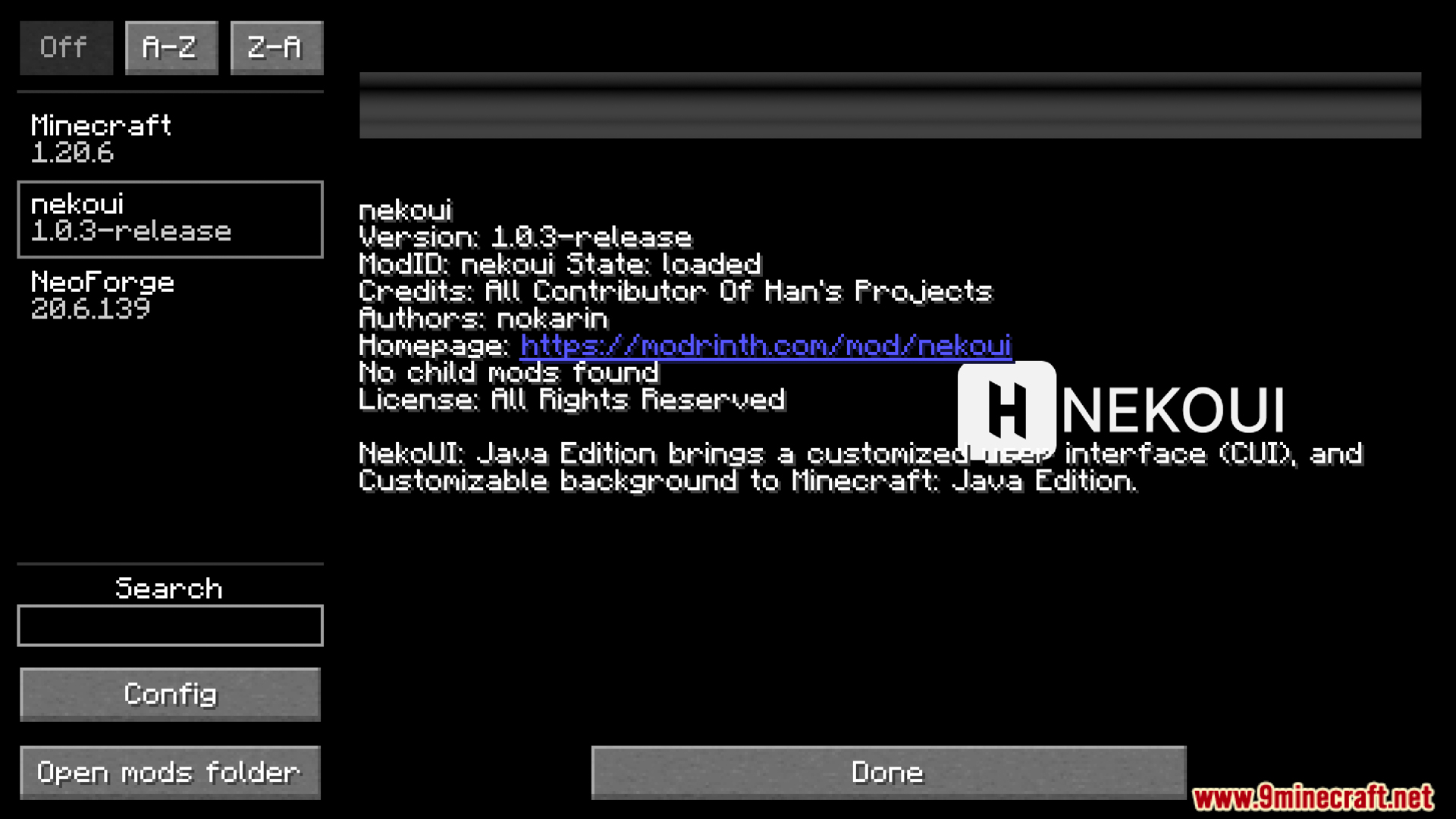
- Hiển thị bố cục mới cho các add-on đang hoạt động trong menu mod.
Cập nhật túi đồ (Inventory):
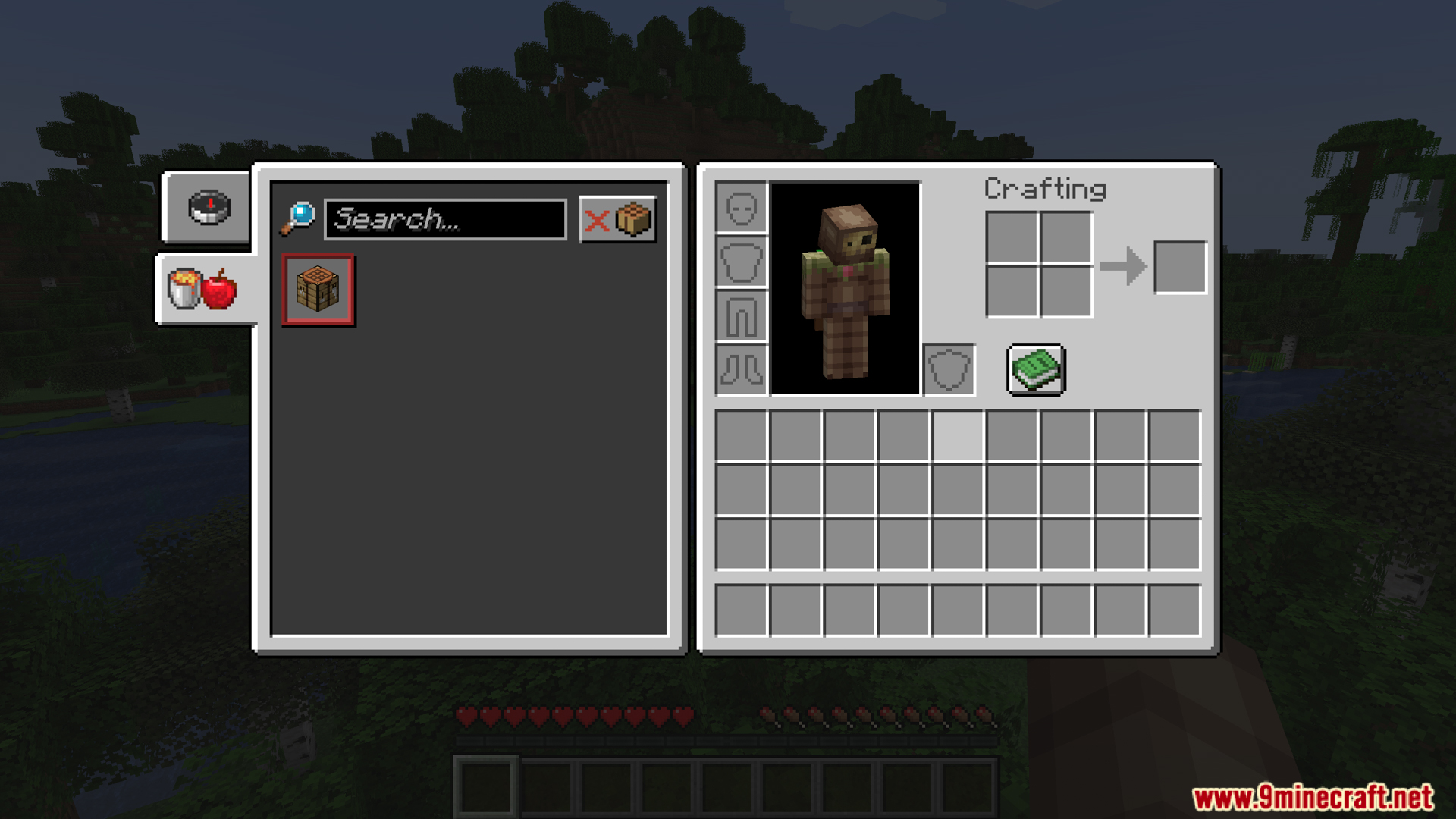
- Mang đến cho túi đồ sinh tồn một thiết kế tùy chỉnh với các tab có hình dạng mới.
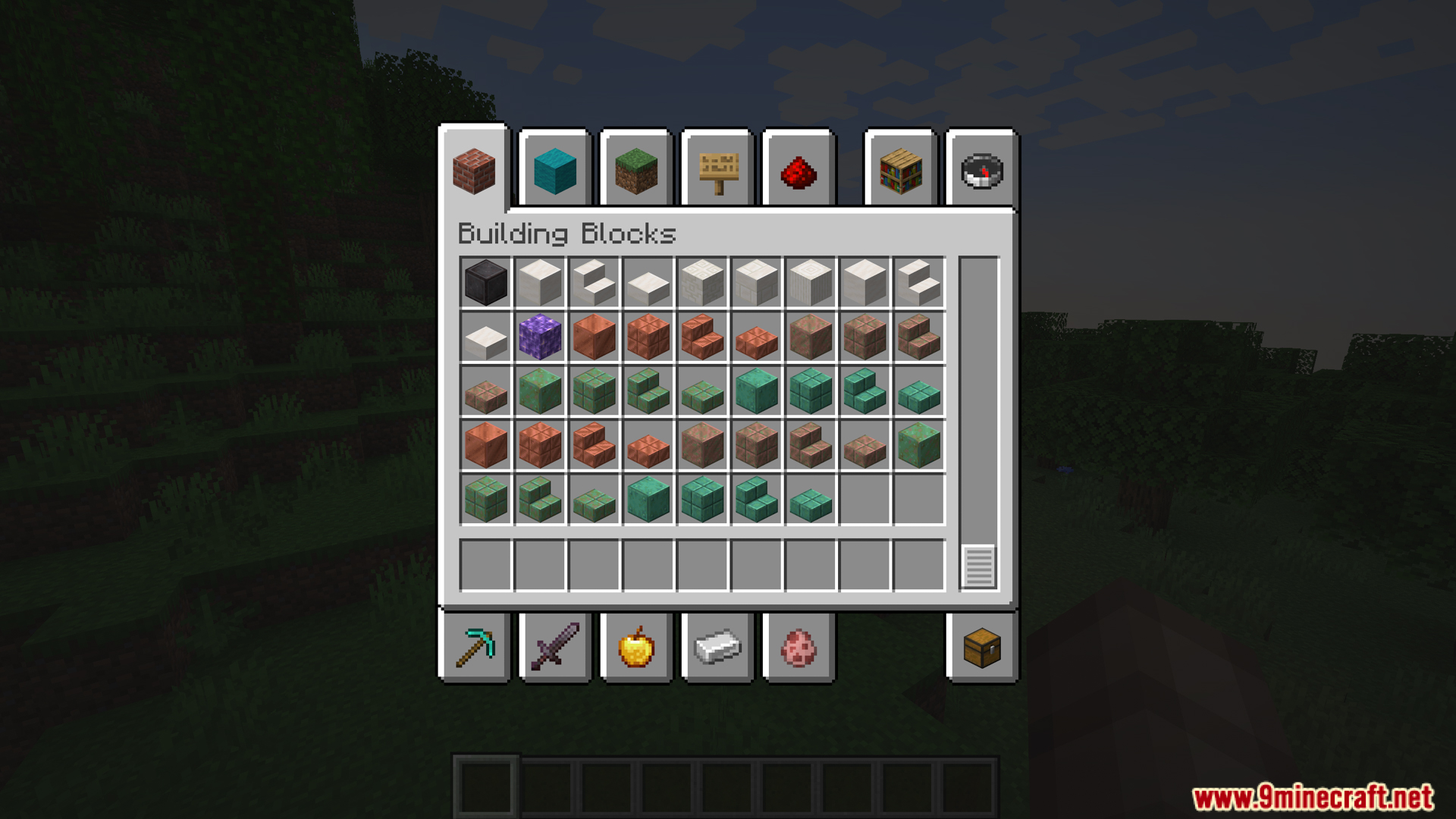
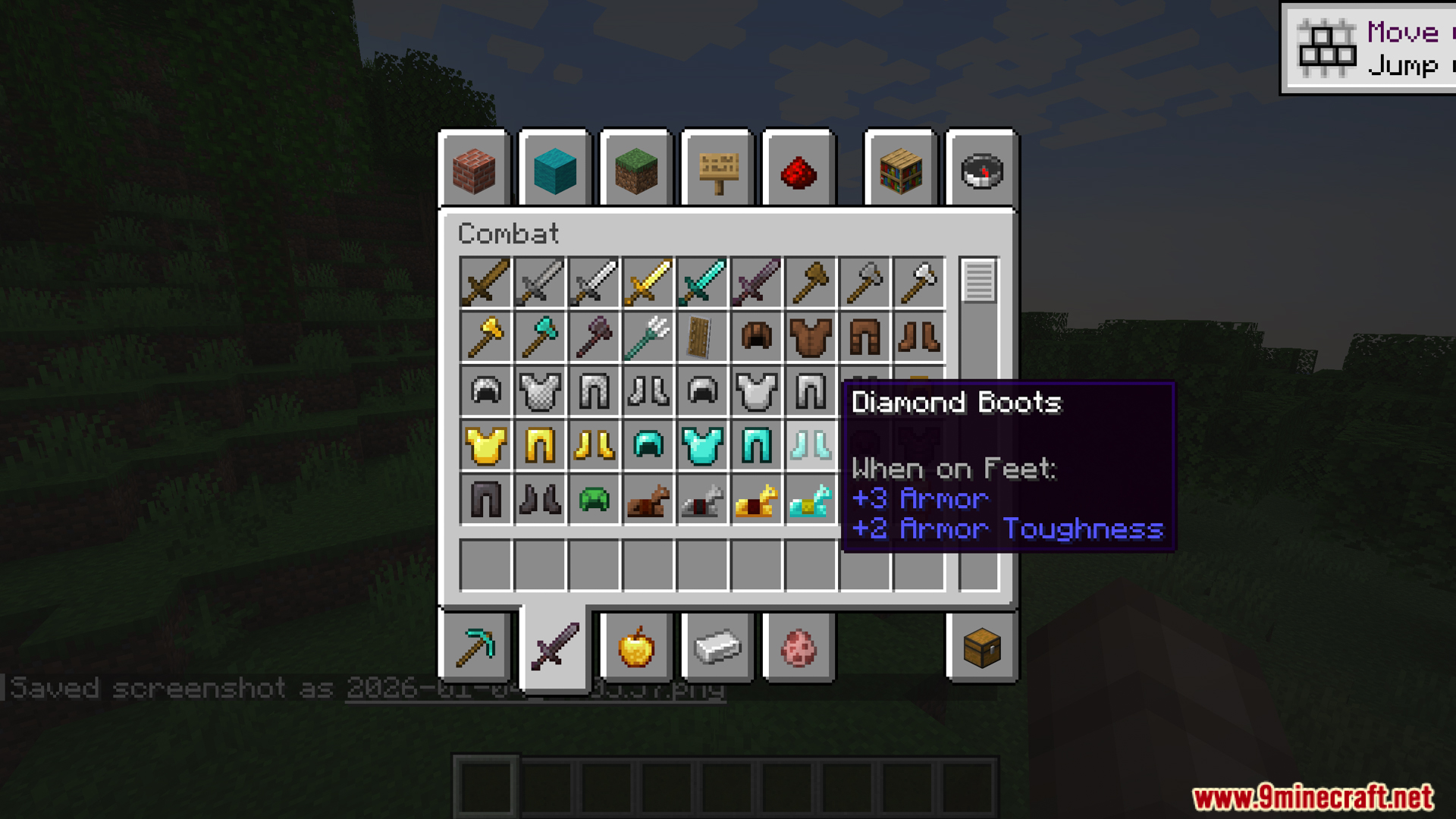
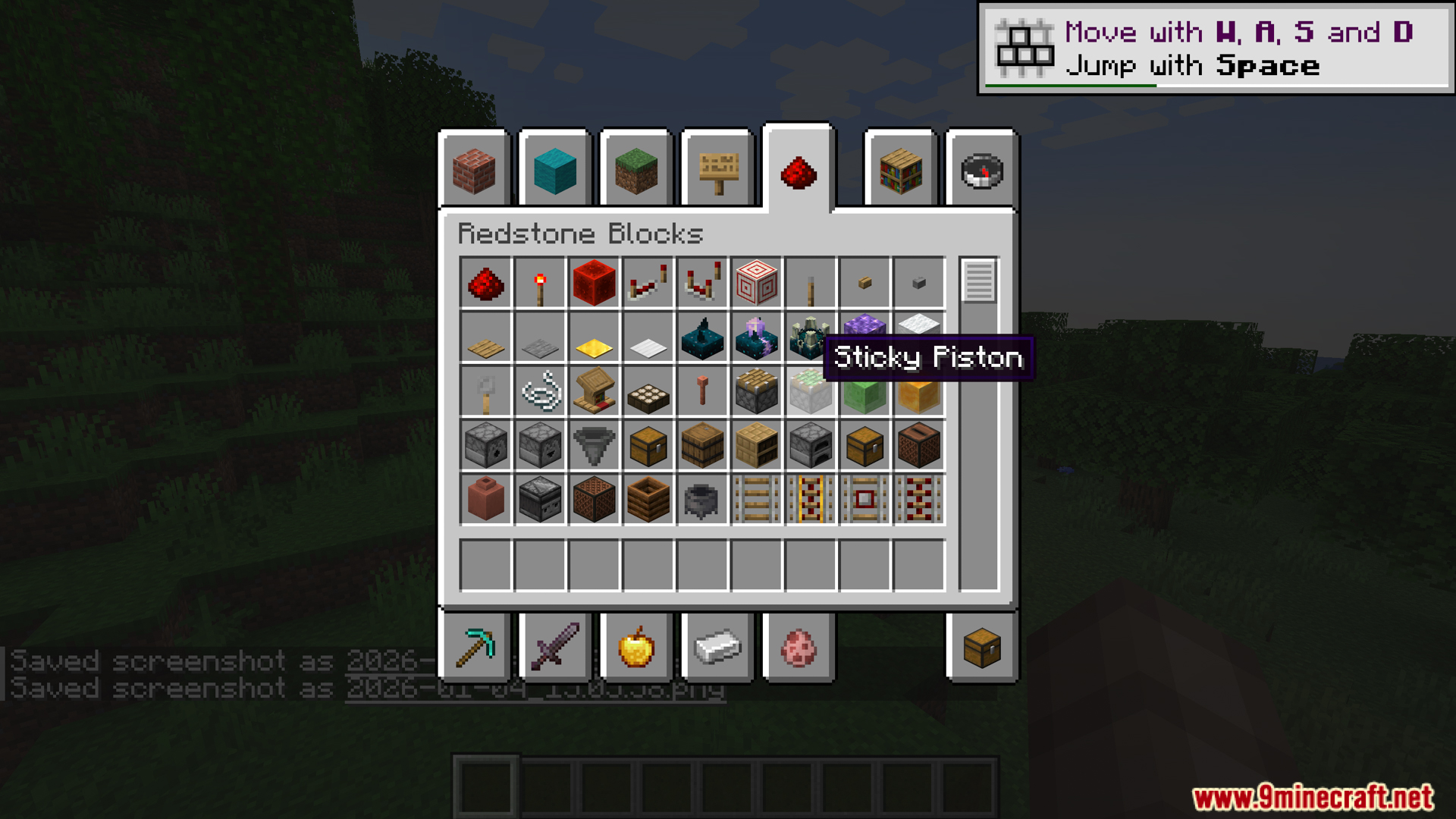
- Neko UI Mod sửa đổi túi đồ chế độ sáng tạo để việc phân loại khối xây dựng, trang bị chiến đấu và các vật phẩm redstone trông gọn gàng hơn.
Ảnh chụp màn hình:
Cách cài đặt:
Bạn mới chơi Minecraft? Hãy làm theo hướng dẫn từng bước để cài đặt Mods trên máy tính.Xem hướng dẫn
Neko UI Mod Download Links
For Minecraft 1.20.1, 1.20
Forge version: Download from Server 1 – Download from Server 2
Fabric/Quilt version: Download from Server 1 – Download from Server 2
For Minecraft 1.20.2
Forge version: Download from Server 1 – Download from Server 2
Fabric/Quilt version: Download from Server 1 – Download from Server 2
NeoForge version: Download from Server 1 – Download from Server 2
For Minecraft 1.20.4
Forge version: Download from Server 1 – Download from Server 2
Fabric/Quilt version: Download from Server 1 – Download from Server 2
NeoForge version: Download from Server 1 – Download from Server 2
For Minecraft 1.20.6
Forge version: Download from Server 1 – Download from Server 2
Fabric/Quilt version: Download from Server 1 – Download from Server 2
NeoForge version: Download from Server 1 – Download from Server 2
For Minecraft 1.21.1, 1.21
Forge version: Download from Server 1 – Download from Server 2
Fabric/Quilt version: Download from Server 1 – Download from Server 2
NeoForge version: Download from Server 1 – Download from Server 2
For Minecraft 1.21.3
Forge version: Download from Server 1 – Download from Server 2
Fabric/Quilt version: Download from Server 1 – Download from Server 2
NeoForge version: Download from Server 1 – Download from Server 2
For Minecraft 1.21.4
Forge version: Download from Server 1 – Download from Server 2
Fabric/Quilt version: Download from Server 1 – Download from Server 2
NeoForge version: Download from Server 1 – Download from Server 2
For Minecraft 1.21.5
Forge version: Download from Server 1 – Download from Server 2
Fabric/Quilt version: Download from Server 1 – Download from Server 2
NeoForge version: Download from Server 1 – Download from Server 2
For Minecraft 1.21.8, 1.21.7, 1.21.6
Forge version: Download from Server 1 – Download from Server 2
Fabric/Quilt version: Download from Server 1 – Download from Server 2
NeoForge version: Download from Server 1 – Download from Server 2
For Minecraft 1.21.10
Forge version: Download from Server 1 – Download from Server 2
Fabric/Quilt version: Download from Server 1 – Download from Server 2
NeoForge version: Download from Server 1 – Download from Server 2
For Minecraft 1.21.11
Forge version: Download from Server 1 – Download from Server 2
Fabric/Quilt version: Download from Server 1 – Download from Server 2
NeoForge version: Download from Server 1 – Download from Server 2
Có Thể Bạn Cũng Thích

Bài viết này chưa có bình luận nào. Hãy là người đầu tiên — bình luận của bạn sẽ hiển thị ở đây.