
Visual Client Mod (1.21.11) – Give Every Dimension Its Own Weather and Sky
 19
 0

Visual Client Mod transforms how your game looks with weather, fog, sky and item effects. You turn each effect on or off from one menu that opens with Right Shift. This mod only changes the visuals, so it is all about making your worlds look better. Every effect is a module, and you pick the ones you like.
Features:
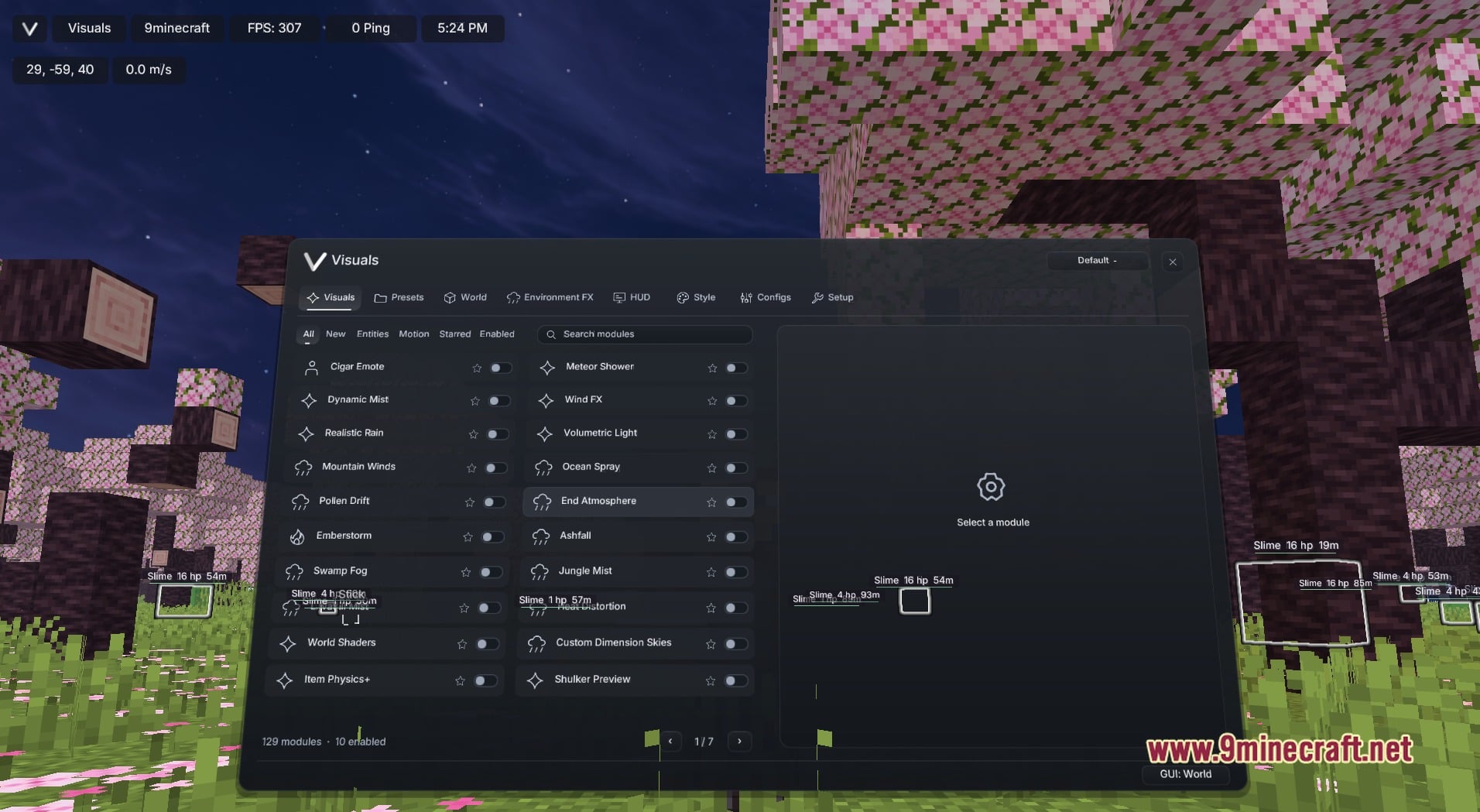
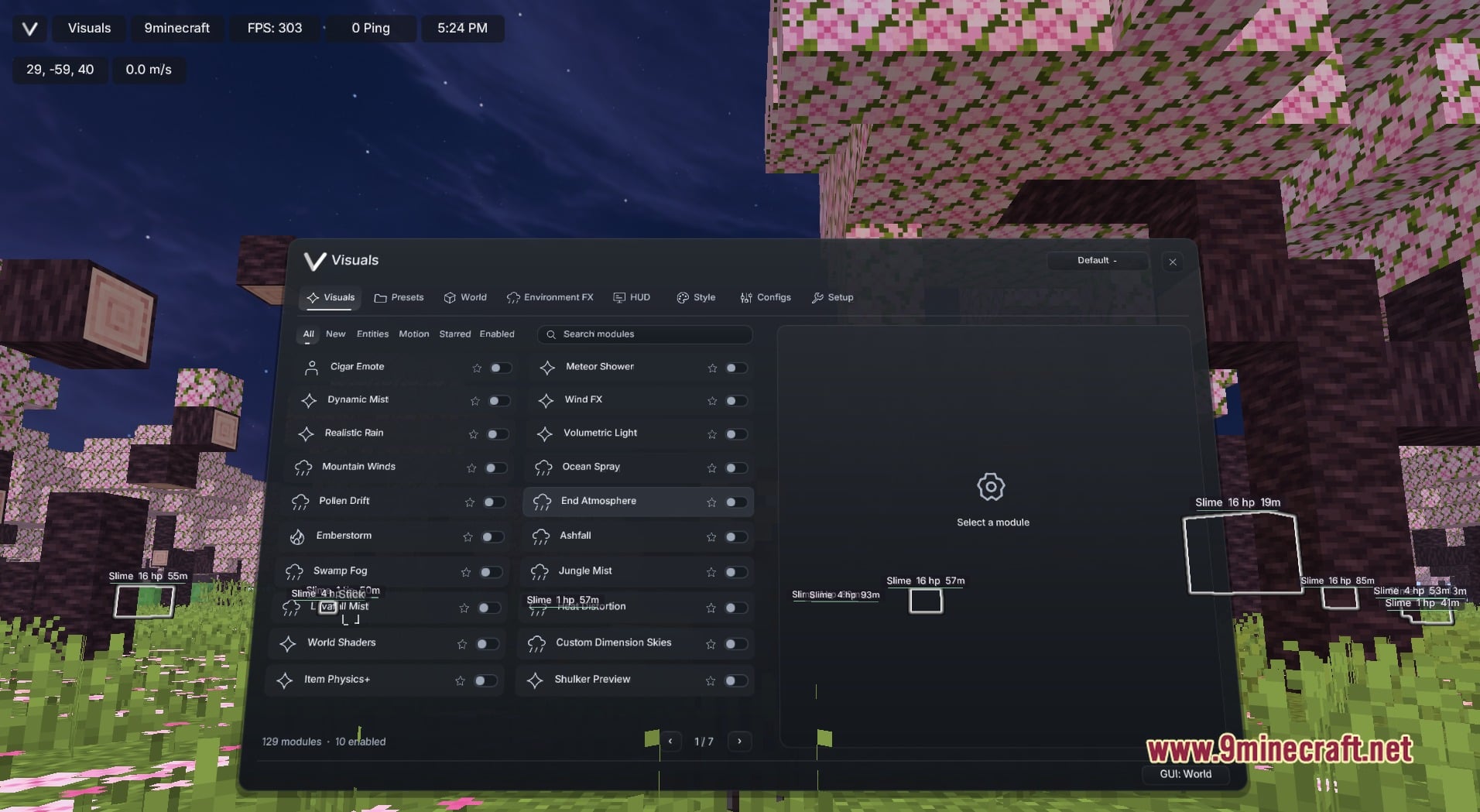
- Visuals Menu: Press Right Shift to open a dark rounded window with the tabs Visuals, Presets, World, Environment FX, HUD, Style, Configs and Setup.
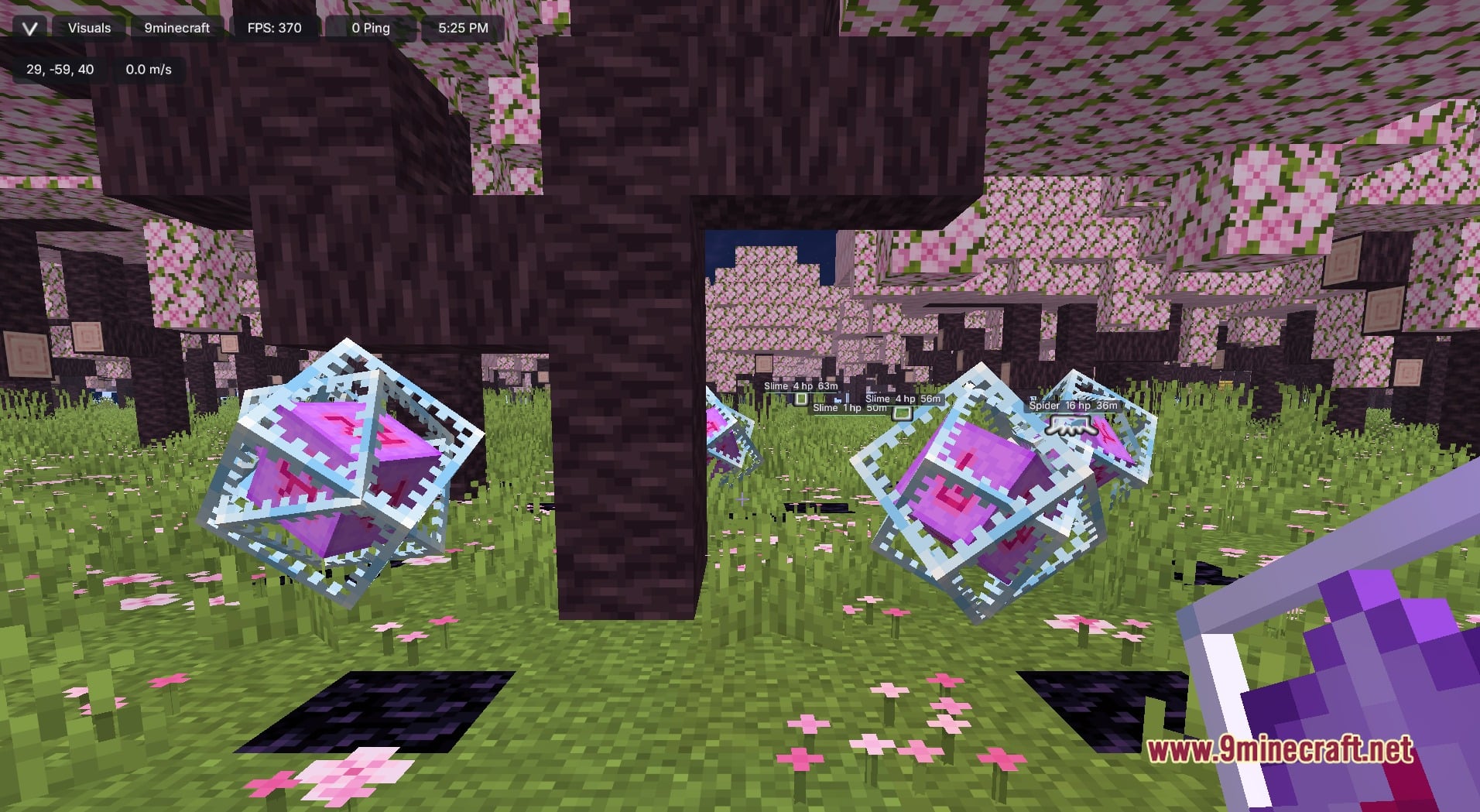
- Weather and Atmosphere: Adds effects like Realistic Rain, Mountain Winds, Pollen Drift, Emberstorm, Ashfall, Swamp Fog, Jungle Mist, Ocean Spray and Wind FX.
- Sky and Dimensions: Brings Custom Dimension Skies, End Atmosphere, Meteor Shower, Volumetric Light, Heat Distortion and World Shaders to change the mood of each place.
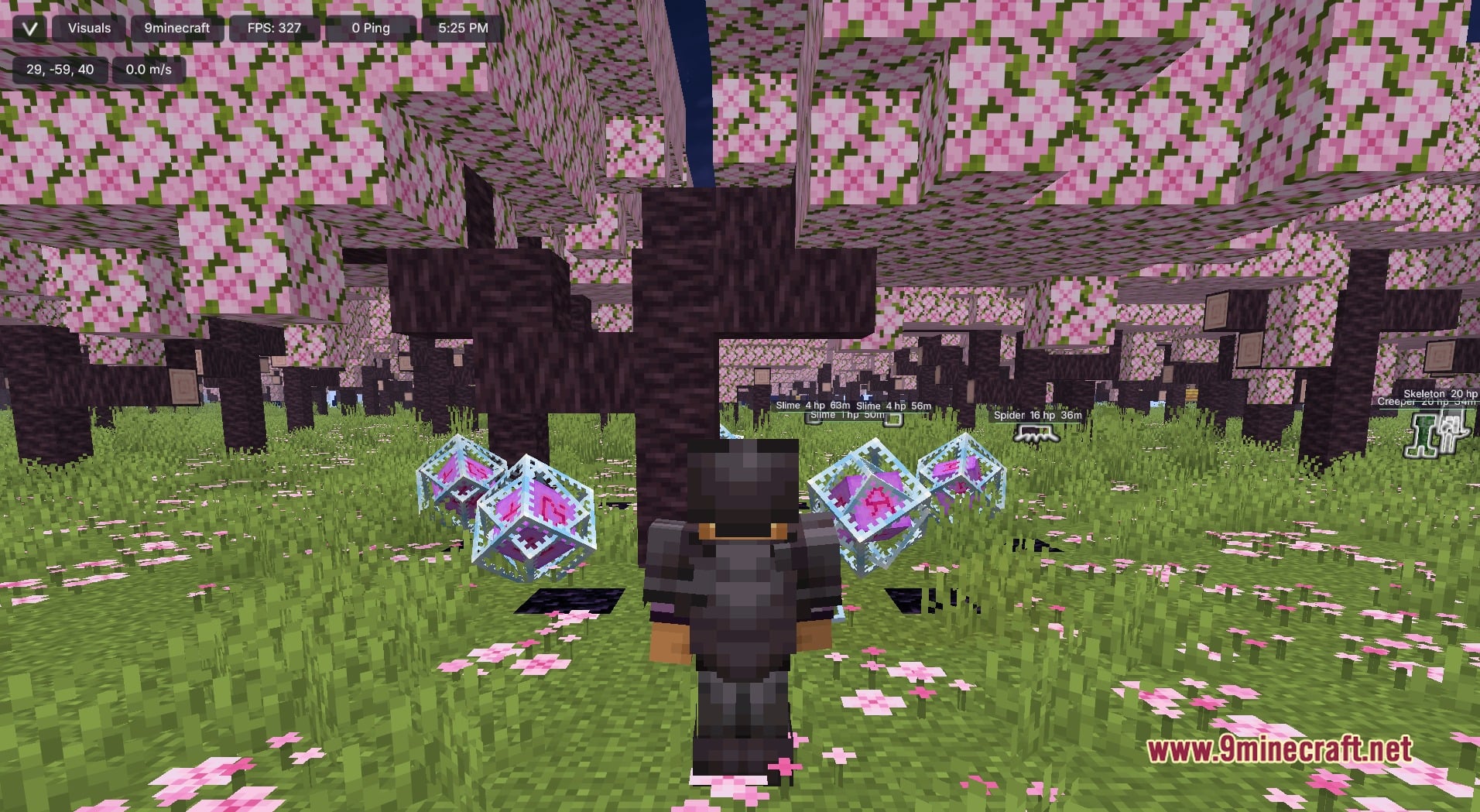
- Gives items and mobs extra polish with Item Physics+, Shulker Preview, ArmorFX Renderer, Totem Particle Type and the Cigar Emote.
- Lets you sort the module list with filter chips for All, New, Entities, Motion, Starred and Enabled, or type a name in the Search modules field.
- Puts a star and a toggle on every module row. A footer shows how many modules there are and how many are on, and page arrows move through the long list.
- Keeps your look in the Presets, Style and Configs tabs, so you can shape it your way.
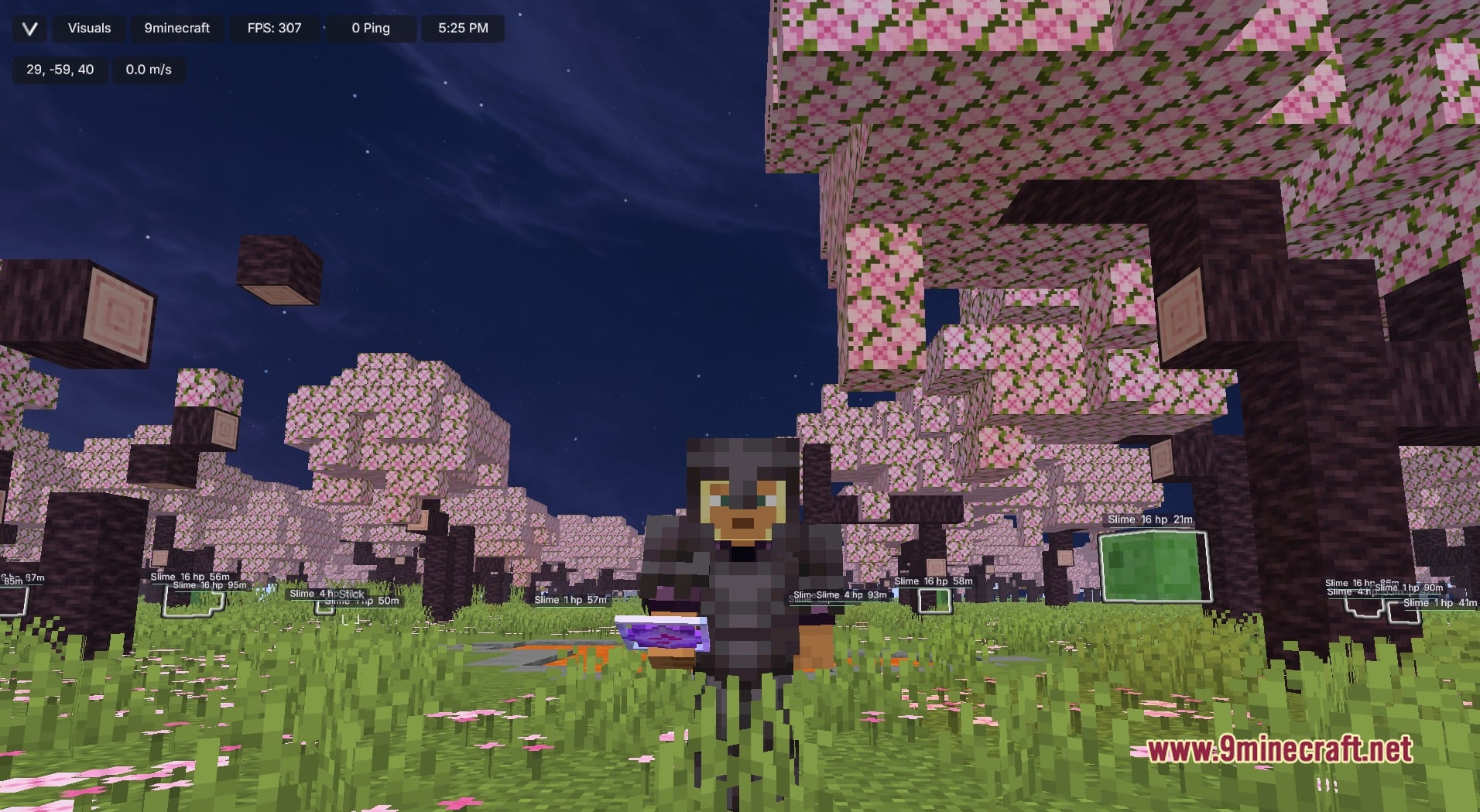
- Shows a slim top bar on the HUD with your account name, FPS, ping, the clock and your coordinates.
Best Used For:
- Making screenshots and videos look better.
- Giving each dimension its own mood.
- Building a personal look without a resource pack.
- Switching effects on or off to fit each world.
Screenshots:
How to Install:
New to Minecraft? Follow our step-by-step guide to install Mods on your PC.View Guide
Requirements:

Visual Client Mod Download Links
For Minecraft 1.21.11
Click to rate this post!
[Total: 1 Average: 4]
You May Also Like
Picked for this page
 Wurst Client Mod (26.3, 1.20.1) – The Best Bypass for Minecraft
 Prestige Client Mod (1.21.11, 1.21.4) – Powerful Ghost Features for Crystal & Sword PvP
 System Client Mod (1.21.11, 1.21.1) – Powerful CPVP Ghost Client
 4E Client Mod (1.21.11, 1.21.1) – ChunkFinder, Base Finding for DonutSMP
 Dqrkis Client Mod (1.21.11, 1.21.4) – Undetectable Ghost Client
 Cartcore Client Mod (1.21.11, 1.21.1) – Faster Cart Tech Execution
 Radon Client Mod (1.21.11) – Donut’s Most OP, Fork of Krypton Client
 Xiu Client Mod (1.21.11) – Crystal PvP Ghost Client
 Qrafty’s Bamboo Villages Mod (26.2, 1.20.1) – Villages In Bamboo Jungles
 Vexon Client Mod (1.21.11) – Automate Crystal PvP on Anarchy Servers
 Krispy Client Mod (1.21.11) – Track Down Hidden Bases and Survive Anarchy Wars
 Sleek Living Spaces Mod (1.21.1, 1.20.1) – Furnish Your House with Modern
Most viewed in Clients over the last 7 days
 Meteor Client Mod (26.3, 1.20.1) – Xray, HUD, Fly
 Lunar Patcher (v10) – Using Lunar Client for Free
 CatLean Client Mod (26.2, 1.21.11) – ThunderHack Recode Alternatives
 Baritone Client Mod (26.3, 1.20.1) – Autominer, Build with AI, Xray
 Aristois Client Mod (1.21.4, 1.20.1) – World Class Minecraft Utility
- Baritone 9minecraft Client Mod (26.3, 26.1.2) – Mine and Build Bases Hands-Free
 Meteor Client Addons (26.2, 1.20.1) – Modify Almost Anything in Meteor
 LiquidBounce Client Mod (26.3, 1.20.1) – LiquidLauncher, A Free Client
- Prestige Client Mod (1.21.11, 1.21.4) – Powerful Ghost Features for Crystal & Sword PvP
 OptiFine HD 9minecraft (26.3) – Run Smooth Shaders Without the Lag
 DoomsDay Client (26.1.2, 1.20.1) – Best Free Injectable Client
- Wurst Client Mod (26.3, 1.20.1) – The Best Bypass for Minecraft
More from Clients
 Crystalcore Client Mod (1.21.11, 1.20.1) – Combat Helpers With A Single Toggle Key
 Grizzly Client Mod (26.3, 26.2) – Win Every Multiplayer PvP Fight
 Nitro Orchard Client Mod (1.21.11) – Survive Chaotic Anarchy PvP Battles
 Amber 9minecraft Client Mod (26.3, 1.21.11) – Gain Godlike Survival Powers
 Aoba Client Mod (26.3, 1.20.1) – Cannot Be Defeated
 Mental Debug Client Mod (1.21.11) – Track Player Bases and Hidden Stashes
 Exit Addon Client Mod (1.21.11) – Hunt Hidden Bases on Anarchy Servers
 Enjoyer Media Client Mod (1.21.11) – Track Player Trails to Hidden Bases
 Enjoyer Addon Client Mod (1.21.11) – Automate Server Auctions and Mining
 Babo Debug Client Mod (1.21.11) – Spot Hidden Bases on Anarchy Servers
 BepHax Client Mod (1.21.11) – Hunt Player Stashes on Anarchy Servers
 Night Client Mod (26.2) – Dominate Anarchy Servers and Crystal PvP

This post has no comments yet. Be the first — your comment will appear here.