


Palettinator Mod (26.2, 26.1.2) – Pick Matching Blocks and Build Smooth
 0
0
 0
0

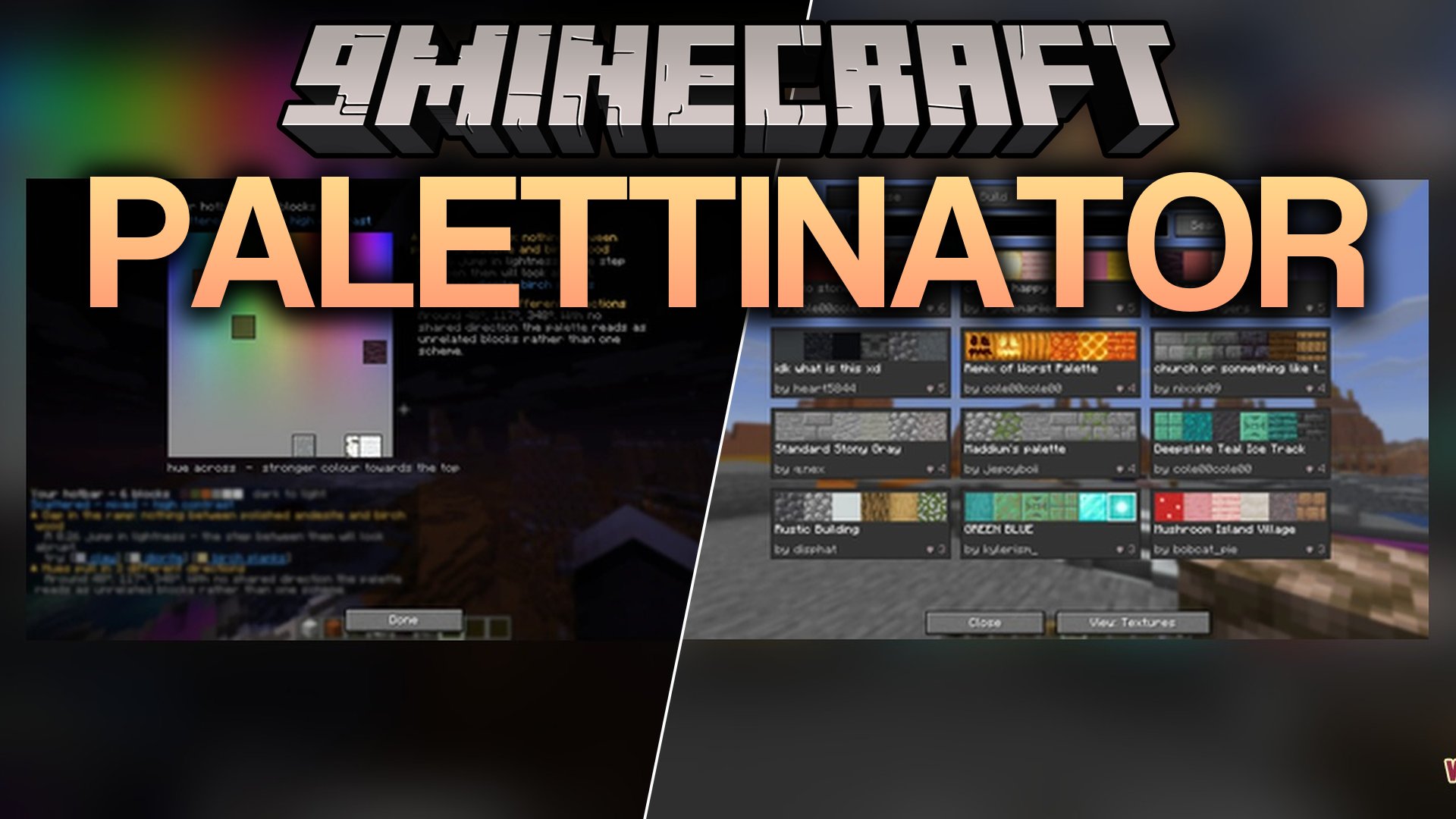
Palettinator Mod brings color palette tools straight into your world to help you pick matching blocks for any build. You can create fresh palettes, check color gradients, scan existing houses, and get advice on how to improve your block combinations. The mod works through simple chat commands and an optional in-game menu that lets you test block groups before placing them.
Features:
- Palette Generator: Creates color-matched block sets instantly and puts them right into your hotbar.
- Smart Palette Analysis: Scans your selected blocks and suggests better matching options based on texture, lightness, and color balance.
- Builds smooth gradients between two blocks from your inventory or main hand.
- Includes a scanner tool that reads the blocks in your existing buildings and turns them into a saved palette.
- Spawns temporary block preview walls in the air that never damage your actual build.
- Works directly on servers so players without the mod installed can still use chat commands.
- Lets you share palettes with other players on your server or save them into written books.
- Opens a full visual browser with block textures and search tools when installed on your client.
Commands:
/palette analyze: reads your hotbar blocks or a saved palette and checks their color harmony./palette search <query>: searches palettes by name, tag, creator, or ID number./palette discover [category]: shows featured, trending, or popular palettes from the community./palette browse [query]: browses palettes sorted by popularity or date./palette get: places a selected palette directly into your hotbar./palette info: displays palette details in chat without changing your items./palette undo: restores your previous hotbar items after loading a palette./palette build [wall]: places a temporary preview of the palette in front of you./palette clear: removes active in-world preview blocks immediately./palette generate [colour]: makes a new palette based on a color or your held block./palette gradient [from] [to]: creates a smooth block transition between two materials./palette capture: gives you a tool to scan two corners of a structure./palette share <player>: sends a palette ID directly to another player./palette book: writes palette details into a holdable in-game book./palette publish
Requirements:


For Minecraft
26.2,
26.1.2,
26.1.1
All Versions Covered
26.2
26.1.2
26.1.1
26.1
All Versions Covered
26.2
26.1.2
26.1.1
26.1
Click to rate this post!
[Total: 0 Average: 0]
You May Also Like

This post has no comments yet. Be the first — your comment will appear here.