
Macaw’s Square Roofs RP Model – Turns Sloped Roofs Into Blocky Vanilla Shapes
 2
 0


Macaw’s Square Roofs RP Model restyles the slated roofs in Macaw’s Roofs into a blocky shape. This pack includes 26 custom 3D models and 1 texture file to change how roof blocks look in your world. It replaces smooth slopes with squared edges on standard roofs, awnings, attic windows, and steep roof pieces. Players need Macaw’s Roofs installed to see these blocky shapes on their houses and buildings.

Features:
- Blocky Roof Redesign: Changes the smooth, slated roof blocks from Macaw’s Roofs into a more blocky version that fits default Minecraft blocks.
- 26 Custom 3D Models: Replaces the shapes for 26 different roof pieces, corners, and connectors across the mod.
- Includes 1 texture file to handle the pack visual setup.
- Restyles attic roofs in both their open and closed states.
- Changes straight awnings along with their inner and outer corner connections.
Included 3D Roof Models:
- Attic Roofs: Includes custom blocky shapes for both the
attic_roof_closedandattic_roof_openstates. - Awnings: Covers
awning_straight,awning_inner, andawning_outerpieces. - Standard & Multi-Way Roofs: Restyles the base
roof,roof_inner,roof_outer,three_way_roof, andfour_way_roofconnectors. - Top Roof Pieces: Changes the top caps, including
top_roof,top_roof_end,top_outer, andtop_pyramid. - Lower Roofs: Replaces the models for
xx_lower,xx_lower_inner,xx_lower_outer,xx_upper_lower,xx_upper_lower_inner, andxx_upper_lower_outer. - Steep Roofs: Restyles steep angles for
xx_steep,xx_steep_inner,xx_steep_outer,xx_upper_steep,xx_upper_steep_inner, andxx_upper_steep_outer.
How to Use:
- Install the Macaw’s Roofs mod first, then place this resource pack into your Minecraft
resourcepacksfolder and activate it in the Resource Packs menu. - Open a world and grab roof blocks from the Macaw’s Roofs creative tab, or craft them at a crafting table in Survival mode.
- Place standard
roofblocks,three_way_roofpieces, orfour_way_roofintersections on top of a building to see the new blocky shape instead of the usual smooth slope. - Add
awning_straight,awning_inner, andawning_outerblocks above windows or doors to check out the squared awning edges. - Place an attic roof block and right-click it to switch between the
attic_roof_closedandattic_roof_openmodels while keeping the blocky frame. - Combine
xx_lower,xx_steep, andtop_pyramidortop_roof_endpieces on taller builds to see how the inner and outer corners connect with the blocky style.
Screenshots:


Macaw’s Square Roofs RP Model Download Links
Click to rate this post!
[Total: 0 Average: 0]
You May Also Like
Picked for this page
 Bare Bones X Model – Brings Simple 3D Foliage and Modded Block Visuals
 Quadral Model – Brings Vivid Colors and 31 Custom 3D Models to Vanilla
 Deluxe Model – Transforms Flat Blocks Into Animated 3D Shapes with Fullbright
 Pixel-Tree Model – Transforms Everyday Vanilla Blocks with Detailed 3D Shapes
 Kaleidoscope Tavern Vanilla Enhanced Model – Brings 3D PBR Tavern Visuals
 Seamless Glowing Ores Model – Adds Connected Glowing Borders to Ores
 Brush & Juice Model – Brings Animated 3D Redstone and Mechanical Blocks
 The Original Work Programmer Art Model – Brings Classic Retro Visuals and Models
 MineColonies Vanillafied Model – Brings Vanilla-Styled 3D Colony Blocks
 HLG Model – Transforms Storage Cells and Metal Gear Into Animated 3D Objects
 All Industry New Model – Transforms Industrial Mod Blocks Into 3D Factory Gear
 STAR21 Model – Brings the Class 952 Shinkansen Bullet Train to MTR4 Tracks
Most viewed in Models over the last 7 days
 Jenny Mod Skin Pack Mega Collection – 310+ Characters
 The Most Complete Collection of Jenny Mod Resources – Models, Animations, Structures,…
 Albedo Rework Jenny Mod Model
 750 Models Addon for Yes Steve Model Mod
 Galath Rework Model – Custom Girl for PleasureCraft Mod
 Power Model – Custom Girl for PleasureCraft Mod
 Femboy Ellie Rework Jenny Mod Model
 Ram Model – Custom Girl for PleasureCraft Mod
 Pomni Jenny Mod Model
 100+ Custom Animations For Jenny Mod
 Ellie Rework Jenny Mod Model
 Halloween Pack Jenny Mod Model – Transforms Companions with Spooky Costumes
More from Models
 Bunnyberg’s PBR 3D Items Model – Transforms Flat Sprites Into Animated 3D Gear
 Survival Model – Adds 3D Redstone Blocks and Visual Durability Stages
 Vanilla Emissive Ores Model – Brings Glowing Mineral Veins to Dark Caves
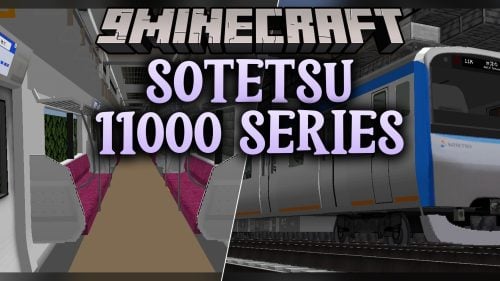 Sotetsu 11000 Series Model – Brings Japanese Commuter Trains to MTR Railways
 Three-Dimentional Item Model – Transforms Flat Items Into 3D Handheld Shapes
 CounterCraft Knife Model – Transforms Swords Into Animated CS2 Blades
 Elmerizzhawiened Model – Brings Clean 3D Redstone and PvP Crystal Visuals
 BetterRedstone Model – Brings Clear 3D Visuals to Redstone Circuits
 3D Rails Model – Turns Flat Minecart Tracks Into Detailed 3D Rail Models
 Galaxy Client Remake Model – Brings Dark PvP Menus and Glowing 3D Foliage
 Busan Transport Corp Class 2000 Model – Brings Korean Subway Trains to MTR4
 CTM Overhaul Model – Brings Connected 3D Textures to Slabs and Pillars

This post has no comments yet. Be the first — your comment will appear here.