
Chest Commands Plugin (1.17.1, 1.16.5) – Clean Menus So Nobody Forgets Commands

 0


Chest Commands Plugin lets you build custom graphical menus inside Minecraft inventories. It uses icons to show information and run different actions when a player clicks them. You can open these menus with commands, signs, or items, and pair this plugin with PlaceholderAPI for dynamic placeholders or Vault for optional economy support.

Features:
- Allows you to build multiple menus in different sizes.
- Players can open menus with commands, signs, or items.
- Offers many ways to change how each icon looks.
- Runs different actions when a player clicks an icon.
- Lets you set click requirements using money, XP levels, items, or permissions.
- Supports dynamic placeholders like PlaceholderAPI along with custom static placeholders.
- Connects with Vault to add optional economy support.
- Sends notifications when new releases come out.
- Provides an API to create menus and register new placeholders.
- Uses clean and efficient code.
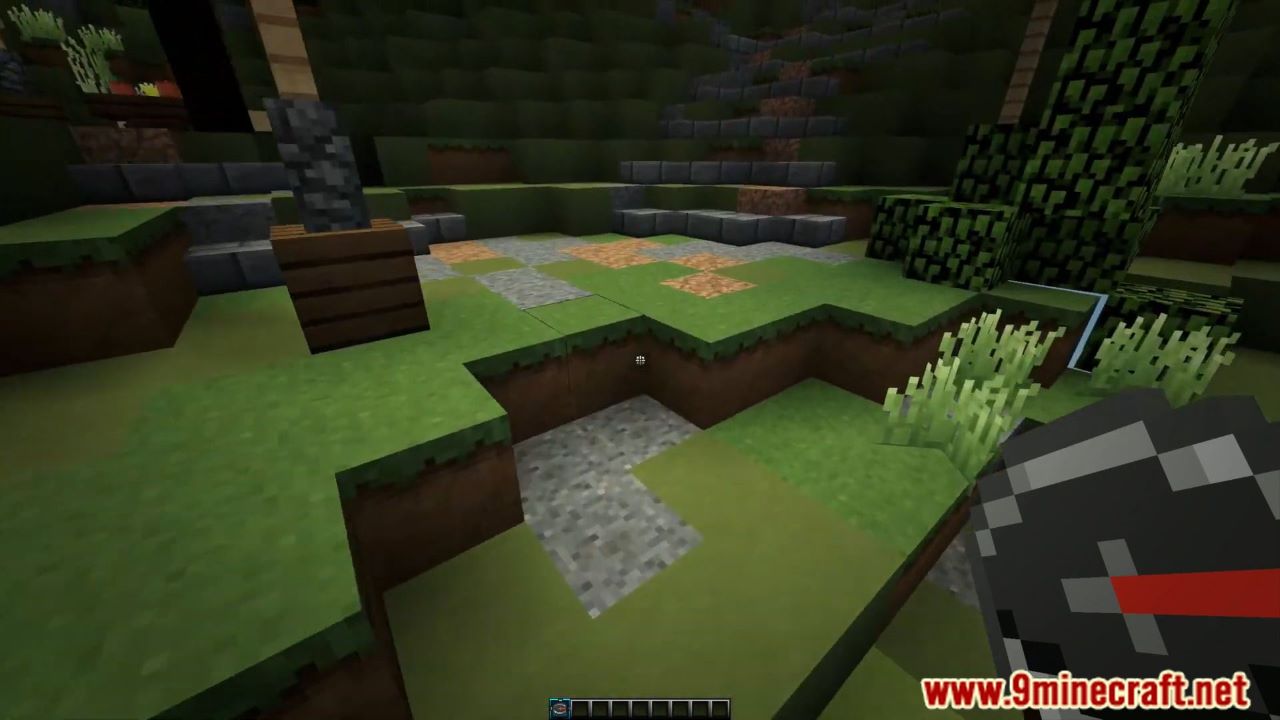
Screenshots:




How to Install:
New to Minecraft? Follow our step-by-step guide to install Plugins on your PC.View Guide
Chest Commands Plugin Download Links
For All Versions from Minecraft Bukkit 1.12 to Minecraft Bukkit 1.17
Click to rate this post!
[Total: 5 Average: 3.8]
You May Also Like
Picked for this page
 WorldGuard Plugin (26.1.2, 1.20.1) – Bukkit, Spigot, Paper
 Quests Plugin (26.1.2, 1.20.1) – Bukkit, Spigot, Paper
 MultiWorld Plugin (26.1.2, 1.20.1) – Spigot
 Orebfuscator Plugin (26.1.2, 1.20.1) – Bukkit, Spigot, Paper
 ValhallaMMO Plugin (26.1.2, 1.20.1) – Bukkit, Spigot, Paper
 Fancy Holograms Plugin (26.1.2, 1.20.1) – Spigot
 SuperVanish Plugin (26.2, 1.20.1) – Bukkit, Spigot, Paper
 UberEnchant Plugin (1.21.11, 1.20.1) – Bukkit, Spigot, Paper
 Interaction Visualizer Plugin (26.1.2, 1.20.1) – Spigot
 BuildPaste Plugin (26.3, 1.20.1) – Bukkit, Spigot, Paper
 BeastWithdraw Plugin (1.21.11, 1.20.1) – Bukkit, Spigot, Paper
 LibertyBans Plugin (26.3, 1.20.1) – Scalable Punishment
Most viewed in Plugins over the last 7 days
 Vulcan Anti Cheat Plugin (1.21.8, 1.20.1) – A Powerful Shield Against Cheating
 Citizens Plugin (1.21.10, 1.20.1) – The Best NPC Plugin
 Displaymotion Plugin (1.21.4) – Amaze Players with Custom Animations and No Client Mods
 Dynmap 9minecraft Plugin (26.3) – A Live Google-Maps-Style View of Your Whole Server
 Ultimate Donut SMP Plugin (26.3, 1.20.1) – Build Teams Trade Goods
 MMOItems Premium Plugin (1.21.8, 1.20.1) – Create Stunning Custom Items
 WorldEdit Plugin (1.21.11, 1.20.1) – Easy In-Game Minecraft Map Editor
 Citizens2 Plugin (1.21.8, 1.20.1) – Craft Unique NPCs
 Grim Anticheat Plugin (26.3, 1.20.1) – Realtime Cheat Detection Plugin
 MythicCrucible Plugin (1.21.8, 1.20.1) – Addon for MythicMobs
 MythicMobs Premium Plugin (1.21.9, 1.20.1) – Craft Epic Custom Mobs And Bosses
 Vehicles Plus Plugin (1.21.11, 1.20.1) – Realistic Vehicle Plugin
More from Plugins
 Silky Spawners X by Sir Meliodas Plugin (26.3, 1.21.11)
 Simple Voice Chat Voice Physics Plugin (26.3, 1.20.1)
 Disable Mob Griefing Plugin (26.3, 1.20.1) – Protect Builds Without Breaking
 Token Smp Season2 Plugin (1.21.11, 1.21.1) – Collect Mob Tokens and Battle
 Smiley Player Trader Plugin (26.3, 1.20.1) – Trade Face to Face Without Clunky
 Stellaria Plugin (26.2) – Chart Custom Constellations Together Under One Sky
 Devoxy Practice Plugin (1.21.11, 1.21.1) – Instant Duels and Fair Arenas
 Anti Bundle Dupe Plugin (26.3, 1.21.11) – Keep Server Economies Fair
 Cozy Survival Essentials Plugin (26.3, 1.21.1) – Make Survival Stress-Free
 Item Customizer Plugin (1.20.1) – Unique Weapon Perks and Armor Dyes
 Chunk Pre Loader999 Plugin (1.21.11, 1.21.1) – Keep Journeys Smooth
 Wonder Events Plugin (26.3, 1.20.1) – Add Fresh Community Activities

This post has no comments yet. Be the first — your comment will appear here.