
Smiley Player Trader Plugin (26.3, 1.20.1) – Trade Face to Face Without Clunky
 21
 0

Smiley Player Trader Plugin lets players trade directly with each other using the familiar Minecraft villager trade menu. It turns any player into a merchant without needing complex chest shops or sign setups. Players set up items for sale, pick their price items, and buy goods smoothly through a clean graphical screen. The plugin also works alongside protection and server systems to keep trading fair across the map.

Features:
- Villager Interface: Uses the vanilla trading window so players instantly know how to exchange goods.
- Custom Shop Items: Lets you choose any item from your inventory to put up for sale.
- Flexible Pricing: Sets prices using gold, emeralds, diamonds, or other specific items.
- Players trade by right clicking another merchant directly in the game world.
- Works with regional protection systems to restrict trading in guarded zones.
- Includes quick-select options for setting common price materials rapidly.
Commands:
/spt: opens the player trader management screen./spt trade <name>: opens the trade interface with the specified player./spt help: displays a list of available plugin commands.
How to Use:
- Type
/sptin chat to open your trader menu. - Click the emerald button to create a new product.
- Place the item you want to sell into the empty product slot.
- Click the gold ingot button to choose your primary payment cost.
- Place your payment item in the slot, choose one from the quick items row, or click the beacon icon to browse more options.
- Have other players right click you or run
/spt trade <name>to start trading.
How to Install:
New to Minecraft? Follow our step-by-step guide to install Plugins on your PC.View Guide
Smiley Player Trader Plugin Download Links
For Minecraft
26.3,
26.2,
26.1.2
All Versions Covered
26.3
26.2
26.1.2
26.1.1
26.1
1.21.11
1.21.10
1.21.9
1.21.8
1.21.7
1.21.6
1.21.5
1.21.4
1.21.3
1.21.2
1.21.1
1.21
1.20.6
1.20.5
1.20.4
1.20.3
1.20.2
1.20.1
1.20
1.19.4
1.19.3
1.19.2
1.19.1
1.19
1.18.2
1.18.1
1.18
1.17
1.16
1.15
All Versions Covered
26.3
26.2
26.1.2
26.1.1
26.1
1.21.11
1.21.10
1.21.9
1.21.8
1.21.7
1.21.6
1.21.5
1.21.4
1.21.3
1.21.2
1.21.1
1.21
1.20.6
1.20.5
1.20.4
1.20.3
1.20.2
1.20.1
1.20
1.19.4
1.19.3
1.19.2
1.19.1
1.19
1.18.2
1.18.1
1.18
1.17
1.16
1.15
Click to rate this post!
[Total: 0 Average: 0]
QUICK MINECRAFT SURVEY · ONE TAP
Servers & Community
How do you feel about using proximity voice chat mods on multiplayer servers?
0 responses · See the full results →
You May Also Like
Picked for this page
 Grim Anticheat Plugin (26.3, 1.20.1) – Realtime Cheat Detection Plugin
 Ax Vaults Plugin (26.2, 1.20.1) – Stop Losing Valuable Items on Long Mining
 Skins Restorer Plugin (26.3, 1.20.1) – Fix Missing Skins So Nobody Gets Stuck
 Inventory Stacks Plugin (26.2, 1.20.1) – Stack Potions and Weapons
 Mclogs Mclo.gs Plugin (26.2, 1.21.1) – Solve Server Crashes Before Players
 Player Head Drops Plugin (26.2, 1.20.1) – Turn PvP Kills Into Collectible
 Ax Player Warps Plugin (26.2, 1.20.1) – Players Share Fast Travel to Bases
 Ax Sellwands Plugin (26.2, 1.20.1) – Sell Full Chests Without Leaving Your Base
 Maria Craft Plugin (26.2, 1.20.1) – Fast Travel and Fun Spleef Breaks
 Better Ban Plugin (26.2, 1.20.1) – Stop Trolls From Ruining the Server
 Easy Warp Plugin (1.21.11, 1.20.1) – Save Players From Walking Across the Map
 Ax Trade Plugin (26.2, 1.20.1) – Swap Gear and Cash Without Getting Scammed
Most viewed in Plugins over the last 7 days
 Dynmap 9minecraft Plugin (26.3) – A Live Google-Maps-Style View of Your Whole Server
 Vulcan Anti Cheat Plugin (1.21.8, 1.20.1) – A Powerful Shield Against Cheating
 Citizens Plugin (1.21.10, 1.20.1) – The Best NPC Plugin
 Displaymotion Plugin (1.21.4) – Amaze Players with Custom Animations and No Client Mods
 MMOItems Premium Plugin (1.21.8, 1.20.1) – Create Stunning Custom Items
 Citizens2 Plugin (1.21.8, 1.20.1) – Craft Unique NPCs
 MythicCrucible Plugin (1.21.8, 1.20.1) – Addon for MythicMobs
 Fish Rework Fishing Plugin (26.3, 1.21.1) – Turn Simple Fishing
 L Claim Plugin (26.3, 1.20.1) – Build Protected Towns and Trade Peacefully
 MythicMobs Premium Plugin (1.21.9, 1.20.1) – Craft Epic Custom Mobs And Bosses
 Ultimate Donut SMP Plugin (26.3, 1.20.1) – Build Teams Trade Goods
 RaspberryJuice Plugin (1.21) – Turn Your World Into a Shared Coding Playground
More from Plugins
 GunsAndGadgets Plugin (1.21.10) – Turn Survival Fights Into Tactical Firearm Shootouts
 Surgery Plugin (1.21.10) – Turn Player Injuries Into Intense Medical Roleplay
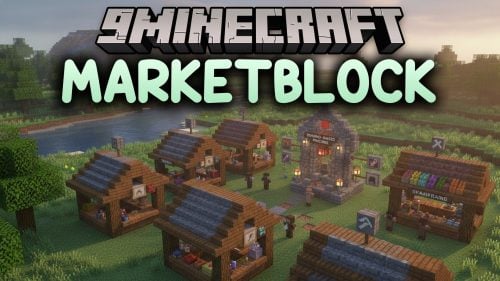 MarketBlock Plugin (1.21.10) – A Fair Trade Market That Rewards Fresh Harvests
 TFMCCore Plugin (1.21.10) – Custom Item Lore and Animal Whistles for Roleplay Servers
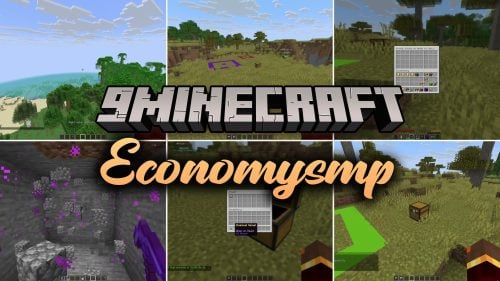 Economy SMP Plugin (26.2, 1.21.1) – Turn Survival Worlds Into Active Trading
 Audio Navigation Plugin (1.21.10) – Helping Blind Players Explore Every Server
 VFBuilders Plugin (1.21.10) – Give Players Real Workshops to Assemble Vehicles
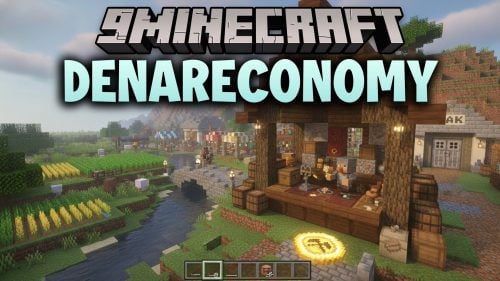 DenarEconomy Plugin (1.21.10) – Give Each Roleplay Character Their Own Coin Purse
 Thievery Plugin (1.21.10) – Turn Every Burglary Into a High-Stakes Roleplay Heist
 BarterShops Plugin (1.21.10) – Turn Empty Towns Into Bustling Player Markets
 BirdMessenger Plugin (1.21.10) – Carrier Birds Deliver Mail Across Roleplay Towns
 VehicleFramework Plugin (1.21.4) – Drive, Sail, and Fly Across the Map Together

This post has no comments yet. Be the first — your comment will appear here.