
OC Sensors Mod (1.12.2) – Automate Base Machinery with Real Data
 535
 0


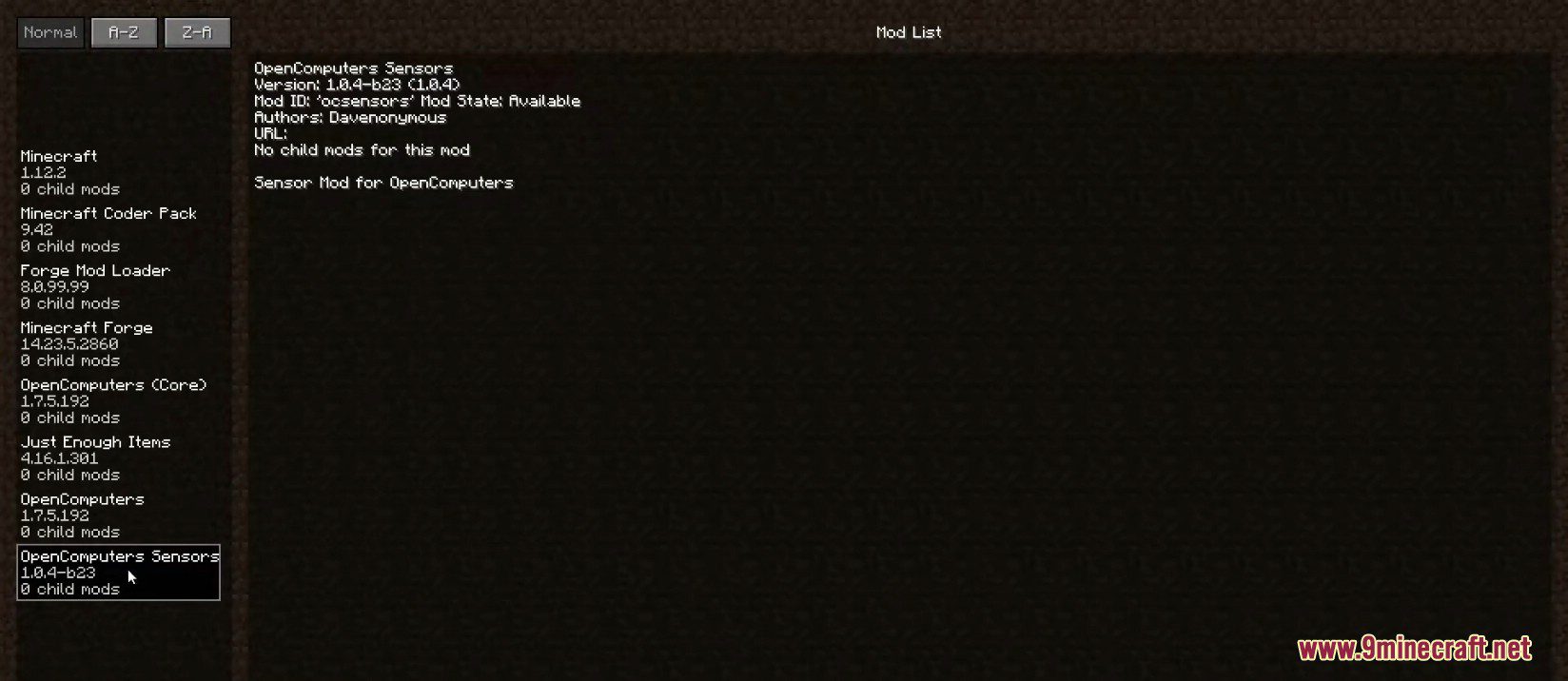
OC Sensors Mod adds a sensor block for OpenComputers that lets computers scan nearby blocks and mobs. Similar to the classic OpenCCSensors mod, this addon gives your computers three scanning methods to inspect block states, search for matching blocks, and check areas for mobs. You can read stored energy, monitor Extra Utilities 2 generators for redstone automation, or check MooFluid cows near your base. It requires OpenComputers to work in your world.

Requires:
Features:
- Adds a sensor block for OpenComputers that lets computers scan nearby blocks and mobs, similar to the classic OpenCCSensors mod.
- Reads data from blocks around the sensor, including block labels, stored energy, max energy capacity, item slots, and fluid tank contents.
- Filters nearby blocks by name, metadata, data section (such as
energyorextrautils2), and search range. - Checks Extra Utilities 2 generators for active process time, item levels, and fluid levels so your computer can control redstone output when every generator is ready.
- Scans a defined 3D region for mobs and reads mod-specific data, such as checking neutral MooFluid cows to list their fluid types like lava or water.
Available Sensor Methods:
scan(x:number, y:number, z:number, [side:number]): Scans a block at coordinates relative to the sensor and returns its info and data.search([name:string=""], [meta:number=-1], [section:string=""], [range:number=]): Searches within a given range for blocks that match your name, metadata, or section criteria.searchEntities(x1:number, y1:number, z1:number, x2:number, y2:number, z3:number): Scans a 3D region relative to the sensor to find mobs inside that area.
How to Use:
- Load the OpenComputers component API in your Lua script using
local component = require('component')and access the sensor withlocal sensor = component.sensor. - Search for nearby blocks by calling
sensor.search(name, meta, section, range); for example, runsensor.search("", -1, "energy")to get the positions of nearby energy blocks orsensor.search("", -1, "extrautils2")to find Extra Utilities 2 generators. - Inspect any found block by calling
sensor.scan(pos.x, pos.y, pos.z)to read its details, such asinfo.block.label,info.data.energy.energyStored,info.data.energy.maxEnergyStored,info.data.items, andinfo.data.fluid. - Pair the sensor with
component.redstoneandrequire("sides")to automate machines; for example, check each Extra Utilities 2 generator’sprocessTime, items, and fluid tanks, then runredstone.setOutput(sides.back, 15)when all are ready or0if any generator is missing supplies. - Scan an area around the sensor for mobs with
sensor.searchEntities(-range, -range, -range, range, range, range); for example, setrange = 5and checkentity.type == "neutral"andentity.moofluidsto print the fluid names of nearby MooFluid cows.
Screenshots:
How to Install:
New to Minecraft? Follow our step-by-step guide to install Mods on your PC.View Guide
OC Sensors Mod Download Links
For Minecraft 1.12.2
Forge version: Download from Server 1 – Download from Server 2
For Minecraft 1.10.2
Forge version: Download from Server 1
What is your stance on mods that feel 'overpowered' or break vanilla balance?
20 responses · See the full results →
You May Also Like
Picked for this page
 Tinkers’ Construct Mod (1.20.1, 1.19.2) – Design Your Perfect Toolkit
 Applied Energistics 2 Mod (26.3, 1.20.1) – Advanced Technology
 Extended AE Mod (26.1.2, 1.20.1) – Some QoL Contents for AE2
 LevelHearts Mod (1.21.1, 1.20.1) – Increasing Your Overall Health
 Project Red Mod (1.21.1, 1.20.1) – Run Redstone Up Your Walls
 Hunger Strike Mod (1.21.11, 1.20.1) – Change The Mechanism Of Hunger
 Immersive Technology Mod (1.20.1) – Energy Technology Addon
 Refined Storage Requestify Mod (1.21.1, 1.20.1) – Keep Items Always in Stock
 Ender IO Endergy Mod (26.1.2, 1.21.1) – Take Ender IO to the Stars
 ModularUI Mod (1.20.1) – Creating Sleek GUIs in Minecraft
 Scavenge Mod (1.21.11, 1.20.1) – Modular Scriptable Block Click Effect Generator
 Forestry Community Edition Mod (1.20.1) – Classic Eco Systems Reborn
Most viewed in Mods over the last 7 days
 Ala Industrial Mod (26.3) – Run Electric Power Grids and Automated Factories
 PleasureCraft Mod (26.3, 1.21.1) – Jenny Mod Remake for Fabric
 Jennycraft Mod (26.3, 1.20.1) – Virtual Girlfriend in Minecraft
 Fapcraft Mod (26.3, 1.12.2) – Comprehensive and Detailed Content
 Jenny Mod (Fapcraft) Official Complete Guide – How to use, Tutorial
 BangCraft Mod (1.20.1) – Jenny, Ellie and Elliot
 Fabric Loader (26.3, 1.20.1) – Fabric Installer for All Minecraft Versions
 Meteor Client Mod (26.3, 1.20.1) – Xray, HUD, Fly
 The Shooting Star Demo Mod (26.3, 1.20.1) – Vaporize Terrain From Orbit
 OptiFine HD (26.3, 1.20.1) – Run Faster, FPS Boost, Shaders Support
 Aristois Client Mod (1.21.4, 1.20.1) – World Class Minecraft Utility
 SchnurriTV Mod (1.12.2) – Characters and Features
More from Mods
 Gunpowder Recipe Mod (26.3, 1.20.1) – Gunpowder is Craftable
 Villager Timetable Mod (26.3, 1.20.1) – Master Villager Schedules
 Artemis Laboratory Blocks Mod (26.3, 1.20.1) – Lab Blocks And Dynamic Decorations
 Fabric ORM Jimmer Mod (26.3, 1.20.1) – Prevent Sudden Server Crashes
 Cafe Core Mod (26.2, 1.21.1) – Bypass Anvil Limits and Tame Pets in Seconds
 GTNH’s Forgelin Mod (1.7.10) – Play Kotlin-Powered Mods on Minecraft 1.7.10
 Nodeflow Mod (26.1.2, 1.21.1) – Wire Custom Redstone Logic on Visual Graph
 Winter Client Mod (1.21.11) – Survive Ruthless PvP on Anarchy Servers
 LARP Client Mod (1.21.11) – Dominate Crystal PvP on Anarchy Servers
 Berlin Client Mod (1.21.11) – Hunt Stashes and Win Crystal Fights
 SkullLIB Mod (1.20.1) – Bring Prehistoric Beasts and New Animals to Your World
 EasyGui Mod (1.21.11, 1.21.1) – Build Custom Screen Menus and Animated HUD

This post has no comments yet. Be the first — your comment will appear here.