
Litematica Printer Easyplace Extension Mod (1.21.1, 1.20.1)

 0


Litematica Printer Easyplace Extension Mod extends Litematica with a fast, redstone-safe auto placement system built on top of EasyPlace. Instead of adding a separate printer mode, this mod tweaks EasyPlace to place directional blocks, handle multi-state blocks like composters and snow layers, and fill containers such as hoppers, droppers, and chests. It also includes macro tools for clearing fluids, removing snow, breaking wrong blocks, and breaking bedrock. When building complex machines, this mod follows redstone update orders so you do not trigger observers, pistons, or TNT by mistake. It requires Litematica, Malilib, and Fabric API to run. You can use it on vanilla servers with Fake Rotation or pair it with Carpet Extra for faster placement, though anti-cheat on Paper or Spigot servers may limit how it works.
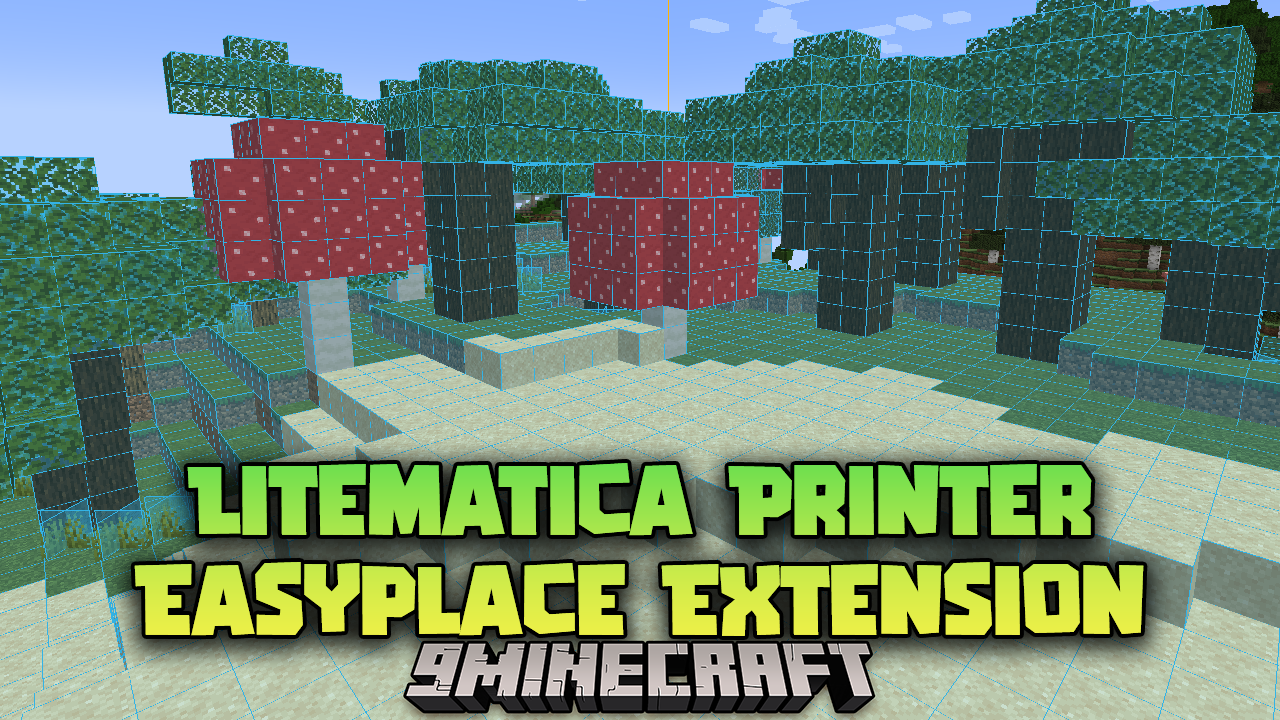
Features:
- Accurate Redstone Placement: Avoids placing blocks that trigger redstone contraptions early by following update orders, observers, BUD mechanics, pistons, falling blocks, and block states.
- Directional Block Support: Places directional blocks facing the right way on vanilla servers using Fake Rotation, and uses Carpet Extra protocols when available for faster and more reliable placement.
- Automated Container Filling: Matches and inserts required item stacks into hoppers, droppers, chests, and similar containers for setups like item filters, with an optional internal inventory cache to cut down on desync.
- Macro Clearing and Bedrock Tools: Offers macro actions for clearing lava and water with sponge or cobblestone, removing snow layers with string, breaking extra or wrong blocks, and automating bedrock breaking, though these macro actions are not guaranteed to work.
- Works directly inside Litematica’s EasyPlace feature instead of offering separate printing modes, and only places blocks when you can see the placement spot.
- Handles blocks with multiple states, including composters (using pumpkin pie to match exact levels), snow layers, and sea pickles.
- Protects sensitive redstone builds by avoiding observers facing wrong-state blocks, skipping push-limit powered pistons, placing ice where water sources belong, waiting for water before placing waterlogged blocks, and placing minecarts on detector rails only when TNT will not be triggered.
- Lets you flip blocks with a cactus where possible and mark containers with items inside as wrong state in the verifier to help with comparator builds.
- Gives you speed and safety controls for placement range (X, Y, Z), max blocks per tick, action delays, hotbar-only use, item-switch limits, and automatic pauses when a stack runs empty.
- Includes debug message options that report failed, skipped, or adjusted placements along with details about fake rotations.
Bedrock Breaking Notes:
- Depends heavily on your connection ping, so you need to set the printer delay higher than your ping.
- Requires a delay above 0.2 if your ping is 200 ms, while singleplayer has 0 ping so any delay value works.
- Assumes you have Haste II and Efficiency V, and requires redstone torches and pistons.
- Supports using slime blocks to search for valid bedrock-breaking spots and can skip blocks marked as extra.
Server Compatibility:
- Uses AccurateBlockPlacement protocols automatically when Carpet Extra (or a fork) is present on the server, and still aims to place blocks accurately without it.
- May be partially or completely blocked on Paper, Spigot, and similar servers that use anti-cheat against “not-looking” placements.
- Offers options to slow down printing, though smooth results are not guaranteed on strict anti-cheat servers.
How to Use:
- Load your schematic in Litematica and look directly at the blocks you want to build; this mod only places blocks when you can see the target placement.
- Press your EasyPlaceToggle keybind to turn EasyPlace on, then use your EasyPlaceUseKey keybind to start placing blocks automatically.
- For hands-free printing, set EasyPlaceUseKey to None and enable
Allow Empty Keybindsin the advanced settings so blocks place without holding a key. - Open the Litematica configuration menu and set
easyPlaceModeDelayabove 0.05 (50 ms) for smoother state sync, or higher than your ping (such as above 0.2 for 200 ms ping) when breaking bedrock. - Enable
printerAccurateBlockPlacementif your server runs Carpet Extra’s AccurateBlockPlacement protocol, or turn onprinterFakeRotationto place directional blocks on vanilla servers. - To automate bedrock breaking, prepare Haste II, Efficiency V, redstone torches, and pistons first, then enable
printerBedrockBreakingin the printer settings. - Turn on
printerOffwhenever you want to switch back to normal EasyPlace, or turn oneasyPlaceMode++to disable area printing while keeping Fake Rotation active.
Configuration:
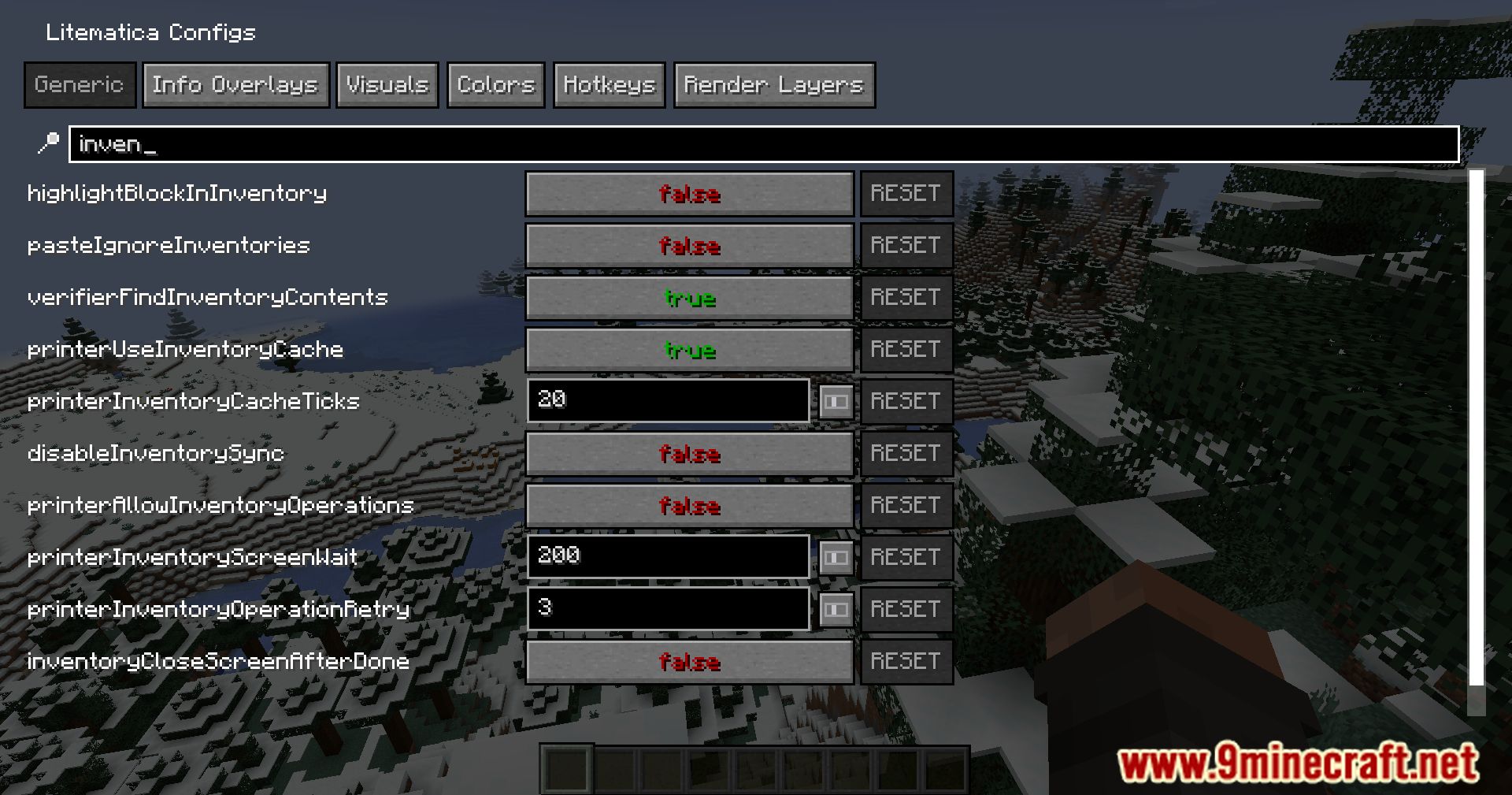
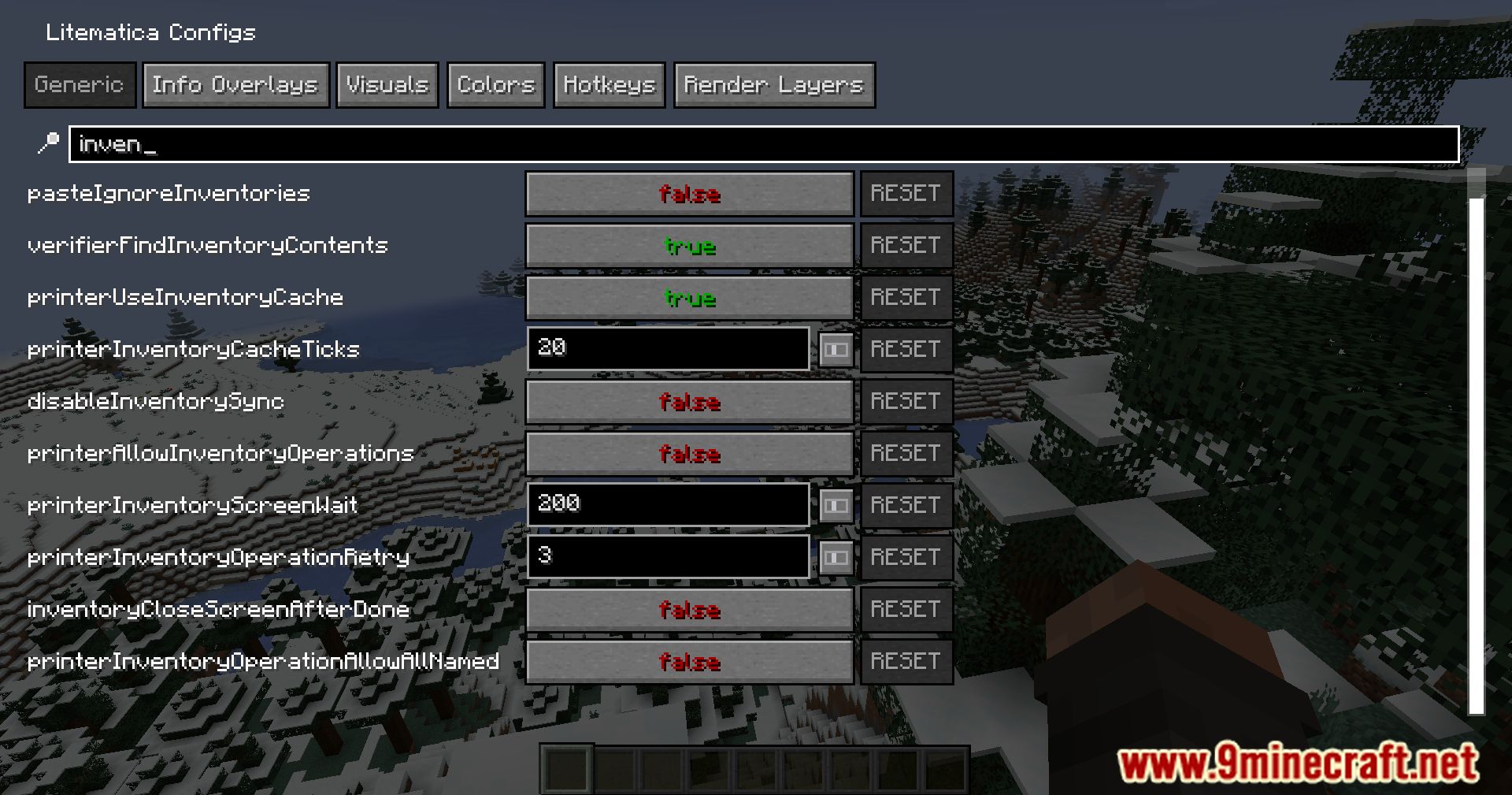
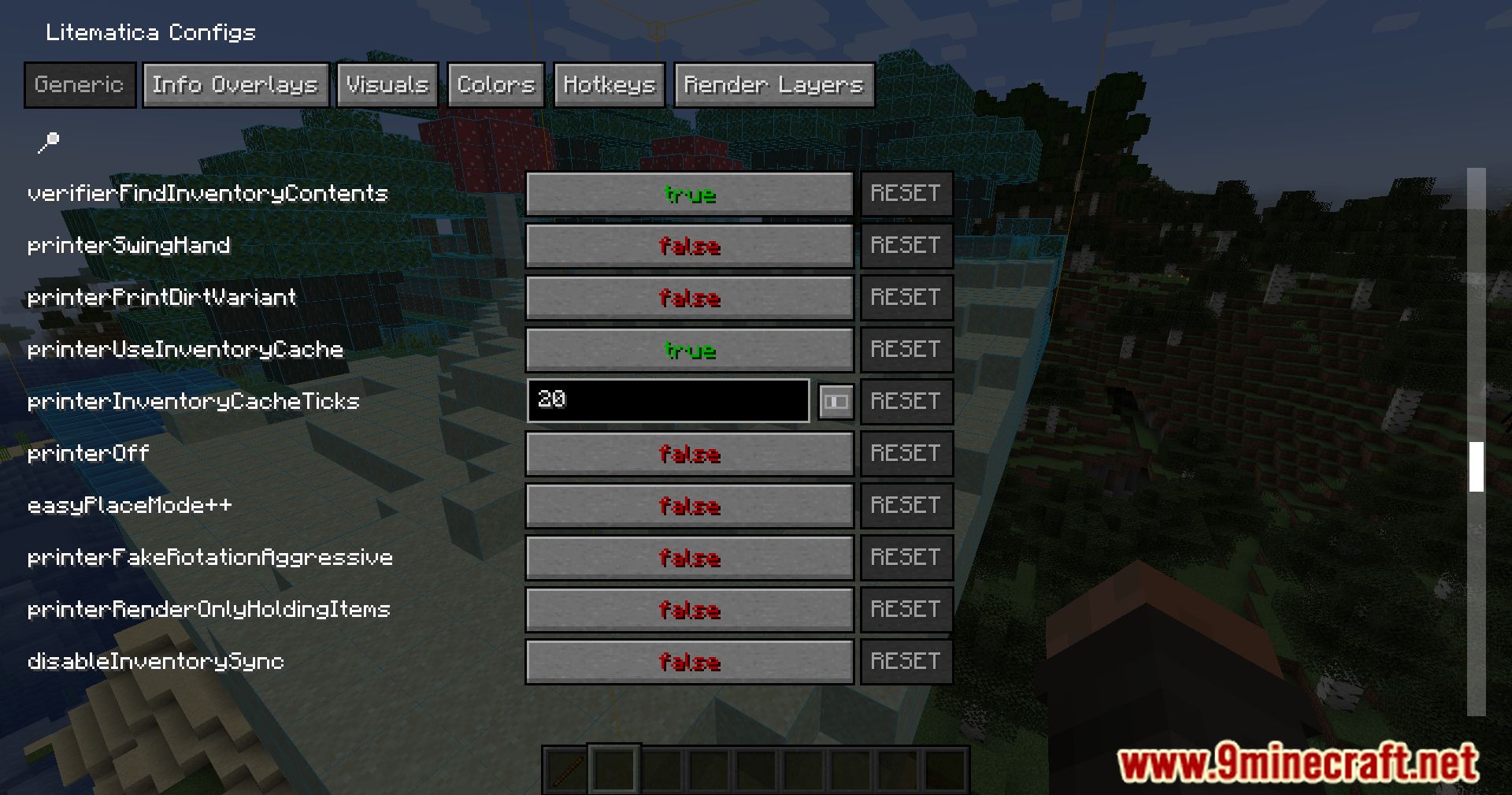
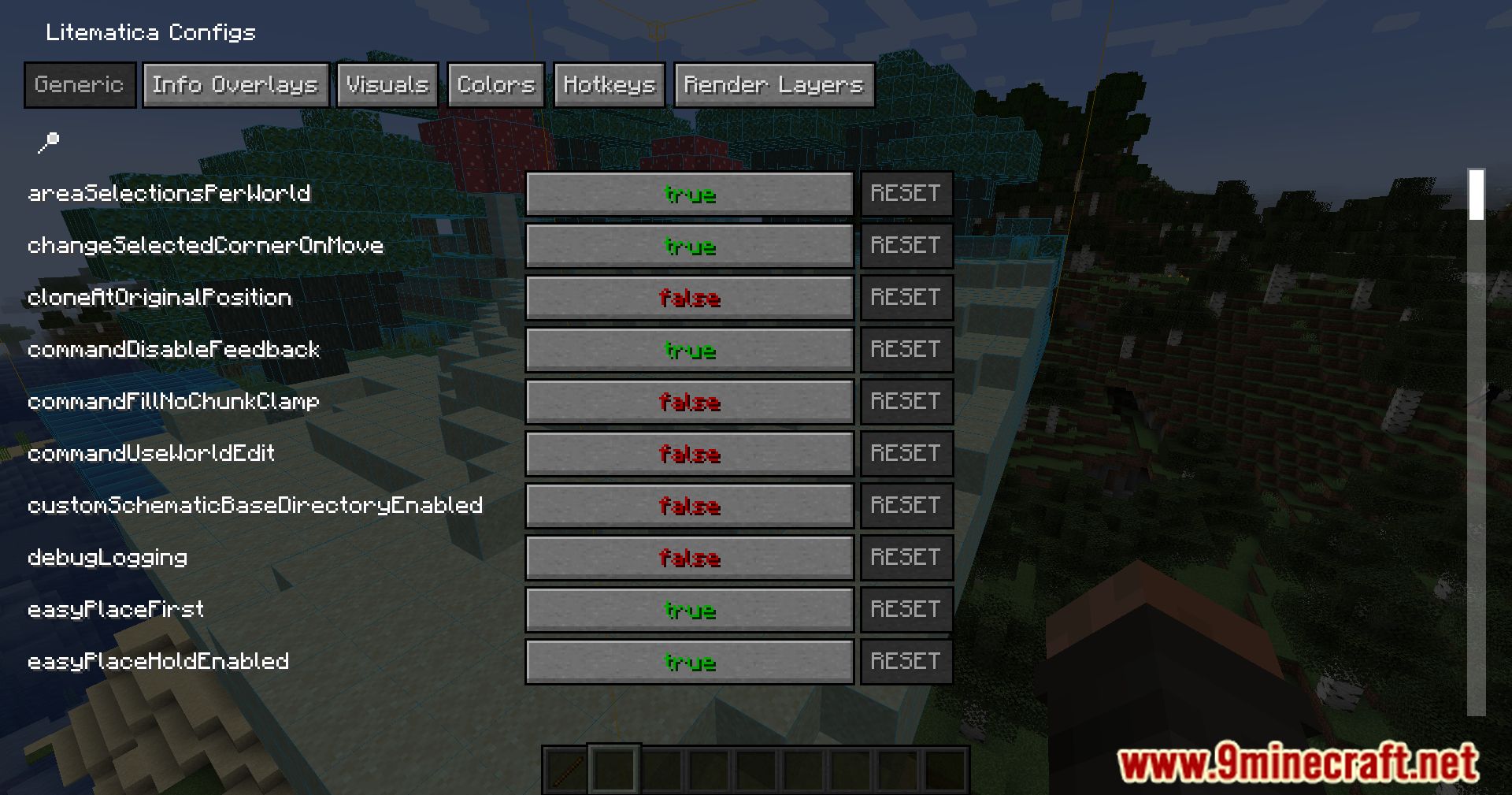
printerOff: Turns off the printer extension and uses normal EasyPlace instead.easyPlaceMode++: Disables area printing and uses Fake Rotation-based EasyPlace instead.verifierFindInventoryContents: Marks blocks with inventory contents as wrong state even when block states match, which helps with comparator builds.printerUseInventoryCache: Uses an internal inventory cache to reduce desync.printerAllowInventoryOperations: Turns on automatic matching and inserting of required item stacks into hoppers, droppers, chests, and similar blocks.inventoryCloseScreenAfterDone: Closes inventory screens automatically when filling finishes or cannot continue.printerInventoryScreenWait: Sets the delay in milliseconds after opening an inventory screen so the server can sync.printerInventoryOperationRetry: Sets how many times to retry slot-click actions (3 to 20 is recommended).printerInventoryOperationAllowAllNamed: Allows any renamed items with the same stack size to count as filter items.printerBreakBlocks: Breaks all extra or wrong blocks inside the schematic (can run during placement, though not recommended).printerBedrockBreaking: Automates bedrock breaking; assumes Haste II and Efficiency V, and requires redstone torches and pistons.printerBedrockBreakingUseSlimeblock: Allows using slime blocks when searching for valid bedrock-breaking spots.printerFlippincactus: Uses a cactus to flip blocks where possible.printerClearFluids: Clears lava and water using cobblestone or sponge by default.printerClearFluidsUseCobblestone: Uses cobblestone instead of sponge when clearing water.printerClearSnowLayer: Uses string to remove snow layers.printerAccurateBlockPlacement: Uses Carpet Extra’s AccurateBlockPlacement protocol when available on the server.printerFakeRotation(orprinterModeFakeRotation): Uses fake rotations so directional blocks face the right way.printerFakeRotationTicks: Sets how many ticks (1 tick equals 50 ms) to wait after sending rotation packets.printerFakeRotationLimitPerTicks: Limits how many fake rotations happen per tick when rotation wait ticks are set to 0.disableSingleplayerPlacementHandling: Disables internal singleplayer placement direction adjustments based on fake rotation (false is recommended).ShowDebugMessages: Prints debug messages when placements fail, skip, or adjust.ShowDebugExtraMessages: Shows extra details about current block placements and fake rotations.easyPlaceModePrinterRangeX / Y / Z: Limits block placement to a region expanded from your starting raytrace position.easyPlaceModePrinterMaxBlocks: Sets the maximum number of blocks or interactions allowed per tick.easyPlaceModeDelay: Sets the delay between actions (greater than 0.05, or 50 ms, is recommended for state sync).easyPlaceModeHotbarOnly: Limits usage to hotbar slots to send fewer packet changes.printerSleepStackEmptied: Pauses printing when the current item stack runs empty to prevent desync and some anti-cheat issues.easyPlaceModePrinterMaxItemChanges: Limits item-switch actions per cycle (2 is recommended).printerBreakIgnoresExtra: Skips breaking blocks marked as extra during both general breaking and bedrock breaking.printerUsePumpkinpieForComposter: Uses pumpkin pie to match specific composter fill levels.printerSmartRedstoneAvoid: Follows observer and redstone update orders to avoid unwanted updates.printerObserverAvoidAll: Avoids placing observers facing blocks in wrong states, and may place walls or similar support blocks instead when needed.printerAvoidCheckOnlyPistons: Ignores dispenser quasi-connectivity checks.printerSuppressPushLimitPistons: Avoids placing pistons that would get directly powered without extending due to the push limit.printerUseIceForWater: Places ice where water sources should go so it can be melted later.printerCheckWaterFirstForWaterlogged: Delays waterlogged block placement until water is already there.printerPlaceMinecart: Places minecarts for powered detector rails when safe, and skips them if TNT would be triggered.
Screenshots:
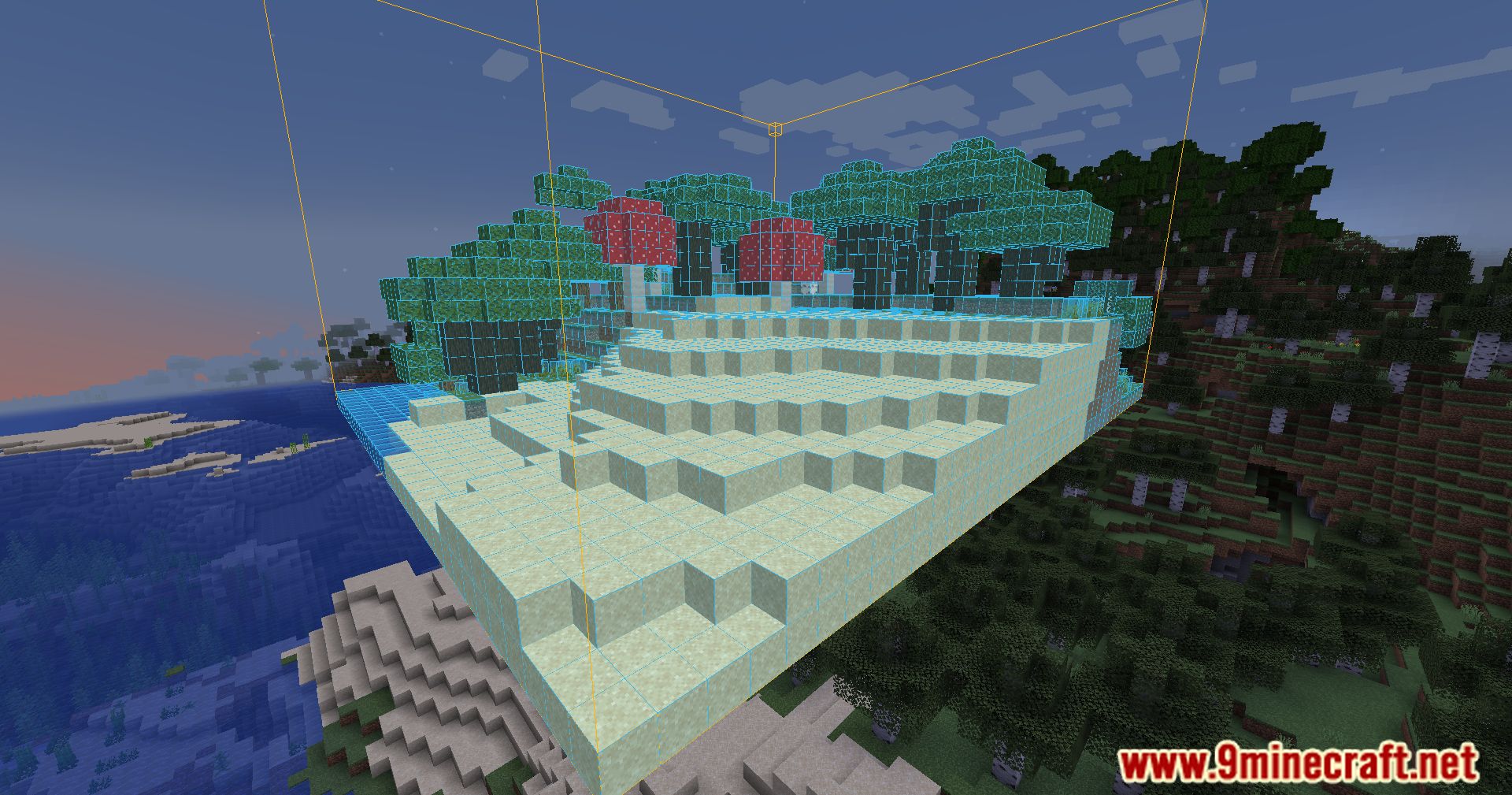
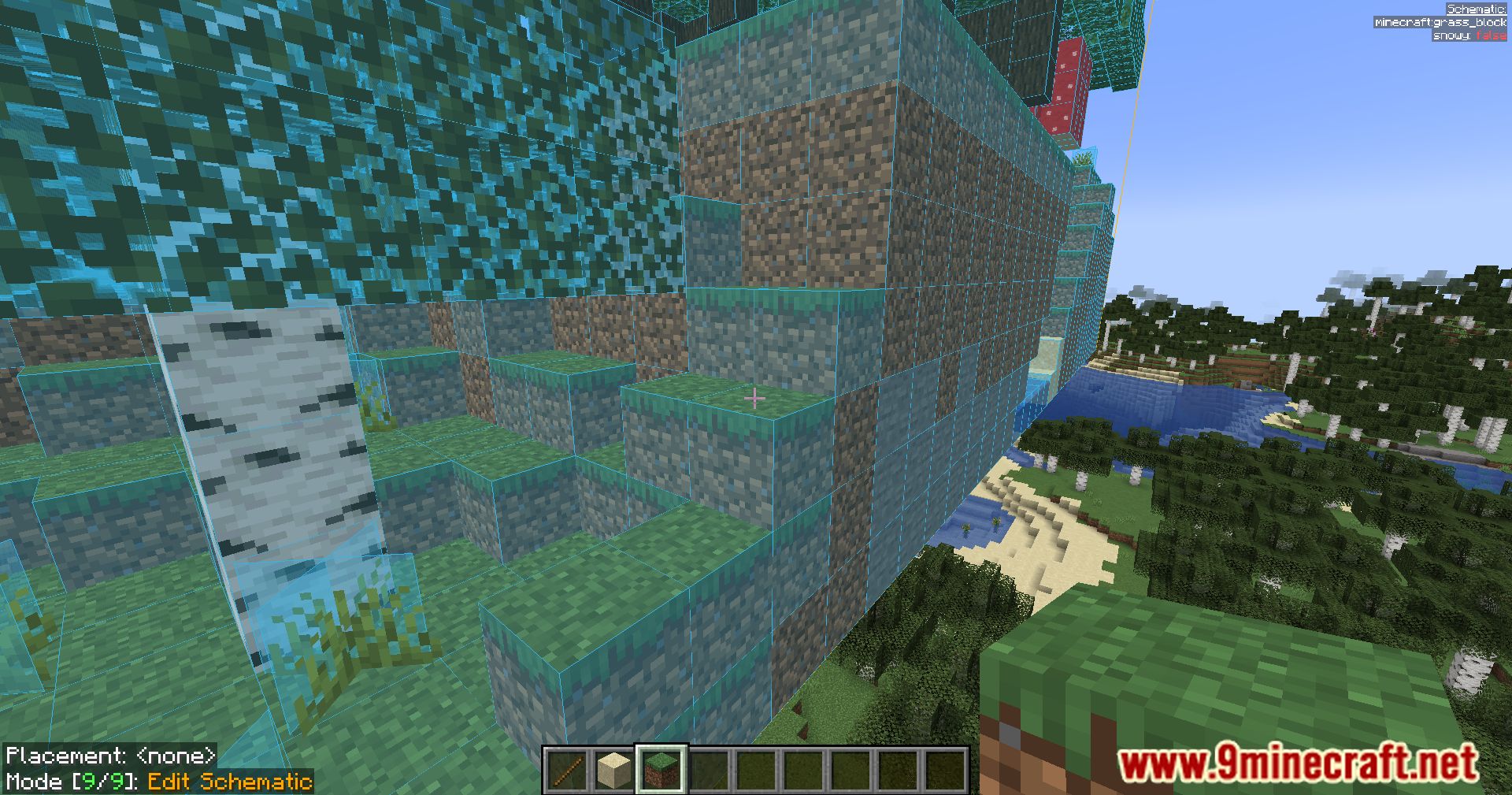
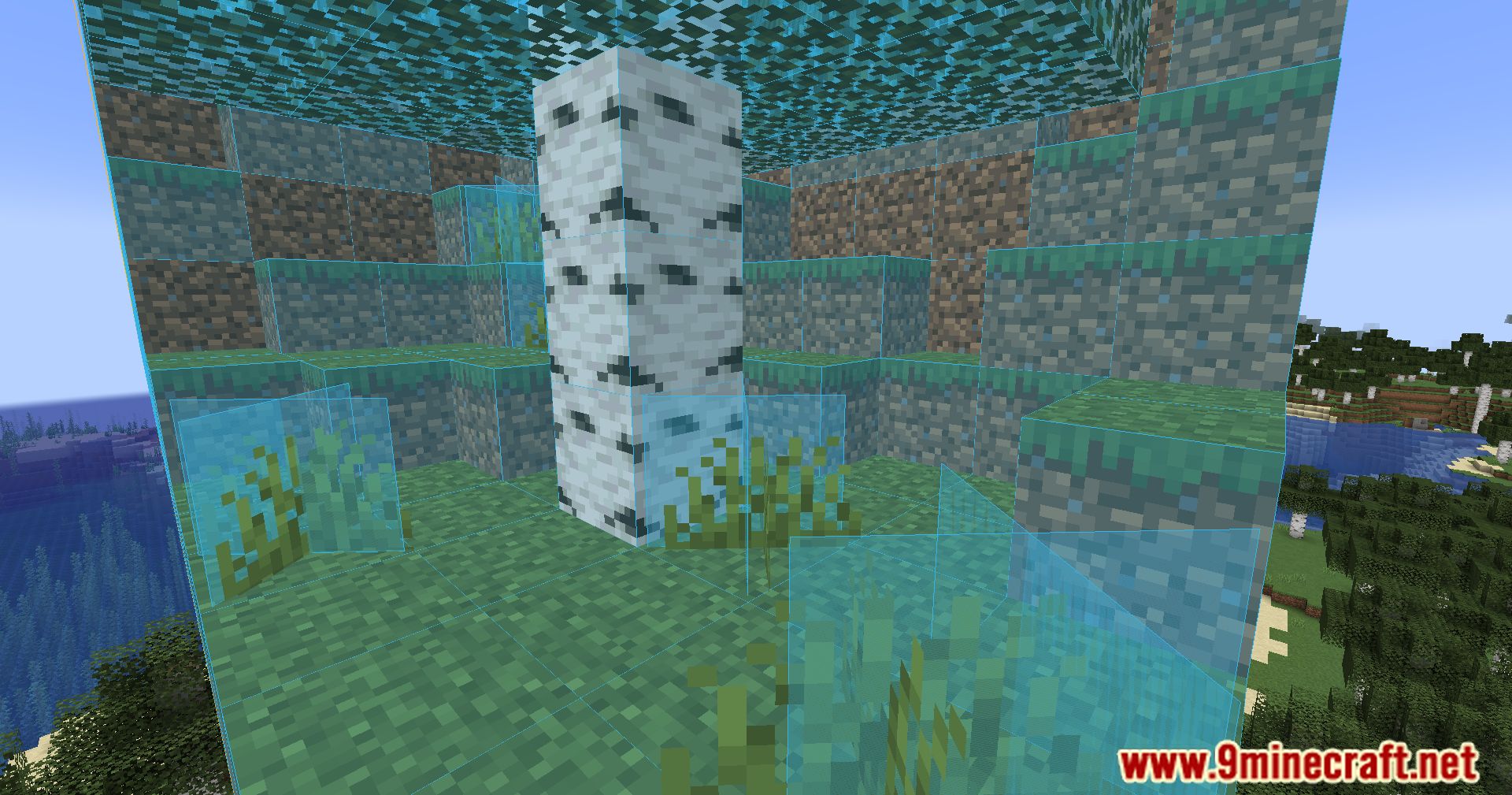
How to Install:
New to Minecraft? Follow our step-by-step guide to install Mods on your PC.View Guide
Requirements:


Litematica Printer Easyplace Extension Mod Download Links
For Minecraft 1.16.5
Fabric version: Download from Server 1 – Download from Server 2
For Minecraft 1.17.1
Fabric version: Download from Server 1 – Download from Server 2
For Minecraft 1.18.2, 1.18.1
Fabric version: Download from Server 1 – Download from Server 2
For Minecraft 1.19.1, 1.19
Fabric version: Download from Server 1 – Download from Server 2
For Minecraft 1.19.2
Fabric version: Download from Server 1 – Download from Server 2
For Minecraft 1.19.3
Fabric version: Download from Server 1 – Download from Server 2
For Minecraft 1.19.4
Fabric version: Download from Server 1 – Download from Server 2
For Minecraft 1.20.1, 1.20
Fabric version: Download from Server 1 – Download from Server 2
For Minecraft 1.20.2
Fabric version: Download from Server 1 – Download from Server 2
For Minecraft 1.20.3
Fabric version: Download from Server 1 – Download from Server 2
For Minecraft 1.20.4
Fabric version: Download from Server 1 – Download from Server 2
For Minecraft 1.20.6
Fabric version: Download from Server 1 – Download from Server 2
For Minecraft 1.21.1, 1.21
Fabric version: Download from Server 1 – Download from Server 2
What do you usually do when your modded game crashes on startup?
7 responses · See the full results →
You May Also Like
Picked for this page
 Dynamic FPS Mod (26.3, 1.20.1) – Best Fps Boosting Mod
 Pipez Mod (26.3, 1.20.1) – Transporting Things Is Easier
 MaFgLib Mod (26.3, 1.20.1) – MaLiLib Forge Port
 Better Ping Display Mod (1.21.11, 1.20.1) – Ping in the Player List
 World Host Mod (1.21.5, 1.20.1) – Host Your Singleplayer Worlds
 Theurgy Mod (26.3, 1.20.1) – Use Alchemy to Find Any Ore
 Aerial Hell Mod (26.3, 1.20.1) – New Floating Dimension
 Areas Mod (26.3, 1.20.1) – Specify Zones in The Game
 FuelInfo Mod (26.2, 1.20.1) – Extend Your Info on Your Fuels
 Stonecutter GUI Remastered Mod (26.3, 1.20.1) – Better Stonecutter GUI
 Integrated Mekanism Mod (1.21.1, 1.20.1) – Chemical Network Integration
 Panorama Screenshot Mod (26.3, 1.20.1) – Make Your World the Main Menu
Most viewed in Mods over the last 7 days
 Ala Industrial Mod (26.3) – Run Electric Power Grids and Automated Factories
 PleasureCraft Mod (26.3, 1.21.1) – Jenny Mod Remake for Fabric
 Jennycraft Mod (26.3, 1.20.1) – Virtual Girlfriend in Minecraft
 Fapcraft Mod (26.3, 1.12.2) – Comprehensive and Detailed Content
 Jenny Mod (Fapcraft) Official Complete Guide – How to use, Tutorial
 BangCraft Mod (1.20.1) – Jenny, Ellie and Elliot
 Fabric Loader (26.3, 1.20.1) – Fabric Installer for All Minecraft Versions
 The Shooting Star Demo Mod (26.3, 1.20.1) – Vaporize Terrain From Orbit
 Meteor Client Mod (26.3, 1.20.1) – Xray, HUD, Fly
 OptiFine HD (26.3, 1.20.1) – Run Faster, FPS Boost, Shaders Support
 Aristois Client Mod (1.21.4, 1.20.1) – World Class Minecraft Utility
 Prestige Client Mod (1.21.11, 1.21.4) – Powerful Ghost Features for Crystal & Sword PvP
More from Mods
 Bard RPG Series Plus by Fichte Mod (1.21.1, 1.20.1) – Buff Allies in Combat
 Fabric Gui ImGui Mod (26.3, 1.21.11) – Clean Custom Menus and In-Game Control
 Multi Item Lib Mod (1.20.1) – Wield Custom Gear with Flawless Hand Animations
 Universe3090 Mod (1.20.1) – Survive Corrupted Dimensions Filled
 Wireless Automate Mod (1.21.1) – Automate Base Logistics Without Messy Pipes
 Vaskars Opus Faction War Quests & Bosses Mod (1.21.11, 1.20.1)
 Multitools and More Mod (26.3, 1.20.1) – Clear Your Hotbar and Travel
 Luxium Let There Be Light Mod (1.20.1) – Stunning Lighting on Low-End Computers
 Soulscraft Tarnished Legacy Mod (1.21.1) – Hunt Relics to Forge Dark Fantasy
 Fetzi’s Displays Mod (26.1.2, 1.20.1) – Turn Rare Gear and Weapons
 Primal Plushies Paleo Pals Mod (1.21.1, 1.20.1) – Decorate Your Base
 Ipla Mod (26.3, 1.20.1) – Showcase Your Favorite Items

This post has no comments yet. Be the first — your comment will appear here.