
Windowed Fullscreen Mod (26.2, 1.21.1) – Multitask Without Minimizing Your Game

 0


Windowed Fullscreen Mod brings a borderless windowed mode to the game. It hides the window title bar and lets you reach your taskbar and other apps while playing in fullscreen. This mod helps you multitask easily and keep other system windows visible on your monitors.

Features:
- Maximizes the game window to fill the monitor and hides the system taskbar when the window is focused.
- Provides a borderless windowed appearance that fits the available screen space cleanly.
- Keeps the convenience of interacting with your taskbar and other desktop apps without minimizing the game.
How to Use:
- Press F12 to toggle the Windowed Fullscreen mode on or off.
- Press F10 to toggle the Borderless Windowed mode on or off.
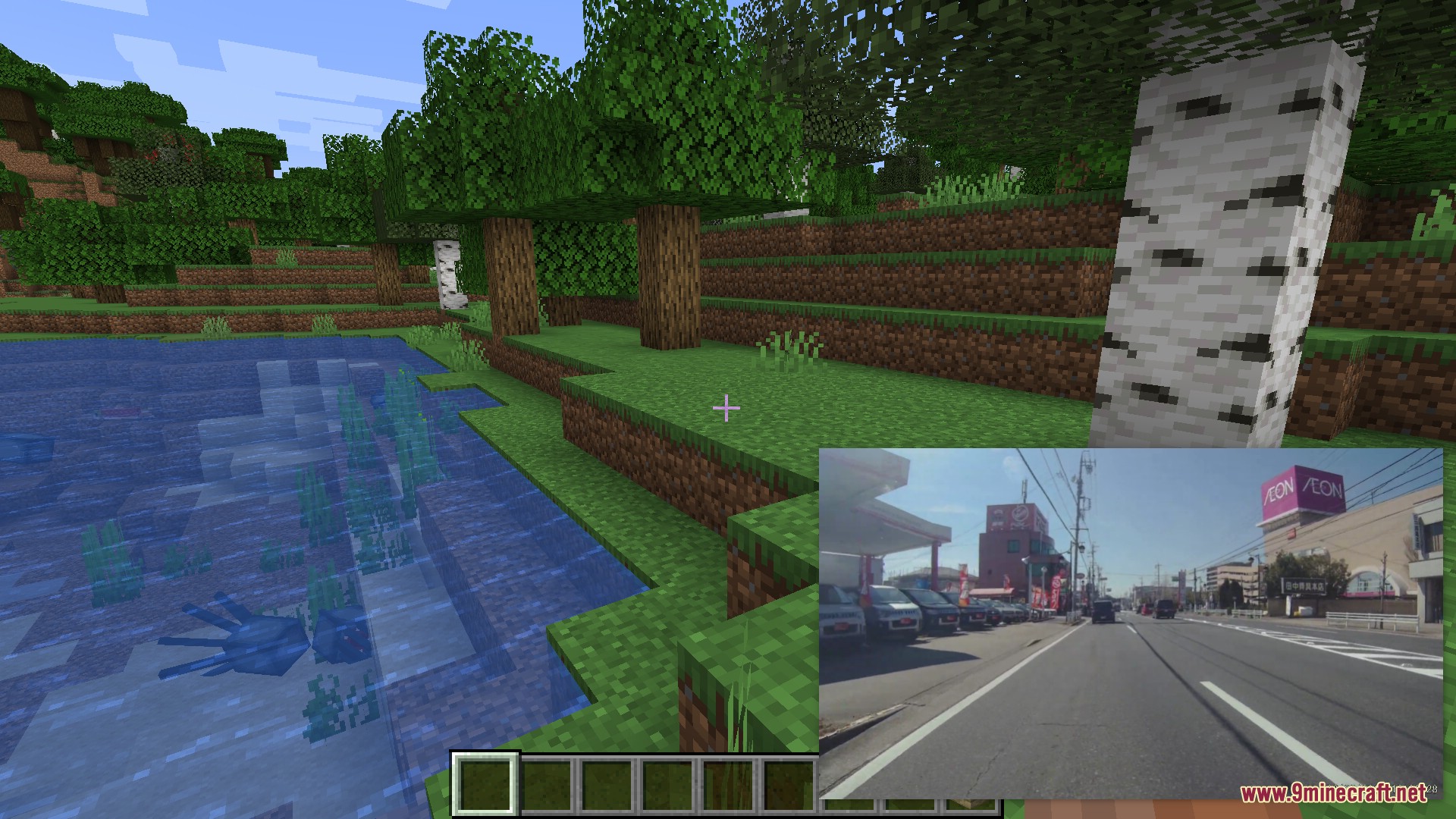
Screenshots:
How to Install:
New to Minecraft? Follow our step-by-step guide to install Mods on your PC.View Guide



Windowed Fullscreen Mod Download Links
For Minecraft 26.2
For Minecraft 26.1.2, 26.1.1, 26.1
For Minecraft 1.21.11, 1.21.10, 1.21.9
For Minecraft
1.21.8,
1.21.7,
1.21.6
All Versions Covered
1.21.8
1.21.7
1.21.6
1.21.5
1.21.4
1.21.3
1.21.2
1.21.1
1.21
All Versions Covered
1.21.8
1.21.7
1.21.6
1.21.5
1.21.4
1.21.3
1.21.2
1.21.1
1.21
For Minecraft 1.17.1 –> 1.20.6
For Minecraft 1.18.2, 1.18
For Minecraft 1.16.5
Click to rate this post!
[Total: 0 Average: 0]
You May Also Like
Picked for this page
 Vanilla Plus Tools Mod (26.2, 1.20.1) – Super 3×3 Tools
 Mutant Monsters Mod (26.3, 1.20.1) – Powerful Beasts
 GamemodeOverhaul Mod (26.1.2, 1.20.1) – Bring Back Many Old Commands
 Simple Discord RPC Mod (26.3, 1.20.1) – RPC Plugin for Minecraft
 Click Villagers Mod (26.3, 1.20.1) – Shift + Right-click to Pick up Villagers into Inventory
 Crash Exploit Fixer Mod (26.3, 1.20.1) – Keep Your Server Running Smoothly
 April Fools Mod (26.3, 1.20.1) – A Collection of Humorous and Unexpected Features
 CC:C Bridge Mod (1.21.1, 1.20.1) – Enhance Minecraft Automation
 Shearable Vines Mod (26.3, 1.20.1) – Keep Your Builds Tidy
 Disable Insecure Chat Toast Mod (26.3, 1.20.1) – Removes The Annoying “Insecure Chat”
 EssentialAddons Mod (26.3, 1.20.1) – Extension Carpet
 Sdm Shop Mod (1.21.11, 1.20.1) – Adds an In-Game Virtual Store
Most viewed in Mods over the last 7 days
 Ala Industrial Mod (26.3) – Run Electric Power Grids and Automated Factories
 PleasureCraft Mod (26.3, 1.21.1) – Jenny Mod Remake for Fabric
 Jennycraft Mod (26.3, 1.20.1) – Virtual Girlfriend in Minecraft
 Fapcraft Mod (26.3, 1.12.2) – Comprehensive and Detailed Content
 Jenny Mod (Fapcraft) Official Complete Guide – How to use, Tutorial
 BangCraft Mod (1.20.1) – Jenny, Ellie and Elliot
 Fabric Loader (26.3, 1.20.1) – Fabric Installer for All Minecraft Versions
 Meteor Client Mod (26.3, 1.20.1) – Xray, HUD, Fly
 The Shooting Star Demo Mod (26.3, 1.20.1) – Vaporize Terrain From Orbit
 OptiFine HD (26.3, 1.20.1) – Run Faster, FPS Boost, Shaders Support
 Aristois Client Mod (1.21.4, 1.20.1) – World Class Minecraft Utility
 Prestige Client Mod (1.21.11, 1.21.4) – Powerful Ghost Features for Crystal & Sword PvP
More from Mods
 SimpleRPGCore Mod (1.21.4, 1.21.1) – Fight with Classic RPG Stats
 Bard RPG Series Plus by Fichte Mod (1.21.1, 1.20.1) – Buff Allies in Combat
 Fabric Gui ImGui Mod (26.3, 1.21.11) – Clean Custom Menus and In-Game Control
 Multi Item Lib Mod (1.20.1) – Wield Custom Gear with Flawless Hand Animations
 Universe3090 Mod (1.20.1) – Survive Corrupted Dimensions Filled
 Wireless Automate Mod (1.21.1) – Automate Base Logistics Without Messy Pipes
 Vaskars Opus Faction War Quests & Bosses Mod (1.21.11, 1.20.1)
 Multitools and More Mod (26.3, 1.20.1) – Clear Your Hotbar and Travel
 Luxium Let There Be Light Mod (1.20.1) – Stunning Lighting on Low-End Computers
 Soulscraft Tarnished Legacy Mod (1.21.1) – Hunt Relics to Forge Dark Fantasy
 Fetzi’s Displays Mod (26.1.2, 1.20.1) – Turn Rare Gear and Weapons
 Primal Plushies Paleo Pals Mod (1.21.1, 1.20.1) – Decorate Your Base

This post has no comments yet. Be the first — your comment will appear here.