


Chromatic Arcanum Mod (1.21.1, 1.20.1) – Cast Magic Spells in Any Color
 0
0
 0
0

Chromatic Arcanum Mod adds custom spell color customization for Iron’s Spells ‘n Spellbooks. It gives you a special tablet to change the hue of any magic school. Your custom spell colors show up for everyone else in multiplayer. You can switch back to default colors at any time.

Features:
- Adds the Recolor Tablet to adjust spell colors in the game.
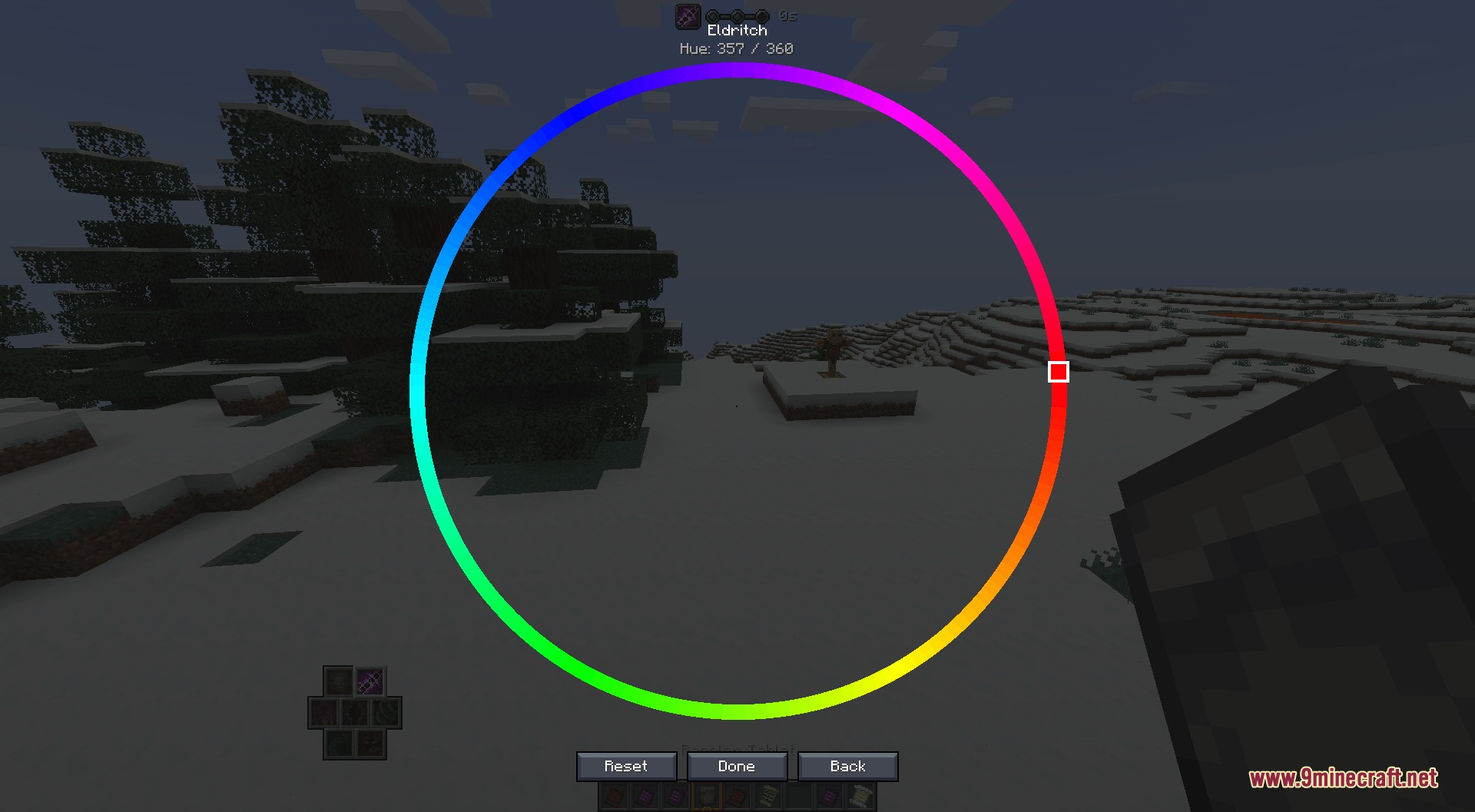
- Opens a color wheel interface for every school of magic.
- Shows the exact hue number at the top of the menu for quick reference.
- Lets you uncraft the tablet back into a Blank Runestone.
- Displays custom spell hues to all players on multiplayer servers.
- Includes quick reset options to revert spells back to default looks.
- Provides server commands to manage colors for single players and whole groups.
- Works alongside Prometheus to produce colored fire effects.
Commands:
/toggleBonus <player>: Toggles bonus settings for the specified player./recolor set <element> <player>: Sets the spell hue for an element on a player./recolor check element <player> <element>: Checks the element hue for a player./recolor check group <player>: Checks which group a player belongs to./recolor ban <player>: Prevents a player from recoloring spells./recolor unban <player>: Restores recolor access for a banned player./recolor reset <player>: Resets all custom spell hues for a player./recolor group create <name>: Creates a new recolor group./recolor group rename <name> <new_name>: Renames an existing group./recolor group delete <name>: Deletes a recolor group./recolor group add <player> <group>: Adds a player to a recolor group./recolor group remove <player> <group>: Removes a player from a group./recolor group list: Displays all active recolor groups./recolor group set <group> <element>: Sets the element hue for an entire group./recolor group reset <group> <element>: Resets the group element color to default./recolor group check <group> <element>: Checks the element hue assigned to a group.
How to Use:
- Craft and bind the Recolor Tablet.
- Right-click with the tablet to open the list of magic schools.
- Select a magic school to open the color wheel.
- Pick a hue number from 0 to 360 and save the selection.
Screenshots:




How to Install:
New to Minecraft? Follow our step-by-step guide to install Mods on your PC.View Guide
Requirements:


Chromatic Arcanum Mod Download Links
For Minecraft 1.21.1, 1.21
For Minecraft 1.20.1, 1.20
Click to rate this post!
[Total: 0 Average: 0]
You May Also Like



















This post has no comments yet. Be the first — your comment will appear here.