Alycone Client Mod (1.21.1) – Ghost Modules for Crystal, Donut, Mace PvP
 5,045
5,045
 0
0
 January 22, 2026
 Alycone Client
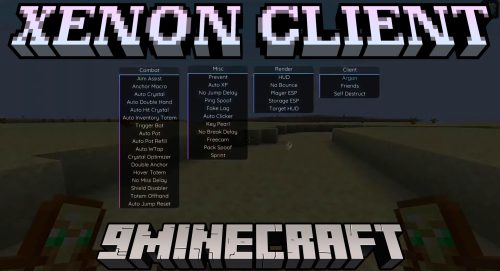
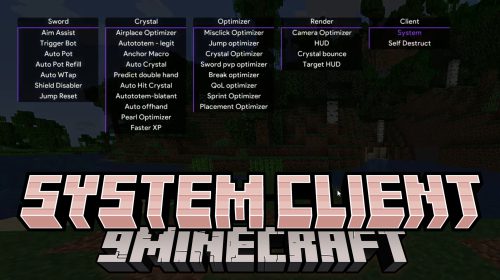
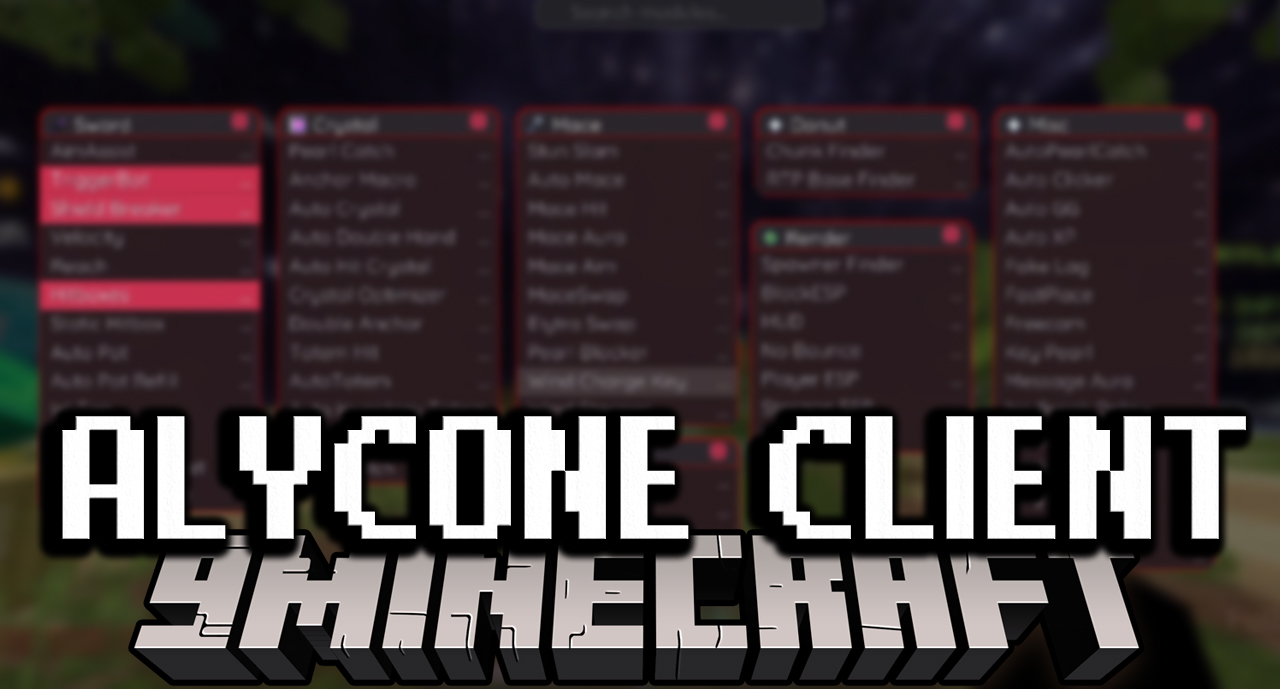
Alycone Client Mod (1.21.1) is a utility-focused client designed for combat optimization in Crystal PvP, Anchor PvP, DonutSMP, Mace PvP, and survival on anarchy/semi-anarchy servers. It provides automatic modules, reduces delay, increases accuracy, and gives maximum control in combat.
Features:
⚔️ Combat – Sword
Modules for melee PvP:
AimAssist– Helps aim at targets while sword fightingTriggerBot– Automatically hits when crosshair touches the enemyShield Breaker– Breaks opponent shields automaticallyVelocity– Reduces or cancels knockbackReach– Extends attack rangeHitboxes– Enlarges target hitboxesStatic Hitbox– Keeps hitbox stableAuto Pot– Throws potions automaticallyAuto Pot Refill– Refills potions automaticallyW-Tap– Auto W-tap to increase knockbackNo Miss Delay– Removes missed attack delayAuto Jump Reset– Resets knockback via jumpingTotem Offhand– Holds totem in offhand automatically
Combat – Crystal
Specialized for Crystal PvP & Anchor:
Pearl Catch– Automatically catch pearlsAnchor Macro– Automates Anchor PvPAuto Crystal– Automatically place & detonate crystalsAuto Double Hand– Optimizes dual-hand attacksAuto Hit Crystal– Automatically hits crystalsCrystal Optimizer– Optimizes damage & placementDouble Anchor– Continuous anchor placementTotem Hit– Attacks opponents holding totemAuto Totem– Switches to totem when in dangerAuto Inventory Totem– Retrieves totem from inventoryLegit Totem– Uses totem naturally to avoid detectionPearl Catch– Supports pearl combat
Combat – Mace
Optimized for Mace weapons:
Stun Slam– Slam that stuns enemiesAuto Mace– Uses mace automaticallyMace Hit– Optimizes mace hitsMace Aura– Aura attack for maceMace Aim– Custom aiming for maceMaceSwap– Automatically switches to maceElytra Swap– Quick elytra swapPearl Blocker– Blocks opponent pearlsWind Charge Key– Key for Wind ChargeWind Stopper– Prevents opponents using Wind Charge
Donut / Finder
Chunk Finder– Finds active chunksRTP Base Finder– Locates bases via RTP
️ Render / ESP
Visual information and HUD:
Spawner Finder– Locates mob spawnersBlockESP– Highlights important blocksHUD– Customizable HUDNo Bounce– Removes bounce effectPlayer ESP– Displays player positionsStorage ESP– Shows chests & shulkersTarget HUD– Displays target info
⚙️ Miscellaneous
Supportive tools & bypass features:
AutoPearlCatch– Automatically catches pearlsAuto Clicker– Automatic clickingAuto GG– Auto sends GG in chatAuto XP– Uses XP automaticallyFake Lag– Simulates lagFastPlace– Places blocks fasterFreecam– Free camera movementKey Pearl– Throw pearls via keyMessage Aura– Auto chat on eventsNo Break Delay– Removes block break delayNo Jump Delay– Removes jump delayPack Spoof– Fakes resource packsPing Spoof– Fakes server pingPrevent– Blocks risky actionsSprint– Auto sprint
How to use:
- Click Right Shift (RShift) to open the client menu and manage all modules.
Requires:
How to install:
Click the following link to view details: How to Install Mods for Minecraft Java Edition on PC: A Beginner Guide
Alycone Client Mod (1.21.1) Download Links
For Minecraft 1.21.1, 1.21
Fabric version: Download from Server 1 – Download from Server 2
Click to rate this post!
[Total: 1 Average: 5]
You May Also Like