
Auto Leveling Mod (1.20.1, 1.19.4) – Deadlier Monsters Guard Distant Lands

 0


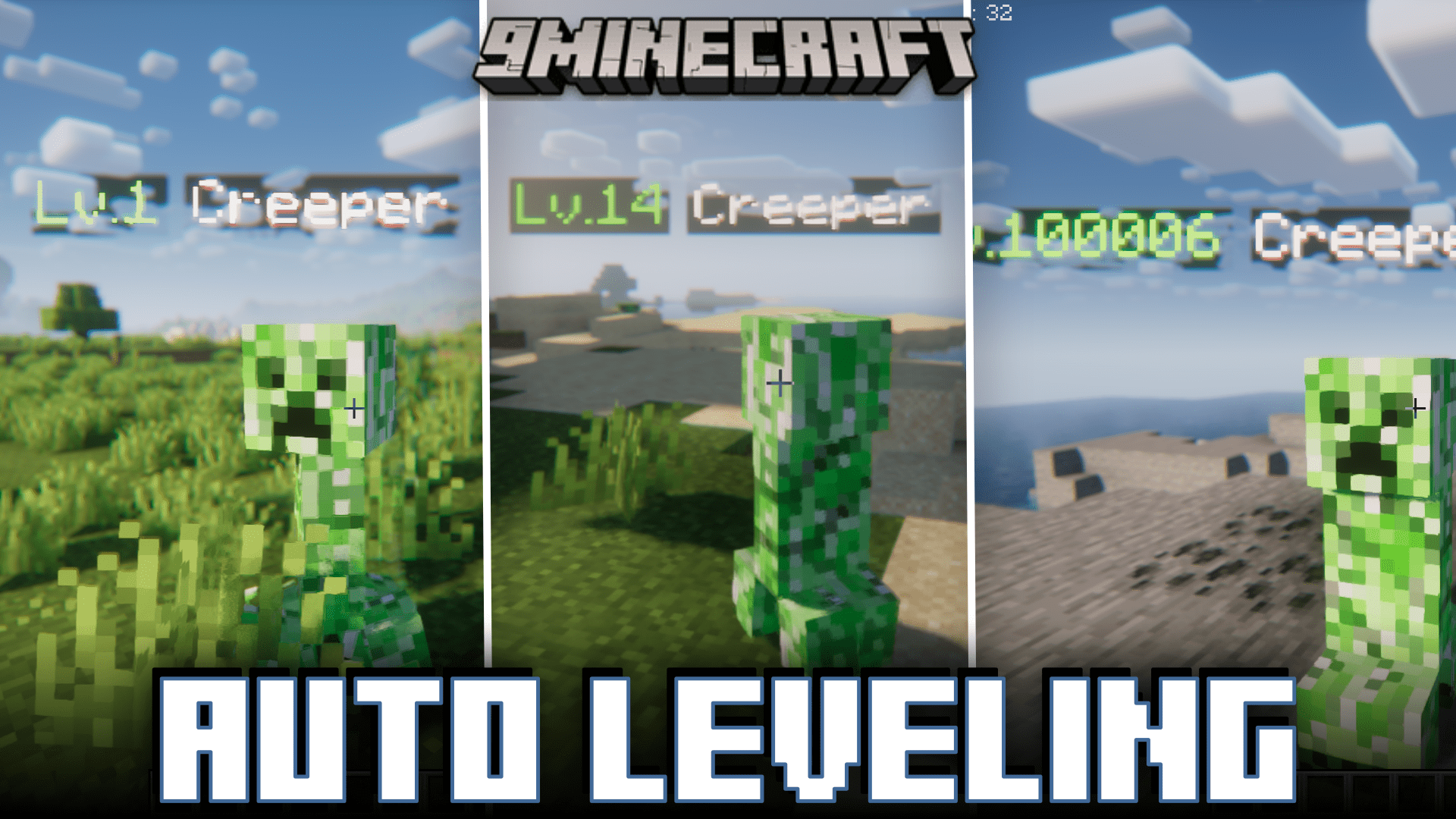
Auto Leveling Mod makes mobs stronger the farther you travel from the world spawn point. Each monster gets a level based on distance or depth, with the level shown right above its head next to its name. You can control which mobs gain levels using the in-game blacklist and whitelist tools or the config file, and you can adjust XP bonuses, attribute boosts, and level caps. This mod also supports custom data packs and resource packs for mob loot, gear, textures, and per-dimension rules, and it works with Jade to display mob levels in tooltips.
Features:
- Distance and Depth Scaling: Increases mob levels based on how far they spawn from world spawn and how deep they spawn below ocean level. By default, mobs gain 1 level every 100 blocks from spawn, while depth scaling starts at 0.
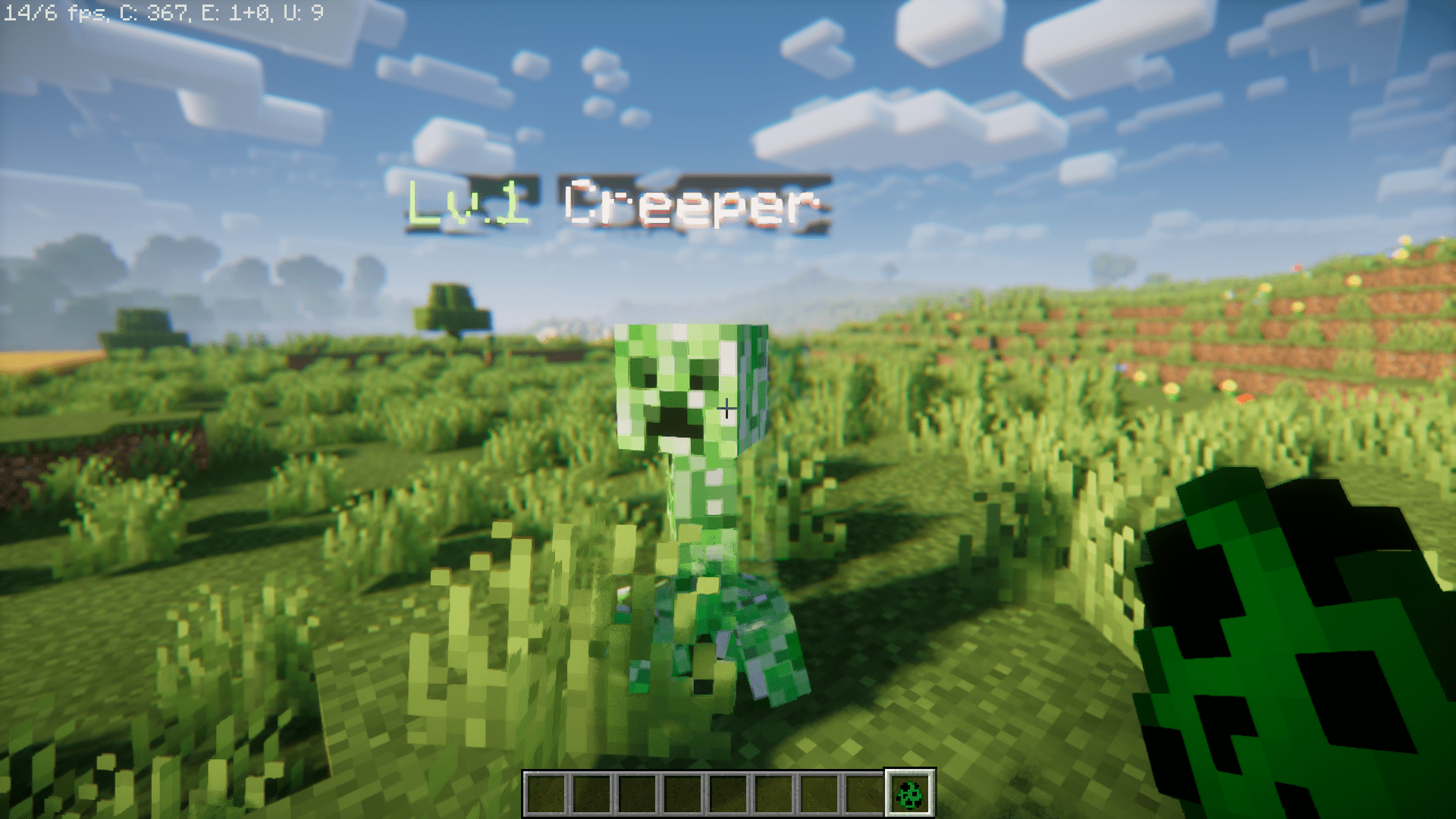
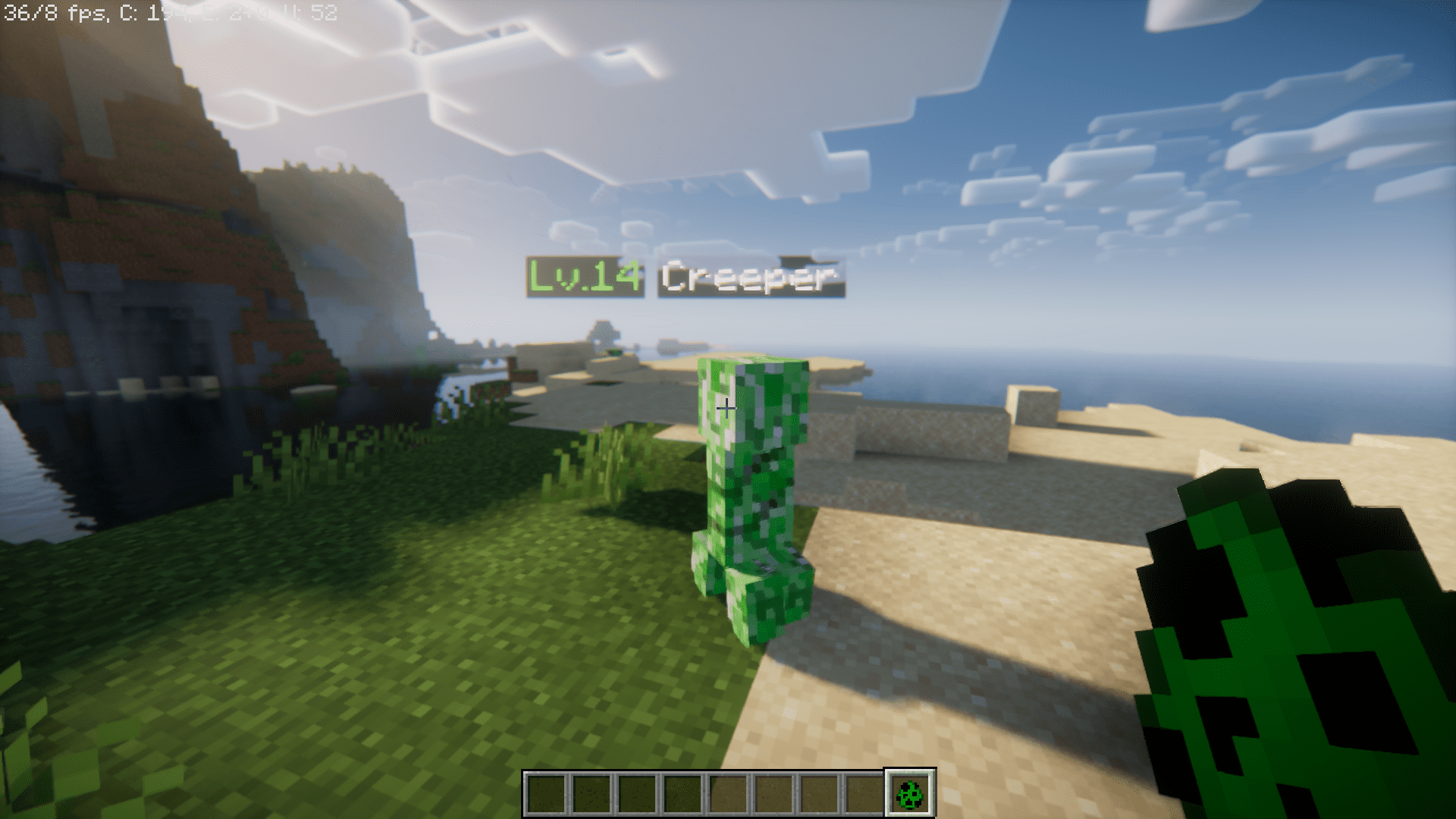
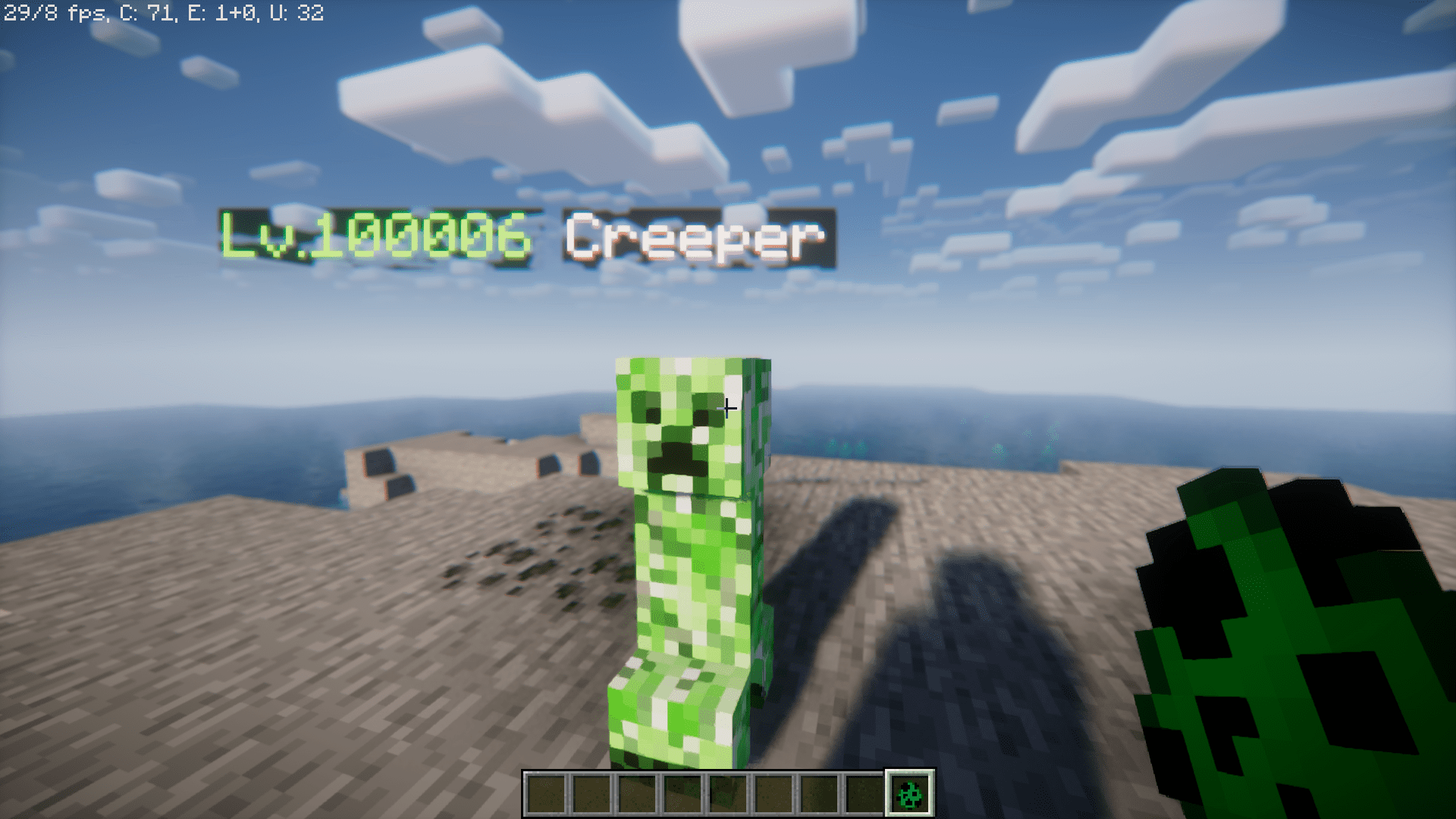
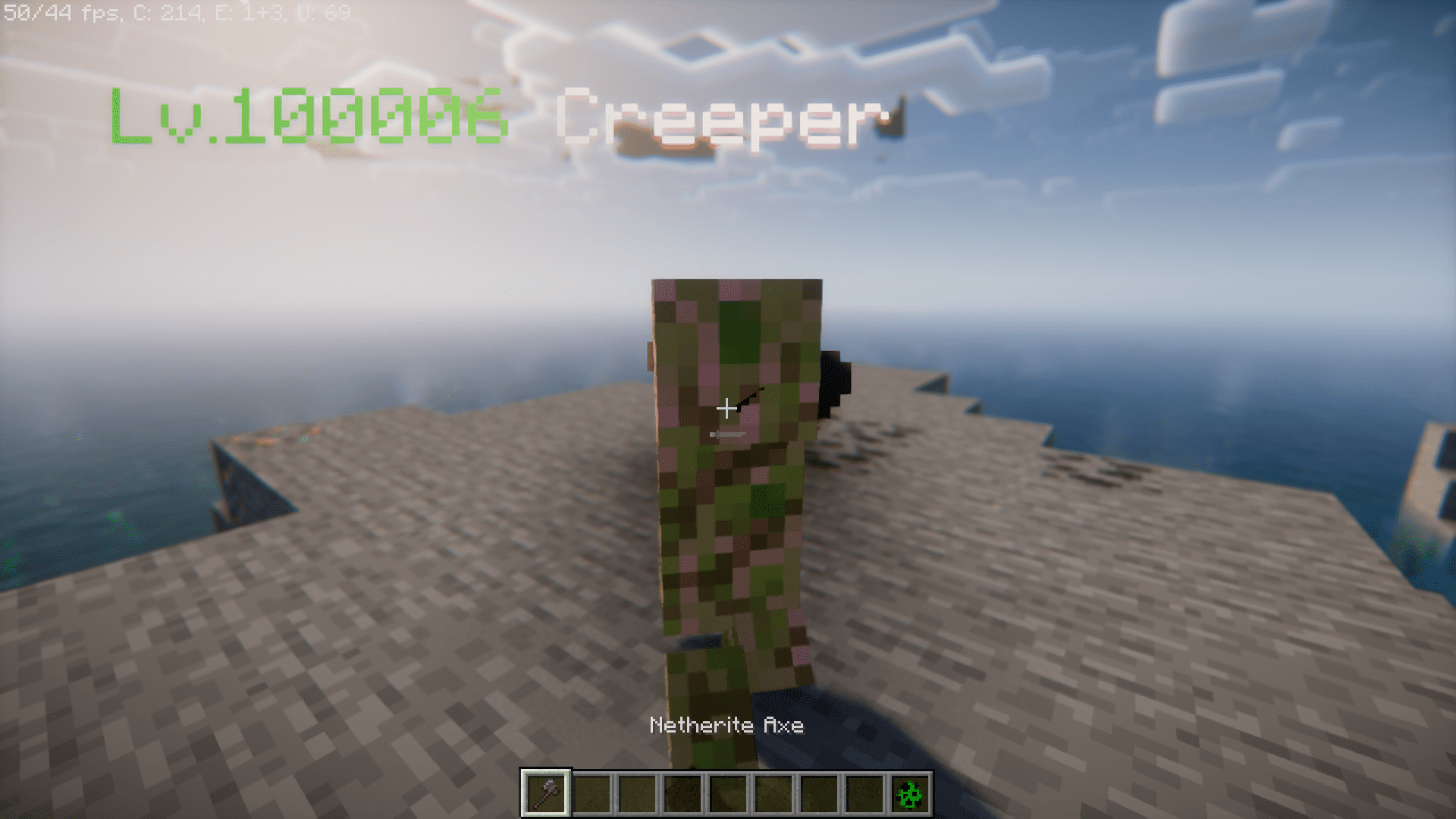
- Overhead Level Display: Shows each mob’s level above its head right next to its name. You can set levels to stay visible all the time, appear only when you point your crosshair at a mob, or stay hidden for disguised mobs.
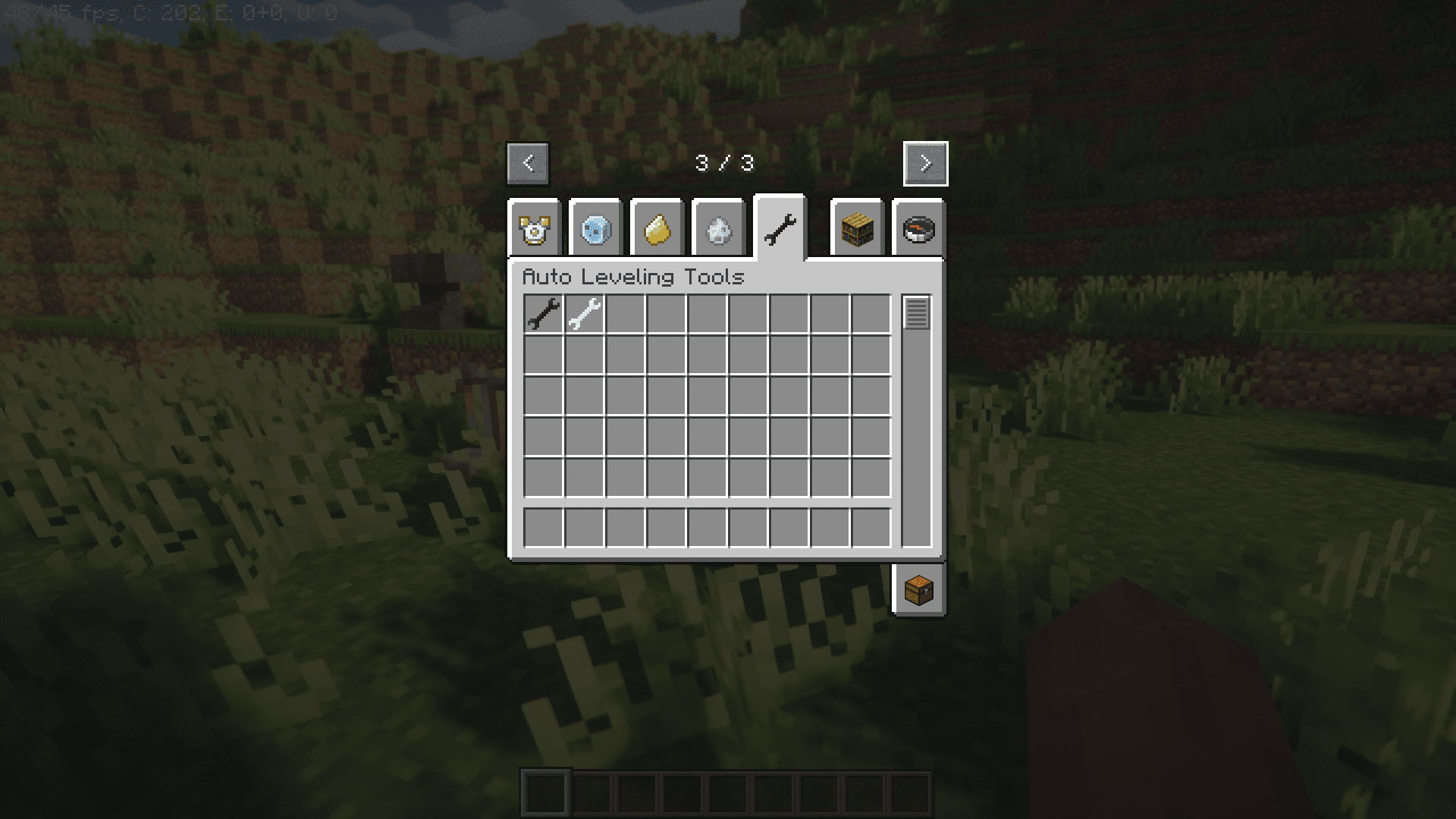
- Blacklist and Whitelist Tools: Adds two in-game items, the blacklist tool and the whitelist tool, that update the config file directly. Use either tool on a mob to stop it from gaining levels or add it to the allowed leveling list.
- Mobs drop extra experience as their level rises, starting at 10% more XP per level by default.
- Supports custom attribute bonuses per level, including attributes added by other mods.
- Lets mobs spawn with a random extra level boost when the random level bonus option is turned on.
- Supports full mod namespaces in the blacklist, whitelist, and hidden level lists by typing
<mod_id>:*. - Works with Jade so mob levels also appear in the tooltip when you hover over a mob.
Data Pack and Resource Pack Support:
- Custom Mob Loot: This mod does not change loot by default, but a data pack can use the
autoleveling:level_checkcondition (withminandmaxlevels) or the globalautoleveling:gameplay/leveled_mobsloot table to add level-based drops. - Custom Mob Equipment: This mod does not change gear by default, but a data pack can set equipment by level at
data/<mod_id>/loot_tables/equipment/<entity_id>_<slot_id>.jsonusing thehead,chest,legs,feet,mainhand, andoffhandslots. - Level-Based Mob Textures: A resource pack can swap mob textures at
assets/<mod_id>/textures/leveled_mobs/<entity_id>_<level>.pngto apply a new look at that level and higher. - Per-Dimension and Per-Mob Rules: A data pack can override global config settings using files at
data/<mod_id>/leveling_settings/dimensions/<dimension_id>.jsonordata/<mod_id>/leveling_settings/entities/<entity_type_id>.json. Mob settings override dimension settings, and dimension settings override global defaults.
Commands:
/autoleveling addlevel <value>: Gives a level bonus to all mobs in all dimensions.
Configuration:
show_level_when_looking_at: Set totrueto show a mob’s level above its head when your crosshair hovers over it.always_show_level: Set totrueto show mob levels above their heads all the time.hidden_levels: Lists mob IDs (such as"minecraft:zombie") or mod namespaces ("<mod_id>:*") that should not display their levels.blacklist: Lists mob IDs or mod namespaces that should not gain levels.whitelist: Lists mob IDs or mod namespaces that should gain levels. When this list is not empty, all other mobs have no levels.exp_bonus_per_level: Sets how much extra experience mobs drop per level. The default0.1gives 10% more XP per level.starting_level: Sets the starting level for mobs. Must be higher than 0 (default is1).max_level: Sets the maximum mob level in a dimension. Must be 0 or higher; setting it to0removes the level cap.levels_per_distance: Sets how many levels mobs gain per block traveled from spawn. Must be 0 or higher; the default0.01gives 1 level per 100 blocks.levels_per_deepness: Sets how many levels mobs gain per block below ocean level. Must be 0 or higher; the default is0.random_level_bonus: Sets the highest random extra level a mob can spawn with, chosen between 0 and this value. Must be 0 or higher; the default is0.attribute_bonuses: Lists pairs of attribute IDs and per-level bonuses, including attributes from other mods.
How to Use:
- Travel farther away from the world spawn point so newly spawned mobs gain higher levels; check the text above a mob’s head or point your crosshair at it to see its level.
- Hold the blacklist tool or whitelist tool and use it on any mob to add that mob straight to the matching list in the config file.
- Open the config file to change global rules such as
levels_per_distance,levels_per_deepness,starting_level,max_level,exp_bonus_per_level,random_level_bonus, andattribute_bonuses, or enter"<mod_id>:*"to include or block every mob from a mod. - Type
/autoleveling addlevel <value>in chat to add an extra level bonus to all mobs across every dimension. - Create a data pack using the
autoleveling:level_checkcondition or theautoleveling:gameplay/leveled_mobsloot table to add level-based drops, and place files atdata/<mod_id>/loot_tables/equipment/<entity_id>_<slot_id>.jsonto change mob gear for specific level ranges. - Create a resource pack with textures at
assets/<mod_id>/textures/leveled_mobs/<entity_id>_<level>.pngto change how higher-level mobs look, or add JSON files underdata/<mod_id>/leveling_settings/dimensions/anddata/<mod_id>/leveling_settings/entities/to set custom leveling rules per dimension or per mob.
Screenshots:

How to Install:
New to Minecraft? Follow our step-by-step guide to install Mods on your PC.View Guide
Requirements:


Auto Leveling Mod Download Links
For Minecraft 1.20.1
Forge version: Download from Server 1 – Download from Server 2
For Minecraft 1.19.4
Forge version: Download from Server 1 – Download from Server 2
For Minecraft 1.19.2
Forge version: Download from Server 1 – Download from Server 2
For Minecraft 1.18.2
Forge version: Download from Server 1 – Download from Server 2
For Minecraft 1.16.5
Forge version: Download from Server 1 – Download from Server 2
How do you handle updating your mods when a new Minecraft version drops?
33 responses · See the full results →
You May Also Like
Picked for this page
 Better Ping Display Mod (1.21.11, 1.20.1) – Ping in the Player List
 Better Night Vision Mod (26.3, 1.20.1) – Customizable Night Vision Effects
 More Culling Mod (26.3, 1.20.1) – Super Boosting Performance
 Convenient Curios Container Mod (26.1.2, 1.20.1) – Managing Curios Items
 No Telemetry Mod (26.3, 1.20.1) – Disable the Usage Data Collection
 Random Mob Effects Mod (26.3, 1.20.1) – Random Potion Effect to All Hostile Mobs
 Colored Bricks Mod (1.21.11, 1.20.1) – Colored Bricks, Stairs & Slabs
 Librarian’s Balance Mod (26.3, 1.20.1) – Rebalances Librarian Trades
 Champions Unofficial Mod (26.3, 1.20.1) – Take On Mighty Mobs
 Not So Shrimple Mod (1.19.2, 1.18.2) – Large Hostile Crayfish Mob
 Servux Mod (26.3, 1.20.1) – Essential Server-Side Support
 Ancient Manuscripts Mod (1.20.1, 1.19.2) – Manuscript-Based Enchantment System
Most viewed in Mods over the last 7 days
 Ala Industrial Mod (26.3) – Run Electric Power Grids and Automated Factories
 PleasureCraft Mod (26.3, 1.21.1) – Jenny Mod Remake for Fabric
 Jennycraft Mod (26.3, 1.20.1) – Virtual Girlfriend in Minecraft
 Fapcraft Mod (26.3, 1.12.2) – Comprehensive and Detailed Content
 Jenny Mod (Fapcraft) Official Complete Guide – How to use, Tutorial
 BangCraft Mod (1.20.1) – Jenny, Ellie and Elliot
 Fabric Loader (26.3, 1.20.1) – Fabric Installer for All Minecraft Versions
 Meteor Client Mod (26.3, 1.20.1) – Xray, HUD, Fly
 The Shooting Star Demo Mod (26.3, 1.20.1) – Vaporize Terrain From Orbit
 OptiFine HD (26.3, 1.20.1) – Run Faster, FPS Boost, Shaders Support
 Aristois Client Mod (1.21.4, 1.20.1) – World Class Minecraft Utility
 Prestige Client Mod (1.21.11, 1.21.4) – Powerful Ghost Features for Crystal & Sword PvP
More from Mods
 Tensura GUI Mod (1.21.1) – Track Your Fantasy Skills and Race Evolutions
 Remnants Roguelite Dungeons Mod (26.3, 1.20.1) – Risk It All in Procedural
 Lib Lib Lib Mod (26.3, 1.20.1) – Keep Your Favorite Modpacks Running Smooth
 Cinematic Interactions Mod (26.3, 1.20.1) – Watch Your Hands Work
 Macro Keybinds Mod (26.3, 1.20.1) – Macro Creation, Keybind Execution
 Better Enchantment Bookshelf Placement Mod (26.3, 1.20.1)
 RFTools Builder Mod (26.3, 1.20.1) – The Builder, Powerful Machine
 Block & Board Mod (26.3, 1.20.1) – Play Classic Tabletop Games with Friends
 Hammers 3×3 Mod (1.21.8, 1.20.1) – Carve Caves with One Swing
 Huge Structure Blocks Mod (26.3, 1.20.1) – Pushing Limits With Huge Structure Blocks Mod
 Rctapi Fix Mod (1.21.1) – Fight Cobblemon Trainers Without Any Server Crashes
 Better Title Screen Mod (26.3, 1.20.1) – Adding Custom Text Messages

This post has no comments yet. Be the first — your comment will appear here.