
Builders Crafts & Additions Mod (1.21.1, 1.20.1) – Add Working Furniture

 0


Builders Crafts & Additions Mod adds building blocks, storage furniture, and decorative items that match the vanilla art style. It brings seating such as stools, chairs, benches, sofas, and pillows alongside storage blocks like counters, cabinets, cupboards, bedside tables, shelves, and bookshelves. You also get vertical panels, support beams, posts, stripped fences, hedges, shop signs, arcade machines, and 7 new paintings to furnish your builds. You can sit on furniture, store items in built-in inventories, power enchantment tables with bookshelves full of books, display items on shelves and shop signs, and play Snake on arcade machines. Most blocks use vanilla textures, so this mod fits right in with standard resource packs. Version 2.0.0 uses a Carpenter’s Table to craft every block in the mod, and JEI or NEI lets you check current recipes in-game.

Features:
- Vanilla Texture Match: Most blocks use standard vanilla textures, so they work smoothly with vanilla resource packs.
- Carpenter’s Table: Crafts all other blocks in version 2.0.0 from one crafting station.
- Brick Cracking: Right-click Stone Bricks, Nether Bricks, or Blackstone Bricks with a pickaxe to turn them into their cracked versions.
- Slab and Panel Recombining: Combine two slabs or two panels in crafting to get the full block back.
- Adds 7 new paintings for wall decoration.
- Adds two dye recipes: combine Yellow and Blue for Green dye, or Yellow and Black for Brown dye.
- Lets panels work interchangeably with Quark’s Vertical Slabs in crafting recipes.
- Includes language support for English, Swedish, Simplified Chinese, Traditional Chinese, Russian, Brazilian Portuguese, Spanish, Turkish, and German.
- Uses updated block IDs in version 2.x.x, so saves from version 1.x.x should not switch straight to version 2.x.x.
Furniture and Seating:
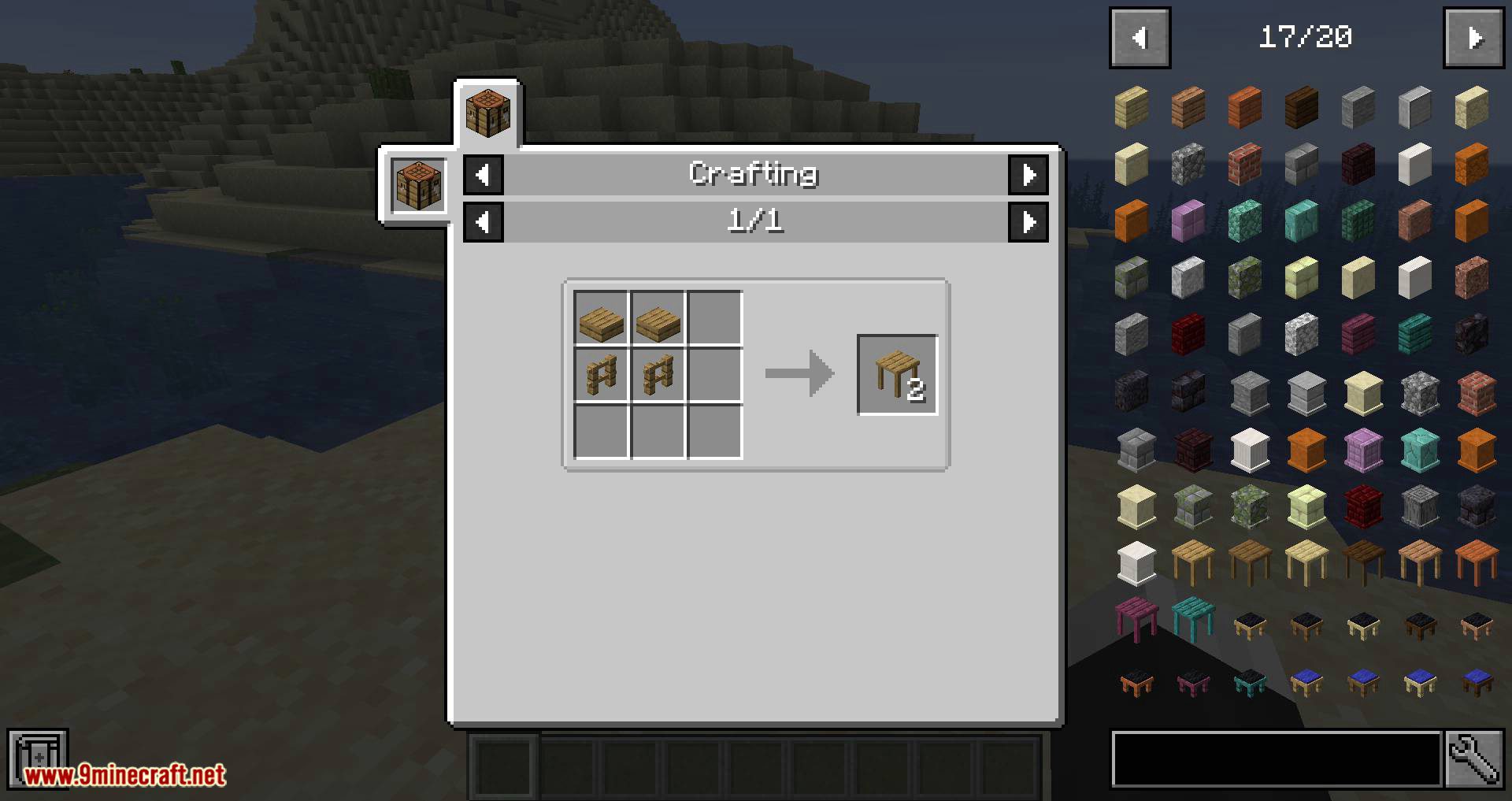
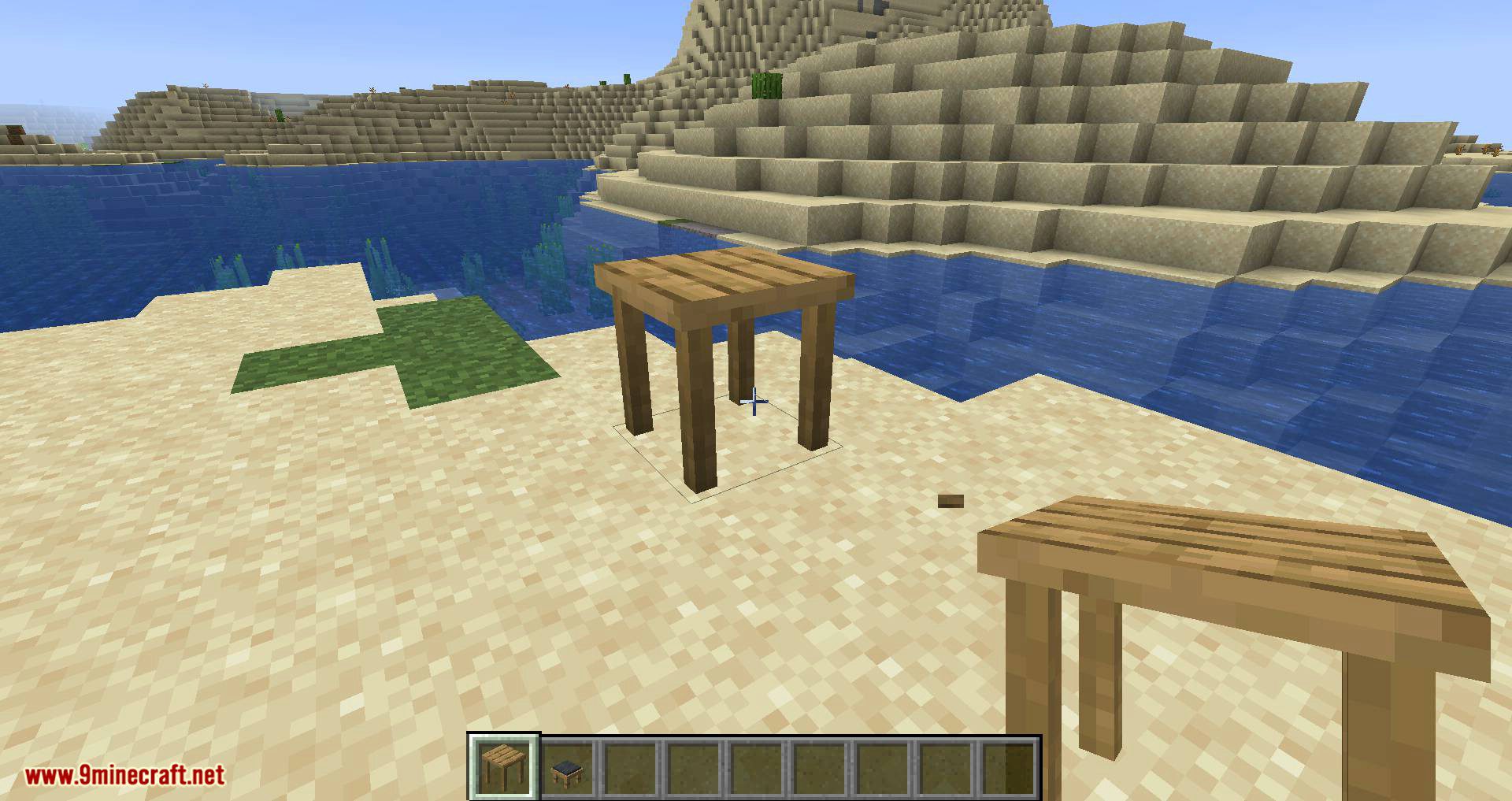
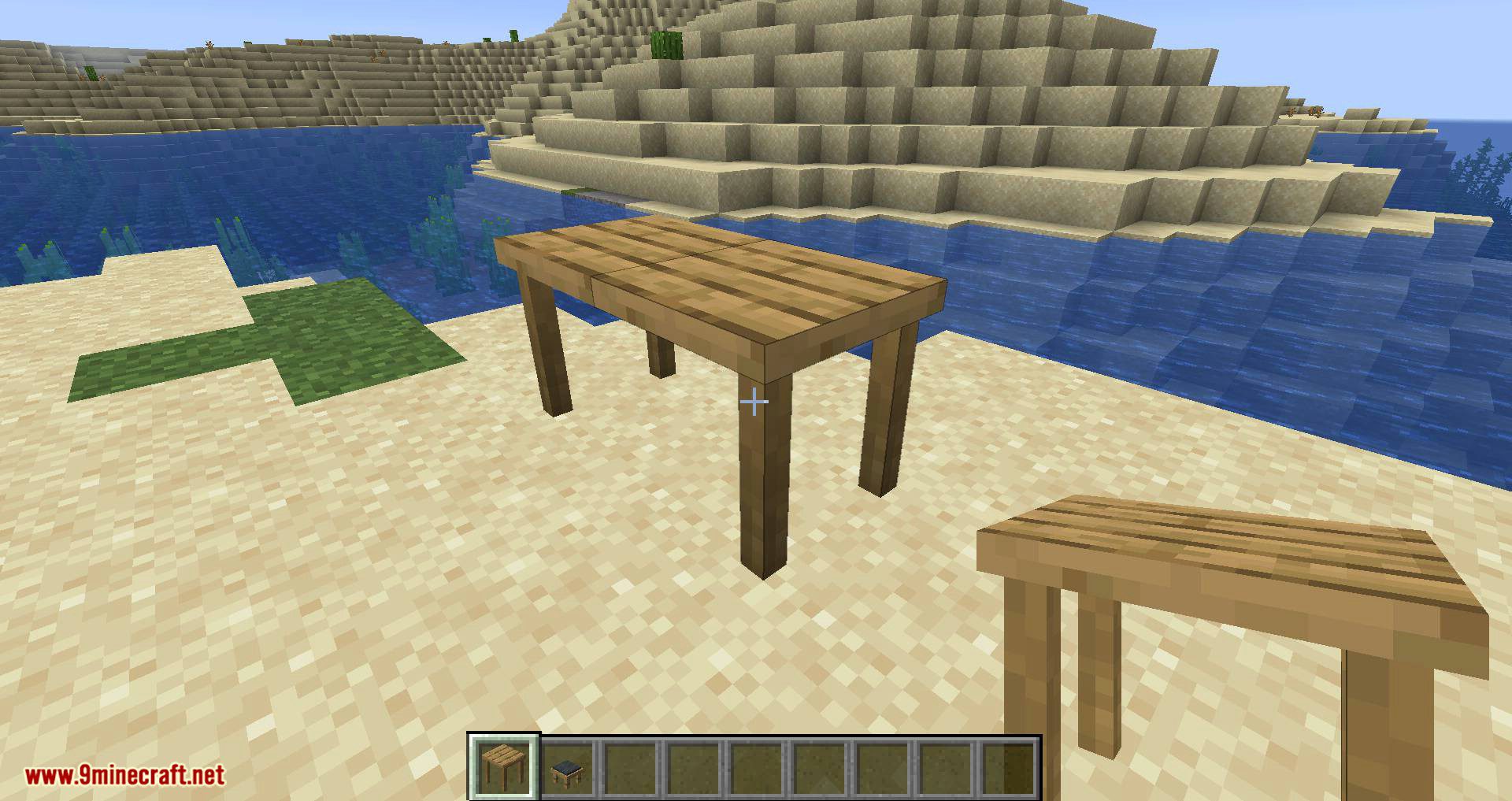
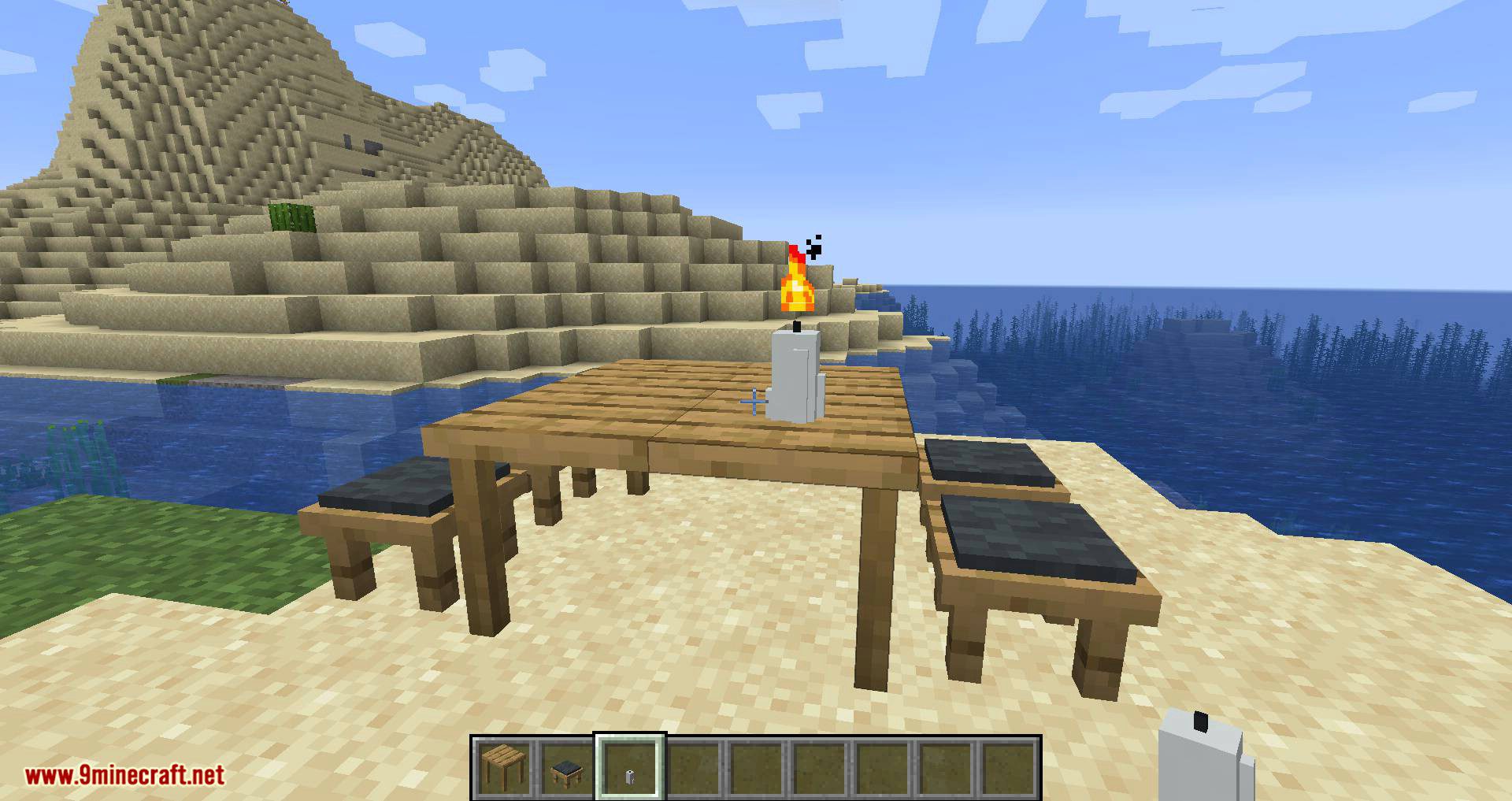
- Tables: Available in 8 wood types (Oak, Spruce, Birch, Acacia, Jungle, Dark Oak, Crimson, and Warped) with connected models; crafted with 3 slabs and 4 fences of the same wood.
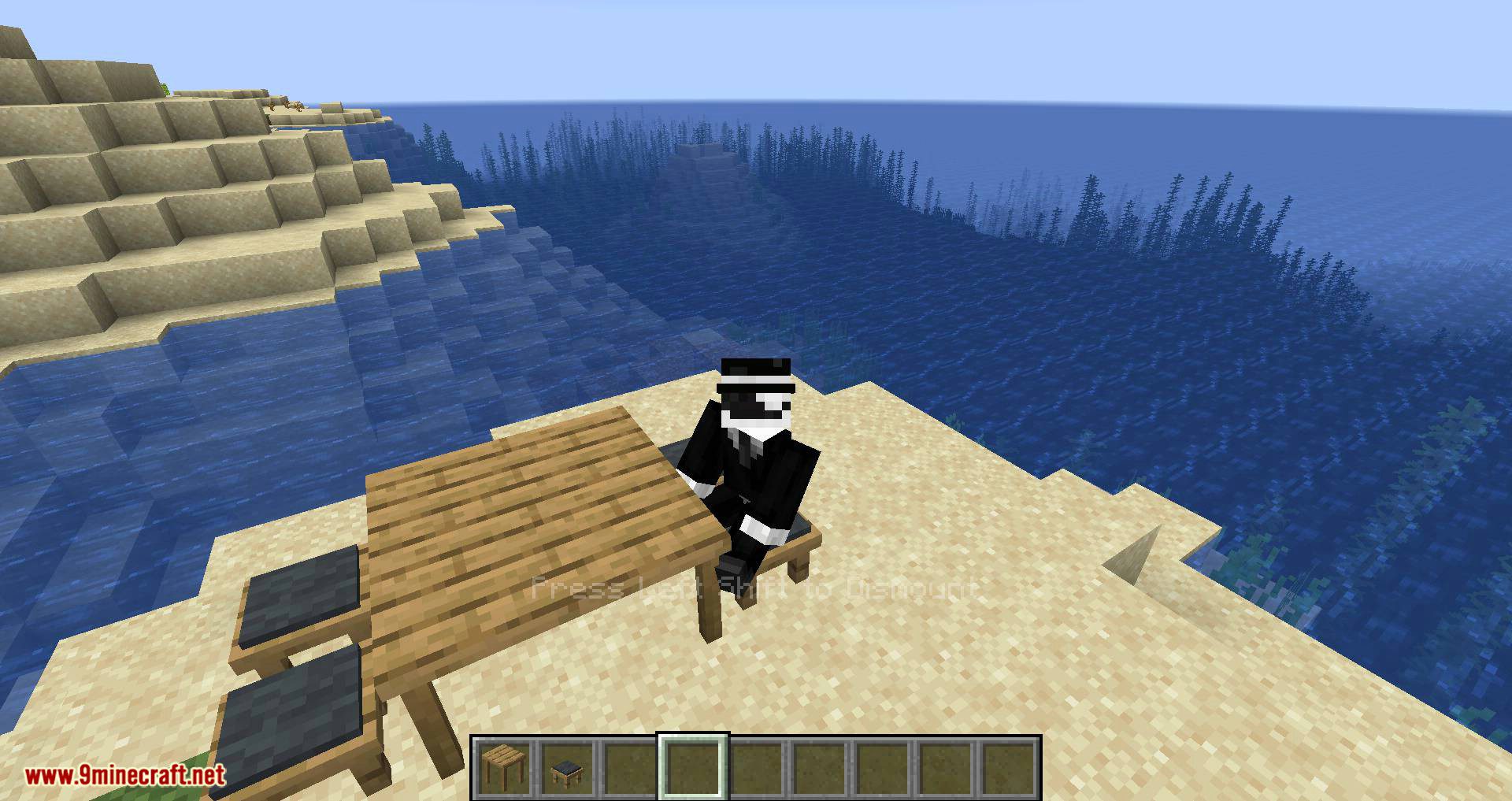
- Stools: Available in all 8 wood types; right-click to sit, press Shift to exit, or right-click with a pillow to add a cushion; crafted with 2 slabs and 2 fences.
- Chairs (1.17 and above): Available in all 8 wood types; right-click to sit, press Shift to exit, or right-click with a pillow to add a cushion; crafted with 2 slabs, 2 fences, and 2 panels.
- Pillows: Available in all 16 wool colors; place them on the ground or on stools and chairs, then right-click to sit (Shift to exit); crafted with 2 wool and 2 string.
- Benches: Available in 8 wood types (Oak, Spruce, Birch, Acacia, Jungle, Dark Oak, Crimson, and Warped) with connected models; right-click to sit and press Shift to exit; crafted with 3 slabs, 2 fences, and 1 stick.
- Sofas: Available in all wool colors with connected models, plus inner and outer corner models in version 2.0.0; right-click to sit and press Shift to exit; crafted with 2 wool, 2 pillows, and 2 iron rods.
Storage and Display Blocks:
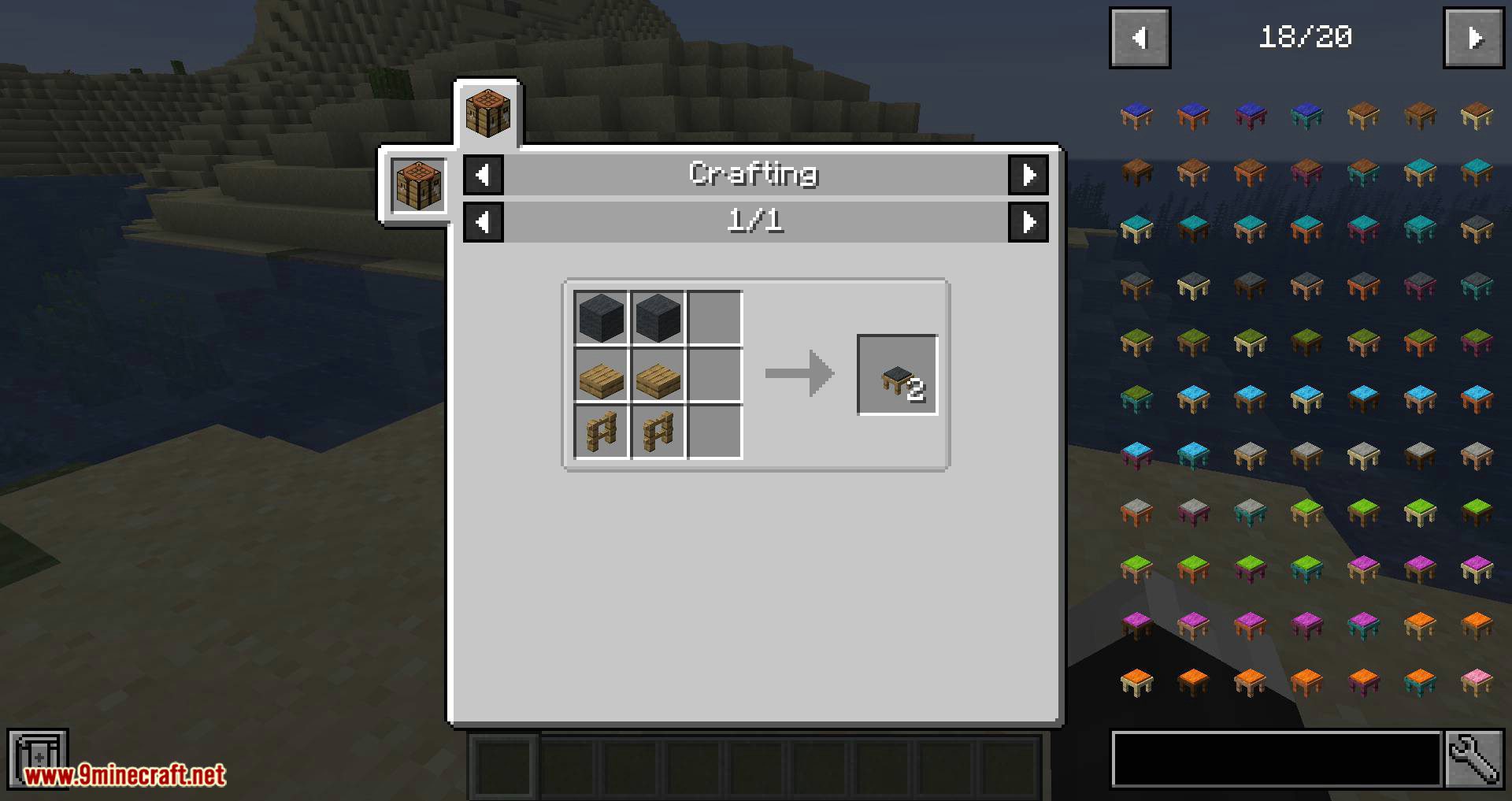
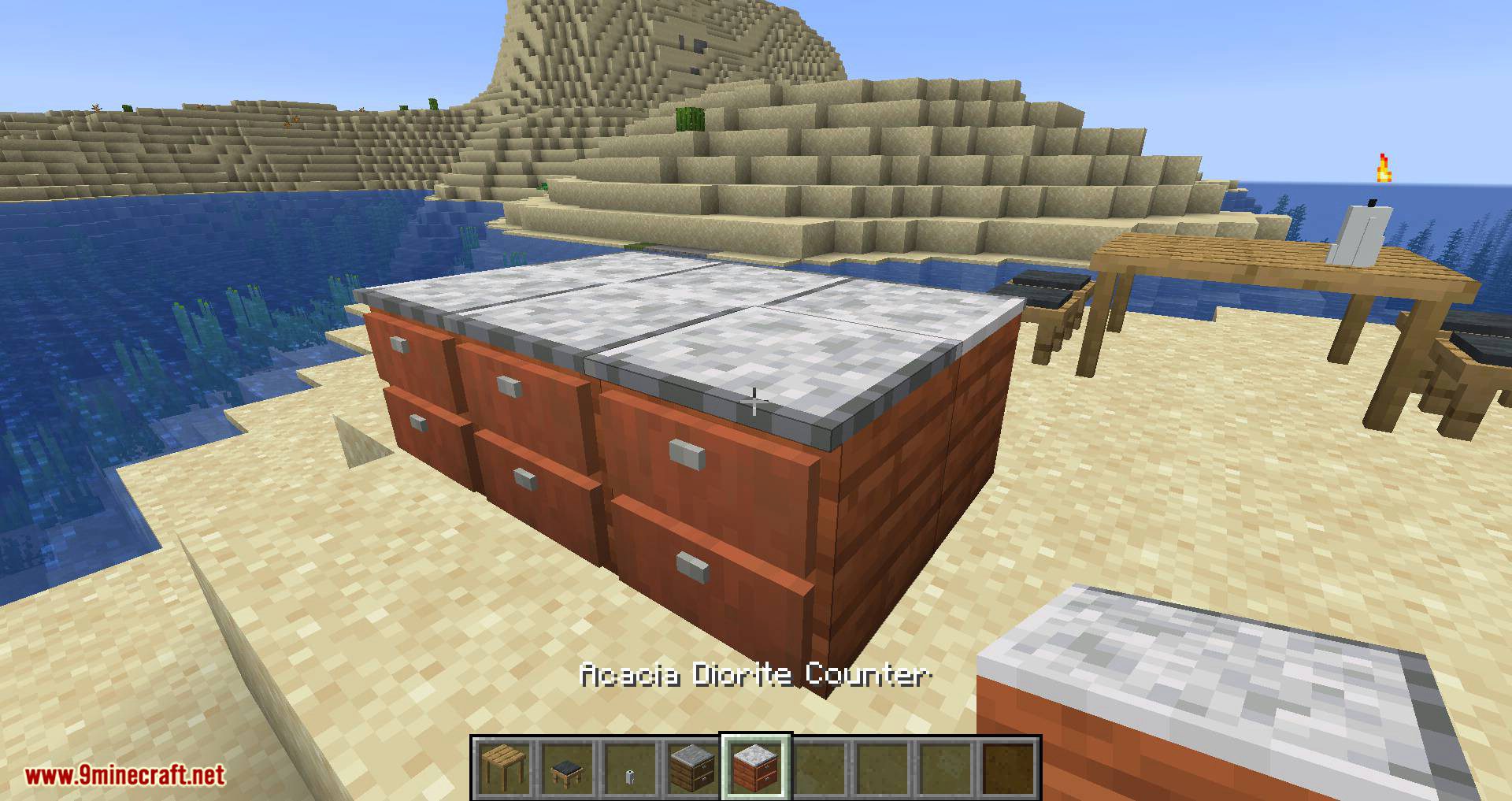
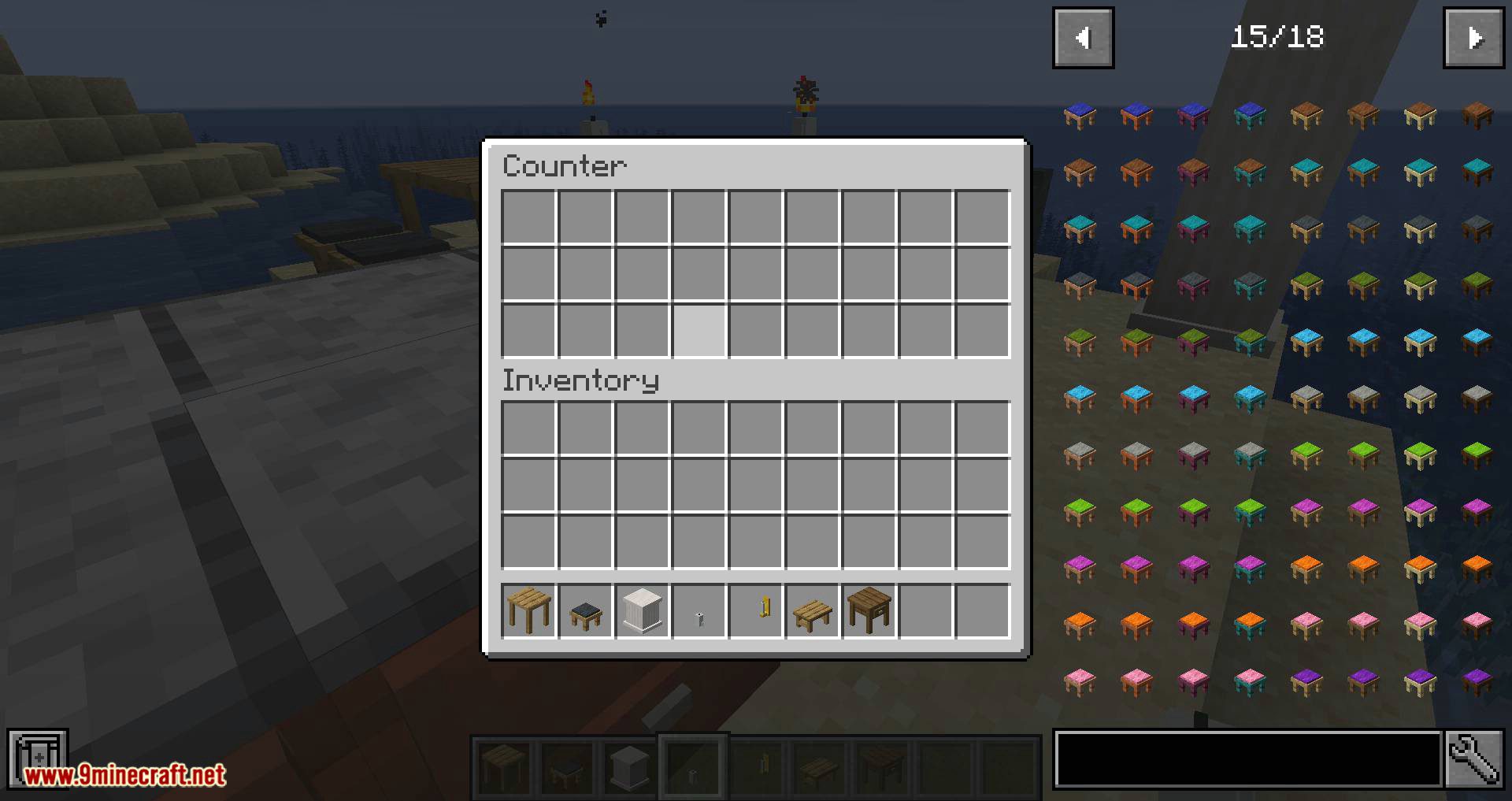
- Counters: Available in 32 variants combining all plank types with Andesite, Diorite, Granite, and Blackstone, plus stripped log countertops in version 2.0.0; offers a 27-slot inventory, can be water-logged, and stays closed if a solid block is in front; crafted with 5 planks and 3 slabs of the same wood and stone.
- Cabinets: Available in all plank types with an 18-slot inventory and water-logging support; crafted with 6 panels and 2 slabs of the same wood.
- Cupboards: Available in all plank types with a 54-slot inventory, water-logging support, and a mirrored model when placed while sneaking; in version 2.0.0, single cupboards connect vertically like chests to form the larger version; crafted with 2 panels and 2 chests.
- Small Cupboards (1.17 and above): Available in all plank types with a 27-slot inventory, water-logging support, and a mirrored model when placed while sneaking; crafted with 2 panels and 2 chests.
- Bedside Tables: Available in all plank types with a 9-slot inventory and water-logging support; crafted shapelessly with 3 panels and 1 table of the same wood.
- Bookshelves: Available in all 8 plank types with 18 slots for regular, written, and enchanted books; adds 1 enchantment power for every 3 filled slots, up to the power of 6 vanilla bookshelves; crafted with 6 panels and 3 slabs of the same wood.
- Shelves: Available in all 8 plank types (with an updated model in version 2.0.0) and a 6-slot inventory that visibly displays all 6 item stacks; crafted with 9 slabs of the same wood.
- Shop Signs: Available in all wood types in version 2.0.0; mounts in 8 orientations (North, East, South, West, Up X/Z, Down X/Z) on solid surfaces, pillars, walls, and fences, and shows an item on both sides (right-click to place, Shift + right-click to remove); crafted with 4 panels and 2 iron nuggets.
Building and Decorative Blocks:
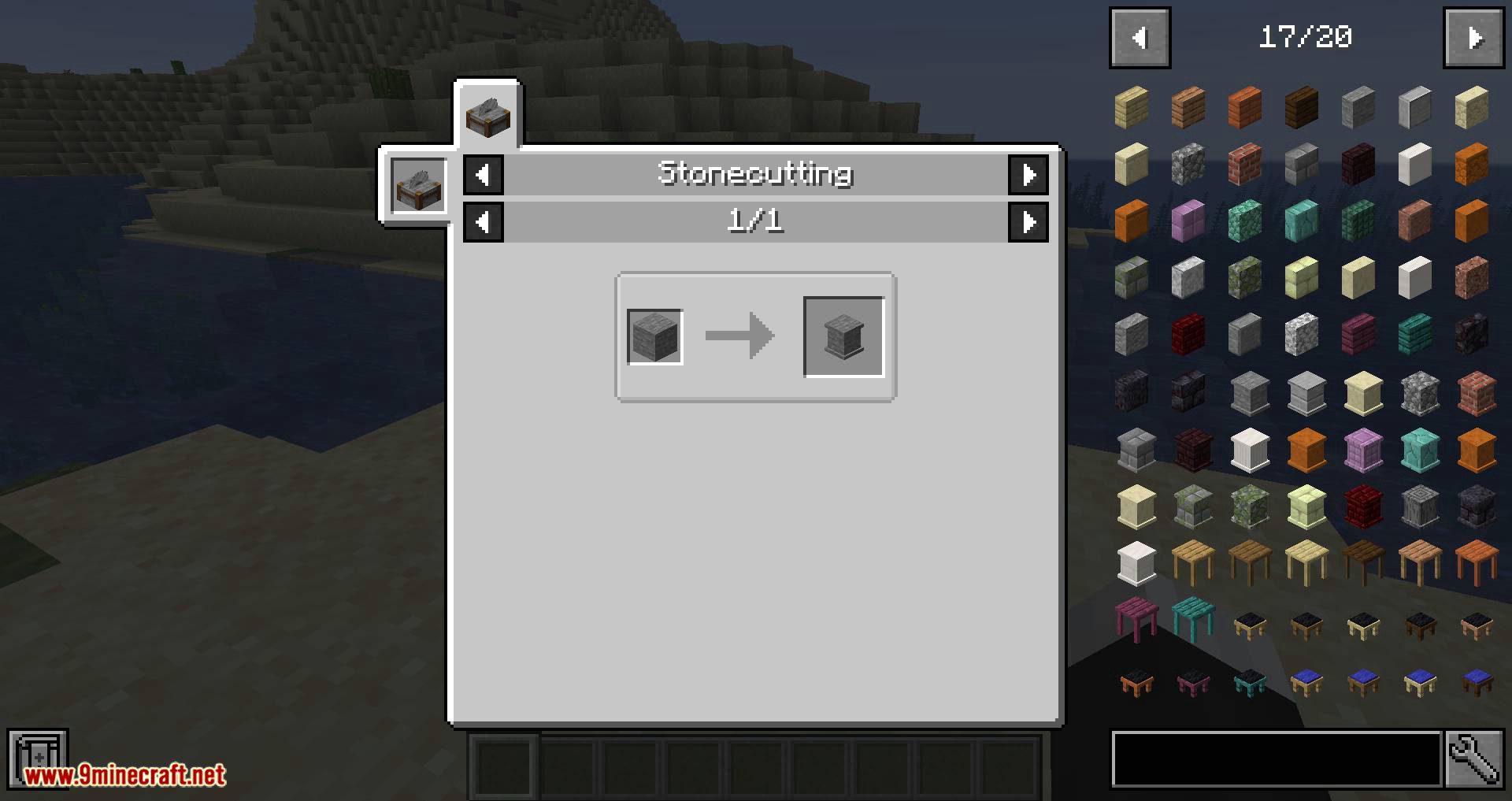
- Panels (Vertical Slabs): Matches every vanilla 1.19 slab variant (wood variants only in version 2.0.0); can be water-logged and crafted in a stonecutter or as a 3-block vertical line in a crafting table.
- Support Beams (v2.0.0): Wooden pillar and beam blocks for creating support structures.
- Posts (v2.0.0): Wooden beams with the thickness of a fence, suited for lamp posts and thin supports.
- Stripped Fences (v2.0.0): Fences made with stripped log textures.
- Hedges: Available in 6 leaf types (Oak, Spruce, Birch, Acacia, Jungle, and Dark Oak) with connected models; acts like a fence, can be water-logged, and 1 leaves block crafts 2 hedges.
- Arcade Machines: Available in all 8 plank types and lets you play Snake; crafted with 6 iron ingots, 1 comparator, 1 quartz, and 1 glass panel.
- Rough Iron Blocks: Made by smelting a regular Iron Block.
Earlier Version Blocks (v1.x.x / 1.16–1.20):
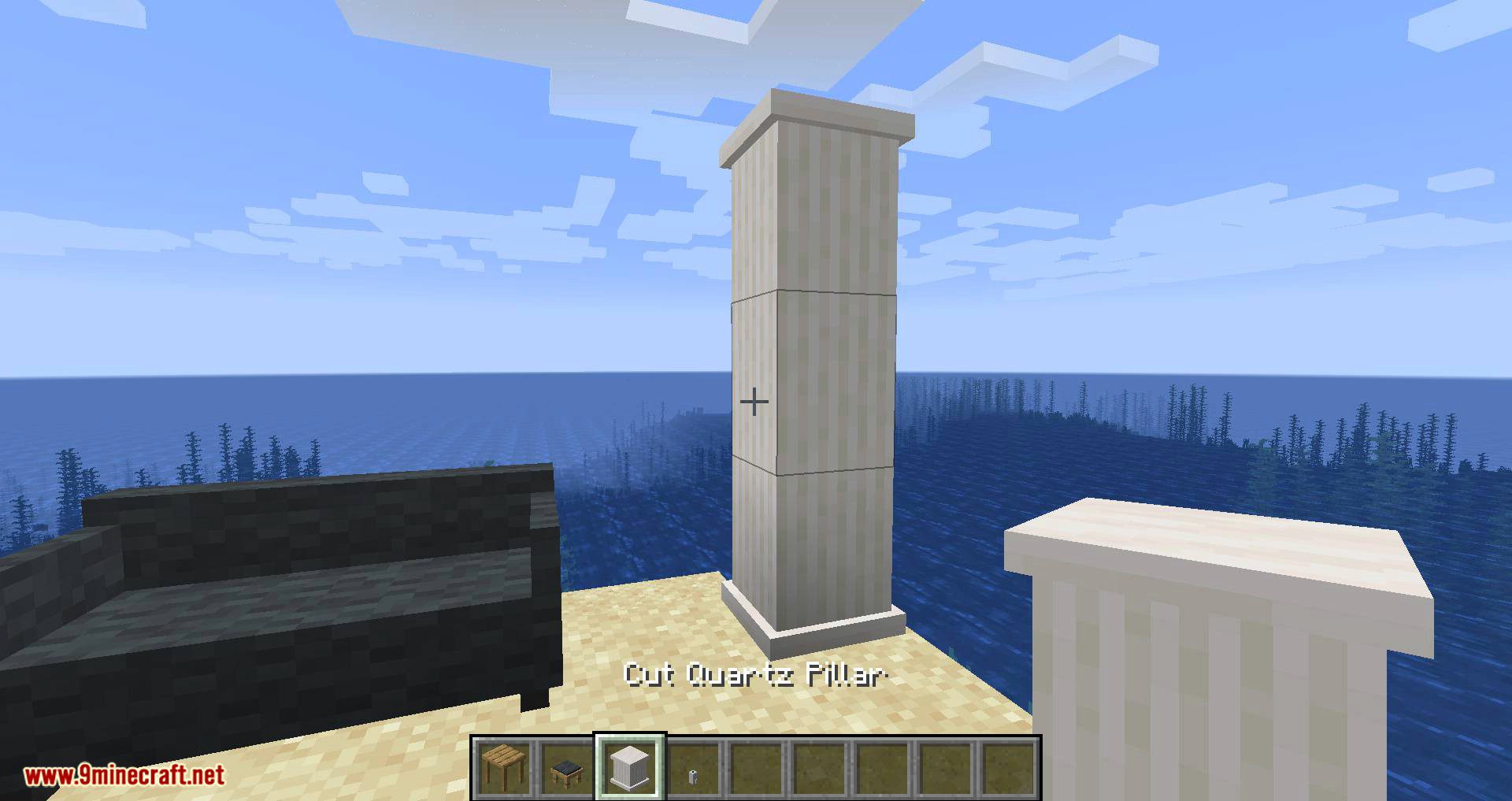
- Pillars (removed in v2.x.x): Crafted in the stonecutter with connected models and water-logging in 18 variants (Stone, Sandstone, Cobblestone, Bricks, Stone Bricks, Quartz, Red Sandstone, Purpur, Prismarine, Mossy Stone Bricks, Mossy Cobblestone, Smooth Stone, Smooth Sandstone, Smooth Red Sandstone, End Stone Bricks, Basalt, Polished Blackstone Bricks, and Quartz Bricks).
- Support Brackets (removed in v2.x.x): Available in all 8 plank types; attaches to solid surfaces, pillars, walls, and fences; crafted with 2 slabs, 1 panel, and 1 stick.
- Barrel Planters (removed in v2.x.x): Crafted with dirt and a barrel; right-click with a hoe to turn the dirt into farmland that needs no water and cannot be trampled, though trees do not grow in them.
- Iron Ladders (removed in v2.x.x): Self-supporting, water-loggable ladders crafted with iron rods instead of sticks (iron rods craft like sticks using 2 iron ingots).
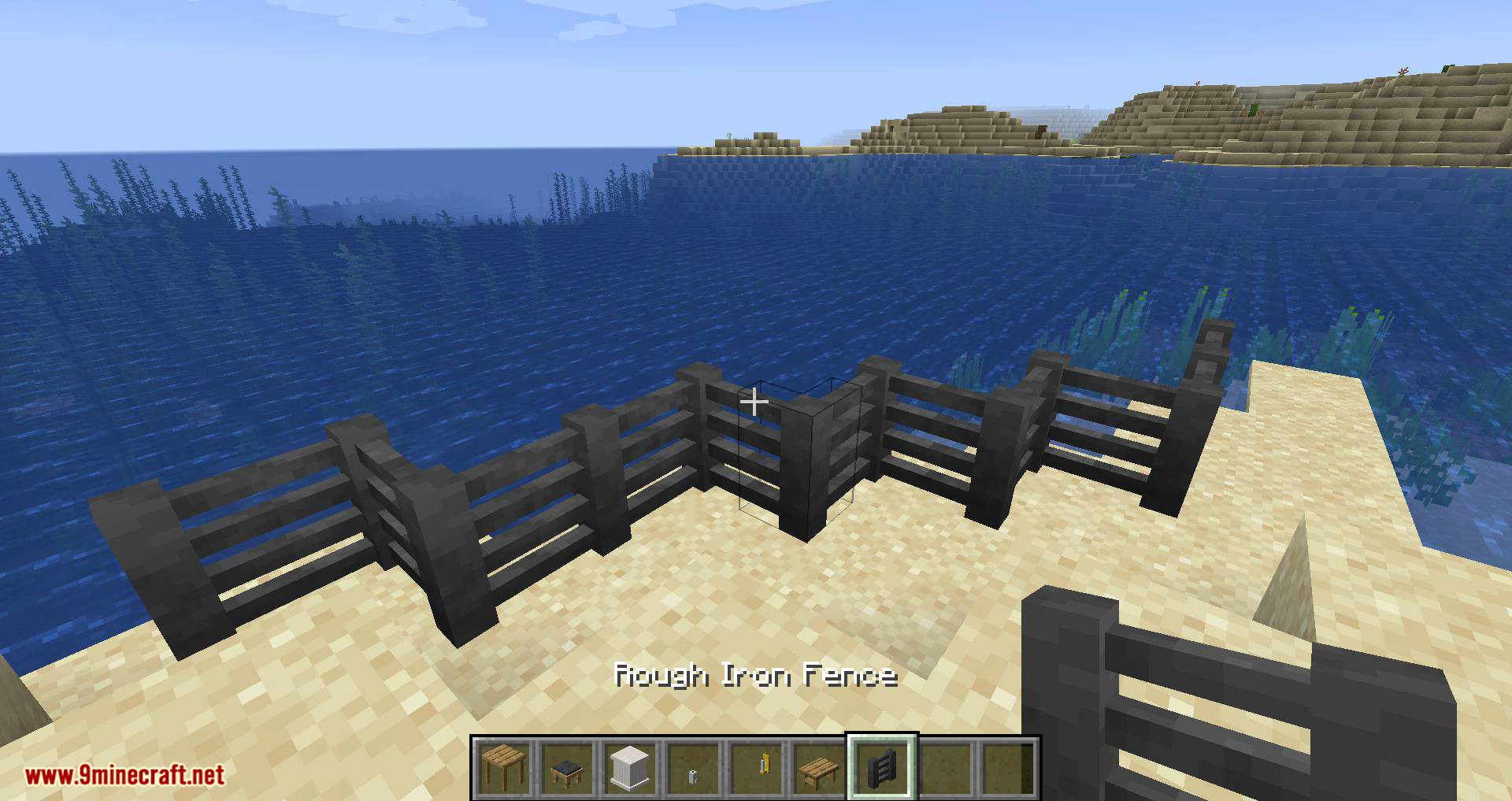
- Iron Fences (removed in v2.x.x): Comes in 2 variants with vanilla fence behavior; smelting Iron Fences makes Rough Iron Fences.
- MIDI Speakers (removed in v2.x.x): Plays note block sounds using a real or virtual MIDI device (such as LoopMIDI) with sound choices in its GUI; crafted with 4 logs, 2 note blocks, 2 iron ingots, and 1 plank.
- Detectors (removed in v2.x.x): Detects mobs within 4 blocks in front and sends a redstone signal based on how close the nearest mob is; crafted with 6 cobblestone, 2 redstone dust, and 1 emerald.
- Crossrails (removed in v2.x.x): 4-way rail intersections crafted with 4 iron ingots and 5 sticks.
- Gravel Paths (removed in v2.x.x): Made by right-clicking Gravel with a shovel.
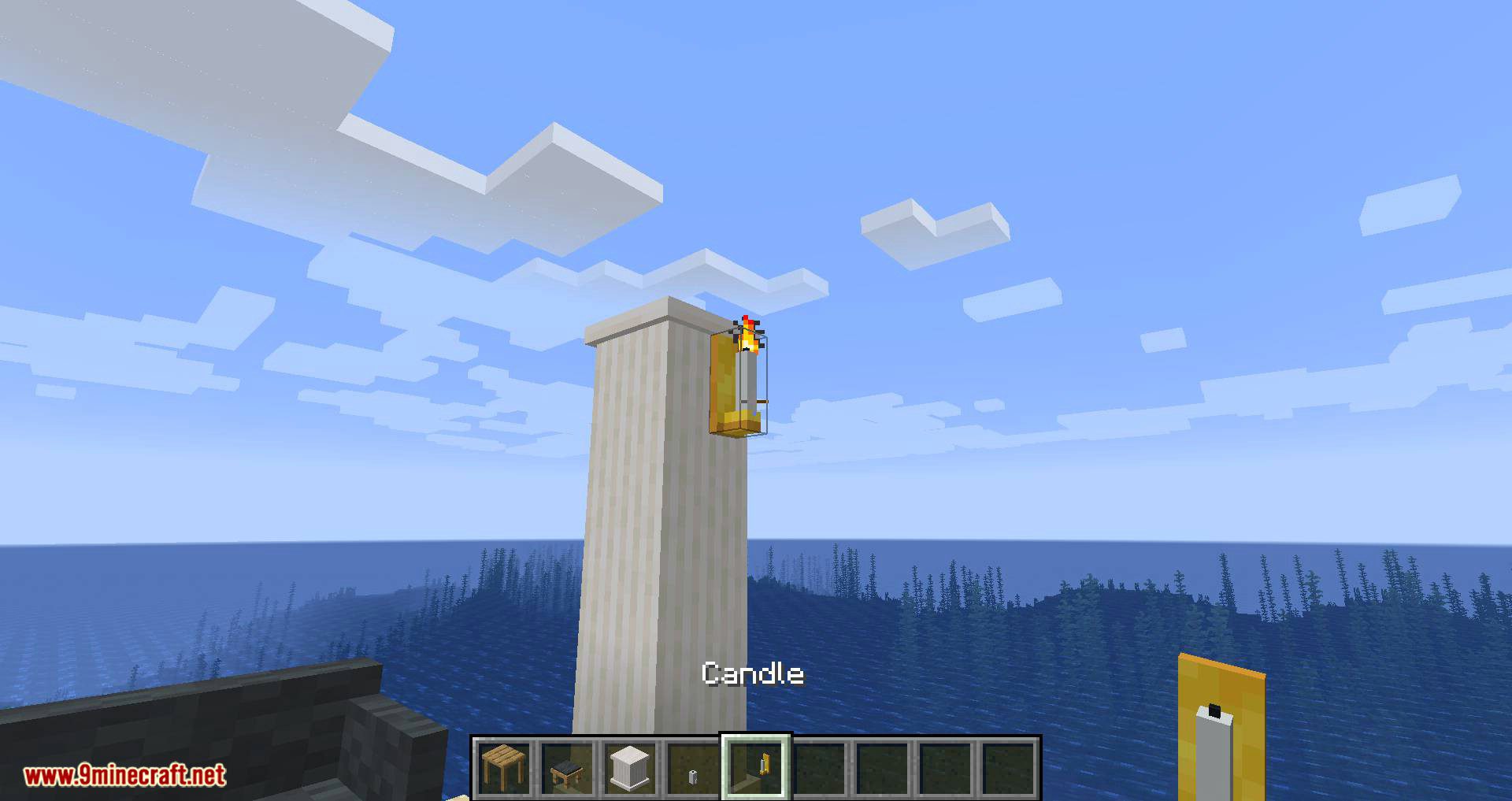
- Candles (1.16 only): Includes Candle, Soul Candle, Large Candle, and Large Soul Candle; lights with Flint and Steel, goes out with an empty hand, and mounts on walls or floors (Large Candle uses 3 honeycombs and 1 string; Large Soul Candle combines 1 Large Candle with Soul Sand or Soul Soil; Candle and Soul Candle combine 1 gold ingot with a Large Candle or Large Soul Candle).
- Wall-Mounted Redstone Diodes (removed in 1.20.1): Lets vanilla Repeaters (cannot be locked) and Comparators sit on walls facing up or down.
Configuration:
Edit these options in <minecraft install>/config/buildersaddition-common.toml:
MIDI_ENABLE: Main toggle to turn MIDI features on or off (default: true).MIDI_INPUT_ENABLE: Turns on MIDI input from a client device; must be set to true when using a MIDI device (default: false).MIDI_SOUND_ENABLE: Turns on client audio from the MIDI speaker (default: true).MIDI_NOTE_LIMIT: Sets the maximum number of played notes per second (default: 75).INV_ACCESS_BLOCK_CHECK: Controls whether a storage block checks if it is blocked before opening (default: true).REQUIRE_FLINT_AND_STEEL: Controls whether Flint and Steel is required to light a Candle (default: true).
How to Use:
- Use JEI or NEI in-game to check current crafting recipes, or place a Carpenter’s Table in version 2.0.0 to craft all blocks in this mod.
- Craft panels in a stonecutter like slabs, or arrange 3 blocks in a vertical line on a crafting table; combine 2 slabs or 2 panels to craft the full block back.
- Right-click any stool, chair, pillow, bench, or sofa to sit down, and press Shift to stand back up.
- Hold a pillow and right-click a stool or chair to place the cushion on top of it.
- Keep solid blocks away from the front of a counter so you can open its 27-slot inventory.
- Hold Shift while placing a cupboard or small cupboard to mirror its model; in version 2.0.0, stack two cupboards vertically so they connect into a larger cupboard.
- Place regular, written, or enchanted books into a bookshelf to add 1 enchantment power per 3 filled slots, up to the effect of 6 vanilla bookshelves.
- Right-click a shop sign while holding an item to display it on both sides, and press Shift + right-click to remove the item.
- Right-click Stone Bricks, Nether Bricks, or Blackstone Bricks with a pickaxe to turn them into their cracked variants.
- In earlier versions with Barrel Planters or Gravel Paths, right-click the planter dirt with a hoe to create untramplable farmland that needs no water, or right-click Gravel with a shovel to make a Gravel Path.
- In Minecraft 1.16 with Candles, right-click with Flint and Steel to light them and right-click with an empty hand to put them out.
- In earlier versions with MIDI Speakers, connect your real or virtual MIDI device before launching the game, set
MIDI_INPUT_ENABLEto true in the config file, and pick note block sounds inside the speaker GUI.
Crafting Recipes:
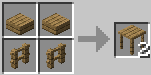
Table Crafting
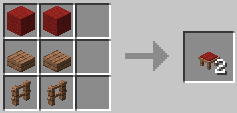
Stool Crafting
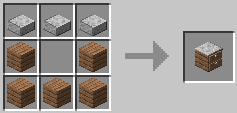
Counter Crafting
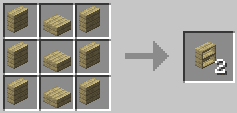
Bookshelf Crafting
Screenshots:


How to Install:
New to Minecraft? Follow our step-by-step guide to install Mods on your PC.View Guide
Builders Crafts & Additions Mod Download Links
For Minecraft 1.16.5
Forge version: Download from Server 1
For Minecraft 1.17.1
Forge version: Download from Server 1
For Minecraft 1.18.1
Forge version: Download from Server 1
For Minecraft 1.18.2
Forge version: Download from Server 1
For Minecraft 1.19
Forge version: Download from Server 1
For Minecraft 1.19.1
Forge version: Download from Server 1
For Minecraft 1.19.2
Forge version: Download from Server 1
For Minecraft 1.19.4
Forge version: Download from Server 1 – Download from Server 2
For Minecraft 1.20.1, 1.20
Forge version: Download from Server 1 – Download from Server 2
For Minecraft 1.20.2
Forge version: Download from Server 1 – Download from Server 2
For Minecraft 1.20.4
Forge version: Download from Server 1 – Download from Server 2
For Minecraft 1.21.1, 1.21
Forge version: Download from Server 1 – Download from Server 2
NeoForge version: Download from Server 1 – Download from Server 2
What graphic style do you prefer for your modded game?
13 responses · See the full results →
You May Also Like
Picked for this page
 WTHIT Mod (26.2, 1.20.1) – What The Hell Is That?
 Tectonic Mod (26.3, 1.20.1) – Improved Biomes
 Lootr Mod (26.3, 1.20.1) – Nobody Misses Out on Loot
 Alloy Forgery Mod (1.21.10, 1.20.1) – Multi-block Alloy Smelters
 Lifesteal Mod (26.3, 1.20.1) – Unleash Your Inner Predator
 Hardcore Torches Mod (26.1.2, 1.20.1) – Making Torches and Lanterns Temporary
 Terrestria Mod (26.3, 1.20.1) – Highly Detailed Biomes
 No Report Button Mod (26.3, 1.20.1) – Remove Chat Report
 Mim1q’s Derelict Mod (1.21.1, 1.20.1) – Transform Blocks into Waxed Versions
 Iron Tanks Mod 1.12.2, 1.11.2 (Expanding Buildcraft Tanks) (26.2, 26.1.2)
 AE2 Import Export Card Mod (26.1.2, 1.20.1) – Import And Export Card For AE2
 FabricProxy Lite Mod (26.3, 1.20.1) – Velocity Modern Forwarding
Most viewed in Mods over the last 7 days
 Ala Industrial Mod (26.3) – Run Electric Power Grids and Automated Factories
 PleasureCraft Mod (26.3, 1.21.1) – Jenny Mod Remake for Fabric
 Jennycraft Mod (26.3, 1.20.1) – Virtual Girlfriend in Minecraft
 Fapcraft Mod (26.3, 1.12.2) – Comprehensive and Detailed Content
 Jenny Mod (Fapcraft) Official Complete Guide – How to use, Tutorial
 BangCraft Mod (1.20.1) – Jenny, Ellie and Elliot
 Fabric Loader (26.3, 1.20.1) – Fabric Installer for All Minecraft Versions
 Meteor Client Mod (26.3, 1.20.1) – Xray, HUD, Fly
 OptiFine HD (26.3, 1.20.1) – Run Faster, FPS Boost, Shaders Support
 The Shooting Star Demo Mod (26.3, 1.20.1) – Vaporize Terrain From Orbit
 Aristois Client Mod (1.21.4, 1.20.1) – World Class Minecraft Utility
 SchnurriTV Mod (1.12.2) – Characters and Features
More from Mods
 Multi Item Lib Mod (1.20.1) – Wield Custom Gear with Flawless Hand Animations
 Universe3090 Mod (1.20.1) – Survive Corrupted Dimensions Filled
 Wireless Automate Mod (1.21.1) – Automate Base Logistics Without Messy Pipes
 Vaskars Opus Faction War Quests & Bosses Mod (1.21.11, 1.20.1)
 Multitools and More Mod (26.3, 1.20.1) – Clear Your Hotbar and Travel
 Luxium Let There Be Light Mod (1.20.1) – Stunning Lighting on Low-End Computers
 Soulscraft Tarnished Legacy Mod (1.21.1) – Hunt Relics to Forge Dark Fantasy
 Fetzi’s Displays Mod (26.1.2, 1.20.1) – Turn Rare Gear and Weapons
 Primal Plushies Paleo Pals Mod (1.21.1, 1.20.1) – Decorate Your Base
 Ipla Mod (26.3, 1.20.1) – Showcase Your Favorite Items
 MesdagPortLib Mod (1.20.1) – Run Modern Minecraft Mechanics on Older Versions
 Hellion’s API Mod (1.21.11, 1.21.1) – Play Hellion Series Addons Without Crashes

This post has no comments yet. Be the first — your comment will appear here.