
Create Control Panels Mod (1.21.1, 1.20.1) – Run Your Entire Factory
 0
 0

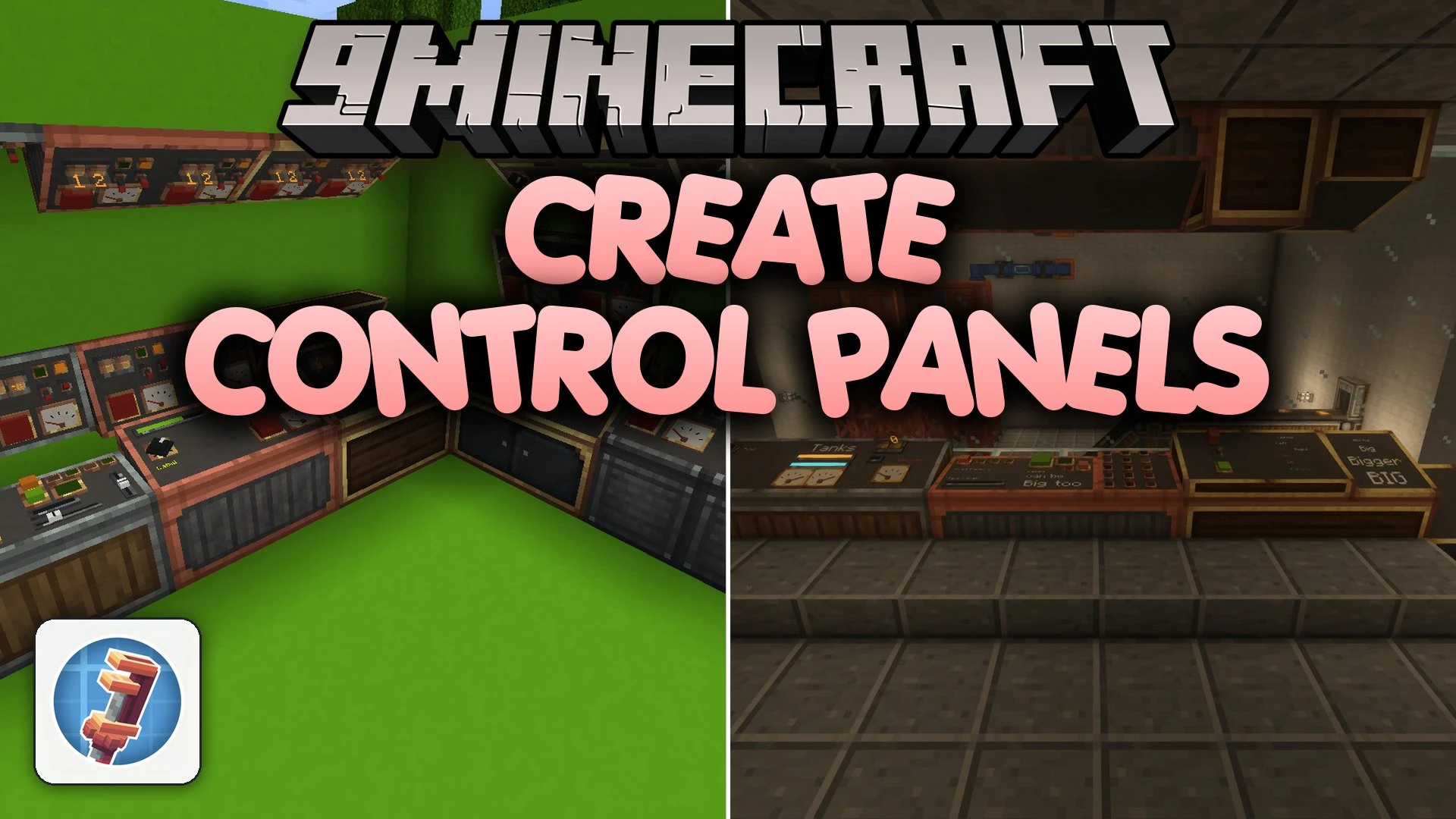
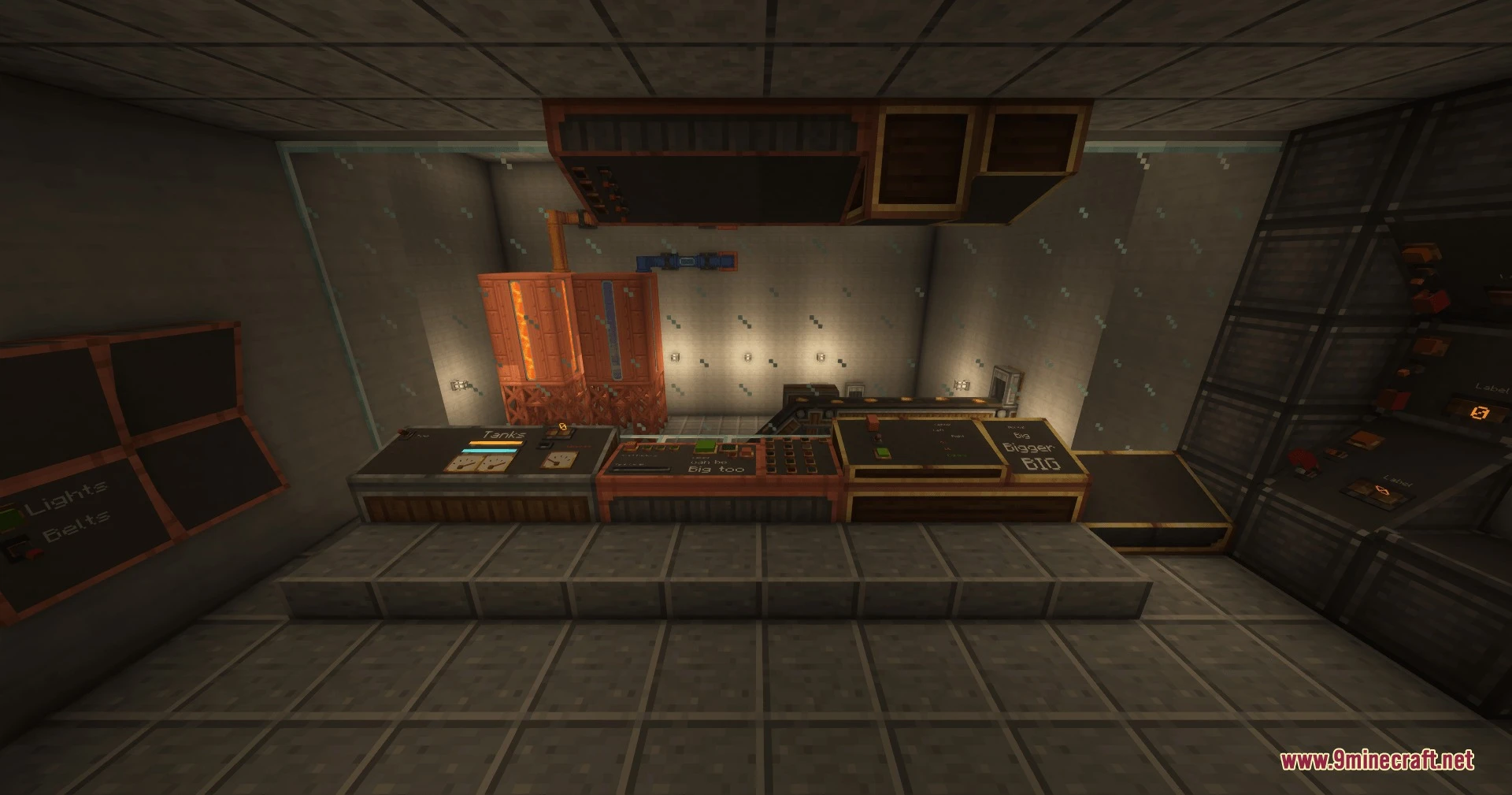
Create Control Panels Mod adds customizable control consoles for Create. It lets you place sloped panels and cover them with 18 interactive 3D components like buttons, switches, knobs, sliders, gauges, nixie tubes, and display boards. Every part connects wirelessly using Redstone Link frequencies or Display Links, so you can run a train yard, adjust a mill, open distant gates, or check tank levels without placing a single line of redstone dust. You need Create 6.0.8 or newer installed to use this addon in your world.
Features:
- Adjustable Console Block: Places as a single wedge on a floor, wall, or ceiling and tilts anywhere from flat to 45 degrees, with quick presets at 0, 15, 30, and 45 degrees.
- Console Designer Menu: Opens when you sneak-use a console with an empty hand, letting you drag and drop components onto a 16×16 face using a half-pixel grid while watching the console update live.
- Wireless Redstone Links: Connects each input and output component using two frequency items to send or display full 0 to 15 analog signal strengths.
- Live Display Link Text: Reads stress, speed, stock counts, and data from other mods when you point a Create Display Link at a console equipped with nixie strips or two-line display boards.
- Adds 18 clickable 3D parts directly on the block face so you can interact with controls in the world without opening a separate screen.
- Charges items directly from your inventory when you add parts to a panel and refunds those exact items back when you remove them.
- Changes the console body, part metal trim, and designer menu colors when you apply an Andesite, Brass, Copper, or Train Casing, or a Block of Industrial Iron or Weathered Iron.
- Joins consoles of the same shape, angle, and casing placed side by side into one long continuous desk.
- Keeps the full layout and design intact when you break a console to pick it up and move it elsewhere.
- Includes a Console Blueprint item that copies a layout from one panel and pastes it onto another, charging only for missing parts and refunding extra ones.
- Works with Create’s Clipboard to copy and paste frequencies between panel components and standard Redstone Links.
- Includes a Ponder scene to teach the basic mechanics right inside the game.
Panel Components:
- Buttons, Latching Buttons, and Big Red Buttons: Direct press controls you click on the panel surface to send an output signal.
- Toggle Switches and Guarded Switches: Standard switches plus a guarded version kept under a brass-hinged lid that you must lift before flipping the lever; closing the lid turns the switch off unless set to stay locked on under the cover.
- Knobs and Sliders: Output controls available in horizontal and vertical slider styles that send an analog signal from 0 to 15; you can set minimum and maximum limits marked by red lines or ticks in the designer.
- Analog Levers: Miniature versions of Create’s analog lever where the handle leans further and the built-in lamp glows brighter as the signal strength goes up.
- Lamps and Needle Gauges: Input indicators that listen to a frequency and light up or move a needle to show the current signal strength.
- Bar Meters: Horizontal and vertical meters that display incoming signal strength, with an adjustable length from 3 to 14 pixels set in the designer.
- Nixie Readouts: All-glass tubes with floating digits inside that are readable from both sides, facing straight out when mounted on a wall console to show a single number matching the incoming signal strength.
- Nixie Strips: Multi-tube displays holding 2 to 5 tubes that show one character per tube from a Display Link; numbers automatically drop decimals and units to fit, or show dashes instead of a wrong value.
- Display Boards: Two-row boards sized 12 to 14 pixels wide that look like Create’s standard display boards and shrink long text from a Display Link to fit on each line.
- Labels: Text captions that stay within their own width, wrap onto up to three lines, and never block your clicks when placed right next to a control.
How to Use:
- Craft a Control Console using three iron sheets above a transmitter, an andesite casing, and a Redstone Link, then place it on a floor, wall, or ceiling.
- Right-click the console with a wrench to cycle through 0, 15, 30, and 45-degree angles, or adjust the angle slider inside the designer for custom tilts.
- Sneak and right-click the console with an empty hand to open the Console Designer menu.
- Hover over a component on the left side of the menu to check its item cost, drag it onto the panel grid, and click it to set its two frequency items and options like Min/Max limits or meter length.
- Place a standard Redstone Link with the exact same two frequency items next to the machine you want to control or monitor.
- Click buttons and switches directly on the panel to toggle them; for knobs and sliders, right-click to step up by 1, sneak and right-click to step down by 1, hold right-click and drag your mouse, or sneak and scroll your mouse wheel.
- To show live text, place a nixie strip or display board in the designer and pick its line, right-click the console with a Display Link, place that link on a display source block, and open the link to select the matching line.
- Right-click the console with a Create casing or iron block to change its look, or craft a Console Blueprint from two paper, lapis lazuli, and a brass sheet to copy and paste your panel layout onto other consoles.
Screenshots:


How to Install:
New to Minecraft? Follow our step-by-step guide to install Mods on your PC.View Guide
Requirements:


Create Control Panels Mod Download Links
For Minecraft 1.21.1, 1.21
For Minecraft 1.20.1, 1.20
What is the longest real-time wait you will tolerate for a heavily modded game to load to the main menu?
16 responses · See the full results →
You May Also Like
Picked for this page
 Easy Villagers Mod (26.3, 1.20.1) – Automate Trades and Farms
 Iron Jetpacks Mod (26.1.2, 1.20.1) – Soar High on Forge Energy
 RFTools Power Mod (26.3, 1.20.1) – Send Power Across Worlds
 Litematica Printer Mod (26.3, 1.20.1) – Print Detailed Blueprints As You Walk
 Animal Pens Mod (26.3, 1.20.1) – Lag-Free Livestock Farming
 Cooldown Coordinator Mod (26.3, 1.20.1) – Build Reliable Item Sorters
 Good Recipes Mod (26.2, 1.20.1) – Craft Missing Items and Save Inventory Space
 Remapped Mod (26.2, 1.21.1) – Craft Maps Cheaply and See Biomes Accurately
 Starlight with Create Fix Mod (1.20.1) – Build Massive Factories Without Lags
 Geopolitical Radar Extension Mod (26.3, 1.21.11) – Track Nation Borders
 One Eyed Tokyo Ghoul Mod (1.20.1) – Hunt Human Prey or Slay Ghouls
 Endless Ore Redstone Mod (1.21.1, 1.20.1) – Harvest Millions of Ores
Most viewed in Mods over the last 7 days
 Ala Industrial Mod (26.3) – Run Electric Power Grids and Automated Factories
 PleasureCraft Mod (26.3, 1.21.1) – Jenny Mod Remake for Fabric
 Jennycraft Mod (26.3, 1.20.1) – Virtual Girlfriend in Minecraft
 Fapcraft Mod (26.3, 1.12.2) – Comprehensive and Detailed Content
 Jenny Mod (Fapcraft) Official Complete Guide – How to use, Tutorial
 Meteor Client Mod (26.3, 1.20.1) – Xray, HUD, Fly
 OptiFine HD (26.3, 1.20.1) – Run Faster, FPS Boost, Shaders Support
 BangCraft Mod (1.20.1) – Jenny, Ellie and Elliot
 Fabric Loader (26.3, 1.20.1) – Fabric Installer for All Minecraft Versions
 CatLean Client Mod (26.2, 1.21.11) – ThunderHack Recode Alternatives
 Patched Mod (26.3, 1.20.1) – Edit Game Files Without Breaking Packs
 SeedCrackerX Mod (26.3, 1.20.1) – Find Any World Seed
More from Mods
 Thaumic Puncy Punchy X Thaumaturge Mod (26.1.2, 1.21.1)
 Display That Heal Mod (1.21.1) – Build Working Pokemon Centers
 Fortune Works on Axes Mod (26.3) – Harvest Stacks of Extra Wood From Every Tree
 HBM Far View Continuum Compat Mod (1.21.1) – Witness Huge Nuclear Blasts
 Gamblerrr Mod (26.2) – Wager Extra Survival Loot on High-Stakes Casino Games
 LIMBO Dimension Data Pack Mod (26.2, 1.20.1) – Survive in a Foggy Realm
 Havranec’s Green Screen Mod (26.3, 1.20.1) – Build Custom Film Studios
 Advent of Chaos Mod (1.21.4, 1.20.1) – Craft Star Metal Weapons
 Copper Workforce Mod (26.2, 1.21.11) – Turn Copper Golems Into Farmers, Miners
 Cyber Farm Mod (26.2, 1.20.1) – Automate Your Base with Flying Drones
 Canned Goods Mod (1.21.4, 1.20.1) – Carry Double the Food in Every Single
 Create the Factory Must Grow by Dr_Mango_Tea Mod (1.21.1, 1.20.1)

This post has no comments yet. Be the first — your comment will appear here.