
Create Mechanical Extruder Mod (1.21.1, 1.20.1) – Infinite Stone From Kinetic
 3,092
 0


Create Mechanical Extruder Mod adds kinetic machines for Create that make blocks and items from nearby blocks or fluids. This mod includes an Andesite Extruder for normal recipes and a Brass Extruder for advanced recipes that can consume source blocks. It also supports recipe filters when two recipes use the same inputs, item pickup by hand or with automation, and JEI recipe viewing. This mod fits custom modpacks and works with KubeJS to set custom recipe rules like height limits, speed ranges, catalysts, and biomes. It brings the style of Thermal Expansion’s Igneous Extruder into Create setups.
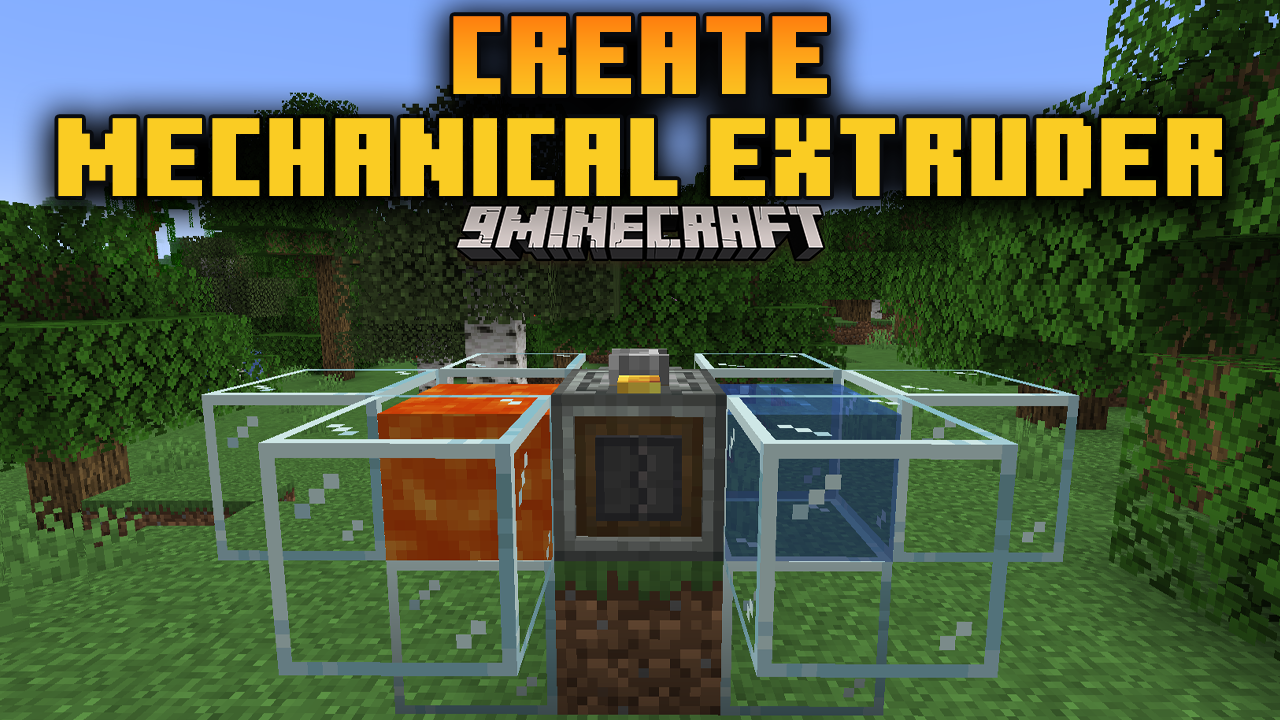
Features:
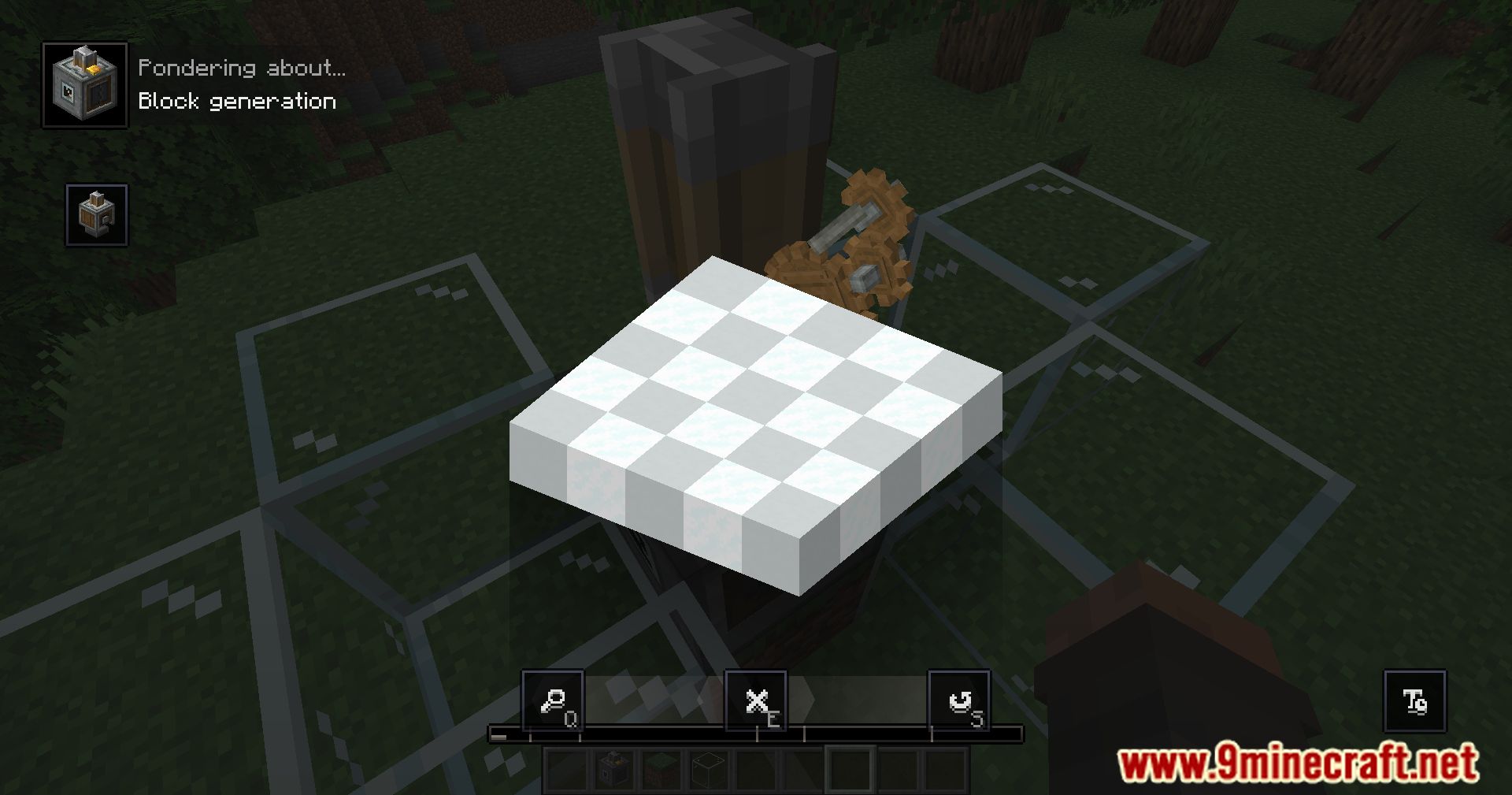
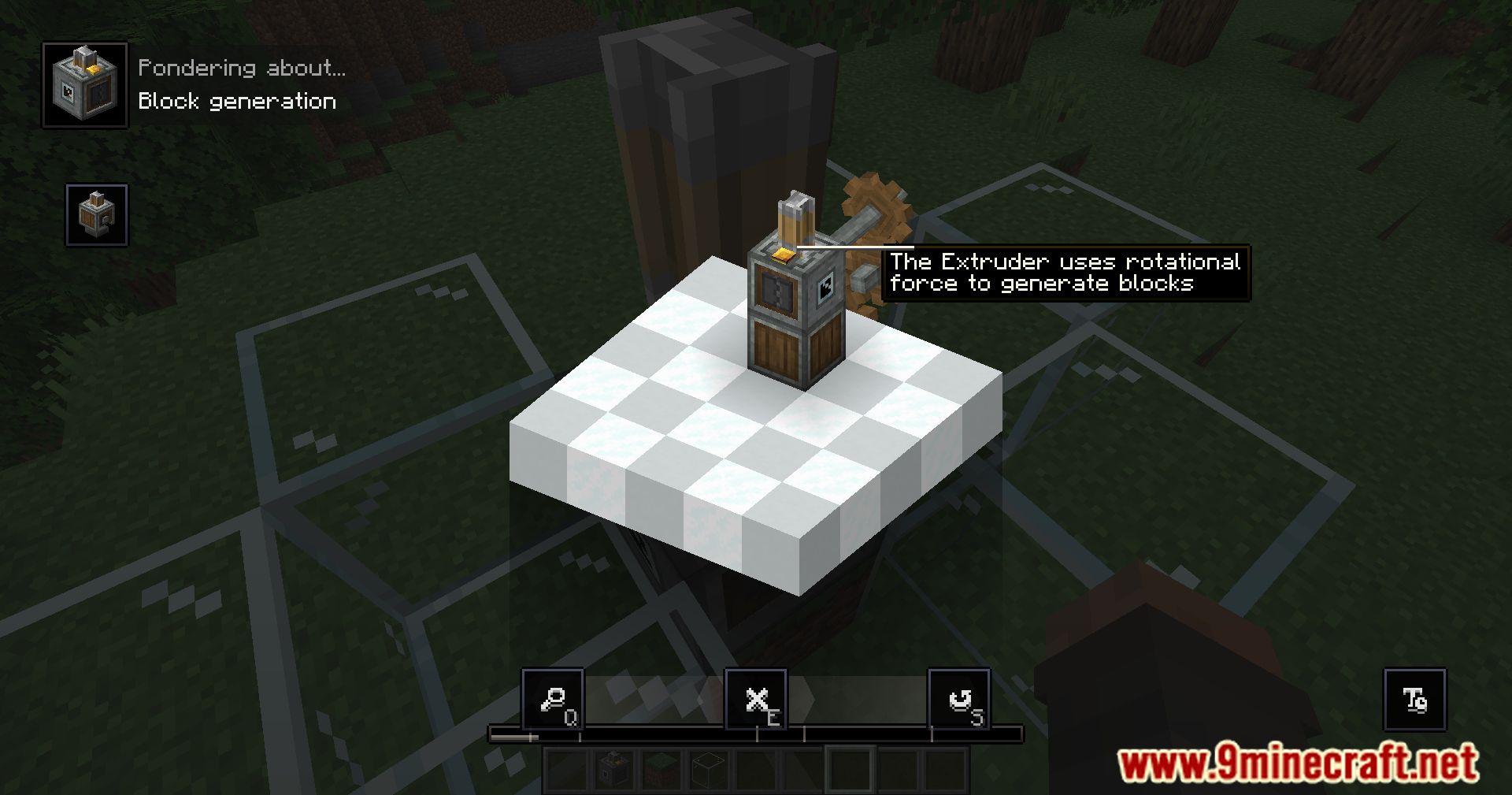
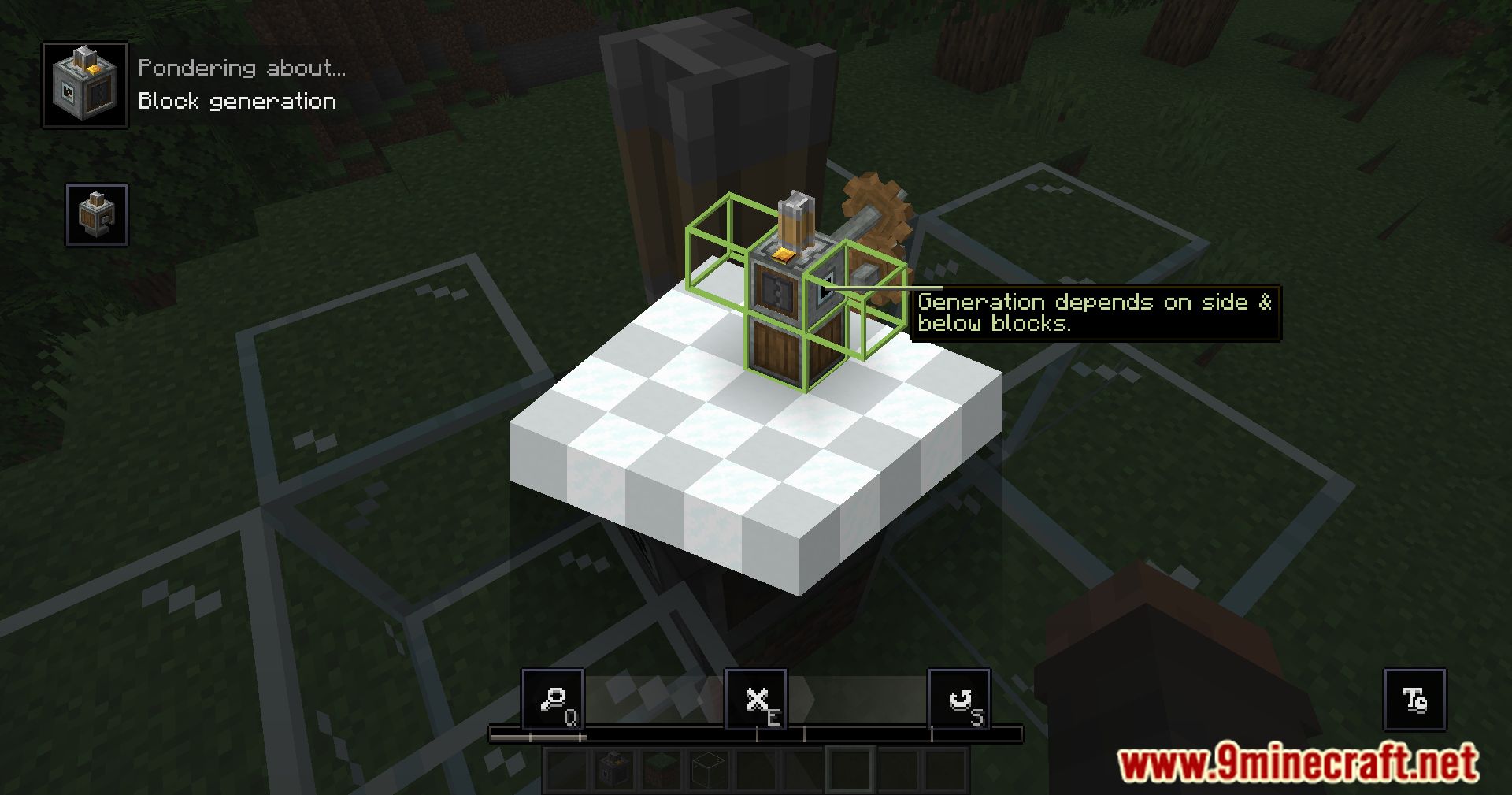
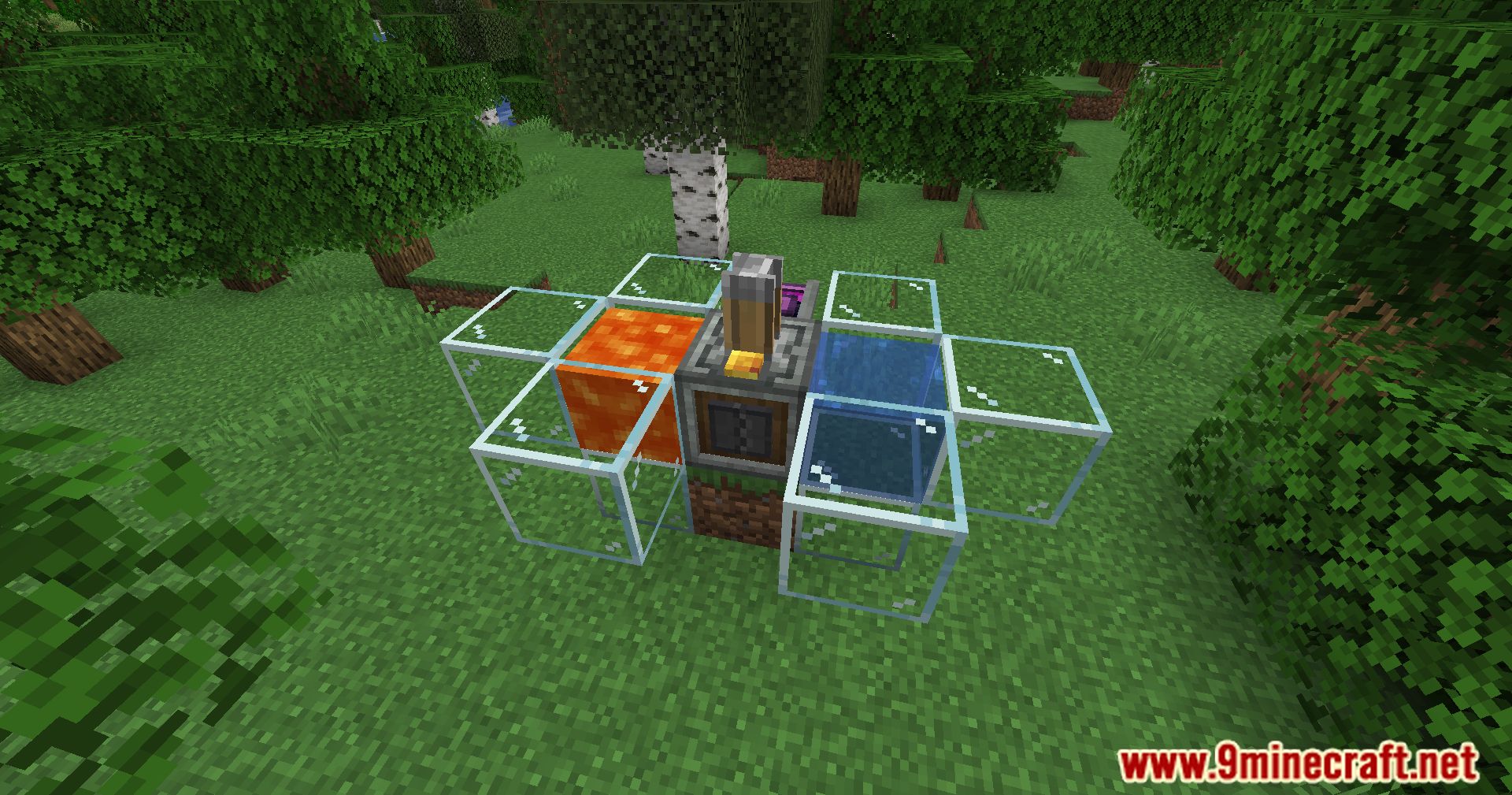
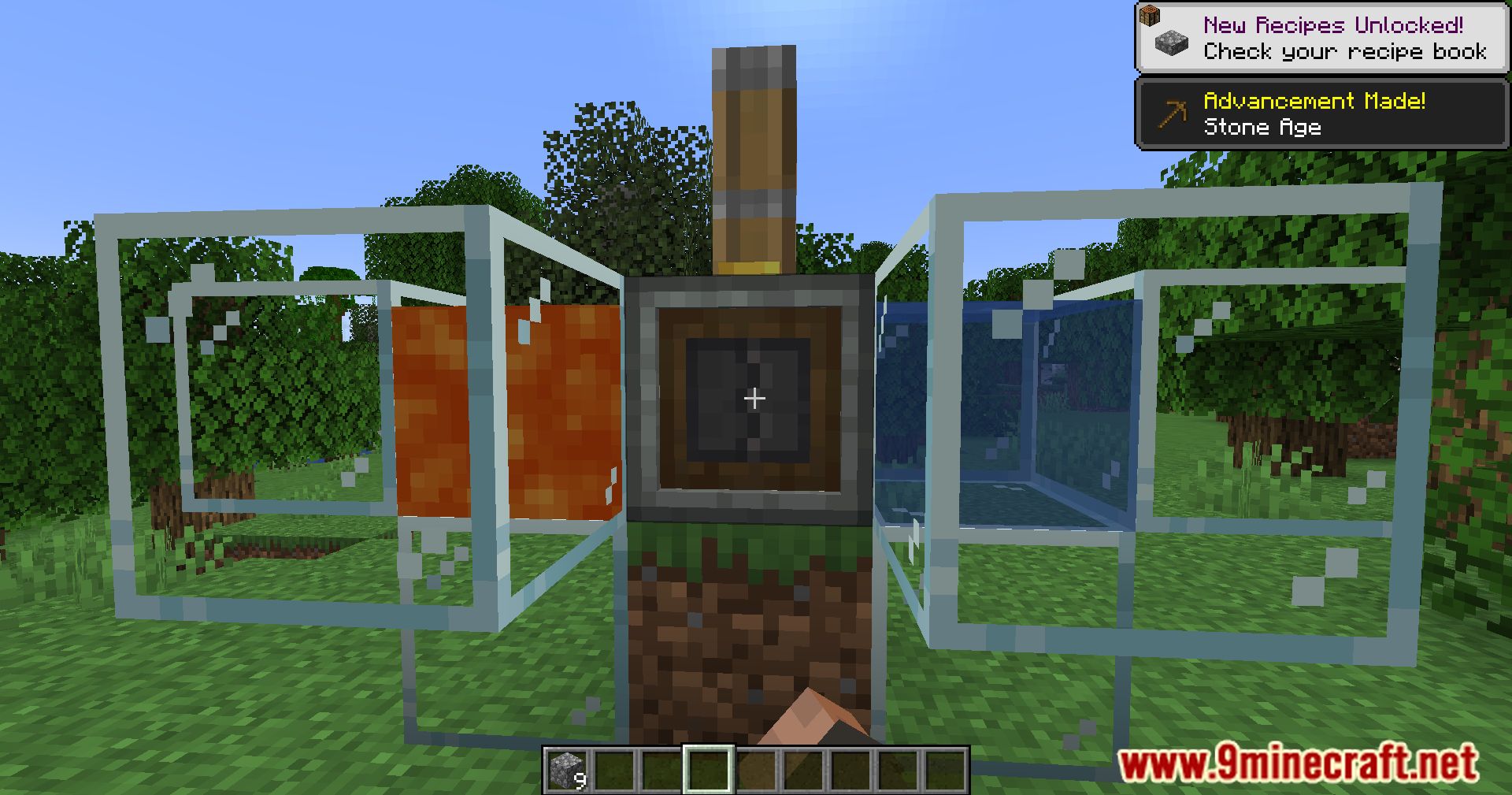
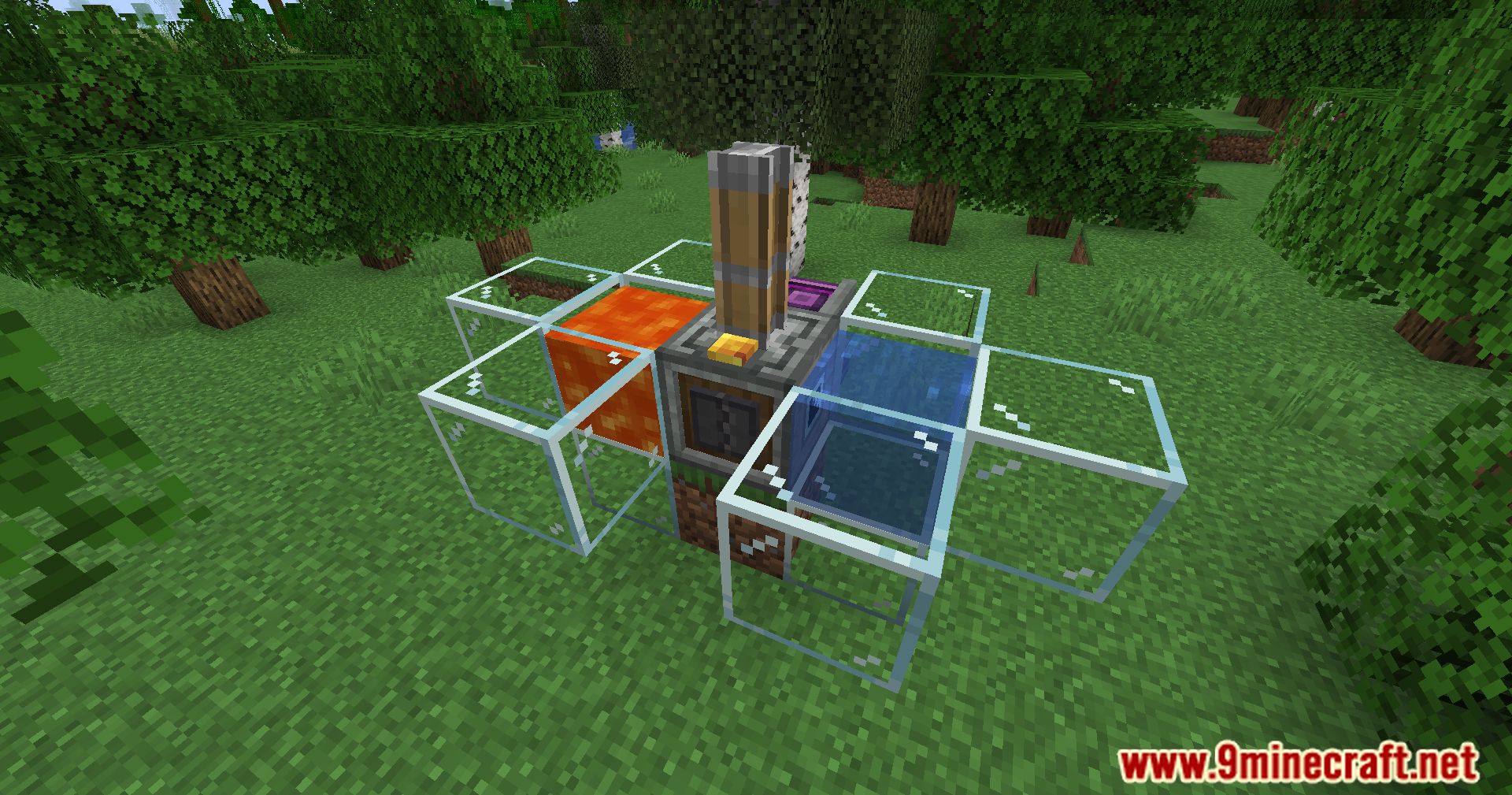
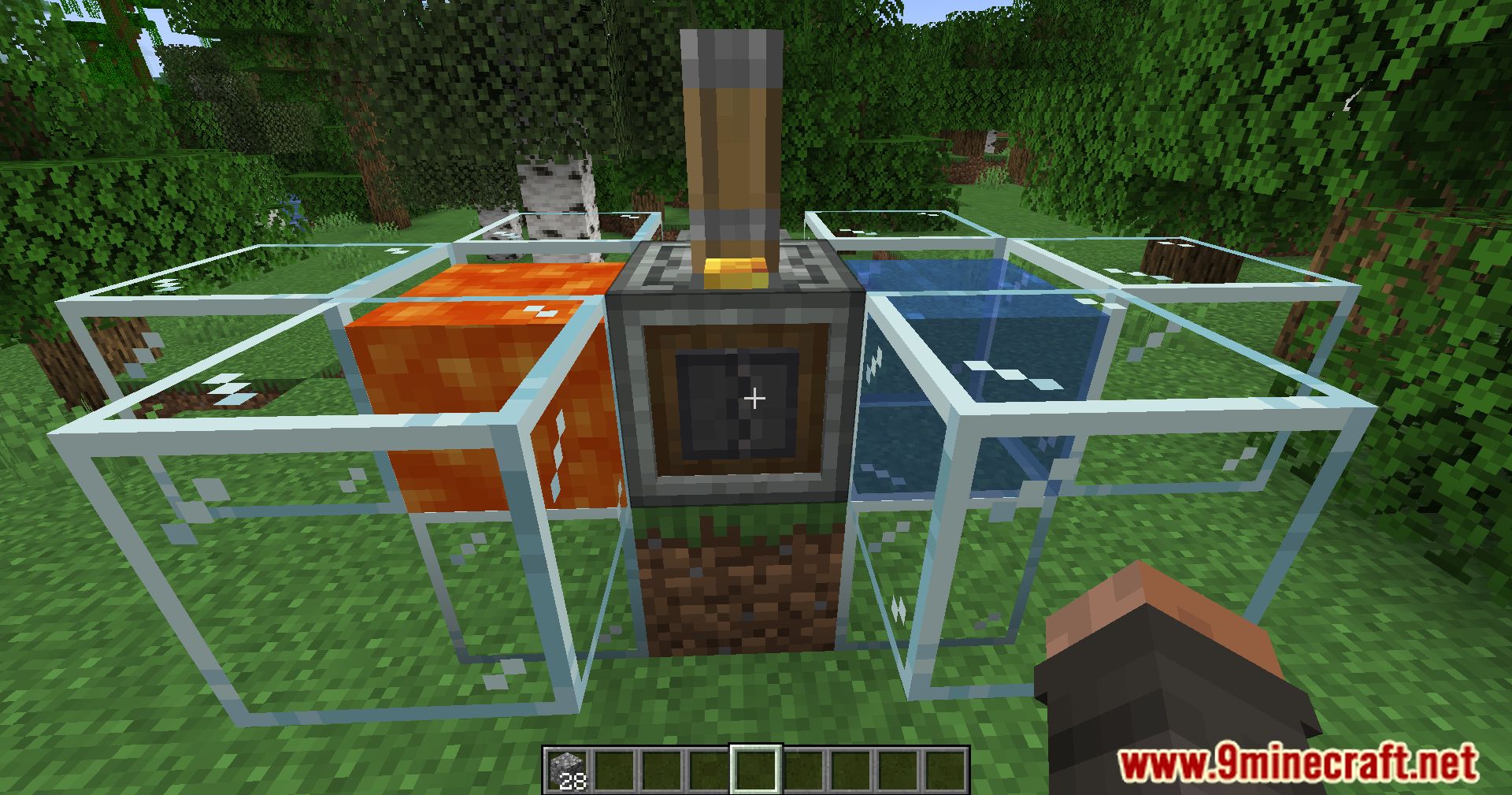
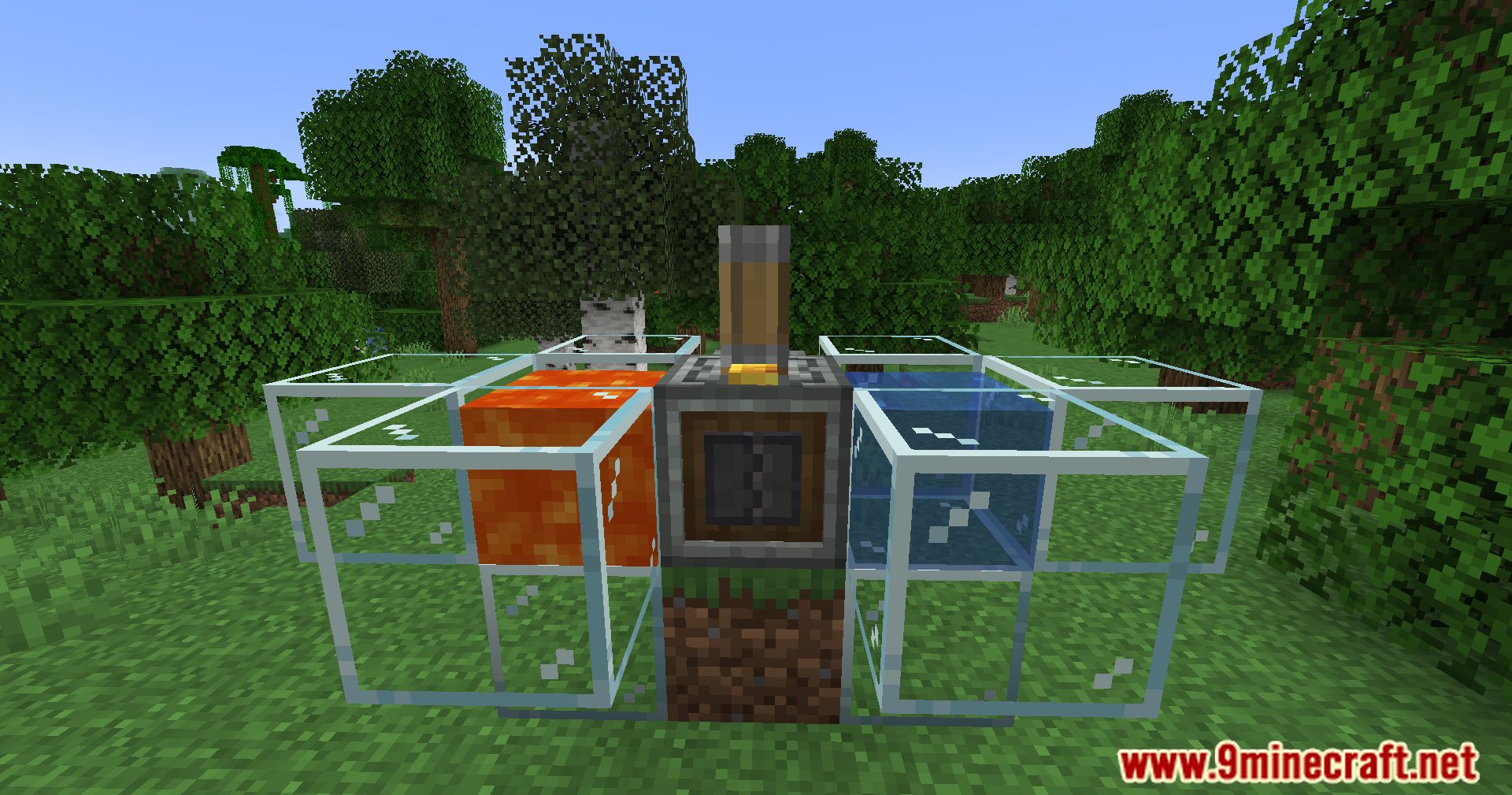
- Andesite Extruder: Adds a kinetic block that makes blocks or items using nearby blocks and fluids.
- Brass Extruder: Adds an advanced version that can consume source blocks and run recipes locked to the Brass tier.
- Recipe Filter: Lets you pick the exact output when two extruding recipes share the same inputs.
- Manual and Automated Extraction: Lets you take items out with Shift + right-click using an empty hand, or connect automation to pull items out on its own.
- Works with JEI so you can view extruding recipes and their rules right inside the game.
- Supports KubeJS so you can remove existing extruding recipes or add custom ones for modpacks.
- Brings renewable block making inspired by Thermal Expansion’s Igneous Extruder into Create setups.
Custom Recipe Options:
- Block and BlockState Inputs: Match specific blocks, fluids, or block states, such as water, lava, or a lit furnace, as input ingredients.
- Catalyst Blocks: Set an optional catalyst block, such as obsidian, clay, or dirt, that must be present for a recipe to run.
- Required Bonks: Control how many times the machine must hit before it makes an output.
- Chanced Outputs: Set drop chances and item counts for outputs when writing recipes with KubeJS.
- Source Block Consumption: Set advanced Brass Extruder recipes to consume the first input block, the second input block, or both.
- Advanced Recipe Lock: Mark a recipe as advanced so only the Brass Extruder can run it.
Recipe Requirements:
- MinY and MaxY: Limit a recipe so it only runs inside a set world height range.
- MinSpeed and MaxSpeed: Require the kinetic rotation speed to stay above a minimum or below a maximum value.
- Biome: Limit a recipe so it only works inside one specific biome, such as Plains.
- Biome Tag: Limit a recipe to a group of biomes using a biome tag, such as Nether biomes.
Configuration:
Custom extruding recipes use these JSON fields:
blockIngredients: Sets thefirstandsecondinput blocks or fluids usingblocksand an optionalstateblock state.catalyst: Sets an optional catalyst block needed for the recipe.requiredBonks: Sets an optional number of hits needed to finish the recipe.advanced: Set to"true"when the recipe needs a Brass Extruder.consumeBlocks: Usesfirstandsecondtrue or false values to pick which input blocks the Brass Extruder consumes.requirements: Adds extra recipe conditions withmechanicals:min_y,mechanicals:max_y,mechanicals:min_speed,mechanicals:max_speed,mechanicals:biome, andmechanicals:biome_tag.
KubeJS scripts can remove default extruding recipes or add custom ones with Output.of(...), BlockPredicate.of(...), and RecipeRequirement methods (minY, maxY, minSpeed, maxSpeed, biome, and biomeTag):
ServerEvents.recipes(event => {
  event.remove({ type: 'create_mechanical_extruder:extruding' })

  event.recipes.create_mechanical_extruder.extruding(
    Output.of('minecraft:birch_planks', 0.5),
    [BlockPredicate.of('minecraft:lava'), BlockPredicate.of('minecraft:stone')]
  )
    .catalyst('minecraft:clay')
    .requiredBonks(5)
    .advanced(true)
    .consumeBlocks([true, false])
    .requirements([
      RecipeRequirement.minSpeed(6.0),
      RecipeRequirement.maxSpeed(16.0),
      RecipeRequirement.minY(10),
      RecipeRequirement.maxY(12),
      RecipeRequirement.biomeTag('minecraft:is_nether')
    ])
})
How to Use:
- Open JEI to check an extruding recipe’s required blocks or fluids, optional catalyst, and any height, speed, or biome rules so you know how to set it up.
- Place an Andesite Extruder between the required blocks or fluids, or place a Brass Extruder if the recipe is marked as advanced or consumes source blocks; add the catalyst block too if the recipe needs one.
- Connect rotational force from Create to the extruder so it starts running and making the target block or item.
- Set the recipe filter on the extruder to choose the exact output you want whenever two or more recipes share the same inputs.
- Hold Shift and Right-click the machine with an empty hand to take out the output, or attach automation to pull items out continuously.
Screenshots:
How to Install:
New to Minecraft? Follow our step-by-step guide to install Mods on your PC.View Guide
Requirements:

Create Mechanical Extruder Mod Download Links
For Minecraft 1.21.1, 1.21
NeoForge Version: Download from Server 1 – Download from Server 2
For Minecraft 1.20.1
Forge Version: Download from Server 1 – Download from Server 2
For Minecraft 1.19.2
Forge Version: Download from Server 1 – Download from Server 2
For Minecraft 1.18.2
Forge Version: Download from Server 1 – Download from Server 2
How often do you play pre-made modpacks instead of making your own?
14 responses · See the full results →
You May Also Like
Picked for this page
 Lithium Mod (26.3, 1.20.1) – Physics, Mob AI, Chunk Loading Optimization
 Hole Filler Mod (26.3, 1.20.1) – Filling Holes and Automatic Terrain Building
 Mob Sunscreen Mod (26.2, 1.20.1) – Prevent Mobs from Burning in Sunlight
 Everlasting Abilities Mod (26.3, 1.20.1) – Discover Abilities That Stick
 ACME Heavy Industries Pack Mod (1.20.1) – Military Aircraft, Assorted Weapons
 CreeperHost’s Soul Shards Mod (1.21.11, 1.20.1) – Soul Stealer
 Project Red Transmission Mod (1.21.1, 1.20.1) – Redstone Wiring
 FokusAPI Mod (1.21.11, 1.20.1) – Library For ScadeBlock’s Mod
 Transfer Pet Owner Mod (26.3, 1.21.1) – Transfer Pet Ownership With Ease
 TFC Cast Iron Grill Mod (1.21.1, 1.20.1) – Introducing The Cast Iron Grill
 MiscTweaks Mod (26.3, 1.20.1) – Customize Minecraft Experience
 Riding Partners Reforged Mod (1.20.1, 1.20) – Two Players, One Horse
Most viewed in Mods over the last 7 days
 Ala Industrial Mod (26.3) – Run Electric Power Grids and Automated Factories
 PleasureCraft Mod (26.3, 1.21.1) – Jenny Mod Remake for Fabric
 Jennycraft Mod (26.3, 1.20.1) – Virtual Girlfriend in Minecraft
 Fapcraft Mod (26.3, 1.12.2) – Comprehensive and Detailed Content
 Jenny Mod (Fapcraft) Official Complete Guide – How to use, Tutorial
 BangCraft Mod (1.20.1) – Jenny, Ellie and Elliot
 Fabric Loader (26.3, 1.20.1) – Fabric Installer for All Minecraft Versions
 Meteor Client Mod (26.3, 1.20.1) – Xray, HUD, Fly
 The Shooting Star Demo Mod (26.3, 1.20.1) – Vaporize Terrain From Orbit
 OptiFine HD (26.3, 1.20.1) – Run Faster, FPS Boost, Shaders Support
 Aristois Client Mod (1.21.4, 1.20.1) – World Class Minecraft Utility
 Prestige Client Mod (1.21.11, 1.21.4) – Powerful Ghost Features for Crystal & Sword PvP
More from Mods
 Simply Light 9minecraft Mod (26.3) – Decorate Builds Without Torches
 Alex’s Caves Continued Mod (26.3, 1.20.1) – Conquer Six Massive Underground
 Anvil Uses Mod (26.3, 1.20.1) – Track Item Anvil Usage
 Animal Info Mod (26.3, 1.21.11) – Quick Stats For Your Animals
 Timber Tales Dynamic Tree System Mod (26.3, 1.20.1) – Watch Entire Trees Topple
 Gabou’s Libs Mod (26.3, 1.20.1) – Keep Custom Weather and Survival Mods Stable
 /Sit Mod (26.3, 1.21.1) – Make The Player Sit Down
 Arcane Redstone Dial Mod (26.3, 1.20.1) – Trigger Commands and Shortcuts
 The Graveyard Mod (26.3, 1.20.1) – Cemeteries in Minecraft
 Enhanced Overlay Mod (26.3, 1.21.11) – Remove Screen Clutter
 Flint Mod (1.21.11) – Run DiamondFire Community Addons Without Crashing
 Not Just Sandwich Mod (26.3, 1.20.1) – Edibles, Sandwiches

This post has no comments yet. Be the first — your comment will appear here.