
DxH’s Minimap Addon (26.x, 1.21) – MCPE/Bedrock Mod
 57,597
 0
0


DxH’s Minimap Addon introduces a small minimap to Minecraft. A small map will always be displayed in the upper right corner, which shows the nearest area. This greatly simplifies exploring the blocky world, since you will know the landscape even if you do not get anywhere.
This function is used in many games, but in the cubic universe, we are used to using a special item for this. Now you don’t have to craft a Map – just look at the corner of the screen. For the moment, the minimap’s scope is limited, since this addon, despite being light, needs a fairly capable device to run smoothly; that is why it is very simple at the moment. With that being said, now let’s get started
Bedrock’s official Add-On API doesn’t let a resource pack read your live coordinates the way Java mods like Xaero’s Minimap or JourneyMap can, so a genuine real-time overlay has to be faked. DxH pulls it off with a lightweight combination of custom UI textures and one of the world’s experimental toggles (Settings > Experiments, switched on when you create or import your world), which is why the corner overlay only comes alive once that box is checked.
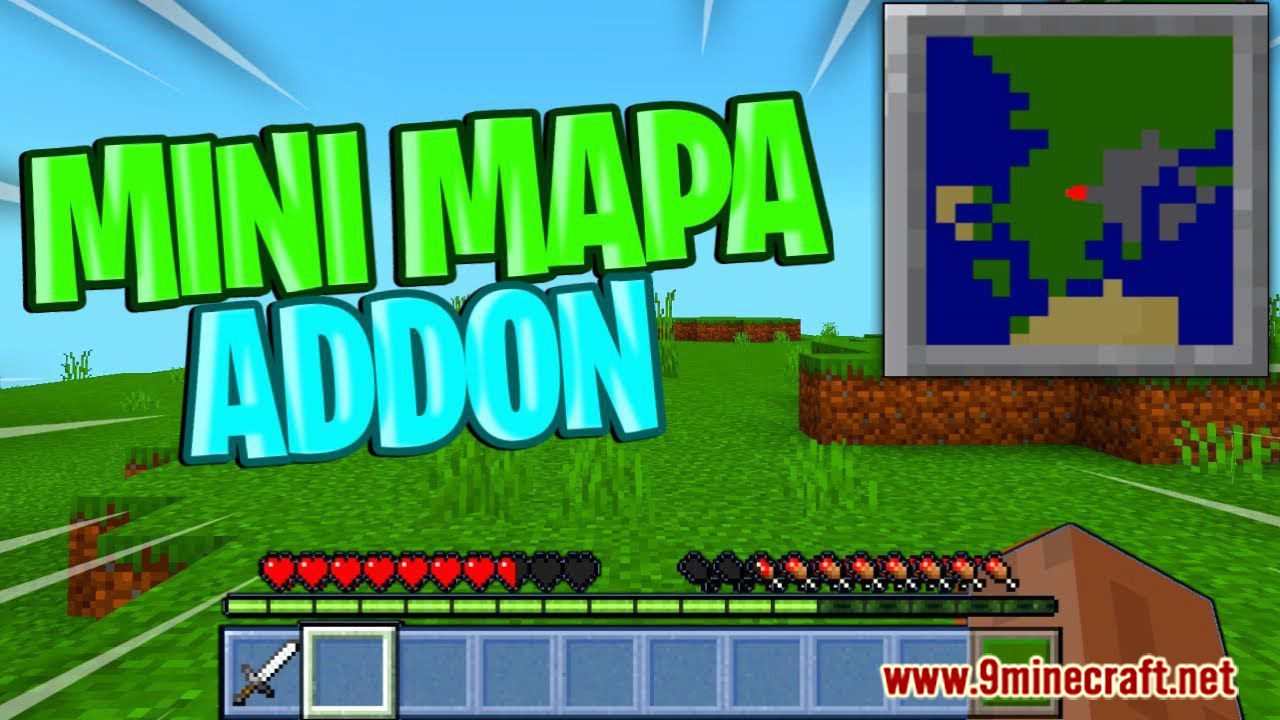
Features:
- A live overlay in the top-right corner shows the terrain immediately around you, no Map item or compass needed.
- The map icon’s movement and shadow effects can each be switched off if you’d rather have a static, distraction-free overlay.
- Built entirely as a texture-driven overlay, so the “map” is drawn by the resource pack instead of a heavy scripted UI.
- Passive by design, it doesn’t touch game logic, so it plays nicely alongside pretty much any other add-on you already run.
To start, the map will move and have a small shadow unless you disable these options:
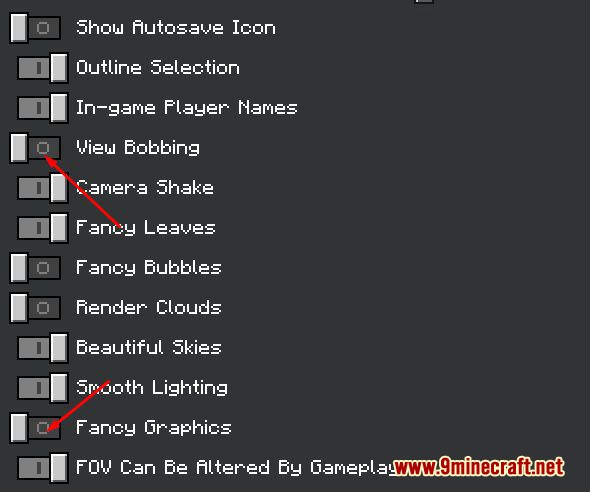
It should also be noted that this is a texture.
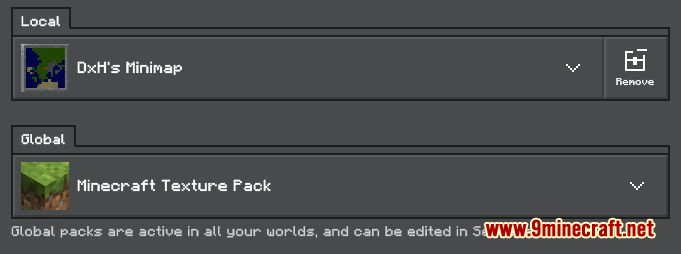
But we consider it as an addon since you need to activate an experimental game mode, which is this:
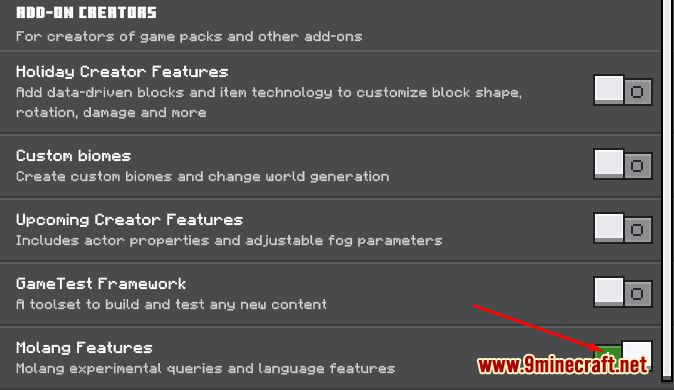
After this, you just have to create your world (it may take too long, this will depend on the power of your pc or phone)
Screenshots:
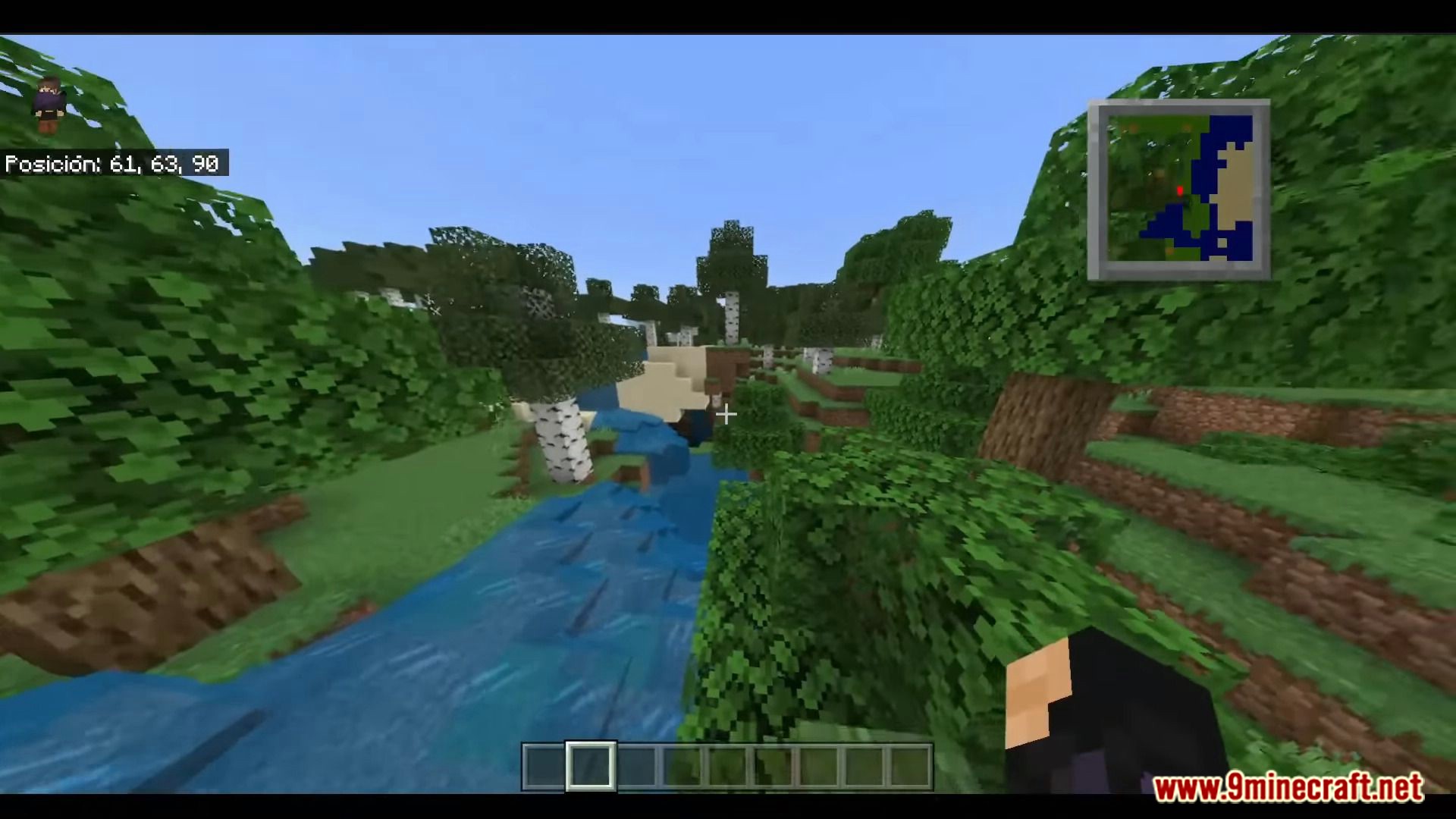
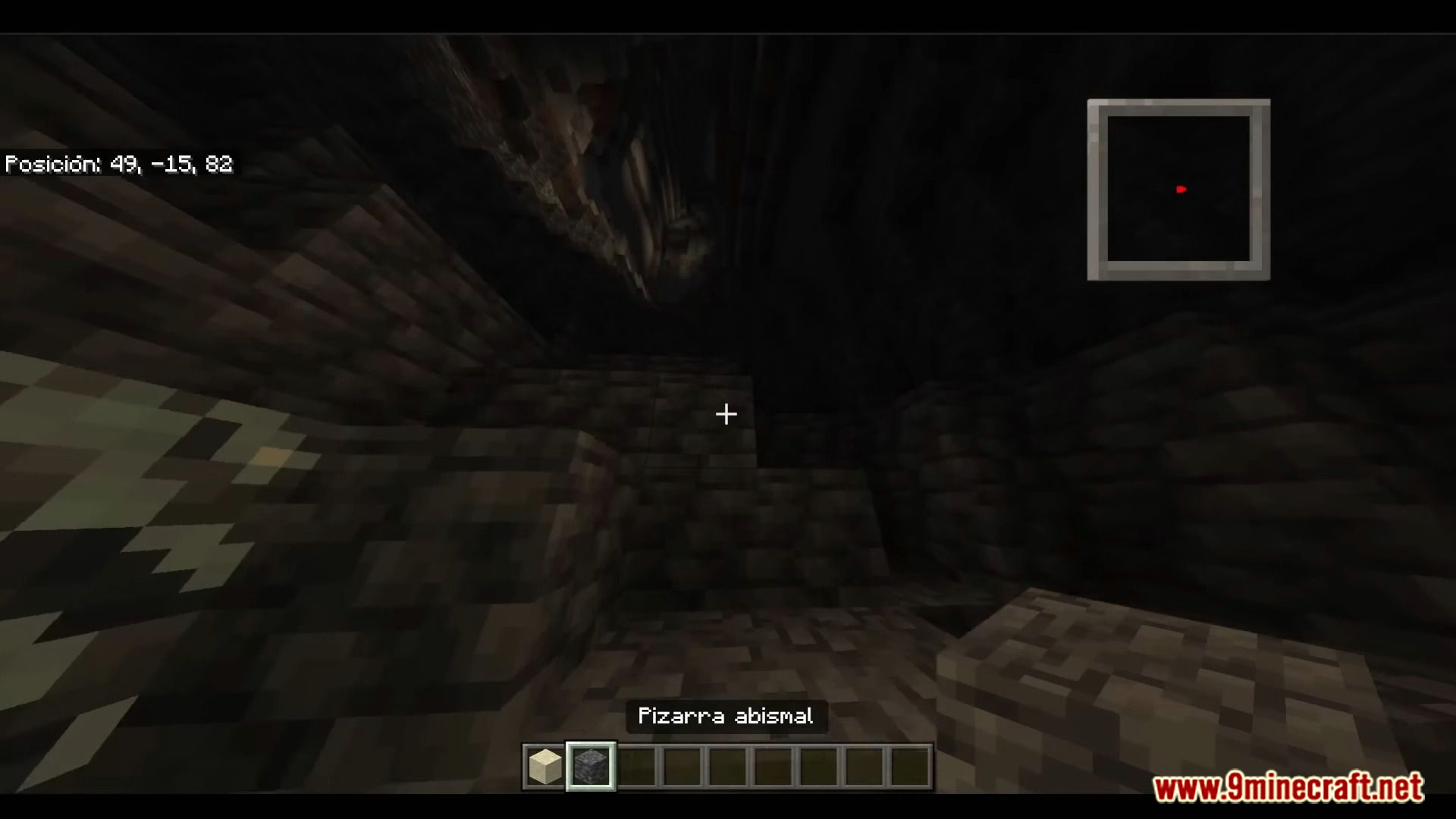
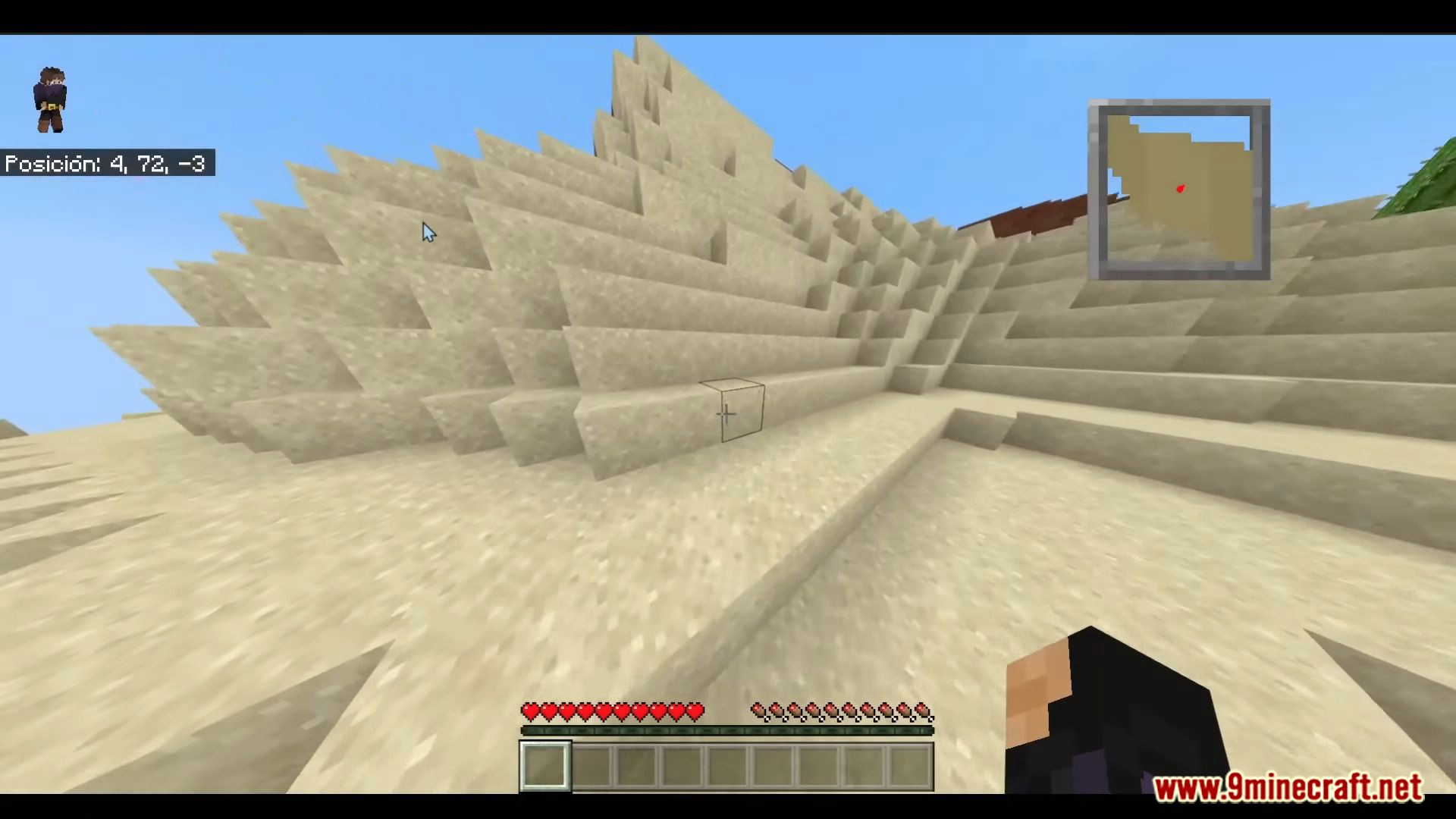
Fancy giving your next world a permanent map corner? The beta build is right below.
How to Install:
New to Minecraft PE? Follow our step-by-step guide to install Mods/Addons on your Mobile.View Guide
DxH’s Minimap Addon Download Links
For Minecraft PE/Bedrock 1.19, 1.18
mcaddon: Download from Server 1
For Minecraft PE/Bedrock 26.30, 26.31, 26.32 (1.26.30+)
mcaddon: Download from server 1 – Download from server 2
You May Also Like
Picked for this page
 Raiyon’s Dynamic Lighting Addon (26.x, 1.21) – MCPE/Bedrock Mod
 True Backpack Addon (26.x, 1.21) – MCPE/Bedrock Mod
 True Weapons Addon (26.x, 1.21) – Minecraft PE/Bedrock Mod
 Backpack Plus Addon (1.26, 1.21) – MCPE/Bedrock Mod
 Definitive Tree Capitator Addon (26.x, 1.21) – Chop Down Tree Mod
 More Body Actions Addon (26.x, 1.21) – MCPE/Bedrock Mod
 Anime Characters Addon (1.26+, 1.21) – MCPE/Bedrock Waifus & Husbands Mod
 Furnicraft 3D Block Addon (1.26+) – With Simple Comes Alive Mod
 Multi Backpack Addon (26.x, 1.21+) – MCPE/Bedrock Mod
 Open Blocks Elevators Addon (1.26+) – MCPE/Bedrock Mod
 Novelty API Addon (26.x, 1.21) – MCPE/Bedrock Mod
 Ranzie’s Overgrown Cities Addon (26.x, 1.21) – MCPE/Bedrock
Most viewed in Mods & Addons over the last 7 days
 Mob Girls Addon (1.26+, 1.21) – MCPE/Bedrock Mod
 Jujutsu Awakening Addon (1.26+, 1.21+) – Prison Realm Update
 Jenny Colette Version Addon (26.x, 1.21) – MCPE/Bedrock Mod
 Asa’s One Piece Addon (1.26+, 26.32) – MCPE/Bedrock Mod
 Secrets of Berk Addon (26.33+) – How To Train Your Dragon Mod MCPE/Bedrock
 Jenny Add-on (Fapcraft) APK MCPE Full Guide – How to use, Tutorial
 Fapcraft Addon (1.26, 1.21) – MCPE/Bedrock Jenny Mod
 Naruto Zenkai Addon (26.x, 1.21) – MCPE/Bedrock
 Raxiores of Raxiore Addon (1.26+) – MCPE/Bedrock
 Radium’s Armament Addon (26.x, 1.21) – MCPE/Bedrock Best Gun Mod
 Naruto Jedy Addon V8 (26.30+, 1.18+) for MCPE/Bedrock Edition
 Jujutsu Kaisen Addon (26.x, 1.21) – MCPE/Bedrock Mod
More from Mods & Addons
 FlyerWork Vanilla Aircraft & Plane (26+, 1.21) – MCPE/Bedrock Addon
 Raiyon’s Hammers Excavators (26+, 1.21) – MCPE/Bedrock Addon
 From The Forest (26+, 1.21) – MCPE/Bedrock Addon
 Phase Blocks by Four (26+, 1.21) – MCPE/Bedrock Addon
 Ultimate Vein Miner (26+, 1.21) – MCPE/Bedrock Addon
 Creepypasta Expansion (26+) – MCPE/Bedrock Addon
 Biome Compass (26+, 1.21) – MCPE/Bedrock Addon
 Raiyon’s More Maces (26+, 1.21) – MCPE/Bedrock Addon
 Nether’s Delight (26+, 1.21) – MCPE/Bedrock Addon
 True Java Saturation (26+, 1.21) – MCPE/Bedrock Addon
 Complete Capitator (26+, 1.21) – MCPE/Bedrock Addon
 More Zombies by Four (26+, 1.21) – MCPE/Bedrock Addon

This post has no comments yet. Be the first — your comment will appear here.