
Handycam Mod (26.3, 1.20.1) – Turn Your Screen Into a Real Handheld Video Camera


Handycam Mod adds realistic camera movements to make your game feel like a movie. It changes how your screen shakes and sways when you walk, run, or take damage. The mod makes every action feel more natural, just like holding a real video camera in your hands. You can use it safely on any multiplayer server because it only changes things on your own screen.

Features:
- Adds a gentle sway to your screen when you walk or sprint around the world.
- Tilts your view slightly when you move sideways or step forward.
- Makes your camera shake when you take damage or get hit by enemies.
- Brings a small recoil effect when you fire arrows from a bow.
- Shakes the screen when you jump up and when your feet hit the ground.
- Adds a natural breathing motion and idle shake when you stand still.
- Moves the camera slightly while you eat food or crouch down.
- Reacts to nearby explosions with a strong camera shake.
Handycam Mod – Video Showcase
Configuration:
- Open the mod menu in your game to find the settings.
- Use sliders to make every camera shake stronger or weaker.
- Turn off any specific movement effect you do not like.
How to Use:
- Join any single-player world or multiplayer server.
- Walk, run, jump, or shoot a bow to see the new camera movements right away.
- Open your game menu and click the mods button to open the settings.
- Adjust the sliders until the camera feels perfectly comfortable for your eyes.
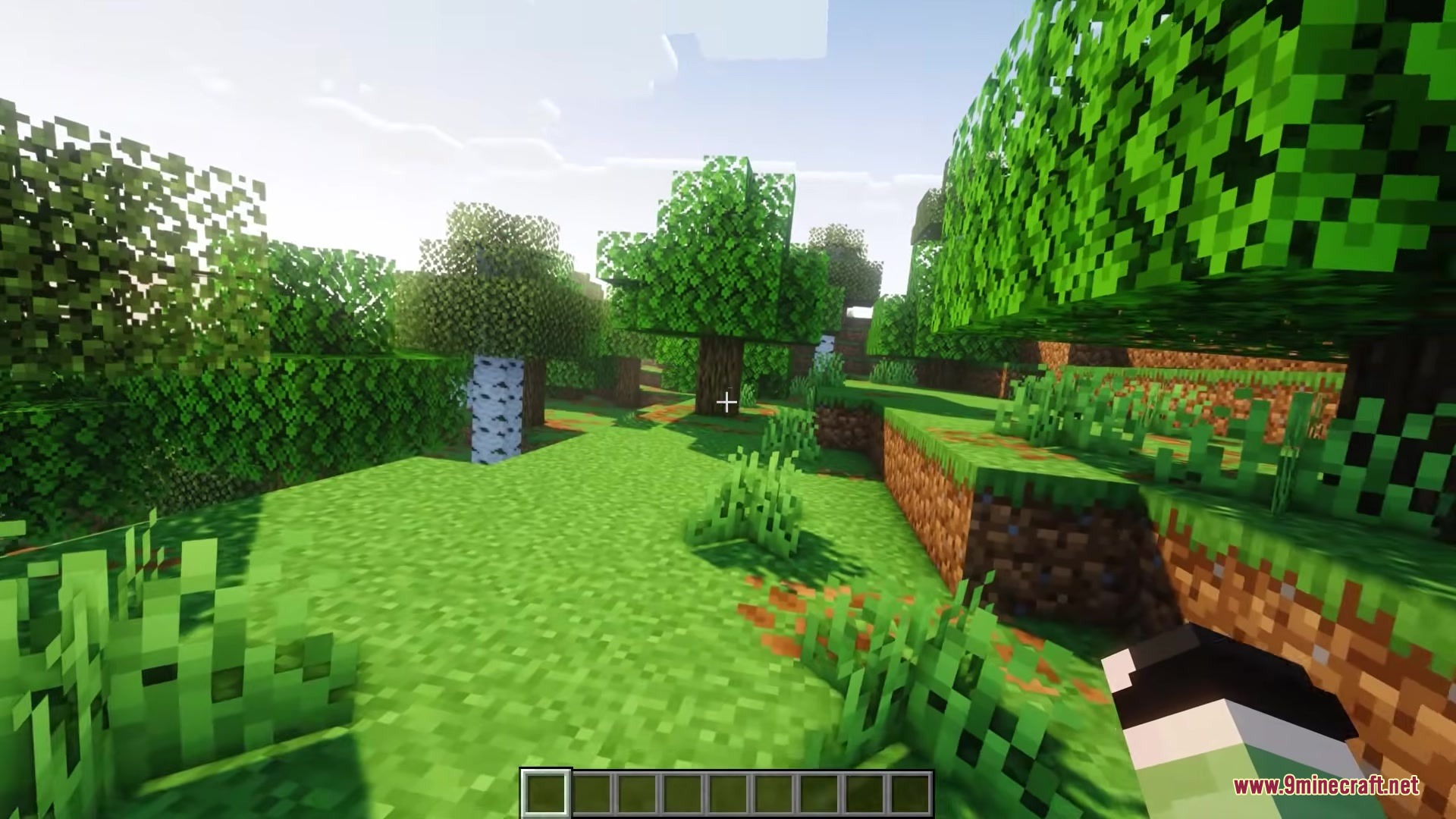
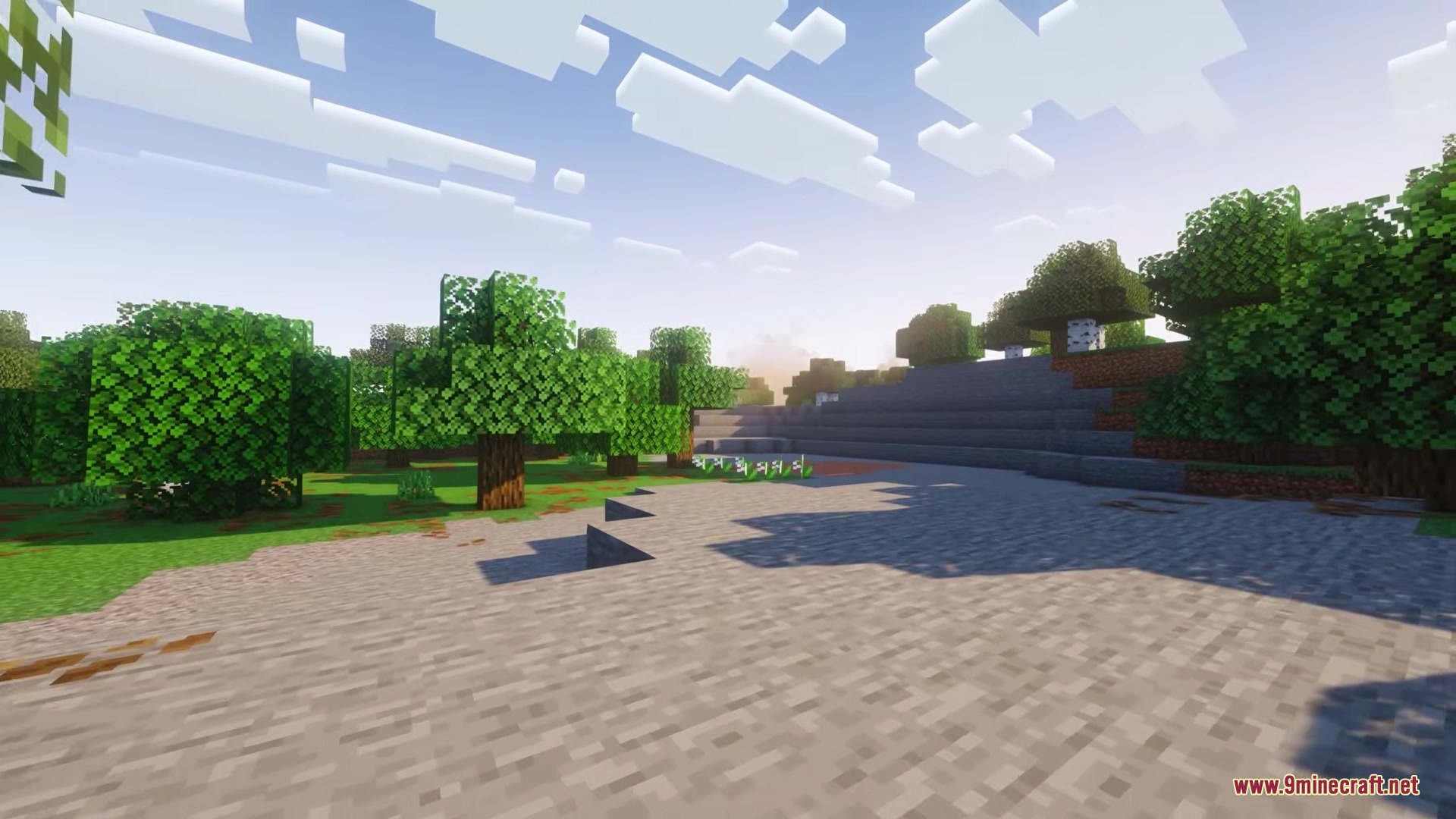
Screenshots:




How to Install:
New to Minecraft? Follow our step-by-step guide to install Mods on your PC.View Guide
Requirements:






Handycam Mod Download Links
For Minecraft 26.3
For Minecraft 26.2
For Minecraft 26.1.2, 26.1.1, 26.1
For Minecraft 1.21.11
For Minecraft 1.21.10, 1.21.9
For Minecraft 1.21.4
For Minecraft 1.21.1, 1.21
For Minecraft 1.20.1, 1.20
Click to rate this post!
[Total: 0 Average: 0]

2 Comments
 What do you think?
Your opinion means a lot - we'd love to hear from you.
What do you think?
Your opinion means a lot - we'd love to hear from you.
You May Also Like
Picked for this page
 Entity Culling Mod (26.3, 1.20.1) – Increase Your FPS
 Air Hop Mod (26.3, 1.20.1) – Make Jumping More Fun
 Better Clouds Mod (26.3, 1.20.1) – Realistic Sky
 Blast Mod (26.3, 1.20.1) – Bombs, Explosion
 ModernFix Mod (26.1.2, 1.20.1) – Play Modpacks Without Lag
 MobZ Mod (26.2, 1.20.1) – Harder Monsters to Deal With!
 Enderite CJ Edition Mod (26.2, 1.20.1) – More Powerful Gear
 AzureLib Armor Mod (26.3, 1.20.1) – Streamlined Version of AzureLib
 Banner Flags Mod (26.3, 1.20.1) – Customize Your World With Banner Flags
 Crop Critters Mod (26.2, 1.20.1) – Living Crops Farming Automation
 VoxelMap X Seedmapper Mod (26.1.2) – Find Rare Structures and Hidden Ores Instantly
 PokeBike Mod (26.1.2, 1.21.1) – Pedal Across Biomes on Classic Monster Catching
Most viewed in Mods over the last 7 days
 Ala Industrial Mod (26.3) – Run Electric Power Grids and Automated Factories
 PleasureCraft Mod (26.3, 1.21.1) – Jenny Mod Remake for Fabric
 Jennycraft Mod (26.3, 1.20.1) – Virtual Girlfriend in Minecraft
 Fapcraft Mod (26.3, 1.12.2) – Comprehensive and Detailed Content
 Jenny Mod (Fapcraft) Official Complete Guide – How to use, Tutorial
 The Shooting Star Demo Mod (26.3, 1.20.1) – Vaporize Terrain From Orbit
 BangCraft Mod (1.20.1) – Jenny, Ellie and Elliot
 Meteor Client Mod (26.3, 1.20.1) – Xray, HUD, Fly
 SchnurriTV Mod (1.12.2) – Characters and Features
 Baritone 9minecraft Client Mod (26.3, 26.1.2) – Mine and Build Bases Hands-Free
 CatLean Client Mod (26.2, 1.21.11) – ThunderHack Recode Alternatives
 Aristois Client Mod (1.21.4, 1.20.1) – World Class Minecraft Utility
More from Mods
 Exfil Craft by Krookedlilly Mod (26.3) – Raid Hostile Worlds and Escape Alive
 Odin Mod (26.3, 1.21.11) – Lightweight Skyblock Tools
 Custom Cursor Mod (26.3, 1.20.1) – Change In-Game Cursor
 Door Locker Mod (26.3, 1.21.1) – Lock the Door, Trapdoor, Button
 Prisma Craft Mod (26.3, 1.21.11) – Conquer Deep Oceans with Prismarine Armor
 Light Saber Reforge Mod (26.3, 1.20.1) – Wield Force Powers and Custom Energy
 OR-Lib Mod (1.21.11, 1.20.1) – Show Off 3D Rings and Trinkets on Your Character
 Tough As Nails Mod (26.3, 1.20.1) – Fight Against the Elements
 ZoomX Smooth Mod (26.3, 1.21.1) – Scout Distant Biomes with Custom Zoom
 Chest Search Bar Mod (26.3, 1.20.1) – Adds A Search Bar To Storage GUIs
 Spyglass Improvements Mod (26.3, 1.20.1) – Adjustable Zoom, Quick Access
 AddonsLib Mod (26.3, 1.20.1) – Library for Macaw’s Mods

lol
lol