
Look at it Mod (26.3, 1.20.1) – Show Off Your Rare Loot in Chat
 9
 0

Look at it Mod lets you share and show off your items directly in the game chat. This mod brings a standalone version of Quark’s item sharing feature to your world. You do not need to install a huge mod and turn off everything else just to link your gear to other players. It also brings this handy chat feature back to older versions of Minecraft like 1.7.10 and 1.8.9.

Features:
- Lets you share any item from your inventory directly into the chat box.
- Works as a standalone feature so you do not need to install Quark.
- Allows you to customize the text color of the item message sent in chat.
- Gives you the option to turn the item icon in chat on or off.
- Lets you change the shortcut to Ctrl plus any key you want.
How to Use:
- Hover over the item you want to share.
- Press Ctrl + T (the default keybind) to send the item into the chat.
- Change the shortcut to Ctrl + any other key if you prefer a different control.
Screenshots:


How to Install:
New to Minecraft? Follow our step-by-step guide to install Mods on your PC.View Guide



Look at it Mod Download Links
For Minecraft 26.3
For Minecraft 26.2
For Minecraft 26.1.2, 26.1.1, 26.1
For Minecraft 1.21.1, 1.21
For Minecraft 1.20.1, 1.20
For Minecraft 1.12.2
For Minecraft 1.8.9
For Minecraft 1.7.10
Click to rate this post!
[Total: 0 Average: 0]
You May Also Like
Picked for this page
 FTB Library Mod (26.1.2, 1.20.1) – Manage Mods From Your GUI
 TrashSlot Mod (26.3, 1.20.1) – Clear Inventory Clutter
 Auto Tools Mod (26.3, 1.20.1) – Swap Tools Instantly During Mining
 Squaremap Mod (26.3, 1.20.1) – Live Browser Map for Servers
 FSit Mod (26.3, 1.20.1) – Turn Blocks Into Usable Seats
 Death Quotes Mod (26.3, 1.20.1) – Laugh Off Every Respawn
 TCT Core Mod (26.3, 1.20.1) – Manage All Mod Settings and Recipes in One Place
 Afk Plus Mod (26.3, 1.20.1) – Track Idle Player Status
 CreateTweaker Mod (1.21.1, 1.20.1) – CraftTweaker + Create
 Token Ledger Pocket Mod (26.3, 1.20.1) – Buy and Sell Items Anywhere
 Crowd Governor Mod (26.3, 1.20.1) – Decide Which Creatures Spawn in Every Biome
 Twin Stack Reach Mod (26.3, 1.20.1) – Swap Any Item Without Opening
Most viewed in Mods over the last 7 days
 Ala Industrial Mod (26.3) – Run Electric Power Grids and Automated Factories
 PleasureCraft Mod (26.3, 1.21.1) – Jenny Mod Remake for Fabric
 Jennycraft Mod (26.3, 1.20.1) – Virtual Girlfriend in Minecraft
 Fapcraft Mod (26.3, 1.12.2) – Comprehensive and Detailed Content
 Jenny Mod (Fapcraft) Official Complete Guide – How to use, Tutorial
 Meteor Client Mod (26.3, 1.20.1) – Xray, HUD, Fly
 BangCraft Mod (1.20.1) – Jenny, Ellie and Elliot
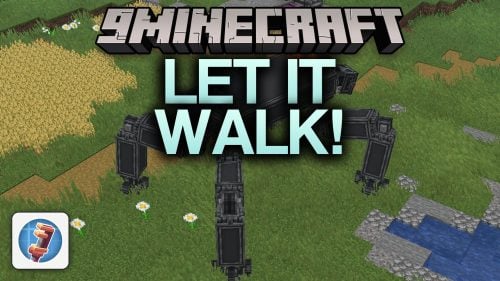 Let it Walk Mod (1.21.1) – Pilot Spider Tanks and Mechs Built From Your Blocks
 OptiFine HD (26.3, 1.20.1) – Run Faster, FPS Boost, Shaders Support
 CatLean Client Mod (26.2, 1.21.11) – ThunderHack Recode Alternatives
 Fabric Loader (26.3, 1.20.1) – Fabric Installer for All Minecraft Versions
 SeedCrackerX Mod (26.3, 1.20.1) – Find Any World Seed
More from Mods
 KOTM Sharp and Sweet Mod (1.20.1)
 Gamingbarn’s Morphs Mod (26.3, 1.21.1) – Transform Into Any Creature
 Overgeared Mod (26.3, 1.20.1) – Master Blacksmithing and Forge Masterwork Gear
 Nexus Trace Mod (26.3, 1.20.1) – Never Lose Your Base or Death Point Again
 Draggle Tail Utils Mod (1.20.1) – Expand Your Dragon Gameplay
 Carpet Variants Mod (26.3, 1.20.1) – Creative Wall Designs
 Horizon Gear Wheel Mod (26.3, 1.20.1) – Switch Weapons and Armor Instantly
 Voxel Particles Mod (26.2, 1.20.1) – Transform Flat Particles Into Detailed 3D
 Skin Manager Mod (1.21.1) – Swap Your Look Mid-Game and Every Player Sees It
 Loot Beams Reforged Mod (26.3, 1.21.1) – Never Lose Dropped Loot
 Trader Mirage Mod (26.3, 1.21.1) – Every Wandering Trader
 Paint Literally Anywhere PLA Mod (26.3, 26.1.2) – Turn Every Block

This post has no comments yet. Be the first — your comment will appear here.