
mcMMO Horses Plugin (1.14.4, 1.13.2) – Level Mounts with Friends

 0


McMMO Horses Plugin adds RPG skills and horse management tools to Minecraft servers. It gives your mounts 4 trainable skills: Swiftness, Agility, Vitality, and Wrath. You can claim, name, summon, banish, and protect multiple horses while leveling up their stats through riding and taking damage. This plugin also works with Vault so players can buy and sell horses, and it saves horse data to a local file or an SQLite database. Server owners get simple config options and permissions to control how horses behave when players log out or when the server reloads.

Features:
- Lets players claim tamed horses, rename them, and own multiple horses at the same time.
- Allows players to summon their horses back into the world or banish them temporarily for safekeeping.
- Includes horse ownership with configurable damage protection and automatic despawning when a player disconnects by default.
- Lets you heal horses by feeding them sugar, apples, carrots, golden apples, or golden carrots.
- Works with Vault so players can buy and sell horses, with an option to require buying a horse before claiming it.
- Displays a horse scoreboard along with commands to check player stats, horse stats, and skill stats.
- Saves horse data to a local
horsedata.ymlfile by default or to an SQLite database. - Includes admin tools to manage the database, add or remove XP, breed new horses, and change a horse’s name, color, style, or type (donkey, mule, llama, skeleton horse, or zombie horse).
- Provides default user and admin permission groups along with server settings for banishment on reload or player quit.
- Checks for and downloads plugin updates automatically, with an option to turn off auto-updates in the updater config file.
Horse Skills:
- Swiftness: Increases your horse’s speed and activates when the horse jumps. Level it up by riding for long distances.
- Agility: Increases your horse’s chance to dodge attacks and activates when the horse is attacked. Level it up by letting your horse take damage.
- Vitality: Increases your horse’s health. It activates right away and levels up when your horse is attacked.
- Wrath: Temporarily disables damage and increases speed when your horse is hit by a projectile or thorns. Level it up by letting your horse take damage.
Commands:
/h help: Displays the plugin help menu./h me: Shows all of your personal stats./h stats: Shows all stats for your horse./h skills: Displays the skill stats for your horse./h claim: Claims the horse you are riding./h sell: Sells your horse./h summon: Summons your horse back into the world./h banish: Temporarily removes your horse from the world until you summon it again./h kill: Kills one of your horses./h protect: Protects your horse from damage./h unprotect: Removes damage protection from your horse./h addxp: Adds XP to a specific horse stat./h delxp: Removes XP from a specific horse stat./h set name <the new name>: Changes your horse’s name./h set color: Changes a default horse’s color (does not work on donkeys, mules, llamas, or undead horses)./h set style: Changes a default horse’s style (does not work on donkeys, mules, llamas, or undead horses)./h set type: Changes a horse into a donkey, mule, llama, skeleton horse, or zombie horse./h breed: Creates a new horse./h save: Saves all horses on the server to a database./h db: Views the horse database./h reload: Reloads all horse data.
Configuration:
savetype: Found inHorsedata.yml(default:2). Saves horse data tohorsedata.ymlwhen set to2, saves to an SQL database when set to3, and switches back from a database to a file when set to1.disable_banishment: Found inHorsedata.yml(default:false). Disables the banish command so players cannot temporarily remove horses from the world.banish_on_disable: Found inHorsedata.yml(default:true). Banishes all horses in the world when the server reloads; set tofalseto remove the plugin without losing horses.banish_on_player_quit: Found inHorsedata.yml(default:true). Banishes horses when a player leaves the server by logging off, kick, ban, or switching servers; set tofalseto leave horses in the world where other players can interact with or damage them.Enable-Economy: Found inconfig.yml. Requires players to buy horses before claiming them when enabled.update: Set tofalsein the global updater config to stop automatic plugin updates.
Permissions:
mcmmohorses.user: Default user permission to claim, summon, level up, banish, and buy horses. Includes child permissions:mcmmohorses.help,mcmmohorses.me,mcmmohorses.stats,mcmmohorses.skills.info,mcmmohorses.claim,mcmmohorses.buy,mcmmohorses.sell,mcmmohorses.summon,mcmmohorses.banish,mcmmohorses.kill, andmcmmohorses.groups.default.mcmmohorses.admin: Admin permission to control the database, add or remove XP, change a horse’s appearance and name, and protect horses from damage. Includes child permissions:mcmmohorses.groups.admin,mcmmohorses.admin.protect,mcmmohorses.admin.unprotect,mcmmohorses.admin.addxp,mcmmohorses.admin.delxp,mcmmohorses.admin.set,mcmmohorses.admin.set.name,mcmmohorses.admin.set.color,mcmmohorses.admin.set.style,mcmmohorses.admin.set.type,mcmmohorses.admin.create,mcmmohorses.admin.save,mcmmohorses.admin.db, andmcmmohorses.admin.reload.
How to Use:
- Tame a horse and put a saddle on it, then ride it and run
/h claimto claim the horse as yours (ifEnable-Economyis enabled inconfig.yml, you must buy the horse to claim it). - Ride your horse over long distances to level up its Swiftness stat, which boosts speed when jumping.
- Let your horse take damage to level up its Vitality, Agility, and Wrath stats.
- Feed your horse sugar, apples, carrots, golden apples, or golden carrots to heal its health.
- Use
/h statsto check your horse’s stats,/h skillsto see its skill stats, or/h meto view your own stats. - Run
/h protectto keep your horse safe from damage when you are not riding it, or use/h unprotectto remove that protection. - Run
/h set name <the new name>to give your horse a new name. - When you leave the server, your horse despawns by default to stay safe; run
/h summonafter rejoining to bring it back, or use/h banishanytime to temporarily remove it from the world.
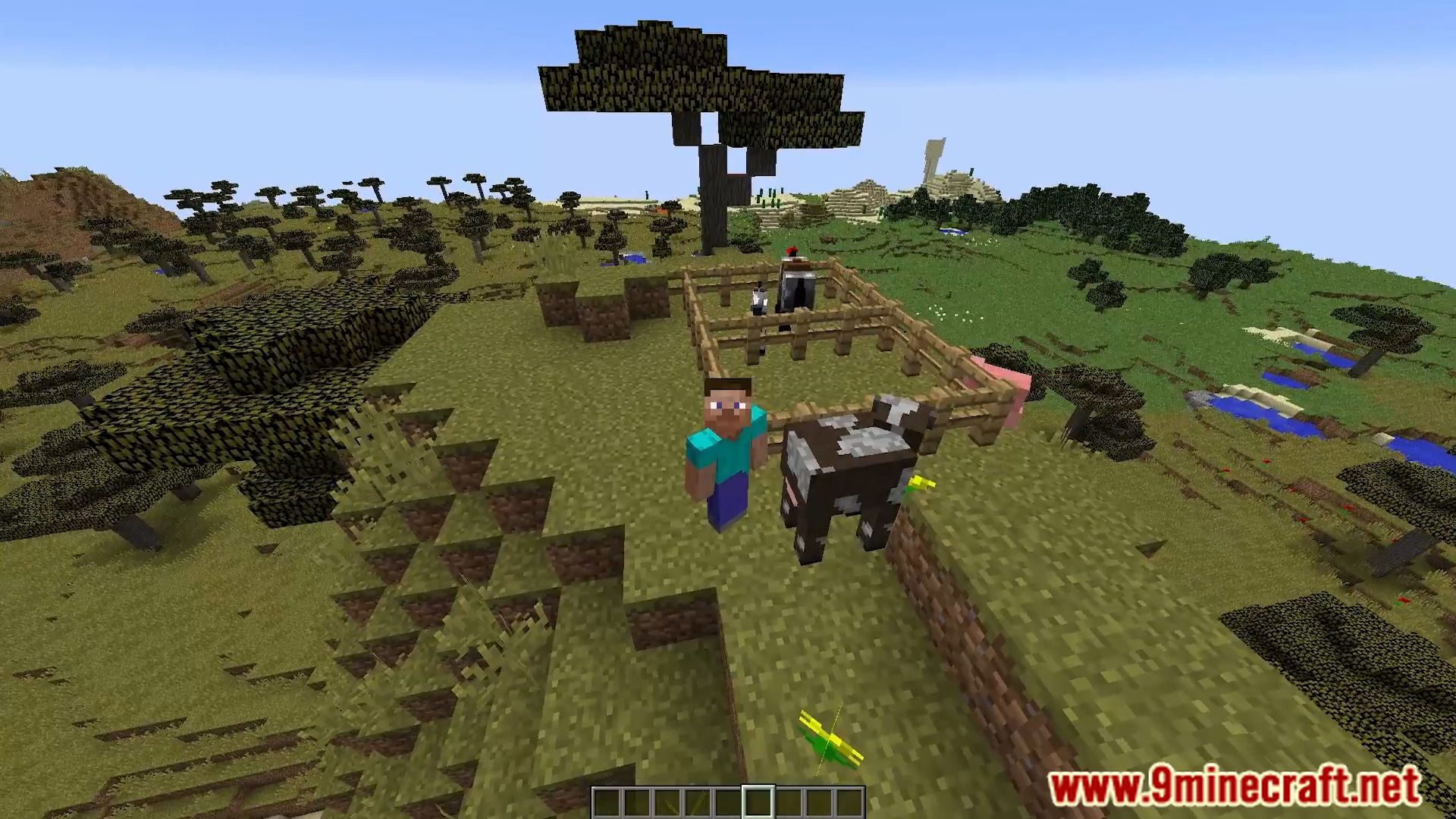
Screenshots:




How to Install:
New to Minecraft? Follow our step-by-step guide to install Plugins on your PC.View Guide
mcMMO Horses Plugin Download Links
For All Versions from Minecraft Bukkit 1.12 to Minecraft Bukkit 1.14
Click to rate this post!
[Total: 0 Average: 0]
You May Also Like
Picked for this page
 WorldGuard Plugin (26.1.2, 1.20.1) – Bukkit, Spigot, Paper
 Quests Plugin (26.1.2, 1.20.1) – Bukkit, Spigot, Paper
 MultiWorld Plugin (26.1.2, 1.20.1) – Spigot
 Orebfuscator Plugin (26.1.2, 1.20.1) – Bukkit, Spigot, Paper
 ValhallaMMO Plugin (26.1.2, 1.20.1) – Bukkit, Spigot, Paper
 Fancy Holograms Plugin (26.1.2, 1.20.1) – Spigot
 Infinite Villager Trades Plugin (1.21.11, 1.20.1) – Spigot
 SuperVanish Plugin (26.2, 1.20.1) – Bukkit, Spigot, Paper
 UberEnchant Plugin (1.21.11, 1.20.1) – Bukkit, Spigot, Paper
 Interaction Visualizer Plugin (26.1.2, 1.20.1) – Spigot
 BuildPaste Plugin (26.3, 1.20.1) – Bukkit, Spigot, Paper
 BeastWithdraw Plugin (1.21.11, 1.20.1) – Bukkit, Spigot, Paper
Most viewed in Plugins over the last 7 days
 Dynmap 9minecraft Plugin (26.3) – A Live Google-Maps-Style View of Your Whole Server
 Vulcan Anti Cheat Plugin (1.21.8, 1.20.1) – A Powerful Shield Against Cheating
 Citizens Plugin (1.21.10, 1.20.1) – The Best NPC Plugin
 Displaymotion Plugin (1.21.4) – Amaze Players with Custom Animations and No Client Mods
 Citizens2 Plugin (1.21.8, 1.20.1) – Craft Unique NPCs
 MMOItems Premium Plugin (1.21.8, 1.20.1) – Create Stunning Custom Items
 Ultimate Donut SMP Plugin (26.3, 1.20.1) – Build Teams Trade Goods
 WorldEdit Plugin (1.21.11, 1.20.1) – Easy In-Game Minecraft Map Editor
 MythicCrucible Plugin (1.21.8, 1.20.1) – Addon for MythicMobs
 MythicMobs Premium Plugin (1.21.9, 1.20.1) – Craft Epic Custom Mobs And Bosses
 Vehicles Plus Plugin (1.21.11, 1.20.1) – Realistic Vehicle Plugin
 Fish Rework Fishing Plugin (26.3, 1.21.1) – Turn Simple Fishing
More from Plugins
 Devoxy Practice Plugin (1.21.11, 1.21.1) – Instant Duels and Fair Arenas
 Anti Bundle Dupe Plugin (26.3, 1.21.11) – Keep Server Economies Fair
 Cozy Survival Essentials Plugin (26.3, 1.21.1) – Make Survival Stress-Free
 Item Customizer Plugin (1.20.1) – Unique Weapon Perks and Armor Dyes
 Chunk Pre Loader999 Plugin (1.21.11, 1.21.1) – Keep Journeys Smooth
 Wonder Events Plugin (26.3, 1.20.1) – Add Fresh Community Activities
 Simple Global Chat Plugin (26.3, 1.21.1) – Chat with Nearby Friends
 Origins999 Plugin (1.21.11, 1.21.1) – Let Players Pick Custom Powers
 HuskHomes Plugin (26.3, 1.20.1) – Advanced Teleportation System
 Server Suite Plugin (1.21.11, 1.21.1) – Keep Multiplayer Worlds Fair
 Zero Inventory Problems ZIP Backpacks Plugin (26.3, 1.20.1)
 Eternal Core Plugin (26.2, 1.20.1) – Give Players Fast Travel and Handy Server

This post has no comments yet. Be the first — your comment will appear here.