
Medieval Portal Keep Schematic (1.21.x) – Strong Medieval Castle With Nether Portal
 24
 0


Medieval Portal Keep Schematic provides a strong island base with stone walls and a protected Nether portal. This build features ruins and gardens that make your world look like a real fantasy kingdom. It works well as a starter base or a special location in an adventure map. The design uses vanilla blocks so you do not need any mods to use it.

3D Preview & Editor:
How to place this schematic
.schem This is a WorldEdit schematic. It pastes instantly on a server or single-player world that has WorldEdit (or FastAsyncWorldEdit).
| 1 | Install WorldEdit — as a plugin on the server, or as a mod for single player. |
| 2 | Drop the .schem file into plugins/WorldEdit/schematics (server) or config/worldedit/schematics (client). |
| 3 | Run //schem load <file name>. |
| 4 | Stand where you want it and run //paste. Add -a to skip air blocks. |
About this build
| 1 | Download the .SCHEM file for this medieval build. |
| 2 | Use a tool like WorldEdit or Litematica to load the schematic file into your game. |
| 3 | Find a flat area or a small island where you want to place the keep. |
| 4 | Paste the build into your world to instantly create a complete castle base. |
Features:
- Fortified Island: The keep sits on an island with thick stone walls to keep mobs away.
- Nether Portal: Includes a built-in portal area that looks dramatic and safe.
- Ruins and gardens surround the main tower to add detail and color to the build.
- Medium-sized structure that fits easily into most survival worlds.
- Uses exactly 35,545 blocks within a 30x47x64 area.
- Works perfectly in vanilla Minecraft without needing any extra mods or addons.
Schematic Specs:
 Minecraft1.21.x
 Dimensions30×47×64
 Total Blocks35,545
 Top Blocks Used
Packed Mud 5,500Jungle Planks 4,114Stripped Jungle Wood 3,287Stripped Oak Wood 3,015Oak Planks 2,884
Medieval Portal Keep Schematic Download Links
For Minecraft 1.21.x
Click to rate this post!
[Total: 0 Average: 0]
You May Also Like
Picked for this page
 Gold Farm Schematic (1.21.x) – Automatic Nether Roof Gold Farm
 Pokémon Temple Arena Japanese Litematica Schematic (1.21.x) – Large Asian Fortress With Fighting Rin
 Four Masted Barque Schematic (1.21.x) – Large Sailing Ship Build With Four Masts
 Watchtower Schematic (1.21.x) – Small Vanilla Tower Build For Your World
 Mini Freddy Pizzeria Schematic (1.21.x) – A Small FNAF Restaurant Build For Your World
 9×9 Elevator Schematic (1.21.x) – Fully Working Vanilla Flying Machine
 AirShip Easy to Build in Survival Schematic (1.21.x) – Small Medieval Flying Machine Build
 Emberlake Cottage Schematic (1.20.x) – A Cozy Medieval Fantasy Home Build
 Zamek Boskie Buty 2 Schematic (1.21.x) – Massive Vanilla Castle Building For Your World
 Cozy Stable Schematic (1.21.x) – Modern Rustic Wooden Horse Stable Build
 Red Tractor Schematic (1.21.x) – Detailed Farming Vehicle for Modern Cities
 Medieval Hillside Manor Schematic (1.21.x) – Detailed Dark Timber Medieval Manor Schematic
Most viewed in Schematics over the last 7 days
 Fastest Bonemeal Farm Donut Smp Schematic (1.21.x) – Fast Redstone Bonemeal Farm Build
 64 Module Cobblestone Farm Schematic (1.21.x) – Massive Automated Stone Gathering Build
 KelpFarmV9.9 Schematic (1.21.x) – Compact And Simple Seaweed Farm Build
- Gold Farm Schematic (1.21.x) – Automatic Nether Roof Gold Farm
 Villager Trading Hall Schematic (1.21.x) – Modern Shop Build For 48 Villagers
 Bamboo Farm Schematic (1.21.x) – Small Automated Redstone Bamboo Farm
 Best Railgun Tp Trap on Donutsmp Schematic (1.21.x) – Unescapable Multiplayer Redstone Trap Build
 Minutes End Base Before Spoke Null End Video Schematic (1.21.x) – Giant Unstable SMP End Base Schema
 Bamboss V2 800k Bamboo per Hour Schematic (1.21.x) – High Speed Automated Bamboo Farm Schematic
 36 Module Cobble Farm 18m per Hour Donut SMP Schematic (1.21.x) – Massive Automated Stone Generator
 Donut Smp Stash and Regear Schematic (1.21.x) – Large Storage And Regear Room Build
 Unstable SMP S Bomer Schematic (1.21.x) – Large Bomber Machine Build For Worlds
More from Schematics
 White and Red Truck Schematic (1.21.x) – Compact Modern Semi Truck Build
 2×2 Ground Door Schematic (1.21.x) – Simple Hidden Floor Entrance for Minecraft
 Bamboo Farm 2.0 Donut SMP Schematic (1.21.x) – Automatic High Yield Bamboo Farming System
 Medieval Village House Schematic (1.21.x) – A Cozy Medieval Home With Prismarine Roof
 Given 3d Download Schematic (1.19.x) – Detailed 3D Fantasy Statue Schematic for Minecraft
 Crimson Witch Hut Schematic (1.21.x) – Magical Small Medieval Witch House Build
 Grand Medieval Castle Schematic (1.21.x) – Massive Red Roofed Medieval Fortress Build
 Medieval Riverside Cottage Schematic (1.21.x) – Cozy Medieval House With Market Stall
 Medieval Wizard’s Tower Schematic (1.21.x) – Magical Medieval Tower For Your World
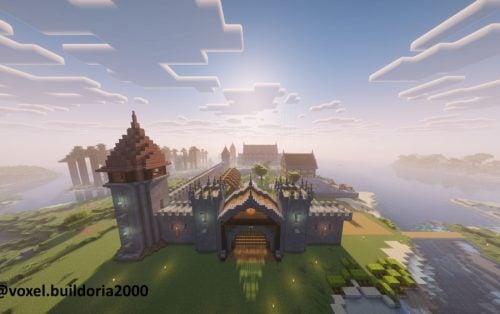 Survival Starter Base Castle Schematic (1.21.x) – Complete Medieval Fortress with Built-in Farms
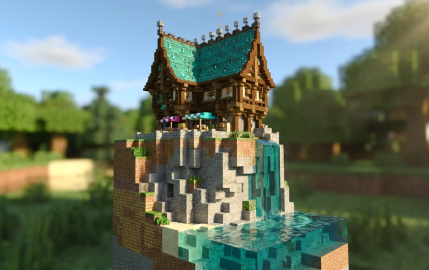 Medieval Waterfall House Schematic (1.21.x) – Scenic Cliffside Survival Base
 Text Poke 3d Schematic (1.21.x) – Large 3D Text Build for Custom Worlds

This post has no comments yet. Be the first — your comment will appear here.