


mxTune Mod (1.16.5, 1.12.2) – Start a Band with Friends
 660
660
 0
0

MxTune Mod adds musical instruments that let you play music from MML files. MML is a special format for writing songs, and you can find many of them online or create your own. This mod allows you to play music by yourself or form a group with up to sixteen players to perform together.
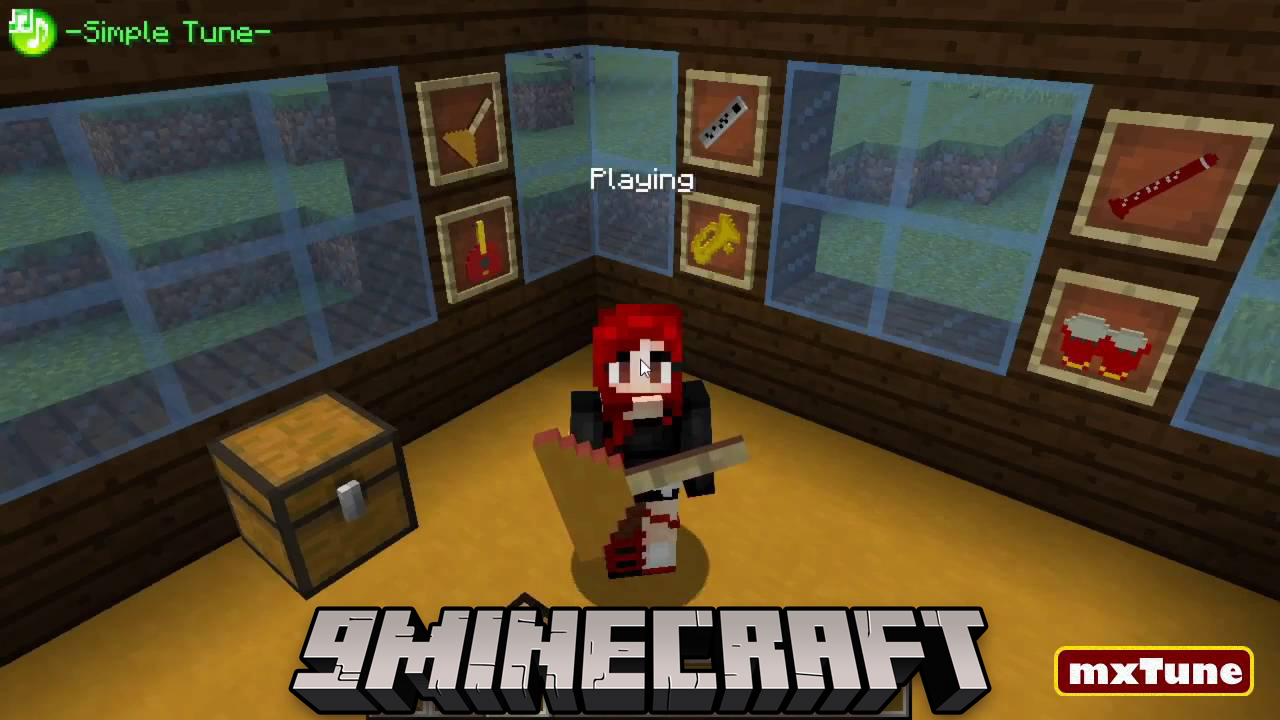
Features:
- Adds a variety of musical instruments to the game.
- Play music from MML files, a popular format for game music.
- Perform songs by yourself or in a group with up to 16 other players.
- Create Music Venues, which act as soundproof rooms for your performances.
- Use the Music Venue Tool to define the boundaries of your music areas.
- Instruments can automatically be selected to match the sheet music you use.
- Form a party with friends to play music together in perfect sync.
- Join a jam session by right-clicking the host player; some may require a PIN.
- Manage who you hear with several mute options, like muting everyone or only specific players.
- An on-screen display shows the title of the song currently being played.
Configuration:
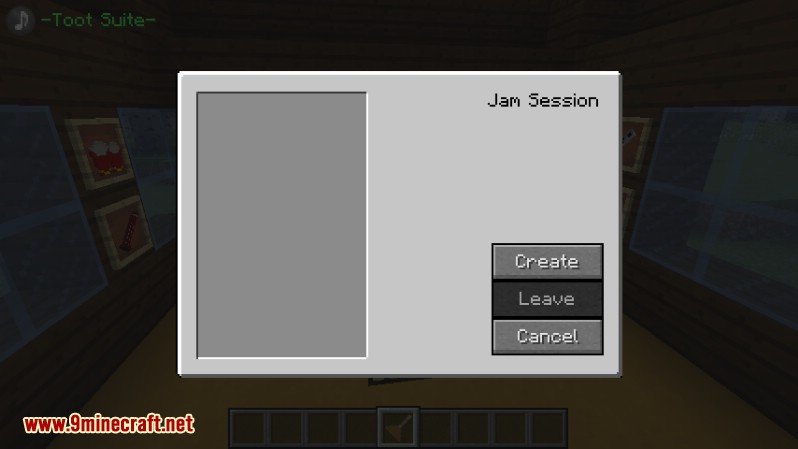
- J Key: Opens the menu to create or manage a party.
- P Key: Opens the Music Options menu to control mute settings.
What is MML?
MML, or Music Macro Language, is a simple way to represent musical notes, rests, and volume levels in ASCII text form. For more information please visit these sites:
Parties:
Show More
A basic party system was created that does not rely on the vanilla teams system. A party can have up to eight players. Members can be removed or promoted to leader. A member may leave at will. If a member dies or they leave the game they are ejected from the party automatically. Members of a party cannot sleep.
Create a Party:
Show More
Press “J” to create or open an existing party. If it’s a new party you are the leader and your name will be at the top of the list once you click OK.
Join a Party
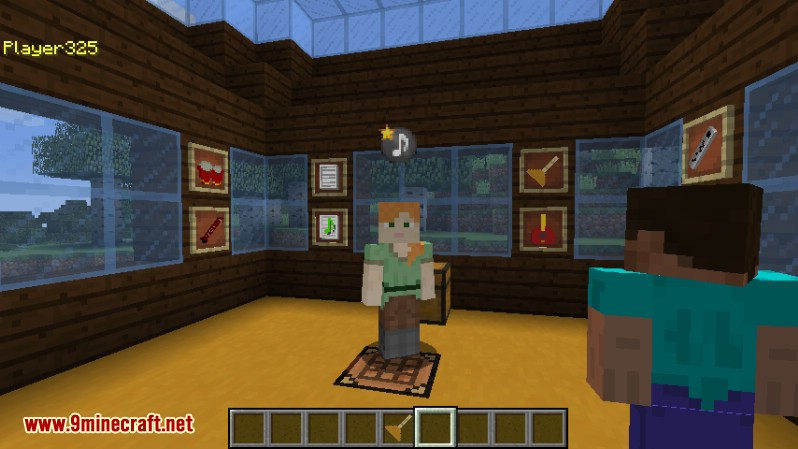
Parties are not secure at this time so anyone can join. Security will be added later. To join a party look for a player with music note placard over their head and Right Click on them. You will be presented with a dialog that gives you the options to join the leaders party
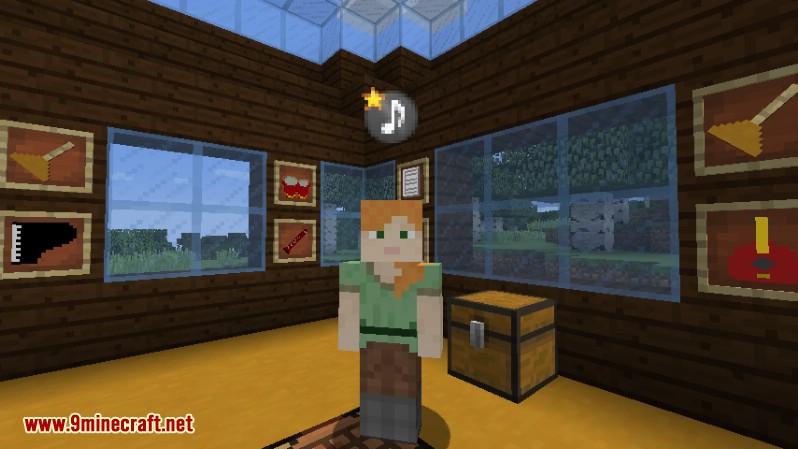
To Join the party Right-Click the leader.
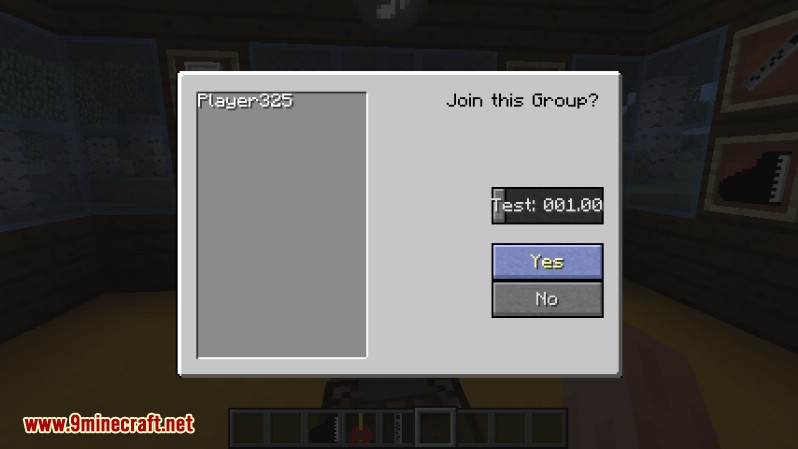
Click Yes to join the party.
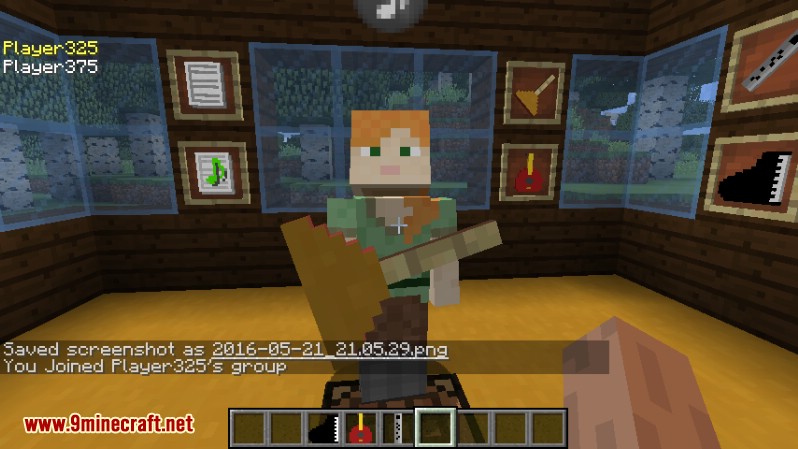
Welcome to the Group!
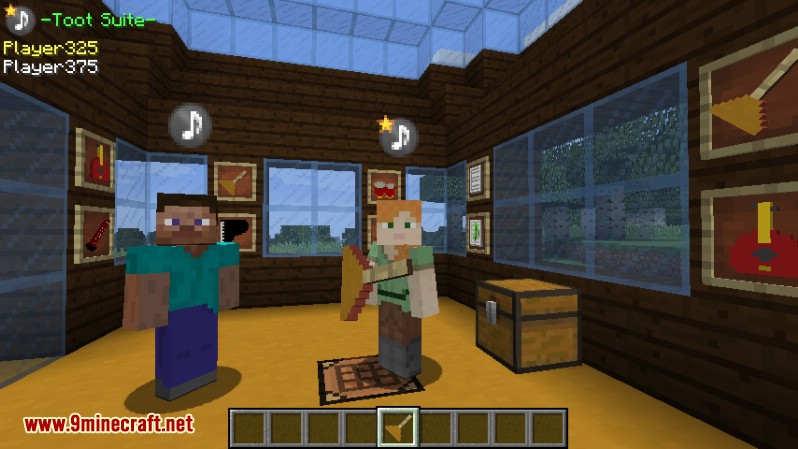
Group Members. Note the Party HUD upper left. The leaders placard has a star.
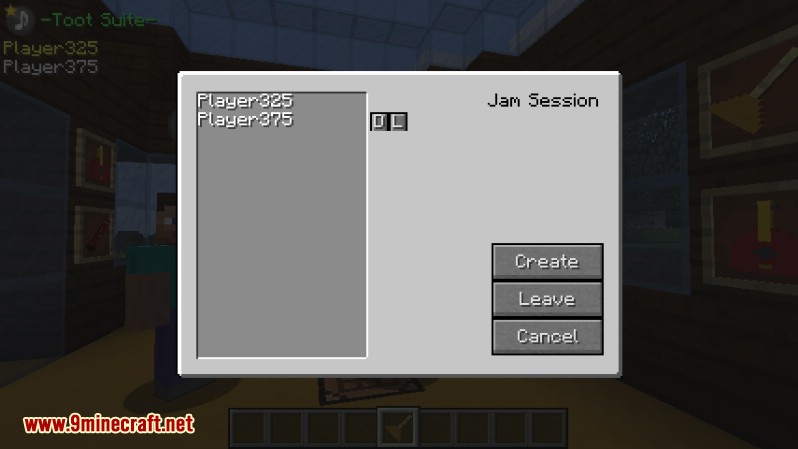
Leaders Party Dialog (J to open). Note the small buttons to the right of the 2nd member. The leader can (D)elete, or promote the member to (L)eader.
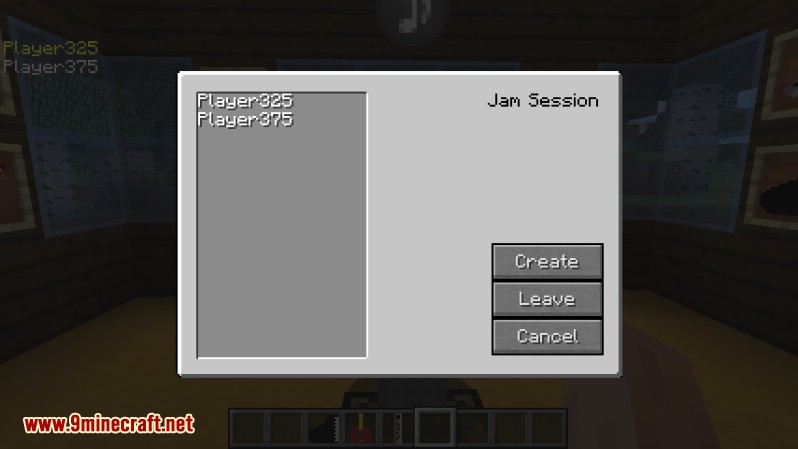
Members Party Dialog (J to open)
How to Use:
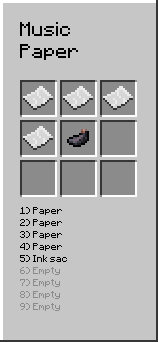
- First, create Music Paper by crafting four pieces of paper with one ink sack.
- Hold the Music Paper and right-click to open the music editor. Here, you can add a song title and paste your MML code. Click Done to turn it into Sheet Music.
- To load a song, hold an instrument, press SNEAK, and right-click to open its special inventory. Place the Sheet Music inside.
- To play solo, simply hold the instrument and right-click. You won’t be able to move while playing. Press the ESC key to stop.
- To play in a group, press J to create a party. Other players can join by right-clicking the leader.
- Each member in the party should load their Sheet Music and right-click with their instrument to get ready.
- Once all members are ready, the party leader just needs to right-click with their instrument to start the music for everyone at the same time.
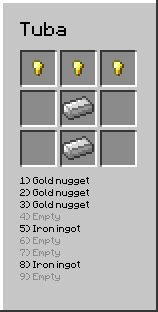
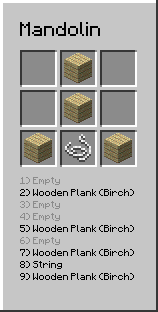
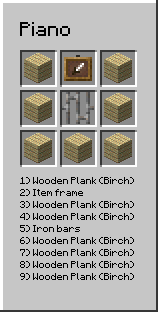
Crafting Recipes:
Show More
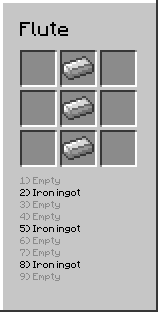
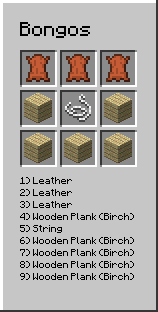
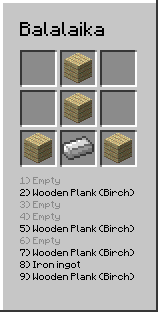
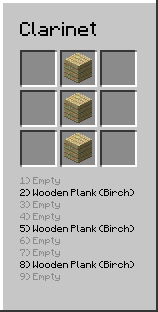
Screenshots:
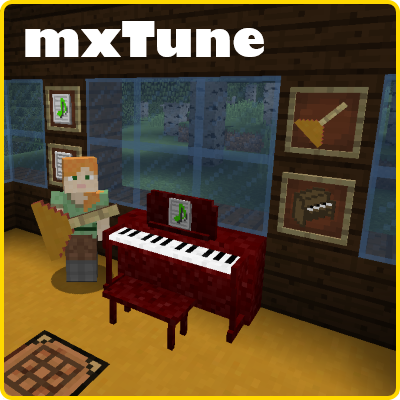
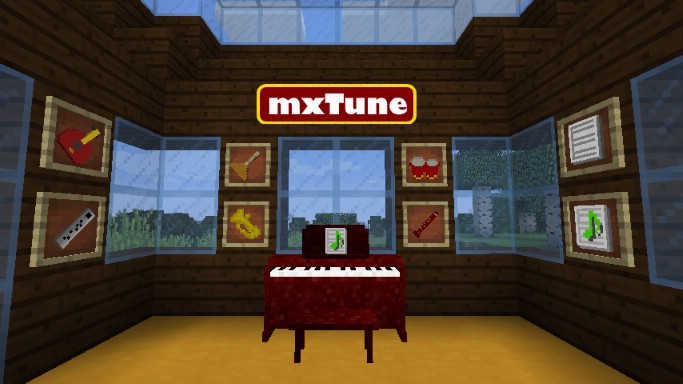
How to Install:
New to Minecraft? Follow our step-by-step guide to install Mods on your PC.View Guide
mxTune Mod Download Links
For Minecraft 1.7.10
Forge version: Download from Server 1 – Download from Server 2
For Minecraft 1.9.4
Forge version: Download from Server 2
For Minecraft 1.10.2
Forge version: Download from Server 2
For Minecraft 1.11.2
Forge version: Download from Server 2
For Minecraft 1.12.2
Forge version: Download from Server 1 – Download from Server 2
For Minecraft 1.16.5
Forge version: Download from Server 1
You May Also Like











This post has no comments yet. Be the first — your comment will appear here.