
Open Loader Mod (1.21.1, 1.20.1) – Play Every World with Custom Rules
 2,816
 0


Open Loader Mod loads data packs and resource packs across every world in your Minecraft game. Modpacks and servers can use this mod to add custom recipes, loot tables, functions, textures, sounds, translations, and tooltips so you do not have to set them up for each new save. It reads both zipped packs and regular folders from dedicated directories, and every loaded pack works just like a standard vanilla pack.
Features:
- Global Data Packs: Loads data packs across every save file so modpacks and servers can add custom recipes, loot tables, functions, and modded mechanics once for the whole game.
- Global Resource Packs: Applies resource packs across all worlds to add or replace textures, translations, sounds, tooltips, and other client files.
- Reads both zipped files and unzipped folders automatically from the mod’s directories without manual activation on every new world.
- Supports packs made for other mods such as Patchouli and BotanyPots, since loaded packs act the same way as packs placed in vanilla folders.
- Loads global resource packs after vanilla and modded resource packs so your custom visuals and sounds apply on top.
- Loads global data packs after vanilla and modded packs when a world first starts, while mods added later load after those packs on that world only.
- Lets you fix per-world data pack load order at any time with Minecraft’s vanilla data pack command.
How to Use:
- Check that each data pack or resource pack is a valid folder or zip file with a working
pack.mcmetafile inside so the mod can read it. - Place your data packs inside the
~/config/openloader/datafolder (or~/openloader/dataon Minecraft versions before 1.17) to load them into every world. - Place your resource packs inside the
~/config/openloader/resourcesfolder (or~/openloader/resourceson Minecraft versions before 1.17) to apply them across all saves. - Start your game or server, and the mod loads all placed packs automatically across every save file.
- Use Minecraft’s vanilla data pack command inside a world if you add new mods later and need to adjust that world’s data pack load order.
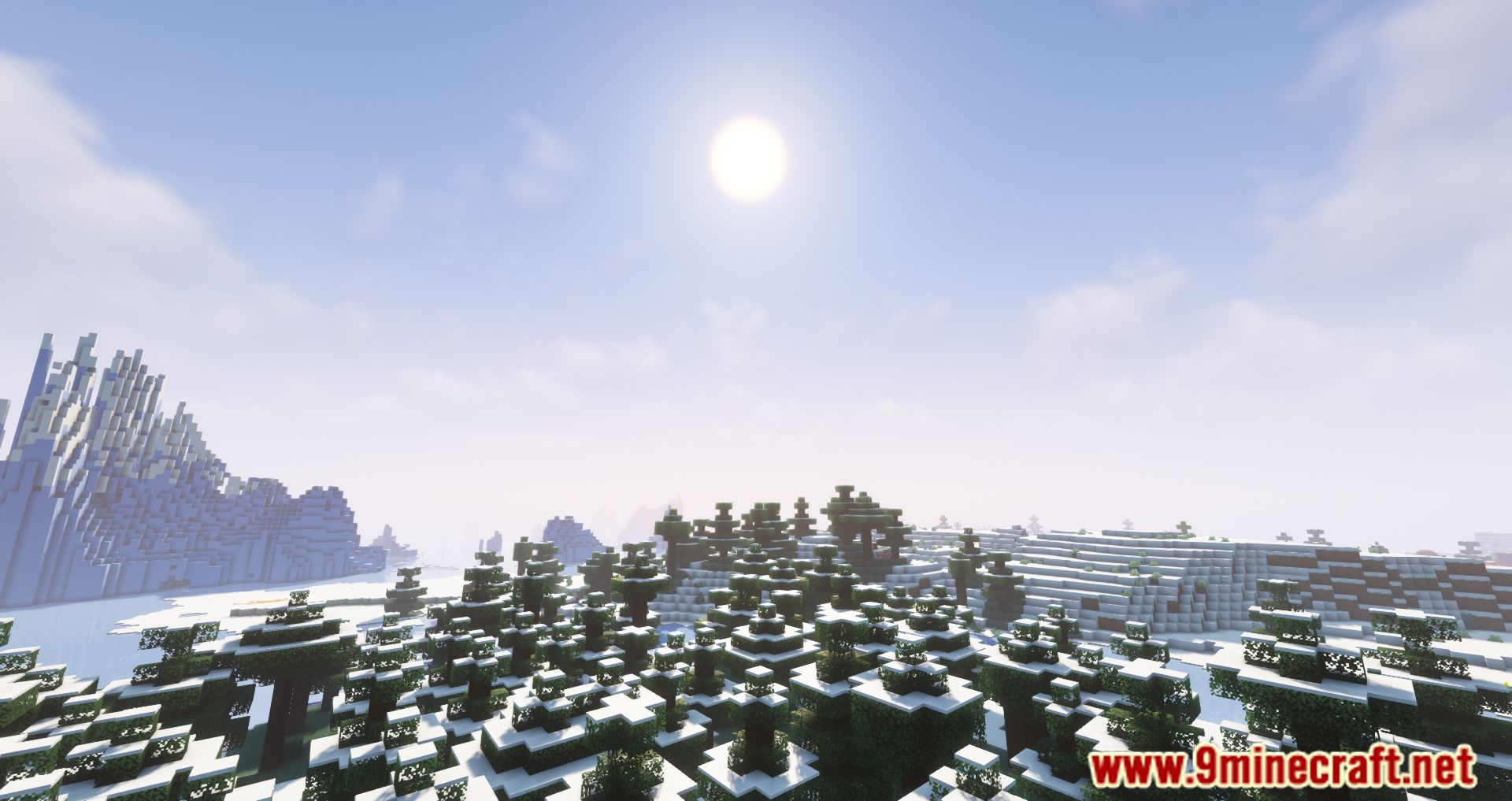
Screenshots:
How to Install:
New to Minecraft? Follow our step-by-step guide to install Mods on your PC.View Guide
Requirements:

Open Loader Mod Download Links
For Minecraft 1.16.5
Forge Version: Download from Server 1
Fabric Version: Download from Server 1
For Minecraft 1.17.1
Forge Version: Download from Server 1
Fabric Version: Download from Server 1
For Minecraft 1.18.1
Forge Version: Download from Server 1
Fabric Version: Download from Server 1
For Minecraft 1.18.2
Forge Version: Download from Server 1
Fabric Version: Download from Server 1
For Minecraft 1.19
Forge Version: Download from Server 1
Fabric Version: Download from Server 1
For Minecraft 1.19.1
Forge Version: Download from Server 1
Fabric Version: Download from Server 1
For Minecraft 1.19.2
Forge Version: Download from Server 1
Fabric Version: Download from Server 1
For Minecraft 1.19.3
Forge Version: Download from Server 1 – Download from Server 2
Fabric Version: Download from Server 1 – Download from Server 2
For Minecraft 1.19.4
Forge Version: Download from Server 1 – Download from Server 2
Fabric Version: Download from Server 1 – Download from Server 2
For Minecraft 1.20.1, 1.20
Forge Version: Download from Server 1 – Download from Server 2
Fabric/Quilt Version: Download from Server 1 – Download from Server 2
For Minecraft 1.20.2
Forge Version: Download from Server 1 – Download from Server 2
Fabric/Quilt Version: Download from Server 1 – Download from Server 2
NeoForge Version: Download from Server 1 – Download from Server 2
For Minecraft 1.20.4
Forge Version: Download from Server 1 – Download from Server 2
Fabric/Quilt Version: Download from Server 1 – Download from Server 2
NeoForge Version: Download from Server 1 – Download from Server 2
For Minecraft 1.21.1, 1.21
Forge Version: Download from Server 1 – Download from Server 2
Fabric/Quilt Version: Download from Server 1 – Download from Server 2
NeoForge Version: Download from Server 1 – Download from Server 2
What graphic style do you prefer for your modded game?
17 responses · See the full results →
You May Also Like
Picked for this page
 Fabric API (26.3, 1.20.1) – Play Hundreds of New Mods
 Macaw’s Holidays Mod (26.3, 1.20.1) – Halloween, Christmas, and Easter Decoration
 Diagonal Windows Mod (26.3, 1.20.1) – Place Glass Panes Diagonally with Ease
 Simply No Shading Mod (26.2, 1.20.1) – Uniform Brightness Across All Blocks
 Xray Snitch Mod (1.21.1, 1.20.1) – Expose XRay Users
 Trash Cans Mod (26.3, 1.20.1) – Declutter Your Automation
 Global Options Mod (26.2, 1.20.1) – Common Options
 No More Score Mod (1.21.11, 1.20.1) – Remove Score Points Displayed on Death Screen
 Raise Sound Limit Simplified Mod (26.3, 1.20.1) – Fix Audio Cutoffs In Minecraft
 Head Name Fix Mod (1.21.11, 1.20.1) – Custom Mob Head Name Retaining
 Compact F3 Plus Mod (26.3, 1.20.1) – Check Coordinates Without a Giant Wall
 Ping View Mod (26.3, 1.21.11) – Color Coded Ping In Tab List
Most viewed in Mods over the last 7 days
 Ala Industrial Mod (26.3) – Run Electric Power Grids and Automated Factories
 PleasureCraft Mod (26.3, 1.21.1) – Jenny Mod Remake for Fabric
 Jennycraft Mod (26.3, 1.20.1) – Virtual Girlfriend in Minecraft
 Fapcraft Mod (26.3, 1.12.2) – Comprehensive and Detailed Content
 Jenny Mod (Fapcraft) Official Complete Guide – How to use, Tutorial
 BangCraft Mod (1.20.1) – Jenny, Ellie and Elliot
 Fabric Loader (26.3, 1.20.1) – Fabric Installer for All Minecraft Versions
 The Shooting Star Demo Mod (26.3, 1.20.1) – Vaporize Terrain From Orbit
 Meteor Client Mod (26.3, 1.20.1) – Xray, HUD, Fly
 OptiFine HD (26.3, 1.20.1) – Run Faster, FPS Boost, Shaders Support
 Aristois Client Mod (1.21.4, 1.20.1) – World Class Minecraft Utility
 Prestige Client Mod (1.21.11, 1.21.4) – Powerful Ghost Features for Crystal & Sword PvP
More from Mods
 ForgedLoaderAPI Mod (1.19.2, 1.18.2) – Bring Ported Fabric Creations
 Shield System Mod (1.21.1) – Tank Heavy Monster Hits Without Losing Hearts
 Shin’s Tensura Race Models Mod (1.19.2) – Play As Unique 3D Anime Race
 Offgrid Mod (26.3, 1.20.1) – Furnish Compact Interiors Without Strict Grid
 Tempest Almanac Iron’s Spells ‘n Spellbooks Mod (1.21.1, 1.20.1)
 Chat Guides Mod (26.3, 1.21.11) – Never Memorize Complex Server Commands Again
 TRMT Reimagined the Roads More Travelled Mod (26.3, 1.20.1)
 Morrowless Mod (1.21.1) – Defend Your Shelter From Nightmare Creatures
 THE SLOPSTROSITY Mod (1.21.1) – Battle a Ridiculous Slime Boss
 Decoween Mod (1.21.1, 1.20.1) – Transform Ordinary Survival Bases
 Simply Light 9minecraft Mod (26.3) – Decorate Builds Without Torches
 Alex’s Caves Continued Mod (26.3, 1.20.1) – Conquer Six Massive Underground

This post has no comments yet. Be the first — your comment will appear here.