
Pylons Mod (26.1.2, 1.20.1) – Automate Farms with Magic
 5,367
 0


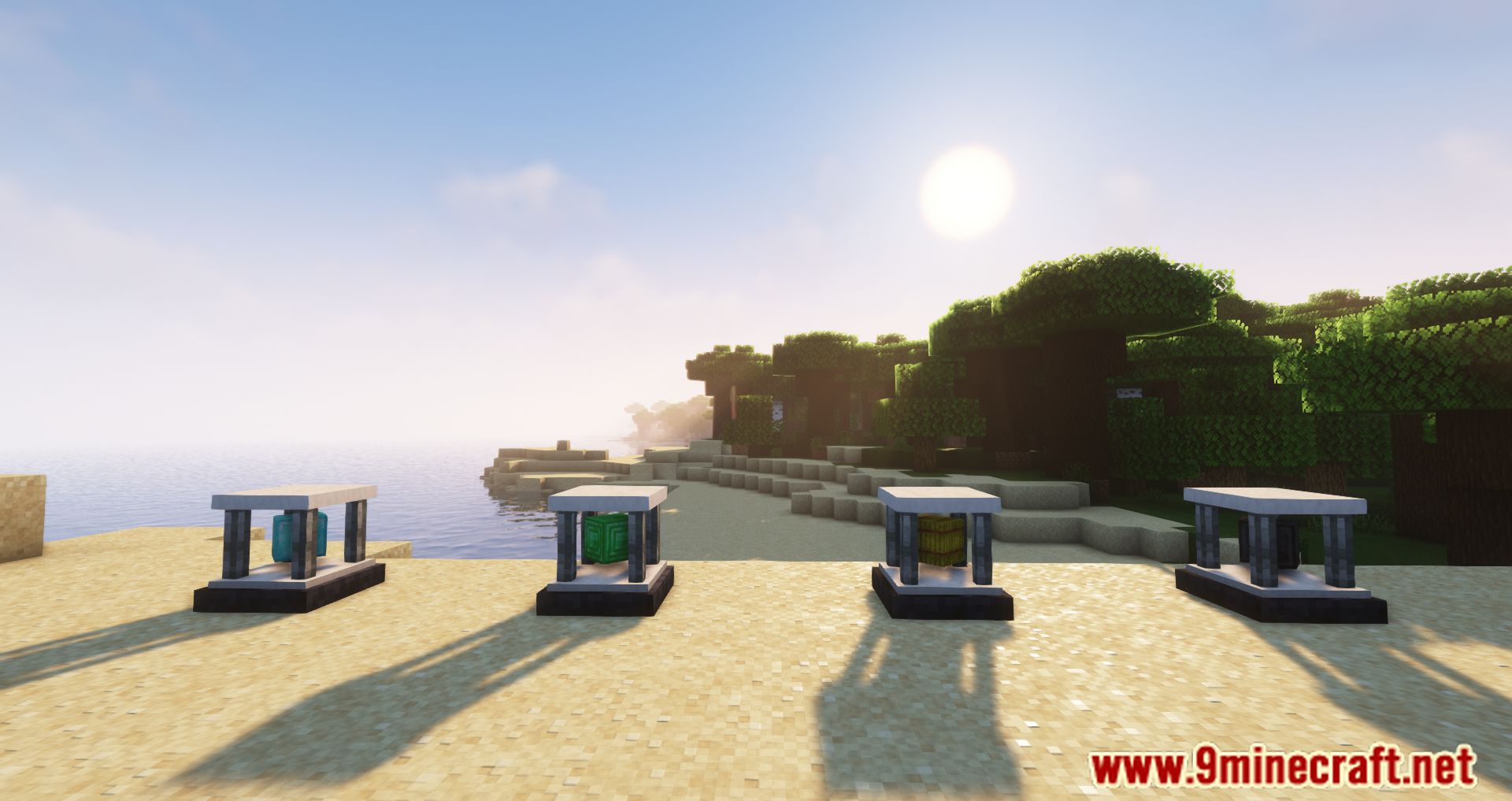
Pylons Mod adds five magic utility blocks that handle crop harvesting, chunk protection, and remote potion buffs. Each block uses simple filter cards so you choose which players, mobs, blocks, or effects it targets. You can place them in your world to keep unwanted visitors out on servers, stop monster spawns, protect builds from accidental hits, collect crops into a chest, and keep potion effects active from any distance.
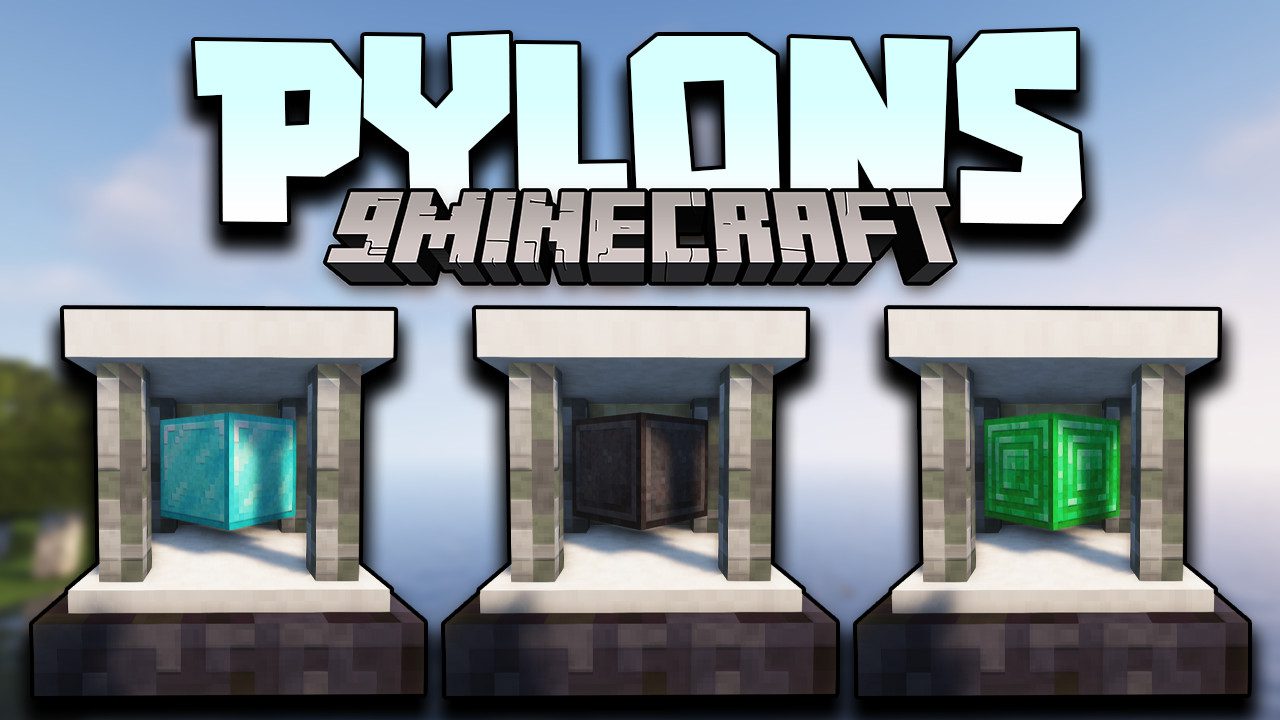
Features:
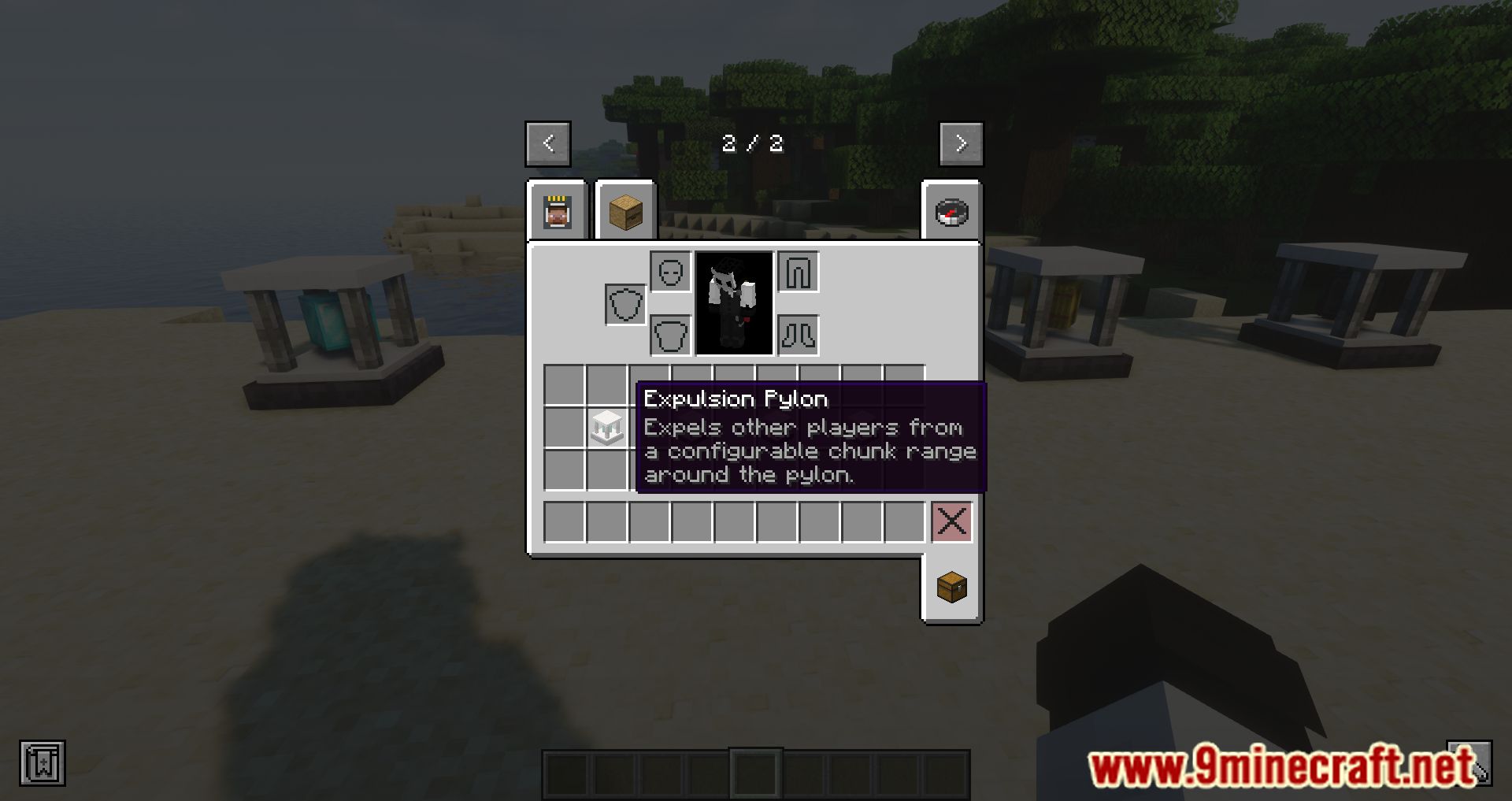
- Expulsion Pylon: Pushes other players out of the chunk where you place it on multiplayer servers, while server OPs and players added to a Player Filter can stay inside.
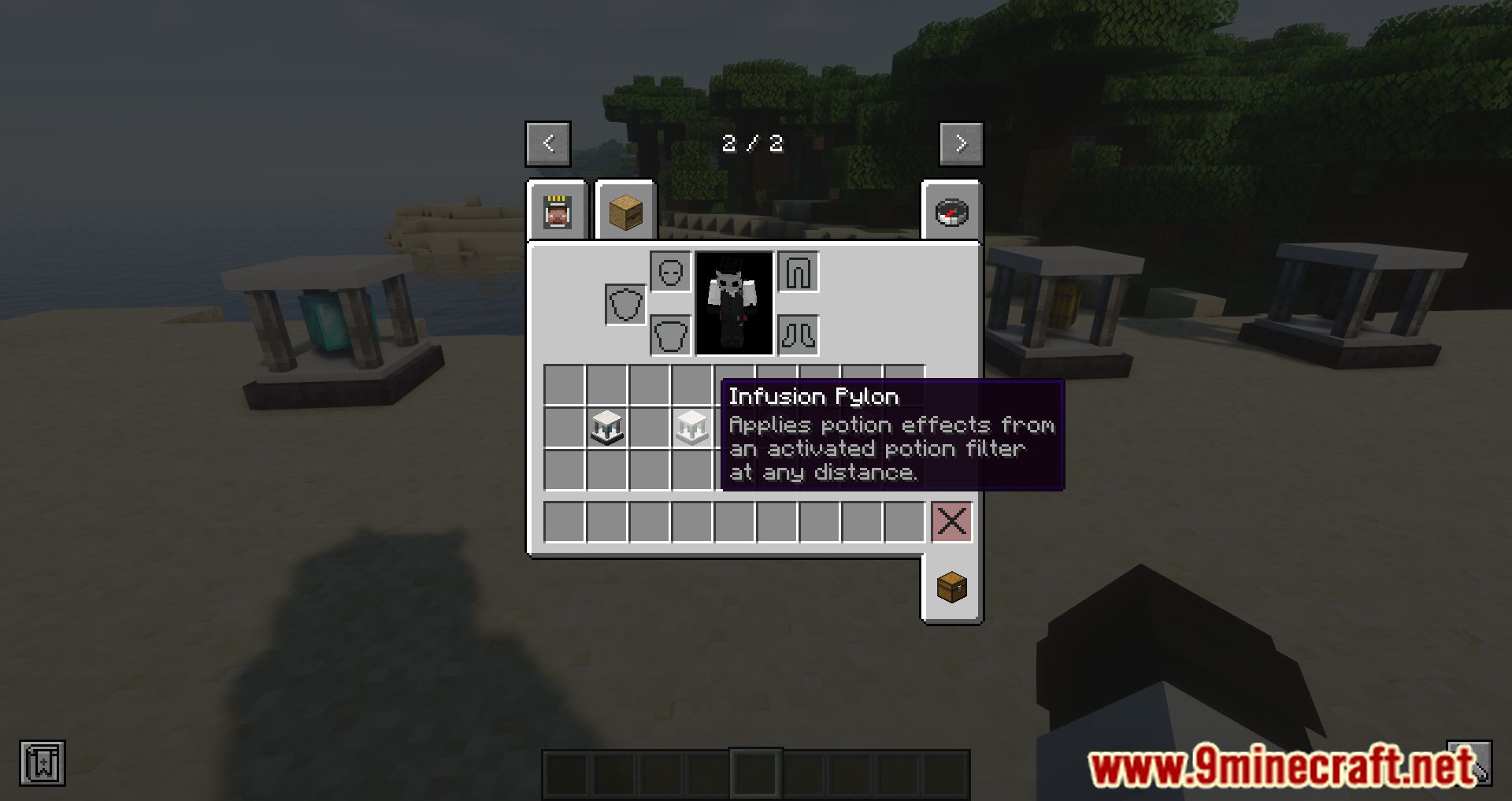
- Infusion Pylon: Applies potion effects to you from any distance using charged Potion Filters, as long as the block’s chunk is loaded.
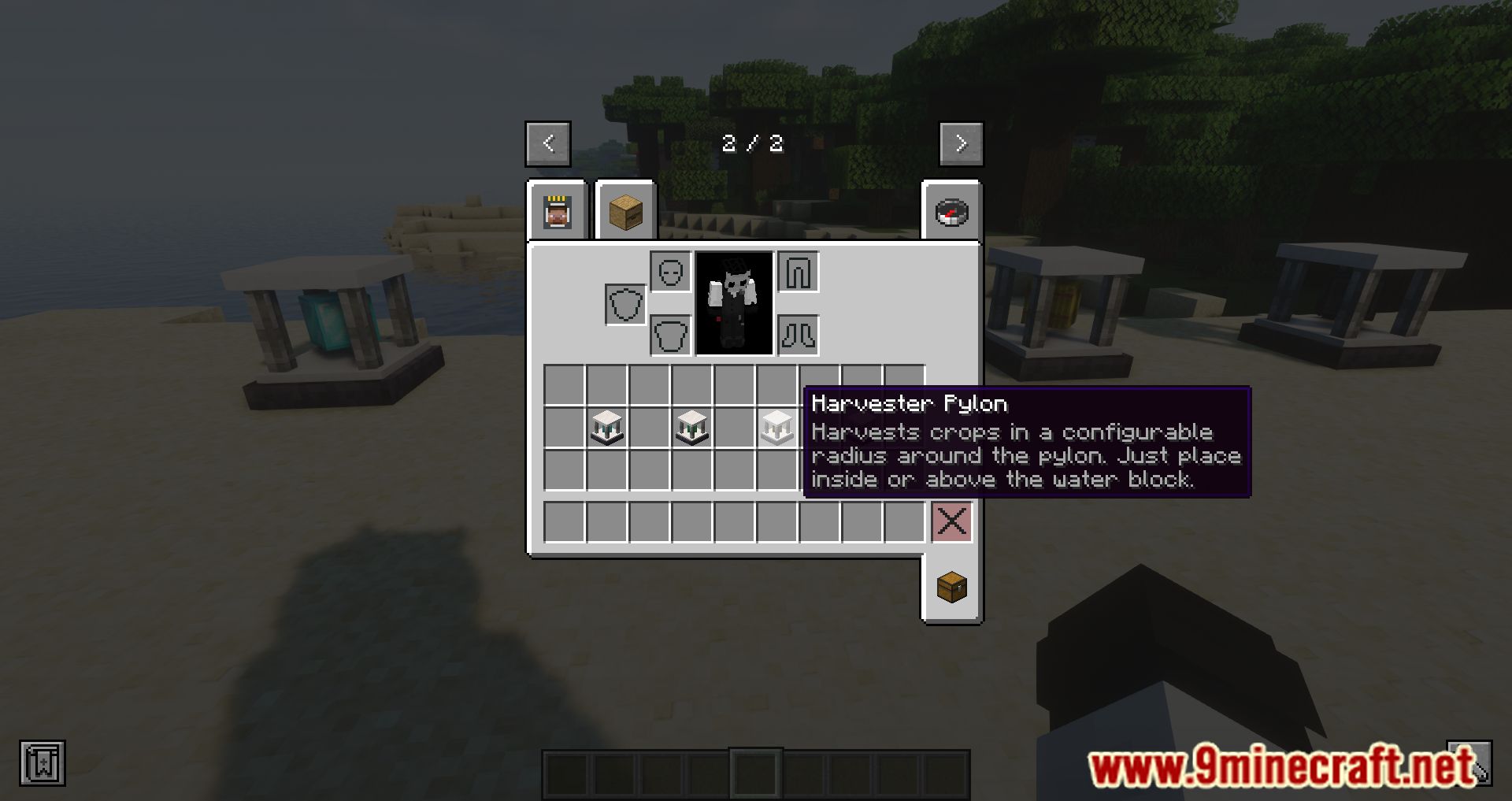
- Harvester Pylon: Collects crops in a 3×3 to 9×9 area when placed inside a farm’s water block and sends harvested items into an inventory directly above it.
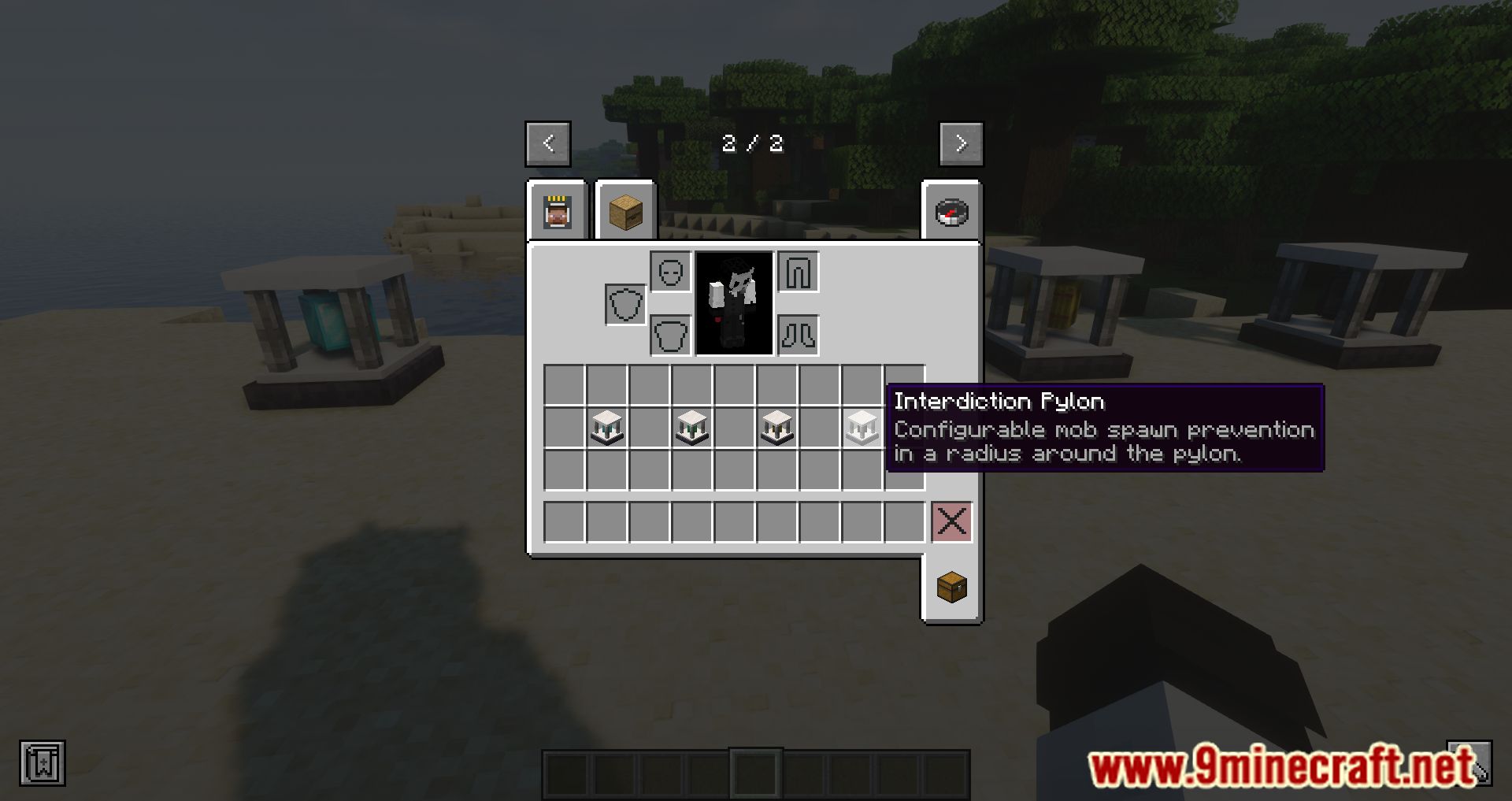
- Interdiction Pylon: Stops chosen mobs from spawning inside a selectable 1×1 to 5×5 chunk range with Mob Filters.
- Protection Pylon: Prevents the block owner from breaking chosen blocks or killing chosen mobs within a 1×1 to 5×5 chunk range using Block Filters and Mob Filters.
- Potion Filters pull remaining effect time off your character (minimum 60 seconds by default) and fully activate once they store 1 hour of duration, equal to 7.5 extended vanilla potions.
- Crop harvesting requires a hoe inside the block and uses 1 durability per crop by default, with support for unbreakable hoes and a config option to disable durability use.
How to Use:
- Apply a potion effect with at least 60 seconds left to yourself and Right-click a Potion Filter to store its remaining duration until the card reaches 1 hour, then insert it into an Infusion Pylon.
- Hold two Potion Filters with the same effect in your main hand and off-hand, then Right-click to combine their durations onto the main-hand card.
- Place a Harvester Pylon inside the water block of your farm, put a chest or inventory right on top of it, and place a hoe inside the pylon.
- Right-click on a mob with a Mob Filter to record it, then place the filter inside an Interdiction Pylon or Protection Pylon to apply it to nearby chunks.
Crafting Recipes:
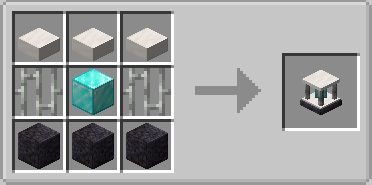
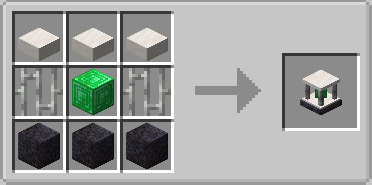
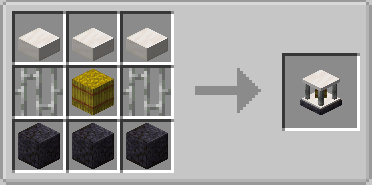
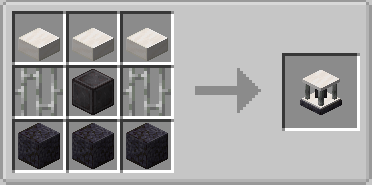
Screenshots:
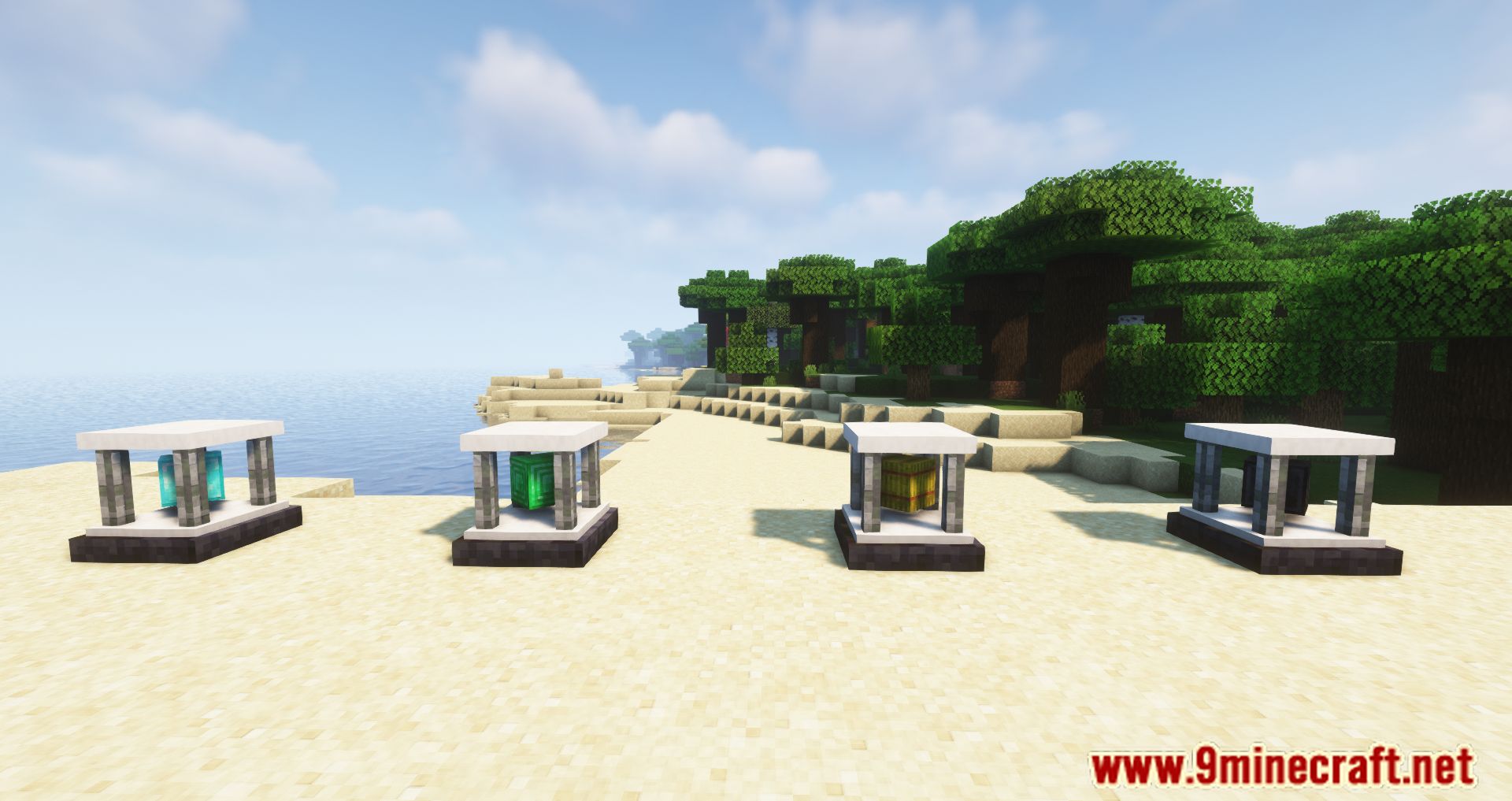
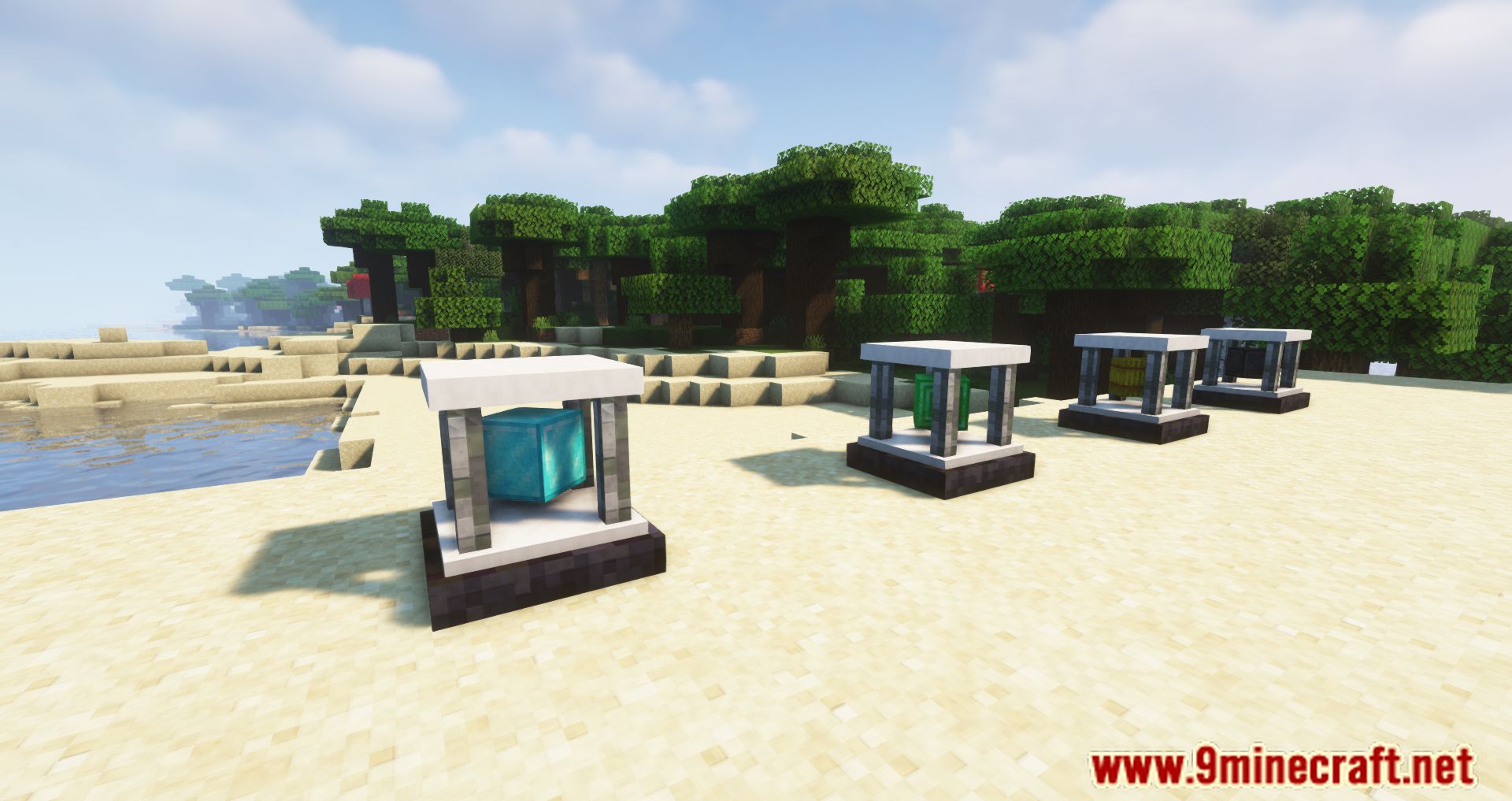
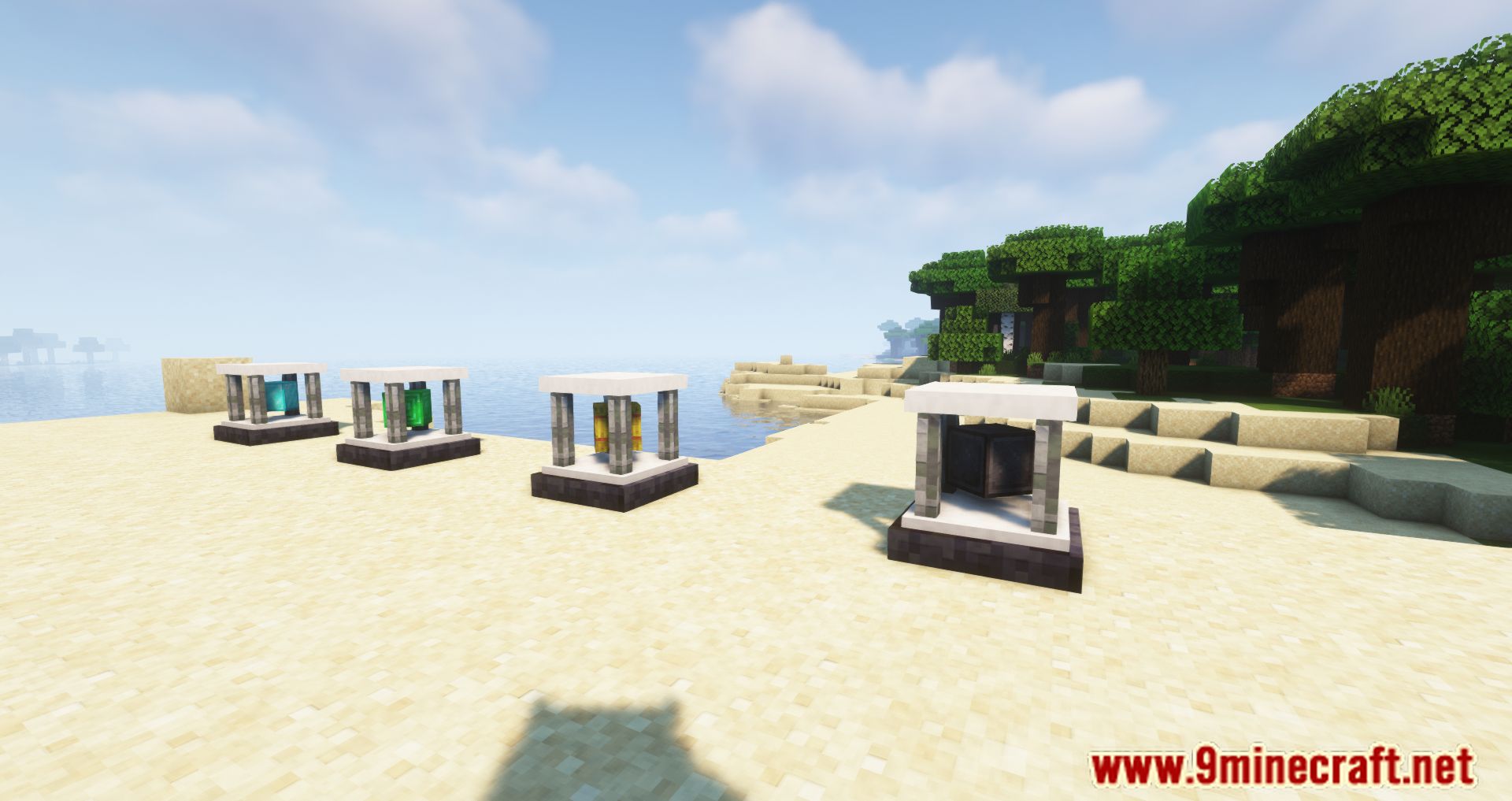
How to Install:
New to Minecraft? Follow our step-by-step guide to install Mods on your PC.View Guide
Requirements:


Pylons Mod Download Links
For Minecraft 26.1.2, 26.1.1, 26.1
For Minecraft
1.21.11,
1.21.10,
1.21.9
All Versions Covered
1.21.11
1.21.10
1.21.9
1.21.8
1.21.7
1.21.6
1.21.5
1.21.4
All Versions Covered
1.21.11
1.21.10
1.21.9
1.21.8
1.21.7
1.21.6
1.21.5
1.21.4
For Minecraft 1.21.1, 1.21
For Minecraft 1.20.1, 1.20
For Minecraft 1.19.2
For Minecraft 1.18.2
For Minecraft 1.18.1
For Minecraft 1.16.5
Click to rate this post!
[Total: 1 Average: 5]
You May Also Like
Picked for this page
 Connected Glass Mod (26.3, 1.20.1) – Better Looking Glass
 Easy Magic Mod (26.3, 1.20.1) – Easier Enchant
 Custom Crosshair Mod (26.3, 1.20.1) – Customize With New Shapes, Colors and Sizes
 Break Free Mod (26.3, 1.20.1) – Keep Breaking Blocks When Switch Items
 Tech Reborn Mod (26.3, 1.20.1) – Build Your Own Tech Empire
 Armor Stand Editor Mod (26.3, 1.20.1) – In-Game Editing Tool
 Common Capabilities Mod (26.3, 1.20.1) – Shared Forge Capabilities
 Vectorientation Mod (26.3, 1.20.1) – Improve Minecraft’s Visuals
 No Nether Portal Overlay Mod (26.2, 1.20.1) – Overlay Removal
 Permanent Sponges Mod (26.3, 1.20.1) – Sponges to Keep an Area Permanently Dry
 Caxton Mod (26.3, 1.20.1) – TrueType and OpenType Font Support
 Expanded Trident Enchanting Mod (26.2, 1.20.1) – Trident Enchanting Revolution
Most viewed in Mods over the last 7 days
 Ala Industrial Mod (26.3) – Run Electric Power Grids and Automated Factories
 PleasureCraft Mod (26.3, 1.21.1) – Jenny Mod Remake for Fabric
 Jennycraft Mod (26.3, 1.20.1) – Virtual Girlfriend in Minecraft
 Fapcraft Mod (26.3, 1.12.2) – Comprehensive and Detailed Content
 Jenny Mod (Fapcraft) Official Complete Guide – How to use, Tutorial
 BangCraft Mod (1.20.1) – Jenny, Ellie and Elliot
 Fabric Loader (26.3, 1.20.1) – Fabric Installer for All Minecraft Versions
 The Shooting Star Demo Mod (26.3, 1.20.1) – Vaporize Terrain From Orbit
 Meteor Client Mod (26.3, 1.20.1) – Xray, HUD, Fly
 OptiFine HD (26.3, 1.20.1) – Run Faster, FPS Boost, Shaders Support
 Aristois Client Mod (1.21.4, 1.20.1) – World Class Minecraft Utility
 Prestige Client Mod (1.21.11, 1.21.4) – Powerful Ghost Features for Crystal & Sword PvP
More from Mods
 Beli’s SkyLyrics Mod (1.21.11) – Sing Along to Desktop Tracks Projected in the Night Sky
 Explainstone and Songmelyn Mod (1.21.1) – Broadcast Custom Music Across Your Base
 Rockstar Shaders Mod (26.3) – Cast Ray-Traced Light Across Vast Distant Horizons
 ERYDON Mod (1.20.1) – Design Grand Courtyards with Carved Marble Pillars
 Infinity Bound Mod (1.21.1) – Snap Away Enemies with Legendary Superhero Gear
 Legacy Gecko Lib Fabric Mod (1.16.5) – Power Animated Creatures in Modpacks
 The Man from the Shadow Horror Mod (1.20.1) – Fight Hallucinations to Survive
 Shade & Saturation Slider Mod (26.2, 1.21.11) – Make Every Biome Vibrant
 Cataclysm X Yung’s Better Nether Fortresses Compat Mod (1.21.1, 1.20.1)
 Patchouli 9minecraft Mod (26.3) – Read Mod Guides Without Leaving Minecraft
 Paintings ++ 9minecraft Mod (26.3) – Pick the Exact Painting You Want
 owo-lib 9minecraft Mod (26.3) – Run Your Favorite Mods Without Errors

This post has no comments yet. Be the first — your comment will appear here.