
Stellar API (1.12.2, 1.11.2) – Gaze Across Distant Skies
 573
 0

Stellar API provides a base system for mods that work with sky and space objects in Minecraft. It acts as the core library for Stellar Sky, Stellarium, and Photoptics so they work well together. On its own, this mod adds default telescopes to zoom in on faraway views, a movable screen overlay for day info, and custom wake settings. You can also change how long days and months last, set minimum sky brightness, and swap textures for different dimensions with commands.
Features:
- Celestial API: Gives sky and space mods a shared system so they work together with better compatibility.
- Optical System: Adds default telescopes that let you zoom in when you right-click, which the Photoptics mod improves even further.
- HUD Overlay System: Adds a customizable screen overlay that shows day info in the top-right corner by default and can be moved anywhere on the screen.
- Adjustable Day and Month Length: Lets you change how long days and months last in World Settings without needing Stellar Sky, once you turn on the tweak option in the config.
- You can press the U key to open the HUD menu, move overlay elements around, or turn off overlays you do not want.
- Lets you set custom day and month offsets along with minimum sky brightness in the config file.
- Uses WorldSets to pick which worlds get specific sky settings, including named WorldSets that match the name of a custom dimension.
- Includes a Force Configuration flag that applies config changes to every world you open when turned on, or leaves previously loaded worlds unchanged when turned off.
- Lets you set up custom wake conditions and wake times in the wake configuration settings.
- Includes per-dimension commands that replace textures and resources for a specific dimension right away.
Commands:
New resources take effect right after you run these commands. Use (location in assets) for vanilla files, and (modid):(location in per-mod resource location) for modded files.
/perdimres available: Shows a list of per-dimension resource IDs you can replace./perdimres list: Shows all per-dimension resources that are currently replaced./perdimres set <PerDimResID> <resource location>: Replaces a per-dimension resource with a new texture or file./perdimres remove <PerDimResID>: Removes a custom replacement and restores the default resource.
How to Use:
- Hold a default telescope and press Right-click to zoom in on faraway areas.
- Press U to open the HUD menu, where you can move overlays like the top-right day display or turn off overlays you do not need.
- Open the config file, go to World Settings, and enable the Stellar API tweak option so custom time and sky changes take effect.
- Adjust day length, month length, day/month offset, and minimum sky brightness in World Settings to customize how time and the sky behave for each WorldSet.
- Create a named WorldSet with the exact name of a custom dimension in the config if you want to set a separate day length for that dimension.
- Turn on the Force Configuration flag to apply your config changes to worlds you have already opened before, or leave it off so previously loaded worlds stay the same.
- Edit the wake configuration settings in the config to set custom wake conditions and wake times.
- Run
/perdimres availableto see replaceable resource IDs, then use/perdimres set <PerDimResID> <resource location>to swap a dimension’s texture right away.
Screenshots:
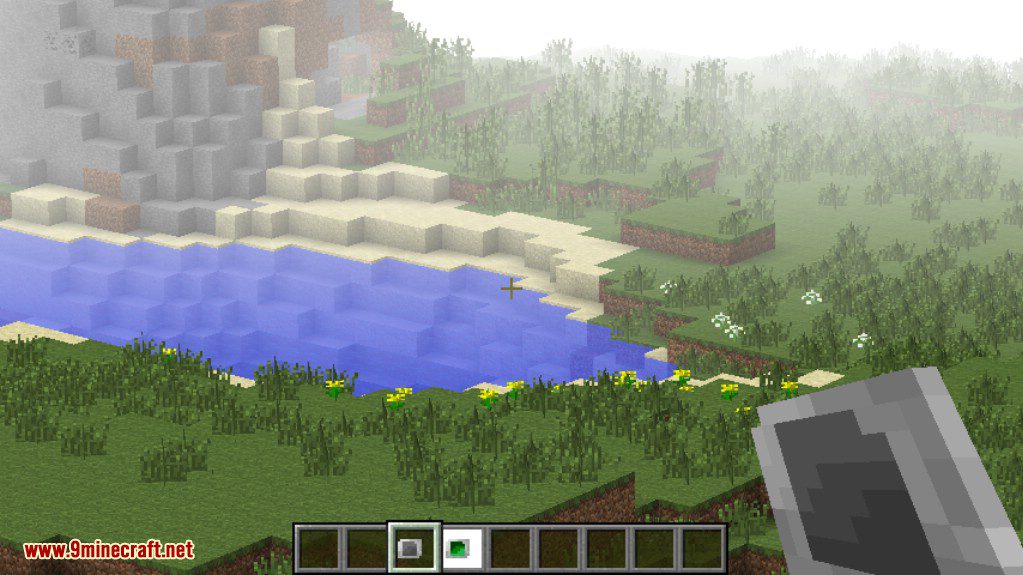
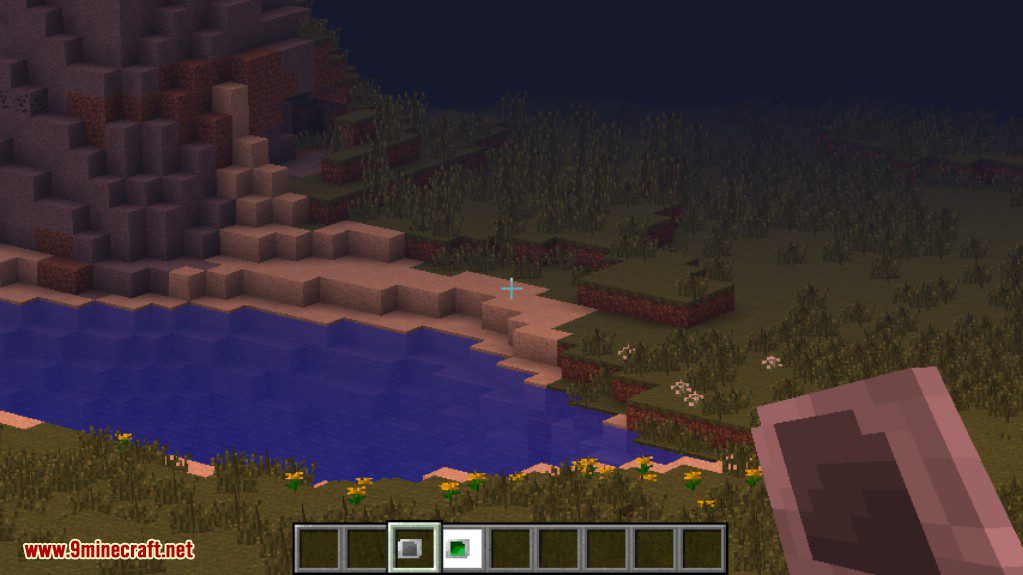
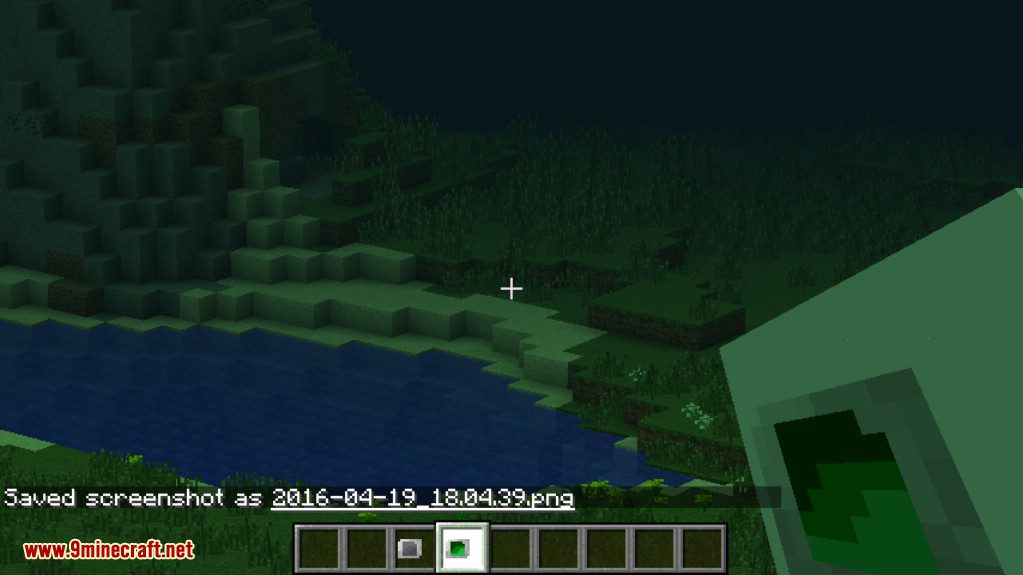
These are screenshots using the default telescopes.
How to Install:
New to Minecraft? Follow our step-by-step guide to install Mods on your PC.View Guide
Stellar API Download Links
For Minecraft 1.7.10
For Minecraft 1.8.9
For Minecraft 1.9.0
For Minecraft 1.10.2, 1.9.4
For Minecraft 1.11.2, 1.11
For Minecraft 1.12.2, 1.12.1, 1.12
How often do you actually finish a progression-based modpack (reaching the final quest or endgame item)?
25 responses · See the full results →
You May Also Like
Picked for this page
 Iron Furnaces Mod (1.21.11, 1.20.1) – New Furnaces, More Efficient
 Cloth Config API (26.3, 1.20.1) – Client Sided Config Screen
 Simple Storage Network Mod (1.21.1, 1.20.1) – Processing Cable
 Diamethysts Mod (1.21.1, 1.20.1) – Strong, Mystical, Crystalline Material
 Placeable Items Mod (1.21.1, 1.20.1) – More Item Interactions
 SeasonHUD Mod (26.3, 1.20.1) – Season Display Overlay
 Dynamic Trees Plus Mod (1.21.1, 1.20.1) – More Than Just Trees
 Trample Everything Mod (26.3, 1.20.1) – Realistic Interactions In Minecraft
 Jobs+ Mod (26.2, 1.20.1) – RPG Jobs System for Minecraft
 No More Poison with Regeneration Mod (26.1.2, 1.20.1) – Simultaneous Effect Cancellation
 Tool Progression Mod (1.12.2) – Configurable Harvest Levels for Tools
 Odyssey Lite Mod (26.3, 1.20.1) – Quality-Of-Life HUD Elements
Most viewed in Mods over the last 7 days
 Ala Industrial Mod (26.3) – Run Electric Power Grids and Automated Factories
 PleasureCraft Mod (26.3, 1.21.1) – Jenny Mod Remake for Fabric
 Jennycraft Mod (26.3, 1.20.1) – Virtual Girlfriend in Minecraft
 Fapcraft Mod (26.3, 1.12.2) – Comprehensive and Detailed Content
 Jenny Mod (Fapcraft) Official Complete Guide – How to use, Tutorial
 BangCraft Mod (1.20.1) – Jenny, Ellie and Elliot
 Fabric Loader (26.3, 1.20.1) – Fabric Installer for All Minecraft Versions
 Meteor Client Mod (26.3, 1.20.1) – Xray, HUD, Fly
 The Shooting Star Demo Mod (26.3, 1.20.1) – Vaporize Terrain From Orbit
 OptiFine HD (26.3, 1.20.1) – Run Faster, FPS Boost, Shaders Support
 Aristois Client Mod (1.21.4, 1.20.1) – World Class Minecraft Utility
 SchnurriTV Mod (1.12.2) – Characters and Features
More from Mods
 Fabric Gui ImGui Mod (26.3, 1.21.11) – Clean Custom Menus and In-Game Control
 Multi Item Lib Mod (1.20.1) – Wield Custom Gear with Flawless Hand Animations
 Universe3090 Mod (1.20.1) – Survive Corrupted Dimensions Filled
 Wireless Automate Mod (1.21.1) – Automate Base Logistics Without Messy Pipes
 Vaskars Opus Faction War Quests & Bosses Mod (1.21.11, 1.20.1)
 Multitools and More Mod (26.3, 1.20.1) – Clear Your Hotbar and Travel
 Luxium Let There Be Light Mod (1.20.1) – Stunning Lighting on Low-End Computers
 Soulscraft Tarnished Legacy Mod (1.21.1) – Hunt Relics to Forge Dark Fantasy
 Fetzi’s Displays Mod (26.1.2, 1.20.1) – Turn Rare Gear and Weapons
 Primal Plushies Paleo Pals Mod (1.21.1, 1.20.1) – Decorate Your Base
 Ipla Mod (26.3, 1.20.1) – Showcase Your Favorite Items
 MesdagPortLib Mod (1.20.1) – Run Modern Minecraft Mechanics on Older Versions

This post has no comments yet. Be the first — your comment will appear here.