


Steve’s Addons Mod (1.7.10) – Copy Your Entire Factory
 135
135
 0
0

🌐 Read this article in your language! Choose your preferred language below.
Or pick the one you like:
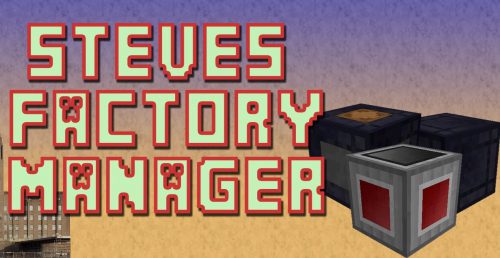
Steve’s Addons Mod extends Steve’s Factory Manager with new tools and quality-of-life improvements. This addon lets you copy your machine setups, manage RF energy more easily, and label parts of your factory to keep everything organized.
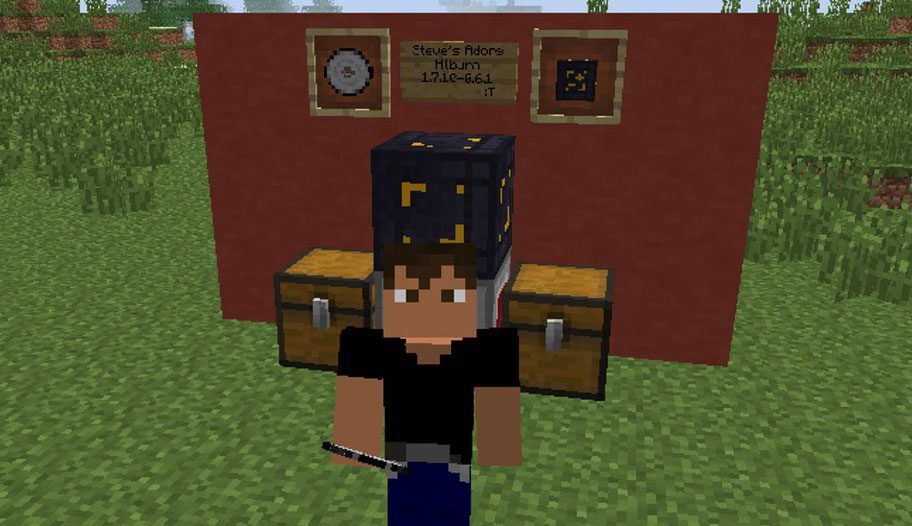
Features:
- Manager Duplicator: Copy your entire manager setup and paste it somewhere else. This works within the same world or even between different worlds.
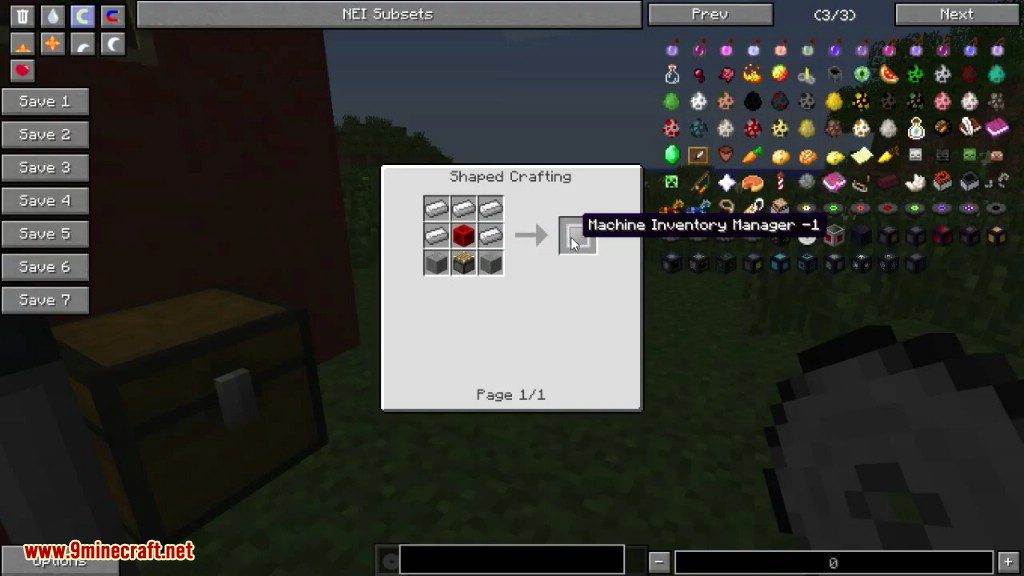
- Inventory Manager Upgrade: Modifies the standard manager to handle RF Input, Output, and Conditions, and adds a copy button to the interface.
- RF Node: Adds a special block that allows the manager to connect with other RF transportation methods.
- Factory Labeller: Give unique, searchable names to any machine or block connected to a manager. This makes it easier to find and identify specific parts of your system.
- Mod Compatibility: Allows JABBA Dollies to move managers. It also lets the manager correctly see the full contents of Barrels, Caches, and MFR Deep Storage Units.
- Bug Fixes: Improves stability and optimizes item search speed from the original mod.
- Shows custom labels and inventory contents in tooltips for better visibility.
How to Use:
Using the Factory Labeller:
- Right-click with the labeller in your hand to open its menu.
- Type in the text box to set a label or search for ones you’ve already saved.
- Click a saved label to select it, or double-click it to make changes.
- Left-click on a machine to apply the label that is currently in the text box.
- To remove a label from a machine, just apply a blank label to it.
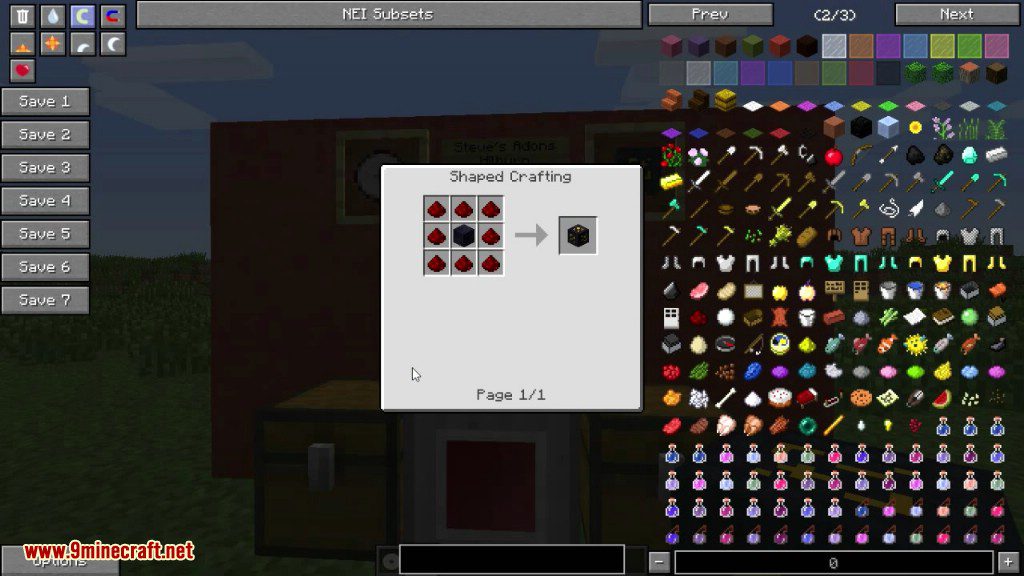
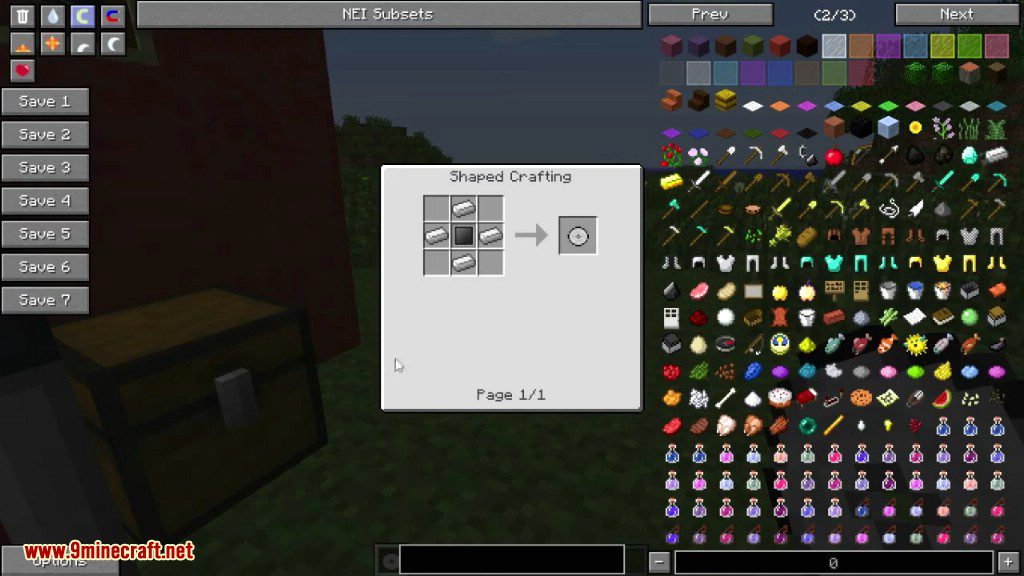
Crafting Recipes:
How to Install:
New to Minecraft? Follow our step-by-step guide to install Mods on your PC.View Guide
Requirements:
Steve's Addons Mod Download Links
For Minecraft 1.7.10
Click to rate this post!
[Total: 0 Average: 0]
You May Also Like












This post has no comments yet. Be the first — your comment will appear here.