
Telemap Core Mod (26.3, 1.20.1) – Share Pins, Track Teammates
 0
 0

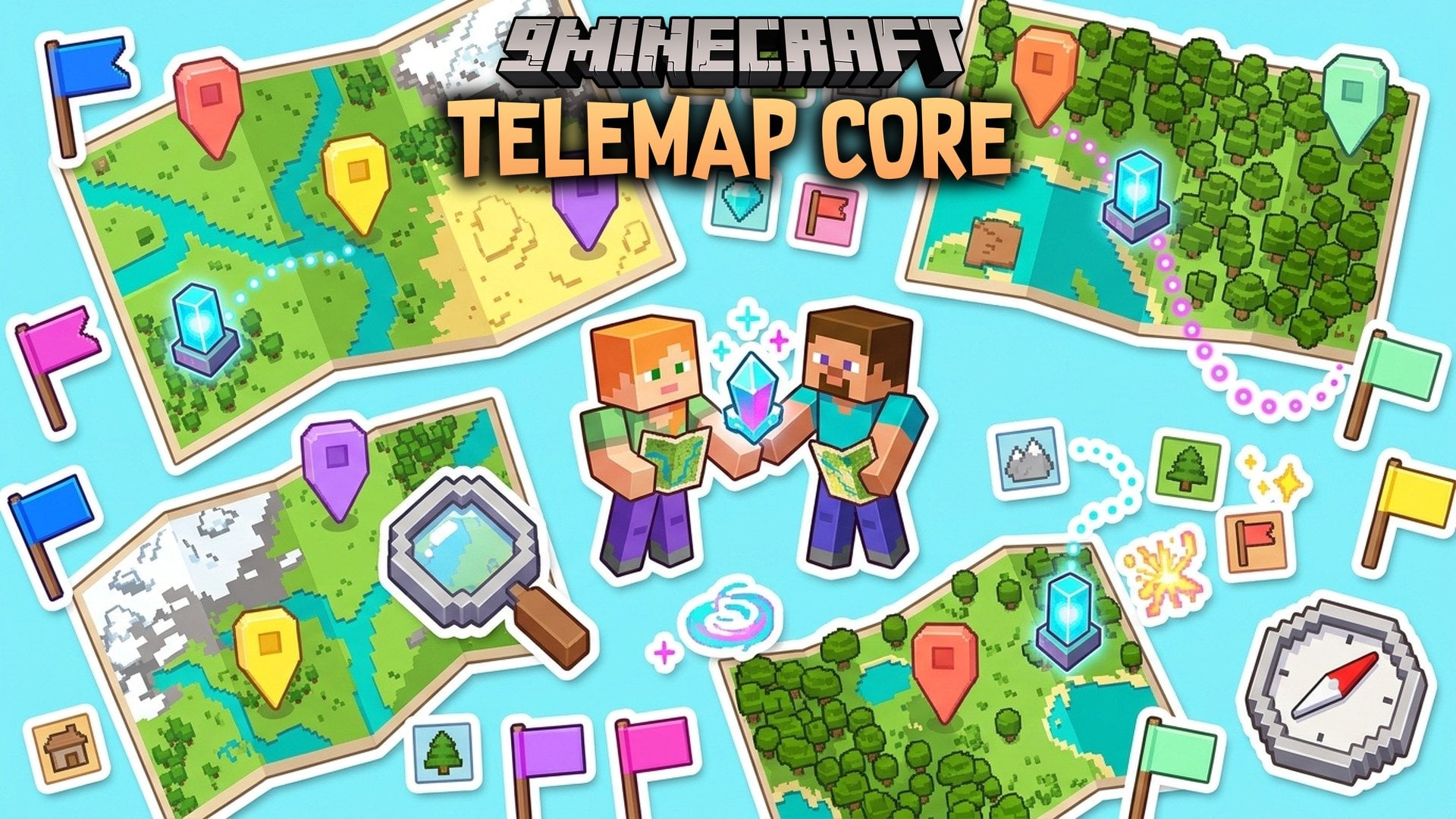
Telemap Core Mod turns Diorama, JourneyMap, or Xaero’s World Map into a clickable fullscreen travel and marker overlay. This mod adds interactive map pins, a searchable legend, a players list, multi-dimension previews, an event feed, and HUD target arrows on top of the map mod you already run. Because it acts as a shared foundation, it needs at least one map mod on the client and pairs with companion addons for Waystones, rail lines, or built-in Soul Projector tracking to populate places on your screen. When you also add it to a server, this mod unlocks color-coded teams, live teammate markers with health tooltips, and one-click pin sharing across your group. Server admins can also turn on map teleporting outside Creative mode and lock shared rules through a simple server file.
Features:
- Multi-Map Mod Foundation: Runs on top of Diorama, JourneyMap, or Xaero’s World Map (requiring at least one on the client), and displays a Map: button on the top bar to switch between maps if several are installed.
- Interactive Map Pins and Hover Tooltips: Places clickable icons from companion addons directly onto the fullscreen map with pan-by-drag and scroll-to-zoom controls.
- Searchable Collapsible Legend: Organizes every marker type into a collapsible tree where you can search by place name or mod ID (
@modname), click to center the map, or clear an entire category at once while keeping favorites safe. - Map Teleporting: Lets you teleport straight from map pins at any time in Creative and Spectator modes, and in Survival or Adventure modes whenever the
mapteleporteroption is turned on. - Event Feed and Chat Alerts: Tracks team invites and shared markers in a compact feed panel with optional chat echoes and clickable Accept or Dismiss buttons.
- Safe Fallback Handling: Automatically disables only the missing piece and writes a log note instead of crashing if an underlying map mod changes in an update.
- Shows your own skin’s head with your live facing direction, plus a Players group for searching nicknames and centering the map on other players.
- Imports JourneyMap waypoints as markers (with confirmation) and converts any marker back into a JourneyMap waypoint whenever you want.
- Previews the Nether, the End, or other dimensions from the top bar wherever your map mod stores terrain data (Xaero’s World Map Nether view requires a saved cave layer).
- Optionally displays addon icons on JourneyMap’s fullscreen map and minimap, as well as on Xaero’s World Map when opened with its own key (not Xaero’s Minimap).
- Provides an in-game Settings screen where every option includes a plain description and server-locked rules show a lock note.
- Adds an overlay with matching side panels on top of Xaero’s World Map so controls stay uniform across map mods.
- Hides a couple of secret player-name easter eggs for players to find in-game.
Compatible Addons and Mods:
- Telemap: Waystones: adds a Map button inside the Waystones menu, clickable waystone travel points, and a Show on map button on the Waystones list (needs Waystones and Balm).
- Telemap: Rails: maps Minecraft rails, Create tracks, and Steam ‘n’ Rails lines automatically as you ride, displaying colored routes, named stations, Between: A – B tooltips, and team sharing.
- Soul Projector (built-in, no addon needed): pins Soul Projectors in their matching color and shows a second tinted marker (Soul of [player] in the legend) tracking your soul while your body marker stays put.
Right-Click Pin Actions:
- Change Icon and Rename: customize how any pin looks and reads on the map.
- Favorites and Groups: star key locations (protecting them from bulk category clears) and sort pins into groups.
- Set as Target: puts a directional arrow on your HUD and creates a temporary JourneyMap waypoint.
- Also Add as a Waypoint: copies a pin directly into your map mod’s waypoints.
- Share with Team: sends the pin to teammates through the event feed when connected to a server running this mod.
- Teleport and Remove: jump straight to the marker when map teleporting is active, or delete unwanted pins.
Optional Server Teams and Sharing:
- Team Management: create open or password-protected teams, join multiple teams at once, invite players, ignore invites, and assign each team its own color.
- Live Teammate Tracking: view teammates live on the map with their player head, hearts shown on hover, and an outline in the team color.
- Marker Sharing: teammates receive shared pins in the event feed and click Add or Dismiss, while unvisited shared places appear greyed out until visited.
- Optional Server Install: vanilla clients and clients without this mod can still join servers running it, dedicated servers need no map mod, and single-client players keep every non-team feature even when a server lacks it.
Commands:
/telemap mapteleporter true|false: Turns teleporting from map pins on or off outside Creative and Spectator modes (adds the Teleport entry to a pin’s right-click menu)./telemapserver reload: Reloadsconfig/telemap_server.jsonon the server (operators only).
Configuration:
config/telemap_server.json: Server settings file that sets player-changeable defaults usingtrueorfalse, or admin-locked rules using"true_hard"or"false_hard"(displayed with a lock note in each player’s Settings screen).mapTeleporter: Setting insideconfig/telemap_server.jsoncontrolling whether players can teleport from pins outside Creative and Spectator modes.data/telemap_teams.json: World data file storing all server teams, members, and team colors.
How to Use:
- Install at least one map mod on your client (Diorama, JourneyMap, or Xaero’s World Map) alongside a companion addon such as Telemap: Waystones, Telemap: Rails, or Soul Projector, since this core library adds no places by itself.
- Press M (default key in the Telemap Controls category) to open the fullscreen map; drag to pan, scroll to zoom, and press Esc, M, or the X button to close it.
- Use the top bar to switch between installed map mods via the Map: button or preview other dimensions such as the Nether and the End wherever map data exists.
- Open the collapsible Legend to filter icons by name or
@modname, click any entry or a nickname in the Players group to center the map on it, or clear all non-favorite pins of one type after confirming. - Right-click any pin to change its icon, rename it, favorite or group it, set a HUD target arrow with a temporary JourneyMap waypoint, add it as a permanent waypoint, teleport (when active), or remove it.
- Open the Settings screen to read short option descriptions, import or convert JourneyMap waypoints, and toggle optional icons on JourneyMap or Xaero’s World Map.
- On servers that also run this mod, create or join color-coded teams (with or without a password), see teammates’ live heads and health on hover, and right-click pins to share them so teammates can click Accept or Dismiss in the event feed or chat.
- Server operators can run
/telemap mapteleporter trueto allow survival map teleporting, or edit and lock options insideconfig/telemap_server.jsonand apply changes immediately with/telemapserver reload.
How to Install:
New to Minecraft? Follow our step-by-step guide to install Mods on your PC.View Guide



Telemap Core Mod Download Links
For Minecraft 26.3
For Minecraft 1.21.1, 1.21
For Minecraft 1.20.1, 1.20
Who do you usually play modded Minecraft with?
27 responses · See the full results →
You May Also Like
Picked for this page
 Auto Tools Mod (26.3, 1.20.1) – Never Switch Tools By Hand Again
 Trimmable Tools Mod (26.2, 1.20.1) – Forge a Signature Look for Every Tool
 Squaremap Mod (26.3, 1.20.1) – Track Server Players Live
 Blocks You Need Mod (26.3, 1.20.1) – Build Detailed Industrial
 IMBlocker Mod (26.3, 1.20.1) – Chat and Run Without Switching Keyboards
 Giacomo’s Better Dye Mod (26.2, 1.20.1) – Paint Any Placed Block Instantly
 Wilder Roots Mod (26.3, 26.1.2) – Bring Peaceful Wildlife and Shiny Rubies
 Friends&Foes Flowery Mooblooms Forge Neo Forge Mod (26.3, 1.20.1)
 B100Lib Mod (26.3, 1.20.1) – Core Library with Custom Mod Menu Screens
 Create Fly Bells Whistles Unofficial Port Mod (26.3, 26.1.2)
 Black_dogs’s Modding Library BML Mod (1.20.1) – Run Advanced Addons
 Cybernetic System Mod (1.21.1, 1.20.1) – Become an Energy-Powered Cyborg
Most viewed in Mods over the last 7 days
 Ala Industrial Mod (26.3) – Run Electric Power Grids and Automated Factories
 PleasureCraft Mod (26.3, 1.21.1) – Jenny Mod Remake for Fabric
 Jennycraft Mod (26.3, 1.20.1) – Virtual Girlfriend in Minecraft
 Fapcraft Mod (26.3, 1.12.2) – Comprehensive and Detailed Content
 Meteor Client Mod (26.3, 1.20.1) – Xray, HUD, Fly
 Jenny Mod (Fapcraft) Official Complete Guide – How to use, Tutorial
 BangCraft Mod (1.20.1) – Jenny, Ellie and Elliot
 OptiFine HD (26.3, 1.20.1) – Run Faster, FPS Boost, Shaders Support
 CatLean Client Mod (26.2, 1.21.11) – ThunderHack Recode Alternatives
 Fabric Loader (26.3, 1.20.1) – Fabric Installer for All Minecraft Versions
 Patched Mod (26.3, 1.20.1) – Edit Game Files Without Breaking Packs
 Meteor Client Addons (26.3, 1.20.1) – Modify Almost Anything in Meteor
More from Mods
 Popping Leaves Mod (26.3, 1.20.1) – Chop Trees And Watch Canopies Burst Away
 Words Added 2 Mod (26.3) – Rename Vanilla Items And Mobs Into Wild Chaotic
 Aquatic Weirdos Mod (1.20.1) – Catch Bizarre Sea Creatures To Unlock Survival
 Hands on Vanilla by Pocky-l Mod (26.3, 1.20.1) – Craft And Smelt In-World
 Unstable Orbitals Mod (26.3, 1.21.11) – Call Down Low-Lag TNT Strikes
 Creeper Griefing Off Mod (26.3, 26.1.2) – Keep Your Builds Safe While Creepers
 Light Load Mod (26.1.2, 1.20.1) – Launch Large Modpacks Faster
 Simply Skills Tweaks Mod (1.20.1) – Rebalance Skill Damage For Melee, Tank
 Wyrmcaller Mod (1.21.1) – Cast Draconic Ender Spells And Duel A Five-Phase End
 World Wide Power Grid Mod (1.21.1) – Run Mixed Create Electrical Machines
 World Planner Mod (1.21.1) – Paint Your Own Custom Biomes And Terrain
 Valhelsia Furniture Mod (26.3, 1.20.1) – Sit Down and Relax in Warm Rustic

This post has no comments yet. Be the first — your comment will appear here.