
Vanilla – Transforms Everyday Blocks with Animated 3D Plant and Utility Models

 0


Vanilla refreshes the standard look of Minecraft by updating everyday blocks with 308 custom 3D models and 136 texture files. This pack reworks plants like bamboo, cactus, and big dripleaf across all their growth and tilt states, along with functional blocks like brewing stands, bells, buttons, and beacons. It also includes animated textures to bring motion to the world while keeping the familiar default style.

Features:
- 308 Custom 3D Models: Replaces standard block shapes with reworked 3D geometry across natural plants and functional utility blocks.
- 136 Texture Files: Updates block surfaces and includes animated textures that work on any Minecraft version with animated texture support.
- Reworks bamboo across multiple growth ages and leaf sizes, covering small leaves, large leaves, and four distinct stem stages from age 0 to age 1.
- Updates big dripleaf plants with separate models for the stem, standard leaf, partial tilt, and full tilt states when players stand on them.
- Includes reworked 3D shapes for desert cactus blocks.
- Changes the brewing stand model with individual visual states for empty slots and held bottles across all three brewing positions.
- Redesigns village bells with specific models for floor placement, ceiling hanging, single wall attachment, and placement between two walls.
- Updates buttons with distinct models for how they look in your inventory, placed on a surface, and pressed down.
- Refreshes the beacon block with an updated 3D model.
How to Use:
- Open the Resource Packs menu in your game settings and move the pack to the active column to load the 308 models.
- Visit a jungle biome or plant bamboo shoots to watch the stems change shapes across four growth stages and sprout small and large leaves.
- Find big dripleaf in lush caves and step onto the leaf to see the model shift from flat to a partial tilt and then a full tilt before dropping.
- Place a brewing stand and put glass bottles into the three slots one by one to see the bottle and empty slot models update on the stand.
- Hang a bell on a floor, ceiling, single wall, or between two walls to check out each of the four different mounting models.
- Craft a button to inspect its inventory model, place it on a block, and right-click it to see the pressed model state, or place a beacon and cactus to view their updated shapes and animated textures.
Requirements:
- A Minecraft version that supports animated textures
Screenshots:


Vanilla – Optimized Model Download Links
Click to rate this post!
[Total: 0 Average: 0]
You May Also Like
Picked for this page
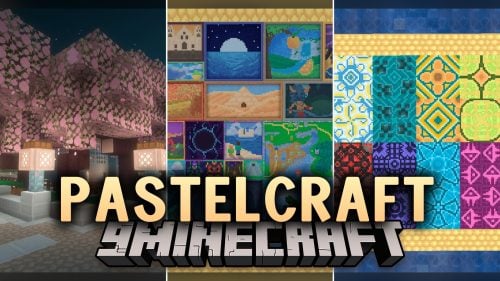 Pastelcraft Model – Brings Soft Pastel Colors and 3D Redstone Blocks
 Gui’s Better Vanilla Model – Brings Animated 3D Torches and Plants
 Simply Alive Model – Brings Animated 3D Blocks and Capybara Totems
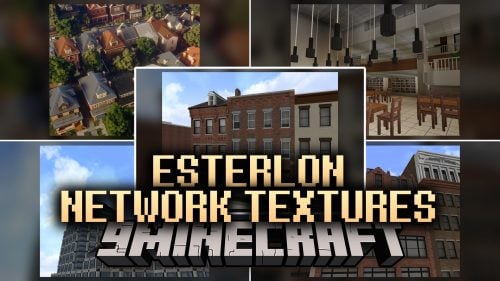 Esterlon Network Textures Model – Brings Realistic Modern City Streets
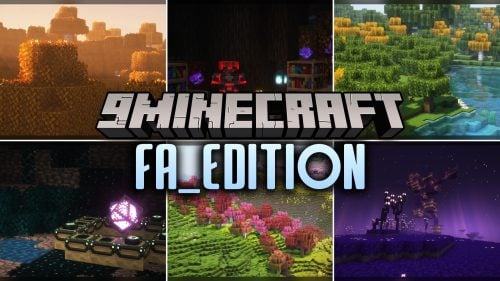 FA_edition Model – Transforms Vanilla Foliage and Blocks with 3D Shapes
 Dimensionalized 3D Essentials Model – Adds 248 Vanilla-Style 3D Block Models
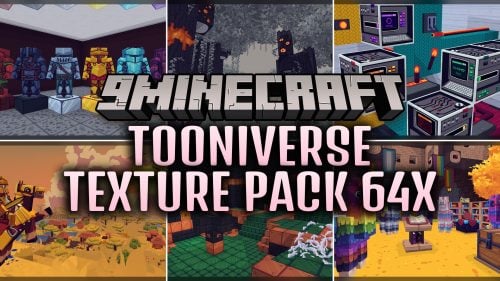 Tooniverse Texture Pack 64x Model – Brings Cute 3D Cartoon Visuals to Worlds
 CPVP Aesthetic Model – Transforms Crystal Battles with Clear 3D Visuals
 Redstone Tweaks For Bare Bones Model – Brings Clear 3D Signal States
 Better PvP By Damiann Model – Brings Animated 3D Blocks to Combat Worlds
 Night UI – Transforms Game Menus and Glass Panes with Sleek Dark Visuals
 CREATIVE TEXURE Model – Transforms Everyday Blocks and Fishing Rods Into 3D
Most viewed in Models over the last 7 days
 Jenny Mod Skin Pack Mega Collection – 310+ Characters
 The Most Complete Collection of Jenny Mod Resources – Models, Animations, Structures,…
 Albedo Rework Jenny Mod Model
 750 Models Addon for Yes Steve Model Mod
 Power Model – Custom Girl for PleasureCraft Mod
 Galath Rework Model – Custom Girl for PleasureCraft Mod
 Femboy Ellie Rework Jenny Mod Model
 Ram Model – Custom Girl for PleasureCraft Mod
 Pomni Jenny Mod Model
 100+ Custom Animations For Jenny Mod
 Halloween Pack Jenny Mod Model – Transforms Companions with Spooky Costumes
 Ellie Rework Jenny Mod Model
More from Models
 Mk.2 Redstone Model – Upgrades Redstone Circuits with Clear Animated 3D Signals
 The Annoying Villagers Server Model – Equips Animated 3D Combat Weapons
 3D Spear – Equips Every Spear Tier with Movie-Inspired 3D In-Hand Weapons
 Stemtacular Green Model – Transforms Flat Melon and Pumpkin Stems Into 3D Crops
 Eurotram – Brings Working Strasbourg Trams with Two Liveries to MTR4 Railways
 Bunnyberg’s PBR 3D Items Model – Transforms Flat Sprites Into Animated 3D Gear
 Survival Model – Adds 3D Redstone Blocks and Visual Durability Stages
 Vanilla Emissive Ores Model – Brings Glowing Mineral Veins to Dark Caves
 Sotetsu 11000 Series Model – Brings Japanese Commuter Trains to MTR Railways
 Three-Dimentional Item Model – Transforms Flat Items Into 3D Handheld Shapes
 CounterCraft Knife Model – Transforms Swords Into Animated CS2 Blades
 Elmerizzhawiened Model – Brings Clean 3D Redstone and PvP Crystal Visuals

This post has no comments yet. Be the first — your comment will appear here.