


4D Skin Geometry Loader Android – Lib4dskin for Custom Skin Pack Rendering on MCPE Bedrock
 2,947
2,947
 1
1


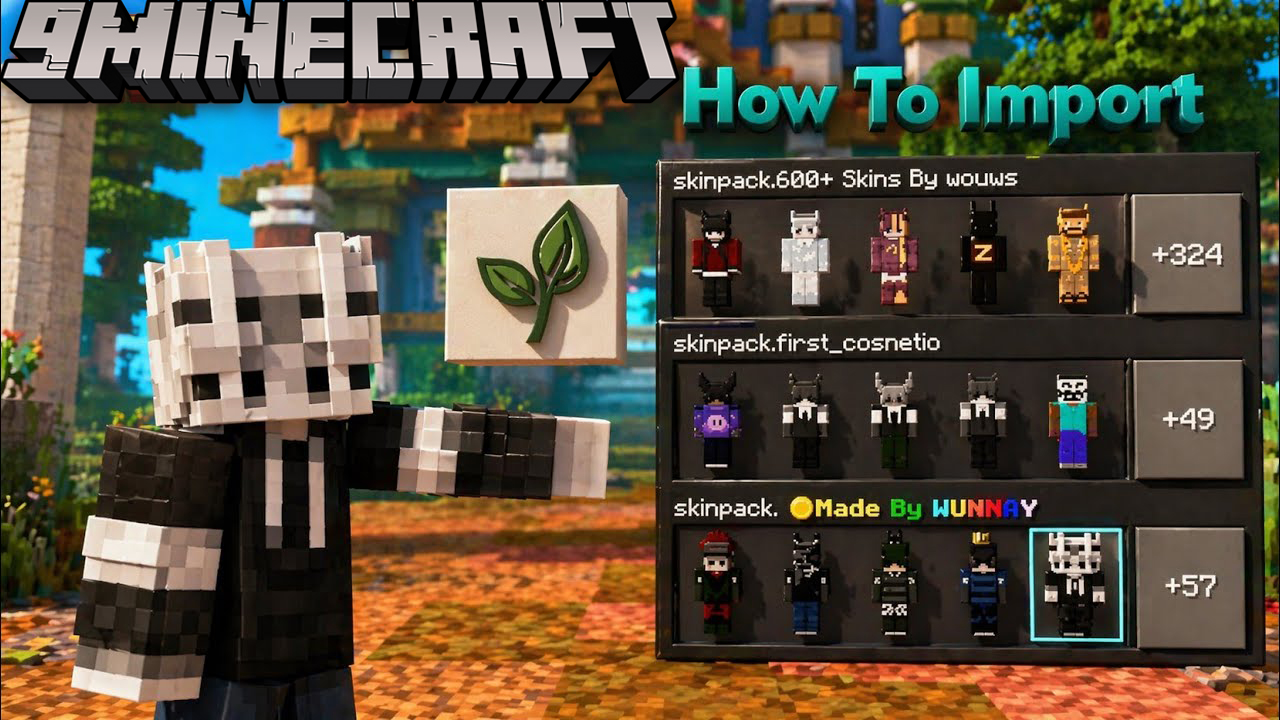
4D Skin Geometry Loader Android is a small native library mod for Android Minecraft Pocket Edition that unlocks custom 4D and 5D skin geometry rendering. The official Bedrock client only allows non-standard player geometry for marketplace-signed skin packs – this mod patches that restriction at runtime so any imported .mcpack with custom geometry will render correctly. It is the missing piece that turns a flat-texture skin pack into a full 4D character on stock Minecraft PE running through LeviLaunchroid or Ambient Launcher.
Features:
- Patches the Minecraft PE skin pack loader at runtime to accept any custom geometry JSON, not just marketplace-signed packs.
- Enables the cape field in the skin pack format so custom skins can ship with HD capes.
- Preserves custom geometry references inside
skins.jsoninstead of being stripped by the default loader. - Works with LeviLaunchroid and Ambient Launcher as a drop-in mod module.
- Built with Android NDK r27d targeting Android 5.0 (API 21) and newer – compatible with the vast majority of modern Android devices.
- Very lightweight at only 325 KB. The mod is stripped of debug symbols and applies binary patches in memory without modifying any APK files on disk.
- Compatible with the latest Minecraft PE 26.x and 1.21 versions.
How to Install:
- Install a modded Minecraft PE launcher of your choice. The two most popular options are LeviLaunchroid (open source, available on GitHub) or Ambient Launcher (available on the Google Play Store as io.kitsuri.mayape).
- Inside the launcher, import your official Minecraft Pocket Edition APK that you downloaded from the Play Store. The launcher will run it in a sandboxed environment.
- Download
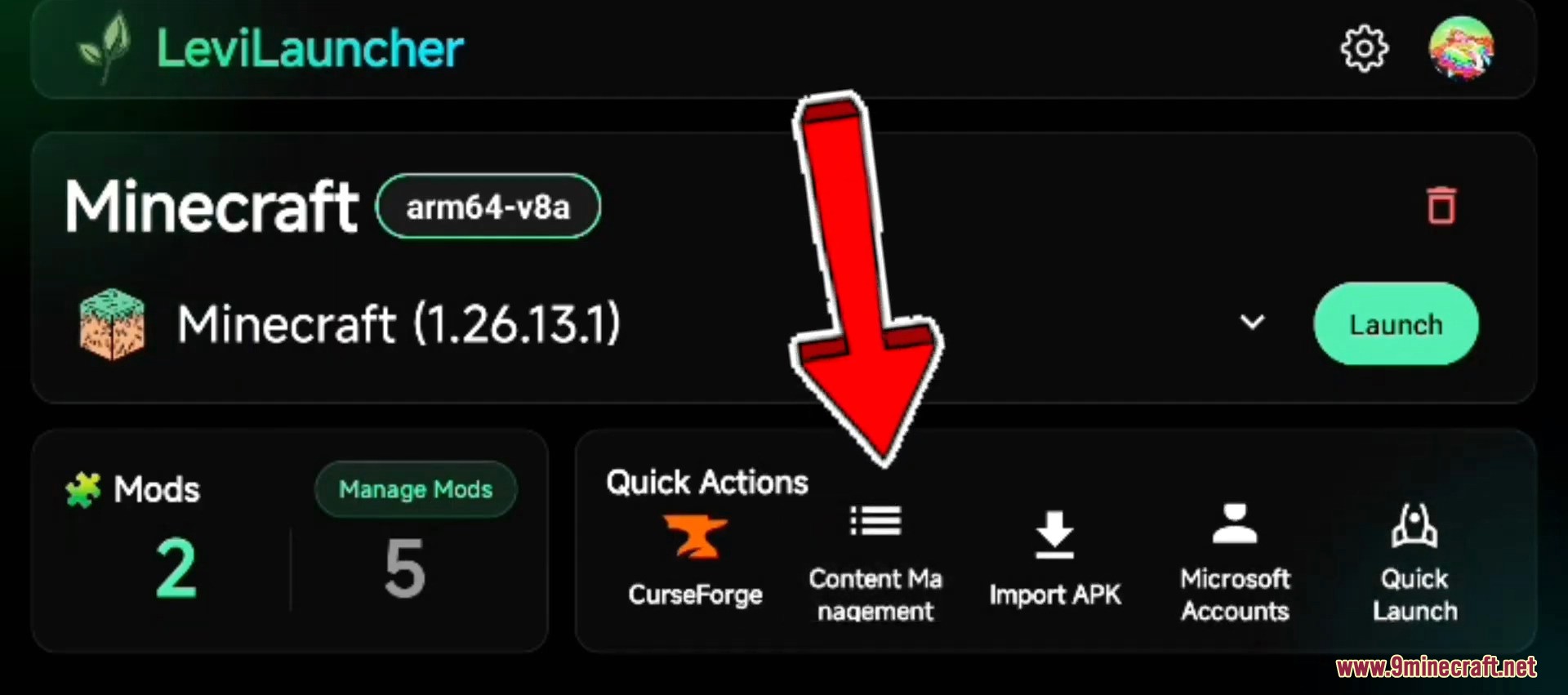
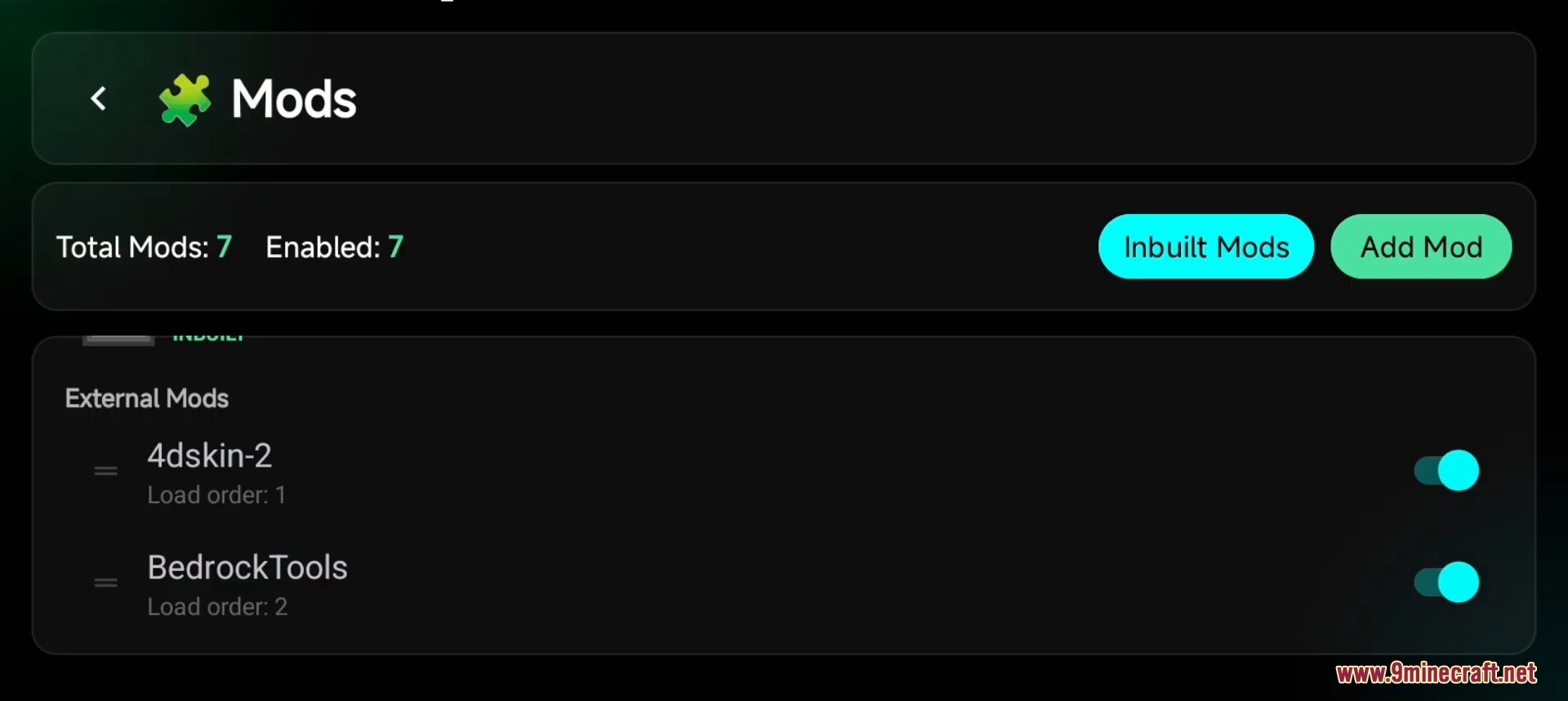
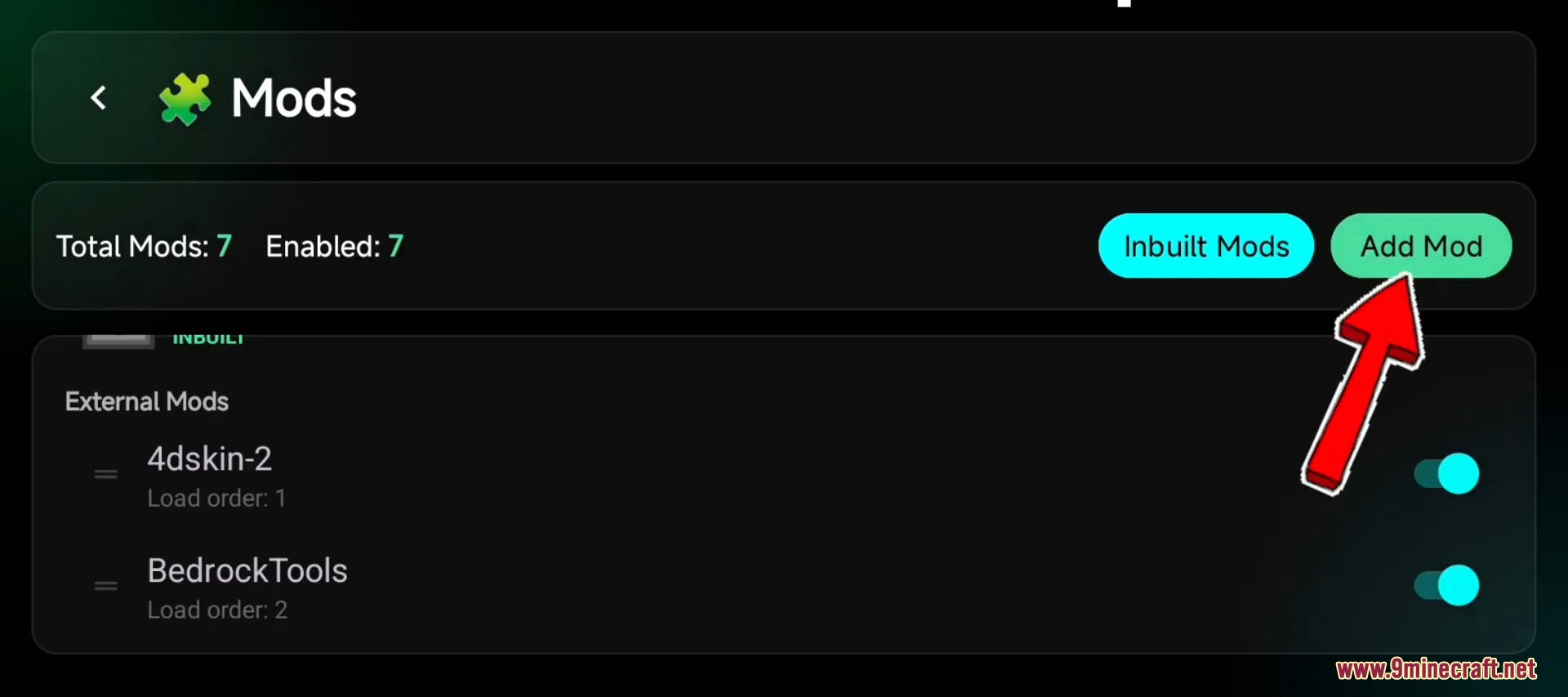
lib4dskin.sofrom the link below. If you downloaded the ZIP version, extract it first. - Inside the launcher, open the Manage Mods screen (LeviLauncher) or the Mods Manager tab (Ambient).
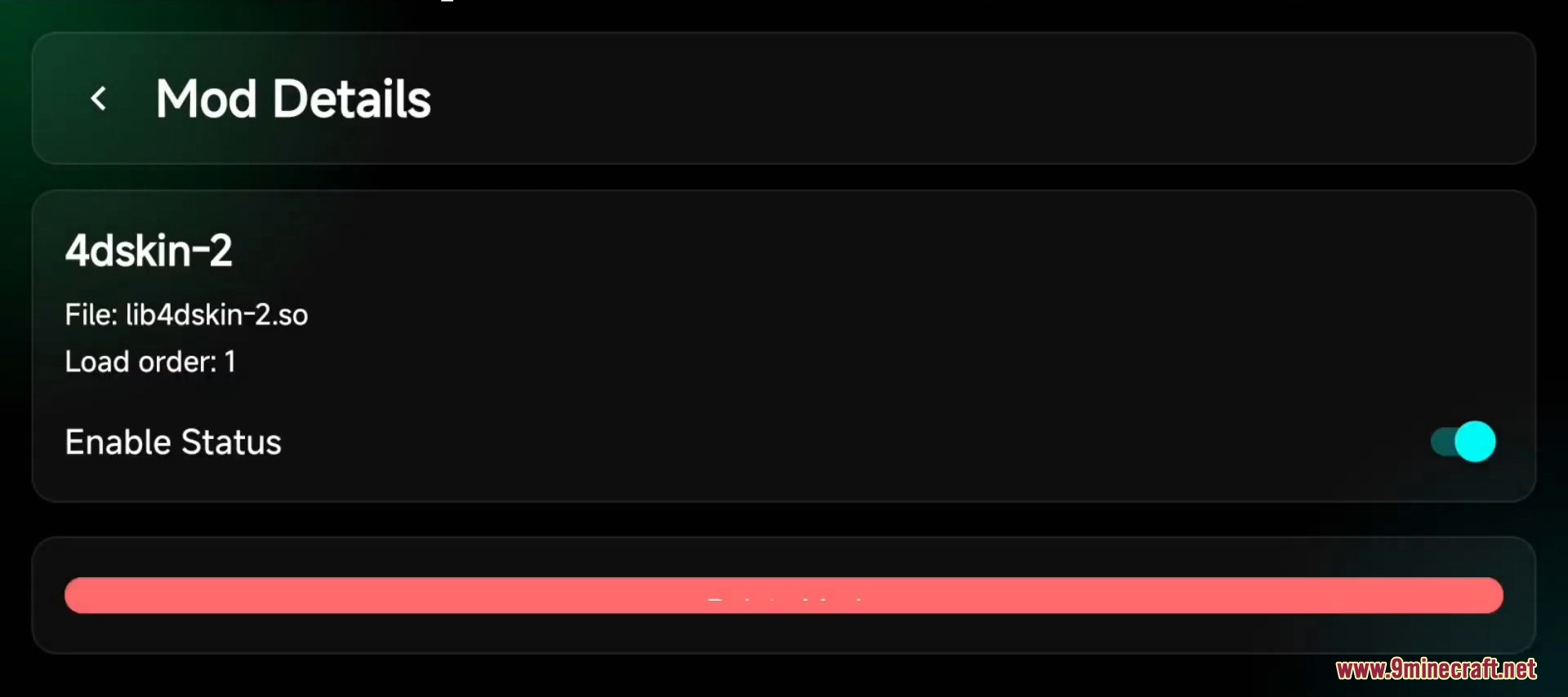
- Add
lib4dskin.soas a new mod and toggle its status to Enabled. - If your launcher prompts for mod priority or load order, place this mod near the top so it loads before the skin pack is parsed.
- Restart Minecraft from inside the launcher.
- Disable Trusted Skins in Settings → Profile → Trusted Skins if you have not already done so.
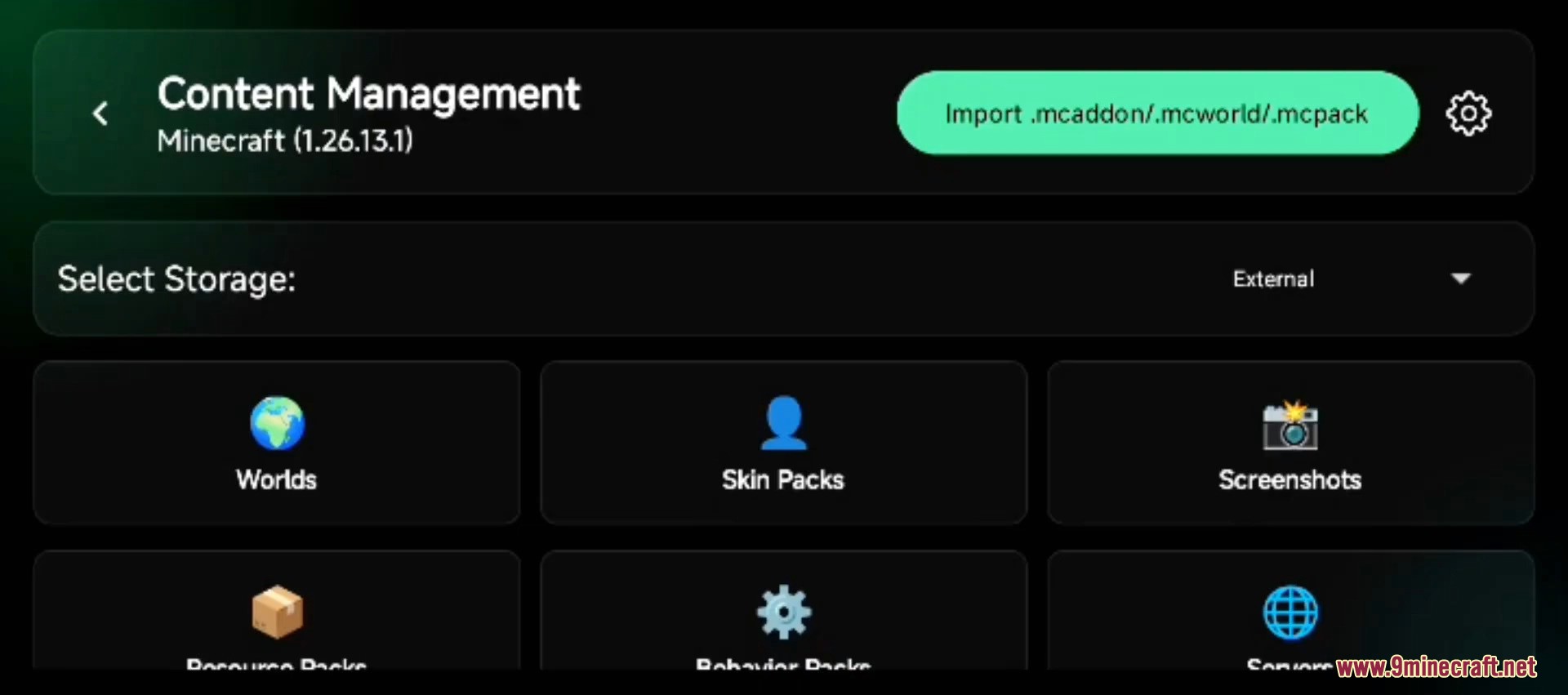
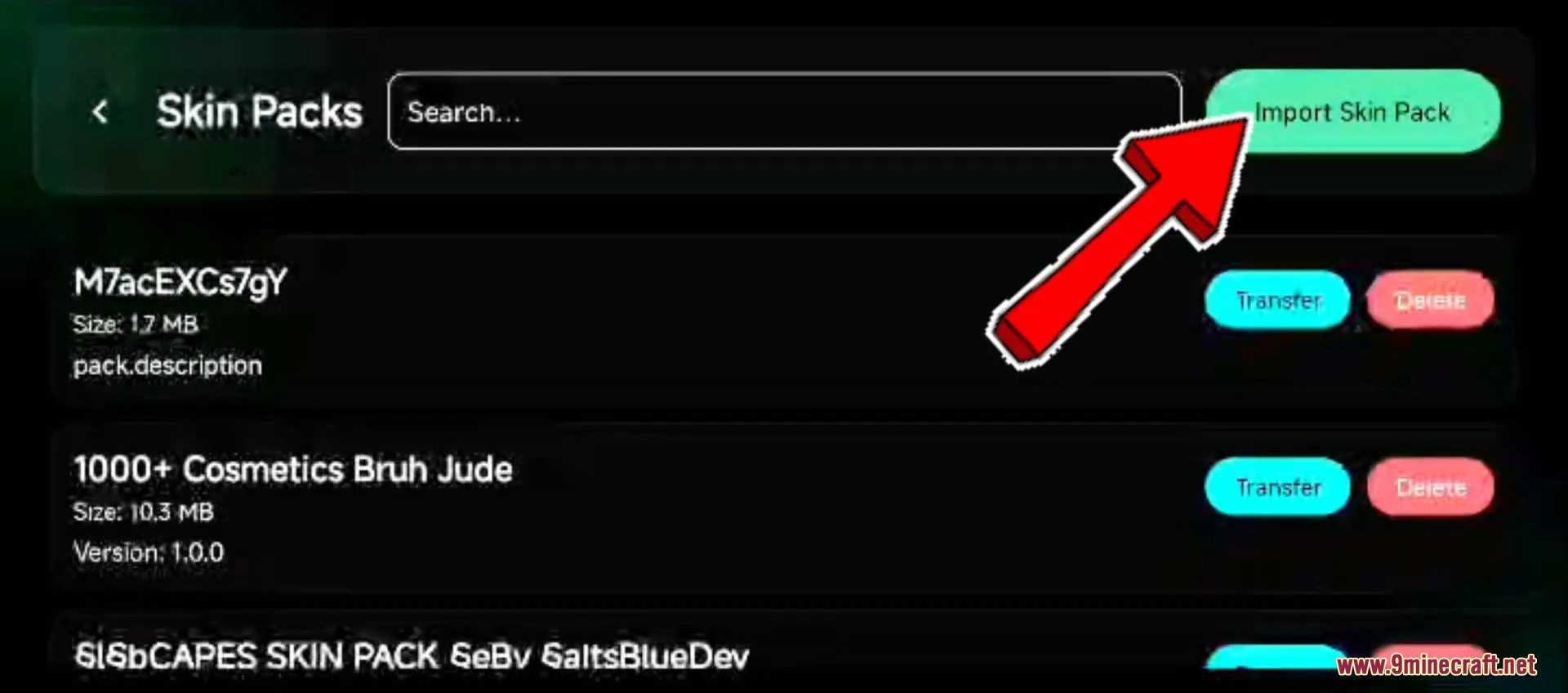
- Import any custom geometry
.mcpackfile and equip the skin from the Dressing Room – the 4D geometry will now render correctly.
Screenshots:
System Requirements:
- Operating system: Android 5.0 (Lollipop, API 21) or newer.
- Architecture: ARM64 (
arm64-v8a) – virtually all Android phones released after 2017. The mod does not work on 32-bit ARM (armeabi-v7a) or x86 devices. - Launcher: LeviLaunchroid 1.26.10+ or Ambient Launcher latest release.
- Minecraft PE version: 1.21.x or 26.x. Older Minecraft versions are not supported by the current loader patches.
Important Notes:
- This mod is for Android only. iOS users should use a launcher with built-in geometry rendering such as Popya, and Windows 10/11 Bedrock users can render custom geometry natively by simply disabling Trusted Skins – see Hidden Armor 4D Skin Pack for the Windows install method.
- If you do not want to deal with launchers and a separate mod, our 4D Custom Skin Mod APK already bundles this geometry library directly inside a patched Minecraft PE client – single APK install, no launcher needed.
- Some animation mods (emote and dance addons) can conflict with the geometry patches and may crash Minecraft when you switch skins. If you experience crashes, disable other animation mods.
- The mod is rendered client-side. On strict anti-cheat servers (Hive, certain PvP realms) other players will see the standard Steve or Alex model on your character. Your own first-person view stays correct.
- Once you have the loader installed, pair it with a custom skin pack – see Custom Geometry Skin Pack for a ready-to-import 80+ character collection.
How to Install:
New to Minecraft PE? Follow our step-by-step guide to install Mods/Addons on your Mobile.View Guide
4D Skin Geometry Loader Download Links
For MCPE/Bedrock 26.x, 1.21
Click to rate this post!
[Total: 15 Average: 3]

1 Comment
What do you think?
Your opinion means a lot - we'd love to hear from you.
You May Also Like
Picked for this page
 Vert Legacy Shader (1.21+) – MCPE/Bedrock
 Animal Pack 500+ Addon (26.x, 1.21) – MCPE/Bedrock Mod
 4D Custom Skin Mod APK (26.x, 1.21) – 65+ Anime and Fantasy Characters for MCPE
 Eatable Items Addon (26.x, 1.21) – MCPE/Bedrock Mod
 Tempered in Flame Addon (26.x, 1.21) – MCPE/Bedrock Mod
 The Abyssal Ascent Addon (26.x, 1.21) – MCPE/Bedrock Mod
 Leaves Drop Op Item Addon (1.21, 1.20) – MCPE/Bedrock Mod
 Thermonuclear Expansion Addon (26.x, 1.21) – MCPE/Bedrock
 Runeforge Addon (26.x, 1.21) – MCPE/Bedrock
 Deep Sea Skin Pack (26.x, 1.21) – MCPE/Bedrock
 Christmas Spirit Skin Pack (26.x, 1.21) – MCPE/Bedrock
 Floppi’s Enhancer Pack (26.x, 1.21) – MCPE/Bedrock
Most viewed in Clients over the last 7 days
 Apollon Client (1.26+, 26.51.1) – MCPE/Bedrock
 Flarial Client (1.26+, 26.52) – MCPE/Bedrock
 MB Loader APK Download (26.x, 1.21) – Loading RenderDragon Shader
 Lumina Client v4.1.16 (26.52, 1.26+) – Perfect ToolBox for MCPE/Bedrock
 Minecraft Dungeons APK Free – Playing on Android Mobile
 Atlas Client v1.10.2 (26.52, 1.26+) – Best MCPE Utility Client
 FP Client (26.52, 26+) – MCPE/Bedrock
 Sunstead Client (26.52) – MCPE/Bedrock
 Citron Client (26.52, 1.26+) – MCPE/Bedrock Ghost Client for Windows
 ProtoHax Client v2.2.0 (26.52, 1.26+) – MCPE/Bedrock Hack Client for Android
 Lunar Client (1.21, 1.20) – The Best Client for MCPE
 OrderSo Client (1.26, 26.30+) – Better than Onix?
More from Clients
 Axolotl Client (1.18) – Animated Cosmetics, Time Changer, Mod Toggles
 Star Client (1.19, 1.18) – Clean UI, Better Inventory, FPS Improvement
 Fortress Client (1.19, 1.18) – Best Optifine Client for MCPE
 Zxyn UI Client (1.19) – Quick Loot, Better UI, FPS Booster
 Optifine Endermage (1.19) – Lag Free for MCPE/Bedrock
 Optifine BE (1.19) – Best Lag Fix for MCPE/Bedrock
 W Client v37 (26.52, 1.26+) – MCPE/Bedrock FPS Boost Client
 Rune Client (1.26+, 26.52+) – MCPE/Bedrock
 Nature Client (26.52, 1.26+) – MCPE/Bedrock
 Solaris Client (1.26+, 26.52) – MCPE/Bedrock

26.20Levil launcherAditjakarya