
Coalwagon Schematic (1.21.x) – Compact Freight Wagon for Create Trains

 0


Coalwagon Schematic adds a simple rail car build that carries cargo along your Create train lines. It measures 5×3×8 blocks and uses 100 blocks in total, so it fits neatly on compact track layouts. This build requires the Create, Copycats, and Railways mods to load properly in your world.

3D Preview & Editor:
How to place this schematic
.nbt This is a vanilla structure file. It loads through structure blocks with no mod at all, within the 48×48×48 size limit.
| 1 | Put the .nbt file in <your world>/generated/minecraft/structures. |
| 2 | Give yourself a structure block: /give @s structure_block. |
| 3 | Place it, open it and switch the mode to LOAD. |
| 4 | Type the file name without .nbt, press LOAD, then PLACE. |
Features:
- Compact Cargo Transport: Carries items and materials as a simple freight wagon on Create train tracks.
- Lightweight 100-Block Build: Uses 100 blocks across a 5×3×8 block size (X × Y × Z) for a clean, small rail car footprint.
- Built for train setups that work with Create and Create Steam ‘n’ Rails railways.
- Requires the Create, Copycats, and Railways mods to be installed so every block in the build appears as intended.
Schematic Specs:


 Top Blocks Used
Lime Riveted Locometal 44Copycat Stacked Half Layer 30Copycat Layer 30Lime Flat Riveted Locometal 18Black Flat Slashed Locometal 18
Screenshots:


Requirements:

Coalwagon Schematic Download Links
For Minecraft 1.21.x
Click to rate this post!
[Total: 0 Average: 0]
QUICK MINECRAFT SURVEY · ONE TAP
Mods & Modpacks
What graphic style do you prefer for your modded game?
6 responses · See the full results →
You May Also Like
Picked for this page
 Airbus A380 800 Schematic (1.21.x) – Fly the Largest Commercial Airplane
 SS Venture Schematic (1.21.x) – Mobile Airship Base with Steam Engine
 Casa SteamPunk Schematic (1.21.x) – Ready to Build Steampunk House
 Military Fight Heli Schematic (1.21.x) – Compact War Helicopter Build for Create
 Tank Destroyer Schematic (1.21.x) – Simple Armored Vehicle for Create
 The Flying Hopper V2 Schematic (1.21.x) – Light and Fast Hovercraft for Your World
 The Juicebox a Refuelling Vehicle Schematic (1.21.x) – Compact Tracked Tanker for Create Mod
 The Bigfish MKI Simple Airship Schematic (1.21.x) – Massive Fish-Shaped Flying Base
 Freight Red Open Boxcar Empty Schematic (1.21.x) – Custom Red Freight Train Wagon Design
 Trx 1t Engine Model Proof of Concept Schematic (1.21.x) – Compact Engine Design for Create Mod
 Steinwinter Supercargo 2040 Schematic (1.21.x) – Drive a Unique 1983 German Prototype Truck
 Working Record Player Schematic (1.21.x) – Build a Functional Mechanical Music Player
Most viewed in Create Mod Schematics over the last 7 days
 Hnelon’s Medieval House Schematic (1.21.x) – Medieval House Build for Your World
 ChickenSandwich Farm Schematic (1.21.x) – Automatic Farm Build Using Create Packages
 Rail Gun Schematic (1.21.x)
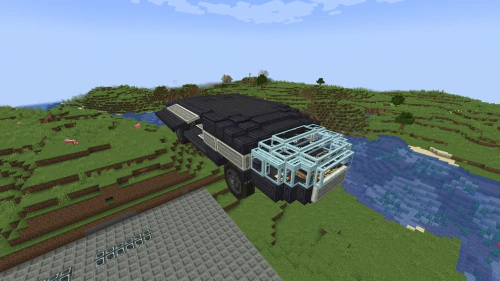 Project StarGaze Schematic (1.21.x) – Build and Drive Your Own Military Vehicle
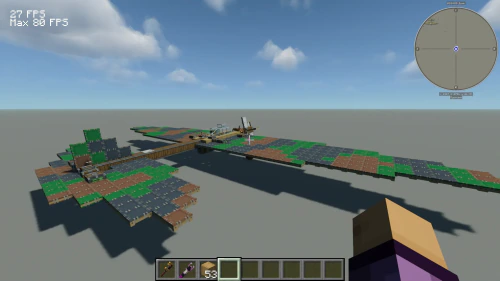 Il 2 Schematic (1.21.x) – Vintage Flying Machine for Create Mod
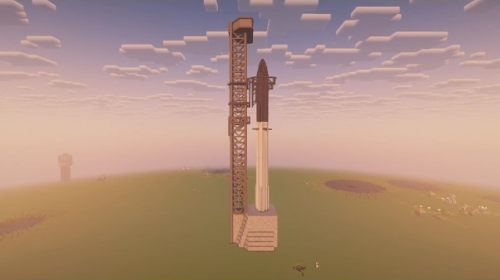 Working SpaceX Starship and Mechazilla Tower with Chopsticks Based off the 13th Flight Test (1.21.x)
 Arasaka Tower Schematic (1.21.x) – Massive Black Industrial Skyscraper Build
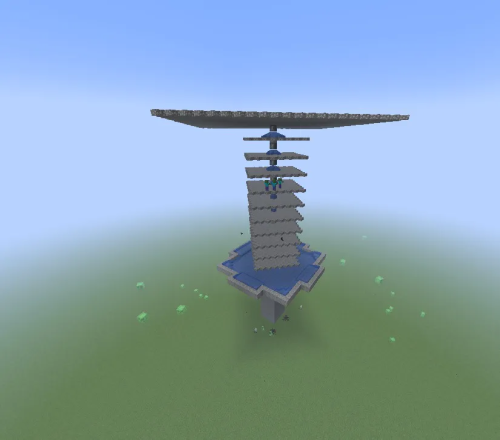 A Simple Mob Trap Schematic (1.21.x) – Build a Massive Automatic Mob Farm Structure
 Mega Netherite Farm 80 P Hor Schematic (1.21.x) – Automated Netherite Gathering Factory
 Farm Quarts and Golden Nuggets Schematic (1.21.x) – Compact Early Game Quartz and Gold Farm
 Golden Carrots Farm Schematic (1.21.x) – Fully Automated Golden Carrot Factory Build
 One Piece the Going Merry Schematic (1.21.x) – Detailed Replica of the Straw Hat Pirates Ship
More from Create Mod Schematics
 Casa Autônoma Schematic (1.21.x) – Self-Powered House Blueprint for Create and Powergrid
 Culverin Class Air Cruiser Schematic (1.21.x) – Giant Armed Airship with Working Turrets
 Cocoa Beans Farm Schematic (1.21.x) – Simple Automated Cocoa Bean Build for Create
 Simple and Compact Diesel Engine Schematic (1.20.x) – Small Brassless Diesel Power Setup for Create
 Workshop Compact Schematic (1.21.x) – Small Steam-Powered Workshop Build for Create
 Offroad Diesel Car Mk 3 Knife Schematic (1.21.x) – Compact Diesel Powered Off-Road Tractor Vehicle
 Apc from Half Life 2 Schematic (1.21.x) – Compact Armored Personnel Carrier Build for Create Mod
 Survival Friendly Biplane Schematic (1.21.x) – Single Seater Aircraft with Five Engines
 Ggton’s Bus Schematic (1.21.x) – Drive a Fast Working Bus Around Your World
 Forklift 2.0 Schematic (1.21.x) – Working Forklift and Moveable Shipping Container
 Compact Wheat Farming Vehicle Schematic (1.21.x) – Harvest and Replant Fast
 Exp Farm Schematic (1.21.x) – Compact Automatic Experience Generator Build for Create

This post has no comments yet. Be the first — your comment will appear here.