
Copper De-Ironing Model – Transforms Copper Lighting, Bars, And Waxed Blocks

 0


Copper De-Ironing Model gives newer copper blocks and items in Minecraft a clear visual identity of their own rather than plain iron-style shapes. This pack brings 13 custom 3D models and 87 texture files with animated textures across copper torches, hanging and floor lanterns, copper bars, powered orientation templates, and a clear wax icon. Every piece follows one consistent visual style so builders mix oxidized, waxed, and powered copper blocks without visual clutter. You drop it straight into your resource packs folder for cleaner, easier copper building in any world.

Features:
- Distinct Copper Identity: Gives newer copper blocks and items unique shapes and textures so they no longer look like simple iron recolors.
- 13 Custom 3D Models: Rebuilds key copper lighting, bars, powered templates, and wax indicators in full 3D geometry.
- 87 Texture Files With Animations: Bundles 87 custom textures, including animated textures, for consistent copper detailing across builds.
- Clear Wax Recognition: Includes a dedicated wax icon model so builders can tell waxed copper pieces apart quickly during construction.
- Unifies copper blocks, bars, lanterns, and torches under one cohesive style so mixed copper builds stay clean and consistent.
- Covers both vertical and horizontal placements across unpowered and powered copper states for neat redstone and decorative layouts.
- Provides both standard and larger lantern silhouettes so ceiling and floor copper lighting stands out in large rooms.
Copper Torch And Lantern Models:
copper_torch: Standing Copper Torch 3D model with its own distinct copper shape.copper_wall_torch: Wall-mounted Copper Torch 3D model aligned cleanly against vertical surfaces.template_hanging_lantern: Standard hanging Copper Lantern 3D model template for ceiling fixtures.template_hanging_lantern_big: Larger hanging Copper Lantern 3D template for bold overhead lighting.template_lantern_big: Larger floor-placed Copper Lantern 3D template for ground and tabletop decor.
Copper Bars Models:
template_bars_post_ends: Copper Bars post and end-cap 3D model for freestanding edges and corners.template_bars_side: Primary side-pane connection model for linked Copper Bars walls and fences.template_bars_side_alt: Alternate side-pane connection model keeping intersecting bar sections consistent.
Orientation, Powered, And Wax Models:
template: Standard upright orientation 3D template for consistent copper block styling.template_horizontal: Sideways horizontal 3D template for horizontally placed copper components.powered: Upright powered-state 3D model template showing active copper components clearly.powered_horizontal: Horizontal powered-state 3D model template for sideways active placements.wax_icon: Visual wax indicator model that keeps waxed copper blocks and items quick to spot while building.
How to Use:
- Place the downloaded pack file into your Minecraft
resourcepacksfolder, open Options > Resource Packs in-game, and move it into the Selected column to load all 13 custom 3D models and 87 textures along with animated textures. - Gather Copper Ingots by smelting Raw Copper mined underground (or open the Creative inventory) and craft or pick Copper Torches to place both on the ground and on walls, comparing the standing
copper_torchand wall-mountedcopper_wall_torchmodels along with their animated flame textures. - Craft or grab Copper Lanterns and place them on floors as well as beneath ceilings to see the hanging and large lantern models (
template_hanging_lantern,template_hanging_lantern_big, andtemplate_lantern_big) replace plain iron-style lantern shapes. - Craft or grab Copper Bars and place both single posts and connected rows or corners so the block geometry shifts across
template_bars_post_ends,template_bars_side, andtemplate_bars_side_alt. - Place directional copper blocks both upright and sideways against walls, then power them with a Lever, Redstone Torch, or lightning strike to watch their models switch between
template,template_horizontal,powered, andpowered_horizontal. - Craft waxed copper variants using Honeycomb (or press Right-Click with Honeycomb on placed copper) and inspect them in your inventory and builds to see the
wax_iconmodel separate waxed pieces from unwaxed copper at a glance.
Requirements:
- A Minecraft build that renders animated resource pack textures.
- No extra mods are needed to load the custom 3D models and textures.
Screenshots:


Copper De-Ironing Model Download Links
How do you feel about 'expert' modpacks that change recipes to be much harder and interconnected?
9 responses · See the full results →
You May Also Like
Picked for this page
 Quadral Model – Brings Vivid Colors and 31 Custom 3D Models to Vanilla
 Gui’s Better Vanilla Model – Brings Animated 3D Torches and Plants
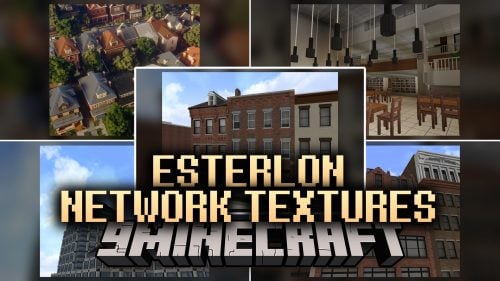 Esterlon Network Textures Model – Brings Realistic Modern City Streets
 The Original Work Programmer Art Model – Brings Classic Retro Visuals and Models
 Brush & Juice Model – Brings Animated 3D Redstone and Mechanical Blocks
 Tooniverse Texture Pack 256x Model – Adds Animated Comic Book Visuals
 Justzilla’s Classic Model – Brings Retro Aesthetics to Modern Blocks
 Golden Days Base Model – Brings Classic Beta Visuals to Modern Blocks
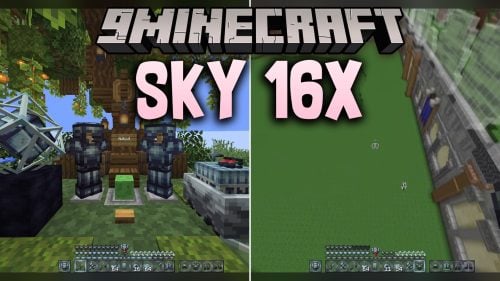 Sky 16x Model – Brings 3D Maces, Rails, and Animated PvP Visuals
 Modilla Model – Brings 3D Depth and Animated Textures to Everyday Vanilla Blocks
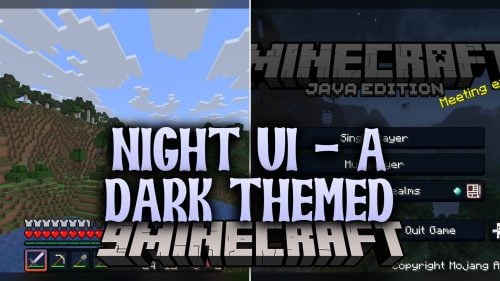 Night UI – Transforms Game Menus and Glass Panes with Sleek Dark Visuals
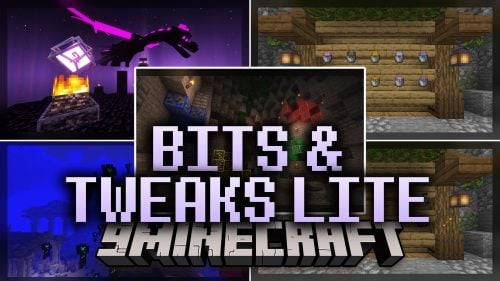 Bits & Tweaks LITE Model – Brings Animated 3D Depth to Vanilla Blocks and Tools
Most viewed in Models over the last 7 days
 Jenny Mod Skin Pack Mega Collection – 310+ Characters
 The Most Complete Collection of Jenny Mod Resources – Models, Animations, Structures,…
 Halloween Pack Jenny Mod Model – Transforms Companions with Spooky Costumes
 750 Models Addon for Yes Steve Model Mod
 Albedo Rework Jenny Mod Model
 Power Model – Custom Girl for PleasureCraft Mod
 Galath Rework Model – Custom Girl for PleasureCraft Mod
 Ram Model – Custom Girl for PleasureCraft Mod
 100+ Custom Animations For Jenny Mod
 Femboy Ellie Rework Jenny Mod Model
 Steve (Jenny & Zoey) Pack Jenny Mod Model
 Ellie Rework Jenny Mod Model
More from Models
 Grass Rocks Model – Adds 3D Pebbles and Rocks to Ground Blocks
 IVR – Brings Detailed HD Passenger Trains to Your Minecraft Transit Railway
 NS DDM DD-AR DDZ For MTR Model – Adds Dutch Double-Decker Passenger Trains
 Rimuru Tempest’s Sword Model – Unleashes Animated 3D Anime Slime Blades
 Grimdark Battlepack Model – Equips Pirate, Samurai, and Viking 3D Gear
 Bushy Leaves Textures Model – Brings Fuller 3D Foliage to Vanilla Trees
 British Rail Class 142 Pacer Model – Brings Classic British Trains to Railways
 Snowy Paws Model – Adds 3D Animal Paw Prints to Snow Layers
 Innovia_metro_mark2 Model – Brings Modern Metro Trains to MTR4 Railways
 Y’all It’s Winter Model – Transforms Vanilla Foliage Into Animated Snowy Plants
 3D Bookshelf Variants Model – Brings Popped-Out Books to Modded Wood Shelves
 Berlin GI1E Model – Adds Classic and Modern Subway Trains to Railway Lines

This post has no comments yet. Be the first — your comment will appear here.