


QuickShop Reremake Plugin (1.19.4, 1.19.2) – Spigot
 3,057
3,057
 0
0


QuickShop Reremake Plugin is a simple yet powerful shop plugin that allows you and other players to create a new shop quick and easily.
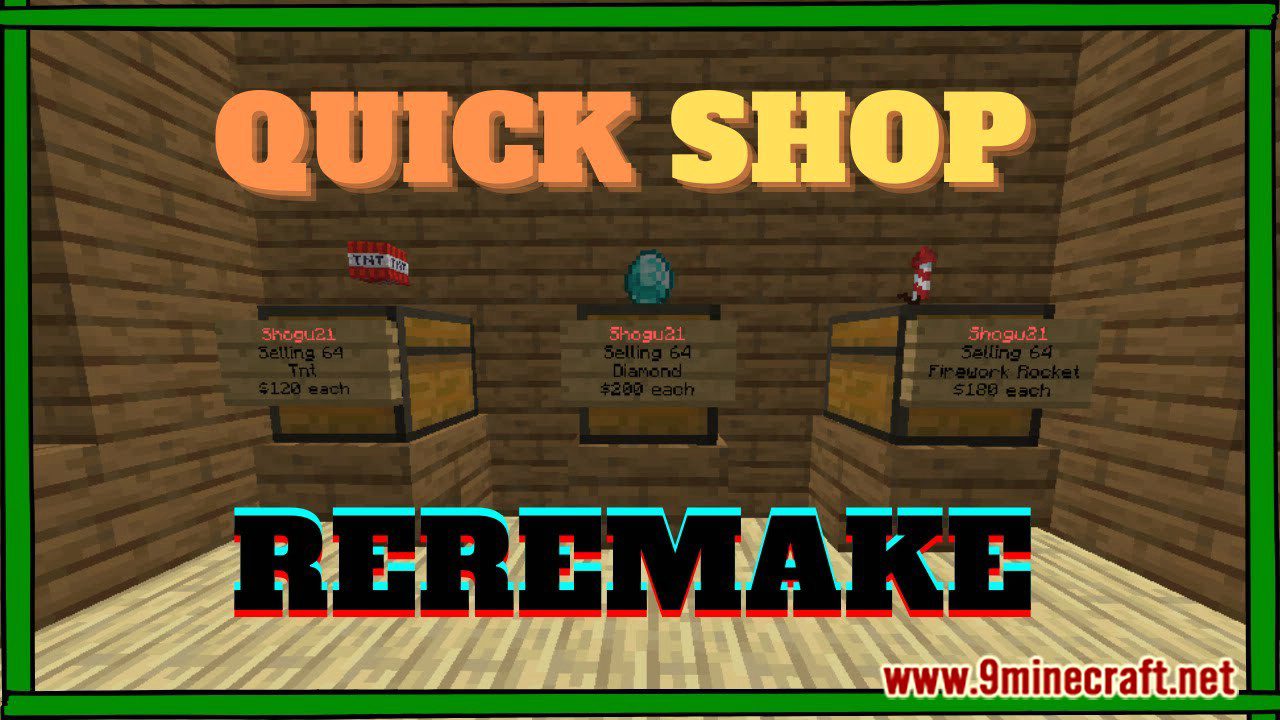
Features:
- Most actions are handled asynchronously!
This helps to reduce potential lag and improve the overall performance of your server. - Supports NBT Data, Enchantments, Item Damage, Potions, Spawn Eggs, ShulkerBox and more!
This means you can sell items with custom model data! - AdminShop for unlimited buying/selling of items.
- Blacklist for items and Bypass-System for admins.
- Shops can sell AND buy the same items when using a double chest.
- Item Preview both in Chat and in an Inventory.
- i18n language support for Items, Potions and Enchantments.
- /qs find command with i18n support.
- Chat Control Panel to change the settings of your shop.
- Supports all sign types (1.14+)
- ClearLag support (Won’t get items on the chest deleted)
- WorldGuard, Towny, PlotSquared and Factions support.
Prevent players from creating shops on other’s plots or in protected regions! - Multi-Currency supports!
- Sign header color for different shops’ statuses.
- Advanced Event Bus to allow user block protection check event transfer to a specific plugin.
- Tax support!
- Hide commands from help if the player had no permission.
- Much much more! Cannot put them all in there!
Commands and Permissions:
Commands:
- /qs unlimited
Makes your Shop buy/sell Items in unlimited quantity or limited - /qs setowner <player>
Change the Shop Owner. - /qs buy
Change the shop to buying items. - /qs sell
Change the shop to selling items. - /qs price <price>
Change the buy/sell price of the item. - /qs clean
Removes any loaded shop that doesn’t have any items in stock. - /qs find <item>
Find the nearest shop that sells items which start with the provided text. E.g. /qs find dia will find the nearest shop that buys/sells diamonds. - /qs fetchmessage
Fetch shop message manually from the database. - /qs info
Show QuickShop information. - /qs debug
Enable/Disable Debug Mode. - /qs create <price> [item]
Command to create the shop with item in hand or specified. - /qs currency <currency name>
Command to specified the currency the shop using.
The Economy plugin must support the Multi Currency feature and supported by QuickShop. We support GemsEconomy and TNE now. - /qs supercreate
Create a shop while bypassing any protection checks. - /qs paste
Collects useful information and pastes it on Pastebin. - /qs staff
Manage staff in your shop. - /qs staff add <player>
Add a player as staff to your shop. - /qs staff del <player>
Remove a player as staff from your shop. - /qs staff clear
Remove all staff-members from your shop. - /qs staff list
Show all current staff-members of your shop. - /qs cleanghost
Remove all broken shops. - /qs export
Export all shop data to a TXT file.
This command is CONSOLE ONLY! - /qs recovery
Recover all shops from a TXT file or Paste.
This command is CONSOLE ONLY and may remove/override any existing shop on your Server! Make a backup first and try it with a clean database! - /qs convert [sqlite|mysql]
Convert your database to either sqlite or mysql.
This command is CONSOLE ONLY and first make sure to create a backup using /qs export! - /qs size
Change the bulk size.
Requires the “allow-stacks” option in the config to be enabled for the command to work. - /qs purge
Purge the old shops, for more inforamtion please check the purge option in config.yml
Requires the “purge” option in the config to be enabled for the command to work. - /qs alwayscounting
Making a shop alway counting shop even is unlimited, which making real admin shop is possible. - /qs transfer
Transfer ALL shops from one player to another. - /qs item
Change the item of the shop.
Requires the “allow-stacks” option in the config to be enabled for the command to work. - /qs removeworld
Remove all shops in a specific world.
Aliases:
- /shop
- /qshop
- /qsshop
- /quickshop
- /chestshop
- /cshop
Player Permissions:
For lazy owners, you can use “quickshop.player” permission node to includes all permission that player need.
- quickshop.use
Required for any QuickShop Actions. - quickshop.create.sell
Required to make a shop (Sell-Mode) - quickshop.create.buy
Required to make a shop (Buy-Mode) or to switch from Sell to Buy-Mode. - quickshop.create.stacks
Required to allow selling items in stacks. - quickshop.create.changeitem
Allows a player to change a shop’s item. - quickshop.create.changeamount
Allows a player to change the item-amount per buy/sell. - quickshop.create.changeprice
Allows a player to change the buy/sell price of their shops. - quickshop.create.double
Allows a player to create a double chest shop. - quickshop.create.cmd
Required to have access to the /qs create command.
This command may bypass certain protections of not-supported protection plugins! - quickshop.transfer
Required to transfer all owned shops to another player. - quickshop.find
Required to use /qs find <item> - quickshop.fetchmessage
Required to use /qs fetchmessage - quickshop.staff
Required to use /qs staff and all its subcommands. - quickshop.preview
Required to use the GUI Item Preview. - quickshop.currency
Required to use the /qs currency <currency>
Admin Permissions:
- quickshop.unlimited
Required to use /qs unlimited - quickshop.alwayscounting
Required to use /qs alwayscounting - quickshop.setowner
Required to use /qs setowner - quickshop.other.destroy
Allows the player to remove/destroy shops of others. - quickshop.other.open
Allows the player to open chests of other shops and take/put items from/into it. - quickshop.other.price
Allows the player to change the price of someone’s shop. - quickshop.transfer.other
Required to transfer ALL shops of someone to another player. - quickshop.refill
Allows the player to refill their shops using a command, essentially making the shop having unlimited items. - quickshop.empty
Allows the player to clear the shop’s inventory. - quickshop.clean
Allows the purging/removal of any Shops that have no items in stock. - quickshop.bypass.<ItemID>
Required to sell blacklisted items (E.g. bedrock). - quickshop.alerts
Required to receive notifications about possible cheating, plugin warnings and updates. - quickshop.info
Required to use /qs info - quickshop.debug
Required to use /qs debug - quickshop.paste
Required to use /qs paste - quickshop.purge
Required to use /qs purge - quickshop.create.admin
Required to bypass any protection-checks while creating a shop using /qs supercreate - quickshop.tax
Permission to bypass the tax fee. - quickshop.tax.bypassunlimited
Permission to bypass the tax fee but only in unlimited shop. - quickshop.cleanghost
Permission to remove any broken shop using /qs cleanghost - quickshop.export
Permission to use /qs export
This permission is pointless since the command is console only. - quickshop.recovery
Permission to use /qs recovery
This permission is pointless since the command is console only. - quickshop.removeworld
Permission to remove all shops in a world using /qs removeworld - quickshop.other.changeitem
Allows the player to change the item of someone’s shop. - quickshop.other.changeamount
Allows the player to change the bulk-amount of someone’s shop.
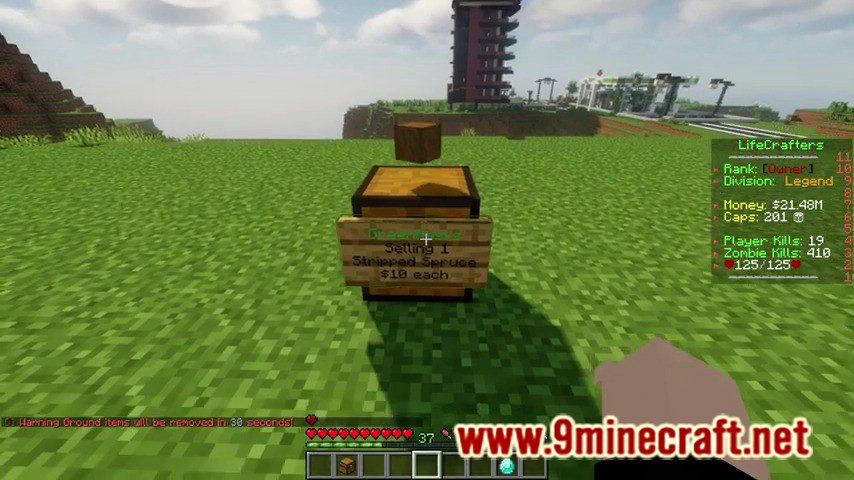
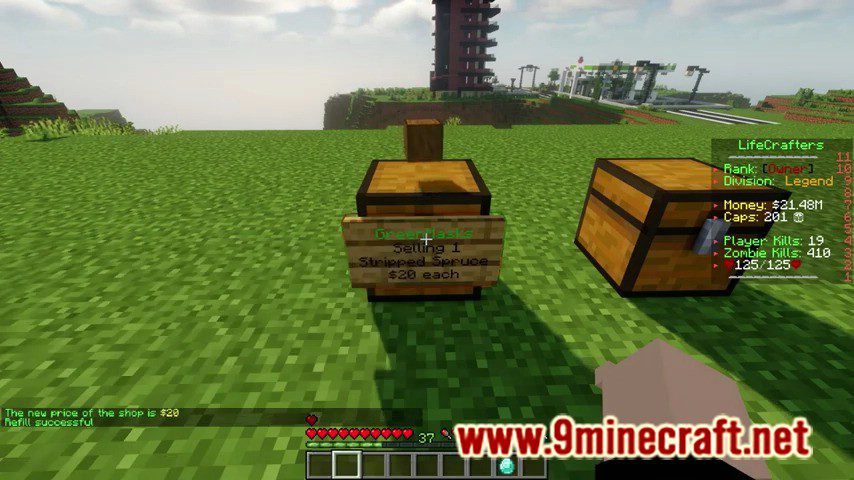
Screenshots:
How to Install:
New to Minecraft? Follow our step-by-step guide to install Plugins on your PC.View Guide
QuickShop Reremake Plugin Download Links
For all versions from Minecraft Spigot 1.15 to Minecraft Spigot 1.19
For Minecraft Spigot 1.19.4, 1.19.2
Click to rate this post!
[Total: 0 Average: 0]
You May Also Like













This post has no comments yet. Be the first — your comment will appear here.