
ItemEdit Plugin (1.21.11, 1.20.1) – Reward Adventurers with Unique Custom Gear

 0


ItemEdit Plugin lets you customize and manage Minecraft items right from chat and simple menus. It packs over 20 subcommands under three main tools so you can edit item names, lore, colors, attributes, enchantments, and durability in seconds. You can also build custom fireworks and banners in clean menus, turn any item into food or wearable gear, and change how items look with resource pack models. Saved items work well for creative building, custom kits, crates, server shops, and player rewards. This server plugin includes tab-completion, clickable help messages, over 10 client languages, and direct support for Vault, ShopGUI+, PlaceholderAPI, and MythicMobs.
Features:
- Changes item names and lore with copy-and-paste support.
- Hides unwanted text and tags from item lore for a cleaner look.
- Edits item tooltip styles to control how item details show up.
- Customizes potion effects and hides them to create mystery potions.
- Sets custom colors, with up to 65,000 color choices, for potions, leather armor, and tipped arrows.
- Creates and edits fireworks inside a simple GUI.
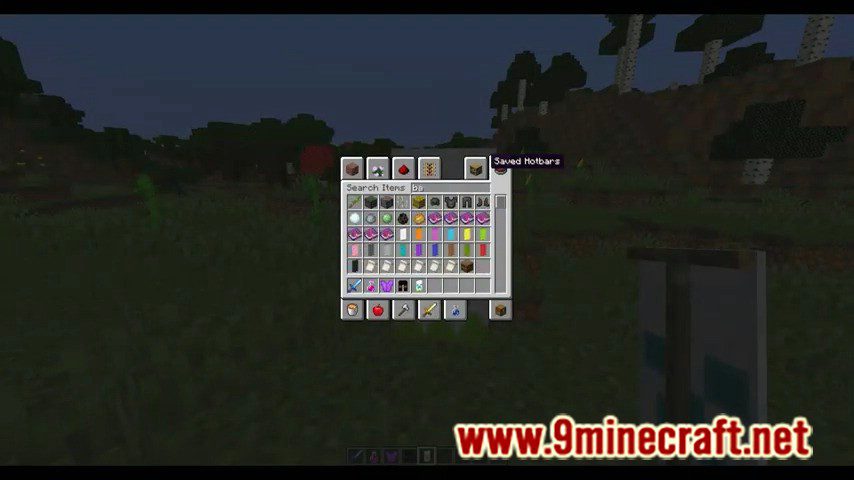
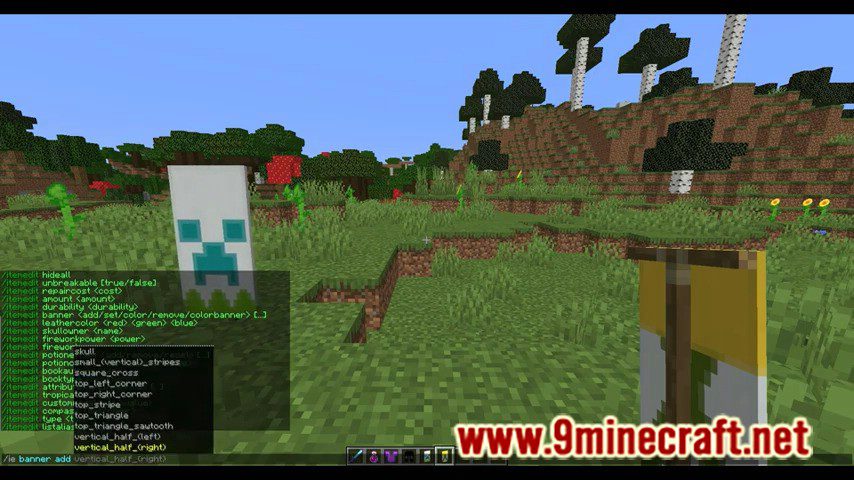
- Designs and edits banners using a built-in GUI.
- Enchants items manually through commands.
- Makes items unbreakable.
- Makes items glow by adding hidden enchantments.
- Edits item attributes like armor, damage, and max health.
- Changes the max durability of items.
- Modifies custom model data and item models for resource packs.
- Changes an item’s rarity color.
- Turns items into eatable food or drinks with custom food properties.
- Turns any item into wearable equipment or armor.
- Sets a custom target location for a compass.
- Customizes axolotl and tropical fish bucket styles.
- Applies armor trim styles and colors to gear.
- Changes book types, including original, copy, and tattered.
- Repairs items right away.
- Offers over 20 subcommands for detailed item customization.
- Saves and loads custom items so you can reuse favorite builds anytime.
- Supports server shops, crates, kits, and player reward systems with saved items.
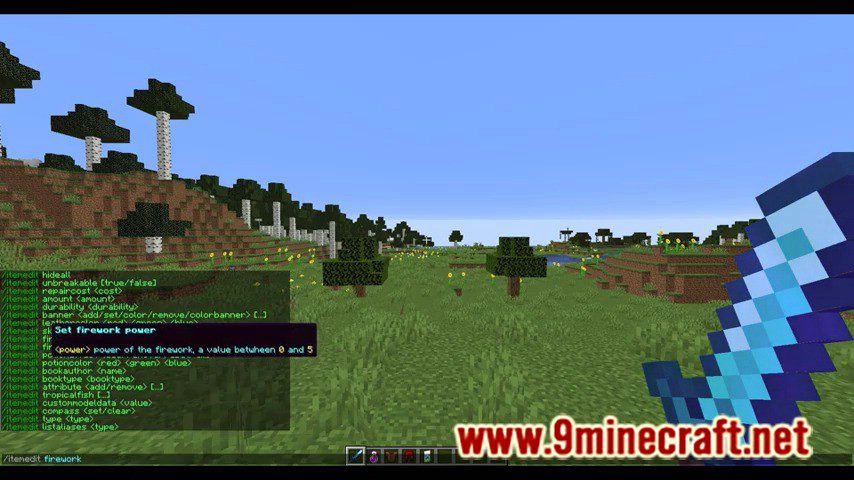
- Provides tab-completion and clickable help messages with hover descriptions.
- Matches messages to each player’s client language, with over 10 languages included.
- Works with Vault, ShopGUI+, PlaceholderAPI, and MythicMobs.
- Stays free and open source, and includes an API for custom integrations.
Commands:
/itemedit(/ie): Edits items right away with commands to rename items, change lore with copy-paste support, set custom potion colors, hide potion effects, make items unbreakable, and add hidden glowing enchantments./serveritem(/si): Manages server-side items so you can give, sell, and buy items from the console for crates, kits, and custom server gear./itemstorage(/is): Saves and loads your favorite custom item builds for creative mode and advanced builders.
How to Use:
- Hold the item you want to change and type
/itemedit(or/ie) in chat to start editing its properties. - Press Tab to use tab-completion so you can view available subcommands and options as you type.
- Click the help messages in chat and hover over them to read descriptions of each option.
- Use the item editing commands to open the simple GUIs when you want to design custom fireworks or banners.
- Type
/itemstorage(or/is) to save your favorite custom item builds and pull them back out whenever you need them. - Run
/serveritem(or/si) from the console to give, buy, or sell your saved items for crates, kits, shops, and player rewards.
Screenshots:
How to Install:
New to Minecraft? Follow our step-by-step guide to install Plugins on your PC.View Guide
ItemEdit Plugin Download Links
For all versions from Minecraft Spigot 1.8 to Minecraft Spigot 1.19
For all versions from Minecraft Spigot 1.19.2 to Minecraft Spigot 1.21.11, 1.21.10
You May Also Like
Picked for this page
 WorldGuard Plugin (26.1.2, 1.20.1) – Bukkit, Spigot, Paper
 MultiWorld Plugin (26.1.2, 1.20.1) – Spigot
 Spawn Plugin (26.1.2, 1.21.1) – Spigot
 Orebfuscator Plugin (26.1.2, 1.20.1) – Bukkit, Spigot, Paper
 TAB Plugin (26.3, 1.20.1) – Make an Awesome Animated Tablist
 Fancy Holograms Plugin (26.1.2, 1.20.1) – Spigot
 Infinite Villager Trades Plugin (1.21.11, 1.20.1) – Spigot
 UberEnchant Plugin (1.21.11, 1.20.1) – Bukkit, Spigot, Paper
 Interaction Visualizer Plugin (26.1.2, 1.20.1) – Spigot
 BeastWithdraw Plugin (1.21.11, 1.20.1) – Bukkit, Spigot, Paper
 Aj Leaderboards Plugin (26.1.2, 1.20.1) – Spigot
 BentoBox Plugin (26.1.2, 1.20.1) – Spigot
Most viewed in Plugins over the last 7 days
 Dynmap 9minecraft Plugin (26.3) – A Live Google-Maps-Style View of Your Whole Server
 Vulcan Anti Cheat Plugin (1.21.8, 1.20.1) – A Powerful Shield Against Cheating
 Citizens Plugin (1.21.10, 1.20.1) – The Best NPC Plugin
 Displaymotion Plugin (1.21.4) – Amaze Players with Custom Animations and No Client Mods
 Citizens2 Plugin (1.21.8, 1.20.1) – Craft Unique NPCs
 MMOItems Premium Plugin (1.21.8, 1.20.1) – Create Stunning Custom Items
 Ultimate Donut SMP Plugin (26.3, 1.20.1) – Build Teams Trade Goods
 WorldEdit Plugin (1.21.11, 1.20.1) – Easy In-Game Minecraft Map Editor
 MythicCrucible Plugin (1.21.8, 1.20.1) – Addon for MythicMobs
 MythicMobs Premium Plugin (1.21.9, 1.20.1) – Craft Epic Custom Mobs And Bosses
 Vehicles Plus Plugin (1.21.11, 1.20.1) – Realistic Vehicle Plugin
 Fish Rework Fishing Plugin (26.3, 1.21.1) – Turn Simple Fishing
More from Plugins
 King in Yellow Plugin (26.3, 1.21.11) – Terrify Server Players with Cosmic
 Join Book by Nis Plugin (1.21.11, 1.21.1) – Welcome New Players
 PluginV2 Plugin (26.3) – Shield Players From Glitches While Testing New Ideas
 OPProtector Plugin (1.13) – Stop Power Abuse So Everyone Plays in Peace
 Banhamer Plugin (26.3, 1.20.1) – Turn Server Rivalries Into High-Stakes Rescue
 Crownfall Plugin (26.3, 1.21.1) – Fight for the Throne in High Stakes Chess
 AstralPractice Plugin (1.13) – Turn Idle Lobbies Into Non-Stop Duel Arenas
 Archaeo Plugin (1.21.10) – Unearth Fragile Relics and Build Server Museums Together
 ActivityTF Plugin (1.21.10) – Keep Your Community Active with Rewarding Daily Tasks
 Tk Chat Plugin (26.3, 1.21.1) – Keep Players Talking Together
 Donut Utils Plugin (26.1.2, 1.21.11) – Stop Toxic Trolls Before They Ruin
 Grim Anticheat Plugin (26.3, 1.20.1) – Realtime Cheat Detection Plugin

This post has no comments yet. Be the first — your comment will appear here.