


MalisisDoors Mod (1.12.2, 1.11.2) – Design Your Own Custom Entrances
 63,361
 0
0

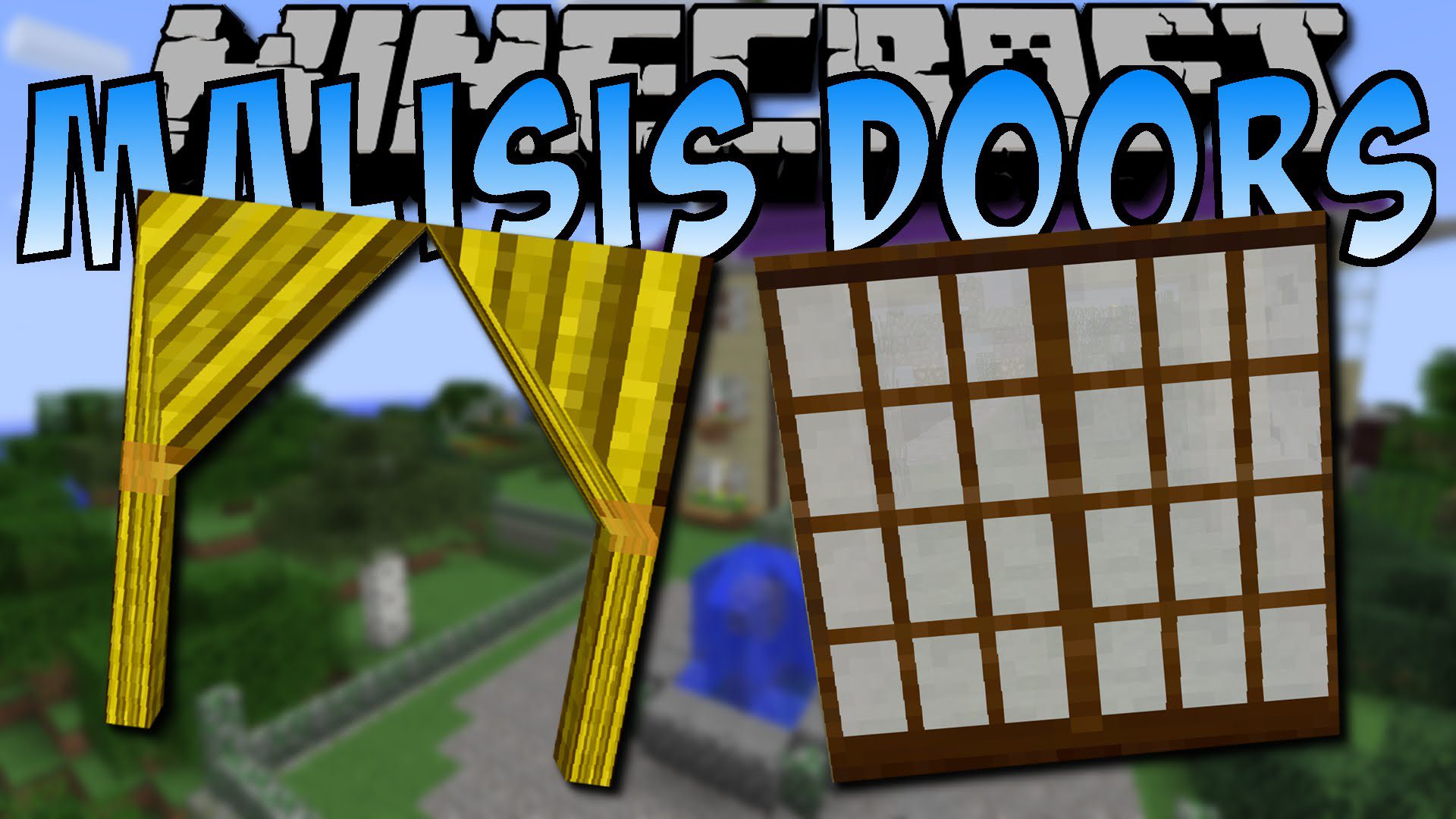
MalisisDoors Mod adds new animations to doors, trapdoors, and fence gates, making them open and close smoothly. It also introduces many new types of doors, including glass, jail, factory, and garage doors, each with its own unique movement. With this mod, you can even use a special machine to build your own custom doors from scratch, choosing exactly how they look and operate.
Features:
- Vanilla doors, trapdoors, and fence gates now have smooth opening and closing animations.
- Double doors automatically open together without needing any redstone.
- Adds a Door Factory block that lets you design and build your own custom doors.
- You can choose the movement style, sound, and speed for your custom doors.
- Use special items like an Ender Pearl or a Lava Bucket in the Door Factory to give doors animated textures.
New Door Types
- Glass Doors: Wooden and iron doors with glass panels that slide sideways.
- Jail Doors: Metal doors that slide open and can only be activated by redstone.
- Laboratory Doors: A single metal door that slides upwards.
- Factory Doors: A metal door that splits and slides both up and down.
- Shoji Doors: Japanese-style doors that slide slowly to the side.
- Saloon Doors: Doors that swing open automatically when you walk through them.
- Curtains: Red curtains that open with a unique animation.
Other Blocks & Structures
- Garage Doors: Create large, multi-block garage doors that open all at once with a redstone signal.
- Carriage Doors: A very large (4×5) and fancy wooden double door.
- Rusty Hatch: A big metal hatch that opens slowly and includes built-in rusty ladders.
- Sliding Trapdoors: Trapdoors that slide sideways instead of flipping open.
- Camo Fence Gates: A fence gate that copies the texture of the blocks next to it.
- Forcefields: Use a Forcefield Controller to create unbreakable energy barriers of almost any size.
How to Use:
- To create a custom door, craft and place the Door Factory machine.
- Open its interface to choose an animation style, sound, and movement speed.
- Select different blocks for the frame, top, and bottom materials to design how your door looks.
- Place special items like a Flint & Steel or a Water Bucket in the material slots to add effects like fire or flowing water textures.
- To create an energy barrier, use the Forcefield Controller item to select two points. The field will be created between them.
- Right-click the forcefield with the controller to turn it on or off. Sneak and right-click to remove it completely.
Screenshots and Crafting Recipes:
Animated doors:
The first goal of this mod was to improve vanilla doors behaviour. They are now animated when opened or closed instead of just jumping instantly to their new state. Also, it makes double doors automatically open and close without any need for redstone.
Trapdoors and fence gates are also animated!
Wooden doors and Iron Trapdoor:
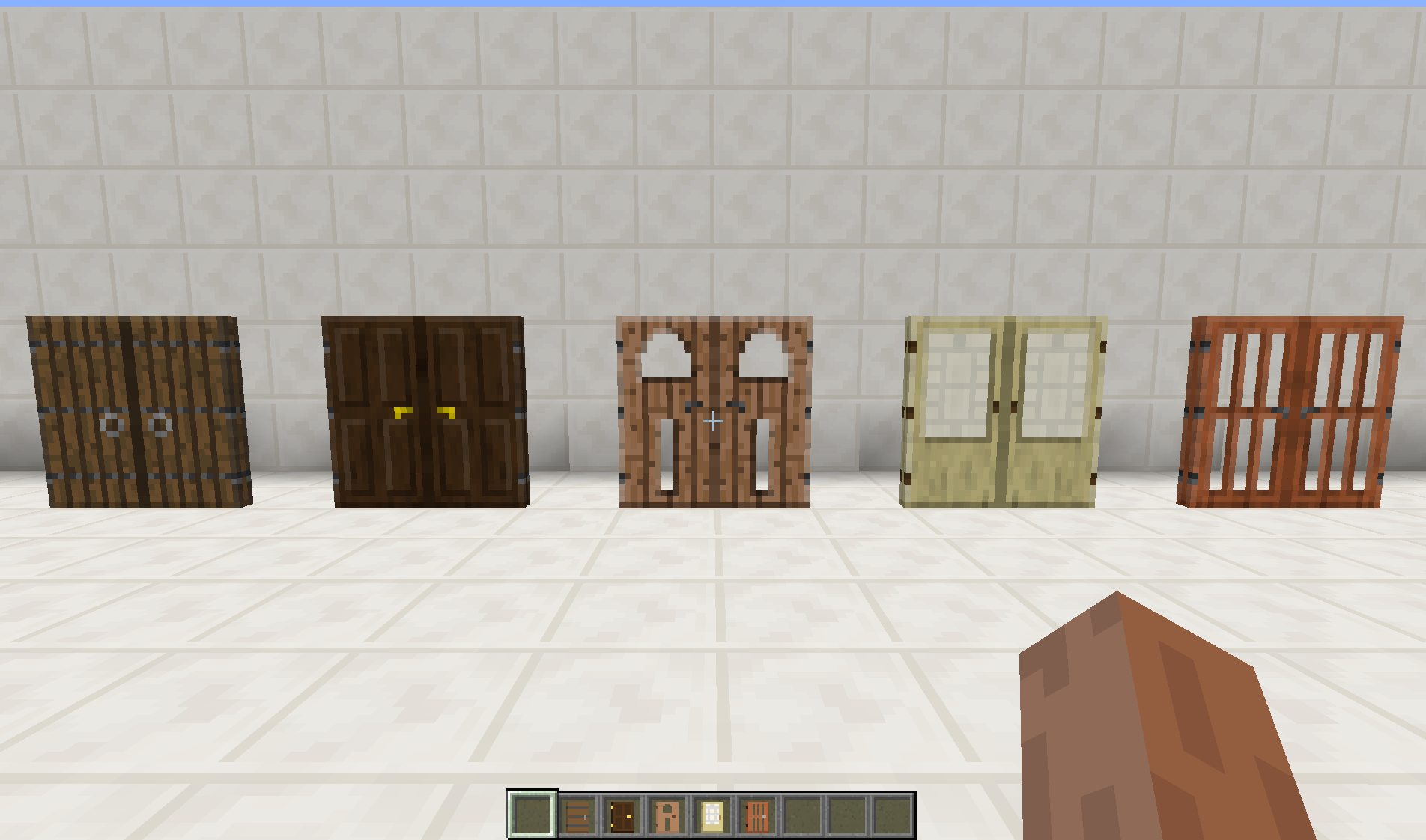
The new variants of wooden doors and trapdoor added by Minecraft 1.8 are available and crafted the same way.
Glass doors:
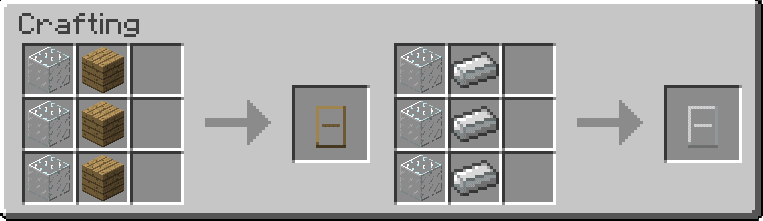
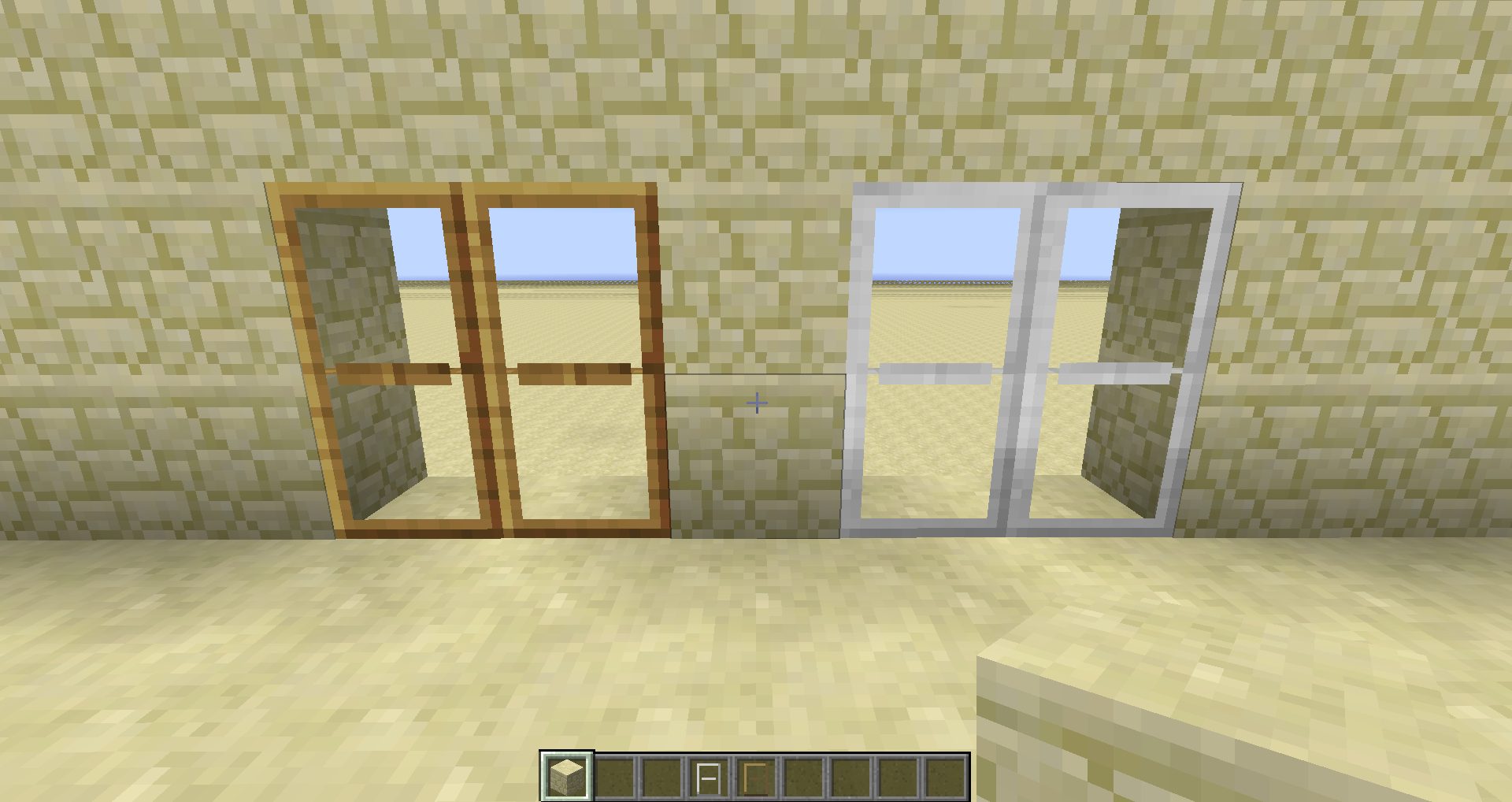
Two new sliding doors are added (wooden and iron), that behaves like normal doors but instead of rotating on themselves, they slide into the block next to them.
Recipes:
In game:
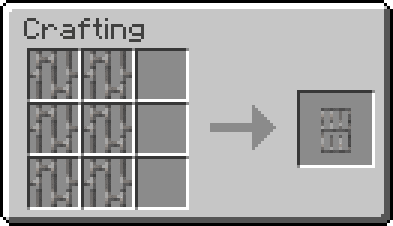
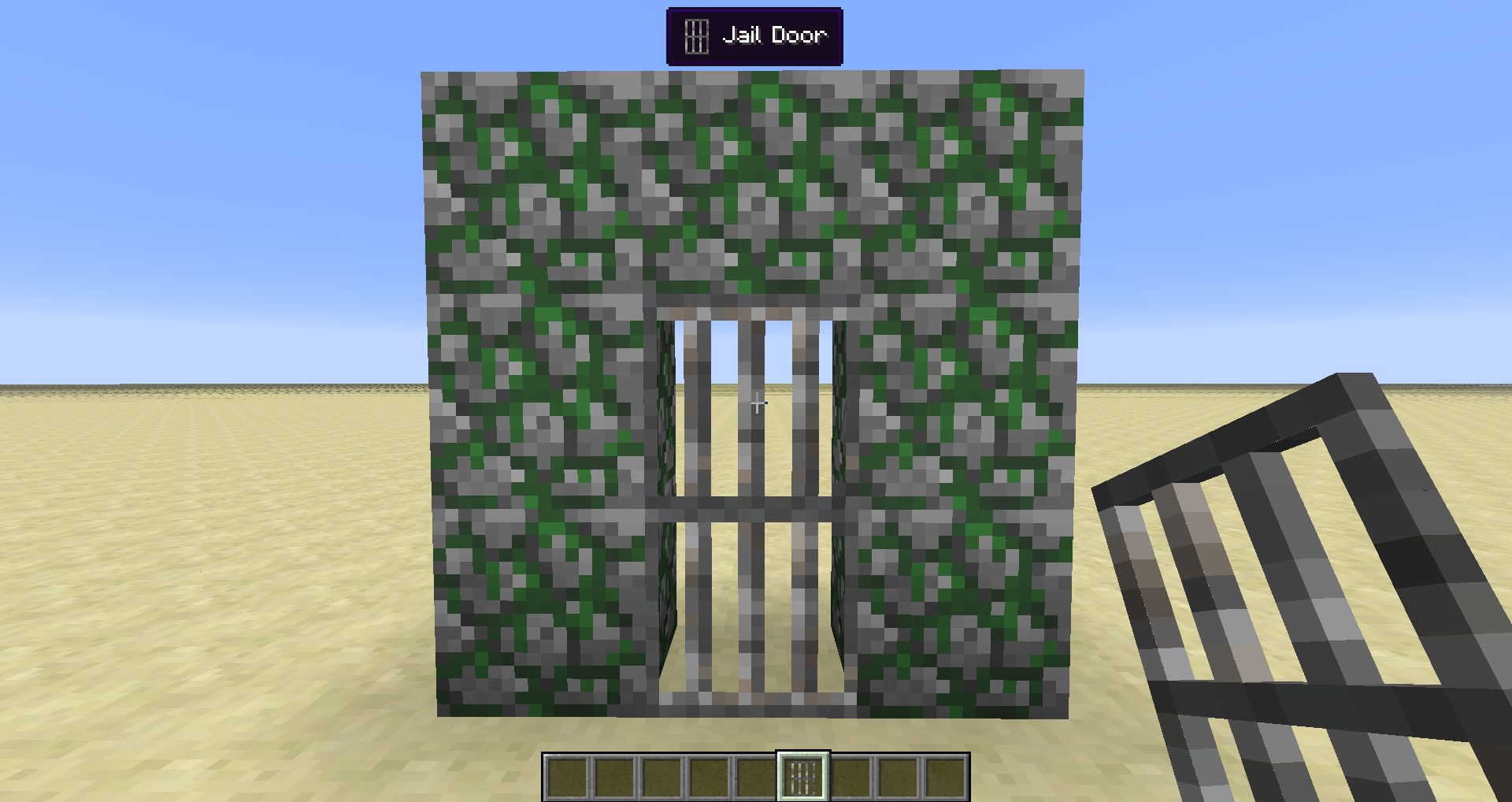
Jail doors:
A new metallic jail door that slides on the side. Can only be operated with redstone.
Recipe:
In game:
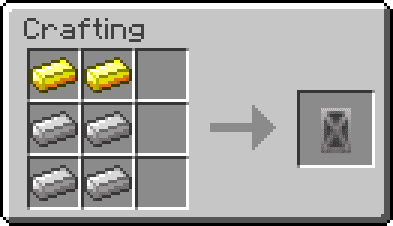
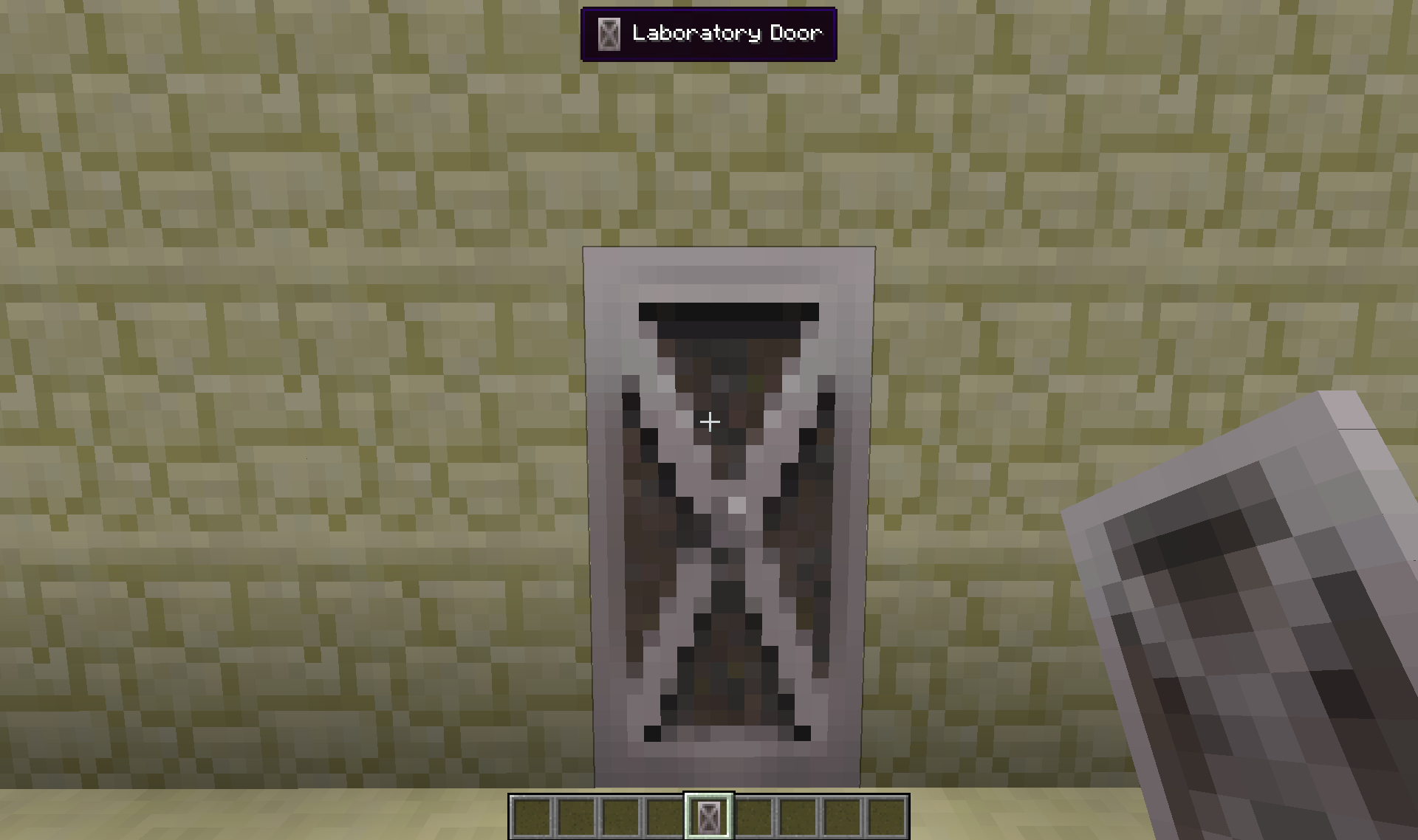
Laboratory doors:
A new metallic laboratory door that slides upwards. It’s not a double door.
Recipe:
In game:
Factory doors:
A new metallic factory door that slides both upwards and downwards.
Recipe:
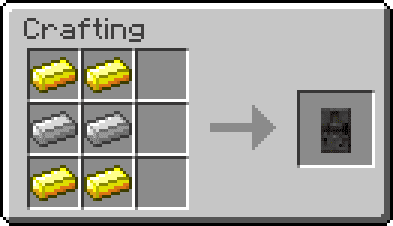
In game:
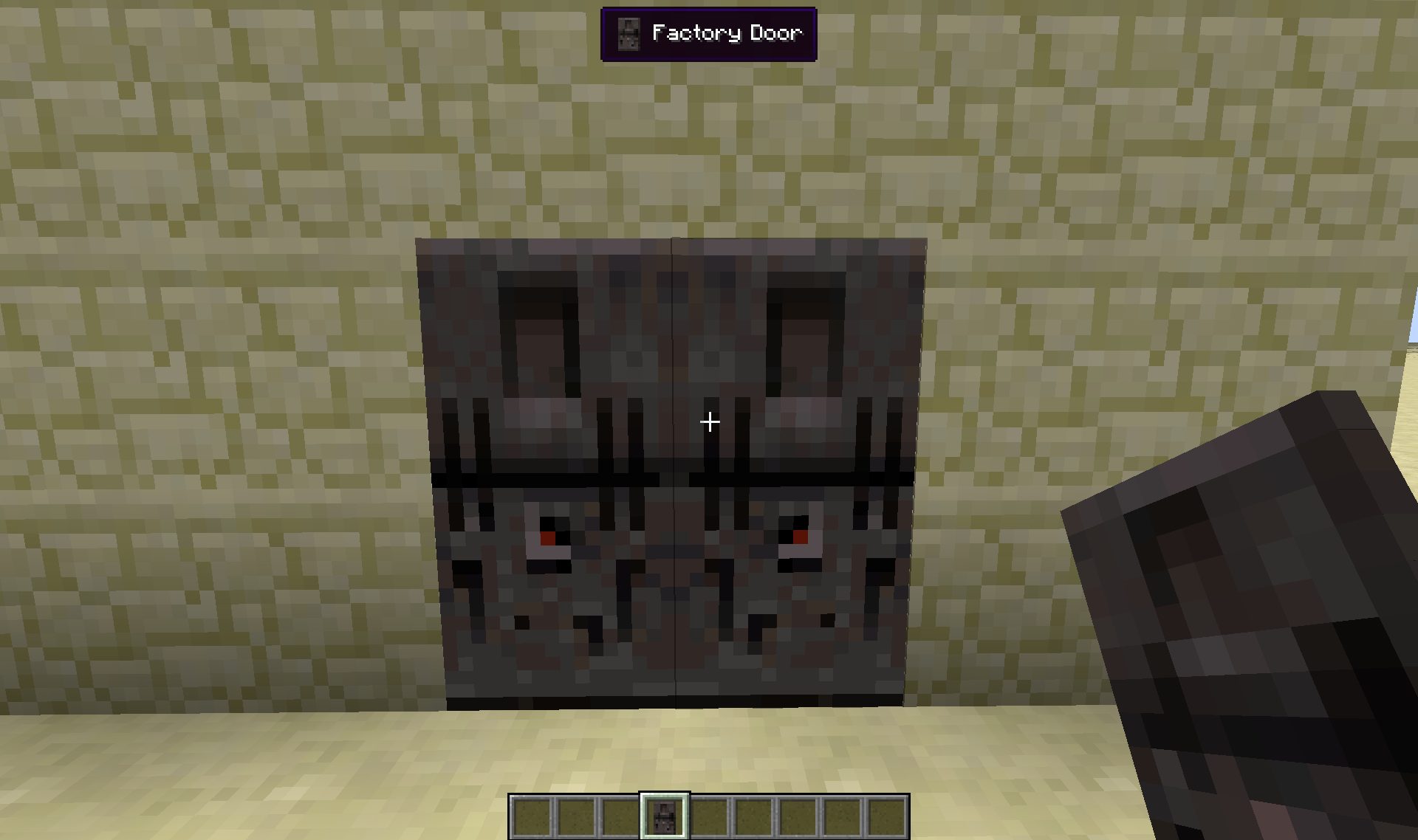
Shoji doors:
A new shoji door that slides slowly on the side.
Recipe:
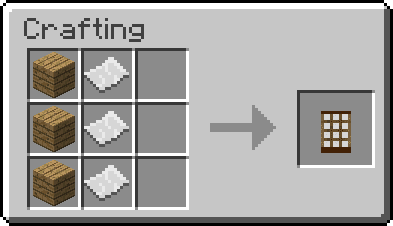
In game:
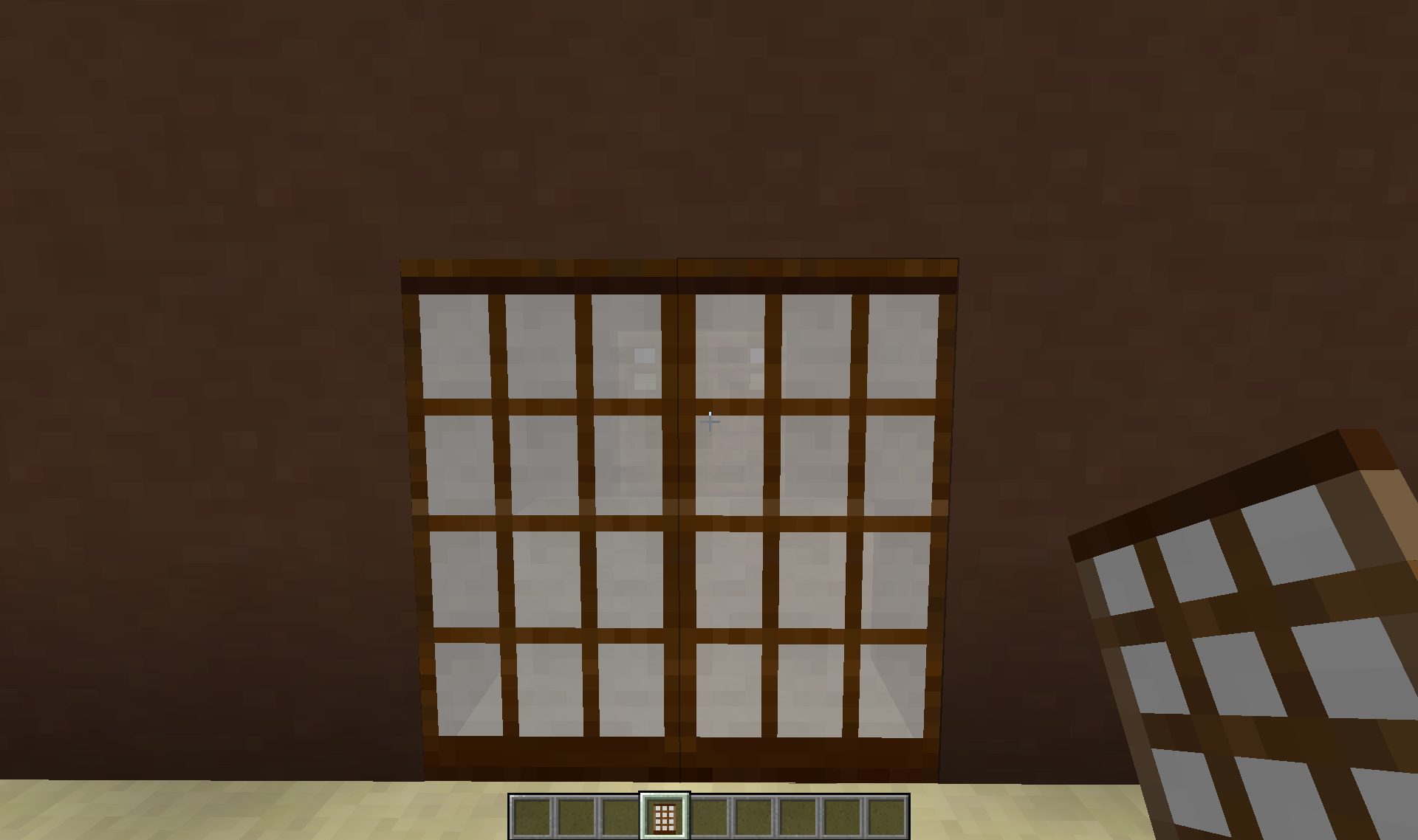
Curtains:
Simple red curtains that opens with custom animation.
Recipes:
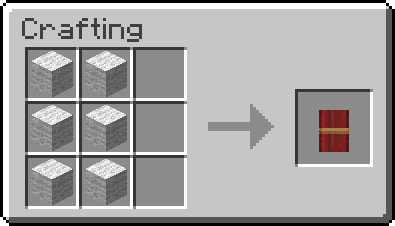
In game:
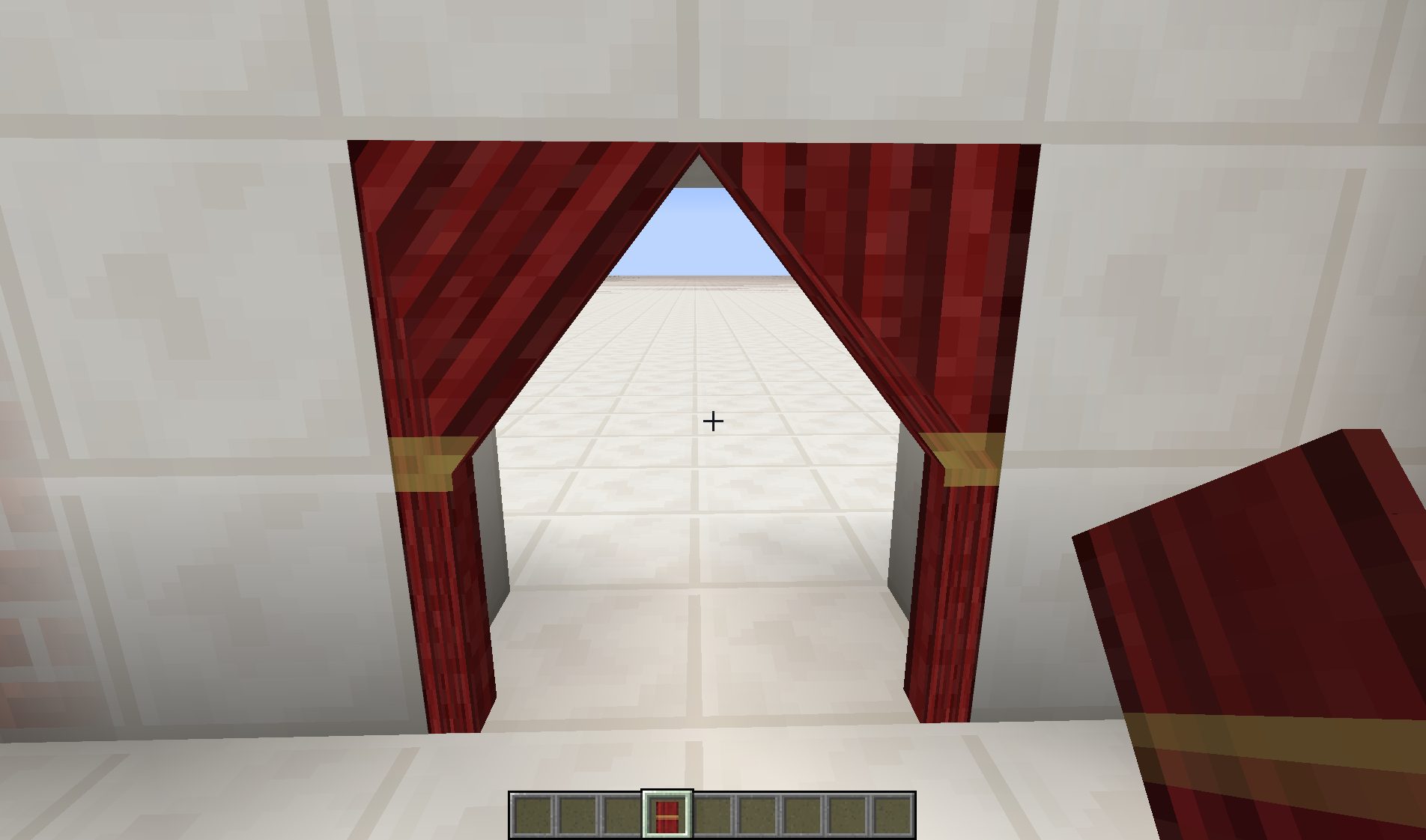
Saloon doors:
New saloon doors that opens automatically when you go through them.
Recipes:
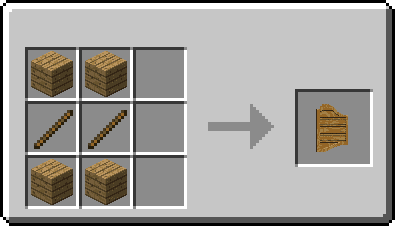
In game:
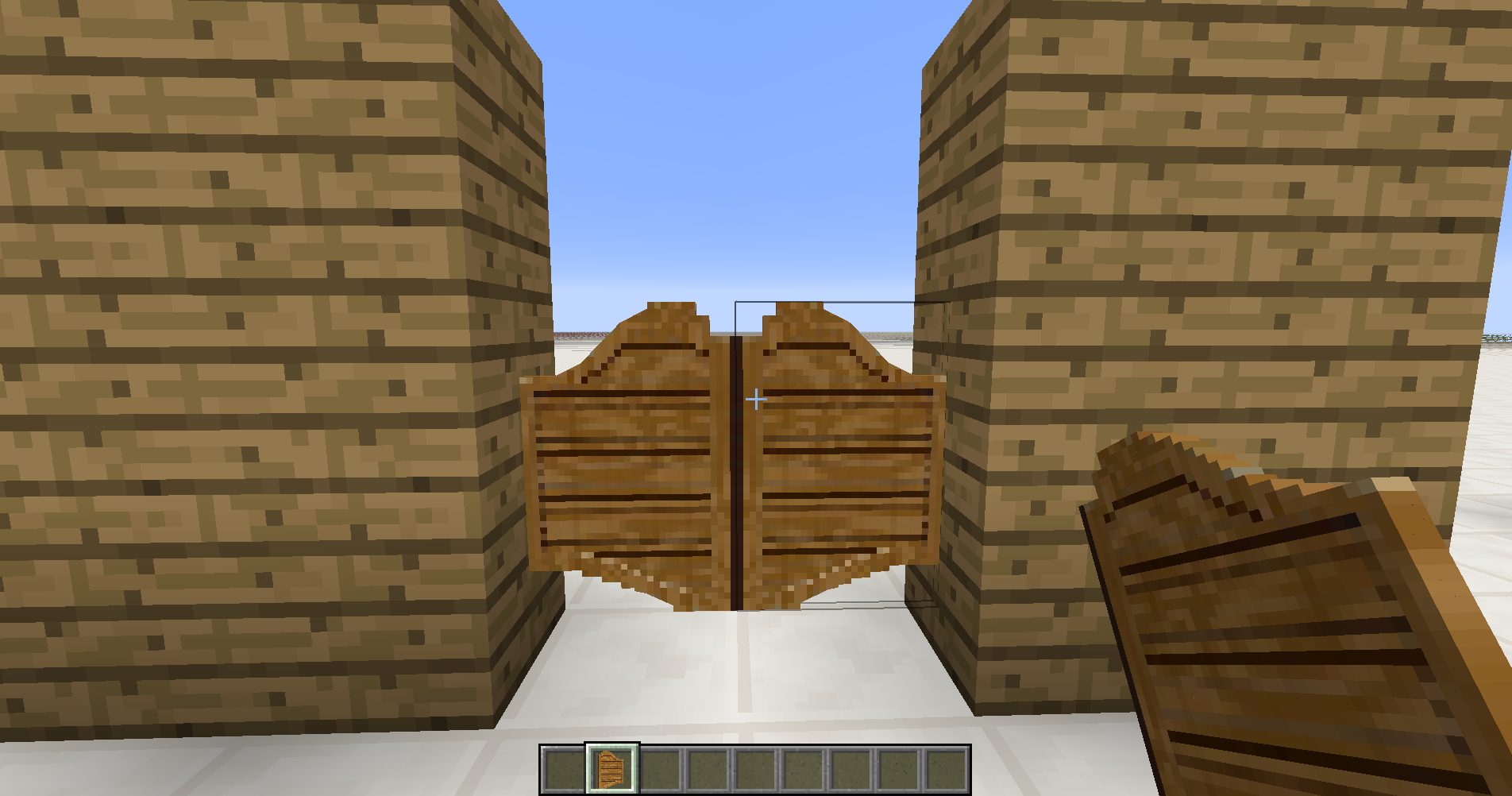
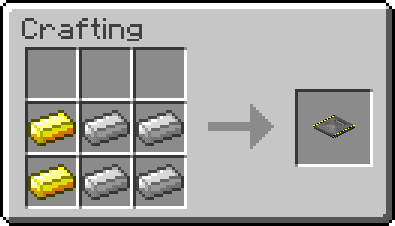
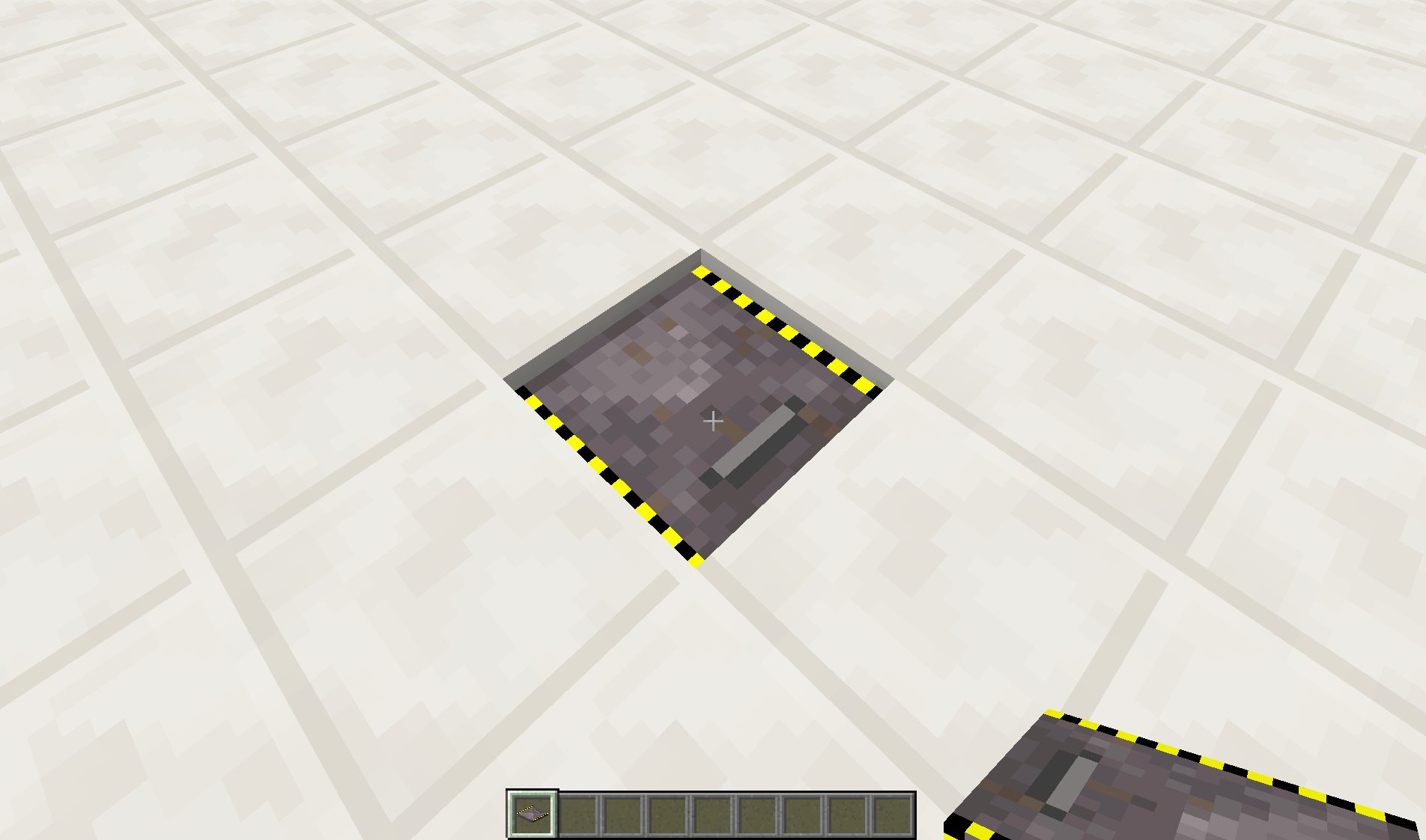
Sliding trapdoors:
Simple trapdoors that slide on the side with pneumatic sound.
Recipes:
In game:
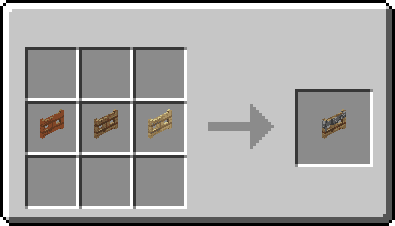
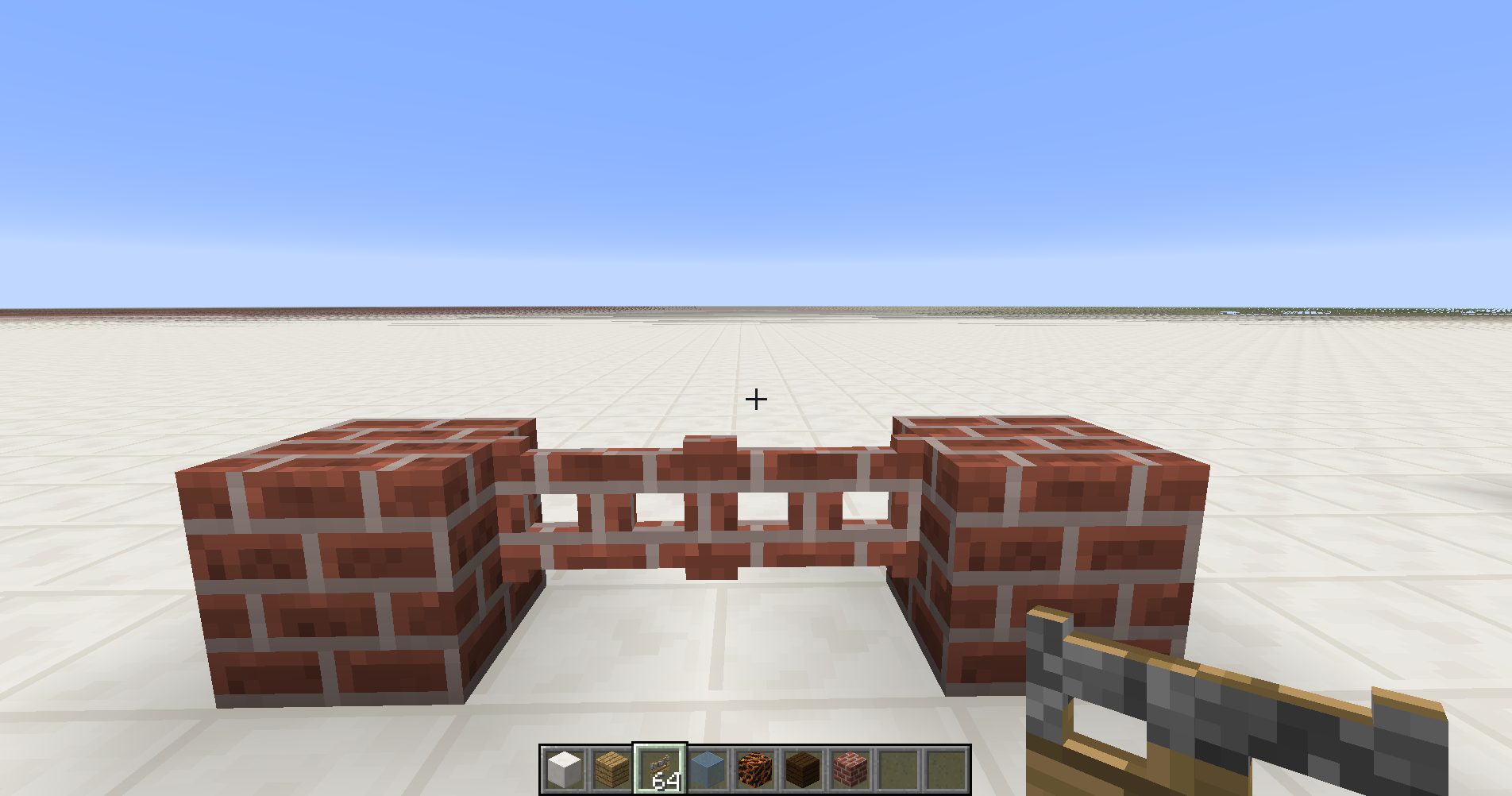
Camo fence gates:
A fence gate that copies the blocks on each side, granted they’re the same type.
Recipes:
In game:
Rusty Hatch:
A big metallic hatch with a handle that slowly opens. Comes with rusty ladders built-in. Requires 2x3x2 block space to be placed.
Like Trap doors, if placed on the top half of the side of the block, the door will open upwards.
Recipes:
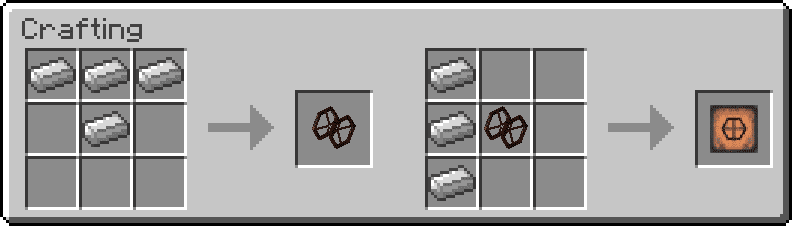
In game:
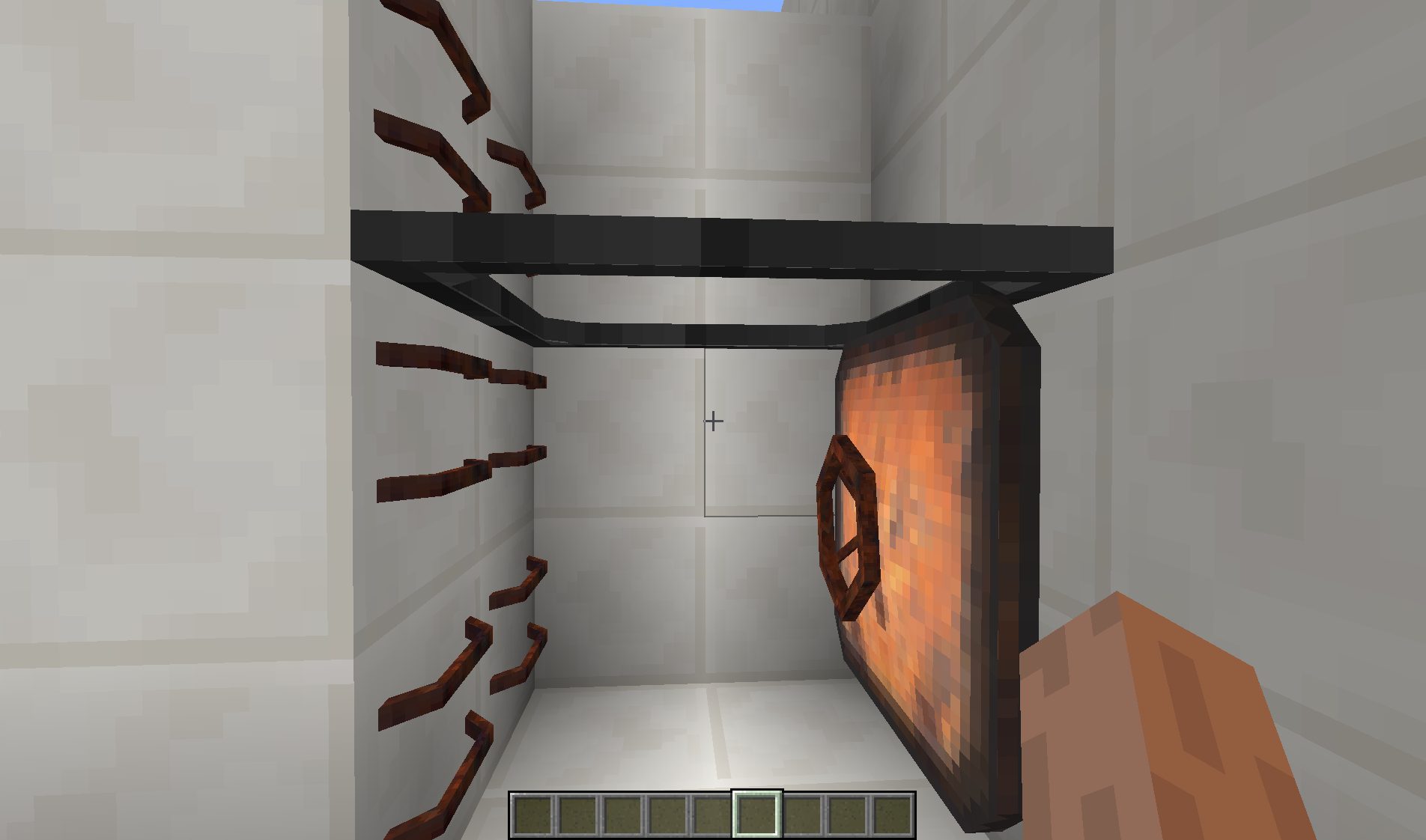
Rusty Ladders:
A metallic ladder that matches the ones built-in the Rusty Hatch.
Recipes:
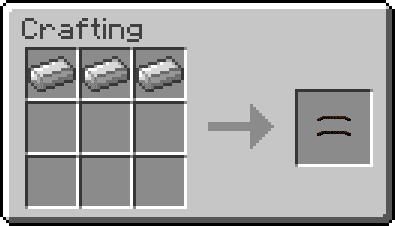
In game:
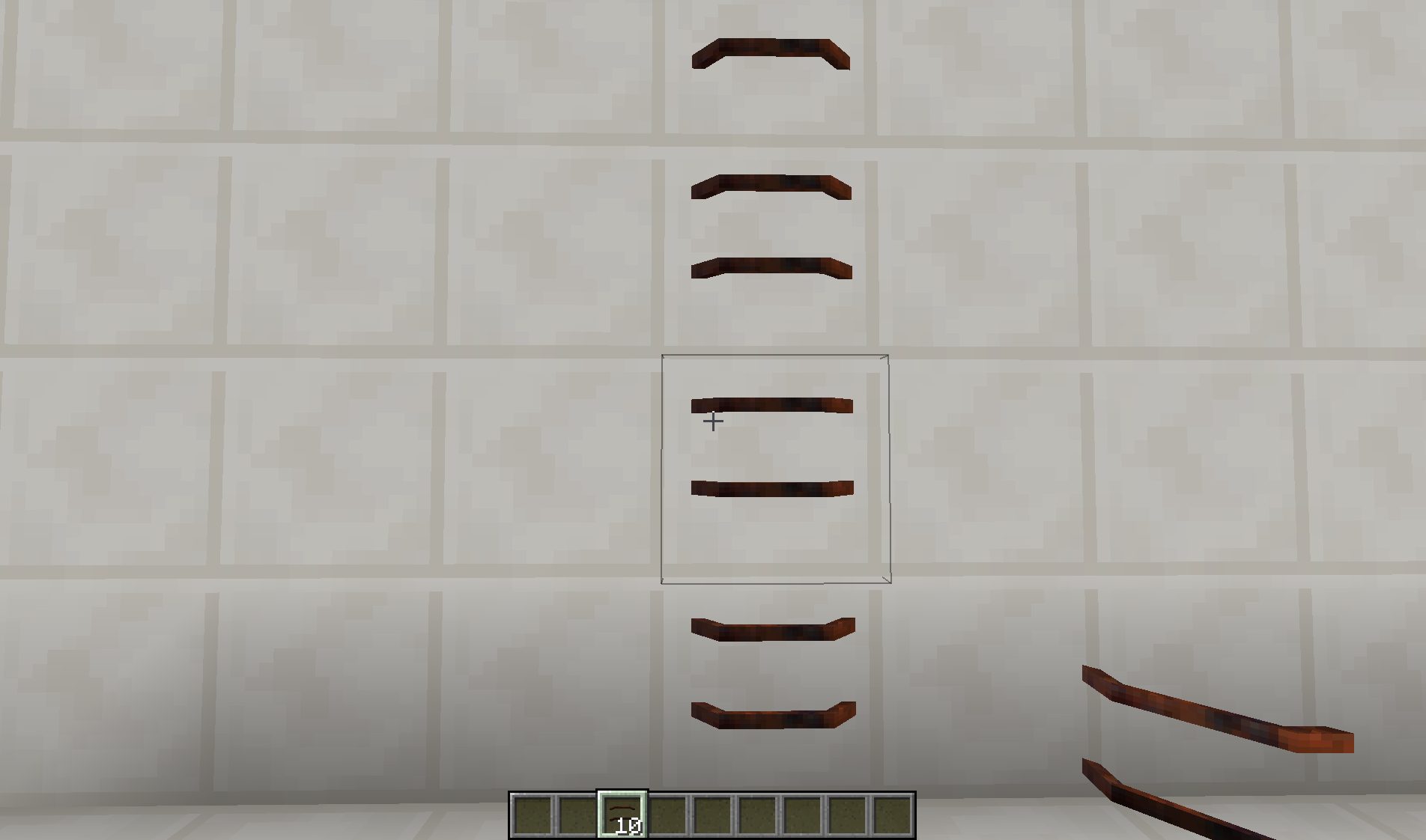
Garage doors:
A multi-structure allowing a large area to be opened with a nice animation. A Garage door can be as wide and tall as wanted, and as long as they face the same way, one simple redstone current change will make the whole door open or close depending on its current state.
Recipe:
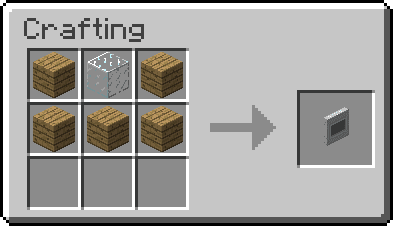
In game:
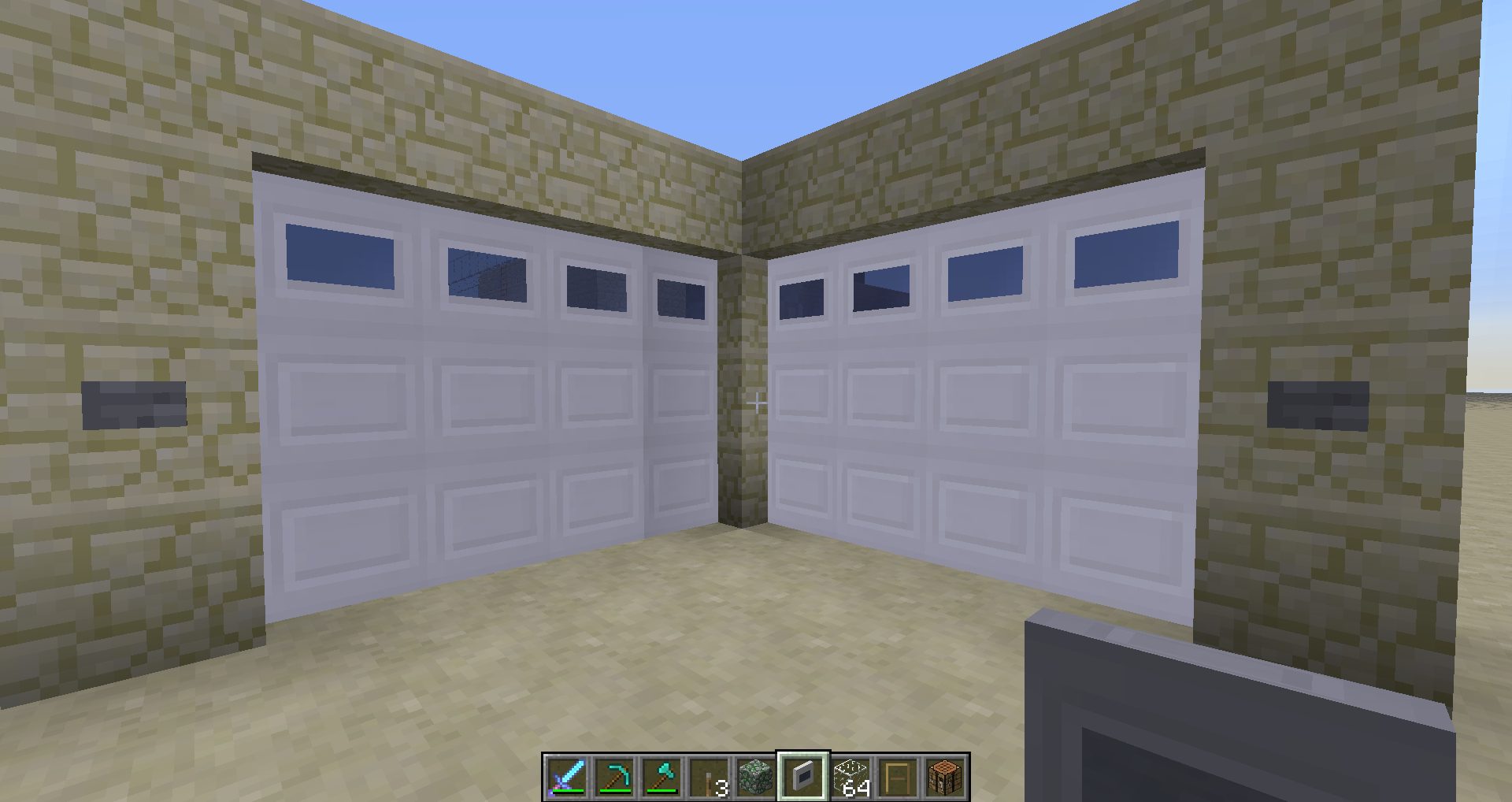
Carriage doors:
A big and fancy wooden double door (4x5x1 multi-block). Note: right click the frame to close the doors.
Recipe:
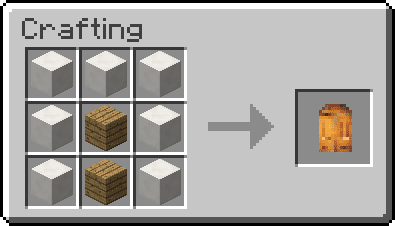
In game:
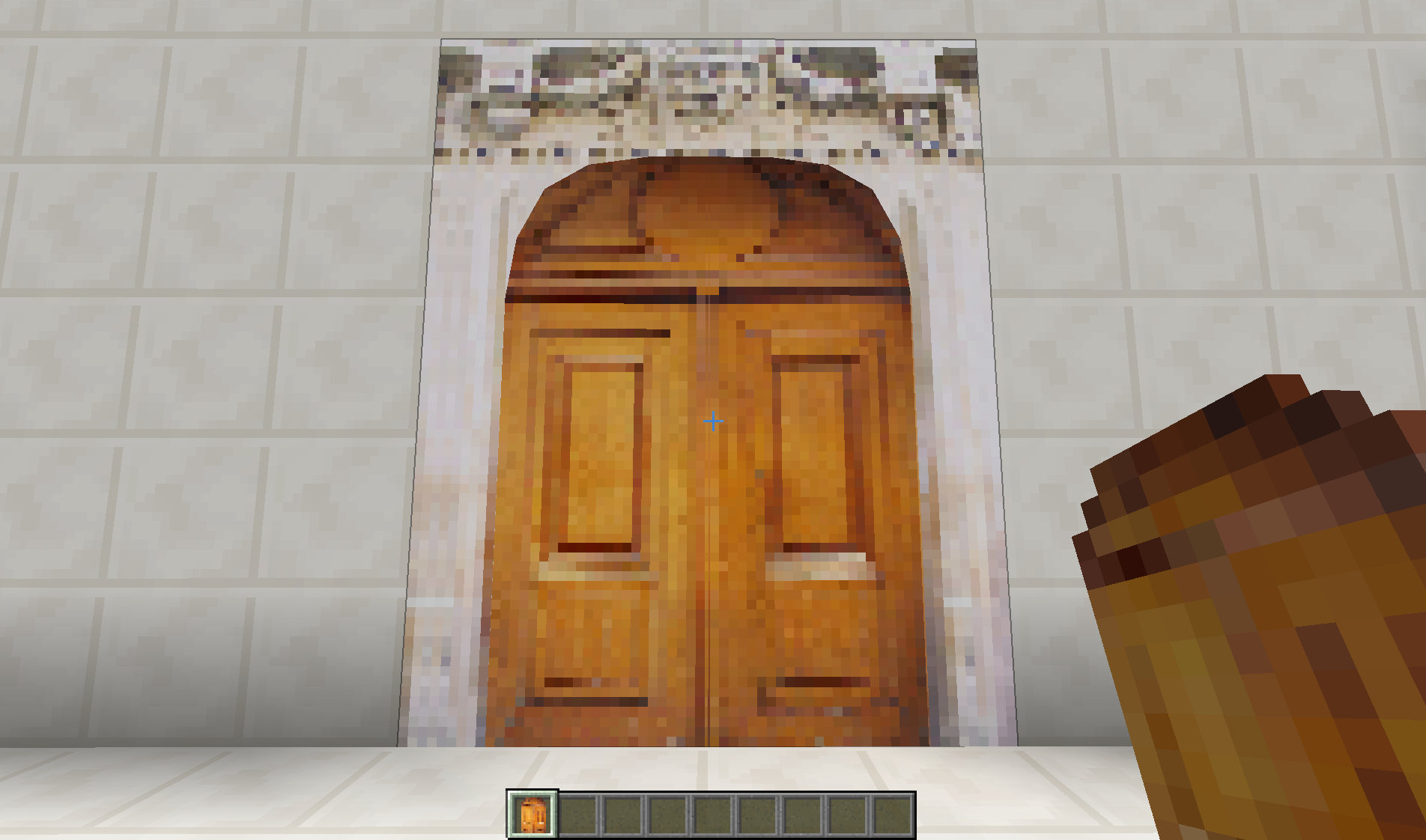
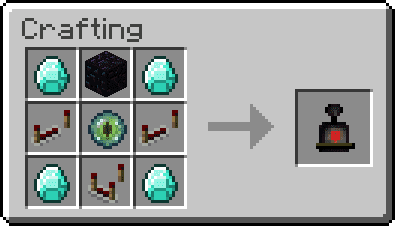
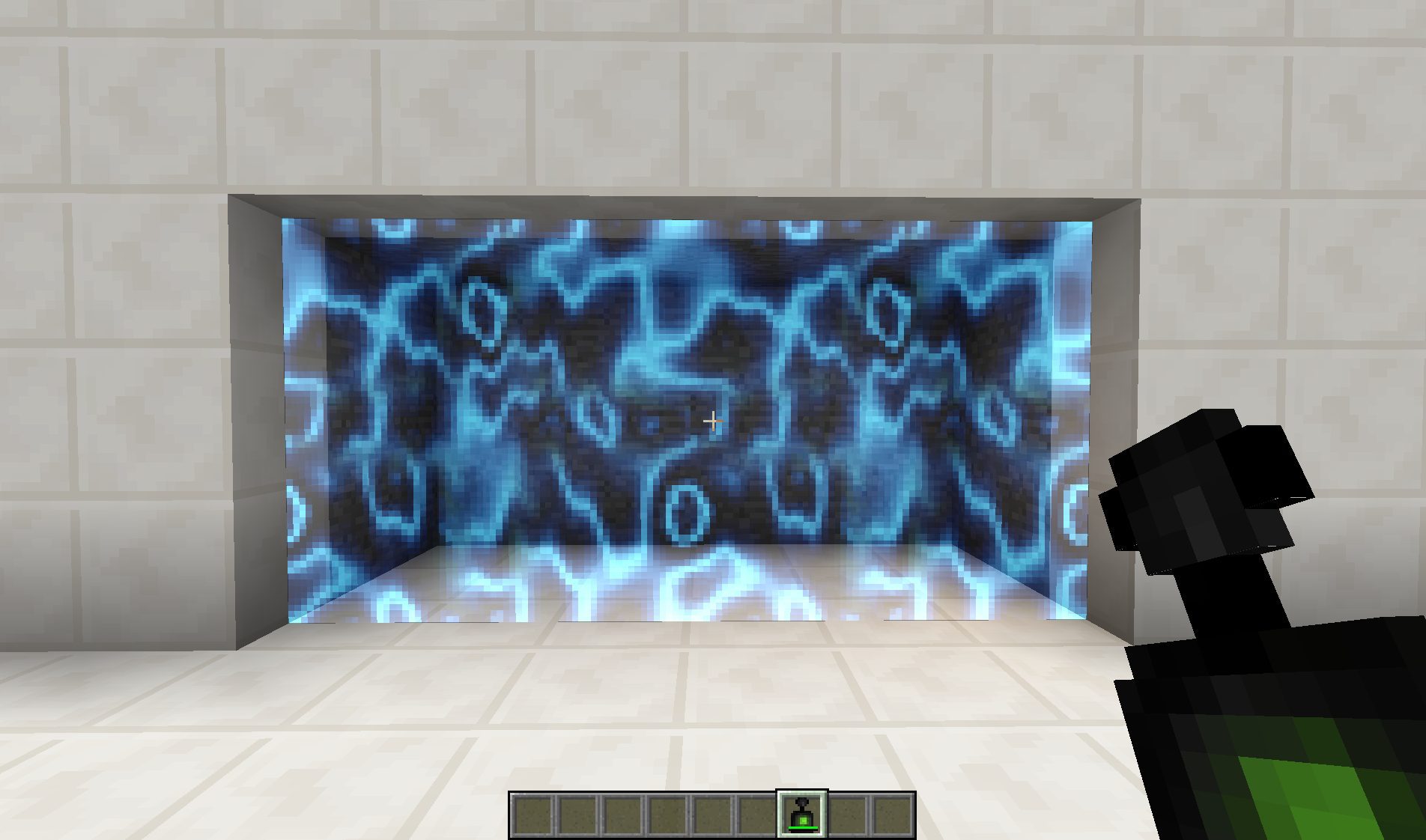
Forcefield and Controller:
The Forcefield Controller is an item that allows the creation of Forcefields. The Forcefields can be any size (with a limit of 100 blocks) and can’t be destroyed. Use the item on the Forcefield to activate and deactivate it, use it while sneaking to remove it completely.
The Contoller displays color informations while placing a Forcefield to indicate if it can be made between the selected positions. It is self powered but requires some time to recharge. Note that removing a Forcefield completely drains the energy of the Controller.
Recipe:
In game:
Door factory and custom doors:
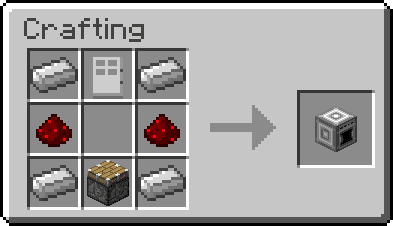
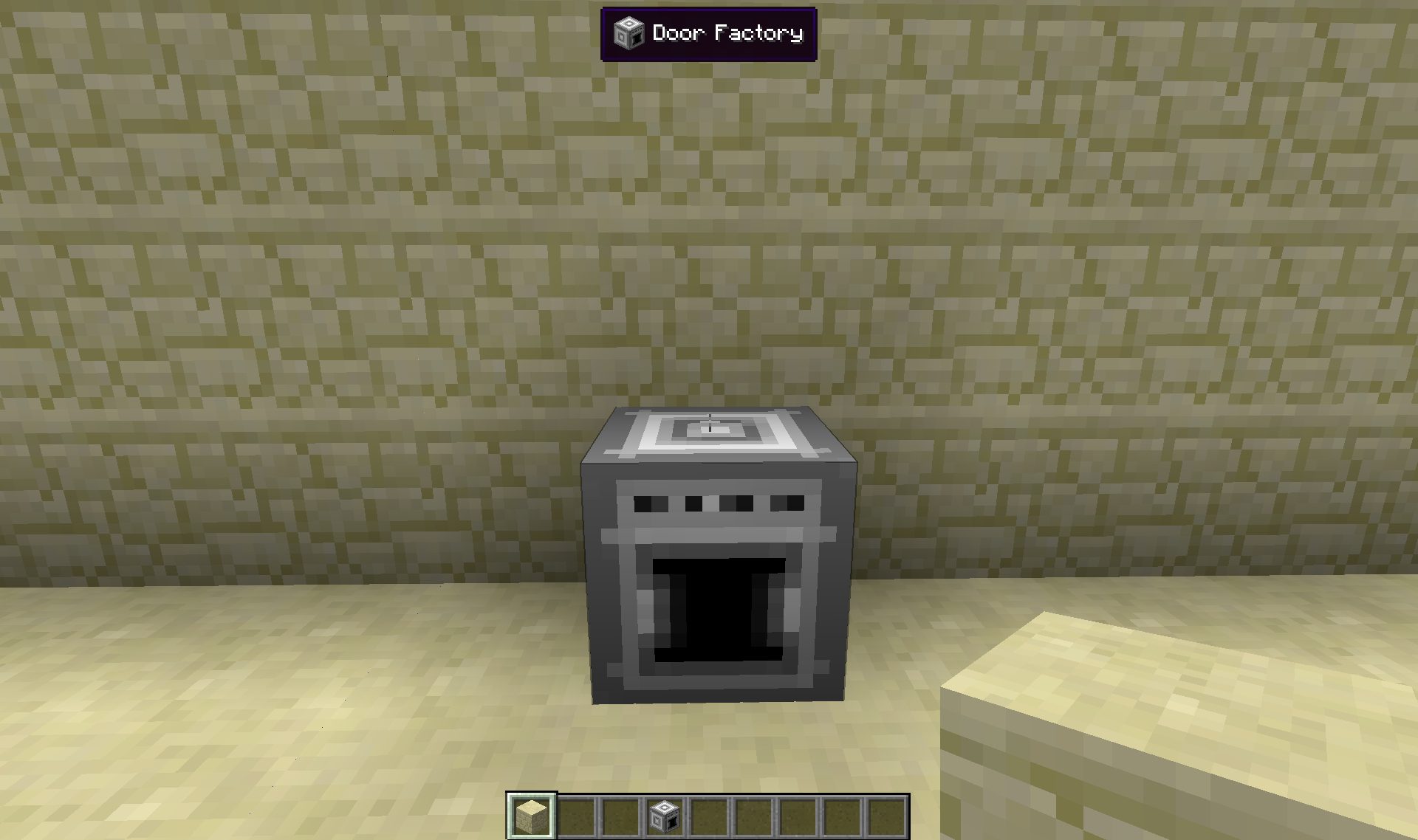
The door factory is a self powered machine that lets you design your own doors. Chose their properties such as the type of movement (from ten available!), the sound, or the speed of their animation, and then select blocks for the frame, top and bottom materials to define how they look.
The top and bottom material also accepts a few items for special effects:
- Flint & steel gives a fire effect.
- Ender pearl displays nether portal animation.
- Water bucket displays flowing water.
- Lave bucket displays flowing lava.
Recipe:
In game:
Custom doors:
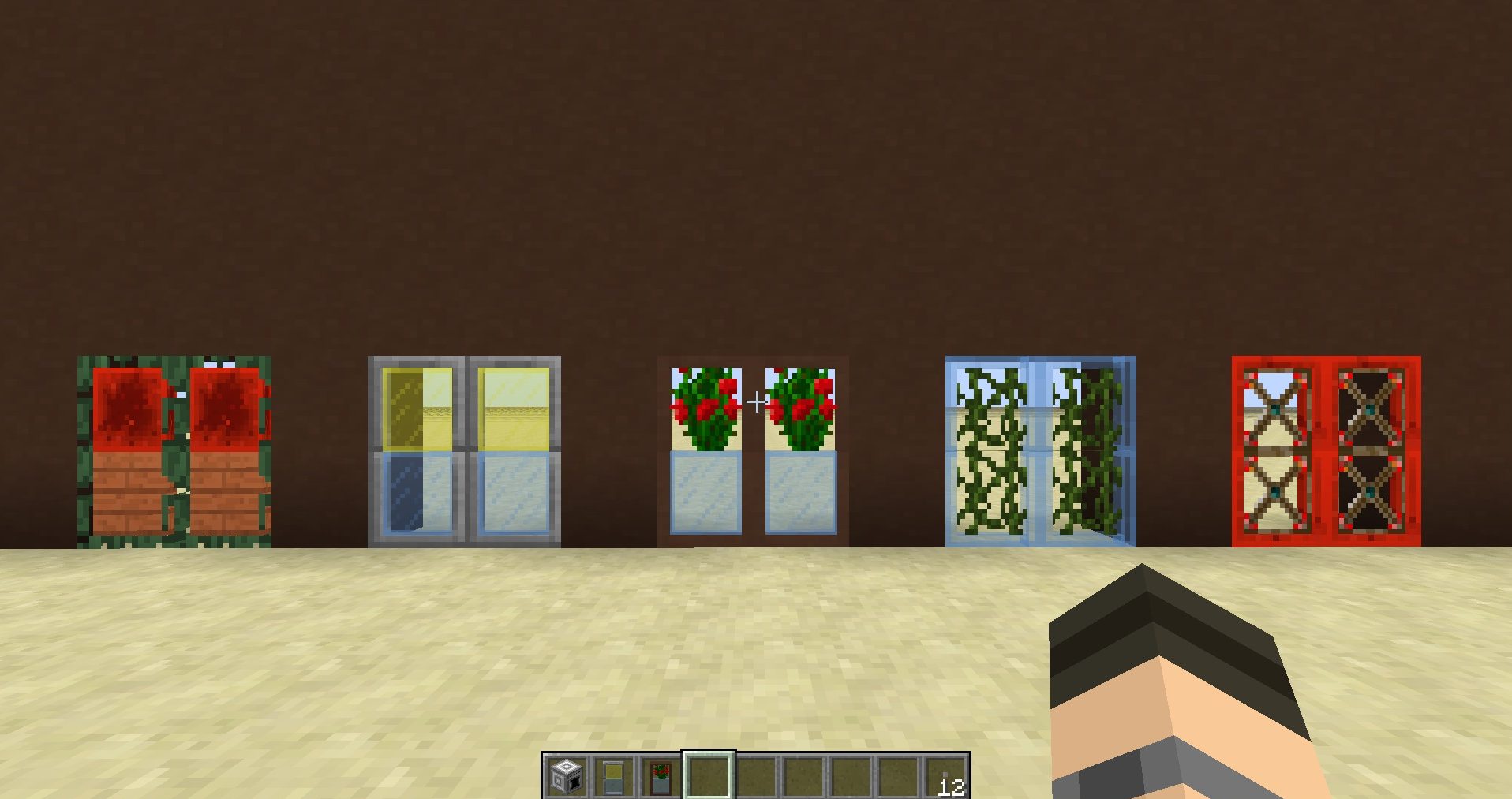
Custom doors with effects:
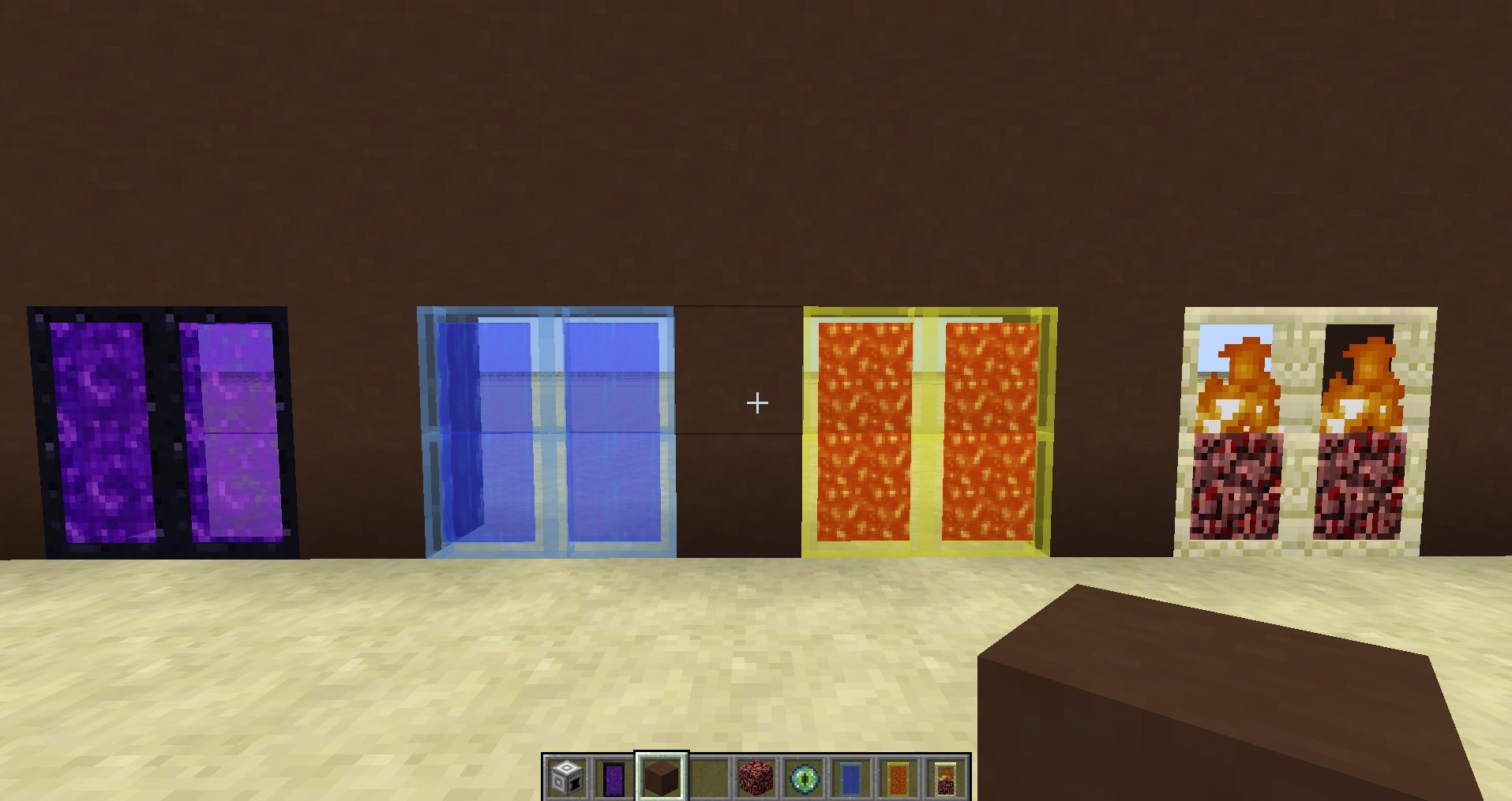
Screenshots and Crafting Recipes:
Animated doors:
The first goal of this mod was to improve vanilla doors behaviour. They are now animated when opened or closed instead of just jumping instantly to their new state. Also, it makes double doors automatically open and close without any need for redstone.
Trapdoors and fence gates are also animated!
Wooden doors and Iron Trapdoor:
The new variants of wooden doors and trapdoor added by Minecraft 1.8 are available and crafted the same way.
Glass doors:
Two new sliding doors are added (wooden and iron), that behaves like normal doors but instead of rotating on themselves, they slide into the block next to them.
Recipes:
In game:
Jail doors:
A new metallic jail door that slides on the side. Can only be operated with redstone.
Recipe:
In game:
Laboratory doors:
A new metallic laboratory door that slides upwards. It’s not a double door.
Recipe:
In game:
Factory doors:
A new metallic factory door that slides both upwards and downwards.
Recipe:
In game:
Shoji doors:
A new shoji door that slides slowly on the side.
Recipe:
In game:
Curtains:
Simple red curtains that opens with custom animation.
Recipes:
In game:
Saloon doors:
New saloon doors that opens automatically when you go through them.
Recipes:
In game:
Sliding trapdoors:
Simple trapdoors that slide on the side with pneumatic sound.
Recipes:
In game:
Camo fence gates:
A fence gate that copies the blocks on each side, granted they’re the same type.
Recipes:
In game:
Rusty Hatch:
A big metallic hatch with a handle that slowly opens. Comes with rusty ladders built-in. Requires 2x3x2 block space to be placed.
Like Trap doors, if placed on the top half of the side of the block, the door will open upwards.
Recipes:
In game:
Rusty Ladders:
A metallic ladder that matches the ones built-in the Rusty Hatch.
Recipes:
In game:
Garage doors:
A multi-structure allowing a large area to be opened with a nice animation. A Garage door can be as wide and tall as wanted, and as long as they face the same way, one simple redstone current change will make the whole door open or close depending on its current state.
Recipe:
In game:
Carriage doors:
A big and fancy wooden double door (4x5x1 multi-block). Note: right click the frame to close the doors.
Recipe:
In game:
Forcefield and Controller:
The Forcefield Controller is an item that allows the creation of Forcefields. The Forcefields can be any size (with a limit of 100 blocks) and can’t be destroyed. Use the item on the Forcefield to activate and deactivate it, use it while sneaking to remove it completely.
The Contoller displays color informations while placing a Forcefield to indicate if it can be made between the selected positions. It is self powered but requires some time to recharge. Note that removing a Forcefield completely drains the energy of the Controller.
Recipe:
In game:
Door factory and custom doors:
The door factory is a self powered machine that lets you design your own doors. Chose their properties such as the type of movement (from ten available!), the sound, or the speed of their animation, and then select blocks for the frame, top and bottom materials to define how they look.
The top and bottom material also accepts a few items for special effects:
- Flint & steel gives a fire effect.
- Ender pearl displays nether portal animation.
- Water bucket displays flowing water.
- Lave bucket displays flowing lava.
Recipe:
In game:
Custom doors:
Custom doors with effects:
How to Install:
New to Minecraft? Follow our step-by-step guide to install Mods on your PC.View Guide
Requirements:

MalisisDoors Mod Download Links
For Minecraft 1.6.4
For Minecraft 1.7.2
For Minecraft 1.7.10
For Minecraft 1.8.0
For Minecraft 1.8.9
For Minecraft 1.9.0
For Minecraft 1.10.2, 1.9.4
For Minecraft 1.11.2
For Minecraft 1.12
For Minecraft 1.12.2
You May Also Like








This post has no comments yet. Be the first — your comment will appear here.