


Nexa AI Chat Plugin (26.2, 1.21.11) – Give Players a Smart Helper Directly
 50
50
 0
0


Nexa AI Chat Plugin adds an intelligent companion directly to your server chat. Players can talk to the assistant, inspect their surroundings, and get quick answers without leaving the game. The plugin also lets server owners customize personality prompts or connect different AI models.
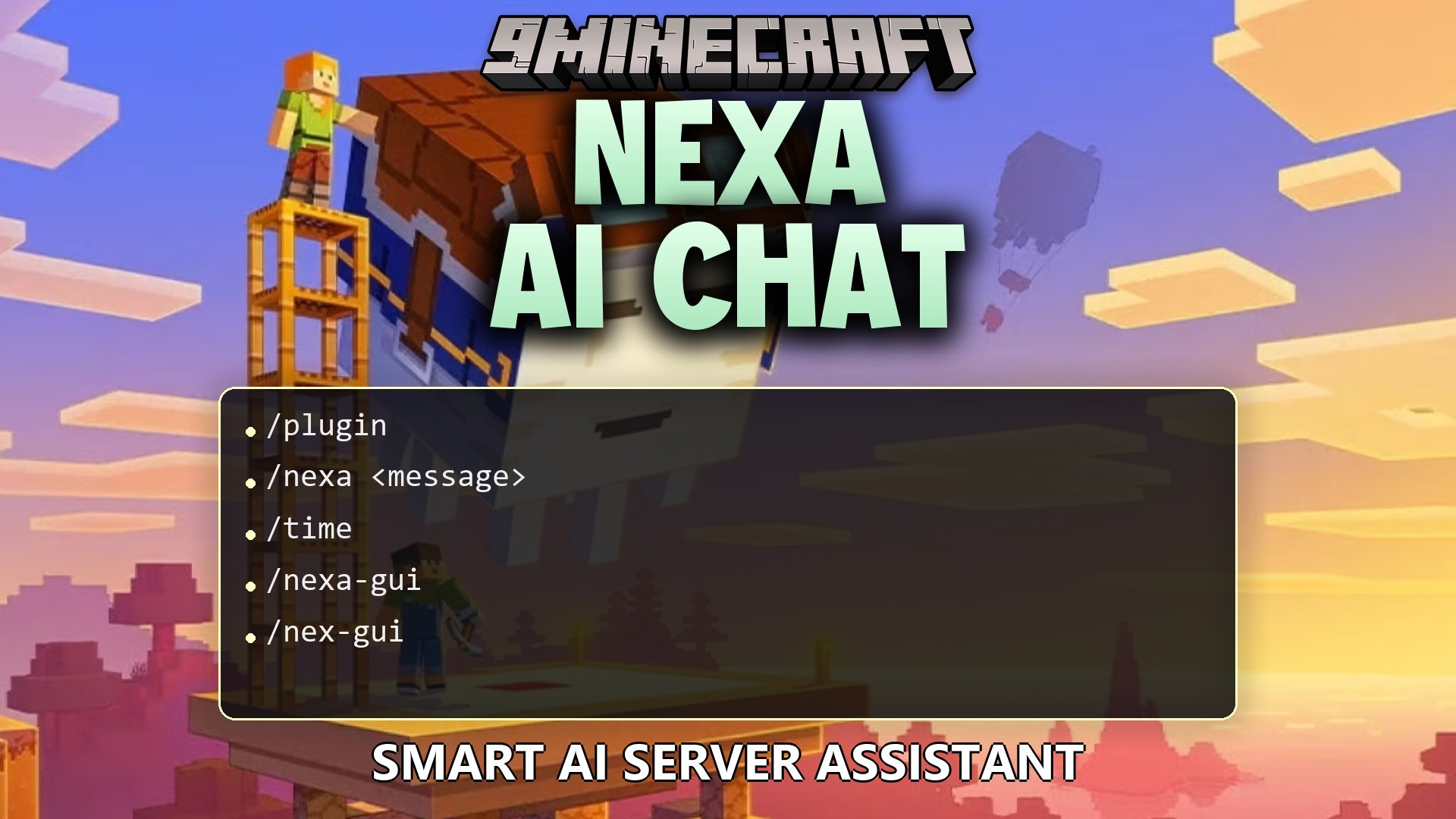
Features:
- Lets players talk directly to the companion in the game chat.
- Includes an ask-before-act mode that asks for confirmation before running special server tools.
- Offers an autonomous mode so the helper can perform allowed actions automatically.
- Checks player status, inventory items, and nearby surroundings like weather or time.
- Stops spam with customizable request limits and tool cooldown timers.
- Allows custom assistant names and unique personality prompts.
- Sends optional greeting messages when players join the server.
- Works with external services like Google Gemini, OpenAI, Ollama, and LM Studio through personal keys.
Commands:
Chat Commands:
/nexa <message>: Chat with the assistant./nexa confirm: Approve queued actions./nexa cancel: Cancel queued actions.
Settings Commands:
/nex-config clearchat: Clear your personal conversation history./nex-config feedback <message>: Send feedback through the system./nex-config mode show: Show your current active mode./nex-config mode: Change your personal helper mode./nex-config limits status: View active limits and cooldown timers./nex-config limits maxrequests: Set the maximum requests allowed per prompt./nex-config limits cooldown <seconds>: Set the global cooldown between tool uses./nex-config custom name <name>: Change the name of the assistant./nex-config custom prompt <prompt>: Set the personality instructions for the assistant./nex-config custom reset: Reset names and prompts back to default values./nex-config custom show: View current custom settings./nex-config automessages enable|disable|status: Turn join or idle messages on or off across the server.
Custom Key Commands:
/nex-byok status: Check your personal key setup./nex-byok toggle enable|disable: Turn custom key mode on or off./nex-byok provider: Select an AI provider./nex-byok apikey <key>: Enter your private API key./nex-byok endpoint: Set the connection address for local or custom providers./nex-byok model <name>: Choose the AI model to use./nex-byok tools enable|disable: Turn tool actions on or off for your provider./nex-byok test: Test your connection to check if the key works properly.
How to Use:
- Type
/nexa <message>in chat to ask a question or request help. - Review any proposed server actions in chat if you are in ask-before-act mode.
- Click the chat buttons or type
/nexa confirmto run the requested action. - Use
/nex-byokcommands if you want to connect your own AI key for faster answers.
How to Install:
New to Minecraft? Follow our step-by-step guide to install Plugins on your PC.View Guide
Nexa AI Chat Plugin Download Links
For Minecraft
26.2,
26.1.2,
26.1.1
All Versions Covered
26.2
26.1.2
26.1.1
26.1
All Versions Covered
26.2
26.1.2
26.1.1
26.1
For Minecraft 1.21.11
For Minecraft 1.21.10, 1.21.9
Click to rate this post!
[Total: 0 Average: 0]
You May Also Like
Picked for this page
 Loop Commands Plugin (1.12.2) – Automate Rewards So Players Stay Active
 All Items Mini Mini All Items Challenge Plugin (26.2, 1.21.1)
 Donut Orders Plugin (26.2, 1.20.1) – Trade Items Safely Without Building Chest
 Inventory Stacks Plugin (26.2, 1.20.1) – Stack Potions and Weapons
 Fancy Npcs Plugin (26.3, 1.21.11) – Fill Empty Lobbies with Characters Players
 Vote Ban Plugin (26.2, 1.20.1) – Let Players Vote Out Trolls When Staff
 Timber Replant Plugin (26.2, 1.21.1) – Save Builders Time and Keep Your Forests
 Bat Membranes Plugin (26.2, 1.21.1) – Fix Elytras Without Fighting Phantoms
 Gatekeeper Advanced VPN & PROXY Protection Lightweight and Highly Asynchronous Plugin (26.2, 1.20.1)
 Better Ban Plugin (26.2, 1.20.1) – Stop Trolls From Ruining the Server
 R Authorization Plugin (26.2, 1.20.1) – Stop Account Thieves From Ruining
 You Cant Have That Plugin (26.2, 1.21.1) – Stop Griefers From Using Destructive
Most viewed in Plugins over the last 7 days
 Dynmap 9minecraft Plugin (26.3) – A Live Google-Maps-Style View of Your Whole Server
 WorldEdit Plugin (1.21.11, 1.20.1) – Easy In-Game Minecraft Map Editor
 Citizens Plugin (1.21.10, 1.20.1) – The Best NPC Plugin
 Simple Voice Radio Plugin (26.3, 1.20.1) – Broadcast Music and Chat
 Cozy Survival Essentials Plugin (26.3, 1.21.1) – Make Survival Stress-Free
 Emotecraft Plugin (26.3, 1.21.1) – Express Yourself With Emotes
 Multiverse Netherportals Plugin (26.3, 1.20.1) – Fixes Portal Links Across Worlds
 LiteBans Plugin (1.21.8, 1.20.1) – Keep Your Server Fair With Advanced Ban Tools
 Swift Survival Teleports Plugin (1.21.11, 1.21.1) – Instant Travel That Keeps
 ModelEngine Plugin (1.21.8, 1.20.1) – Ultimate Entity Model Manager
 MythicCrucible Plugin (1.21.8, 1.20.1) – Addon for MythicMobs
 Ultimate Donut SMP Plugin (26.2, 1.21.11) – Everything Players Need to Trade
More from Plugins
 Skins Restorer Plugin (26.3, 1.20.1) – Fix Missing Skins So Nobody Gets Stuck
 SkinsRestorer Plugin (26.3, 1.20.1) – Ability To Restore/Change Skins On Servers
 Spooky Survival Encounters Plugin (26.3, 1.21.1) – Turn Peaceful Server Nights
 Potent Survival Consumables Plugin (26.3, 1.20.1) – Turn Regular Food
 Luck Perms Plugin (26.3, 1.20.1) – Keep Your Server Fair with Clear Player Ranks
 Veinminer Plugin (26.3, 1.20.1) – Mine Ores Instantly in Veins
 Via Version Plugin (26.3, 1.20.1) – Let Everyone Join Without Downgrading
 ViaRewind Plugin (26.3, 1.20.1) – Allow 1.7.x, 1.8.x Clients On Newer Server Versions
 ViaBackwards Plugin (26.3, 1.20.1) – Allow Older Clients to Connect to Newer Servers
 ViaVersion Plugin (26.3, 1.20.1) – Spigot, Paper, Folia
 Eternal Reach Survival Plugin (1.21.11) – Give Players an Evolving Endgame
 MiniMOTD Plugin (26.3, 1.20.1) – MiniMOTD Is A MOTD Plugin Using MiniMessage For Formatting

This post has no comments yet. Be the first — your comment will appear here.