
Cobblemon Extra Structures Mod (1.21.1, 1.21) – Find Ancient Shrines
 836
 0


Cobblemon Extra Structures Mod extends Cobblemon with new structures and fresh ways to find legendary Pokémon. It adds major landmarks across your world, including the Bell Tower, Sea Mauville, Snowpoint Temple, Desert Ruins, Cave Island, Ancient Tomb, The Under, Sky Pillar, and Dragon’s Den. On NeoForge, Pokémon inside these locations respawn over time after you catch or knock them out. You can also adjust how often structures appear, pick which biomes they spawn in, and change respawn timers using the mod files and config. This addon works in modpacks and supports English, German, Mandarin, and French.
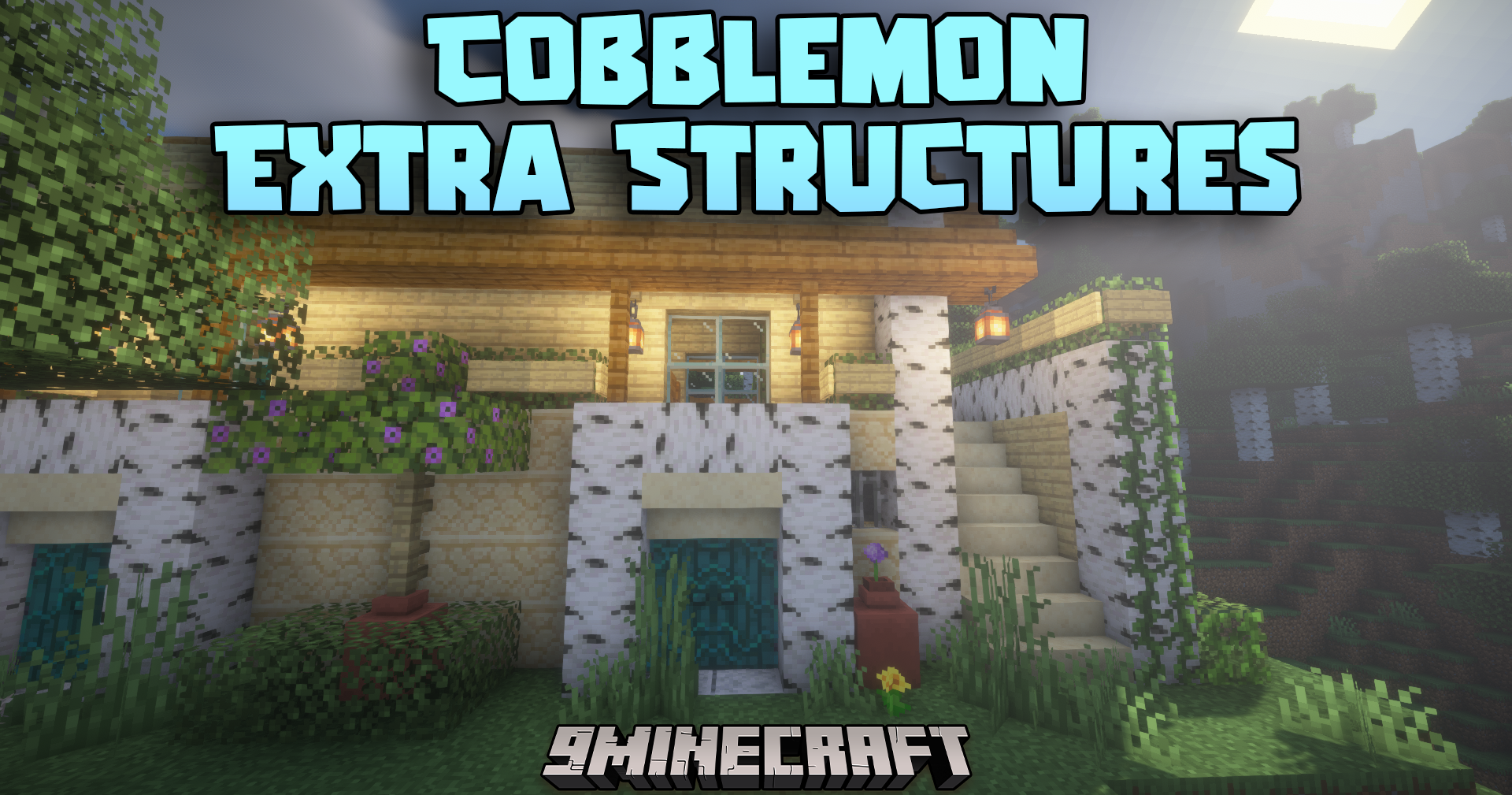
Features:
- Adds new landmarks to your Cobblemon world so you have more ways to explore and find legendary Pokémon.
- Respawns Pokémon inside structures on NeoForge using custom spawner blocks after you catch or knock them out.
- Lets you change respawn timers or turn off respawning completely in the NeoForge config file.
- Allows you to edit structure JSON files to control spawn rates and pick which biomes each building appears in.
- Generates Pokémon once with each structure on Fabric, without respawning, random IVs, a set movepool, or a shiny chance.
- Lets you edit the mod file and share your updated copy with friends for a server, or include it freely in modpacks.
- Includes built-in text translations for English, German, Mandarin, and French.
Major Structures:
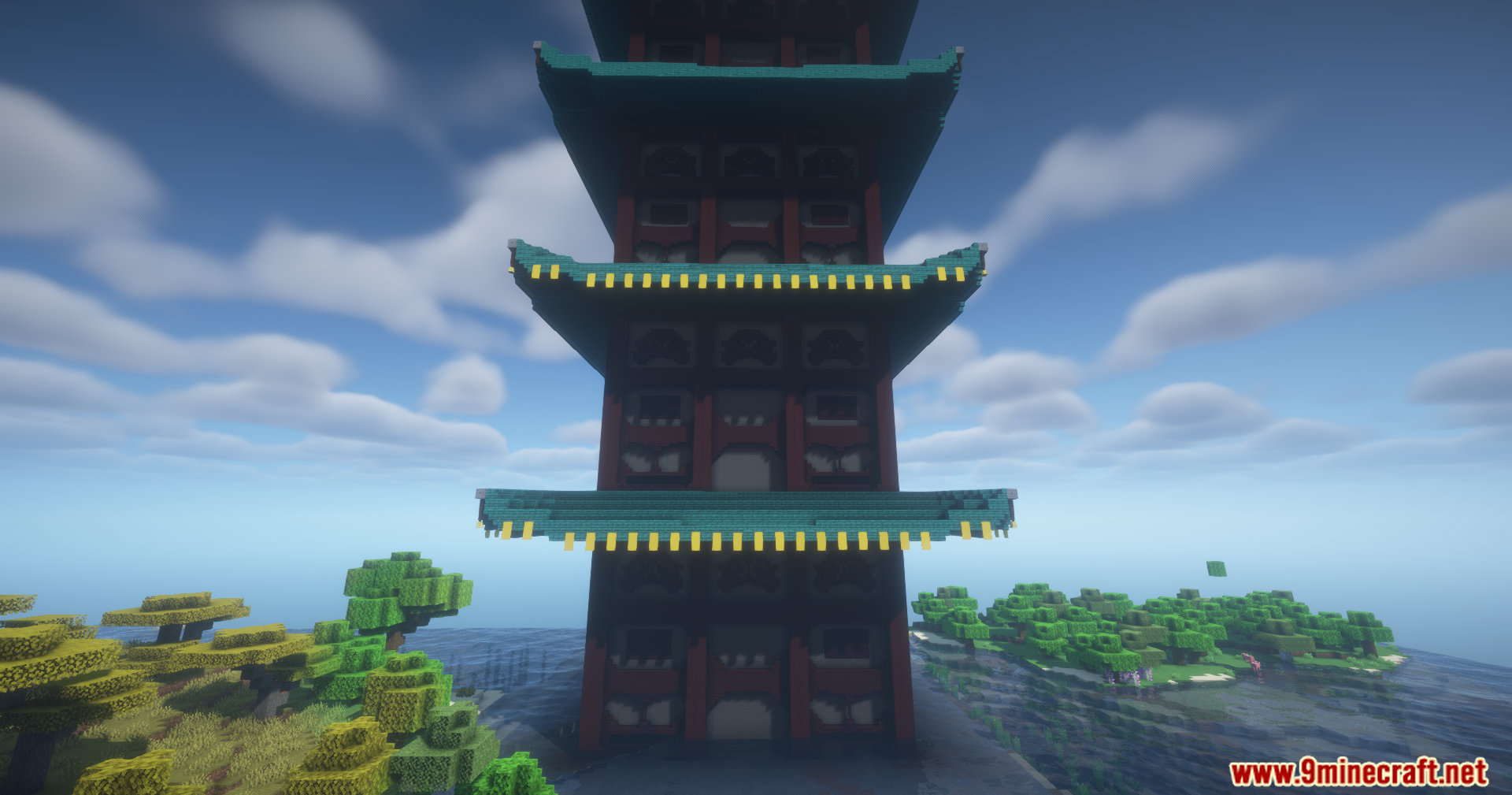
- Bell Tower: Traditional pagoda tower with a dark green roof and gold trim that holds unique Pokémon spawns.
- Sea Mauville: Abandoned ship structure resting in dark ocean waters.
- Snowpoint Temple: Large ancient temple standing on snowy ground.
- Desert Ruins: Ruin landmark where you can explore and search for Pokémon.
- Cave Island: Surface cave structure built on an island.
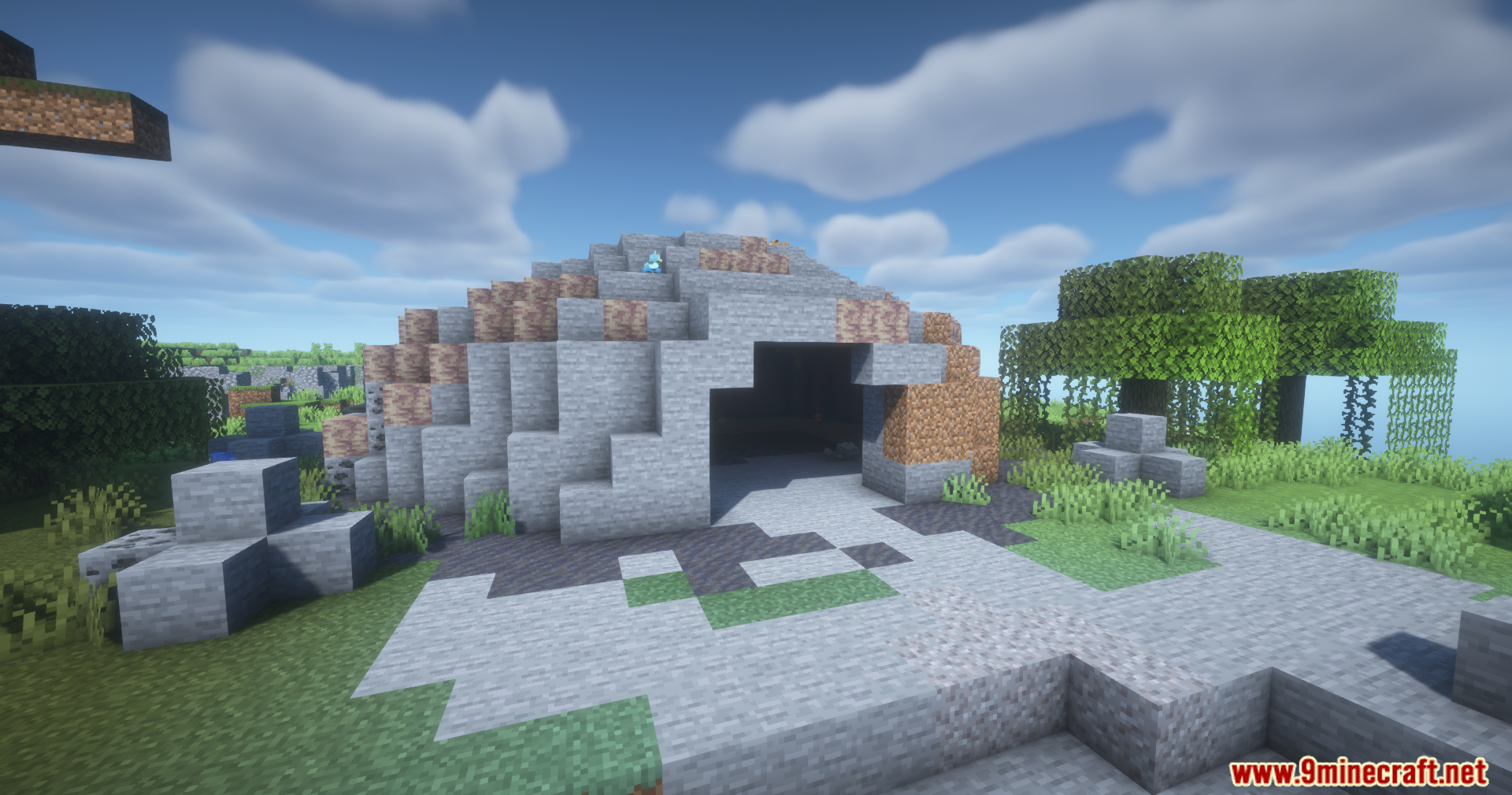
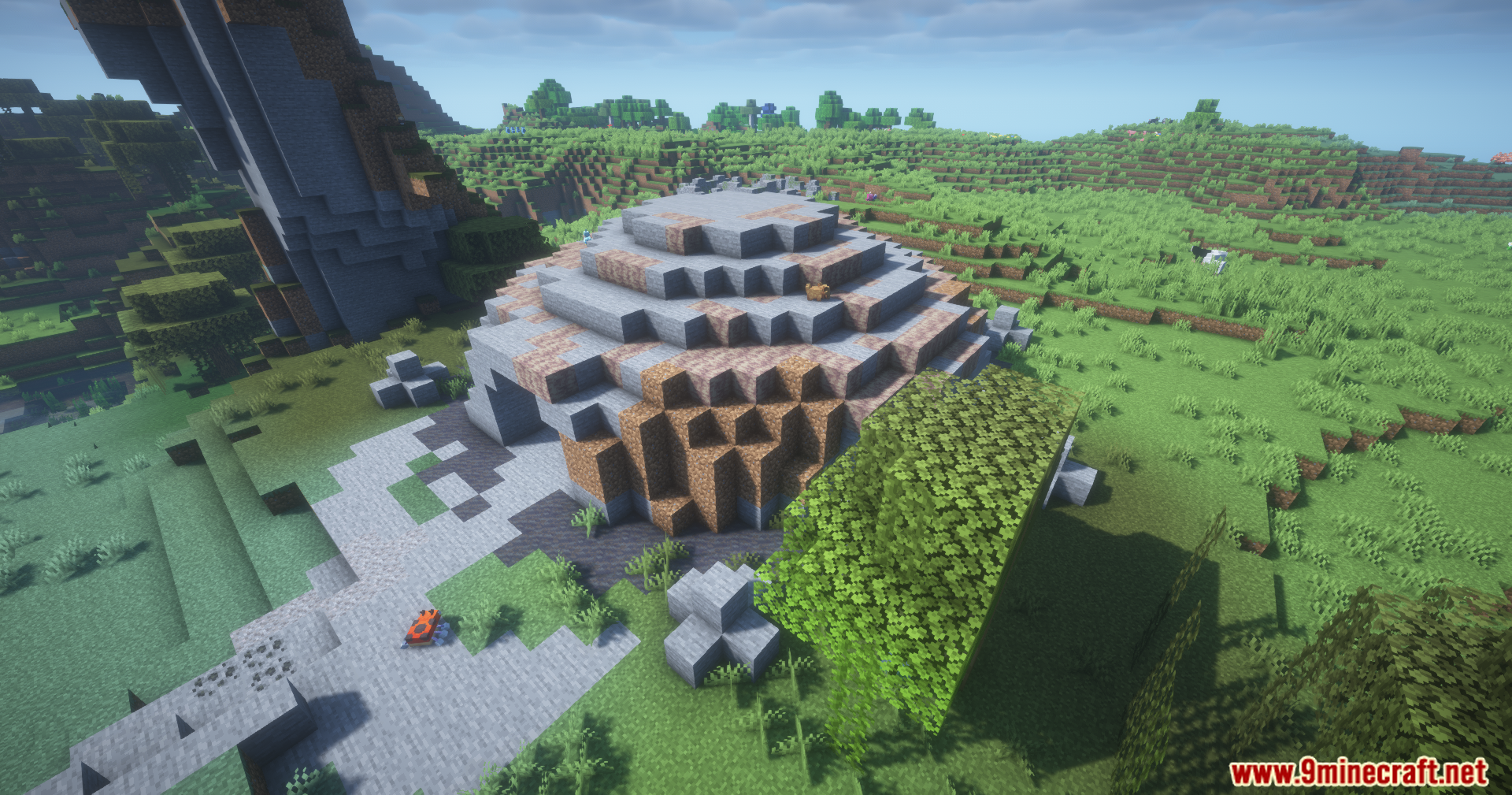
- Ancient Tomb: Stone dome tomb hidden near water in a swamp.
- The Under: Dark underground city with oxidized copper platforms, glowing lamps, and deep chasms.
- Sky Pillar: Tall dark tower standing on a small ocean island.
- Dragon’s Den: Encounter structure that features different Pokémon spawns.
Configuration:
config/cobblemonextrastructures-common.toml: NeoForge config file created after you start the game once. It controls how often Pokémon respawn inside structures. Unique spawn places like the Bell Tower default to168000ticks (7 Minecraft days), multi-encounter places like the Dragon’s Den default to24000ticks (1 Minecraft day), and setting the number to-1turns off respawns.weight: Found in the JSON files insidedata/cobblemonextrastructures/worldgen/structure_set. It sets a structure’s chance to appear compared to other structures allowed in the same biome.spacing: Sets the average distance in chunks between two tries to generate a structure. Lower numbers make the structure appear more often.separation: Sets the smallest distance in chunks between two tries to generate a structure. This number must stay lower thanspacing.biomes: Found in the JSON files insidedata/cobblemonextrastructures/worldgen/structure. Set it to a biome ID likeminecraft:forestor a tag like#cobblemon:is_forestso the structure only spawns in those biomes.
How to Use:
Change Structure Spawn Rates and Biomes
- Open the mod file using an archive program like WinRAR so you can browse its folders.
- Go to
data/cobblemonextrastructures/worldgen/structure_setand open any structure JSON file in a text editor like Notepad. - Edit the
weight,spacing, andseparationnumbers to change how often that structure spawns. Loweringspacingmakes it appear more often, andseparationmust stay lower thanspacing. - Open
data/cobblemonextrastructures/worldgen/structureand change thebiomeskey to a biome ID likeminecraft:forestor a tag like#cobblemon:is_forestso the structure only generates in those biomes. - Save your changes to apply the new spawn rules, and share your edited mod file with friends if you play on a server.
Change Pokémon Respawn Timers (NeoForge Only)
- Start Minecraft once on NeoForge with this addon loaded so the game creates the config file inside your Minecraft folder.
- Open
config/cobblemonextrastructures-common.tomlin a text editor to view the respawn timer options. - Edit the tick numbers to change how long Pokémon wait to respawn after you catch or knock them out. The default is
168000ticks (7 Minecraft days) for unique spawns like the Bell Tower, and24000ticks (1 Minecraft day) for places with different encounters like the Dragon’s Den. - Set the value to
-1and save the file if you want to turn off respawning completely.
Screenshots:
How to Install:
New to Minecraft? Follow our step-by-step guide to install Mods on your PC.View Guide
Requirements:

Cobblemon Extra Structures Mod Download Links
For Minecraft 1.21.1, 1.21
Fabric Version: Download from Server 1 – Download from Server 2
NeoForge Version: Download from Server 1 – Download from Server 2
Which mod loader do you use the most often?
12 responses · See the full results →
You May Also Like
Picked for this page
 Incendium Mod (26.3, 1.20.1) – A New and Massive Nether
 Tiny Mob Farm Remastered Mod (26.2, 1.20.1) – Making Mob Farming Neater & Easier
 Spoiled Mod (26.1.2, 1.20.1) – Spoiling Your Food
 Cobblemizer Mod (1.21.1, 1.20.1) – Customize Your Pokémon
 Critter Armory Mod (26.3, 1.20.1) – Armor Up Your Animals
 LumyMon Mod (1.21.1, 1.21) – Forge Your Path To Legendary Pokémon
 Better Frost Walker Mod (26.3, 1.20.1) – Improved Frost Walker Enchantment
 SkyBlock Sand Island Mod (26.2, 1.20.1) – Adds a Floating Sand Island
 ZoomX Smooth Mod (26.3, 1.21.1) – Scout Distant Biomes with Custom Zoom
 AFK Cinematics Mod (26.3, 1.21.1) – Turn AFK Breaks Into Cinematic Camera
 LopyMine’s Inventory Interactions Mod (1.21.11, 1.20.1) – Items Swing on Cursor
 Potion Combiner Mod (1.21.1, 1.20.1) – Merge Multiple Potions
Most viewed in Mods over the last 7 days
 Ala Industrial Mod (26.3) – Run Electric Power Grids and Automated Factories
 PleasureCraft Mod (26.3, 1.21.1) – Jenny Mod Remake for Fabric
 Jennycraft Mod (26.3, 1.20.1) – Virtual Girlfriend in Minecraft
 Fapcraft Mod (26.3, 1.12.2) – Comprehensive and Detailed Content
 Jenny Mod (Fapcraft) Official Complete Guide – How to use, Tutorial
 BangCraft Mod (1.20.1) – Jenny, Ellie and Elliot
 Fabric Loader (26.3, 1.20.1) – Fabric Installer for All Minecraft Versions
 The Shooting Star Demo Mod (26.3, 1.20.1) – Vaporize Terrain From Orbit
 Meteor Client Mod (26.3, 1.20.1) – Xray, HUD, Fly
 OptiFine HD (26.3, 1.20.1) – Run Faster, FPS Boost, Shaders Support
 Aristois Client Mod (1.21.4, 1.20.1) – World Class Minecraft Utility
 Prestige Client Mod (1.21.11, 1.21.4) – Powerful Ghost Features for Crystal & Sword PvP
More from Mods
 Gabou’s Libs Mod (26.3, 1.20.1) – Keep Custom Weather and Survival Mods Stable
 /Sit Mod (26.3, 1.21.1) – Make The Player Sit Down
 Arcane Redstone Dial Mod (26.3, 1.20.1) – Trigger Commands and Shortcuts
 The Graveyard Mod (26.3, 1.20.1) – Cemeteries in Minecraft
 Enhanced Overlay Mod (26.3, 1.21.11) – Remove Screen Clutter
 Flint Mod (1.21.11) – Run DiamondFire Community Addons Without Crashing
 Not Just Sandwich Mod (26.3, 1.20.1) – Edibles, Sandwiches
 Waddles Mod (26.3, 1.20.1) – Make Icy Biomes Feel Alive
 Artemis’ Thin Logs Mod (26.3, 1.20.1) – Build Custom Trees and Detailed Wood
 Asterion Mod (26.3, 1.20.1) – Survive Ancient Mazes and Slay the Legendary Minotaur
 Passthrough Signs Mod (26.3, 1.20.1) – Right-Click Through Wall Signs
 Packing Tape Mod (26.3, 1.20.1) – Move Chests, Machines

This post has no comments yet. Be the first — your comment will appear here.