
J’s Core Mod (1.21.1) – Shared Tech Library With Multi-Lane Cables And Guidebook
 0
 0

J’s Core Mod provides the shared tech library and framework behind the J’s Tech Series and custom tech mods. Instead of a standalone progression path, this library adds common materials like Copper Plate, Iron Dust, and Iron Plate, a shared Cable block with up to 9 lanes, and the interactive Technical Reference manual. It unites core systems for FE energy, fluid and item transfers, network operations, multiblock machines, era-themed menus, and an in-game Sound Mixer. Companion projects such as J’s Computers and J’s Industrial run independently on top of this framework and pair cleanly without duplicate items. You automatically receive the Technical Reference when you first join a world, along with built-in settings screens and recipe lookup with JEI and EMI.
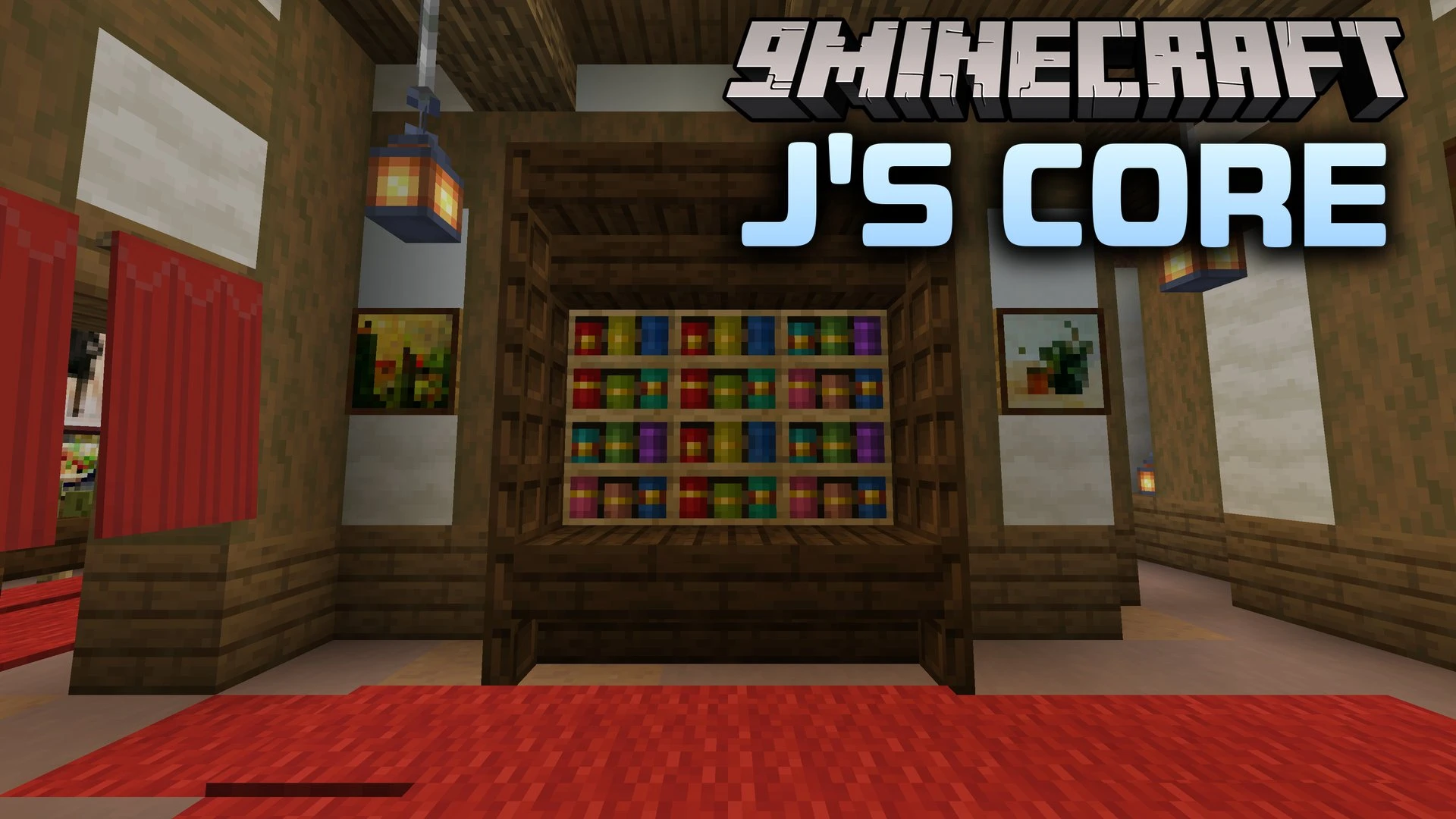
Features:
- Unified Cable Framework: Fits multiple independent cable lines inside a single block using up to 9 lanes, handling cable coloring, junctions, multipart attachments, cable generations, throughput limits, connection rules, network topology, and point-to-point peripheral links.
- Interactive Technical Reference: Brings together chapters for every installed series mod in one handbook with searchable pages, indexes, tables of contents, illustrations, technical diagrams, tables, troubleshooting instructions, cross-entry links, and saved reading positions between sessions.
- Resource Transfer Systems: Moves FE energy with storage, transfer limits, and adjustable losses, alongside fluid tanks, fluid transport, item transfers with filtering, adjustable machine input and output faces, and optional chemical storage and transfer.
- Operations Framework: Runs coordinated network tasks with registered operation types and handlers, operation queues, execution states, priorities with priority aging, progress and latency tracking, timeouts, cancellation, failure recovery, and observable lifecycle events.
- Shared Sound Engine: Gives machines and tech devices independent sound channels, volume controls, an in-game Sound Mixer, individual sound muting, alert controls, positional audio with occlusion, context-sensitive cues, procedural sound generation and synthesis, WAV and Ogg Vorbis playback, and server-stored recordings with client caching.
- Built-In Settings and Recipe Links: Includes an in-game settings screen to adjust compatible mods right inside Minecraft and links processing recipes cleanly with JEI and EMI.
- Prevents duplicate items and cross-mod clashes by letting each companion mod install on its own while sharing one common tech base.
- Opens context-sensitive manual pages directly whenever you hold the manual key while hovering over a matching item.
- Uses standard capability interfaces so energy, fluid, and item transfers work smoothly alongside other installed technology mods.
Shared Block and Items:
- Cable: Shared network block that houses up to 9 independent lanes for data, energy, fluid, heat, gas, motion, and peripheral connections.
- Technical Reference: Interactive manual given to players on first world join, organized into separate chapters for each installed series mod.
- Copper Plate: Common copper plate item shared across compatible tech crafting recipes.
- Iron Dust: Common iron dust material used in industrial processing chains.
- Iron Plate: Common iron plate item shared across machines and tech recipes.
Machines, Multiblocks, and UI Toolkit:
- Processing Machines: Shared foundation for machines with inventories, fluid tanks, energy storage, customizable processing recipes, and machine upgrades.
- Multiblock Structures: Data-driven multiblock blueprints with automatic validation, multiblock ports, controller links, shared machine parts, and state sync.
- Era-Themed User Interfaces: Custom screens, layouts, UI components, tech-era skins and themes, and customizable color palettes compatible with resource packs.
- Visual Rendering Tools: Font and text tools, animation curves, adjustable motion profiles, pixel-based and GPU-backed rendering surfaces, HUD elements, overlays, and holographic displays.
World, Progression, and Extension Systems:
- World and Dimension Helpers: Tools for ore generation, structures, runtime dimensions, environmental rules, chunk loading, and spatial data management.
- Progression and Permissions: Shared systems for player progression, hardware eras, industrial tiers, ownership, team permissions, and access control.
- Mobs, Vehicles, and Persistence: Reusable frameworks for custom mobs, vehicles, robots, projectiles, persistent world data, task scheduling, and state tracking.
- Mod Building Utilities: Programming language registries, extension APIs, data generation tools for blocks, items, recipes, models, and translations, plus unit testing and GameTest utilities.
J’s Tech Series Companion Mods:
- J’s Computers: Builds computers, operating systems, networking, storage, and network automation on top of the shared Operations Framework.
- J’s Industrial: Builds industrial machinery, energy systems, and processing chains using the shared materials, cables, and resource transfers.
How to Use:
- Install this library alongside a companion mod such as J’s Computers or J’s Industrial (or another tech mod built on this framework), since it provides the shared foundation rather than standalone tech progression.
- Join a new world; the Technical Reference manual is placed into your inventory automatically.
- Open the Technical Reference to read dedicated chapters for each installed mod, search pages or indexes, jump between related entries, and resume from your saved reading position in later sessions.
- Hover over a matching item and hold the manual key to jump directly to its context-sensitive guide entry inside the Technical Reference.
- Place shared Cable blocks with your companion tech mods to combine up to 9 lanes of data, energy, fluid, heat, gas, motion, or peripheral links in one block space, using cable colors, junctions, and attachments to keep layouts tidy.
- Open the built-in settings screen in Minecraft to adjust options for compatible mods, and use the in-game Sound Mixer to mute individual machine sounds, change channel volumes, or control audio alerts.
How to Install:
New to Minecraft? Follow our step-by-step guide to install Mods on your PC.View Guide
Requirements:

J’s Core Mod Download Links
For Minecraft 1.21.1, 1.21
What is the longest real-time wait you will tolerate for a heavily modded game to load to the main menu?
16 responses · See the full results →
You May Also Like
Picked for this page
 Chaos Cubed Mod (1.21.11) – Play Physics Games with Bouncy Cave Mobs
 Diegesis Mod (26.3, 1.20.1) – Interact Directly with 3D Blocks
 CompatLink – Epic Fight Weapons Compat Mod (1.21.1, 1.20.1)
 OptifiNeoforge Mod (26.2, 1.20.1) – Play NeoForge 1.21 Worlds with Your Own
 Icy’s Lib Mod (26.2, 1.20.1) – Create Custom In-Game Guidebooks
 Blues Client Mod (1.12.2) – Outsmart RLCraft Traps, Spawners, and Fake Villagers
 MilkyWayLib Mod (1.21.1) – Core Library Powering Extractrooms and Dependent Mods
 Block Draft Mod (26.3, 1.21.1) – Preview Any Schematic As a Hologram
 Chixozhmix’s Lib Mod (1.20.1) – Core Tools for Custom Boss Music
 Block 7 Core Mod (26.3, 1.20.1) – Butcher Carcasses and Hide Your Scent
 Decay Play’s Guidebooks Mod (1.21.1) – Build Complex Multiblocks
 Zombies Utils Core Mod (26.3, 1.21.11) – Power Up Your Hypixel Zombies Client
Most viewed in Mods over the last 7 days
 Ala Industrial Mod (26.3) – Run Electric Power Grids and Automated Factories
 PleasureCraft Mod (26.3, 1.21.1) – Jenny Mod Remake for Fabric
 Jennycraft Mod (26.3, 1.20.1) – Virtual Girlfriend in Minecraft
 Fapcraft Mod (26.3, 1.12.2) – Comprehensive and Detailed Content
 Meteor Client Mod (26.3, 1.20.1) – Xray, HUD, Fly
 Jenny Mod (Fapcraft) Official Complete Guide – How to use, Tutorial
 BangCraft Mod (1.20.1) – Jenny, Ellie and Elliot
 OptiFine HD (26.3, 1.20.1) – Run Faster, FPS Boost, Shaders Support
 CatLean Client Mod (26.2, 1.21.11) – ThunderHack Recode Alternatives
 Fabric Loader (26.3, 1.20.1) – Fabric Installer for All Minecraft Versions
 Patched Mod (26.3, 1.20.1) – Edit Game Files Without Breaking Packs
 Meteor Client Addons (26.3, 1.20.1) – Modify Almost Anything in Meteor
More from Mods
 World Wide Power Grid Mod (1.21.1) – Run Mixed Create Electrical Machines
 World Planner Mod (1.21.1) – Paint Your Own Custom Biomes And Terrain
 Valhelsia Furniture Mod (26.3, 1.20.1) – Sit Down and Relax in Warm Rustic
 Dot Coin Mod (26.3, 1.20.1) – Build Custom In-Game Economy
 Armor Set Bonuses Mod (26.3, 1.20.1) – Gain RPG Perks From Full Matching Suits
 Knightcore Mod (1.19.2, 1.18.2) – Shared Core Library Powering Custom Modded
 Verse Works a Mystcraft Inspired Mod (26.1.2, 1.21.1)
 AvalonBase Mod (26.3, 1.20.1) – Run Cross-Loader Mods With Themed Menus
 World Blender Forge Mod (1.16.5) – Explore Every Biome And Structure
 Arcane Shady Realms Mod (26.3, 1.20.1) – Raid Medieval Castles and Trade
 Potion of Bees Mod (26.3, 1.20.1) – Brew Swarms to Fight Mobs
 Village Alive Mod (26.2) – Watch Villagers Work, Refill Chests

This post has no comments yet. Be the first — your comment will appear here.