MCPatcher HD 1.9, 1.7.10
 2,645,797
 0
0
 September 17, 2016
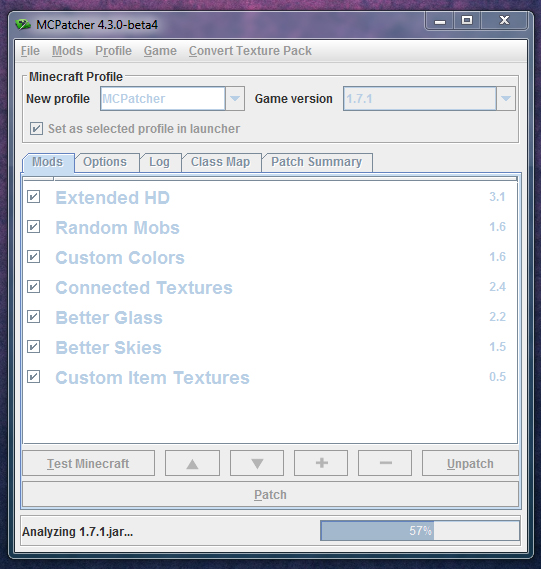
MCPatcher HD 1.9, 1.7.10 is a software designed by Java. It helps players install many features like: Convert texture, Better Glass, Connected Textures… Particularly, you can easily customise resource packs like changing their colors or fonts. MCPatcher is the most up-to-date mod when new versions of Minecraft are released.
MCPatcher HD Features:
- Custom item textures!
- Better Glass! More transparency options for glass textures.
- Better Skies. Add your own textures to the day and night skies. Many options for fading and blending.
- Connected Textures.
- Custom Colors mod. Texture pack authors can now customize many colors in the game including swamps, lighting, and more. See Misa’s texture pack for examples.
- Balthichou’s RandomMobs mod.
- Extended animation, mipmapping, and font support.
- Ability to load other mods like ModLoader. See “Installing other Mods” for details.
- Ability to save and load mod profiles and switch between them easily. Also organize your mods by the Minecraft version they go with.
Screenshot:
How to Install:
New to Minecraft? Follow our step-by-step guide to install Mods on your PC.View Guide
MCPatcher HD 1.9, 1.7.10 Download Links
For Minecraft 1.5.2
Windows only: Download from Server 1 – Download from Server 2 – Download from Server 3 – Download from Server 4
All other platforms: Download from Server 1 – Download from Server 2 – Download from Server 3 – Download from Server 4
For Minecraft 1.6.4/1.6.2
Windows only: Download from Server 1 – Download from Server 2 – Download from Server 3 – Download from Server 4
All other platforms: Download from Server 1 – Download from Server 2 – Download from Server 3 – Download from Server 4
For Minecraft 1.7.2
Windows only: Download from Server 1 – Download from Server 4 – Download from Server 3
All other platforms: Download from Server 1 – Download from Server 2 – Download from Server 3
For Minecraft 1.7.10
Windows only: Download from Server 1 – Download from Server 2
All other platforms: Download from Server 1 – Download from Server 2
For Minecraft 1.8.0 (Beta)
Windows only: Download from Server 1
All other platforms: Download from Server 1
For Minecraft 1.9.x/1.8.x
Windows only: Download from Server 1 – Download from Server 2
All other platforms: Download from Server 1 – Download from Server 2
You May Also Like