
Mo’ Villager Mod (26.3, 1.20.1) – Expand Village Life with New Specialized

 0


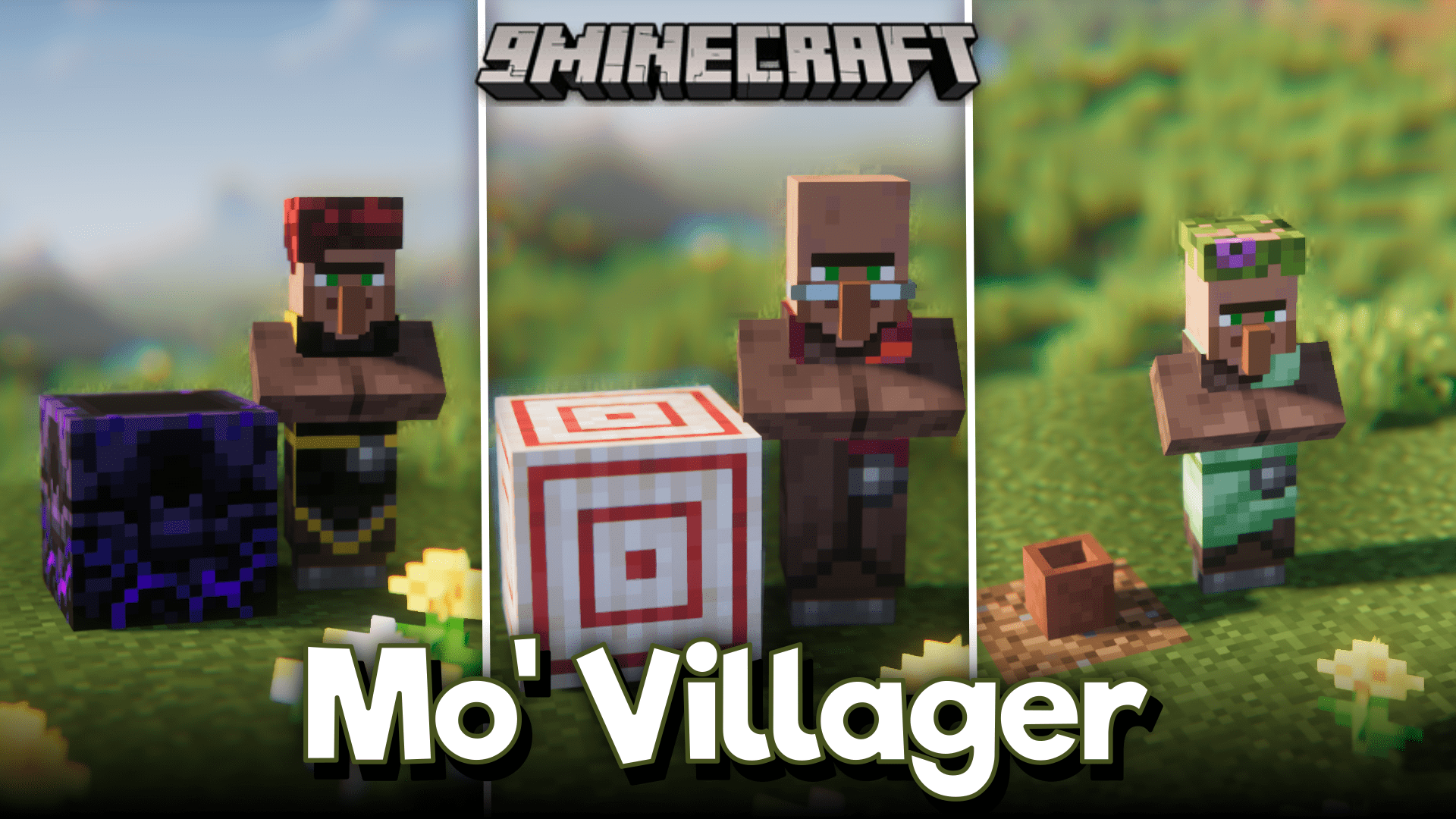
Mo’ Villager Mod expands village life with five new villager professions and unique trades. Players can convert unemployed villagers into specialized workers simply by placing specific new workstations nearby. Each profession brings custom trades and new houses that spawn naturally inside villages.
Features:
- Florist: Sells various vegetation items and plants, using the flower pot as a workstation.
- Miner: Sells underground ores, minerals, and useful subterranean items, using the furnace as a workstation.
- Engineer: Sells redstone items and blocks, using the target block as a workstation.
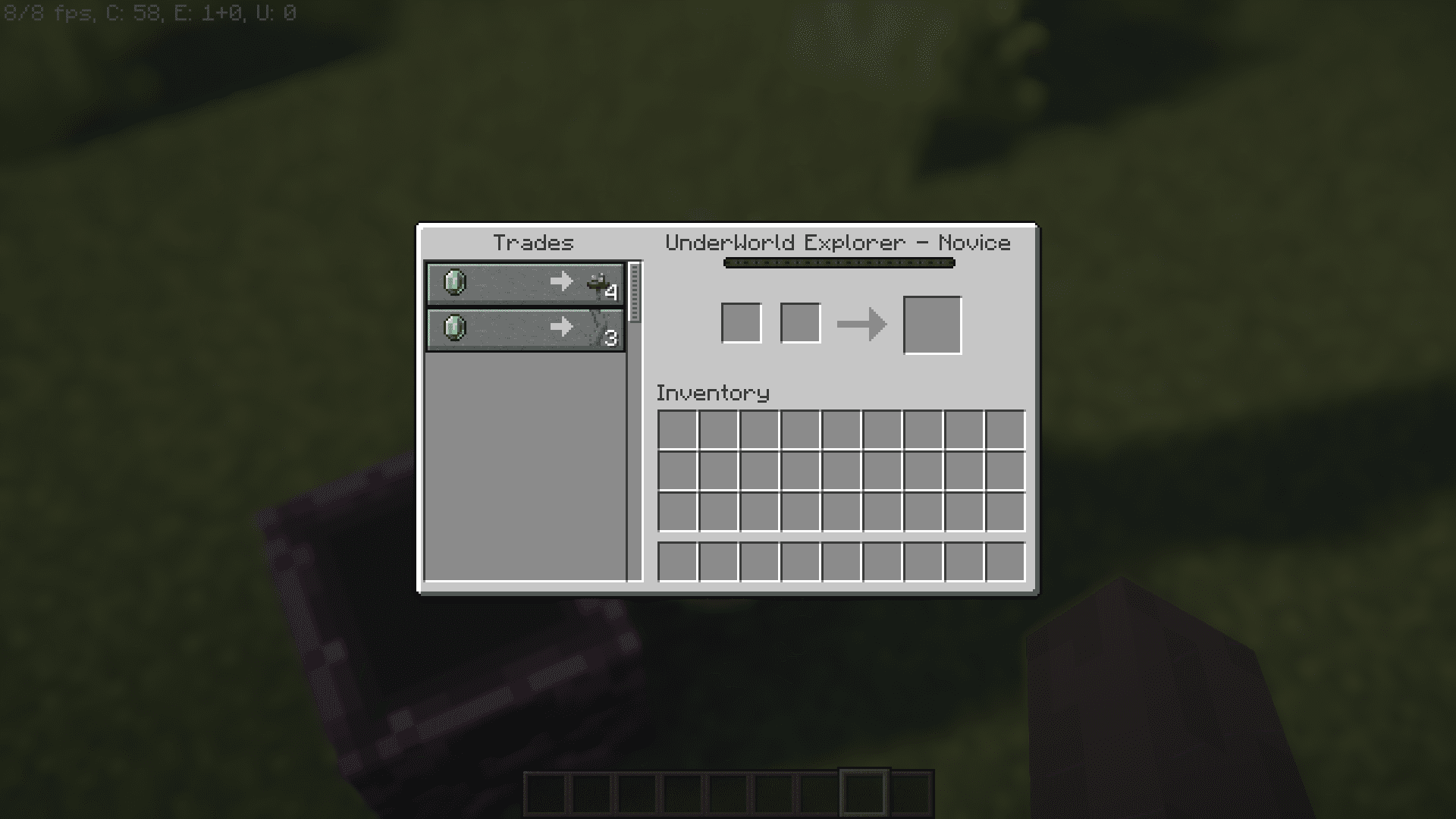
- Underworld Explorer: Sells items and blocks gathered directly from the Nether, using the respawn anchor as a workstation.
- Lumber Jack: Sells wooden items and blocks, using the crafting table as a workstation.
- Spawns custom houses inside villages tailored for the new professions, except for the Underworld Explorer.
How to Use:
- Find or build a village in your world.
- Place one of the new workstation blocks—such as a flower pot, furnace, target block, respawn anchor, or crafting table—near an unemployed villager.
- Wait for the villager to change appearance and take on the new profession.
- Interact with the villager to check their unique trades and buy new items.
Screenshots:
The workstation required to assign a profession here is a Crafting Table.

The workstation required to assign a profession here is a Target Block. Sells arrows, bows and crossbows.

The workstation required to assign a profession here is a Furnace. Sells ores and minerals.

The workstation required to assign a profession here is a flower pot. Sells flowers and bushes.

The workstation required to assign a profession here is a Respawn Anchor. Sells items from the nether.

New Trades – Example
How to Install:
New to Minecraft? Follow our step-by-step guide to install Mods on your PC.View Guide
Requirements:


Mo' Villager Mod Download Links
For Minecraft 26.3
For Minecraft 26.2
For Minecraft 26.1.2, 26.1.1, 26.1
For Minecraft 1.21.11
For Minecraft 1.21.10, 1.21.9
For Minecraft 1.21.8, 1.21.7, 1.21.6
For Minecraft 1.21.5
For Minecraft 1.21.4
For Minecraft 1.20.1, 1.20
For Minecraft 1.19.4
For Minecraft 1.19.2
For Minecraft 1.18.2
For Minecraft 1.16.5
You May Also Like
Picked for this page
 Zume Mod (26.1.2, 1.20.1) – Zoom Without Limitations
 Click Manaita Mod (26.3, 1.20.1) – Item Multiplication
 Prism Mod (26.3, 1.20.1) – Library All About Color
 Transmog Mod (26.2, 1.20.1) – Hide Your Power Level
 Crying Portals Mod (26.3, 1.20.1) – Using Crying Obsidian to Build Nether Portals
 No Resource Pack Warnings Mod (26.3, 1.20.1) – Disable Pop-up Warning
 Effect Tooltips Mod (26.3, 1.20.1) – More Information About Effects
 Twitch Chat Bridge Mod (26.2, 1.21.1) – Bridging Realms: Twitch Chat Mod
 Tooltip Scroll Mod (26.3, 1.20.1) – Scroll Your Way To Clarity
 Custom Piglin Bartering Mod (26.3, 1.20.1) – Unique Loot For Every Trade
 Craftable Saplings Mod (26.3, 1.20.1) – Grow Any Tree
 Blocky Bubbles Mod (26.3, 1.20.1) – Fast Bubbles For Java Edition
Most viewed in Mods over the last 7 days
 Ala Industrial Mod (26.3) – Run Electric Power Grids and Automated Factories
 PleasureCraft Mod (26.3, 1.21.1) – Jenny Mod Remake for Fabric
 Jennycraft Mod (26.3, 1.20.1) – Virtual Girlfriend in Minecraft
 Fapcraft Mod (26.3, 1.12.2) – Comprehensive and Detailed Content
 Jenny Mod (Fapcraft) Official Complete Guide – How to use, Tutorial
 BangCraft Mod (1.20.1) – Jenny, Ellie and Elliot
 Fabric Loader (26.3, 1.20.1) – Fabric Installer for All Minecraft Versions
 Meteor Client Mod (26.3, 1.20.1) – Xray, HUD, Fly
 The Shooting Star Demo Mod (26.3, 1.20.1) – Vaporize Terrain From Orbit
 OptiFine HD (26.3, 1.20.1) – Run Faster, FPS Boost, Shaders Support
 Aristois Client Mod (1.21.4, 1.20.1) – World Class Minecraft Utility
 Prestige Client Mod (1.21.11, 1.21.4) – Powerful Ghost Features for Crystal & Sword PvP
More from Mods
 Cozy’s Improved Wolves Mod (26.3, 1.20.1) – Bond with Loyal Dogs That Never Die
 Rctapi Fix Mod (1.21.1) – Fight Cobblemon Trainers Without Any Server Crashes
 XinexLib Mod (1.21.1) – Keep Your Ultreon Studios Mods Running
 Libvulpes – Fixed Mod (1.12.2) – Launch Rockets with Fewer Bugs
 Freelook Perspective Mod (26.3, 1.21.1) – Watch Your Back While Sprinting
 FAUNA Engine Mod (1.21.1, 1.20.1) – Powering Legendary Dragons
 Avali Nexus Mod (26.3) – Settle Frozen Frontiers with High-Tech Bird Tribes
 Orient’s Hotpot Chronicles Mod (1.20.1) – Boil Fresh Hotpot Meals Over Open Flames
 Far Lands Traveler Mod (26.1.2) – Survive the Long Trek to the Edge of the World
 Beli’s SkyLyrics Mod (1.21.11) – Sing Along to Desktop Tracks Projected in the Night Sky
 Explainstone and Songmelyn Mod (1.21.1) – Broadcast Custom Music Across Your Base
 Rockstar Shaders Mod (26.3) – Cast Ray-Traced Light Across Vast Distant Horizons

This post has no comments yet. Be the first — your comment will appear here.