


Node Pulse Monitor Mod (26.2, 1.21.11) – Spot Laggy Chunks and Tick Spikes
 7
7
 0
0

🌐 Read this article in your language! Choose your preferred language below.
Or pick the one you like:
Node Pulse Monitor Mod brings an in-game task manager to help you track performance issues while playing. It lets you monitor frame drops, server tick spikes, rendering hitches, and heavy block entities in real time. You can see exact startup times for each mod and view clear graphs for network or disk activity. The mod makes finding which add-on slows down your game simple and quick.
Features:
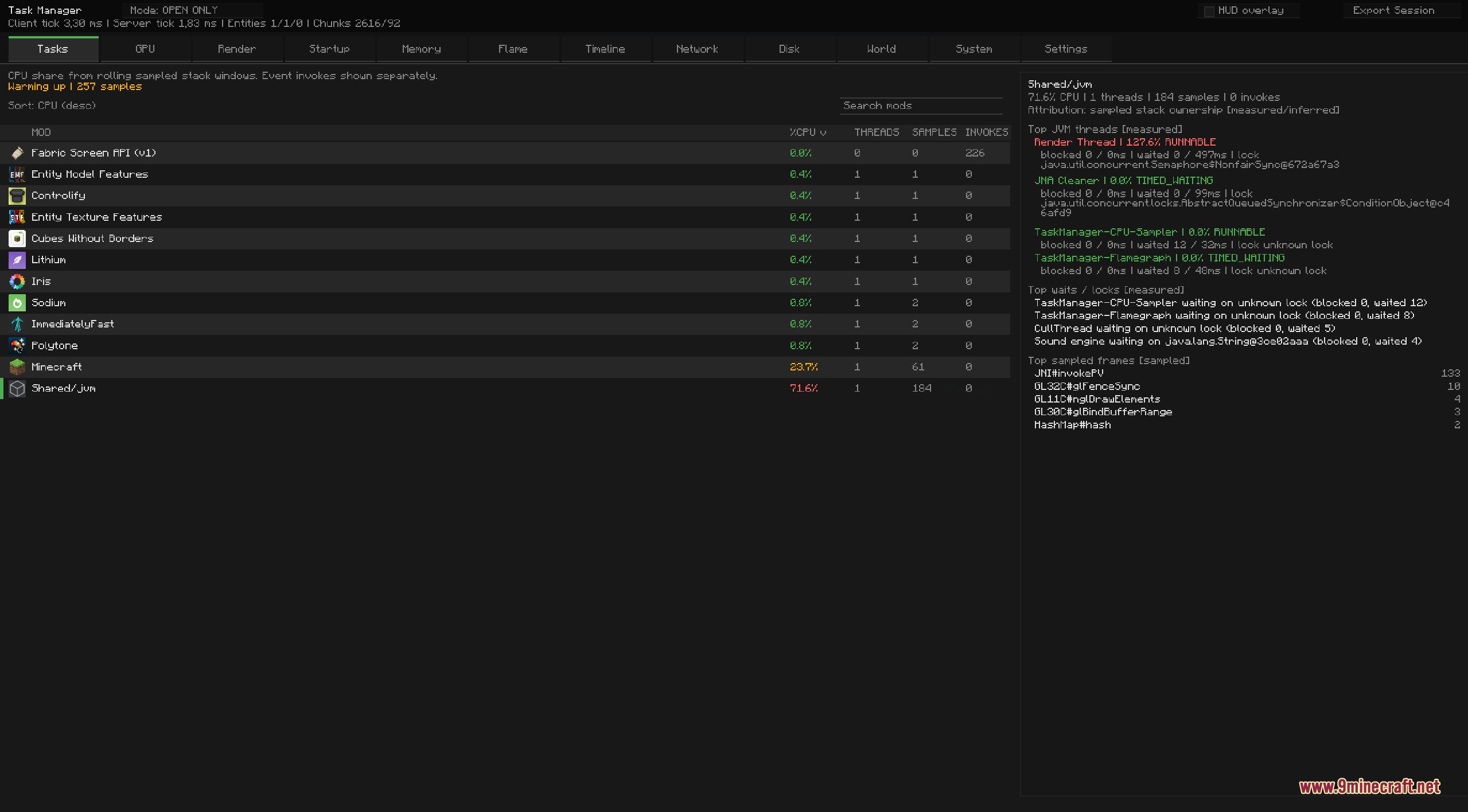
- Shows live CPU and GPU usage for each installed mod so you know what causes lag.
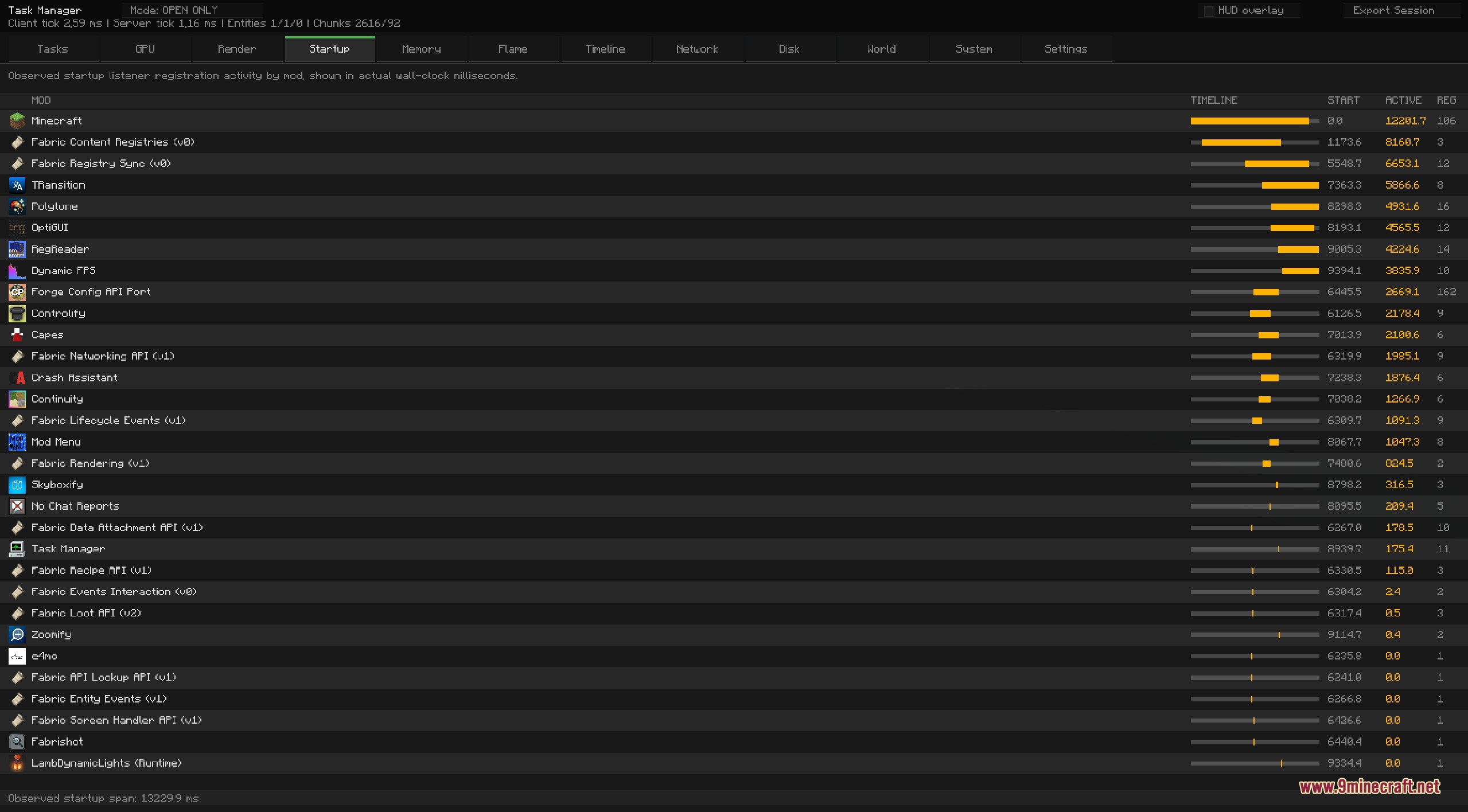
- Displays clear startup times in milliseconds measured directly during game loading.
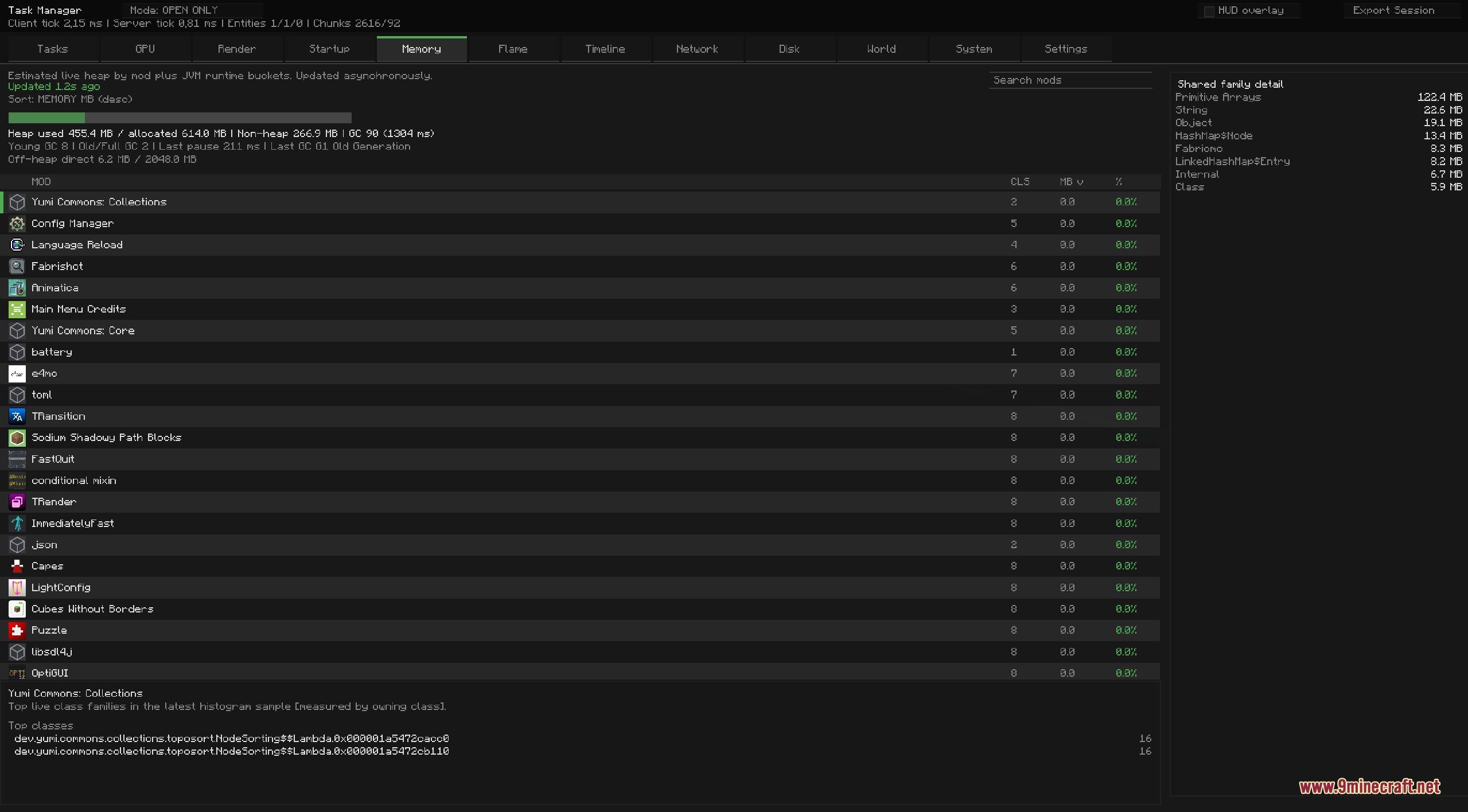
- Tracks memory usage, shared heap allocations, and active Java class families.
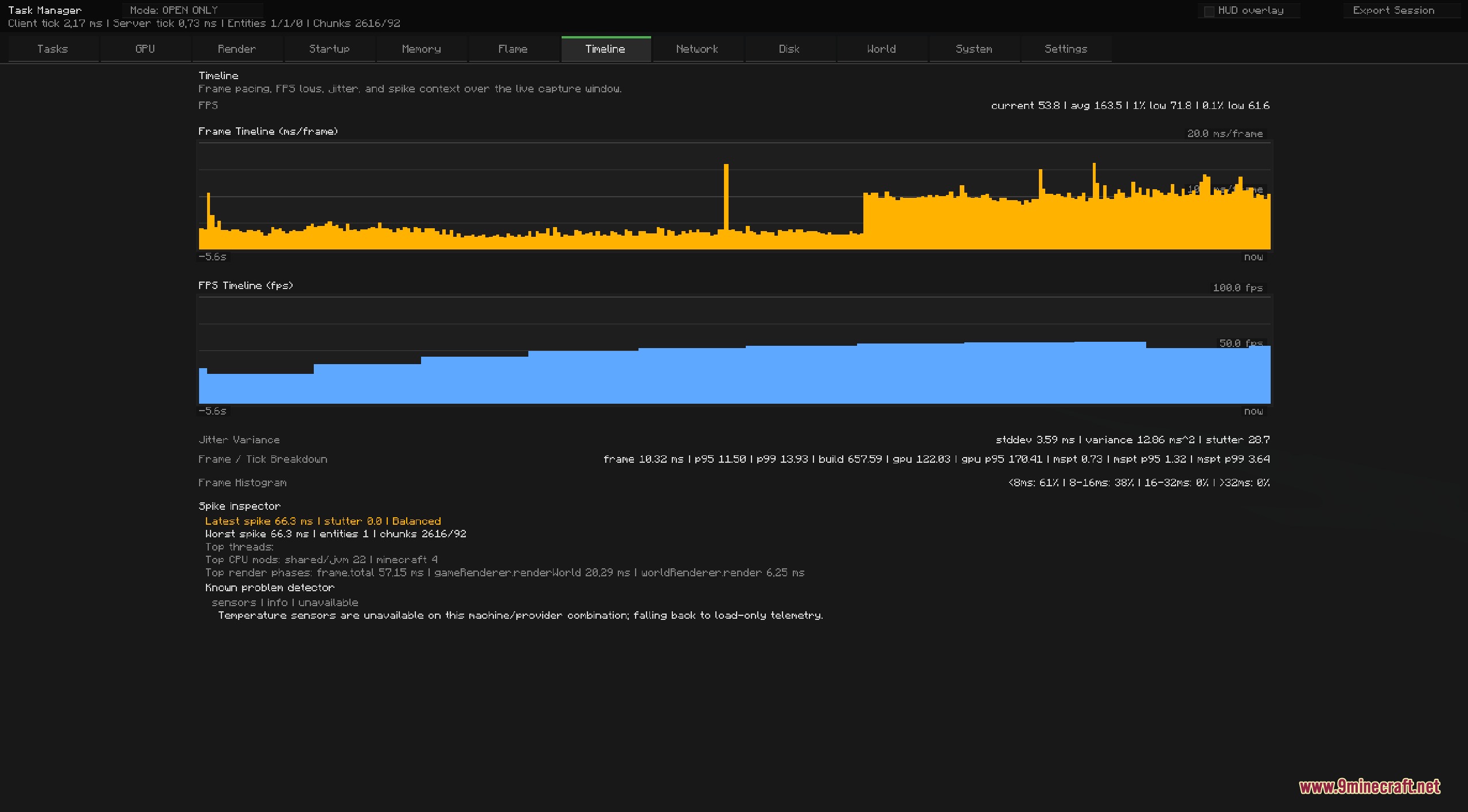
- Plots timeline graphs for frame rate, frame times, network activity, and disk reads or writes.
- Includes a Lag Map and Block Entities tab to locate heavy chunks and tile entities in your world.
- Provides flame graphs and sampled stack traces to pinpoint exact code bottlenecks.
- Records full gameplay sessions and exports summaries of worst frame drops and tick spikes.
- Features a customizable on-screen HUD overlay to keep track of performance metrics while moving.
- Allows searching, filtering, and sorting across all task and memory tables.
Diagnostic Tabs:
- Tasks: monitors CPU share, sampled threads, and total event calls per mod.
- GPU: tracks estimated GPU workload and render-thread samples.
- Startup: lists the exact time each mod takes to load on launch.
- Memory: breaks down heap usage, top classes, and memory consumption.
- Timeline: displays visual graphs for FPS, frame variance, and server tick time.
- World: spots laggy chunks and dense clusters of entities or block entities.
- System: checks overall hardware load, CPU temperatures, and thread locks.
How to Use:
- Press F12 during gameplay to open the task manager menu.
- Click through the top tabs such as Tasks, Memory, or World to inspect performance metrics.
- Use the search bar at the top of any tab to filter specific mods or class names.
- Press F10 to show or hide the real-time HUD overlay on your screen.
- Press F11 to start or stop recording a performance benchmark session.
Screenshots:
How to Install:
New to Minecraft? Follow our step-by-step guide to install Mods on your PC.View Guide
Requirements:


Node Pulse Monitor Mod Download Links
For Minecraft 26.2
For Minecraft 26.1.2, 26.1.1, 26.1
For Minecraft 1.21.11
For Minecraft 1.21.10, 1.21.9
For Minecraft 1.21.8, 1.21.7, 1.21.6
Click to rate this post!
[Total: 0 Average: 0]
You May Also Like














This post has no comments yet. Be the first — your comment will appear here.