


Open Terrain Generator Mod (1.16.5, 1.12.2) – Craft Worlds From Scratch
 5,224
5,224
 0
0

🌐 Read this article in your language! Choose your preferred language below.
Or pick the one you like:
Open Terrain Generator Mod gives you full control over how Minecraft worlds are made. It allows you to create completely custom worlds without needing to know any Java. You can design anything you can imagine, from floating islands to entire cave worlds. The mod works with special packs called presets, which you can make yourself or download from others to easily change your world generation.
Start A World:
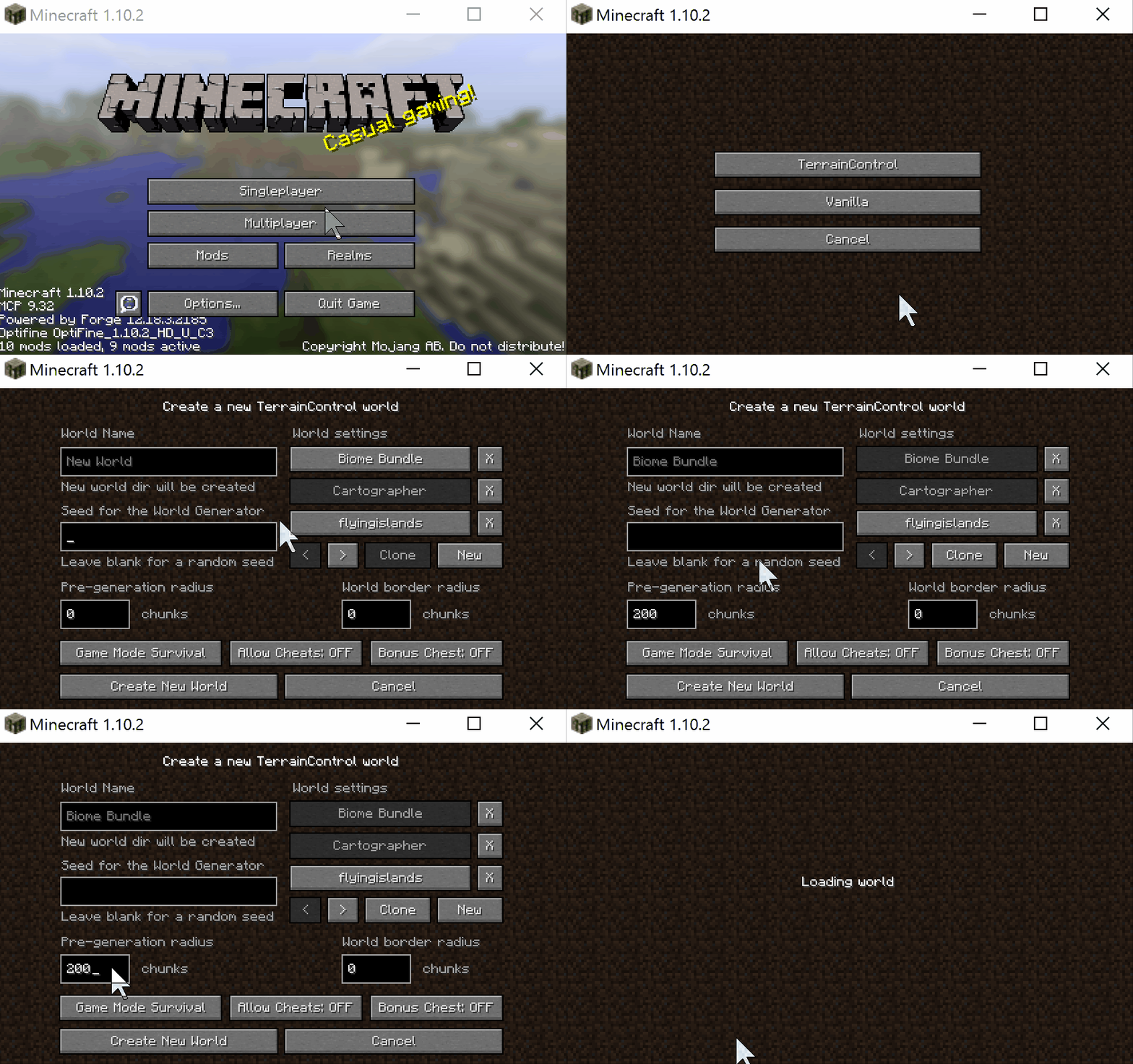
- Minecraft’s world creation screen has been modified by OTG to make managing multiple presets easier.
- Simply select ‘Create New World’ then ‘OTG’, then select your world settings and off you go.
Features:
- Control the height and shape of terrain, including its noise and volatility.
- Create new biomes and decide the size of islands and continents.
- Import custom trees and other objects (BO2 and BO3 formats).
- Set your own mob spawning rules and climate for each biome.
- Generate large, custom structures with unique mobs and loot inside.
- Change options for vanilla structures like mineshafts, strongholds, and villages.
- Control every block placed during world generation, such as ores, plants, and ponds.
- Customize the appearance of caves and canyons.
- Change visual settings like the color of leaves, water, and the sky.
- Generate biome maps directly from image files.
- Create your own custom dimensions and travel to them through portals.
How to Use:
- To use a preset, place its JAR file into your “mods” folder along with the main OTG mod.
- In Minecraft, start creating a new world.
- Select the “OTG” world type from the options.
- Choose the preset you want to use from the world creation menu and start your game.
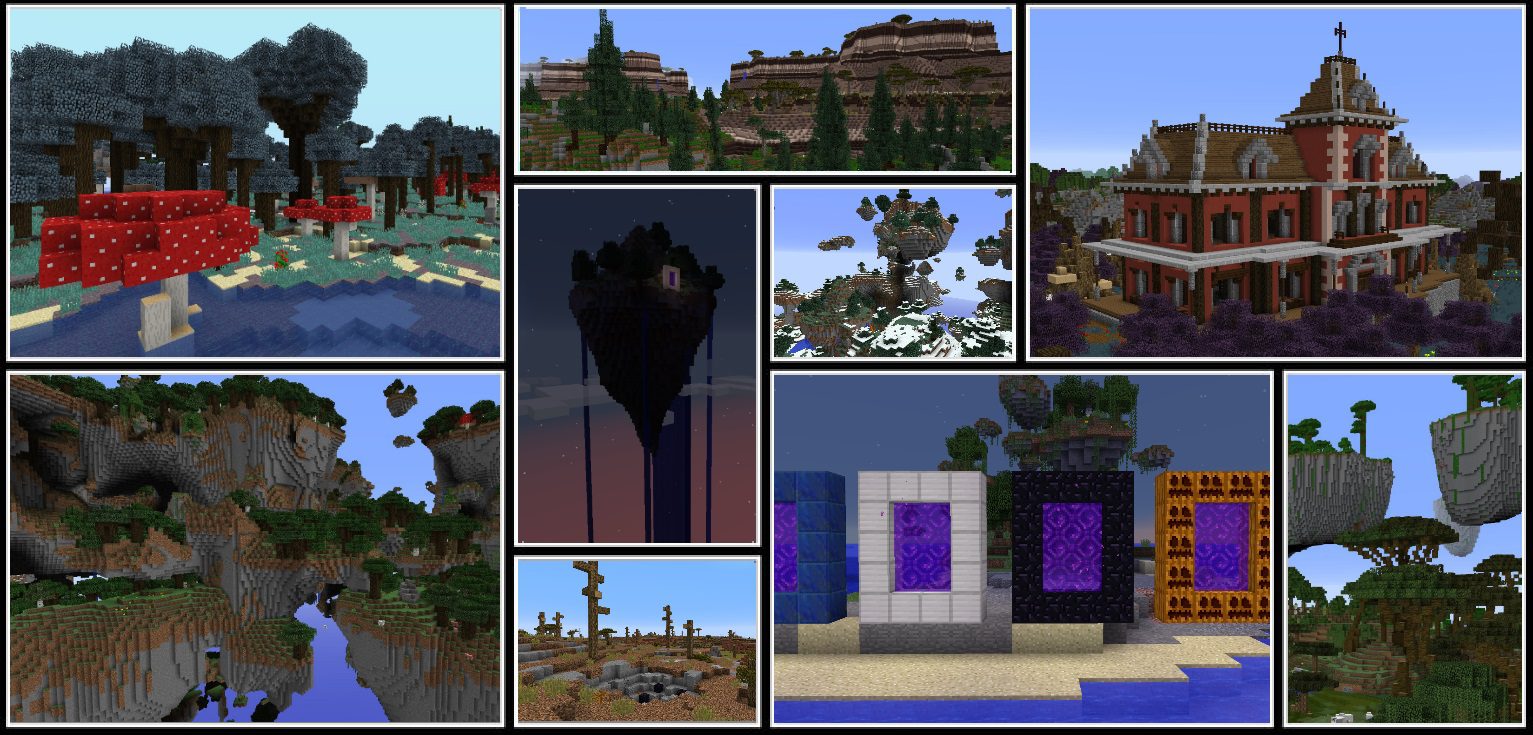
Screenshots:
How to Install:
New to Minecraft? Follow our step-by-step guide to install Mods on your PC.View Guide
Open Terrain Generator Mod Download Links
For Minecraft 1.10.2
For Minecraft 1.11.2
For Minecraft 1.16.5
For Minecraft 1.12.2
Click to rate this post!
[Total: 2 Average: 5]
You May Also Like

This post has no comments yet. Be the first — your comment will appear here.