Packed Up Mod (1.21.11, 1.20.1) – Backpacks Made from Various Materials
 151,715
 0
0
 December 29, 2025
 SuperMartijn642
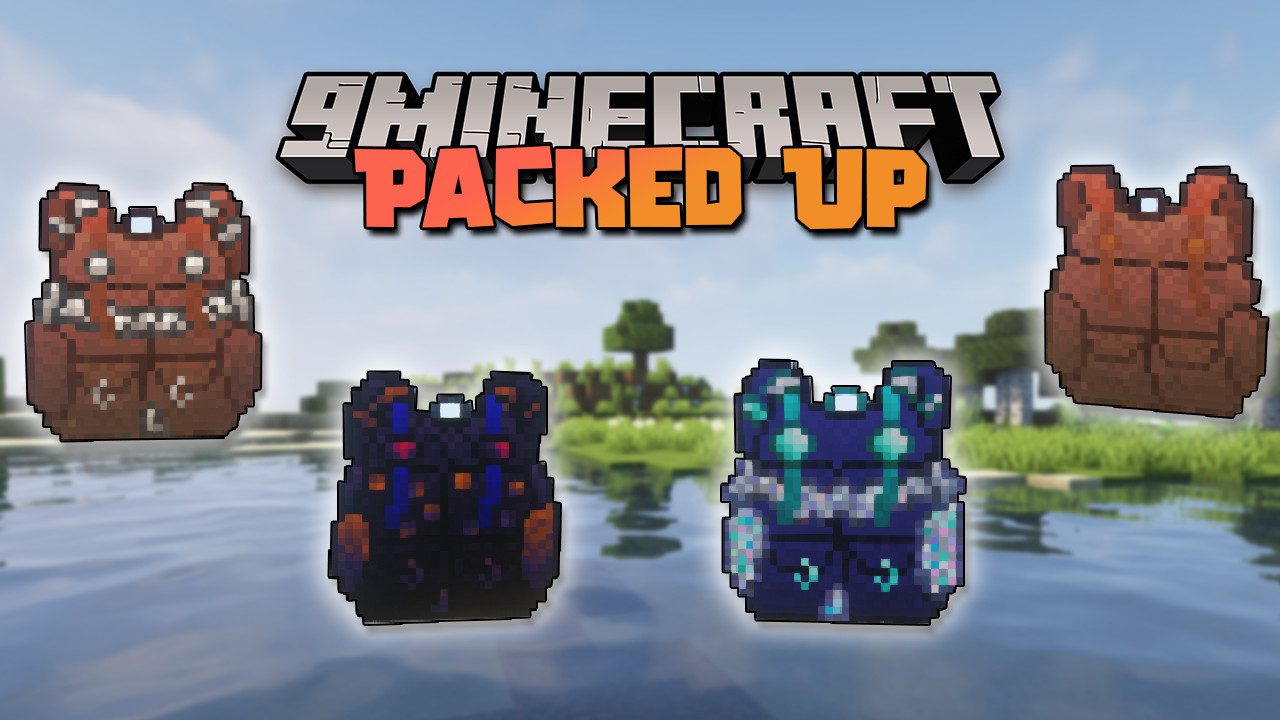
Packed Up Mod (1.21.11, 1.20.1) is a mod focused on giving players the ability to craft backpacks using several predefined materials. These backpacks provide players with the versatility of carrying items at all times, along with extra storage capacity.
Features:
- The basic backpack is made from leather.
- It can be upgraded sequentially with iron, then copper, followed by gold, diamond, and finally, obsidian.
- If you have another mod that adds silver, you’ll also be able to craft a silver backpack.
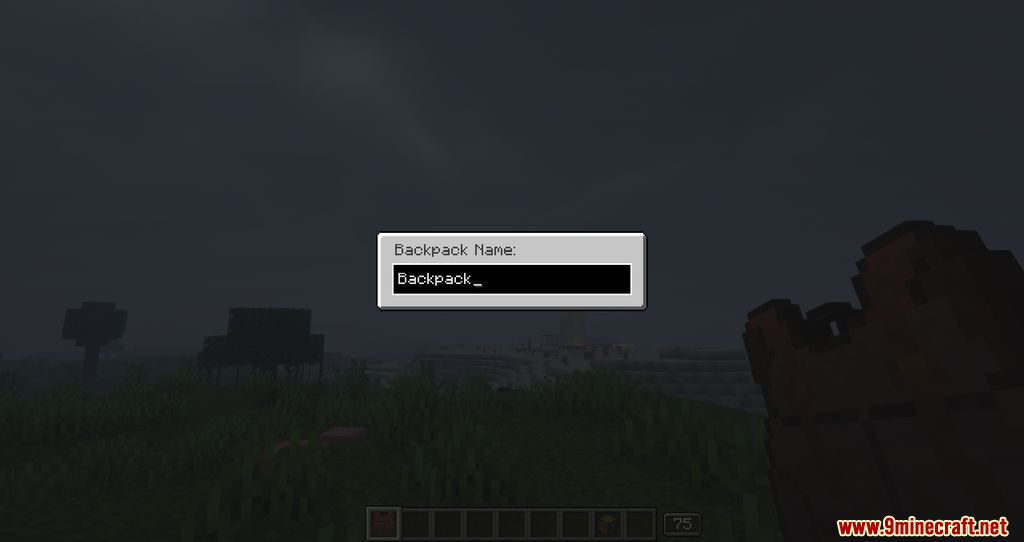
- To help distinguish one backpack from another, the mod lets you rename them however you like. You can also place one backpack inside another-and, impressively, open the inventory of a backpack that’s stored inside another without taking it out.
List of Backpacks:
Backpacks are portable storage items that provide additional inventory space.
Backpack Tiers
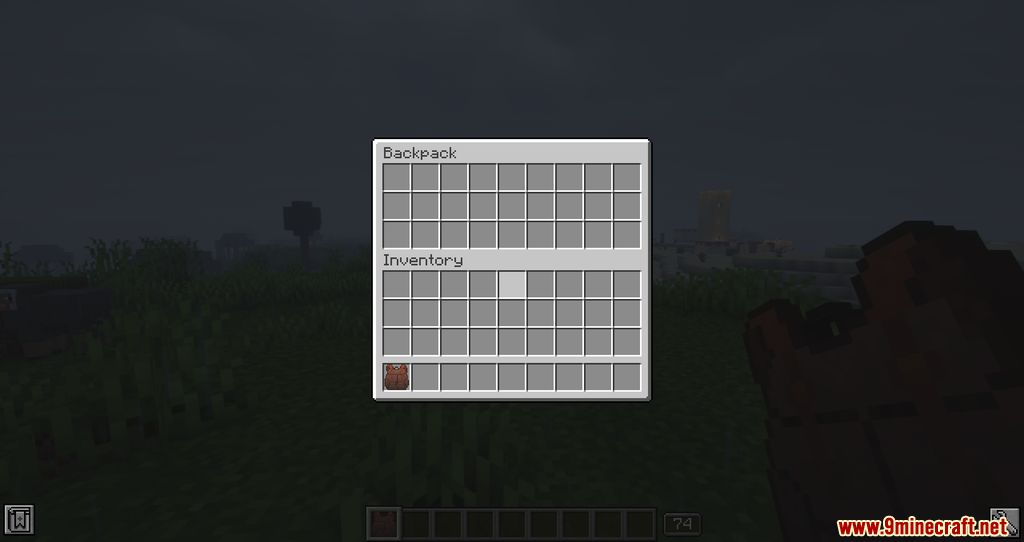
- Standard Backpack
- Provides 3 rows of storage.
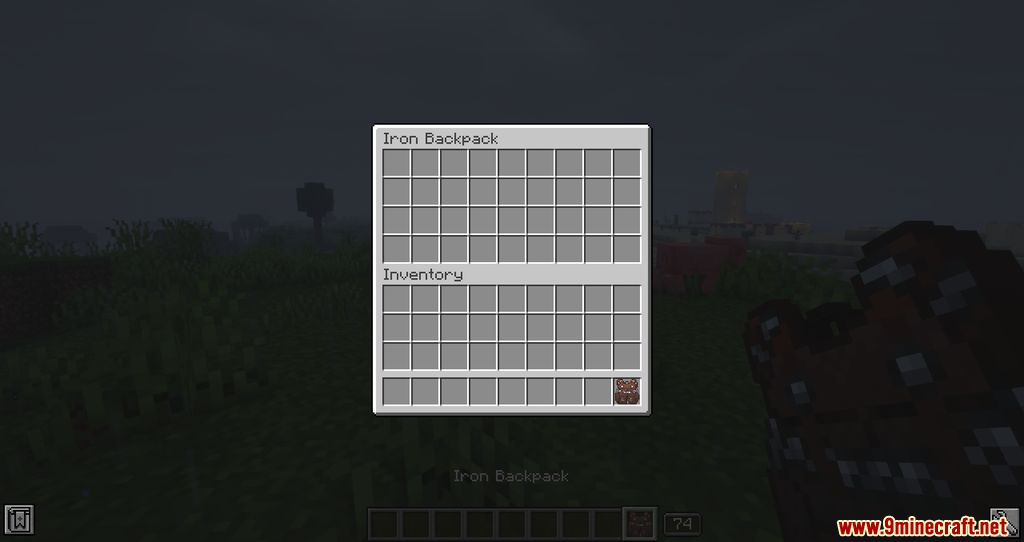
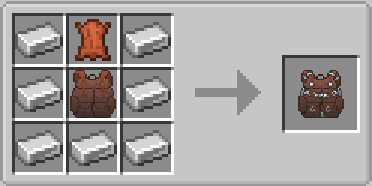
- Iron Backpack
- Upgraded from Standard Backpack.
- Provides 4 rows of storage.
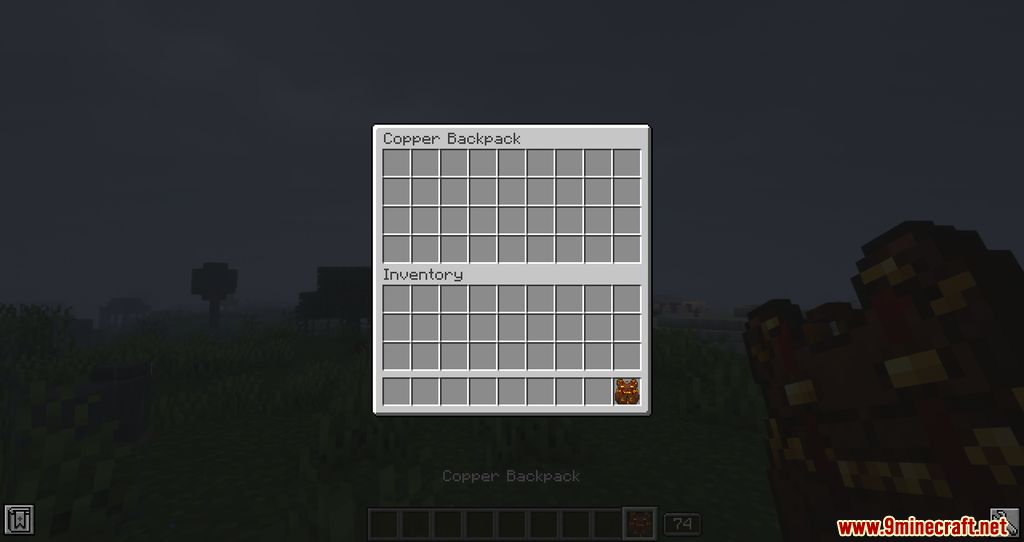
- Copper Backpack
- Upgraded from Standard Backpack.
- Provides 4 rows of storage.
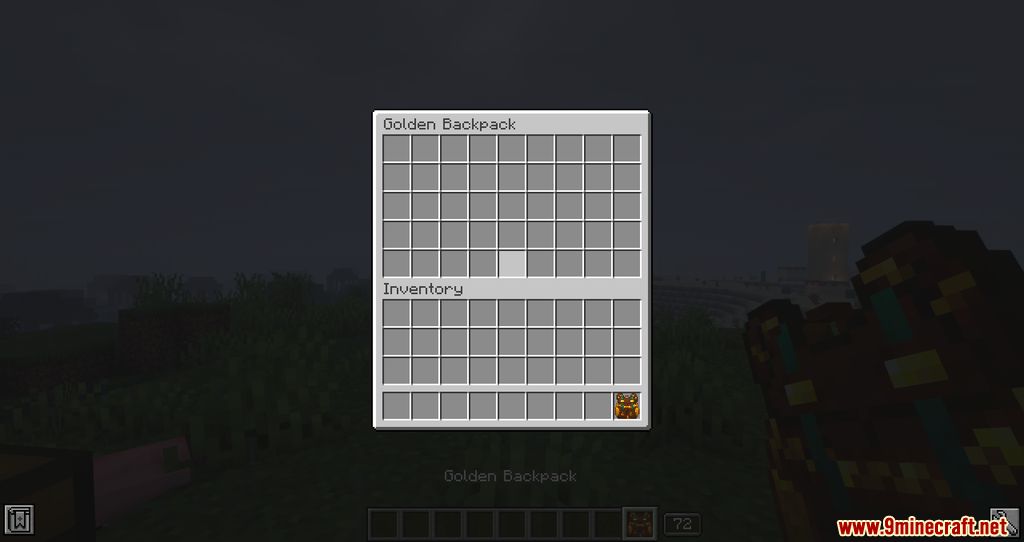
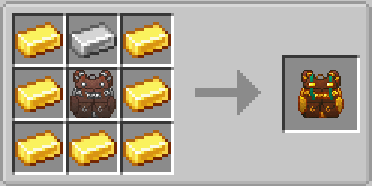
- Golden Backpack
- Upgraded from Iron Backpack or Copper Backpack.
- Provides 5 rows of storage.
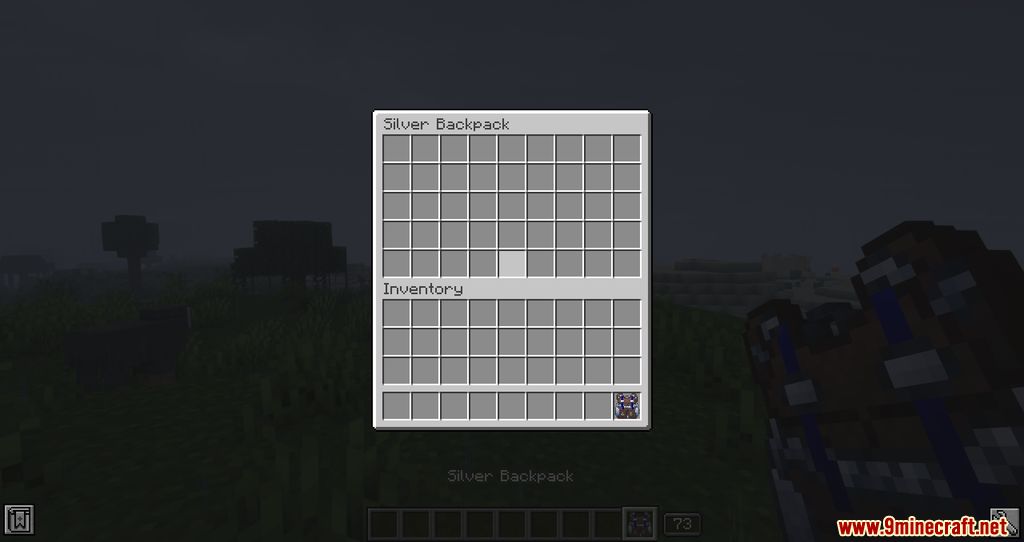
- Silver Backpack
- Upgraded from Iron Backpack or Copper Backpack.
- Provides 5 rows of storage.
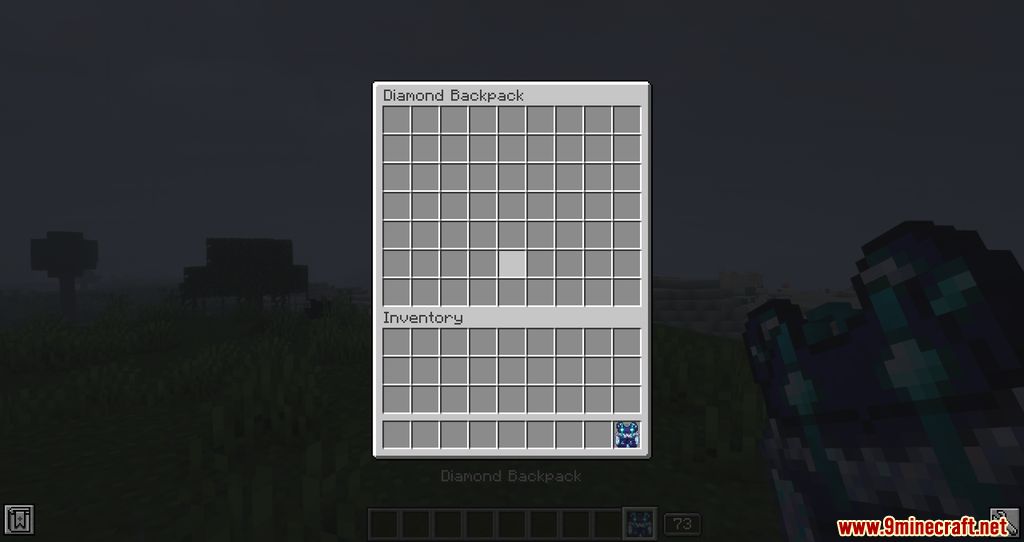
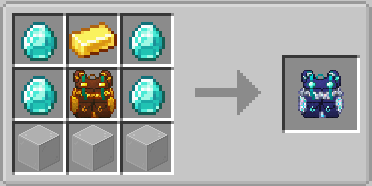
- Diamond Backpack
- Upgraded from Golden Backpack or Silver Backpack.
- Provides 7 rows of storage.
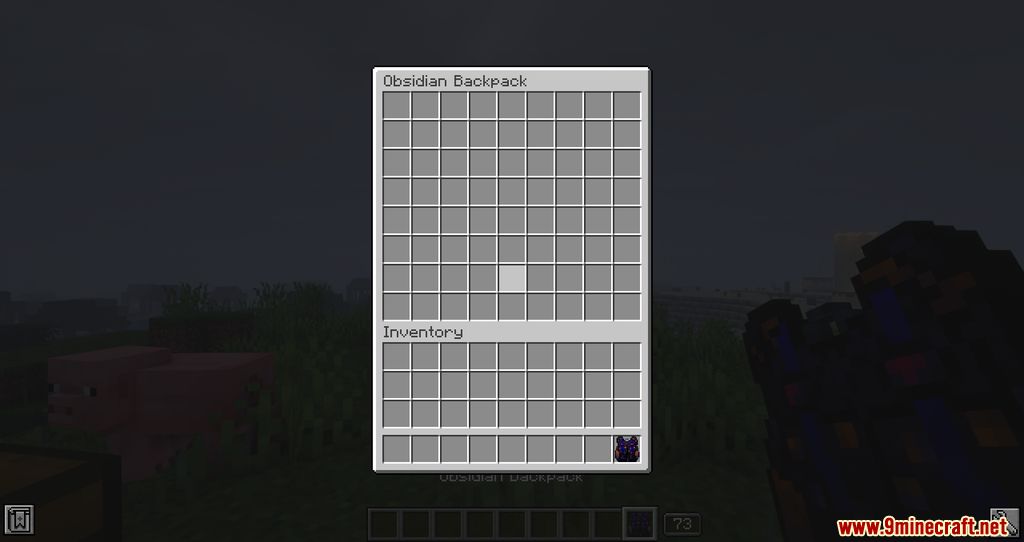
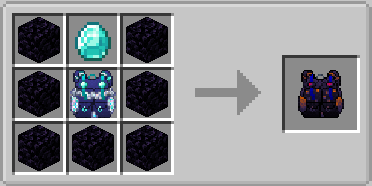
- Obsidian Backpack
- Upgraded from Diamond Backpack.
- Provides 8 rows of storage.
Backpack Customization
- Backpacks can have a custom name and a custom icon.
- To customize a backpack, hold it and press
Shift + Right Click.
Opening a Backpack Inside Another Backpack
- Right-click a backpack to open it.
- Inside the inventory, right-click another backpack to open it.
Note: Backpack upgrade paths are linear and depend on the current backpack tier.
Screenshots:
Crafting Recipes:
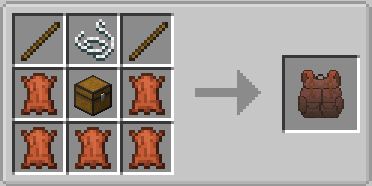
Recommend that you should install Just Enough Items (for mods using Forge) or Roughly Enough Items (for mods using Fabric) to view the full recipes included in this mod
Requires:
Minecraft Forge or Fabric API or Quilt Loader or NeoForge Installer
How to install:
Click the following link to view details: How to Install Mods for Minecraft Java Edition on PC: A Beginner Guide
Packed Up Mod (1.21.11, 1.20.1) Download Links
Other Versions:
For Minecraft 1.12.2
Forge version: Download from Server 1
For Minecraft 1.16.5
Forge version: Download from Server 1
For Minecraft 1.18.2
Forge version: Download from Server 1 – Download from Server 2
For Minecraft 1.19.2
Forge version: Download from Server 1
For Minecraft 1.19.3
Forge version: Download from Server 1 – Download from Server 2
For Minecraft 1.19.4
Forge version: Download from Server 1 – Download from Server 2
Fabric version: Download from Server 1 – Download from Server 2
For Minecraft 1.20.1, 1.20
Forge version: Download from Server 1 – Download from Server 2
Fabric version: Download from Server 1 – Download from Server 2
For Minecraft 1.20.2
Forge version: Download from Server 1 – Download from Server 2
Fabric version: Download from Server 1 – Download from Server 2
For Minecraft 1.20.4
Forge version: Download from Server 1 – Download from Server 2
NeoForge version: Download from Server 1 – Download from Server 2
Fabric/Quilt version: Download from Server 1 – Download from Server 2
For Minecraft 1.20.6
Forge version: Download from Server 1 – Download from Server 2
NeoForge version: Download from Server 1 – Download from Server 2
Fabric/Quilt version: Download from Server 1 – Download from Server 2
For Minecraft 1.21.1, 1.21
Forge version: Download from Server 1 – Download from Server 2
NeoForge version: Download from Server 1 – Download from Server 2
Fabric/Quilt version: Download from Server 1 – Download from Server 2
For Minecraft 1.21.3
Forge version: Download from Server 1 – Download from Server 2
NeoForge version: Download from Server 1 – Download from Server 2
Fabric/Quilt version: Download from Server 1 – Download from Server 2
For Minecraft 1.21.4
Forge version: Download from Server 1 – Download from Server 2
NeoForge version: Download from Server 1 – Download from Server 2
Fabric/Quilt version: Download from Server 1 – Download from Server 2
For Minecraft 1.21.5
Forge version: Download from Server 1 – Download from Server 2
NeoForge version: Download from Server 1 – Download from Server 2
Fabric/Quilt version: Download from Server 1 – Download from Server 2
For Minecraft 1.21.8, 1.21.7, 1.21.6
Forge version: Download from Server 1 – Download from Server 2
NeoForge version: Download from Server 1 – Download from Server 2
Fabric/Quilt version: Download from Server 1 – Download from Server 2
For Minecraft 1.21.10, 1.21.9
Forge version: Download from Server 1 – Download from Server 2
NeoForge version: Download from Server 1 – Download from Server 2
Fabric/Quilt version: Download from Server 1 – Download from Server 2
For Minecraft 1.21.11
Forge version: Download from Server 1 – Download from Server 2
NeoForge version: Download from Server 1 – Download from Server 2
Fabric/Quilt version: Download from Server 1 – Download from Server 2
You May Also Like