
Slash Essentials Mod (26.3, 1.20.1) – Set Homes and Teleport to Friends
 13
 0

Slash Essentials Mod adds the commands you use every day on a server, like homes, warps, flight and quick game mode changes. It also brings teleport requests that other players accept in chat. You only install the mod on the server, so players do not need it on their clients. In-game messages are in Portuguese.

Features:
- Teleport Requests: Ask to go to a friend or ask them to come to you. Nothing moves until they press the accept button in chat.
- Item Finder: Search for a block or a chest that holds an item. Matches get a glowing outline that only you can see.
- Homes and Warps: Save personal homes and visit shared warps and a shared spawn. Players can save five homes by default.
- Flight and Game Modes: Switch game modes fast and turn flight on or off for yourself or another player.
- Checks for standing room, a safe floor and the world border before every teleport.
- Refuses destinations in unloaded chunks, so no new terrain gets generated.
- Lets you heal, feed or put out fire on yourself or another player.
- Changes the world time and weather with short commands like
/dayand/rain. - Keeps homes, warps and the custom spawn after a server restart.
- Works with LuckPerms if you want it, but the local config works without any permission mod.
- Runs in singleplayer too when you install it in your game profile.
Teleport Request Rules:
- Requests expire after 60 seconds by default.
- Each player has a 10-second cooldown by default.
- Each player can have up to five pending requests at once.
- An expired, cancelled or already answered button cannot accept a later request.
Item Finder Limits:
- The default search radius is 16 blocks. Server owners can raise it up to 32.
- Each search shows up to 64 results.
- Outlines last 15 seconds by default.
- Matching uses the item type only, not custom names or enchantments.
- Unopened vanilla loot chests are skipped, so their loot is not generated.
- Searches only check loaded chunks.
Commands:
/tpa Alex: asks to teleport to Alex./tpahere Alex: asks Alex to teleport to you./tpaccept,/tpaccept Alex: accepts a teleport request./tpdeny Alex: denies a teleport request./tpcancel: cancels your own request./finditem minecraft:diamond: outlines blocks and chests that hold diamonds nearby./finditem minecraft:diamond 16: does the same search with a set radius of 16 blocks./finditem: searches for the item in your hand./gm [player]: sets survival (0), creative (1), adventure (2) or spectator (3)./gms,/gmc,/gma,/gmsp: shortcuts for those four game modes. Each also takes an optional player./fly [on|off] [player]: toggles flight, or turns it on or off./tpall [player]: brings everyone else to you, or to the named player./toparea: takes you to the highest safe solid surface at your current X/Z position./back: returns to your previous teleport location during this session./sethome [name],/home [name]: saves or visits a personal home. The default name ishome./delhome [name],/homes: removes a home or lists your homes./spawn,/setspawn: visits the shared spawn or sets a custom one./warp <name>,/warps: visits or lists shared warps./setwarp <name>,/delwarp <name>: creates or removes a shared warp./heal [player]: restores health and hunger and puts out fire./feed [player],/extinguish [player]: restores hunger or puts out fire./day,/night,/sun,/rain: changes the world time or weather./slashessentials help: lists the commands you can use./slashessentials reload: reloads the config.
Every command also works under /slashessentials, for example /slashessentials fly. Use this form if another mod already uses a short command name.
Configuration:
slashessentials.gm: lets a player use the game mode commands. Addslashessentials.gm.0throughslashessentials.gm.3for single modes, andslashessentials.gm.othersfor other players.slashessentials.fly,slashessentials.fly.others: lets a player use/flyon themselves or on others.slashessentials.tpall,slashessentials.toparea,slashessentials.finditem,slashessentials.back: unlock these commands, which need OP level 2 by default.slashessentials.warp: lets a player use warps. Addslashessentials.warp.<name>to limit a single warp.slashessentials.heal.others: lets a player heal someone else./feedand/extinguishuse the same.otherspattern.
Homes, spawn, warp visits and accepted teleport requests work for all players by default. Admin commands like /gm, /fly, /tpall, /toparea, /finditem, /back and the healing tools need OP level 2 unless you give a permission.
How to Use:
- Put the mod on your server. Players do not need to install it.
- Type
/sethometo save a home, then/hometo go back to it. - Type
/tpa Alexto ask to go to Alex. - Alex clicks ACEITAR in chat to accept, or RECUSAR to say no.
- Hold an item and type
/finditemto outline matching blocks and chests near you. You need OP or the right permission.
How to Install:
New to Minecraft? Follow our step-by-step guide to install Mods on your PC.View Guide
Slash Essentials Mod Download Links
For Minecraft 26.3
For Minecraft 26.2
For Minecraft 26.1.2, 26.1.1, 26.1
For Minecraft 1.21.11
For Minecraft 1.21.10, 1.21.9
For Minecraft 1.21.8, 1.21.7, 1.21.6
For Minecraft 1.21.5
For Minecraft 1.21.1, 1.21
For Minecraft 1.20.1, 1.20
For Minecraft 1.18.2
For Minecraft 1.16.5
For Minecraft 1.12.2
You May Also Like
Picked for this page
 Visual Workbench Mod (26.3, 1.20.1) – Keep Recipes on the Table
 Mob Sunscreen Mod (26.3, 1.20.1) – Prevent Mobs from Burning in Sunlight
 Chat Heads Mod (26.3, 1.20.1) – Follow Busy Server Chats
 Colossal Chests Mod (26.3, 1.20.1) – Never Run Out of Chest Space
 Advanced Chimneys Mod (26.3, 1.20.1) – Vent Indoor Smoke Outside
 Spice of Life Carrot Edition Mod (26.3, 1.20.1) – Turn Food Into More Health
 ScreenFX Mod (26.3, 1.20.1) – Personalize Your Minecraft
 Simple Swap Mod (26.3, 1.20.1) – Instantly Replace Your Building Blocks
 Kestrel ESP Wall Hack Mod (26.3, 1.20.1) – Spot Hidden Mobs and Players
 EVATEX Background Mod (26.3, 1.20.1) – Play Custom Animated Wallpapers
 Backpack Refined Mod (26.3, 1.20.1) – Carry Double the Loot on Long Mining Trips
 DIY Campfires Mod (26.1.2, 1.20.1) – Stack Firewood to Build Realistic Campsites
Most viewed in Mods over the last 7 days
 Ala Industrial Mod (26.3) – Run Electric Power Grids and Automated Factories
 PleasureCraft Mod (26.3, 1.21.1) – Jenny Mod Remake for Fabric
 Jennycraft Mod (26.3, 1.20.1) – Virtual Girlfriend in Minecraft
 Fapcraft Mod (26.3, 1.12.2) – Comprehensive and Detailed Content
 Meteor Client Mod (26.3, 1.20.1) – Xray, HUD, Fly
 Jenny Mod (Fapcraft) Official Complete Guide – How to use, Tutorial
 BangCraft Mod (1.20.1) – Jenny, Ellie and Elliot
 OptiFine HD (26.3, 1.20.1) – Run Faster, FPS Boost, Shaders Support
 Fabric Loader (26.3, 1.20.1) – Fabric Installer for All Minecraft Versions
 SchnurriTV Mod (1.12.2) – Characters and Features
 Cinematic Interactions Mod (26.3, 1.20.1) – Watch Your Hands Work
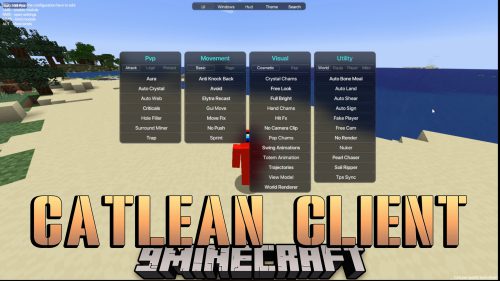 CatLean Client Mod (26.2, 1.21.11) – ThunderHack Recode Alternatives
More from Mods
 Another Config Manager Mod (26.1.2, 1.21.1) – Adjust Any Mod Options
 Infinity Nexus Core Mod (26.1.2, 1.20.1) – Automate Advanced Factories
 Ad Astra Asteroid Belt Mod (1.21.1, 1.20.1) – Risk Your Rocket to Mine
 Better Cloud Shadows Mod (1.21.1) – Watch Soft Cloud Shadows Drift
 Stack to Nearby Chests Neo Forge Mod (1.21.1) – Clean Out Your Inventory
 Easy Panorama Mod (26.3, 1.20.1) – Turn Your Favorite Build Into a Main Menu
 Trash & Crates OG Mod (26.3, 1.20.1) – Move Your Base in a Few Trips
 Enigmatic Extra Mod (1.20.1) – Trade Your Health for God-Like Late-Game Power
 Create Transcontinental Mod (1.21.1, 1.20.1) – Ride Ready-Made Rails
 Fast Image Frame Mod (26.3, 1.21.11) – Build Giant Map Art Walls
 DecorationX Christmas Mod (26.3, 1.21.1) – Decorate Your Home and Fight Snowman
 Velo Client Mod (1.21.11) – Smoother FPS, Custom HUDs and PvP Tools in One Launcher

This post has no comments yet. Be the first — your comment will appear here.