
Uxm Auth Plugin (26.3) – Protect Player Accounts and Keep Imposters Off the World
 3
3
 0
0

Uxm Auth Plugin guards player accounts and protects offline-mode servers from unauthorized access. It handles registration and login workflows before players enter the main world. Paid Minecraft accounts log in automatically without passwords, while Bedrock players receive custom menus through Floodgate. Extra tools keep saved data safe through session memory, two-factor checks, and brute-force defenses.

Features:
- Account Protection: Players set up a secure password using in-game dialogs, a frozen screen, or a separate login world.
- Premium Name Check: Paid Minecraft accounts skip password typing and log in automatically while protecting their usernames.
- Bedrock Forms: Mobile and console players joining through Floodgate interact with native pop-up forms instead of chat prompts.
- Two-Factor Verification: Players can connect authenticator apps or email codes to add an extra layer of protection.
- Brute-Force Shield: Blocks repeat login failures with address bans, connection limits, and visual captchas.
- Data Migration: Imports user records from older authentication plugins and shares databases across networks or websites.
- Remembers player sessions to reduce repetitive logins during reconnects.
- Includes email recovery options when players lose their passwords.
- Filters connection attempts based on country rules to stop unwanted traffic.
- Works across single Paper and Folia servers or multi-server Velocity networks.
How to Use:
- Stop the server before adding new files.
- Put the plugin file into the server plugins directory.
- Start the server to generate default files and adjust settings to fit your network.
How to Install:
New to Minecraft? Follow our step-by-step guide to install Plugins on your PC.View Guide
Uxm Auth Plugin Download Links
For Minecraft 26.3
Click to rate this post!
[Total: 0 Average: 0]
You May Also Like
Picked for this page
 Ultimate Donut SMP Plugin (26.2, 1.21.11) – Everything Players Need to Trade
 Auto Item Reload Plugin (26.3, 1.20.1) – Keep Building and Mining
 Set Homes Two Plugin (26.2, 1.20.1) – Give Players a Safe Way Back
 Token Smp Season2 Plugin (1.21.11, 1.21.1) – Collect Mob Tokens and Battle
 Ultimate Duels Plugin (1.21.11, 1.21.1) – Let Players Settle Grudges
 World Guard Plugin (26.3, 1.20.1) – Protect Player Builds From Grief
 Fancy Npcs Plugin (26.3, 1.21.11) – Fill Empty Lobbies with Characters Players
 Chronos Backups Plugin (26.3, 1.20.1) – Keep Server Builds Safe Without Lagging
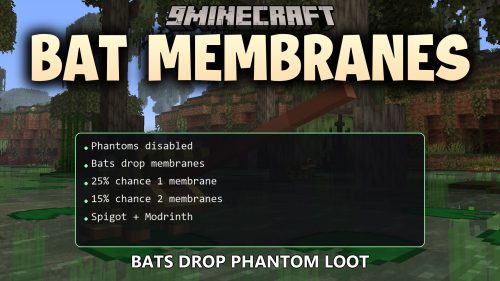 Bat Membranes Plugin (26.2, 1.21.1) – Fix Elytras Without Fighting Phantoms
 Nekorelay Plugin (26.2, 26.1.2) – Play with Friends Instantly Without Router
 Crafters Staff Plugin (1.21.11, 1.21.1) – Catch Rule Breakers Without Ruining
 ResourcepacksPlugins Plugin – Give Every World the Right Custom Look
Most viewed in Plugins over the last 7 days
 Vulcan Anti Cheat Plugin (1.21.8, 1.20.1) – A Powerful Shield Against Cheating
 Citizens Plugin (1.21.10, 1.20.1) – The Best NPC Plugin
 Displaymotion Plugin (1.21.4) – Amaze Players with Custom Animations and No Client Mods
 WorldEdit Plugin (1.21.11, 1.20.1) – Easy In-Game Minecraft Map Editor
 Dynmap 9minecraft Plugin (26.3) – A Live Google-Maps-Style View of Your Whole Server
 Ultimate Donut SMP Plugin (26.3, 1.20.1) – Build Teams Trade Goods
 Grim Anticheat Plugin (26.3, 1.20.1) – Realtime Cheat Detection Plugin
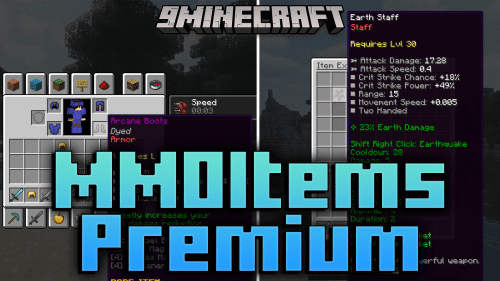 MMOItems Premium Plugin (1.21.8, 1.20.1) – Create Stunning Custom Items
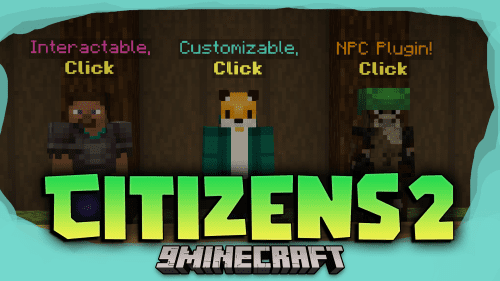 Citizens2 Plugin (1.21.8, 1.20.1) – Craft Unique NPCs
 Oraxen Plugin (1.21.11, 1.20.1) – Transform Your Ideas into Custom Items And Blocks
 MythicCrucible Plugin (1.21.8, 1.20.1) – Addon for MythicMobs
- Ultimate Donut SMP Plugin (26.2, 1.21.11) – Everything Players Need to Trade
More from Plugins
 Tk Chat Plugin (26.3, 1.21.1) – Keep Players Talking Together
 Donut Utils Plugin (26.1.2, 1.21.11) – Stop Toxic Trolls Before They Ruin
 ArmourShop Plugin (1.21.10) – Let Players Stand Out with Custom Armor Skins
 GeigerCounters Plugin (1.21.10) – Send Players Hunting Buried Caches Across the Map
 GemInfusion Plugin (1.21.10) – Turn Mining Loot Into Custom Gear for Every Player
 InteractibleFurniture Plugin (1.21.10) – Give Players Cozy Homes to Show Off Loot
 PermCleaner Plugin (1.21.10) – Fresh Seasonal Starts Without Losing Earned Ranks
 GunsAndGadgets Plugin (1.21.10) – Turn Survival Fights Into Tactical Firearm Shootouts
 Surgery Plugin (1.21.10) – Turn Player Injuries Into Intense Medical Roleplay
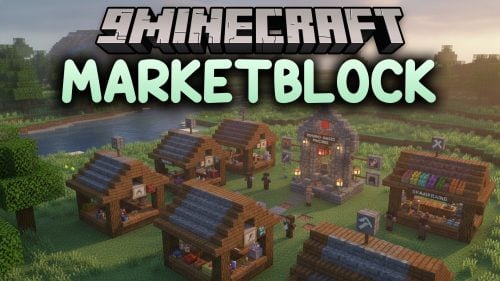 MarketBlock Plugin (1.21.10) – A Fair Trade Market That Rewards Fresh Harvests
 TFMCCore Plugin (1.21.10) – Custom Item Lore and Animal Whistles for Roleplay Servers
 Economy SMP Plugin (26.2, 1.21.1) – Turn Survival Worlds Into Active Trading

This post has no comments yet. Be the first — your comment will appear here.